
Overview
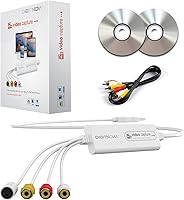
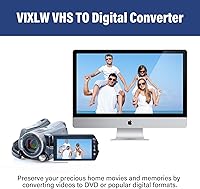
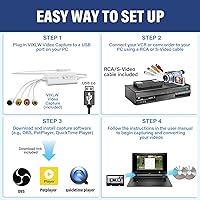
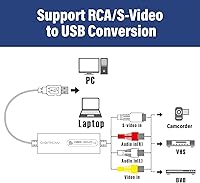
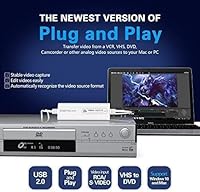
The VIXLW VHSDC01 VHS to Digital Converter is a straightforward, budget-conscious USB capture device built for one clear purpose: rescuing analog home videos before the tapes deteriorate beyond recovery. It accepts input from VHS, VCR, Hi8, Mini DV, and camcorder sources through a standard RCA connection, then passes that footage to your computer as an MP4 or other editable digital format. There are no drivers to install — just plug it in and your system recognizes it right away. It works on both Windows and Mac, which keeps setup friction low for most households sitting on a box full of old tapes.
Features & Benefits
One of the more practical touches is automatic signal detection — this analog-to-digital adapter identifies NTSC, PAL, and PAL/60 formats on its own, so you are not hunting through settings menus before hitting record. Capture resolution tops out at 1920x1080 using MJPEG compression, though it is worth being clear that this reflects what the device outputs, not a true HD source; your tape's quality sets the ceiling. For software, OBS and PotPlayer cover Windows users well, while QuickTime handles Mac. The included RCA cable means you can get started without an extra trip to the store, and the whole unit is compact enough to tuck in a drawer between uses.
Best For
This VHS converter makes the most sense for families or individuals sitting on a backlog of old tapes with no clear path to digitizing them. If hiring a conversion service feels unnecessary for a modest collection, this is a practical middle ground. It is particularly well-suited to Windows and Mac users already comfortable with OBS or QuickTime, since those apps handle the heavy lifting at no extra cost. Hi8 and Mini DV owners will also find it useful, not just VHS households. Anyone expecting professional archival results should temper expectations — this is a casual, affordable tool for getting memories off deteriorating tape and onto a hard drive.
User Feedback
With over 2,000 ratings averaging 4.3 out of 5, this capture device has clearly found its audience. Most buyers highlight how painless the initial setup is — no searching for drivers, no confusing configuration. Where people run into friction, it tends to involve audio sync drift during longer captures, which can require some post-production fiddling to correct. A few reviewers also found the bundled software CDs irrelevant, since most people download OBS or QuickTime directly. On the brighter side, several users praised VIXLW's customer support as responsive when issues did arise. The recurring theme across critical reviews is that tape condition matters most — a worn cassette will disappoint regardless of the hardware doing the capturing.
Pros
- No driver installation needed — plug it in and your computer recognizes it immediately.
- Works with both Windows and Mac out of the box, covering most household setups without extra purchases.
- Automatic NTSC, PAL, and PAL/60 detection saves meaningful setup time with mixed tape collections.
- The included RCA cable means you can connect a VCR and start capturing without an extra accessory run.
- Compatible with OBS, PotPlayer, and QuickTime — all free, capable recording applications.
- Compact enough to store in a drawer and forget about between infrequent digitization sessions.
- At this price point, a small tape collection pays for the device in savings over professional services.
- Customer support has been flagged by multiple buyers as responsive and genuinely helpful when contacted.
- Outputs standard MP4 files that open immediately in nearly every media player and editing app.
- Handles Hi8 and Mini DV sources in addition to VHS, giving it broader utility for mixed collections.
Cons
- Audio sync drift on longer recordings is a real and recurring issue reported by a meaningful share of buyers.
- The bundled software CDs are functionally useless for anyone with a modern laptop lacking an optical drive.
- Output quality is entirely capped by source tape condition — worn or degraded tapes will look exactly that way digitally.
- The RCA cable included in the box is short enough to be awkward depending on your desk or entertainment setup.
- Documentation offers no meaningful guidance once you move past the basic connection steps.
- Some users on Windows 11 report device recognition errors that require port swapping or a system restart to resolve.
- No lossless or high-bitrate capture format options for users who want archival-grade file quality.
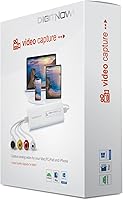
- The 1080p label on the packaging overstates the capture reality — analog VHS source material is inherently low resolution.
- Android compatibility is listed in specs but practically unsupported with little documentation or real-world success reported.
- Build materials feel lightweight in a way that raises questions about durability over repeated long-term use.
Ratings
The VIXLW VHSDC01 VHS to Digital Converter has been scored by our AI system after analyzing thousands of verified global buyer reviews, with spam, bot-submitted, and incentivized feedback actively filtered out before any scoring was applied. The results reflect a candid picture of where this analog-to-digital adapter genuinely delivers and where real users have hit walls. Both the wins and the frustrations are represented transparently in the categories below.
Ease of Setup
Compatibility
Video Capture Quality
Audio Sync Accuracy
Value for Money
Software Compatibility
Build Quality
RCA Cable Quality
Format Flexibility
Signal Format Detection
Documentation & Instructions
Customer Support
Portability & Storage
Suitable for:
The VIXLW VHSDC01 VHS to Digital Converter is the kind of tool that makes the most sense for families sitting on years of deteriorating tapes they have never gotten around to digitizing. If your goal is to get home movies off aging VHS cassettes, Hi8 tapes, or Mini DV camcorder footage and onto a hard drive without spending a fortune on a professional service, this capture device hits that mark cleanly. It is particularly well-suited to users who are comfortable launching OBS on Windows or QuickTime on a Mac, since those free applications handle the actual recording and do not require any additional purchase. Older adults or less technically experienced users will also find the plug-and-play setup approachable — no driver downloads, no confusing configuration screens, just connect and record. For anyone with a modest tape collection who needs a one-time or occasional solution rather than a permanent production setup, this analog-to-digital adapter offers a practical and affordable path forward.
Not suitable for:
The VIXLW VHSDC01 VHS to Digital Converter is not the right tool if you are expecting broadcast-grade or archival-quality output from your old tapes. The device captures analog footage and packages it digitally, but it cannot restore or enhance degraded source material — if your tapes have significant tracking damage, mold, or heavy dropout, the resulting files will reflect all of that faithfully. Anyone planning long, uninterrupted capture sessions should also be prepared for the possibility of audio sync drift on extended recordings, which means some post-production correction may be necessary. Users without any editing software experience could find that troubleshooting audio issues is more involved than anticipated. This capture device is also a poor fit for videographers or content creators who need precise control over codec settings or lossless capture formats — OBS helps, but the hardware ceiling is real. If you have a large, historically significant tape collection that truly deserves professional handling, the cost of a digitization service is likely worth it over this DIY route.
Specifications
- Brand: Manufactured and sold by VIXLW under model number VHSDC01.
- Interface: Connects to a computer via USB 2.0, requiring no additional power adapter or driver installation.
- Video Input: Accepts analog video through a standard RCA composite connection using the yellow, red, and white cable connectors.
- Signal Detection: Automatically identifies and adapts to NTSC, PAL, and PAL/60 broadcast formats without any manual configuration.
- Max Resolution: Captures video at up to 1920x1080 pixels using MJPEG compression when the source signal supports it.
- Standard Resolution: Outputs at 720x576 pixels in YUV color space for standard-definition analog source material.
- Output Format: Records footage in MP4 and other common digital container formats compatible with most editing applications.
- Compatible OS: Officially supports Windows, Mac OS, Linux, and Android operating systems.
- Recommended Software: Works with OBS Studio and PotPlayer on Windows, and QuickTime Player on Mac for video capture and recording.
- Driver Requirement: Fully driverless operation — the device is recognized automatically by the host computer upon connection.
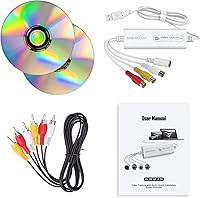
- Package Contents: Includes the USB capture device, one RCA composite cable, two software CDs, and a printed user manual.
- Item Weight: The complete unit weighs 10.6 ounces, making it lightweight and easy to store when not in use.
- Dimensions: The package measures 8.03″ x 5.63″ x 1.54″, compact enough to fit in a desk drawer or small shelf.
- Release Date: This product was first made available for purchase in December 2023.
- Supported Sources: Compatible with VHS, VCR, Hi8, Mini DV, and analog camcorder or camera outputs via RCA input.
Related Reviews
UCEC VHS to Digital Converter Kit
DigitPro V121 VHS to Digital Converter
DigitPro VHS to Digital Converter 3.0
Diamond Multimedia VC500
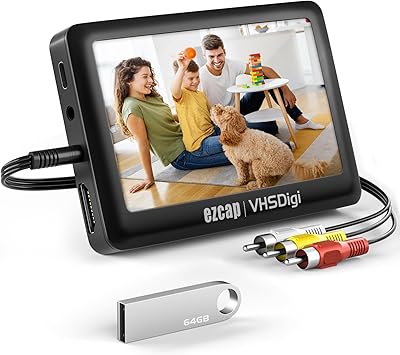
READYXIO 3rd Gen VHS to Digital Converter
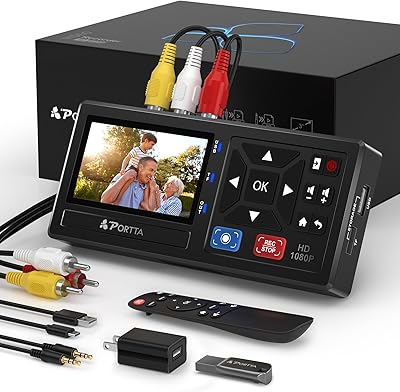
Portta CHR101-U3 VHS to Digital Converter with 128GB USB 3.0
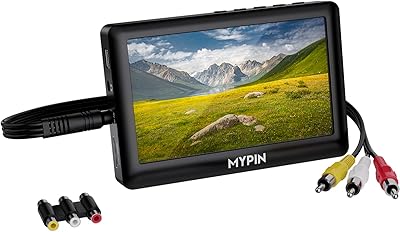
MYPIN VG0109 Video to Digital Converter
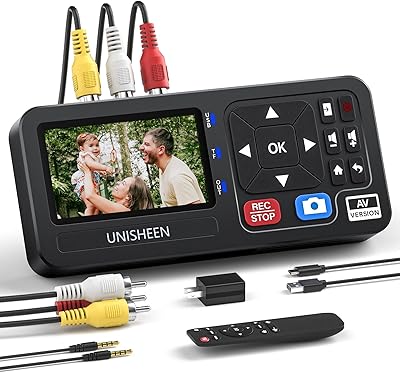
UNISHEEN UR230A Video Capture Converter
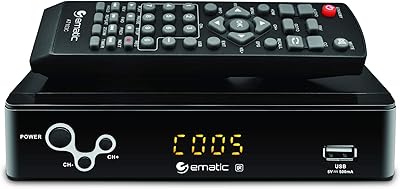
Ematic AT103B Digital TV Converter Box