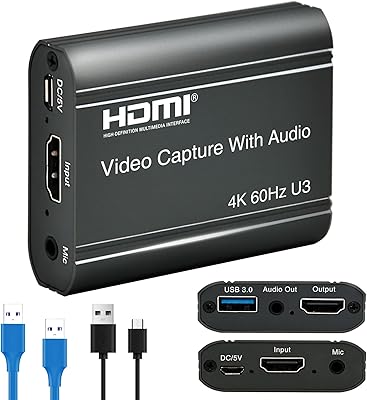
Overview

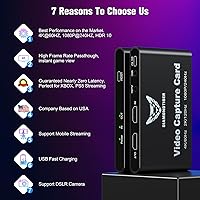
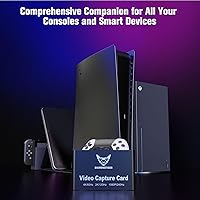
The DiamondTiger YZ-F019 4K HDMI Capture Card comes from Yunzuo, a manufacturer without the name recognition of Elgato or AVerMedia, but one that delivers something genuinely capable at a mid-range price point. At 4.6 x 2.8 x 0.55 inches and weighing just 8.1 ounces, it is compact enough to toss in a bag. It connects via USB-C with no driver installation required — plug it in and your software finds it immediately. Console support spans PS5, Xbox Series X/S, Nintendo Switch, and older hardware, plus DSLR cameras. It runs across Windows, Mac, Linux, iOS, and Android, making it one of the more broadly compatible options in its tier.
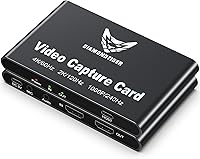
Features & Benefits

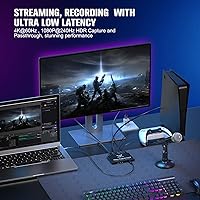
The flagship spec to understand here is 4K@60Hz passthrough — your TV or monitor receives the full signal while the card simultaneously grabs the feed for recording. Actual captured footage maxes out at 1080P@240Hz, which is plenty sharp for fast-paced gameplay where every frame counts. The VRR passthrough is a legitimate differentiator, keeping frame rates synchronized between your console and display so tearing and mid-stream stuttering are not a concern. A built-in 3.5mm mic input and audio output handles basic commentary without extra gear. One firm requirement: you need a proper USB 3.x cable to hit the card's full throughput — USB 2.0 simply cannot keep up with the data demands.

Best For

This streaming device makes the most sense for console players entering content creation who do not want to commit flagship-level spending upfront. PS5 and Xbox Series X/S owners broadcasting on Twitch or YouTube will find the performance ceiling more than adequate. It is also a practical pick for DSLR users who need a compact, driverless capture interface that works across multiple operating systems — Linux and Android included, which many competitors quietly skip. If you are running a polished, professional studio rig, you will want something with more robust capture headroom. For beginner to mid-level streamers, though, this capture card covers the essentials without unnecessary complexity.

User Feedback

Across 103 ratings and a 4.1-star average, the YZ-F019 lands in solid territory — most buyers are happy, though not without reservations. Easy plug-and-play setup and broad OS compatibility earn consistent praise, especially from Mac and Linux users accustomed to limited options. The VRR performance also gets called out positively against cheaper alternatives. On the flip side, mobile streaming reliability draws mixed responses; it functions, but real-world results do not always match the marketing. The most practical warning from buyers: cable quality matters — degraded performance is almost always traced back to a USB 2.0 cable. Customer service responsiveness and the 12-month warranty are noted approvingly, which adds some reassurance when buying from a lesser-known brand.

Pros

  • No driver installation needed — plug in the USB-C cable and your capture software finds it immediately.
  • Works across Windows, Mac, Linux, iOS, and Android, which is genuinely rare at this price tier.
  • VRR passthrough keeps frame rates synchronized, reducing tearing on compatible displays during live sessions.
  • The built-in 3.5mm mic input lets beginners record commentary without buying a separate audio interface.
  • HDR passthrough preserves color accuracy on HDR-capable TVs without any manual configuration.
  • Compact enough at 8.1 ounces and 4.6 x 2.8 x 0.55 inches to travel comfortably in a bag.
  • Compatible with PS5, Xbox Series X/S, Nintendo Switch, older consoles, and DSLR cameras in one device.
  • OBS, VLC, and Potplayer support means it works with the software most streamers already use.
  • Customer service responsiveness and a 12-month warranty provide a reasonable safety net for a lesser-known brand.
  • Near-zero latency lets you game on your TV and stream simultaneously without one degrading the other.

Cons

  • 4K capture is passthrough only — recorded footage is capped at 1080P, which may disappoint buyers expecting true 4K files.
  • Performance is directly tied to cable quality; using anything less than a USB 3.x cable causes immediate, noticeable problems.
  • Mobile streaming reliability is inconsistent based on real buyer reports, despite being a featured selling point.
  • DiamondTiger has limited brand history, which makes long-term reliability harder to predict than with established competitors.
  • Actual capture quality depends on your PC specs and USB bandwidth, meaning results vary more than the spec sheet implies.
  • No mention of any bundled capture software with advanced features — you are fully reliant on third-party tools like OBS.
  • Occasional quality-consistency concerns in buyer reviews suggest unit-to-unit variation is a real possibility.
  • The included USB-C cable may not always meet USB 3.x spec, requiring buyers to source a replacement immediately.

Ratings

The scores below reflect an AI-driven analysis of verified global buyer reviews for the DiamondTiger YZ-F019 4K HDMI Capture Card, with spam, bot activity, and incentivized feedback actively filtered out before scoring. Every category captures both what users genuinely praised and what frustrated them in real streaming and recording setups. Nothing is glossed over — the numbers reflect honest, balanced signal from actual buyers.

Ease of Setup
91%
Buyers across skill levels consistently praised how fast this capture card gets up and running — plug in the USB-C cable, open OBS, and you are capturing within minutes. No driver downloads, no compatibility wizards, no reboots. For first-time streamers especially, this frictionless onboarding made a strong impression.
A small subset of users on Linux encountered minor initial recognition delays, though these were typically resolved without outside help. The experience is not perfectly universal, but driver-free setups rarely are across every OS combination.
Cross-Platform Compatibility
88%
One of the most talked-about strengths of the YZ-F019 is how broadly it works — Windows, Mac, Linux, iOS, and Android all supported without platform-specific workarounds. Mac and Linux users in particular noted how rare this level of out-of-the-box support is at this price point, making it a standout choice for non-Windows households.
While OS support is wide, software compatibility is not limitless — users running more niche or legacy capture applications occasionally had to troubleshoot. The card works best within the confirmed software ecosystem of OBS, VLC, and Potplayer.
Video Passthrough Quality
84%
Gamers running PS5 and Xbox Series X/S through this streaming device reported clean, full-fidelity 4K@60Hz on their TVs with HDR intact, which is exactly what you want when the capture card is sitting in your signal chain. The display experience felt unchanged from a direct connection in most real-world setups.
A handful of users noted occasional signal handshake delays when first powering on their console through the card, requiring a cable reseat. These were not frequent complaints but worth knowing if your setup is sensitive to HDCP or HDMI negotiation quirks.
Capture Resolution & Frame Rate
72%
28%
At 1080P@240Hz, the capture output is genuinely well-suited for fast-paced competitive gaming — frame-dense footage from shooters and racing titles held up well when reviewed after recording. For Twitch and YouTube streaming, the quality ceiling is more than adequate for a growing channel.
The 4K capture limitation trips up buyers who assumed the product captures in 4K based on its title and marketing. Once users understand that 4K applies only to passthrough, satisfaction levels out, but the initial expectation gap is a recurring frustration worth flagging clearly before purchase.
Latency Performance
83%
The near-zero latency design held up well in real streaming sessions — users gaming on their TV while simultaneously broadcasting reported no disorienting delay between their inputs and on-screen response. For console streamers who do not want a dedicated gaming monitor, this matters a lot in practice.
A few users noted that latency perception varied slightly depending on the HDMI cable length and display response time, which is not unique to this card but adds variables to the equation. The card itself performs well; surrounding hardware setup still matters.
VRR Passthrough
79%
21%
VRR support earned specific positive mentions from PS5 users playing titles that actively use variable refresh, where they noticed smoother motion and reduced tearing compared to capture cards without this feature. At this price tier, VRR passthrough is not a given, so buyers who need it found genuine value here.
VRR passthrough effectiveness depends heavily on the display being VRR-compatible — users with older monitors or TVs saw no benefit and were occasionally confused by the feature being highlighted. The spec is real but only meaningful for a subset of setups.
Audio Integration
74%
26%
Having a 3.5mm mic input built directly into the card is a practical touch that lets entry-level streamers skip a USB audio interface entirely for basic commentary recording. For bedroom streamers running a simple headset mic, the audio chain works cleanly through OBS without extra configuration.
Audio quality through the built-in 3.5mm input is functional rather than impressive — users with condenser mics or XLR setups will find the input inadequate and will need a proper interface anyway. It is a convenience feature for beginners, not a replacement for dedicated audio hardware.
Mobile Streaming Reliability
57%
43%
Some users successfully streamed mobile game footage directly from their Android or iOS device via the USB-C port, and for simple use cases the setup worked without major issues. The hardware flexibility to even attempt mobile streaming at this price point is genuinely unusual.
Mobile streaming is where this capture card's real-world performance diverges most from its marketing. A notable portion of buyers reported unstable connections, inconsistent frame rates, or outright recognition failures on mobile, suggesting this feature is more experimental than production-ready for most users.
Build Quality & Portability
77%
23%
At 8.1 ounces and just over half an inch thick, the YZ-F019 slips into a bag without dedicated case space and feels sturdy enough for regular desk use. The all-black finish is clean and unobtrusive, fitting naturally into most streaming setups without clashing with other gear.
The card does not feel premium in hand — the plastic casing is functional but gives the impression of a budget-grade shell, which some buyers felt did not match the mid-range asking price. No notable structural failures were reported, but first impressions of build quality run modest.
Cable Dependency & USB Reliability
61%
39%
When users paired the card with a certified USB 3.x cable, data throughput was stable and the capture quality held consistently at higher resolutions. Buyers who came prepared with quality cabling had a much smoother overall experience and rarely reported performance dips.
This is the single most recurring complaint across buyer reviews: using anything less than a USB 3.x cable — including in some cases the bundled cable — results in dropped frames, degraded resolution, and general instability. The cable dependency is real and the included cable does not always meet the required spec, which creates an avoidable but frustrating out-of-box failure point.
Software Ecosystem
81%
19%
OBS compatibility is rock-solid, and the card is recognized as a standard UVC capture device, which means most streaming and recording tools that support external capture sources will work without special configuration. VLC and Potplayer users also reported clean playback of captured feeds with no setup friction.
There is no proprietary capture software bundled with the device, so users who are not already familiar with OBS or similar tools face a steeper learning curve than they might with a brand like Elgato that ships its own companion app. The card is only as beginner-friendly as the software the buyer already knows.
Value for Money
76%
24%
For a capture card that covers VRR, HDR passthrough, plug-and-play operation across five operating systems, and broad console compatibility, the YZ-F019 offers a credible feature set relative to its mid-range positioning. Buyers who needed Linux or Mac support found it especially cost-effective compared to mainstream alternatives.
At its price point, buyers are also within reach of entry-level offerings from Elgato and AVerMedia, which carry stronger brand reputations and more mature software ecosystems. For buyers who weigh brand confidence heavily, the value calculation is less clear-cut than the spec sheet alone suggests.
Brand Confidence & Support
66%
34%
Customer service responsiveness was noted positively by a meaningful subset of buyers, and the 12-month warranty provides at least a baseline safety net for a lesser-known brand. Users who needed to reach support reported reasonably prompt responses, which helped soften the hesitation around buying from an unfamiliar name.
DiamondTiger does not carry the kind of brand equity that makes a purchase feel low-risk, and there is limited third-party review coverage or long-term reliability data to draw from. Buyers who prioritize proven brand track records will feel this uncertainty, regardless of how the hardware itself performs.

Suitable for:

The DiamondTiger YZ-F019 4K HDMI Capture Card is a solid fit for console gamers who are just getting into streaming and want a capable device without spending at the top of the market. If you are a PS5 or Xbox Series X/S owner looking to broadcast on Twitch or YouTube through OBS, this card handles that workflow without unnecessary friction — no driver hunting, no complicated setup. Content creators who split time between a desktop rig and mobile shooting will appreciate that it functions across Windows, Mac, Linux, iOS, and Android from a single compact unit. DSLR videographers who need a lightweight capture interface that works reliably across operating systems will also find it practical. The built-in mic input is a genuine convenience for anyone who wants to record commentary without buying a separate audio interface right away.
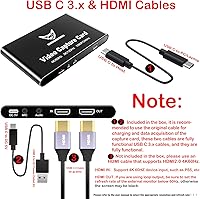
Not suitable for:

Buyers expecting true 4K recording should know upfront that this streaming device delivers 4K at the passthrough level only — your TV gets the full signal, but what the card actually captures tops out at 1080P@240Hz, and real-world results depend heavily on your PC specs and USB bandwidth. If you are running a serious production setup — broadcast-quality capture, multi-camera switching, or professional post-production workflows — this card is not the right tool, and the brand recognition gap compared to Elgato or AVerMedia may matter to you in a professional context. Mobile streaming is technically supported, but buyer feedback is mixed enough that it should not be your primary reason to purchase. Anyone who does not have a quality USB 3.x cable on hand will hit a frustrating performance wall immediately, since USB 2.0 simply cannot sustain the data throughput this device demands. Finally, buyers who prioritize long-term brand accountability may feel less confident with a lesser-known manufacturer, even with a 12-month warranty in place.

Specifications

  • Model Number: The unit is identified by model number YZ-F019, manufactured by Yunzuo under the DiamondTiger brand.
  • Dimensions: The card measures 4.6 x 2.8 x 0.55 inches, making it compact enough to fit in most laptop bags or desk setups without dedicated space.
  • Weight: At 8.1 ounces, the device is lightweight and easy to reposition or pack for mobile use.
  • Video Passthrough: Supports HDMI video passthrough at up to 4K resolution at 60Hz with HDR, so your display receives the full-quality signal from your console or camera.
  • Capture Resolution: Maximum capture resolution is 1080P at 240Hz, suitable for high-frame-rate gameplay recording on a connected PC or mobile device.
  • HDR Support: HDR passthrough is supported, preserving color depth and dynamic range on HDR-capable monitors or TVs during live gaming sessions.
  • VRR Support: Variable Refresh Rate passthrough is supported via the onboard Taiwan-manufactured chip, helping to prevent screen tearing and frame-rate inconsistency.
  • Host Interface: Connects to a PC or mobile device via USB 3.2 Type-C, requiring a USB 3.x rated cable to sustain high-resolution data throughput.
  • Audio Ports: Includes a built-in 3.5mm microphone input and a 3.5mm audio output port for direct voice capture and headphone monitoring without additional hardware.
  • OS Compatibility: Fully compatible with Windows, Mac OS, Linux, iOS, and Android, covering the broadest range of operating systems in its market tier.
  • Driver Requirement: No driver installation is required; the device is recognized automatically by the host operating system upon connection.
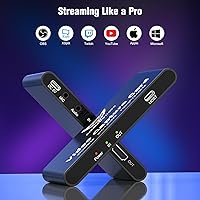
  • Supported Software: Works with OBS, VLC, Potplayer, and Multi-View HD Pro 2, along with most standard UVC-compatible streaming and recording applications.
  • Console Support: Compatible with PS5, PS4, Xbox Series X/S, Xbox One, Xbox 360, and Nintendo Switch via standard HDMI output.
  • Camera Support: Supports DSLR cameras as a video source, making it usable for live streaming or recording video from a camera feed.
  • Color: Available in Black only.
  • Warranty: Backed by a 12-month manufacturer warranty with access to 24/7 customer support for quality-related issues.
  • In Box Contents: Package includes the capture card, one USB-C to USB-A cable, one USB-C to USB-C cable for PC host connection, and a printed user manual.
  • Chip Origin: The internal processing chip is manufactured in Taiwan, which the brand highlights as a quality differentiator over lower-cost alternatives.

Related Reviews

Bytebridges 4K HDMI Capture Card (affd05f3)

88%
94%
Ease of Setup
88%
Build Quality
91%
Video Fluidity
87%
Input Latency
83%
Audio Versatility
More
PACOXI Capture Card
PACOXI Capture Card
82%
93%
Ease of Setup
74%
Video Capture Quality
88%
HDMI Passthrough
79%
Audio Functionality
86%
Device Compatibility
More
HeavenBird 4K HDMI Video Capture Card
75%
91%
Ease of Setup
78%
Video Output Quality
74%
4K Passthrough Performance
69%
Audio Functionality
82%
Build Quality
More
NearStream CCD10 HDMI Capture Card
89%
96%
Setup Simplicity
92%
Passthrough Performance
89%
Input Latency
93%
Value for Money
84%
Audio Integration
More
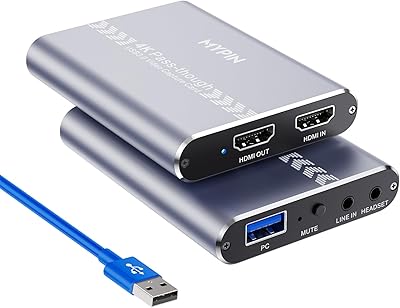
MYPIN MYPIN-4K60-AVGC Capture Card
70%
83%
Ease of Setup
67%
Video Recording Quality
71%
4K Passthrough Performance
61%
Software Compatibility
69%
Audio Capture & Mic Input
More
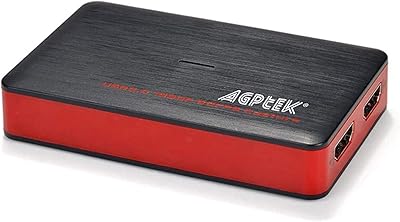
AGPTEK VG0061 HDMI Capture Card
71%
88%
Ease of Setup
83%
1080p Capture Quality
47%
4K Capture Performance
79%
Value for Money
38%
Software Experience
More
AVerMedia BU113 Live Streamer Cap 4K
87%
94%
Video Fidelity
91%
Build Quality
87%
Plug-and-Play Stability
92%
Latency Performance
78%
Software Utility
More
ORIVISION 4K Capture Card U923
86%
88%
Performance
92%
Ease of Use
89%
Compatibility
91%
Video Quality
85%
Audio Quality
More
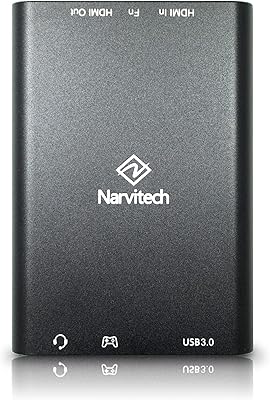
Narvitech NJ300
Narvitech NJ300
85%
94%
Initial Setup Ease
88%
Recording Stability
92%
Passthrough Latency
86%
Party Chat Integration
67%
Thermal Management
More
Qonakism Dual HDMI Capture Card with Switcher
76%
88%
Ease of Setup
83%
Dual-Source Switching
76%
Video Quality
71%
Layout Modes
84%
Latency Performance
More

FAQ

The 4K signal is passthrough only, meaning your TV or monitor receives the full 4K@60Hz feed from your console, but what the card actually captures and sends to your PC tops out at 1080P@240Hz. That is still sharp and smooth for streaming or recording gameplay, but if you were expecting 4K footage files, this card does not deliver that.

No drivers are needed at all. Plug the USB-C cable into your PC or Mac and the device is recognized automatically. You will still need streaming or recording software like OBS to actually capture and manage the feed, but the card itself is fully plug-and-play.

Yes. The HDMI passthrough setup means you connect your PS5 to the card, run another HDMI cable from the card to your TV, and game normally while the card simultaneously captures and sends the feed to your PC for streaming or recording. There is no need to choose between gaming and broadcasting.

This streaming device is one of the few in its price range that genuinely supports Mac, Linux, iOS, and Android alongside Windows. Several buyers specifically called this out as their reason for choosing it, so broad OS compatibility is a real feature here, not just a spec sheet checkbox.

You need a USB 3.x rated cable — USB 2.0 cannot handle the data throughput for high-resolution capture and will cause dropped frames or degraded quality. The box includes a USB-C cable, but if you experience any performance issues immediately after setup, the first thing to check is whether the included cable meets USB 3.x spec or whether you need to swap in a higher-quality one you already own.

Mobile streaming is technically supported via the USB 3.2 Type-C port, and the device works on iOS and Android. That said, real-world buyer feedback on mobile streaming is mixed — it works for some users but is not as consistent or reliable as the desktop experience. If mobile-first streaming is your main goal, manage expectations accordingly.

Yes, it works with OBS out of the box and is also compatible with VLC, Potplayer, and Multi-View HD Pro 2. Since it is a standard UVC device, most streaming and recording applications that support external capture sources should recognize it without any special configuration.

Yes, there is a built-in 3.5mm microphone input on the device itself. This is handy for a basic commentary setup — you can run a mic directly into the card and route your audio through your capture software without needing a separate USB audio interface. It is not a studio-grade solution, but it gets the job done for entry-level streaming.

VRR, or Variable Refresh Rate, lets your display and console communicate dynamically so the screen refreshes exactly when a new frame is ready, rather than at a fixed interval. In practice, this reduces screen tearing and mid-session stuttering on supported displays. It is most noticeable in fast-paced games where frame rates fluctuate, and it passes through the card to your TV without any manual adjustment needed.

DiamondTiger is a brand name from Yunzuo, a Chinese manufacturer that is not yet a household name the way Elgato or AVerMedia are. That said, the product carries a 12-month warranty and multiple buyers have reported positive experiences with customer service responsiveness. For a mid-range device used in a home streaming setup, the risk is reasonable — just make sure you register or note your purchase date so you can use the warranty if something goes wrong.