Overview

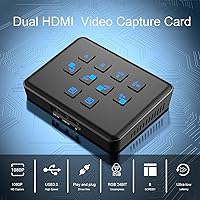
The Qonakism Dual HDMI Capture Card with Switcher is built for streamers who want to juggle two video sources at once — something most single-input cards simply can't do. That built-in stream switcher is the real draw here, letting you toggle between feeds or blend them without a separate hardware mixer. At its price point, this sits comfortably in mid-range territory, meaning buyers should expect solid hobbyist-to-semi-pro performance rather than broadcast-grade precision. Setup runs through USB 3.0, and it works across Windows, macOS, Linux, and Android, so platform restrictions are rarely an issue for most users.
Features & Benefits

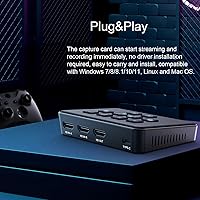
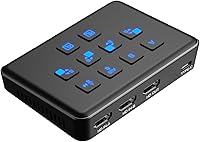
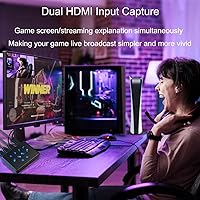
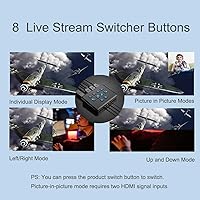
The two HDMI inputs are the headline spec, but what makes this HDMI switcher and recorder genuinely practical is the physical toggle button that cycles through eight layout modes — split-screen, picture-in-picture, zoomed views, and more. Your source console or camera passes through at up to 4K, though the actual recorded and streamed output caps at 1080p at 60fps, worth knowing before you buy. Latency stays under 30 milliseconds, so gameplay feels natural. No driver installation is required; plug into a USB 3.0 port, open OBS or XSplit, and you are capturing immediately — no watermarks, no recording time limits enforced.

Best For

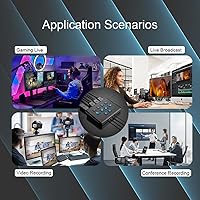
This dual-input capture card makes the most sense for console streamers on PS5, PS4, or Xbox Series X/S who want to layer in a webcam or second console feed without buying a dedicated video mixer. It is a strong fit for beginner to intermediate streamers who want dual-source capability without navigating driver installations or complicated software setups. Educators and online presenters switching between a slide feed and a live camera will also find the layout modes useful day-to-day. That said, anyone needing true 4K capture output or professional broadcast reliability should look at higher-tier dedicated hardware instead.

User Feedback

Across roughly 94 ratings, this stream switcher card sits at 3.7 stars — a middling score reflecting genuinely mixed results rather than a broken product. Buyers consistently praise the easy out-of-box setup and appreciate getting dual-input switching at this price without paying for a standalone mixer. Criticism tends to cluster around a few recurring issues: the card runs noticeably warm during long sessions, which is normal for USB capture hardware but surprises some owners. The toggle button functions but several users described the click feel as cheap. A handful of longer-term buyers raised concerns about build durability after months of regular use, suggesting it suits casual rather than daily-grind streaming schedules.

Pros

  • Dual HDMI inputs let you switch or blend two sources on the fly without a separate mixer.
  • Driver-free setup means you go from box to streaming in under five minutes.
  • Eight onboard layout modes give you split-screen and picture-in-picture options without touching software.
  • Input passthrough supports up to 4K60Hz, keeping your display signal clean and full-resolution.
  • Sub-30ms capture latency keeps gameplay feeling responsive during live sessions.
  • No watermark and no recording time limit, even without paid software.
  • Works across Windows, macOS, Linux, and Android, covering almost any production setup.
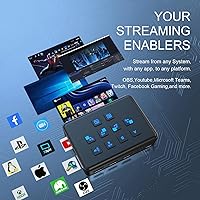
  • Compatible with OBS, XSplit, VLC, Zoom, and Skype out of the box.
  • Lightweight and compact enough to travel with or tuck into a small desk setup.
  • Solid value for getting dual-source streaming capability without paying for a standalone video switcher.

Cons

  • Actual capture output tops out at 1080p60 — true 4K recording is not supported.
  • The device runs noticeably warm during extended sessions, which can be concerning for first-time owners.
  • The toggle button feels flimsy and lacks satisfying tactile feedback during live use.
  • Some users report occasional software compatibility issues outside mainstream capture applications.
  • Long-term build durability raises questions for anyone planning heavy daily use over many months.
  • A 3.7-star average across 94 reviews signals a meaningful minority of buyers had real frustrations.
  • No included software bundle means beginners must source and configure OBS or similar tools themselves.
  • Heating during prolonged use may limit confidence in marathon streaming or recording sessions.

Ratings

The scores below reflect an AI-driven analysis of verified buyer reviews for the Qonakism Dual HDMI Capture Card with Switcher, drawn from global feedback with spam, bot activity, and incentivized posts actively filtered out. Each category score is calibrated to surface both what this stream switcher card genuinely does well and where real users ran into friction — nothing is glossed over.

Ease of Setup
88%
Buyers consistently highlight how little friction there is getting this dual-input capture card running. Plug into a USB 3.0 port, open OBS or XSplit, and the device is recognized immediately — no driver downloads, no restarts, no configuration headaches even for first-time streamers.
A small number of users on less common Linux distributions or older macOS versions reported the device not being detected reliably on the first connection. These cases appear to be edge-case compatibility gaps rather than a widespread issue, but they are real.
Dual-Source Switching
83%
The ability to connect two HDMI sources and toggle between them live is the core reason most buyers chose this card, and for straightforward use cases — two consoles, or a console plus a webcam — it delivers on that promise without requiring a separate hardware mixer.
Users who expected smooth, broadcast-style transitions found the switching abrupt rather than gradual. There is no fade or crossfade between sources, just a hard cut, which limits its appeal for more polished production setups.
Video Quality
76%
24%
At 1080p and 60fps, captured footage looks clean and detailed enough for YouTube uploads and live streams on Twitch or TikTok. The RGB 24-bit color format option produces noticeably richer-looking footage compared to the compressed output of cheaper entry-level cards.
The 4K capture limitation trips up buyers who did not read the specs carefully — the card passes 4K to your display but records at 1080p only. For creators whose audiences or platforms expect 4K output, this is a real ceiling that cannot be worked around.
Layout Modes
71%
29%
Having eight preset screen layouts accessible from a single button on the unit itself is genuinely useful during live sessions, letting streamers swap between picture-in-picture and split-screen arrangements without touching the PC mid-broadcast.
The toggle button itself received consistent criticism for its cheap, mushy feel — users accustomed to tactile hardware controls found it unpleasant to use under pressure. Cycling through all eight modes to reach a specific layout also takes longer than most buyers expect.
Latency Performance
84%
Sub-30ms capture latency is low enough that monitoring gameplay through the capture feed feels responsive rather than distracting. Console gamers using this HDMI switcher and recorder for PS5 or Xbox Series X sessions noted that the lag was not a meaningful obstacle during active play.
A handful of users reported latency spikes during heavy encoding loads on mid-spec PCs, suggesting the card performs best when paired with a machine that has enough CPU headroom to handle simultaneous capture and streaming without contention.
Build Quality
54%
46%
The card is compact and light enough to drop into a bag for travel or LAN setups, and the HDMI ports feel secure when cables are seated. For occasional use, the construction holds together without obvious issues.
Longer-term buyers raised consistent concerns about durability after months of regular use, with the toggle button and outer casing showing wear faster than expected. The overall feel of the unit is noticeably budget-tier, and several reviewers were blunt that it does not feel built to last.
Thermal Management
61%
39%
The device stays functional even during extended streaming sessions, and the warmth it generates does not appear to cause performance degradation in the short term. Most buyers who use it for one to two hour sessions report no thermal-related interruptions.
The card gets noticeably hot during prolonged use, which unsettles users running marathon streams or overnight recordings. While this is common for USB capture hardware, the lack of any ventilation design on the unit means heat has nowhere to go, which raises questions about long-term component health.
Software Compatibility
73%
27%
Out-of-the-box compatibility with OBS, XSplit, VLC, Zoom, and Skype covers the vast majority of buyer use cases without any manual configuration. The UVC standard compliance means most capture-aware applications recognize it automatically.
A recurring thread in negative reviews involves compatibility issues with less mainstream software and some Android capture apps where the device shows up inconsistently or fails to deliver a stable signal. These issues are infrequent but persistent enough to be worth flagging.
Value for Money
79%
21%
Getting dual HDMI input, an onboard switcher, and driver-free operation at this price point is objectively good value — comparable single-input cards from established brands cost more and lack the layout switching feature entirely.
Buyers who encountered durability or compatibility issues felt the value proposition collapsed quickly when they factored in the possibility of replacing the unit within a year. For users who need it to hold up under daily professional workloads, the price-to-longevity ratio looks less favorable.
Console Compatibility
86%
Direct compatibility with PS5, PS4, PS4 Pro, Xbox Series X, and Xbox Series S means the card works with every major current-generation console via a standard HDMI cable, with no adapters or special firmware needed for basic capture.
Like all capture cards, it requires HDCP to be disabled in console settings to capture gameplay, which is not documented clearly in the packaging and catches some first-time buyers off guard during initial setup.
Portability
81%
19%
At 13.4 ounces and fitting within a roughly 4.88 x 4.41 x 2.32 inch footprint, this is compact enough to travel with easily, and being bus-powered via USB means there is no power brick to pack alongside it.
The warmth the unit generates during use makes leaving it in a sealed bag or confined space during operation impractical, which slightly limits how conveniently it can be used in tight or improvised setups.
Platform Versatility
82%
18%
Supporting Windows, macOS, Linux, and Android from a single driver-free device gives this card broader OS reach than many competitors at the same price, making it genuinely useful across mixed-OS households or production environments.
Android compatibility in particular showed inconsistency across user reports, with some devices detecting the card reliably and others struggling to maintain a stable connection — suggesting Android support is functional but not fully polished.
Capture Format Options
69%
31%
The choice between RGB 24-bit and YUY2 16-bit capture lets users tune between maximum color fidelity and lower file sizes depending on their storage situation and streaming bandwidth, which is a flexibility not always offered at this price tier.
Neither the packaging nor any included documentation explains how to switch between capture formats, leaving buyers to figure it out through OBS settings or online forums — a friction point that surprises users who expected more guidance out of the box.

Suitable for:

The Qonakism Dual HDMI Capture Card with Switcher is a practical pick for hobbyist and semi-pro streamers who need to manage two video sources without buying a separate hardware mixer. Console gamers on PS5, Xbox Series X/S, or PS4 who want to overlay a webcam or reaction-cam feed into their stream will get real, immediate value from the dual-input design. Beginners benefit especially from the driver-free setup — plug into a USB 3.0 port, open OBS or XSplit, and you are live within minutes. Educators and online presenters who switch between a slide deck feed and a live camera during classes or webinars will also find the eight layout modes genuinely useful. If your priority is flexible 1080p60 streaming on a reasonable budget without complex configuration, this stream switcher card covers the bases well.
Not suitable for:

The Qonakism Dual HDMI Capture Card with Switcher is not the right tool for anyone who needs true 4K capture output — the card passes through 4K signals to your display, but everything it actually records or streams is capped at 1080p60, a distinction that matters if your audience or platform expects higher resolution. Professional broadcasters or anyone running daily multi-hour production sessions may find the device's warmth during extended use and questions around long-term build durability harder to overlook than a casual streamer would. Users who rely on very specific or niche capture software beyond the mainstream OBS and XSplit ecosystem have reported occasional compatibility friction. The physical toggle button, while functional, has a cheap feel that will frustrate anyone accustomed to well-built production hardware. In short, this HDMI switcher and recorder is a budget-conscious tool, and buyers expecting premium construction or broadcast-level reliability at this price tier will likely come away disappointed.
Specifications

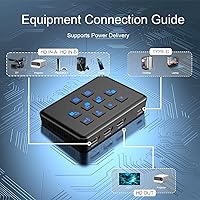
  • HDMI Inputs: The card features two full-size HDMI input ports, allowing two separate video sources to be connected simultaneously.
  • Input Resolution: Each HDMI input supports source signals up to 4K at 60Hz passthrough, preserving full-resolution output to your display.
  • Capture Resolution: Recorded and streamed video is output at up to 1080p at 60fps regardless of input signal resolution.
  • Host Interface: Connects to a computer via a single USB 3.0 port, which handles both power and data transfer with no external power adapter required.
  • Capture Latency: End-to-end capture latency is rated at under 30 milliseconds, keeping on-screen monitoring usable during live gameplay.
  • Color Formats: Supports RGB 24-bit and YUY2 16-bit color capture formats to balance file size and image fidelity depending on software settings.
  • Layout Modes: A physical toggle button cycles through 8 preset screen layout modes including picture-in-picture, side-by-side split, and zoom configurations.
  • Driver Requirement: No driver installation is required; the device is recognized as a standard UVC capture device by all supported operating systems.
  • OS Compatibility: Compatible with Windows, macOS, Linux, and Android operating systems without additional software or firmware setup.
  • Software Support: Works out of the box with OBS Studio, XSplit, VLC, Zoom, Skype, Potplayer, and most UVC-compatible capture applications.
  • Platform Support: Tested and compatible with Xbox Series X, Xbox Series S, PS5, PS4, and PS4 Pro via standard HDMI output.
  • Watermark Policy: No watermark is applied to captured footage, and there is no enforced recording time limit on any supported software.
  • Item Weight: The unit weighs 13.4 ounces, making it portable enough for travel or compact desktop setups.
  • Package Dimensions: Packaged dimensions measure 4.88 x 4.41 x 2.32 inches, fitting easily in a backpack or equipment bag.
  • Thermal Behavior: The device generates noticeable warmth during prolonged use, which is a normal characteristic of active USB capture hardware at this class.
  • Release Date: The product was first made available in December 2023, placing it among relatively recent entries in the dual-input capture card segment.

Related Reviews
Narvitech NJ300

Narvitech NJ300
85%
94%
Initial Setup Ease
88%
Recording Stability
92%
Passthrough Latency
86%
Party Chat Integration
67%
Thermal Management
More
Bytebridges 4K HDMI Capture Card (affd05f3)
88%
94%
Ease of Setup
88%
Build Quality
91%
Video Fluidity
87%
Input Latency
83%
Audio Versatility
More
HeavenBird 4K HDMI Video Capture Card
75%
91%
Ease of Setup
78%
Video Output Quality
74%
4K Passthrough Performance
69%
Audio Functionality
82%
Build Quality
More
Rybozen V316B-FR Capture Card

84%
88%
Build Durability
93%
Setup Simplicity
84%
Video Capture Fidelity
89%
Passthrough Performance
81%
Thermal Management
More
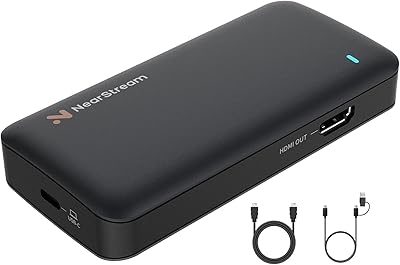
NearStream CCD10 HDMI Capture Card
89%
96%
Setup Simplicity
92%
Passthrough Performance
89%
Input Latency
93%
Value for Money
84%
Audio Integration
More
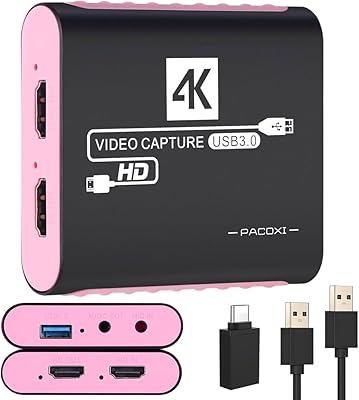
PACOXI Capture Card
PACOXI Capture Card
82%
93%
Ease of Setup
74%
Video Capture Quality
88%
HDMI Passthrough
79%
Audio Functionality
86%
Device Compatibility
More
DiamondTiger YZ-F019 HDMI Capture Card
88%
94%
Video Quality
90%
Low Latency Performance
92%
Ease of Setup
85%
Device Compatibility
88%
Build Quality
More
Cenmate 7324HVC-4K60 Capture Card
88%
93%
Build Quality
89%
Pass-Through Performance
84%
Capture Image Quality
91%
Thermal Management
94%
Setup & Ease of Use
More
Swudloe C7-01 HDMI Video Capture Card
78%
93%
Ease of Setup
78%
Capture Quality
74%
4K Passthrough
61%
Audio Capture
88%
Platform Compatibility
More
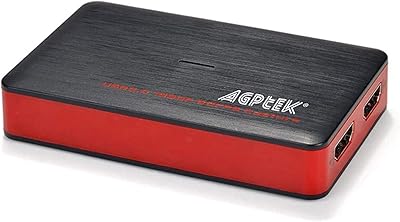
AGPTEK VG0061 HDMI Capture Card
71%
88%
Ease of Setup
83%
1080p Capture Quality
47%
4K Capture Performance
79%
Value for Money
38%
Software Experience
More

FAQ

No, you do not. The card is recognized automatically as a standard UVC device on Windows, macOS, Linux, and Android. Just plug it into a USB 3.0 port, open your capture software, and select it as your video source — that is all the setup required.

It passes the 4K signal through to your display so your TV or monitor stays at full resolution, but the capture and recording output is capped at 1080p at 60fps. If 4K recording is a firm requirement for you, this card will not meet that need.

Yes, that is exactly what this dual-input capture card is designed for. You can have two consoles — or any two HDMI sources — connected simultaneously and use the physical toggle button to switch between them or display both in a split or picture-in-picture layout during a live stream.

Yes, it works with OBS Studio without any additional plugins or configuration. Once connected via USB 3.0, it appears as a video capture device inside OBS, and you can assign each input to a scene source from there.

Getting warm is pretty standard behavior for USB-powered capture hardware, and the manufacturer notes it does not affect long-term operation based on their testing. That said, avoid covering the unit during extended sessions and make sure it has some airflow around it — sitting it on a hard flat surface rather than a padded surface helps keep temperatures manageable.

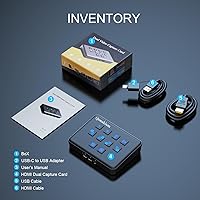
Yes, both consoles connect directly via a standard HDMI cable into one of the card inputs. No adapters or special cables are needed, and HDCP-protected content behaves the same way it does with other capture cards — you may need to disable HDCP in your console settings to capture gameplay.

The modes cycle through different arrangements of your two input sources: full-screen from either input, picture-in-picture with adjustable positions, and side-by-side split views. You toggle between them with a single button press on the unit itself, so you can switch layouts mid-stream without touching your PC.

It works on macOS without any driver installation. As long as your MacBook has a USB 3.0 or USB-C port (with a USB-A adapter if needed) and you are running compatible capture software like OBS for Mac, you should be up and running without issues.

The consensus from longer-term buyers is that the card feels functional but not premium — the toggle button in particular has been called out for a lightweight, plasticky click. For occasional or weekly use it holds up fine, but if you are running it daily for hours at a stretch, it may not have the longevity of more expensive dedicated capture hardware.

It works equally well for local recording. There are no software-enforced time limits or watermarks, so you can use it purely to record gameplay footage to your hard drive in OBS or any other compatible application without ever going live.