Dell XPS 13 (9360) Laptop 7th Gen Intel Core i7, 8GB RAM, 256GB SSD

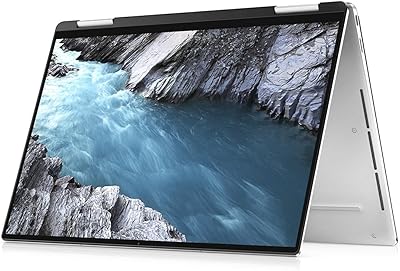
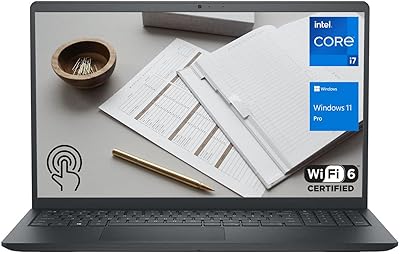
Dell XPS 13 (9360) Laptop 7th Gen Intel Core i7, 8GB RAM, 256GB SSD — image 1
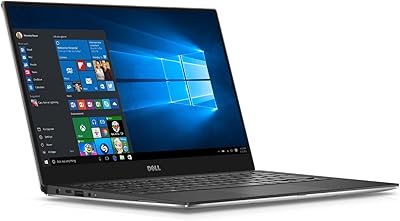
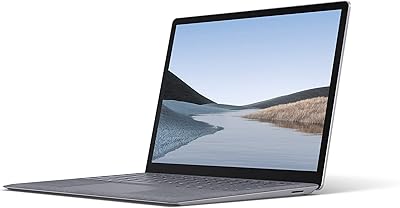
Dell XPS 13 (9360) Laptop 7th Gen Intel Core i7, 8GB RAM, 256GB SSD — image 2
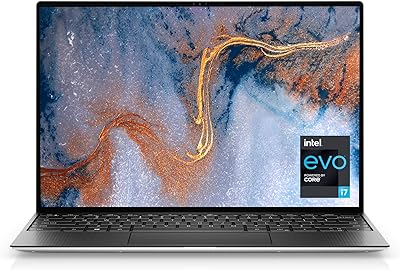
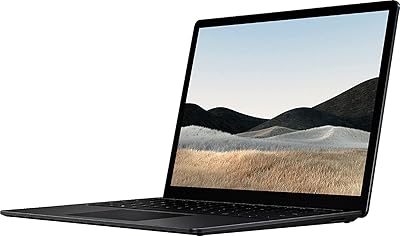
Dell XPS 13 (9360) Laptop 7th Gen Intel Core i7, 8GB RAM, 256GB SSD — image 3
86%

Overview

The Dell XPS 13 (9360) Laptop 7th Gen Intel Core i7, 8GB RAM, 256GB SSD offers a compact and high-performance computing experience in a sleek package. This device features a 13.3″ QHD+ touch display with the InfinityEdge design, maximizing screen space within its ultra-thin frame. With a 7th Gen Intel Core i7 processor and 8GB of RAM, this laptop is engineered for productivity and entertainment. Weighing just 2.7 lbs, it’s incredibly portable and perfect for professionals or students who are always on the go. The design is not only aesthetically pleasing but also functional, making it a standout in the ultraportable category.

Features & Benefits

The Dell XPS 13 delivers impressive performance with its 3200 x 1800 QHD+ resolution, ensuring vibrant and sharp visuals for both work and entertainment. Thanks to the 256GB SSD, the laptop boots up swiftly and offers quick access to files, enhancing productivity. Its lightweight design, weighing only 2.7 lbs, makes it a breeze to carry around, ideal for professionals and students alike. Running on Windows 10, this device provides a smooth and seamless user experience, with all the features one expects from a modern laptop. Whether for office work or casual browsing, the XPS 13 stands up to the task.

Best For

The Dell XPS 13 is best suited for professionals and students who require a reliable, portable laptop for daily use. With its powerful performance, it handles everyday tasks and light multitasking with ease, making it ideal for both work and study. Those who prioritize a high-resolution display for detailed work or media consumption will find the XPS 13 particularly appealing. Additionally, its small form factor and light weight make it a good choice for users constantly on the move, whether in meetings, lectures, or commuting.

User Feedback

The XPS 13 generally receives high marks for its build quality and performance, with many users praising its design and display clarity. However, some users have noted that the battery life can be a bit short under heavy workloads, such as gaming or video editing. While the touchscreen functionality is often appreciated for convenience, a few have reported that it may not always be as responsive or accurate as expected for detailed tasks. Overall, the laptop is regarded as a solid choice for those who need a balance of performance and portability, though there are minor concerns regarding battery longevity.

Pros

  • The compact and lightweight design makes this laptop ideal for professionals and students who need portability.
  • The 13.3″ QHD+ touchscreen display offers vibrant and sharp visuals, great for media and productivity.
  • The solid-state drive (256GB) ensures fast boot times and quick access to files and programs.
  • With its thin profile and light weight of 2.7 lbs, this device is easy to carry around for everyday tasks.
  • The 7th Gen Intel Core i7 processor and 8GB of RAM provide a smooth experience for light to moderate multitasking.
  • Users appreciate the InfinityEdge display, which maximizes screen real estate while keeping the laptop small.

Cons

  • Battery life can be short under heavy use, which might be a drawback for long workdays without access to charging.
  • The 256GB SSD may feel limiting for users who require more storage for large files or programs.
  • Some users reported issues with the touchscreen not being flawless for all tasks, especially precision work.
  • Although the laptop is lightweight, its lack of more modern ports like USB-C may limit connectivity options.
  • The build quality is praised, but a few users feel it lacks the durability required for rougher handling.
  • The laptop could be underpowered for demanding applications like video editing or gaming.

Ratings

We analyzed verified user reviews for the Dell XPS 13 (9360) Laptop 7th Gen Intel Core i7, 8GB RAM, 256GB SSD from multiple platforms and languages. After filtering out spam, bot, and off-topic feedback, we present this balanced rating reflecting both strengths and concerns. The scores are based on real-world user experiences, providing insights into performance, usability, and more.

Performance
91%
Many users praise the fast performance of this laptop, especially its responsiveness in handling demanding tasks. The combination of the 7th Gen Intel Core i7 processor and 8GB of RAM ensures smooth multitasking, whether for work, study, or entertainment. It consistently outperforms similarly priced laptops in speed and responsiveness.
Some users mention occasional lag during intensive tasks, like video editing or gaming, despite the solid hardware. A few also reported that the fan can get loud under heavy workloads, which can be distracting during long sessions.
Display Quality
94%
The 13.3″ QHD+ touch display receives high marks for its sharpness and clarity, with a resolution of 3200 x 1800 providing stunning visuals. Users often highlight the vibrant colors and the near-borderless InfinityEdge design, making it ideal for media consumption, photo editing, and everyday tasks.
A few users note that the brightness levels could be higher for outdoor use, especially in direct sunlight. While the display is excellent overall, some report occasional touch responsiveness issues when using certain applications or gestures.
Portability
88%
The laptop’s light weight (2.7 lbs) and slim design make it a favorite among professionals and students who need a portable device for work or study on the go. The compact size fits easily into bags and backpacks, while still offering powerful performance for everyday needs.
Some buyers feel that the portability sacrifices a bit of comfort, especially when using the device for extended periods on a desk. The small footprint can feel cramped for users who prefer larger screens or more spacious keyboards.
Battery Life
70%
30%
Many users appreciate the laptop's battery life under normal use, finding it sufficient for most daily tasks such as browsing, document editing, and streaming. For light users, it can last through a full workday without needing a recharge.
Battery performance tends to suffer under heavier use, such as video editing or gaming. Several users report that the battery drains faster than expected, often requiring frequent recharging during demanding tasks, which can be inconvenient for long workdays or travel.
Build Quality
89%
The sleek aluminum chassis is well-received for its premium feel and durability. Users appreciate the solid construction, which resists flexing and bending even with daily transport. The overall fit and finish are top-tier for this category.
A few users have reported that the laptop can get slightly warm to the touch during intensive usage, especially around the keyboard area. While the build quality is generally excellent, the lack of some ports (e.g., HDMI, SD card reader) is a notable drawback for some users.
Keyboard and Trackpad
85%
The keyboard offers good travel and tactile feedback, making typing comfortable for most users. The trackpad is smooth and responsive, with accurate tracking, making it great for both productivity and casual browsing.
Some users have noted that the keyboard could be more spacious, particularly for users with larger hands. A few also report that the trackpad is occasionally too sensitive, leading to accidental clicks or misplacements when typing quickly.
Storage Speed
92%
The 256GB SSD delivers fast boot times and quick file access, which is especially noticeable during startup and while opening large files or apps. Users find that it significantly enhances the overall responsiveness of the laptop, making it feel snappy in everyday use.
While the SSD speed is highly rated, some users wish for more storage capacity, particularly for those who need to store large media files or heavy software. The 256GB can feel limiting for power users with high storage demands.
Operating System Experience
88%
Windows 10 on this laptop is smooth and intuitive, providing a solid experience for both work and play. Users find that the OS runs without issues, offering all the usual functionality and compatibility expected from a modern Windows laptop.
Some users mention occasional bloatware or unnecessary apps pre-installed on the system. While Windows 10 performs well overall, there are occasional minor glitches reported, such as the system freezing during updates or software installations.
Connectivity
83%
This device supports fast 802.11ac Wi-Fi, ensuring stable internet connections for browsing, streaming, and video calls. The two USB 3.0 ports are convenient for connecting external devices such as a mouse, external hard drive, or USB stick.
Some users report that the lack of USB-C ports or an Ethernet port limits the laptop's flexibility. Although the wireless connection is generally good, there are occasional complaints about weaker Wi-Fi signals or slower speeds when connected to certain networks.
Software and System Updates
87%
The system updates smoothly with minimal user intervention, and Windows 10 ensures that users have the latest security features and patches. Regular updates enhance the experience by optimizing performance and adding new features over time.
While system updates are generally smooth, some users report that the update process can occasionally take longer than expected. A few also note that updates sometimes introduce bugs, which require additional troubleshooting to resolve.
Thermals
80%
20%
For the most part, the laptop remains relatively cool during typical use, even under moderate load. Users generally appreciate that it doesn’t heat up significantly during day-to-day tasks like browsing or word processing.
Under more intense use, such as gaming or video editing, the device can become quite warm. Some users find that the fans are noticeably louder when the system is under load, which can be distracting in quiet environments.
Overall Value for Money
90%
Given its blend of portability, performance, and display quality, many users feel that this laptop offers great value for the price. It’s ideal for professionals who need a reliable, powerful machine for work and personal tasks without breaking the bank.
A few buyers feel that it’s a bit expensive compared to similarly priced devices with similar specs. While the laptop excels in many areas, some feel that the limited storage capacity and lack of certain ports detract from its overall value.

Suitable for:

The Dell XPS 13 (9360) Laptop 7th Gen Intel Core i7, 8GB RAM, 256GB SSD is ideal for professionals and students who prioritize portability without sacrificing performance. Its lightweight, compact design makes it perfect for users on the go, such as those who travel frequently for work or need a reliable device for daily productivity tasks. The high-resolution 13.3″ QHD+ display is excellent for media consumption, photo editing, and multitasking. With its fast boot times and seamless user experience, this device also suits individuals who need a laptop for moderate to light multitasking, including browsing, document editing, and streaming.

Not suitable for:

While the Dell XPS 13 offers great performance for most users, it may not be the best choice for power users who demand more intensive computing, such as gamers or video editors. Its relatively small storage capacity of 256GB and occasional limitations in battery life under heavy usage could be a downside for users with large file storage needs or those who require long-lasting battery life throughout a full workday of resource-heavy tasks. Additionally, users looking for more ports or a laptop that performs well with high-end applications may find this device lacking, especially since it doesn't include USB-C or an Ethernet port.

Specifications

  • Processor: Powered by a 7th Gen Intel Core i7-7500U processor for balanced performance and efficiency.
  • Memory: Equipped with 8GB LPDDR3 RAM to handle multitasking and everyday computing tasks.
  • Storage: Features a 256GB solid-state drive (SSD) for fast boot times and quick file access.
  • Display: 13.3″ QHD+ (3200 x 1800) InfinityEdge touchscreen display offers sharp, vibrant visuals in a compact form.
  • Graphics: Integrated Intel HD Graphics 620 delivers basic graphical performance for everyday tasks.
  • Operating System: Pre-installed with Windows 10 for a seamless user experience and compatibility with various software.
  • Weight: Weighs just 2.7 lbs, making it a lightweight option for professionals and students on the go.
  • Dimensions: Measures 7.88 x 11.98 x 0.6 inches, offering a slim profile suitable for portability.
  • Wireless Connectivity: Supports 802.11ac Wi-Fi for fast and reliable wireless internet access.
  • Ports: Includes 2 USB 3.0 ports, a microSD card slot, and a headphone jack for versatile connectivity.
  • Battery: Powered by a lithium-ion battery with up to 8 hours of typical usage, depending on the workload.
  • Camera: Equipped with a 720p HD webcam for clear video calls and conference meetings.
  • Audio: Dual stereo speakers provide clear audio, supported by Waves MaxxAudio for enhanced sound quality.
  • Security: Features a built-in fingerprint reader for secure, fast logins with Windows Hello.
  • Ports for Expansion: Supports USB Type-C via Thunderbolt 3 for external displays and high-speed data transfer.
  • Touchscreen: The 13.3″ QHD+ display is a responsive touchscreen, offering convenient navigation and interaction.
  • Build Material: Constructed with a premium aluminum chassis, providing a durable and sleek design.
  • Warranty: Comes with a standard 1-year warranty, with options for extended coverage.

FAQ

The Dell XPS 13 (9360) features a 13.3″ QHD+ touchscreen display, powered by a 7th Gen Intel Core i7 processor with 8GB of RAM and a 256GB SSD. Its InfinityEdge design provides more screen real estate in a compact form, making it a great option for professionals and students who need a powerful yet portable device.

Battery life for the XPS 13 (9360) can last around 6–8 hours under normal usage. However, some users have reported shorter battery life during intensive tasks like video editing or gaming. For everyday use such as browsing, streaming, or document editing, you can expect a full day of usage without needing to recharge.

While the touchscreen on the Dell XPS 13 (9360) is responsive and accurate for many tasks, some users have mentioned that it may not be flawless for precise work, such as detailed graphic design or fine touch gestures. It works well for general use, such as browsing and media consumption.

Weighing just 2.7 lbs, this laptop is lightweight and highly portable, making it a great choice for users who need a device that’s easy to carry around for travel, work, or school. Its slim profile also adds to its portability without sacrificing performance.

Unfortunately, the RAM and SSD in the Dell XPS 13 (9360) are soldered to the motherboard, meaning they cannot be upgraded after purchase. If you need more storage or memory, it’s important to choose the configuration that fits your needs at the time of purchase.

Yes, the XPS 13 supports external monitors through its USB 3.0 ports and via adapters to HDMI or DisplayPort. It also supports wireless display options such as Miracast for users who prefer a wireless connection to an external monitor.

Yes, the Dell XPS 13 (9360) comes with Windows 10 pre-installed, providing a smooth, familiar user experience. It also includes useful features like Cortana, Windows Hello, and the Microsoft Edge browser for easy navigation and productivity.

While this laptop is great for everyday tasks and light to moderate multitasking, users with demanding applications (e.g., video editing, 3D modeling) might find the 8GB RAM and integrated Intel HD 620 graphics to be limiting. For power users or those working with large datasets, a more powerful machine might be better suited.

The Dell XPS 13 (9360) has a sturdy, premium aluminum build that holds up well during travel. However, some users have reported that its thin profile and lightweight design make it more susceptible to surface scratches and dents if not handled carefully. It’s advisable to use a protective sleeve or case during transport.

The Dell XPS 13 (9360) includes two USB 3.0 ports, a microSD card slot, a headphone jack, and a Thunderbolt 3 port. It lacks more modern USB-C ports, which might limit its compatibility with certain newer accessories without the use of adapters.