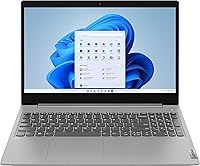
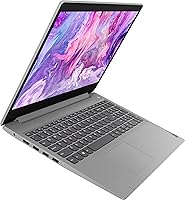
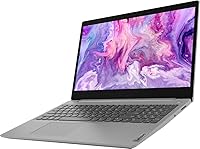
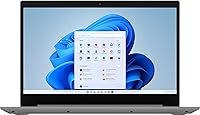
Overview

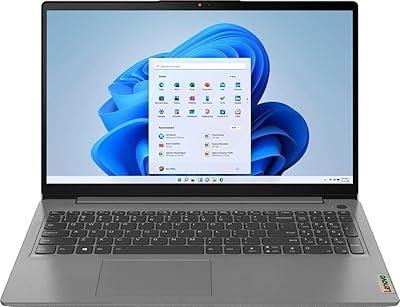
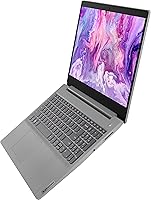
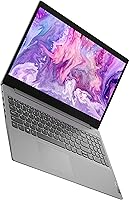
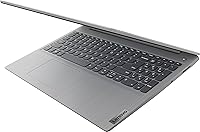
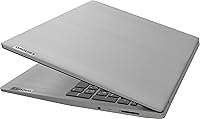
The Lenovo IdeaPad 3 15.6″ Laptop sits squarely in the budget tier, and it wears that identity honestly. Designed for students and everyday home users, it doesn’t pretend to be something it isn’t. The 15.6″ HD touchscreen is a genuine perk at this price point — most competitors at a similar cost ship without touch capability at all. The Platinum Grey chassis is understated and reasonably slim at just an inch thick, making it easy to toss in a backpack. Windows 11 Home comes preloaded, which means non-technical users can get up and running without setup headaches. Just don’t expect workstation-level muscle here.

Features & Benefits

The Intel Core i3-1115G4 processor handles the basics with ease — browsing, spreadsheets, video calls, and streaming all run without complaint. It can burst up to 4.1GHz when needed, though sustained heavy tasks will push its limits. The 8GB of DDR4 RAM keeps things moving when you have a dozen tabs open alongside a Word document or two. Where this budget Lenovo laptop really earns its keep is storage: the 256GB NVMe SSD boots Windows in seconds and opens apps noticeably faster than older hard-drive machines. The anti-glare coating is a quiet but practical bonus for anyone working near a window, and the port lineup — two USB 3.0s, HDMI, and Bluetooth — covers most daily needs without dongles.

Best For

The IdeaPad 3 is a natural fit for students and remote workers who juggle assignments, video lectures, email, and the occasional streaming session without pushing hardware limits. Families hunting for a shared secondary device will find it hard to beat at this price. Seniors or less tech-savvy users benefit especially from the touchscreen and the straightforward Windows 11 setup. That said, if you’re a creative professional, gamer, or someone planning to run demanding software, this isn’t the right tool — and it’s worth being honest about that upfront. SSD speed and a modern OS are the headline advantages; display quality and raw processing power are deliberate trade-offs.

User Feedback

Owners of this budget Lenovo laptop tend to appreciate how quickly it gets out of its own way — fast boot times and a responsive touchscreen come up repeatedly as highlights. The Windows 11 setup experience also draws praise for being surprisingly painless. On the flip side, the screen is the most common sticking point: at 1366x768 stretched across 15.6 inches, text and images look noticeably soft, and colors lack punch. Battery life is another recurring gripe — real-world use typically lands closer to four or five hours, not the seven the spec sheet promises. A few buyers have also noted that 256GB fills fast, with limited options for internal storage expansion down the road.

Pros

  • The NVMe SSD makes boot times genuinely fast — up and running in seconds, not minutes.
  • A touchscreen at this price tier is a rare and practical bonus for casual, everyday use.
  • 8GB of DDR4 RAM handles real multitasking without constant slowdowns or freezing.
  • Windows 11 Home comes preloaded and ready to use with minimal setup required.
  • The anti-glare coating is a thoughtful touch that reduces eye strain in bright rooms.
  • At under 4 pounds and just an inch thick, this budget Lenovo laptop travels without being a burden.
  • Port selection is solid — two USB 3.0s, HDMI, and Bluetooth cover most everyday connections.
  • The understated Platinum Grey design looks professional enough for a classroom or coffee shop.
  • Built-in webcam works reliably for video calls without needing an external peripheral.

Cons

  • The 1366x768 resolution looks noticeably soft on a 15.6″ screen — a real compromise for everyday viewing.
  • Color accuracy and brightness are mediocre; content creators and media enthusiasts will be disappointed.
  • Real-world battery life often lands around four to five hours, well short of the rated seven.
  • The single-channel RAM configuration limits processing efficiency compared to dual-channel setups.
  • 256GB storage fills up faster than expected once apps, updates, and files accumulate.
  • Internal storage expansion is limited, making cloud storage or an external drive almost a necessity.
  • The i3-1115G4 struggles under sustained load — expect slowdowns with multiple demanding apps running.
  • Integrated graphics rule out any casual gaming or GPU-accelerated tasks entirely.
  • Speaker output is thin and lacks depth, making media consumption less enjoyable without headphones.
  • No USB-C port is a notable omission as more accessories shift toward that standard.

Ratings

The ratings below for the Lenovo IdeaPad 3 15.6″ Laptop were generated by our AI system after analyzing thousands of verified global buyer reviews, with spam, incentivized submissions, and bot activity actively filtered out. Each score reflects the honest consensus of real users across a wide range of everyday use cases, from student dorms to home offices. Both the genuine strengths and the recurring frustrations are represented here without sugarcoating.

Value for Money
83%
Most buyers feel they got a fair deal for what they paid, particularly given the touchscreen inclusion and NVMe SSD at this price tier. Students and budget-conscious households repeatedly call it one of the more complete packages available without stretching their budget.
A handful of users who compared it against similarly priced competitors noted that some rivals offer Full HD displays for a comparable investment. If the screen had matched the SSD’s quality level, the value proposition would be considerably stronger.
Performance
67%
33%
For web browsing, video calls, and light office work, the i3-1115G4 gets the job done without notable hiccups. Users report that opening multiple Office apps alongside a browser with several tabs open feels smooth enough for a typical school or work-from-home session.
Push it beyond everyday tasks and the cracks show quickly. Users trying to run more than one demanding application simultaneously, or those working with large spreadsheets and video files, report sluggishness and occasional thermal throttling during extended sessions.
Display Quality
51%
49%
The anti-glare coating earns consistent praise from users who work near windows or under bright office lighting, as it genuinely reduces eye strain compared to glossy alternatives. The panel size is generous for a budget machine, making it comfortable for reading long documents.
The 1366x768 resolution is the most criticized aspect of this budget IdeaPad across all buyer feedback. At 15.6 inches, the pixel density is low enough that text appears soft and images look washed out — a noticeable step down for anyone upgrading from a modern smartphone or Full HD screen.
Battery Life
54%
46%
For light, occasional use — a one-hour class, a short work session, or casual browsing at home — the battery holds up reasonably well. Users who plug in frequently or work near an outlet report it as a non-issue for their lifestyle.
The rated 7-hour figure is consistently challenged in real-world feedback, with most users reporting between 4 and 5 hours of mixed use before needing a charger. Students relying on it for a full day of classes without access to a power outlet will find this genuinely limiting.
Touchscreen
78%
22%
The touchscreen is a standout feature at this price point and buyers respond to it warmly. Casual users, seniors, and those transitioning from tablets find the tap-and-scroll interaction natural and responsive, making Windows navigation feel more intuitive.
It’s not a precision digitizer, so anyone hoping to sketch, annotate PDFs with a stylus, or use it as a drawing surface will be disappointed. A few users also noted that the screen accumulates fingerprints quickly, requiring more frequent wiping than a non-touch panel.
Storage Speed
84%
The NVMe SSD is one of this laptop’s clearest strengths and buyers consistently notice it. Boot times are fast, apps open promptly, and file transfers feel snappy — a meaningful upgrade over older HDD-based machines that many budget buyers are replacing.
256GB disappears faster than most users anticipate once Windows updates, installed applications, and personal files stack up. Without an easy internal upgrade path, buyers find themselves managing storage more actively than they expected, often resorting to external drives early on.
RAM & Multitasking
71%
29%
8GB of DDR4 RAM is sufficient for the target audience, letting users keep email, a video call, and several browser tabs open without constant slowdowns. Most everyday users report that the IdeaPad 3 handles their typical workflow without memory-related frustration.
The single-channel RAM configuration limits memory bandwidth compared to dual-channel setups, which technically inclined users flag as a missed optimization. For power users or anyone who routinely runs multiple heavy applications, 8GB starts feeling tight within a year or two of use.
Build Quality
69%
31%
The chassis is more solid than buyers expect for the price, with a reasonable amount of rigidity in the lid and keyboard deck. The Platinum Grey finish looks clean and understated, and most users describe it as feeling sturdy enough for daily student backpack life.
It is an all-plastic build, and the flexion in the display lid is noticeable when pressing on it. A few long-term users report that hinge tension loosens over time, and the bottom panel feels less premium than competing units with partial metal construction.
Keyboard & Trackpad
66%
34%
The keyboard is comfortable enough for extended typing sessions, and students who write papers or take notes report it gets out of the way without causing fatigue. Key travel is acceptable for a budget laptop, and the layout is standard and familiar.
The trackpad receives mixed feedback — it works reliably but feels plasticky and lacks the smooth glide of higher-end surfaces. Some users find the click action stiffer than expected, and precision during fine cursor movements leaves room for improvement.
Webcam Quality
58%
42%
The built-in webcam handles standard video calls on Zoom, Teams, and Google Meet without requiring any additional hardware. For most students and remote workers attending virtual meetings, it covers the basics without complaint.
Image quality is average at best — low-light performance is noticeably grainy, and colors can appear slightly washed out during video calls in dim rooms. Users who attend frequent professional video meetings or record content may want to invest in an external webcam.
Connectivity & Ports
74%
26%
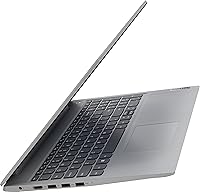
The port lineup is practical and well-rounded for everyday needs: two USB 3.0 ports, a USB 2.0, HDMI out, Wi-Fi 5, and Bluetooth cover the majority of peripheral and display connection scenarios without needing a hub.
The absence of a USB-C port is a growing inconvenience as more accessories and chargers move to that standard. Wi-Fi 5 is functional but buyers in congested Wi-Fi environments occasionally report speeds that lag behind devices with Wi-Fi 6 support.
Setup & Out-of-Box Experience
81%
19%
Windows 11 Home comes preloaded and the initial setup process is clean and guided, making it accessible even for first-time laptop buyers or less tech-savvy users like seniors. Most buyers report being fully operational within 20 minutes of unboxing.
Like most Windows machines, it ships with some pre-installed bloatware that users have to manually remove if they want a cleaner experience. A small number of buyers also noted that Windows update downloads on first boot can consume a noticeable chunk of the limited 256GB SSD.
Portability
76%
24%
At under 4 pounds and just an inch thick, the IdeaPad 3 is easy to toss into a backpack and carry between classrooms, coffee shops, or different rooms at home. For a 15.6-inch laptop, the weight is on the lighter end of the budget category.
It’s still a full-sized 15.6-inch machine, so users expecting tablet-like portability will find it bulkier than expected. The charger adds meaningful weight and bulk to a bag, and the battery endurance shortfall means the charger almost always needs to come along.

Suitable for:

The Lenovo IdeaPad 3 15.6″ Laptop was clearly built with a specific type of user in mind, and for that audience it delivers genuine value. High school and college students who need a dependable machine for writing papers, attending virtual classes, and juggling a handful of browser tabs will find it more than capable. It also makes a lot of sense for remote workers whose daily routine revolves around email, video calls, and basic document editing — nothing more demanding than that. Seniors or first-time laptop buyers benefit from the touchscreen and the ready-to-use Windows 11 setup, which removes a lot of the usual friction. Families searching for an affordable shared device or a secondary laptop for occasional use will appreciate the low barrier to entry without sacrificing the essentials.

Not suitable for:

Anyone expecting serious performance from the Lenovo IdeaPad 3 15.6″ Laptop will likely walk away frustrated. The dual-core i3 processor and integrated graphics make it a poor fit for video editing, graphic design, gaming, or any software that demands sustained processing power. The 1366x768 screen resolution is a real limitation for users who spend hours looking at detailed content — photo editors, designers, or even avid movie watchers may find it visibly underwhelming on a panel this size. The 256GB SSD, while fast, fills up quickly if you store large media files or install many applications, and upgrading internal storage is not straightforward. If you need a laptop that can handle demanding workloads, run creative software, or serve as a primary work machine for years, this budget IdeaPad is not the right investment.

Specifications

  • Processor: Powered by an 11th Gen Intel Core i3-1115G4 dual-core chip running at 3.0GHz base with burst speeds reaching up to 4.1GHz.
  • RAM: Equipped with 8GB of DDR4 SDRAM to support everyday multitasking across browser tabs, office apps, and video calls.
  • Storage: Includes a 256GB PCIe NVMe SSD, which delivers significantly faster boot and file transfer speeds than traditional spinning hard drives.
  • Display: Features a 15.6″ HD touchscreen panel with a 1366x768 pixel resolution and an anti-glare coating to reduce reflections.
  • Graphics: Uses integrated Intel UHD Graphics, which is adequate for video playback and light display tasks but not designed for gaming or GPU-intensive work.
  • Operating System: Ships with Windows 11 Home preinstalled, ready to use out of the box without additional setup or licensing costs.
  • Battery: Rated for up to 7 hours of use on a single charge, though real-world performance typically falls in the 4 to 5 hour range depending on workload.
  • Weight: Weighs 3.74 pounds, making it light enough to carry daily in a backpack without becoming a burden.
  • Dimensions: Measures 15 x 10 x 1 inches, offering a slim and compact footprint that fits comfortably on most desks and lap surfaces.
  • USB Ports: Includes two USB 3.0 ports and one USB 2.0 port for connecting peripherals such as external drives, mice, and keyboards.
  • Video Output: Equipped with a full-size HDMI port for connecting to external monitors, projectors, or TVs.
  • Wireless: Supports Wi-Fi 5 (802.11ac) and Bluetooth for wireless internet connectivity and peripheral pairing.
  • Webcam: Includes a built-in webcam suitable for video calls and online meetings without requiring an external camera.
  • Optical Drive: Does not include an optical drive; users who need to read or write CDs or DVDs will require an external USB drive.
  • Color: Available in Platinum Grey, a neutral and professional-looking finish that resists fingerprints reasonably well for daily use.
  • Power Source: Runs on a built-in lithium-ion battery and charges via an included AC adapter.

Related Reviews
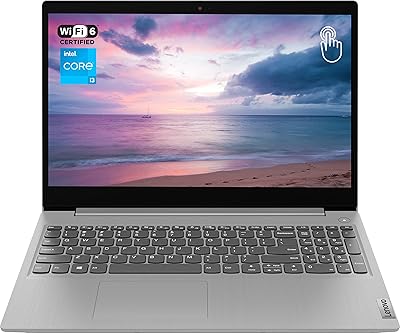
Lenovo Ideapad 3 Laptop, 15.6″, Intel Core i3, 12GB RAM, 256GB SSD
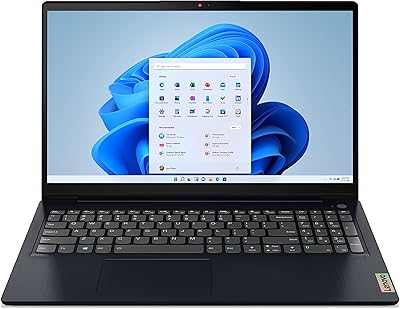
84%
92%
Value for Money
85%
Performance for Everyday Tasks
90%
Portability and Weight
75%
Display Quality
80%
Battery Life
More
Lenovo IdeaPad 3 Laptop, 15.6″, Intel Core i3-1115G4, 16GB RAM, 512GB SSD
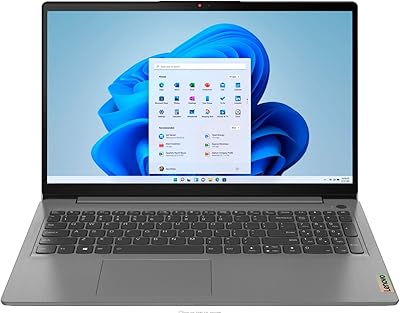
83%
84%
Performance
91%
Value for Money
85%
Display Quality
76%
Battery Life
80%
Build Quality
More
Lenovo IdeaPad 3 15.6″ Laptop, AMD Ryzen 5 5500U, 8GB RAM, 512GB SSD
81%
91%
Value for Money
87%
Performance for Daily Tasks
82%
Display Quality
79%
Battery Life
85%
Build Quality
More
Lenovo Ideapad 3 15.6″ FHD Touchscreen Laptop, Intel Core i5-1135G7, 12GB RAM, 256GB SSD
82%
85%
Performance
91%
Display Quality
88%
Battery Life
80%
Build Quality
84%
Portability
More
Lenovo IdeaPad Gaming 3 15.6″ FHD Laptop - Ryzen 5 6600H, RTX 3050, 8GB RAM, 256GB SSD
82%
91%
Value for Money
87%
Gaming Performance
74%
Battery Life
79%
Display Quality
82%
Build Quality
More
Lenovo Ideapad Slim 3 Laptop, AMD Ryzen 5 5625U, 16GB RAM, 2TB SSD, 15.6″ FHD, Windows 11 Pro
86%
92%
Value for Money
88%
Battery Life
85%
Display Quality
90%
Performance (General)
93%
Storage Capacity
More
Lenovo IdeaPad Slim 3 15.3″ Laptop, Intel Core i5-13420H, 16GB RAM, 1TB SSD
85%
88%
Performance
81%
Display Quality
89%
Multitasking Capabilities
85%
Build Quality
77%
Battery Life
More
Lenovo IdeaPad 1 Gen 7 15.6″ Laptop 24GB RAM 1TB SSD
84%
88%
Performance
91%
Multitasking Capability
94%
Storage Speed
85%
Display Quality
89%
Portability
More
Lenovo IdeaPad 15.6-inch Laptop, 12GB RAM, 512GB SSD, Intel Celeron N4500
82%
92%
Value for Money
89%
Battery Life
75%
Display Quality
85%
Performance for Basic Tasks
88%
Portability
More
Lenovo IdeaPad 3 15″ Laptop, Intel Core i3-1005G1, 8GB RAM, 256GB SSD
83%
91%
Value for Money
88%
Performance for Everyday Use
84%
Build Quality
85%
Display Quality
92%
Portability
More

FAQ

Yes, for the vast majority of college tasks it holds up well. Writing papers, running Zoom or Teams calls, browsing research, and using Google Docs or Microsoft Office all work smoothly. Just don’t expect it to handle demanding software like video editing suites or data-heavy engineering programs.

The spec sheet says up to 7 hours, but real-world usage tells a different story. Most users report getting between 4 and 5 hours of mixed use — browsing, streaming, and light work. If you’re relying on it away from an outlet for a full day, it’s worth keeping the charger handy.

Officially, the upgrade options on this model are limited. The RAM is soldered to the motherboard in most configurations, meaning it cannot be swapped out. Adding a larger SSD may be possible for technically inclined users, but it’s not a straightforward DIY job. A better approach is to use an external hard drive or cloud storage to extend your usable space.

It works genuinely well for casual use — scrolling web pages, tapping through menus, or pinching to zoom feels natural and responsive. It’s not a pressure-sensitive drawing surface by any means, but for everyday touch interaction it adds real convenience, especially for users coming from tablets or smartphones.

Honestly, it depends on what you’re used to. At 1366x768 across a 15.6″ display, text and images look softer than on a Full HD screen, and colors are not particularly vivid. For basic tasks like writing and browsing it’s acceptable, but if you regularly watch HD content or work with visuals, you’ll notice the limitations fairly quickly.

Absolutely. The Lenovo IdeaPad 3 15.6″ Laptop handles both Microsoft 365 and Google Workspace applications without any trouble. Word, Excel, PowerPoint, Gmail, and Google Docs all run smoothly. This is squarely in its wheelhouse.

It’s plastic, as you’d expect at this price tier, but it doesn’t feel flimsy. The chassis has a reasonable amount of rigidity, and the Platinum Grey finish gives it a cleaner look than many budget competitors. It won’t feel like a premium device, but it’s sturdy enough for daily student or home use.

Yes, the full-size HDMI port makes this straightforward. Just plug in an HDMI cable to a monitor or TV and Windows will detect it automatically. This is especially useful if you find the built-in screen resolution limiting and want a sharper display at your desk.

Very much so. This budget IdeaPad comes with Windows 11 Home preloaded, and the initial setup process walks you through each step clearly. Most users report being fully up and running within 15 to 20 minutes of unboxing. Non-technical users should have no trouble getting started.

It depends on your habits. For a user who primarily works in the cloud, streams content, and keeps local files minimal, 256GB is workable. However, once Windows updates, installed apps, and personal files start accumulating, it can feel tight faster than expected. Using an external drive or a cloud service like OneDrive significantly helps extend usable storage.