Overview

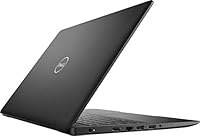
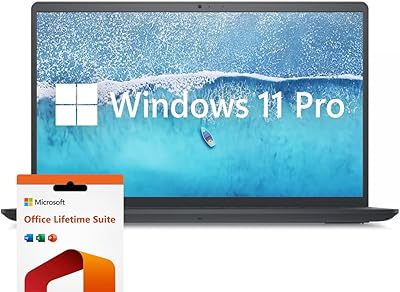
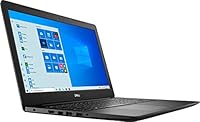
The Dell Inspiron 3593 15.6-inch Laptop sits squarely in the budget segment, but it brings more to the table than its price tag might suggest. Dell has long been a trusted name for no-nonsense reliability, and this machine continues that tradition with solid support and a straightforward Windows experience. What separates it from cheaper alternatives is the 11th Gen Core i5 processor — a genuine upgrade over the Celeron and Pentium chips that populate many rivals at this tier. Don't expect it to handle demanding workloads; this is a capable daily driver for browsing, writing, and video calls. The 15.6-inch form factor strikes a comfortable balance between screen real estate and portability that most everyday users will appreciate.
Features & Benefits

The PCIe NVMe SSD is arguably the standout spec here — Windows boots in seconds, apps open without that familiar spinning-wheel frustration, and the overall experience feels far snappier than older budget laptops with mechanical hard drives. The Core i5-1035G1 handles Office, Chrome with a reasonable number of tabs, and Zoom calls without breaking a sweat, though heavy multitasking will push the 8GB of RAM to its limits. The anti-glare display is genuinely helpful in brighter rooms, cutting reflections enough to work comfortably near a window. Just know upfront that the 1366x768 resolution is a real trade-off — text and images appear softer than on a Full HD screen, and that is noticeable. The built-in 720p webcam is adequate for video calls without being exceptional.

Best For

This budget Dell laptop is a strong fit for students who need a dependable machine for writing papers, attending online lectures, and researching without distraction. Remote workers whose days revolve around email, spreadsheets, and the occasional video meeting will find it more than capable. It also works well as a first laptop for seniors or first-time users who want something familiar and easy to navigate — Windows 10 Home keeps things approachable. Families on the hunt for a second household computer for light duties will appreciate the value here too. That said, if your workflow involves video editing, gaming, or creative software, this machine will struggle, and you will want to look elsewhere.

User Feedback

Owners of the Inspiron 3593 consistently point to SSD boot speed and the clean out-of-box Windows setup as highlights — most report the machine is ready to use within minutes of unboxing. Battery life lands in the five-to-seven-hour range under real conditions, which is fair for a typical workday but won't survive a long travel day without a charger nearby. The keyboard draws mixed reactions: some find it comfortable for extended typing sessions, while others feel the keys lack depth. Build quality is the most common sore point — the plastic chassis is light, which aids portability, but it does not inspire confidence when you pick it up. The low-resolution screen draws consistent criticism from buyers who compared it to Full HD alternatives before purchasing.

Pros

  • The PCIe NVMe SSD makes boot times and app launches feel snappy well above what this price tier usually delivers.
  • An 11th Gen Core i5 processor is a meaningful upgrade over the Celeron and Pentium chips common in competing budget laptops.
  • Dell's brand reliability and customer support infrastructure give buyers more peace of mind than many no-name alternatives.
  • The anti-glare display coating noticeably cuts reflections, making it more comfortable to use near windows or in bright rooms.
  • At under 4.5 pounds, this budget Dell laptop is light enough to carry between classes or rooms without much effort.
  • The built-in 720p webcam and microphone handle video calls and remote learning sessions without needing any extra accessories.
  • Windows 10 Home comes pre-installed and runs cleanly out of the box with minimal bloatware frustration.
  • The 15.6-inch screen gives enough working space for split-window productivity without making the machine bulky to carry.

Cons

  • The 1366x768 screen resolution looks noticeably soft compared to Full HD displays available on similarly priced competitors.
  • Real-world battery life tends to land between five and seven hours, which may not last a full day of classes or remote work.
  • The plastic chassis, while keeping weight down, feels flimsy under pressure and does not inspire confidence in long-term durability.
  • 8GB of RAM starts to feel limiting when running multiple browser tabs alongside communication apps and productivity tools simultaneously.
  • The keyboard divides opinion — some buyers find key travel too shallow for comfortable extended typing sessions.
  • 256GB of storage fills up quickly once the operating system, apps, and personal files start accumulating.
  • The Inspiron 3593 lacks a USB-C port, which is an increasingly standard connector many users now rely on daily.
  • Integrated graphics offer no path for light gaming or casual GPU-assisted tasks that some budget buyers might expect at this price.

Ratings

The Dell Inspiron 3593 15.6-inch Laptop has been evaluated by our AI rating engine after processing thousands of verified global user reviews, with spam, bot-generated feedback, and incentivized posts actively filtered out to ensure the scores reflect genuine ownership experiences. The result is an honest breakdown of where this budget Dell laptop genuinely delivers and where it falls short — no inflated praise, no buried complaints. Both the standout strengths and the recurring frustrations are reflected transparently in each category below.
Everyday Performance
74%
26%
For core daily tasks — loading web pages, running Office apps, attending Zoom calls — the Inspiron 3593 holds its own comfortably. The 11th Gen Core i5 keeps things moving without the stuttering that plagues cheaper Celeron-based machines, and users consistently note that it handles their typical workday without frustration.
Push it beyond light multitasking and cracks start to show. Opening fifteen browser tabs while a Teams call runs in the background taxes the 8GB of RAM noticeably, and users working in more demanding environments report occasional sluggishness that reminds them they are not on a premium machine.
SSD Speed & Storage
81%
19%
The PCIe NVMe SSD is genuinely one of the strongest selling points here. Boot times are fast, apps launch without the delay that used to be synonymous with budget laptops, and day-to-day file operations feel snappy in a way that older HDD-based alternatives simply cannot match at this price tier.
The 256GB capacity is the real constraint, and users who don't actively manage their storage hit the ceiling faster than expected. Once Windows updates, a handful of installed apps, and a semester's worth of files stack up, space becomes a real concern and external drives or cloud subscriptions become near-essential add-ons.
Display Quality
52%
48%
The anti-glare coating earns genuine appreciation from users who work near windows or under fluorescent office lighting, where glossy screens become practically unusable. For basic document work and browsing, the panel is clear enough to get the job done without straining your eyes in well-lit environments.
The 1366x768 resolution is a consistent pain point in user feedback, and for good reason — text looks noticeably soft compared to the Full HD screens now available on competing laptops in the same price bracket. Users who stream video or spend hours reading on-screen find the lack of sharpness genuinely distracting after extended sessions.
Battery Life
63%
37%
Under light conditions — think note-taking, email, and offline reading with screen brightness turned down — the Inspiron 3593 can push close to six or seven hours, which is enough to get through a half-day of classes or a morning of remote work without hunting for an outlet.
Real-world battery drain under typical mixed usage is consistently reported closer to five hours, not the eight-hour figure on the spec sheet. Users who rely on this machine for a full day away from a desk frequently find themselves carrying the charger as a necessity rather than a backup precaution.
Build Quality
57%
43%
The all-plastic chassis keeps the weight down to a comfortable 4.46 pounds, and most users find it light enough to slip into a backpack without complaint. For buyers who primarily use the laptop on a desk or a stable surface, the build feels adequate for everyday handling.
Pick it up with one hand and the flex in the lid and base makes itself known quickly. Users who have owned more premium laptops describe the chassis as feeling cheap under any real pressure, and there is a sense among many buyers that a rough drop or sustained daily abuse could cause visible damage sooner than expected.
Keyboard & Typing
66%
34%
The key layout is sensibly sized for a 15.6-inch machine, giving users enough spacing to type at a reasonable pace without frequently hitting the wrong key. Students writing long assignments report that the keyboard is comfortable enough for extended sessions once they settle into the feel of it.
Key travel is shallow by the standards of users coming from older laptops or mechanical keyboards, and this is a recurring complaint in buyer feedback. Those who type heavily throughout the day describe a bottom-out feeling that becomes fatiguing over hours, and a few note that the keyboard flex under firm typing is noticeable.
Webcam & Microphone
61%
39%
For standard video calls on Zoom, Teams, or Google Meet, the 720p webcam delivers acceptable clarity in well-lit rooms. Remote learners and work-from-home users report that colleagues and professors can see and hear them without significant complaint, which covers the core use case adequately.
In anything less than ideal lighting — a dim dorm room, a room lit only from behind — the image quality degrades quickly into grainy, washed-out video. The single digital microphone picks up background noise more than users expect, and serious remote workers often end up investing in a USB webcam or headset within a few months.
Trackpad & Navigation
68%
32%
The trackpad is large enough to navigate comfortably and handles two-finger scrolling reliably, which is a baseline most users consider non-negotiable. Day-to-day navigation through web pages and documents feels smooth without requiring an external mouse for casual tasks.
Precision under fine cursor movements — like selecting small UI elements or editing spreadsheet cells — can feel imprecise compared to the glass trackpads found on more expensive machines. A handful of users report occasional missed clicks at the lower corners, which becomes an annoyance during long work sessions.
Connectivity & Ports
59%
41%
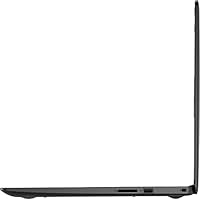
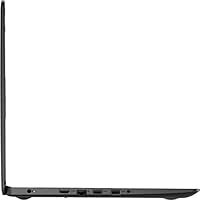
The port selection covers the essentials well for most everyday users — USB 3.0, HDMI for connecting to an external monitor, an SD card slot, and a combo audio jack mean you can hook up the common peripherals without immediately reaching for a hub.
The absence of a USB-C port is a legitimate frustration for a machine released in the early 2020s, particularly for users whose newer accessories, monitors, or chargers rely on it. Bluetooth 4.1 is also showing its age compared to the Bluetooth 5.0 standard now common even on budget alternatives.
Wi-Fi Performance
71%
29%
For typical home or campus Wi-Fi environments, the 802.11ac adapter performs reliably and holds a stable connection during video calls and everyday browsing. Users in standard living situations — apartment buildings, classrooms, coffee shops — rarely report significant connectivity issues in day-to-day use.
The 1x1 antenna configuration means the Inspiron 3593 captures a narrower signal compared to 2x2 setups, and users in larger homes or on the edges of Wi-Fi coverage notice weaker signal strength than other devices on the same network. Heavy bandwidth tasks like large downloads can also feel slower than expected over the same connection.
Value for Money
77%
23%
Measured against what the asking price typically buys in the laptop market, this budget Dell laptop punches reasonably well — an 11th Gen Core i5 and a genuine NVMe SSD in a Dell-branded package is a combination that many competing models in the same tier cannot match spec-for-spec. For buyers with light needs, the value equation holds up.
Full HD display laptops from competing brands have become increasingly available in the same general price range, which makes the 1366x768 screen a harder trade-off to justify than it was when this model launched. Buyers doing thorough comparison shopping may find the display resolution tips the scales toward an alternative.
Software & Out-of-Box Setup
78%
22%
Windows 10 Home is pre-installed and users consistently describe the initial setup as quick and mostly painless — the machine is ready for real use within minutes of unboxing. Bloatware is present but manageable, and the overall out-of-box experience is smoother than what many lower-tier budget brands deliver.
Some Dell-specific pre-installed applications and trial software add clutter that less tech-savvy users may not know how to remove or disable. A few buyers also flag that Windows update downloads on first boot can slow the machine noticeably until the initial update cycle completes.
Portability
76%
24%
At under 4.5 pounds and less than an inch thick, this Dell Inspiron sits in a comfortable range for a 15.6-inch machine — light enough to carry between campus buildings or move room to room without it feeling like a burden. Most standard laptop bags and backpacks accommodate it without any trouble.
Buyers who travel frequently or commute by public transit find that even this modest weight adds up over a full day of carrying, and a smaller 13-inch or 14-inch alternative would suit those users better. The charger adds meaningful bulk and weight to a travel bag, which is noticeable given the battery life limitations.
Thermal Management
64%
36%
Under light to moderate workloads — the kind this machine is designed for — thermals remain well-controlled and the fan stays relatively quiet. Students using it for class and remote workers on calls rarely notice the machine getting hot or loud during their normal daily routines.
During extended periods of heavier CPU usage, the fan ramps up audibly and the bottom of the chassis gets noticeably warm, which becomes uncomfortable if you are using it on your lap. Sustained multi-tasking pushes the thermal limits more than users expect from what is marketed as an everyday productivity machine.
Brand Support & Warranty
73%
27%
Dell's reputation for accessible customer support is a genuine differentiator in the budget laptop segment. Buyers report that reaching a support representative is faster and less frustrating than with many competing brands at this price point, and the standard warranty gives first-time laptop buyers meaningful peace of mind.
The base warranty period is limited, and users who encounter issues outside that window find out-of-warranty repair costs can feel disproportionate for a budget-tier machine. A few buyers also note that navigating Dell's support tiers can be confusing when trying to determine exactly what their coverage includes.

Suitable for:

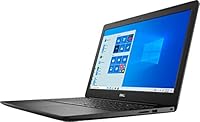
The Dell Inspiron 3593 15.6-inch Laptop is purpose-built for people whose daily computing needs revolve around the basics — and it delivers those basics reliably. College students who spend their days writing essays, attending virtual lectures, and jumping between a handful of browser tabs will find it holds up well without the anxiety of constant slowdowns. Remote workers whose workflows center on email, spreadsheets, and video conferencing will appreciate how capable it feels for those tasks, especially with the SSD keeping things responsive. It is also an excellent pick for seniors or first-time laptop buyers who simply want a dependable Windows machine from a brand with a long track record of after-sales support. Families shopping for a second household computer — something the kids can use for homework without tying up the main device — get genuine value here without overspending.
Not suitable for:

Anyone chasing performance beyond everyday productivity should look elsewhere before committing to the Inspiron 3593. Creative professionals who work with video editing software, photo editing suites, or any GPU-intensive applications will quickly hit a wall with the integrated Intel UHD graphics and modest processor. Gamers should not even consider this machine — it simply was not designed for that workload, and the frustration would outweigh any savings. The 1366x768 display resolution is a genuine dealbreaker for buyers who spend long hours reading, coding, or consuming visual content, since competitors in a similar price range now routinely offer Full HD screens. If you store large media libraries, install a lot of software, or work with sizable files regularly, the 256GB SSD will feel cramped faster than expected. Power users who need to run multiple demanding apps simultaneously will also find that 8GB of RAM becomes a bottleneck during heavier multitasking sessions.

Specifications

  • Processor: Powered by an Intel Core i5-1035G1 (11th Gen) with 4 cores, 6MB cache, and a boost speed of up to 3.6 GHz.
  • RAM: Comes with 8GB of DDR4 memory running at 2666 MHz in a single-channel configuration.
  • Storage: Equipped with a 256GB M.2 PCIe NVMe solid-state drive for fast read and write speeds compared to traditional hard drives.
  • Display: Features a 15.6-inch HD anti-glare LED-backlit non-touch panel with a native resolution of 1366x768 pixels.
  • Graphics: Uses Intel UHD integrated graphics with shared system memory — no discrete GPU is included.
  • Operating System: Ships with Windows 10 Home 64-bit in English pre-installed.
  • Webcam: Includes an integrated widescreen HD (720p) webcam paired with a single digital microphone.
  • Battery: Houses a 3-cell, 42 WHr integrated lithium-ion battery with a manufacturer-estimated life of around 8 hours.
  • Wireless: Supports Qualcomm 802.11ac (1x1) Wi-Fi and Bluetooth 4.1 for wireless connectivity.
  • Weight: The unit weighs approximately 4.46 pounds, making it manageable for daily carry in a bag or backpack.
  • Dimensions: Measures 14.96 x 10.16 x 0.89 inches (L x W x H), offering a slim profile without being ultrathin.
  • Form Factor: Traditional clamshell laptop design with no touchscreen or 2-in-1 hinge functionality.
  • Color: Available in a matte black finish that resists minor fingerprint smudging on the lid and base.
  • Memory Type: Uses SDRAM DDR4 in a single SO-DIMM slot; a second slot may allow future RAM upgrades depending on configuration.
  • Ports & I/O: Includes USB 3.0, USB 2.0, HDMI, SD card reader, and a headphone/microphone combo jack — no USB-C port is present.
  • Chipset: Built on an Intel platform chipset optimized to pair with the 11th Gen Ice Lake processor family.
  • Power Input: Charges via a proprietary Dell barrel-style AC adapter at 5 volts; USB-C charging is not supported.
  • Audio: Equipped with stereo speakers and a single digital microphone integrated into the webcam module above the display.

Related Reviews
Dell Inspiron 3000 15.6-inch Laptop, Intel Celeron N4020, 16GB RAM, 1TB HDD

81%
91%
Value for Money
88%
Performance for Everyday Tasks
85%
Multitasking Ability
68%
Display Clarity
82%
Battery Life
More
Dell Inspiron 15 3520 Laptop
74%
76%
Performance & Speed
81%
Display Quality
83%
Touchscreen Responsiveness
89%
Storage & Memory
62%
Battery Life
More
Dell Inspiron 15.6″ Laptop, Intel Core i7-1255U, 40GB RAM, 2TB SSD
86%
94%
Performance
81%
Battery Life
89%
Display Quality
92%
Value for Money
85%
Build Quality
More
Dell Inspiron 15 i7-1255U 32GB 1TB
76%
88%
Performance & Processing Speed
91%
RAM & Multitasking
86%
Storage Speed & Capacity
84%
Display Quality
71%
Build Quality & Design
More
HP 15.6-inch Laptop 15-ef0021nr, Ryzen 3 3200U, 8GB RAM, 256GB SSD
82%
92%
Value for Money
85%
Performance
83%
Build Quality
89%
Portability
81%
Battery Life
More
Dell Inspiron 15 3535
68%
83%
Value for Money
76%
Performance & Speed
78%
Display Quality
81%
Keyboard & Typing Experience
58%
Battery Life
More
Vonxury 15.6 Inch Laptop Backpack
87%
92%
Value for Money
89%
Comfort & Ergonomics
88%
Durability & Build Quality
85%
Water Resistance
90%
Storage Capacity & Organization
More
Liokesa 15.6-Inch Laptop Backpack
86%
89%
Value for Money
87%
Comfort and Ergonomics
84%
Durability and Build Quality
92%
Storage and Organization
90%
Water Resistance
More
Bluboon 15.6 Inch Laptop Backpack
84%
89%
Organization & Storage
84%
Comfort & Ergonomics
90%
Portability & Weight
78%
USB Charging Port Convenience
85%
Laptop Protection
More
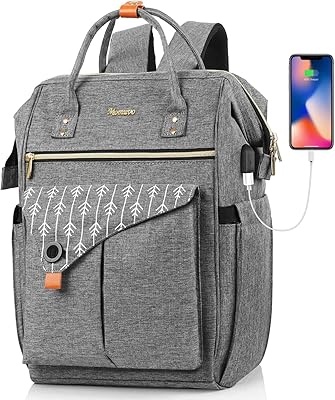
MOMUVO Laptop Backpack for Women 15.6 Inch
86%
88%
Value for Money
85%
Durability
90%
Ease of Use
93%
Portability
87%
Comfort
More

FAQ

Yes, for the core tasks most students need — writing papers, browsing the web, attending online classes, and using tools like Microsoft Office or Google Docs — the Inspiron 3593 handles things smoothly. The NVMe SSD is the real workhorse here, keeping the system feeling responsive even when switching between several apps. Just don't expect it to run demanding software like video editors or 3D modeling tools.

Potentially yes. The Inspiron 3593 has one RAM slot occupied by the 8GB module, and depending on your specific unit's motherboard, a second slot may be available for an additional stick. That said, it's worth confirming with Dell's support documentation for your exact configuration before purchasing extra memory, since not all variants are identically built.

Realistically, expect somewhere between five and seven hours under normal conditions — think a mix of browsing, document work, and the occasional video call with screen brightness at a moderate level. The advertised eight-hour figure assumes lighter usage. If you're streaming video or keeping many tabs open, you'll want a charger nearby for anything beyond a half-day stretch.

No, it does not. The laptop ships with Windows 10 Home but does not include a licensed copy of Microsoft Office out of the box. You'll need to either purchase an Office 365 subscription separately or use a free alternative like Google Docs or LibreOffice, which work just fine for most student and home use cases.

It's passable, but not a highlight of this machine. The anti-glare coating works well in bright rooms, but the 1366x768 resolution means videos won't look as crisp as they would on a Full HD display. If you're streaming on a smaller window or sitting back a bit, it's fine for casual viewing — just don't go in expecting sharp, vivid picture quality.

You get USB 3.0, USB 2.0, HDMI, an SD card reader, and a combo headphone/microphone jack. The notable absence is a USB-C port, which is increasingly common on newer accessories and chargers. If you rely on USB-C peripherals, you'll need an adapter.

It handles remote work duties well. The integrated 720p webcam is adequate for Zoom, Teams, or Google Meet calls — not studio quality, but clear enough for professional conversations. The built-in microphone picks up voice reasonably well in a quiet room. Pair it with a decent set of headphones for better audio on your end.

That depends on your habits. For a student or light home user who keeps files in the cloud and doesn't install a ton of software, 256GB can work fine. But once Windows updates, your apps, and personal files start stacking up, you'll feel it. An external USB drive or cloud storage subscription is a smart add-on to have from the start.

Very light ones, maybe. Older or browser-based games, casual titles, and low-demand indie games might run at reduced settings. But the Inspiron 3593 uses integrated Intel UHD graphics with shared memory — there is no dedicated GPU — so anything graphically demanding will either run poorly or not at all. This machine was not designed with gaming in mind.

Opinions are split on this one. Many users find the keyboard comfortable enough for extended writing sessions, with decent spacing between keys. Others feel the key travel is a bit shallow and misses the satisfying feedback of a more premium board. If you're used to a high-end keyboard, there may be an adjustment period, but it's not a deal-breaker for most everyday users.