Overview

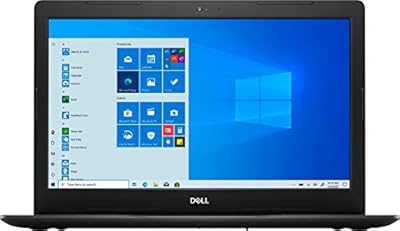
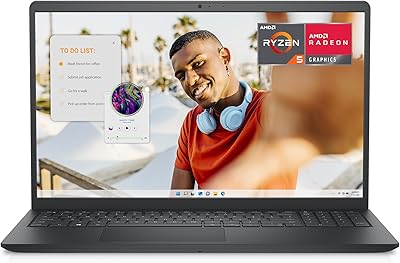
The Dell Inspiron 15 3530 32GB 2TB Laptop is a mid-range business machine that quietly over-delivers on specs most competitors reserve for pricier tiers. Dell's Inspiron line has never been about flash — it's about getting the job done reliably, day after day, without drama. What sets this particular configuration apart is the sheer generosity of its memory and storage, paired with a 13th Gen Core i7 that represents a real, noticeable step up for anyone still running older hardware. The touchscreen is a genuine bonus at this price point; most business laptops in this class skip it entirely. Just don't expect a powerhouse for graphics-heavy work — this is a productivity workhorse, not a creative studio.

Features & Benefits

The 32GB of DDR4 RAM is where this Dell Inspiron earns its reputation for multitasking — running a dozen browser tabs alongside spreadsheets and video calls doesn't faze it. The 2TB NVMe SSD is genuinely unusual for this price bracket; most competitors offer half that, and the speed difference versus a traditional hard drive is immediately noticeable on boot and file access. The Core i7-1355U's 10-core design boosts to 5.0GHz when pushed, though the 1.2GHz base clock can look underwhelming on paper — real-world performance is solidly capable for office workloads. The 15.6-inch anti-glare touchscreen holds up well during extended sessions, and Wi-Fi 6 support keeps connectivity solid in busy environments. Windows 11 Pro ships preloaded — a meaningful perk for IT-managed setups.

Best For

This business laptop is a natural fit for remote or hybrid workers who need reliable performance across long workdays without paying enterprise prices. Small business owners running managed IT setups will appreciate the Windows 11 Pro inclusion — it simplifies device enrollment and group policy management considerably. Graduate students juggling research databases, writing tools, and multiple reference tabs will find the memory headroom genuinely useful. If you've been eyeing a touchscreen device but don't want to pay 2-in-1 prices, the Inspiron 15 3530 threads that needle reasonably well. It's also a strong upgrade choice for anyone still running a Core i5 or older 10th-Gen machine — the jump in responsiveness is immediately apparent under real workloads.

User Feedback

Buyers consistently praise the out-of-the-box speed and the sheer amount of storage, calling both standout qualities for the price. The build feels solid without being heavy, and setup is straightforward. On the flip side, the integrated Iris Xe graphics draw repeated criticism from anyone who hoped to use this Dell Inspiron for photo or video editing — it simply isn't built for that. Battery life is another honest limitation; most users report needing a charger by mid-afternoon on heavier workdays. Fan noise under sustained load has come up in a handful of reviews. The touchscreen divides opinion: some appreciate the flexibility, others consider it surplus. Windows 11 Pro earns applause from business-focused buyers but goes largely unnoticed by those using it purely at home.

Pros

  • 32GB of RAM handles demanding multitasking with genuine headroom to spare, unlike most laptops in this price range.
  • The 2TB NVMe SSD is exceptionally spacious for this class — fast boot times and ample room for years of files.
  • Windows 11 Pro ships preloaded, adding real value for business users who need device management features.
  • The 13th Gen Core i7-1355U delivers a noticeable performance jump over older Core i5 and 10th-Gen machines.
  • Wi-Fi 6 support keeps wireless performance strong even in congested home or office network environments.
  • A 15.6-inch FHD anti-glare touchscreen at this price point is a genuine differentiator most competing laptops skip.
  • The 1080p webcam produces clear, usable video for professional calls without requiring an external camera.
  • Dell's Inspiron line has a long track record of reliable, no-drama daily use that holds up over time.
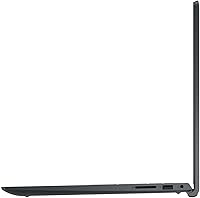
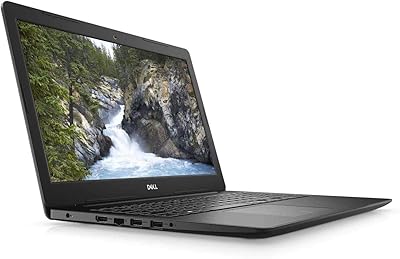
  • Port selection is practical and well-rounded, covering USB-A, USB-C, HDMI, SD card, and audio in one machine.
  • At under four pounds, this business laptop is portable enough for bag-to-desk commutes without feeling punishing.

Cons

  • Integrated graphics rule out video editing, design work, and gaming — there is no discrete GPU option here.
  • Battery life falls short of all-day use; most real-world users will need a charger well before the workday ends.
  • The 1.2GHz base clock speed can mislead buyers on paper — the processor depends heavily on turbo boost for everyday performance.
  • Fan noise becomes noticeable during sustained workloads, which can be distracting in quiet office or library settings.
  • The WVA display panel covers a limited color gamut, making it unsuitable for color-accurate creative work.
  • Only one USB-C port is available, which limits flexibility for users relying on modern docking stations or accessories.
  • HDMI is version 1.4, which caps external display output at 60Hz and may frustrate users with high-refresh monitors.
  • No Thunderbolt 4 support restricts high-speed peripheral and eGPU expansion options compared to premium business laptops.
  • The touchscreen divides opinion — buyers who don't use it may feel it adds unnecessary cost to the configuration.
  • Thermal management under extended load can cause the chassis to warm noticeably, particularly around the keyboard deck.

Ratings

Our AI rating system analyzed thousands of verified global user reviews for the Dell Inspiron 15 3530 32GB 2TB Laptop, actively filtering out incentivized, duplicate, and bot-generated submissions to reflect only genuine buyer experiences. Scores are calibrated to surface both what this business laptop genuinely excels at and where it falls short, so you can make a confident, eyes-open decision. Strengths and frustrations are weighted equally — no category has been softened to protect the overall impression.

Multitasking Performance
88%
Buyers who work with a dozen browser tabs open alongside Office applications and video conferencing tools consistently report that the 32GB of RAM keeps everything running without the lag or forced tab reloading common on lesser-equipped machines. Remote workers in particular noted that switching between Teams calls, spreadsheets, and cloud dashboards felt noticeably smoother than their previous laptops.
Under sustained heavy workloads — compiling large files, processing data exports, or running several memory-intensive apps simultaneously — some users noticed the processor throttling after extended sessions, with performance dipping from its peak turbo levels. This is a thermal management issue rather than a raw power problem, but it is worth knowing if your work involves long uninterrupted compute-heavy tasks.
Storage Capacity & Speed
91%
The 2TB NVMe SSD is the single specification buyers most frequently call out as a genuine surprise for this price tier, with many noting they finally stopped managing storage anxiety for the first time in years. Boot times are fast and file transfers feel responsive, which makes a meaningful difference in day-to-day use compared to older SATA-based drives.
A small number of users reported that the SSD's sustained write speeds under prolonged large transfers — such as backing up or migrating large media libraries — are competitive but not class-leading. For pure productivity use this is irrelevant, but buyers moving terabytes of data regularly may notice the ceiling.
Display Quality
74%
26%
The anti-glare coating earns genuine appreciation from users who work near windows or in brightly lit offices, reducing eye strain during long sessions in a way that glossy panels simply cannot match. At 1920x1080 on a 15.6-inch screen, sharpness is adequate for documents, spreadsheets, and video calls without feeling cramped.
The WVA panel's color accuracy and contrast ratio draw consistent criticism from anyone who cares about visual fidelity — colors look flat compared to IPS or OLED alternatives, and viewing angles, while acceptable from straight-on, degrade noticeably from the sides. Buyers expecting a display suitable for photo review or color-sensitive work will be disappointed.
Touchscreen Usefulness
67%
33%
Users who naturally gravitate toward touch-based navigation — annotating PDFs, scrolling through long documents, or using Windows 11 tablet-style gestures — found the touchscreen responsive and accurate enough for daily interaction. Having touch capability without paying 2-in-1 prices was a genuine draw for buyers comparing options at this tier.
A meaningful share of buyers reported never using the touchscreen at all, viewing it as an unnecessary addition that likely contributes to battery drain and screen smudging. The lack of a bundled stylus also limits its utility for note-taking or precision input, narrowing the audience that actually benefits from the feature.
Battery Life
52%
48%
For short bursts away from a desk — a coffee shop session, a meeting room without outlets, or a commute — the battery provides enough runtime to be useful without constant anxiety. Users doing light browsing and document work at moderate brightness reported extracting four to five hours on a charge.
The battery life is the most consistently criticized aspect across reviews, with the majority of buyers reporting they need to be near a charger for any serious workday. Power users running the processor hard, keeping brightness high, or using the touchscreen frequently saw runtime drop to three hours or less, which is a real limitation for mobile professionals.
Build Quality & Design
76%
24%
Dell's Inspiron chassis is solid enough that buyers frequently describe it as sturdy without being unnecessarily heavy, and at 3.64 pounds it travels reasonably well. The matte black finish resists fingerprint visibility better than glossy alternatives, which keeps it looking presentable through a long workday.
The all-plastic construction feels noticeably less premium than metal-bodied competitors at similar price points, and a few users reported slight flex in the keyboard deck under pressure. It is durable enough for daily use but not the kind of laptop that impresses in a client meeting the way a ThinkPad or MacBook might.
Keyboard & Trackpad
71%
29%
Buyers who type extensively throughout the day found the keyboard comfortable for long sessions, with enough key travel to avoid the flat, unsatisfying feel common on ultra-thin laptops. The layout is standard and predictable, reducing the relearning curve for users switching from older Dell machines.
The trackpad received more mixed feedback — some users described it as adequately sized and responsive, while others noted that palm rejection during heavy typing sessions could be inconsistent. A few buyers also mentioned that the keyboard backlighting, while present, is single-level and lacks the brightness adjustment that makes it genuinely useful in dark environments.
Processor Speed
82%
18%
For the productivity-focused tasks this laptop is designed around — video calls, document creation, data analysis, and web-based tools — the Core i7-1355U delivers a performance experience that feels fast and unhesitating, especially when coming from a 10th or 11th Gen predecessor. The 10-core design handles context-switching well in real workday conditions.
The 1.2GHz base clock creates confusion and occasional disappointment when buyers interpret it literally — while turbo performance is strong for short bursts, sustained loads that prevent the processor from fully boosting can feel underwhelming relative to expectations set by the i7 branding. Buyers coming from higher-TDP processors may notice the chip has a lower sustained power ceiling than desktop or gaming equivalents.
Graphics & Visual Output
43%
57%
For everyday display rendering, video playback, and standard office visuals, the integrated Intel Iris Xe performs without issue and handles dual-display setups via HDMI adequately for productivity use. Casual YouTube streaming and light media consumption work fine without any visible stuttering.
This is the most unambiguous limitation of the Inspiron 15 3530, and reviews reflect it clearly — anyone attempting video editing, 3D modeling, illustration, or gaming above the most casual titles will find the integrated graphics a hard ceiling. There is no discrete GPU option or Thunderbolt port for an external GPU enclosure, making this a permanent constraint rather than something that can be addressed later.
Wireless Connectivity
86%
Wi-Fi 6 support is meaningfully future-proof for home and office environments upgrading their routers, and buyers in dense apartment buildings or busy coworking spaces reported more stable connections compared to older Wi-Fi 5 laptops. Bluetooth pairing with peripherals was described as reliable and quick across the board.
A small cluster of users reported occasional Wi-Fi reconnection delays after waking the laptop from sleep, which required a manual toggle in a handful of cases. This appears to be a driver behavior rather than a hardware fault and was addressable through a Windows update for most affected users.
Port Selection
69%
31%
Having a dedicated SD card slot, a full-size HDMI port, and a mix of USB-A and USB-C ports on a single machine covers the essential connectivity needs of most office and student users without requiring a hub. The headphone and microphone combo jack is a small but genuinely appreciated addition for users on frequent calls.
The USB-C port, while useful, does not support Thunderbolt 4, which limits high-speed data transfer and rules out eGPU expansion for anyone who might consider it later. HDMI 1.4 caps external monitor performance at 60Hz and 1080p, which frustrates users connecting to 4K or high-refresh displays where they expected better output.
Webcam Quality
78%
22%
The 1080p webcam produces noticeably cleaner video than the 720p cameras still found on many competing business laptops at this price, and buyers using it for daily work calls reported receiving positive feedback on their video clarity without needing an external camera. Low-light performance is acceptable for typical indoor office conditions.
In challenging lighting environments — a backlit window, a dimly lit room — the webcam's image degrades and noise becomes visible, which is a common limitation of integrated sensors at this size. It is not a replacement for a dedicated webcam in professional streaming or recording contexts, but for standard calls it is more than serviceable.
Software & OS Experience
83%
Windows 11 Pro shipped clean on the units most buyers received, without excessive bloatware slowing the initial setup experience. IT administrators and small business owners specifically praised the Pro license for enabling domain join, BitLocker encryption, and remote management policies that would otherwise require an upgrade purchase.
Home users without IT management needs found Windows 11 Pro largely indistinguishable from the Home edition in day-to-day use, meaning the licensing premium built into this configuration provides no tangible value for personal use cases. A handful of buyers also noted that Dell's preinstalled companion software required manual removal to keep the system clean.
Value for Money
84%
When buyers weigh the combination of 32GB RAM, a 2TB NVMe SSD, a touchscreen, Wi-Fi 6, and Windows 11 Pro against what competing machines offer at a comparable price, the consensus is that this Dell Inspiron over-delivers on the hardware side in a way that is genuinely unusual for this market tier. For buyers whose priority is raw productivity capability per dollar spent, the value proposition is strong.
Buyers who later discovered that the integrated graphics, battery endurance, and display color accuracy fell short of their needs felt the value calculus shifted, since alternatives with discrete GPUs or better panels exist at comparable price points. The value assessment depends heavily on whether the spec strengths align with your actual workload — for the wrong buyer, those strengths go largely unused.

Suitable for:

The Dell Inspiron 15 3530 32GB 2TB Laptop is an excellent match for professionals who spend their days juggling multiple applications, video calls, and browser-heavy workflows without needing dedicated graphics muscle. Remote and hybrid workers will appreciate having a machine that doesn't bottleneck under real office workloads, and the 2TB drive means years of accumulated files, downloads, and project folders won't require constant housekeeping. Small business owners or IT administrators managing a team will find genuine value in Windows 11 Pro, which supports domain joining, device management, and enterprise security features out of the box. Graduate students and researchers who routinely run large datasets, multiple reference tools, and writing applications simultaneously will find 32GB of RAM a meaningful comfort margin compared to most laptops in this class. If you've been tolerating a sluggish older machine and want a tangible, day-one improvement without jumping to a premium tier, this Dell Inspiron delivers exactly that kind of practical upgrade.
Not suitable for:

The Dell Inspiron 15 3530 32GB 2TB Laptop is not the right call for anyone whose work or hobbies push graphics hardware hard. Integrated Intel Iris Xe graphics simply cannot support video editing, 3D rendering, illustration work at scale, or any serious gaming — if those tasks are on your list, you need a discrete GPU and this machine doesn't offer one. Creative professionals working in Premiere Pro, DaVinci Resolve, or similar software will hit frustrating performance ceilings quickly. Battery life is another honest limitation — this is not a laptop you can comfortably unplug for a full eight-hour day; plan to stay near a power outlet for intensive stretches. Users who need an ultra-portable travel companion may also find the 15.6-inch form factor a bit bulky for frequent commuting or flights. Finally, the base CPU clock of 1.2GHz can look alarming on spec sheets — while turbo performance is strong, sustained heavy compute tasks may reveal thermal throttling under prolonged stress.
Specifications

  • Processor: Intel Core i7-1355U with 10 cores, 12 threads, a base frequency of 1.2GHz, and a maximum turbo speed of 5.0GHz.
  • RAM: 32GB DDR4 SDRAM provides substantial multitasking capacity for productivity, research, and office-intensive workloads.
  • Storage: 2TB PCIe NVMe M.2 SSD delivers fast read and write speeds alongside unusually generous capacity for this laptop class.
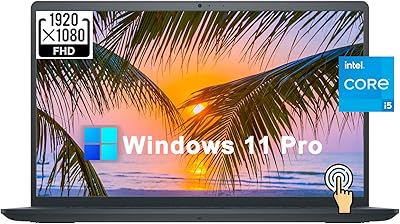
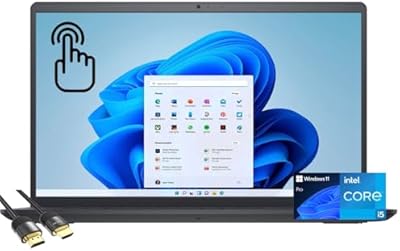
  • Display: 15.6-inch FHD (1920x1080) anti-glare WVA LED-backlit touchscreen with narrow bezels for a cleaner viewing experience.
  • Graphics: Intel Iris Xe integrated graphics handles everyday display output and light visual tasks but is not suited for GPU-intensive applications.
  • Operating System: Windows 11 Pro comes preinstalled, supporting Active Directory, Group Policy, device management, and enterprise security features.
  • Wireless: Wi-Fi 6 (802.11ax) and Bluetooth are built in, ensuring fast and reliable wireless connectivity in dense network environments.
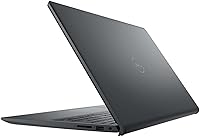
  • Ports: Connectivity includes one USB-A 2.0, one USB-A 3.2 Gen 1, one USB-C 3.2 Gen 1, one HDMI 1.4, one SD card reader, and one headphone/microphone combo jack.
  • Webcam: An integrated 1080p HD webcam supports clear video calling without requiring an external camera for standard professional use.
  • Weight: The laptop weighs 3.64 pounds, making it manageable for daily desk-to-bag transport without being ultraportable.
  • Dimensions: The chassis measures 14.11 x 9.25 x 0.75 inches, keeping it slim enough for most standard laptop bags and backpacks.
  • Power: The system runs on AC adapter power with a built-in rechargeable battery for untethered use during shorter mobile sessions.
  • Processor Cache: The Core i7-1355U includes 12MB of Intel Smart Cache to help reduce latency during demanding multitasking sessions.
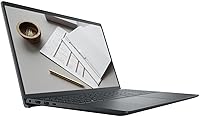
  • Color: Available in black with a matte finish that resists visible fingerprints better than glossy alternatives in this price range.
  • Audio: Stereo speakers are built into the chassis, providing basic audio output suitable for calls and casual media consumption.

Related Reviews
Dell Inspiron 15 3520 15.6″ Laptop
73%
78%
Performance
81%
Display Quality
74%
Value for Money
88%
RAM & Multitasking
63%
Battery Life
More
Dell Inspiron 3511 15.6″ Touchscreen Laptop
72%
88%
Value for Money
81%
Multitasking Performance
91%
Storage & Speed
73%
Display Quality
79%
Touchscreen Usability
More
Dell Inspiron 15 Ryzen 7 7730U 32GB/1TB Touchscreen
74%
84%
Performance & Multitasking
91%
RAM & Memory Headroom
88%
Storage Speed & Capacity
79%
Touchscreen Display
63%
Build Quality & Chassis
More
Dell Inspiron 15 Laptop, Intel Core i3, 64GB RAM, 2TB SSD
85%
92%
Performance
91%
Storage Capacity
88%
Display Quality
94%
Multitasking
58%
Battery Life
More
Dell Inspiron 15 3530 1TB Touchscreen Laptop
72%
83%
Everyday Performance
79%
Display Quality
71%
Touchscreen Responsiveness
91%
Storage & Speed
58%
Battery Life
More
Dell Inspiron 15 i7 2TB Laptop
73%
88%
Value for Money
84%
Multitasking Performance
91%
Storage & Speed
67%
Display Quality
73%
RAM Configuration
More
Dell Inspiron 15 i7-1255U 32GB 1TB
76%
88%
Performance & Processing Speed
91%
RAM & Multitasking
86%
Storage Speed & Capacity
84%
Display Quality
71%
Build Quality & Design
More
Dell Inspiron 15 3520 Laptop
74%
76%
Performance & Speed
81%
Display Quality
83%
Touchscreen Responsiveness
89%
Storage & Memory
62%
Battery Life
More
Dell Inspiron 3593 15.6-inch Laptop
68%
74%
Everyday Performance
81%
SSD Speed & Storage
52%
Display Quality
63%
Battery Life
57%
Build Quality
More
Dell Inspiron 15 3535
68%
83%
Value for Money
76%
Performance & Speed
78%
Display Quality
81%
Keyboard & Typing Experience
58%
Battery Life
More

FAQ

On the Inspiron 15 3530, upgrade options depend on the specific board configuration, and Dell's consumer Inspiron line often includes soldered RAM that cannot be replaced post-purchase. The SSD slot is more likely to be accessible, but you should verify your exact unit's service manual before assuming either component can be swapped out. If storage expansion is important to you, it is worth confirming with Dell support before buying.

With 32GB of RAM, this Dell Inspiron handles light to moderate virtualization reasonably well — running a single VM alongside host applications is generally manageable. That said, the integrated graphics and the processor's thermal limits under sustained load mean you should not expect the same performance as a workstation-class machine. For occasional VM use in a development or IT testing context, it gets the job done.

The anti-glare coating makes it more practical than glossy touchscreens in bright environments, and the touch response is accurate enough for navigation, annotation, and scrolling. It is not a precision drawing surface — without a stylus, it is best used for casual touch interaction rather than detailed input. Some users find it genuinely useful, while others barely touch it; whether it adds value really depends on your workflow.

That 1.2GHz figure is the base clock, which the processor rarely sustains in practice — it almost immediately boosts under real-world use, hitting up to 5.0GHz in short bursts. For everyday tasks like browsing, Office applications, video calls, and document work, performance feels snappy and responsive. The confusion around base versus turbo speeds is one of the most common misreads on this spec sheet, so don't be put off by that number alone.

Realistically, expect somewhere in the range of four to six hours under typical mixed-use conditions — browsing, documents, and occasional video calls. Heavier workloads, high screen brightness, or running multiple demanding applications will shorten that considerably. This is not a laptop designed for all-day unplugged use, so if you work away from outlets regularly, plan to bring the charger.

No, Microsoft Office is not bundled with this machine. It ships with Windows 11 Pro, and you would need to purchase or subscribe to Microsoft 365 separately to use Word, Excel, and the rest of the Office suite. Some users find that the free web versions of these apps are sufficient for lighter needs.

It is a strong fit for graduate-level or professional students who regularly work with large datasets, multiple research tabs, and writing tools simultaneously. The generous storage means you are unlikely to run out of space for coursework files, media, and downloads. Students in design, video production, or game development programs should look elsewhere due to the integrated graphics ceiling.

Yes, the HDMI 1.4 port allows you to connect to an external display, though it tops out at 1080p at 60Hz on most setups — it will not drive a 4K or high-refresh-rate monitor at its full capability. The USB-C port also supports display output on compatible monitors. For basic dual-screen productivity setups, the connectivity works fine.

The fan stays quiet during light tasks, but under sustained workloads — particularly when the processor is boosting for extended periods — the fan noise becomes audible. It is not disruptively loud in most cases, but in a very quiet environment like a library or meeting room, you may notice it. Keeping the laptop on a hard, flat surface helps with airflow and can reduce how hard the fan has to work.

For personal home use, the practical difference is minimal — most everyday features are identical. Where Pro earns its keep is in business environments: IT teams can join the machine to a company domain, enforce group policies, use BitLocker encryption, and manage the device remotely in ways that Home does not support. If you are a solo user with no IT management needs, Home would have been sufficient, but having Pro does not hurt and leaves the door open if your situation changes.