Overview

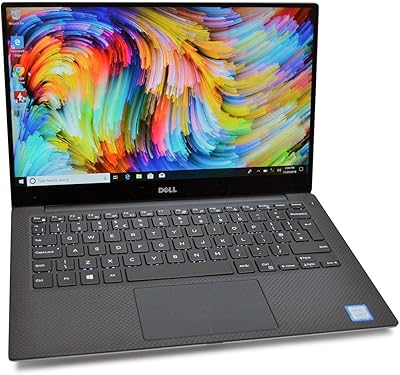
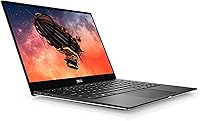
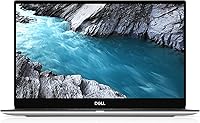
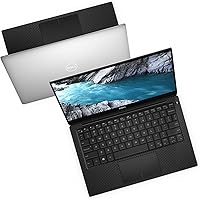
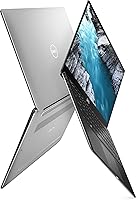
The Dell XPS 13 7390 Touchscreen Laptop arrived in late 2019 as one of the more refined ultrabooks of its generation, built around Dell’s signature InfinityEdge display — a nearly bezel-free 13.3-inch screen that still draws attention today. The silver aluminum chassis feels genuinely premium in hand, compact enough to slide into almost any bag without a second thought. Paired with 10th Gen Intel Core i5 silicon, it landed at a price that placed it firmly in the upper tier of consumer ultrabooks. Whether that investment still makes sense now depends heavily on what you actually need the machine to do day to day.

Features & Benefits

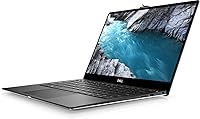
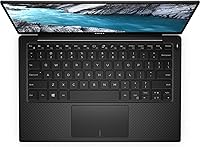
The 13.3-inch IPS touchscreen is the most immediately noticeable asset — colors look accurate and balanced without oversaturation, and the touch layer responds well for casual gestures, though most users will still reach for the trackpad by default. The i5-10210U handles everyday workloads comfortably: browser tabs, spreadsheets, video calls, and light photo editing all run without protest. Where things get tighter is storage — 256 GB disappears fast if you work with large files or rarely manage downloads. At 2.7 pounds with a half-inch profile, the XPS 13 7390 genuinely earns its portability reputation. The backlit keyboard offers solid travel for its size, and the built-in webcam and microphone cover basic video-call duty without drama.

Best For

This compact touchscreen laptop is a strong match for professionals who travel frequently and cannot afford to carry something heavier. Students will find it handles the typical academic workload — research, writing, video calls, light streaming — without complaint. Remote workers who log long hours staring at a screen will appreciate the display and keyboard comfort far more than raw processing muscle. If you are upgrading from an older laptop with thick, dated bezels, the nearly borderless screen makes a real visual difference. That said, anyone who depends on local storage for large projects, needs discrete graphics, or refuses to carry USB-C adapters will likely find the XPS 13 7390 limiting rather than liberating.

User Feedback

Owners of this Dell ultrabook consistently praise the build quality and screen sharpness — the aluminum shell holds up well past the first year, and the display earns genuine compliments for everyday clarity. The keyboard gets positive marks too, particularly from people who type for extended stretches. On the other side, the port situation is a recurring frustration: with only USB-C outputs, anyone still relying on USB-A peripherals will need adapters from day one — a minor inconvenience for some, a constant annoyance for others. Battery life also draws mixed reactions; moderate users report five to six hours, while heavier workloads trim that noticeably. The fan becoming audible under sustained load catches some buyers off guard.

Pros

  • The nearly bezel-free InfinityEdge display makes the screen feel significantly larger than a 13-inch panel typically would.
  • At 2.7 pounds, this Dell ultrabook is light enough to carry all day without shoulder strain.
  • The aluminum chassis feels rigid and well-assembled, with a build quality that holds up past the first year.
  • The backlit keyboard offers comfortable key travel for a machine this thin, making long typing sessions manageable.
  • Everyday performance is smooth and responsive for browsing, Office work, video calls, and light multitasking.
  • The FHD IPS screen delivers accurate, balanced colors that hold up well for extended content consumption.
  • Touch support adds useful flexibility for quick scrolling and annotation without always reaching for the trackpad.
  • The compact footprint fits comfortably on airline tray tables, coffee shop counters, and crowded desks alike.

Cons

  • The 256 GB SSD fills up quickly for users who store photos, videos, or offline media locally.
  • Real-world battery life often falls noticeably short of the rated 7 hours under moderate to heavy workloads.
  • Port selection is USB-C only, requiring adapters for most existing peripherals and accessories from day one.
  • The fan becomes audible under sustained load, which can be distracting in quiet offices or libraries.
  • 8 GB of RAM is adequate for light use but starts to feel restrictive when heavier multitasking is involved.
  • Being a 2019 release, the XPS 13 7390 now competes directly against newer ultrabooks offering better efficiency and speed.
  • Integrated graphics rule out any meaningful gaming or GPU-accelerated creative work entirely.
  • The built-in webcam and microphone are functional but fall short of expectations for frequent video call users.

Ratings

The scores below reflect AI-assisted analysis of verified buyer reviews for the Dell XPS 13 7390 Touchscreen Laptop, drawn from thousands of real-world user experiences across global markets, with spam, bot, and incentivized feedback actively filtered out. Both the genuine strengths and the recurring frustrations are represented here without softening either side. Whether you are leaning toward buying or still comparing options, these ratings aim to give you an honest, grounded picture of what ownership actually looks like.

Build Quality
91%
The aluminum chassis on the XPS 13 7390 draws consistent praise from owners who have carried it daily for years. It resists flex, holds its shape under bag pressure, and maintains a premium feel that users frequently contrast favorably against plastic competitors. Long-term owners report very few structural complaints even after two or three years of regular commuting.
The silver finish does pick up minor scratches and smudges over time, particularly around the palm rests and lid edges. A small number of users noted that the hinge tension loosened slightly after extended daily use, though this appears to be the exception rather than a widespread structural concern.
Display Quality
88%
The 13.3-inch IPS panel is routinely singled out as one of the strongest reasons to choose this ultrabook. Colors are accurate and well-balanced without oversaturation, text stays crisp whether you are reading long documents or scanning spreadsheets, and the InfinityEdge bezels give the screen a noticeably modern look that still holds up against newer competition.
Brightness can feel limiting in strong outdoor light or near sun-facing windows, which bothers users who regularly work in varied environments. A subset of owners also noted that the touchscreen layer adds a faint reflective quality compared to non-touch IPS panels, making glare slightly more pronounced in bright settings.
Portability
93%
At 2.7 pounds and barely half an inch thick, this compact touchscreen laptop genuinely disappears into a bag in a way heavier machines simply cannot. Frequent flyers and daily commuters consistently call out the form factor as the primary reason they chose it, and many report forgetting it is in their backpack until they actually need it.
The slim profile leaves very little room for heat dissipation, which shows up directly in the thermal management scores. A handful of users found the thinness, while great for carrying, made the machine feel slightly less stable on a desk during heavy trackpad use compared to thicker laptops with more surface mass.
Performance
74%
26%
For the everyday tasks this machine was built for — web browsing, email, Office documents, video calls, and light media consumption — the i5-10210U delivers a smooth and responsive experience that satisfies the majority of its target users. Boot times are quick, app switching feels snappy, and casual multitasking across a handful of open tabs rarely causes hesitation.
Push it beyond typical productivity use and the limitations surface quickly. Users attempting video rendering, large Lightroom catalogs, or sustained parallel processing report noticeable slowdowns and thermal throttling. The 8 GB of soldered RAM also means there is no upgrade path when workflow demands eventually outpace what the chip can handle comfortably.
Battery Life
62%
38%
For light users — primarily email, note-taking, and occasional streaming at moderate brightness — real-world battery life lands in the five-to-six-hour range, which covers a half-day of mobile use without a charger. Students who plug in between classes and travelers with airport lounge access find it manageable for their typical usage patterns.
The gap between the rated 7 hours and what most users actually experience is one of the most consistent complaints in buyer feedback. Anyone running sustained video calls, keeping brightness high, or working with more than a handful of demanding apps should expect closer to four or five hours, making true all-day unplugged use unrealistic for many workflows.
Keyboard & Trackpad
83%
The backlit keyboard earns consistently positive marks, particularly from writers and students who spend long stretches typing. Key travel is good for an ultrabook this thin, the white backlighting is even and readable in dim rooms, and the multi-touch trackpad is smooth and accurate with standard Windows gestures responding predictably without erratic behavior.
A few users with larger hands found the key spacing slightly cramped during extended sessions, and the trackpad, while reliable, lacks the glass precision feel of higher-end competitors. Some buyers also note that the tactile feedback is softer than ideal for fast typists who prefer a more definitive click response.
Storage
54%
46%
The 256 GB SSD is genuinely fast — applications open quickly, file transfers are snappy, and boot times are short, all contributing to a responsive daily experience. For users who work primarily in the cloud, rely on streaming, and maintain a lean local file structure, 256 GB holds up adequately in practice.
This is where user frustration surfaces most predictably. Photography enthusiasts, anyone with a growing video library, or users who install several large applications find 256 GB vanishingly small within months. Since the drive is not easily user-replaceable, running out of local space means permanently relying on external drives or cloud storage rather than treating it as a temporary workaround.
Value for Money
67%
33%
At a price reflecting its age and secondary-market availability, the XPS 13 7390 offers a premium build, a strong display, and reliable everyday performance in a package that many budget ultrabooks still cannot match aesthetically or structurally. Buyers who find it well-discounted relative to its original launch price often feel the hardware more than justifies the cost.
Evaluated against what a comparable spend buys on current new-product shelves, this Dell ultrabook competes at a clear disadvantage. Newer models in the same price window offer better battery efficiency, faster processors, and more versatile port configurations. For buyers not specifically seeking older hardware at a discount, the value equation does not favor the XPS 13 7390 in today's market.
Port Selection
41%
59%
For users who have already transitioned to a USB-C-first workflow — carrying a single compact hub — the Thunderbolt 3 ports offer impressive data transfer speeds and the ability to drive an external monitor, charge, and transfer data simultaneously. Those users rarely raise connectivity as a concern anywhere in their feedback.
For everyone else, the absence of USB-A, HDMI, and a native SD card slot is a persistent daily frustration that surfaces in reviews more than almost any other complaint. Needing an adapter to connect a USB mouse, presentation dongle, or standard thumb drive adds friction and cost that buyers at this price tier reasonably did not anticipate.
Thermal Management
68%
32%
Under typical everyday workloads, the chassis stays cool to the touch and the fan operates quietly in the background, sometimes imperceptibly. For the core audience of students and professionals working primarily in productivity apps, thermals are entirely unobtrusive during the majority of their working day.
Sustained demanding tasks tell a different story. Several users report the fan becoming clearly audible within minutes of heavier workload, and some note that the underside of the chassis grows noticeably warm during prolonged video calls or file export tasks. Thermal throttling under extended load also means peak performance is not always consistent.
Webcam & Audio
71%
29%
The built-in webcam and microphone cover video conferencing adequately for most users, which is all that buyers in this category typically need from integrated camera hardware. Image quality is passable for Zoom or Teams calls at standard resolutions, and the microphone picks up voice clearly in quiet rooms without any additional accessories.
In brighter or more complex lighting, webcam image quality degrades noticeably compared to even entry-level external webcams. The microphone also struggles in louder environments — background noise bleeds through more than users working in cafes or open offices would prefer, and there is no hardware-level noise cancellation to compensate.
Touch Experience
76%
24%
The touchscreen layer is responsive and accurate enough that users who incorporate it into their workflow — scrolling through long documents, tapping interface elements, annotating PDFs — find it a natural complement to the trackpad rather than a redundant feature. It adds genuine versatility without feeling like an afterthought.
Windows touch interaction is still not as fluid or intuitive as dedicated tablet interfaces, and most users default back to the trackpad within days of setup. The added glass layer also introduces a slight reflective quality that makes the display feel marginally less sharp in side-by-side comparisons against non-touch IPS alternatives.
Connectivity
82%
18%
Wi-Fi and Bluetooth perform reliably across a broad range of environments — home networks, airport lounges, and co-working spaces — and wireless instability is rarely flagged in buyer feedback. The Thunderbolt 3 implementation also means that users who invest in a compatible dock can handle multi-monitor setups and fast data transfers without compromise.
There is no LTE or cellular option available, limiting untethered connectivity entirely to available Wi-Fi networks. Some buyers have also reported minor Bluetooth audio dropout during extended wireless headphone sessions, though this behavior appears inconsistent across different device pairings rather than a universal hardware issue.
Long-Term Durability
86%
Owners who have used this compact touchscreen laptop for two or more years frequently describe the build as holding up well — hinges still functional, keyboard still responsive, chassis free of significant warping. The aluminum construction ages more gracefully than plastic competitors, and structural failures are relatively uncommon in long-term owner reports.
Battery capacity degrades meaningfully for some owners after 18 to 24 months of daily charge cycles, shrinking an already modest real-world runtime further over time. Minor cosmetic wear — light scuffing on the palm rest and lid edges — is also commonly mentioned by users who carry it daily without a protective sleeve.
Software & Setup
79%
21%
Windows 10 Home comes pre-installed and activated, meaning first-boot setup is straightforward and buyers can be productive within minutes of unboxing. Dell's pre-loaded software footprint is lighter than many OEM competitors, and there are relatively few instances of disruptive applications interfering with the initial out-of-box experience.
Dell does include a handful of pre-installed promotional applications that require manual removal for a cleaner setup. Windows 10 Home also lacks the enterprise management capabilities of Windows 10 Pro, which is a minor but genuine consideration for business buyers who need domain joining or advanced security policy controls.

Suitable for:

The Dell XPS 13 7390 Touchscreen Laptop is genuinely well-suited for professionals and students who spend significant time moving between locations and need a machine that keeps pace without weighing them down. At 2.7 pounds with a footprint smaller than most legal pads, it slides into a backpack or carry-on without demanding much space. Business travelers who live in browser tabs, email clients, and video calls will find the i5-10210U more than capable for that daily rhythm. Students writing papers, attending virtual lectures, or doing light research will appreciate the sharp, nearly bezel-free screen that makes extended reading sessions noticeably more comfortable. Remote workers who prioritize build quality and keyboard feel over raw processing power will also feel at home here — this is a machine designed around the experience of daily use in varied environments, not around benchmark charts.

Not suitable for:

Anyone who relies on sustained creative workloads — video editing, 3D rendering, or processing large datasets — should look elsewhere before settling on the Dell XPS 13 7390 Touchscreen Laptop. The integrated Intel UHD graphics simply are not built for that kind of work, and 8 GB of RAM can start feeling constrictive when you have a dozen apps open alongside a demanding task. The 256 GB SSD is another honest limitation: photographers, videographers, and anyone with a sizable local media library will likely hit the ceiling faster than expected and face the ongoing inconvenience of managing external drives. The absence of full-size USB-A ports means adapter dependency from day one, which creates genuine daily friction for users with existing peripherals — not a dealbreaker for minimalists, but a legitimate annoyance for many. Buyers comparing options should also weigh the fact that this is a 2019 machine, and newer ultrabooks have since raised the bar meaningfully on battery efficiency, processing speed, and connectivity.

Specifications

  • Display Size: The 13.3″ IPS touchscreen uses InfinityEdge borderless design to maximize visible screen area within a compact chassis.
  • Resolution: The display runs at a native 1920x1080 pixel resolution, delivering sharp, clear text well-suited to reading and everyday productivity.
  • Processor: An Intel Core i5-10210U (10th Gen) quad-core chip capable of reaching up to 4.2 GHz under boost handles all processing tasks.
  • RAM: 8 GB of DDR4 memory running at 2133 MHz supports comfortable multitasking across standard productivity applications.
  • Storage: A 256 GB solid-state drive provides fast boot times and quick application loading with no mechanical moving parts.
  • Graphics: Intel UHD integrated graphics handle display output and light media tasks; no discrete GPU is included in this configuration.
  • Operating System: Windows 10 Home comes pre-installed and activated, ready to use immediately after first-boot setup.
  • Battery Life: Rated at up to 7 hours per charge under manufacturer test conditions; actual duration varies based on screen brightness and workload intensity.
  • Weight: The unit weighs 2.7 pounds, placing it among the lighter machines in the 13-inch ultrabook category.
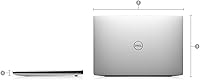
  • Dimensions: The chassis measures 11.7 x 8.2 x 0.5 inches, fitting comfortably in slim laptop sleeves and standard commuter bags.
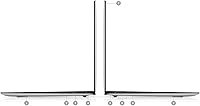
  • Ports: Two Thunderbolt 3 (USB-C) ports and a 3.5 mm headphone jack are provided; no built-in USB-A, HDMI, or SD card slot is included.
  • Connectivity: Built-in Wi-Fi and Bluetooth allow wireless network access and peripheral pairing without additional hardware.
  • Keyboard: A full-size backlit keyboard features white LED illumination for comfortable typing in dimly lit environments.
  • Trackpad: The multi-touch trackpad supports standard Windows gesture controls including two-finger scroll, pinch-to-zoom, and three-finger swipe.
  • Webcam: A built-in webcam and integrated microphone support video conferencing without requiring any external accessories.
  • Chassis: The silver aluminum build provides structural rigidity and a premium feel while keeping total weight low for daily portability.
  • Memory Type: System memory uses the DDR4 SDRAM standard and is soldered directly to the motherboard, making post-purchase upgrades not possible.
  • Optical Drive: No optical drive is included, consistent with the slim ultrabook form factor this machine is designed around.

Related Reviews
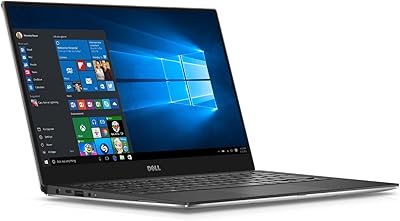
Dell XPS 9350 13.3-inch Laptop
74%
91%
Build Quality
88%
Display Quality
93%
Portability
84%
Keyboard & Typing Experience
67%
Battery Life
More
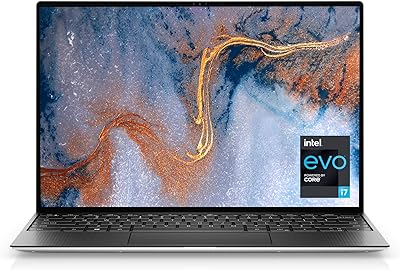
Dell XPS 13 9310 512GB Laptop
71%
91%
Display Quality
88%
Build Quality
93%
Portability
77%
CPU Performance
64%
Battery Life
More
Dell XPS 13 (9360) Laptop 7th Gen Intel Core i7, 8GB RAM, 256GB SSD
86%
91%
Performance
94%
Display Quality
88%
Portability
70%
Battery Life
89%
Build Quality
More
Dell Inspiron 16 64GB 2TB Touchscreen Laptop
77%
88%
Display Quality
84%
Performance & Speed
93%
RAM & Multitasking
91%
Storage & Speed
79%
Touchscreen Responsiveness
More
Dell Inspiron 15 3520 Laptop
74%
76%
Performance & Speed
81%
Display Quality
83%
Touchscreen Responsiveness
89%
Storage & Memory
62%
Battery Life
More
Dell Latitude 5450 14″ Business Laptop
77%
88%
Performance & Speed
91%
Build Quality
67%
Display Quality
84%
Keyboard & Trackpad
72%
Portability
More
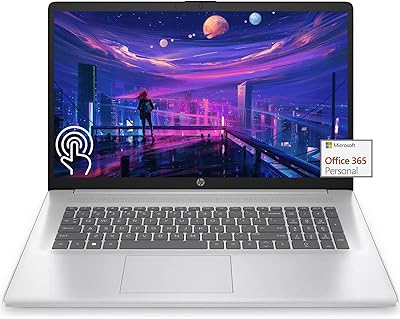
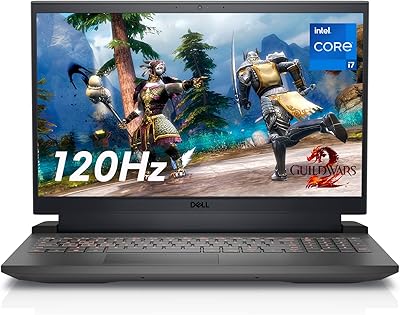
HP 17 17.3″ Touchscreen Laptop
61%
83%
Screen Size & Usability
76%
Touch Screen Performance
41%
Performance & Speed
38%
RAM Adequacy
53%
Storage & Space
More
Dell Inspiron 15 3535
68%
83%
Value for Money
76%
Performance & Speed
78%
Display Quality
81%
Keyboard & Typing Experience
58%
Battery Life
More
Dell 14 Plus 1TB Laptop
75%
91%
Display Quality
88%
Build Quality
86%
Performance
74%
Battery Life
84%
Keyboard & Typing
More
Dell G16 7630 Gaming Laptop
73%
91%
Gaming Performance
93%
Display Quality
88%
CPU Performance
67%
Thermal Management
54%
Fan Noise
More

FAQ

Windows 10 Home comes pre-installed and already activated, so you can power it on, walk through the standard first-boot setup, and get straight to work without purchasing anything extra.

Unfortunately, no. The memory is soldered directly to the motherboard on this ultrabook, so upgrading RAM after purchase is not possible. The SSD is also not designed for straightforward user replacement. This makes it especially important to consider whether 8 GB and 256 GB will genuinely be enough for your needs before buying.

The 7-hour figure comes from manufacturer testing under controlled, light-use conditions. In practice, most users report landing somewhere between five and six hours with a typical mix of browser tabs, documents, and occasional video calls at moderate brightness. If you push the processor harder or keep the screen very bright, that number can drop further, so carrying a charger for full workdays is a reasonable habit.

The Dell XPS 13 7390 Touchscreen Laptop provides two Thunderbolt 3 USB-C ports and a 3.5 mm headphone jack — that is it. There is no USB-A port, no built-in HDMI, and no SD card slot. If you regularly use a USB-A mouse, external drive, or need to connect to a projector, you will need a USB-C hub or individual adapters. For users who work primarily in the cloud and travel light, it is rarely a problem; for everyone else, budget for a small hub upfront.

This compact touchscreen laptop handles remote work comfortably for most people. The built-in webcam and microphone are adequate for standard video calls on Zoom, Teams, or Google Meet. The display is sharp enough for long screen sessions, and the keyboard is pleasant to type on for extended stretches. Just keep in mind that battery life under sustained video call use tends to be shorter than the rated figure, so staying plugged in during marathon call days is smart.

It is genuinely useful in a limited, low-effort way. Scrolling through documents, tapping links, zooming in on images, and quickly annotating something all work reliably. That said, most users find themselves defaulting to the trackpad for the majority of tasks. Think of the touch capability as a convenient bonus rather than the main input method, and you will have accurate expectations.

For photo editing — things like organizing a library, applying presets, and doing color adjustments in Lightroom — the XPS 13 7390 manages reasonably well for moderate-sized collections. Video editing is where things get more strained. Short clip trimming is doable, but anything involving 4K footage, heavy color grading, or a complex timeline will push the integrated graphics and 8 GB of RAM noticeably. It is not a machine built for media production work.

Under light tasks like browsing, email, and document writing, the fan stays quiet and is barely noticeable. When you push the processor harder — exporting a file, running multiple demanding apps, or joining a long video call — the fan spins up and becomes clearly audible. It is not unusually loud compared to other thin ultrabooks, but if you are used to fanless machines or work in very quiet spaces, it may catch you off guard during heavier sessions.

It depends heavily on the price you find it at. At a price that reflects its age, this Dell ultrabook remains a well-built and capable machine for everyday productivity. The display, keyboard, and build quality still hold up well. That said, newer ultrabooks in a comparable price range now offer meaningfully better battery life, faster 12th or 13th Gen processors, and more versatile port configurations. If you are comparing against current-generation options, it is worth doing that research before committing.

Yes, for most users it holds up well over long stretches. The IPS panel has good color accuracy and a somewhat reduced-glare finish that keeps things comfortable in typical indoor lighting. Text is crisp at 1920x1080 on a 13.3-inch screen, and the default Windows scaling works well without needing much adjustment. Users who are particularly sensitive to reflective screens may want to be mindful of positioning relative to windows or overhead lighting.