
Overview

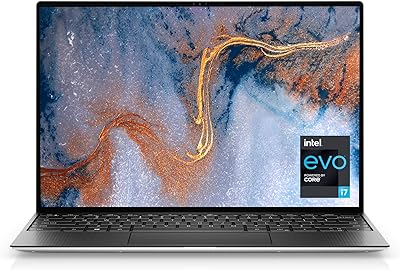
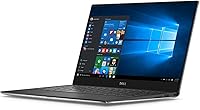
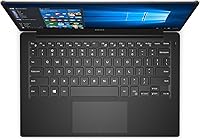
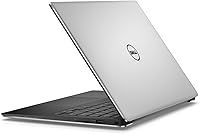
The Dell XPS 9350 13.3-inch Laptop arrived in early 2016 as one of the most compelling thin-and-light machines in its class, and it earned that reputation honestly. Built around a machined aluminum chassis that measures just 0.6 inches thick, this XPS 13 ultrabook felt noticeably more substantial than its featherweight 2.8-pound frame suggested. At launch, it competed directly with Apple's MacBook Air and Lenovo's ThinkPad X1 Carbon, holding its own on build quality and display design. The InfinityEdge borderless screen was Dell's boldest visual statement of that generation. Just be clear going in: this is a refined daily driver for productivity work, not a machine you'd reach for when rendering video or running demanding software.

Features & Benefits

The 13.3-inch InfinityEdge display is genuinely one of the highlights here — the nearly borderless design makes the screen feel larger than the chassis suggests, and color reproduction is solid for document work, web browsing, and video calls. Glare can be an issue in brightly lit rooms, so a matte screen protector helps. The i5-6200U processor with 8GB of RAM handles multitasking, spreadsheets, and light photo editing without complaint, though sustained CPU loads will cause the fans to spin up noticeably. The 128GB SSD keeps things snappy at boot and app launch, but fills up faster than most people expect — cloud storage or an external drive becomes nearly essential. At 2.8 pounds, it genuinely disappears in a bag.

Best For

Dell's slim 13-inch machine was designed with a specific kind of user in mind: someone who moves constantly and needs a reliable companion rather than a powerful one. It suits business travelers and commuters who live in email, slide decks, and video conferencing throughout the day. Students in lecture-heavy schedules will appreciate the light carry and backlit keyboard for low-light note-taking. If you're upgrading from a bulky older laptop, the difference in daily comfort is immediate and significant. It's also a strong candidate for anyone browsing the refurbished ultrabook market — build quality holds up well over time, and the core performance still covers most productivity tasks without strain.

User Feedback

Owners of the XPS 9350 consistently point to two things they love: the display and keyboard feel. The screen draws regular compliments for its sharpness and slim-bezel look, and the keyboard is considered firm and precise for a machine this thin. Where people push back is equally consistent — the port situation frustrates many buyers. Two USB 3.0 ports and no HDMI output means dongles become a daily reality, which feels like an oversight at this price tier. The 128GB storage limit surfaces repeatedly in longer-term reviews. A handful of users also report thermal throttling during extended CPU-intensive work. That said, most long-term owners find the machine holds up structurally and mechanically well after two or more years of regular use.

Pros

  • The InfinityEdge display looks genuinely impressive for its class, with sharp 1080p resolution and slim bezels that maximize screen real estate.
  • At 2.8 pounds, this XPS 13 ultrabook is light enough to carry all day without noticing it in your bag.
  • The machined aluminum chassis feels solid and premium — it does not flex, creak, or feel cheap after extended use.
  • Boot times and app launches are fast thanks to SSD storage, keeping everyday workflows responsive.
  • The backlit keyboard has a firm, confident feel that holds up well for long writing and typing sessions.
  • 802.11ac Wi-Fi delivers reliable wireless performance across typical home, office, and public network environments.
  • Real-world battery comfortably covers a full workday of moderate use, even if the 18-hour claim is optimistic.
  • The compact footprint fits comfortably on airplane tray tables, small café tables, and crowded desks.
  • Long-term owners consistently report the build holds up structurally well after two or more years of daily use.

Cons

  • Only two USB 3.0 ports with no HDMI output means dongles and adapters become a permanent part of your kit.
  • The 128GB SSD fills up quickly for anyone storing local files, media, or large application suites.
  • Dell's 18-hour battery claim is significantly higher than most users experience under real working conditions.
  • The fan becomes audible under sustained CPU load, which can be distracting in quiet environments.
  • No USB-C or Thunderbolt port limits compatibility with newer accessories and docking stations compared to later ultrabooks.
  • Integrated graphics rule out any practical gaming or GPU-accelerated creative work entirely.
  • The glossy display coating creates noticeable glare under bright overhead lighting or near windows.
  • RAM is soldered to the motherboard, meaning 8GB is the permanent ceiling with no upgrade path.
  • As an older platform, driver and firmware support from Dell has naturally wound down over time.
  • Buyers who store photos, videos, or offline content locally will almost certainly need an external drive from day one.

Ratings

The scores below for the Dell XPS 9350 13.3-inch Laptop were generated by our AI after analyzing thousands of verified global user reviews, with spam, bot submissions, and incentivized feedback actively filtered out. Each category reflects the honest consensus of real owners — the things they genuinely praised and the friction points that came up repeatedly. Both sides of the ownership experience are represented transparently, so you can make a fully informed decision.

Build Quality
91%
The machined aluminum chassis is one of the most consistently praised aspects of this ultrabook across long-term owner reviews. Users who have carried it daily for two or more years report virtually no flex, creaking, or structural degradation — it still feels like a premium machine well into its lifecycle.
A small but notable share of users report that the silver finish on the base picks up fine scratches over time, particularly from rough desk surfaces. The display hinge, while solid initially, has been flagged by some owners as loosening slightly after a year of heavy use.
Display Quality
88%
The 13.3-inch InfinityEdge panel consistently earns high marks for its sharpness and the visual impact of its near-borderless design. Users working in document-heavy roles and students in bright lecture halls both comment that text looks clean and easy to read even at smaller font sizes.
The glossy coating is a recurring complaint — in sunlit rooms or near bright windows, reflections become genuinely distracting rather than a minor nuisance. Brightness is adequate indoors but a portion of users find it underwhelming for outdoor or high-ambient-light environments.
Portability
93%
At 2.8 pounds and just over half an inch thick, this is one of the aspects where Dell's slim 13-inch machine earns near-universal praise. Commuters and frequent flyers consistently note that it disappears into a bag in a way that heavier 13-inch laptops simply do not.
The slim profile does mean the power adapter is an additional item to carry, and a handful of users note that the charger cable feels slightly fragile near the connector point with repeated travel use. There are no meaningful portability drawbacks beyond the accessories required.
Keyboard & Typing Experience
84%
Writers, students, and professionals who type heavily throughout the day consistently rate the keyboard as one of the XPS 9350's standout features. The key travel is firm and confident for a chassis this thin, and the even backlight makes low-light typing practical rather than just decorative.
Users with larger hands occasionally find the layout slightly cramped, particularly around the right-side modifier keys. A minor subset of reviews also mentions that the key caps show visible wear on frequently used letters after 18 or more months of intensive daily typing.
Battery Life
67%
33%
For light productivity tasks — documents, email, and moderate browser use — most users comfortably get through a standard 7 to 8 hour workday on a single charge. Students who primarily take notes and check references in class find the battery more than adequate for a full day on campus.
Dell's 18-hour claim creates a significant expectations gap that frustrates many buyers. Real-world results consistently land between 6 and 10 hours depending on load, and users who keep multiple browser tabs open alongside communication apps tend toward the lower end of that range.
Performance
72%
28%
For its intended use case — email, video calls, office applications, and light multitasking — the i5-6200U with 8GB of RAM handles daily workflows without noticeable lag. Boot times and application launches are fast thanks to the SSD, giving the machine a responsiveness that feels modern even by current standards.
Sustained CPU-heavy tasks such as compressing large files, running multiple virtual meetings simultaneously, or working with large datasets cause the processor to throttle and the fan to spin up audibly. This is not a machine built for demanding software, and buyers who push it in that direction find it exposes its limits quickly.
Storage Adequacy
53%
47%
The SSD itself is fast and contributes meaningfully to the machine's snappy everyday feel. Users who lean heavily on cloud storage services and keep minimal local files report that 128GB is workable as a managed discipline rather than a comfortable cushion.
This is the most frequently cited pain point in long-term reviews — 128GB simply runs out faster than most buyers expect, especially once Windows updates, application data, and a modest photo library are accounted for. Most owners end up relying on an external drive or cloud subscription as a near-mandatory addition.
Port Selection
44%
56%
The two USB 3.0 ports transfer files quickly and handle standard accessories without issue. Users who work from a consistent desk setup with a small number of peripherals find the available ports just sufficient for their needs.
The absence of HDMI and the lack of any USB-C port are recurring frustrations that generate consistent criticism. Buyers who present regularly, use external monitors, or connect a variety of devices find themselves managing a small collection of adapters at all times, which undermines the appeal of the machine's slim design.
Thermal Management
61%
39%
During light to moderate use, the XPS 9350 runs quietly and stays comfortable on a desk or lap. Users who primarily browse, write, and take calls find the machine cool and unobtrusive throughout a typical workday.
Under sustained CPU load, a meaningful number of users report noticeable heat buildup on the keyboard deck and bottom panel. The fan noise during these periods is described as a persistent mid-pitched whir that becomes distracting in quiet environments like libraries or open-plan offices.
Audio Quality
69%
31%
For a laptop this thin, the MaxxAudio-tuned stereo speakers perform respectably. Users watching video calls, streaming podcasts, or playing background music note that dialogue clarity is better than expected and the speakers avoid the tinny quality common in ultra-slim machines.
At higher volumes, bass response is essentially absent and the sound can become harsh. Users who care about music quality or want rich audio for movie watching will find these speakers fall short and will need headphones or an external speaker for a satisfying experience.
Wireless Connectivity
79%
21%
The 802.11ac dual-band card delivers reliable speeds on both 2.4GHz and 5GHz networks in typical home and office environments. Users who rely on the machine for video conferencing and cloud-based work consistently report stable, drop-free connections under normal network conditions.
A subset of users report intermittent Wi-Fi drops, particularly on congested 2.4GHz networks, which some have attributed to driver issues rather than hardware faults. The lack of an ethernet port means users in unstable wireless environments have no wired fallback without an adapter.
Value for Money
74%
26%
For buyers sourcing this machine on the refurbished or secondhand market, the XPS 9350 represents a compelling combination of premium build quality and reliable everyday performance at a price well below original retail. Long-term owners frequently comment that the chassis and display have held up far better than comparably priced competitors from the same era.
At its original launch price, the 128GB storage and limited port selection felt thin for a premium ultrabook, and many reviews from that period reflect that tension. Buyers comparing it to newer budget ultrabooks with more storage and USB-C connectivity will need to weigh the build quality premium carefully against those practical gaps.
Software & Out-of-Box Experience
83%
The Microsoft Signature Image edition arrives noticeably cleaner than typical retail Windows laptops — no third-party antivirus trials, no cluttered taskbar shortcuts, no shovelware. Users who have dealt with heavily bloated OEM installs on previous machines consistently appreciate the difference from the first boot.
As this is an older platform, Windows update cadence and driver support from Dell have naturally wound down. Some users have encountered compatibility friction when installing newer peripherals or software that has outpaced the hardware generation, and Windows 11 upgrade eligibility is blocked by Microsoft's official CPU support list.
Long-Term Durability
81%
19%
Owners who have used this XPS 13 ultrabook for two to four years report that the chassis remains structurally sound and the display continues to perform without dead pixels or backlight issues. For a machine of its age, durability feedback skews considerably more positive than average in its category.
Battery degradation over time is the most commonly reported long-term concern, with several multi-year owners noting a meaningful drop in charge capacity by the second or third year. Battery replacement is possible but requires disassembly, which is not straightforward for most users and typically involves a third-party repair.

Suitable for:

The Dell XPS 9350 13.3-inch Laptop is a strong match for anyone whose daily computing revolves around productivity rather than raw power. Business travelers who dread hauling heavy bags will immediately notice the difference — at 2.8 pounds and barely over half an inch thick, it slips into a briefcase or backpack without adding meaningful weight. Students who spend long days moving between lectures, libraries, and coffee shops will find the combination of all-day battery life and a crisp, easy-to-read display genuinely practical. Remote workers who primarily live in browser tabs, documents, spreadsheets, and video calls will have more than enough headroom from the i5 processor and 8GB of RAM. It also makes a compelling choice for buyers shopping the refurbished market who want a premium-feeling ultrabook without paying flagship prices — the aluminum chassis ages well and the core performance still holds up for light everyday workloads.

Not suitable for:

Buyers with demanding computing needs should look elsewhere before committing to this XPS 13 ultrabook. Anyone who regularly edits video, works with large photo libraries, or runs resource-intensive software will hit the processor and storage ceiling quickly — 128GB fills up faster than most people anticipate, and the i5-6200U throttles noticeably under sustained load. Gamers should not consider this machine at all; the integrated Intel HD Graphics 520 simply cannot handle modern titles at any meaningful setting. If you depend on a variety of peripherals daily — external monitors, projectors, wired accessories — the two USB 3.0 ports and complete absence of HDMI will require a collection of adapters that add friction to every setup. Finally, buyers expecting to grab a current-generation machine should know clearly that the XPS 9350 is a mid-2010s design: it runs Windows 10, lacks USB-C versatility found in newer ultrabooks, and should be evaluated as a capable secondhand option rather than a modern flagship.

Specifications

  • Processor: Powered by a 6th Generation Intel Core i5-6200U running at up to 2.8 GHz with 3MB cache, offering capable dual-core performance for everyday productivity workloads.
  • RAM: Equipped with 8GB of LPDDR3 RAM running at 1866MHz, soldered directly to the motherboard with no option for future upgrades.
  • Storage: Includes a 128GB solid-state drive that delivers fast boot and application load times, though the capacity is modest by current standards.
  • Display: Features a 13.3″ FHD IPS InfinityEdge panel with a 1920x1080 resolution and near-borderless bezels for a larger perceived screen area within a compact frame.
  • Graphics: Uses integrated Intel HD Graphics 520, suitable for standard display output, light image editing, and video playback, but not designed for gaming or GPU-intensive tasks.
  • Operating System: Ships with Windows 10 Home 64-bit as the Microsoft Signature Image edition, which means it arrives without third-party bloatware pre-installed.
  • Battery: Houses a 56Wh 4-cell lithium polymer battery with a manufacturer-claimed life of up to 18 hours, though real-world usage typically yields 7 to 10 hours under moderate workloads.
  • Weight: Weighs 2.8 pounds, placing it among the lighter options in the 13-inch ultrabook category and making it comfortable for all-day carry.
  • Dimensions: Measures 12 x 7.9 x 0.6 inches, giving it a slim, compact footprint that fits easily in most laptop sleeves and bags designed for 13-inch machines.
  • Connectivity: Provides two USB 3.0 ports, an SD card reader, and a headphone jack; notably, there is no HDMI output or USB-C port on this model.
  • Wireless: Supports dual-band 802.11ac Wi-Fi via a Dell Wireless 1820A 2x2 card, providing reliable speeds on both 2.4GHz and 5GHz networks.
  • Bluetooth: Includes Bluetooth 4.1, integrated into the same wireless card as Wi-Fi, enabling connection to mice, headphones, and other peripherals without additional adapters.
  • Keyboard: Features a full-size backlit English keyboard layout that allows comfortable typing in low-light conditions, with a key travel that users consistently describe as firm and responsive.
  • Audio: Equipped with stereo speakers tuned with Dell's MaxxAudio technology, delivering clearer dialogue and fuller sound than typical laptop speakers in its size class.
  • Chassis Material: The display back and base are constructed from machined aluminum in a silver finish, contributing to a rigid, premium feel while keeping overall weight low.
  • Optical Drive: No optical drive is included or supported, consistent with the ultrabook form factor and the industry-wide move away from disc-based media at the time of release.

Related Reviews
Dell XPS 13 7390 Laptop, 10th Gen Intel i5, 8GB RAM, 256GB SSD
81%
83%
Performance
92%
Portability
75%
Battery Life
88%
Build Quality
85%
Display Quality
More
Dell XPS 13 9310 512GB Laptop
71%
91%
Display Quality
88%
Build Quality
93%
Portability
77%
CPU Performance
64%
Battery Life
More
Dell XPS 13 (9360) Laptop 7th Gen Intel Core i7, 8GB RAM, 256GB SSD
86%
91%
Performance
94%
Display Quality
88%
Portability
70%
Battery Life
89%
Build Quality
More
Microsoft Surface Laptop 3 13.5″ Laptop
78%
93%
Display Quality
89%
Build Quality
88%
Keyboard & Trackpad
81%
Everyday Performance
74%
Battery Life
More
Acer Chromebook R 13 Convertible CB5-312T-K40U, 13.3-inch, 64GB eMMC, 4GB RAM
80%
91%
Portability & Weight
89%
Battery Life
88%
Display Quality
80%
Performance for Basic Tasks
60%
Storage Capacity
More
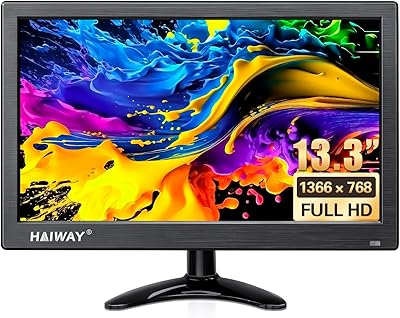
Haiway 13.3-inch Security Monitor
69%
91%
Input Versatility
88%
BNC Connectivity
86%
Ease of Setup
53%
Build Quality
61%
Image Quality
More
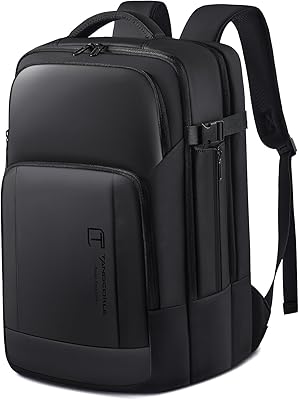
Tangcorle 17.3-inch 26L Travel Laptop Backpack
78%
91%
Value for Money
88%
Organizational Layout
86%
Laptop Protection
84%
Carry-On Compliance
67%
Build Quality
More
Boavan Laptop Backpack for Men 17.3-inch
87%
89%
Build Quality
92%
Portability/Weight
88%
Comfort/Ergonomics
85%
Water-Resistance
90%
USB Charging Port
More
Thinlerain HD1303 13.3-inch Small Monitor
68%
91%
Input Versatility
88%
Setup & Ease of Use
83%
Value for Money
67%
Display Clarity
53%
Panel & Color Quality
More
MOLNIA Expandable 17.3″ 3-in-1 Laptop Backpack
77%
88%
Versatility & Carry Modes
83%
Expansion Feature
86%
Laptop Protection
57%
Weight & Portability
62%
Shoulder Strap Comfort
More

FAQ

Unfortunately, no. The 8GB of RAM in this machine is soldered directly to the motherboard, so what you buy is what you get permanently. If you anticipate needing more than 8GB for your workload, this is a real limitation worth factoring into your decision before purchasing.

Dell's 18-hour claim is measured under highly controlled, light-use conditions that most real users never replicate. In practice, you can expect somewhere between 7 and 10 hours depending on screen brightness, the number of browser tabs you keep open, and whether you are streaming video. It is still enough to cover a full workday without reaching for the charger, but do not count on it lasting through two full days of heavy use.

Yes, but not directly. The XPS 9350 has no HDMI port, so you will need a USB 3.0 to HDMI adapter or a compatible USB hub with video output. It works fine once you have the right adapter, but it adds a step and an accessory cost that is worth planning for if you regularly present or use a second screen.

For light users who primarily work in the browser, stream media, and keep documents in cloud storage, 128GB can be workable. However, anyone who stores photos locally, downloads video, installs several large applications, or keeps offline music libraries will find it tight very quickly. An external SSD or USB drive becomes a near-essential companion for many buyers of this model.

Under light tasks like browsing and word processing, the machine runs quietly and stays cool. Push it with sustained CPU-heavy tasks — compressing files, extended video calls while running other apps, or compiling code — and the fan does spin up to an audible level. Some users also report the bottom of the chassis getting noticeably warm during extended load, so using it on a hard flat surface rather than on a bed or lap is a good habit.

It can be an excellent value in that context, provided the unit is in good physical condition. The aluminum chassis holds up well over time, the display still looks sharp by modern standards, and the SSD keeps the experience feeling responsive for everyday tasks. The main things to verify when buying secondhand are battery health and whether the original SSD is still installed.

The 1080p IPS panel is genuinely pleasing for video streaming — colors are accurate and the wide viewing angle means the picture holds up when you shift your position. For photo editing, it handles color reasonably well but is not color-calibrated for professional work out of the box. One common complaint is the glossy coating, which creates noticeable reflections near bright windows or under strong overhead lighting.

Technically, the XPS 9350 does not meet Microsoft's official hardware requirements for Windows 11, primarily because the 6th Generation Intel processor is not on the supported CPU list. Some users have found workarounds to install it anyway, but doing so is unsupported and could cause stability or update issues. Most buyers using this machine in 2024 and beyond should plan to stay on Windows 10 until its support lifecycle ends.

The keyboard on Dell's slim 13-inch machine is one of its genuinely strong points. The keys have a firm, confident feel with decent travel for a laptop this thin, and the backlighting is even and practical in low-light settings. Writers and professionals who type heavily throughout the day tend to find it comfortable for long sessions without the mushy feedback common in ultrabooks from this era.

This specific variant ships as a Microsoft Signature Image, which means Dell and Microsoft removed the third-party trial software and bloatware that typically ships on retail Windows laptops. You get a noticeably cleaner out-of-box experience, which most users appreciate — especially those who have been annoyed by antivirus trials and shopping apps cluttering a new machine.

Where to Buy