

Overview

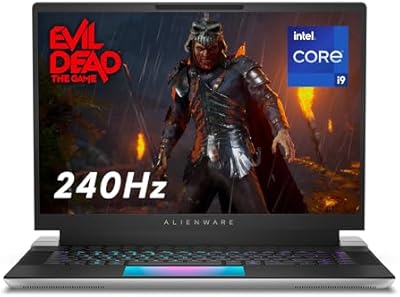
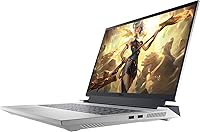
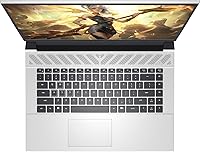
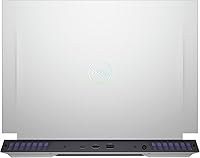
The Dell G16 7630 Gaming Laptop arrived in July 2025 as one of the more compelling entries in the high-end portable gaming market — standing out for a combination of serious processing muscle and a display capable of doing that hardware justice. The Quantum White chassis is a genuine rarity in a space where nearly every competitor ships in matte black, giving this Dell G16 a visual identity of its own. At 6.3 pounds, it is not something you will forget is in your bag, so think of it as a powerful machine you move between locations rather than a true travel-light companion.

Features & Benefits

The G16 7630's 24-core Intel Core i9 handles workload pile-ups that would slow lesser laptops considerably — run a game, encode a clip, and manage a browser full of open tabs and it largely keeps up without fuss. The RTX 4070 GPU makes 1440p gaming at high refresh rates comfortable, with DLSS and ray tracing offering flexibility for more demanding titles. The 240 Hz QHD+ panel covers 100% of the DCI-P3 color space at 500 nits, making it genuinely useful for color-sensitive creative work, not just fast-paced gaming. Thirty-two gigabytes of DDR5 RAM and a quick PCIe SSD give the configuration solid headroom for the next few years.

Best For

This gaming laptop is built for people who actually push their hardware hard. If your typical day involves gaming at 1440p and then switching to a video editing project or a 3D render, the G16 7630 handles that transition without forcing you to compromise. Content creators who need accurate color reproduction will get real mileage out of the display. That said, if you hope to work unplugged from a coffee shop all afternoon, this is not the right machine — battery life is a genuine limitation, as it is with nearly every performance laptop in this class. It rewards people who stay near an outlet.

User Feedback

Owners consistently point to the display as the highlight — brightness and color accuracy exceed expectations for what is primarily marketed as a gaming machine. Build quality earns solid marks overall, though some buyers feel the keyboard lacks the tactile snap you might expect at this price point. Fan noise is a real and recurring topic: the cooling system gets audible during extended gaming sessions, and thermal performance can vary depending on room temperature and airflow. Battery life predictably draws the most complaints, with most users reporting only a few hours of unplugged use at best. Against the ASUS ROG or Lenovo Legion, this Dell G16 holds its own on raw performance, though the same thermal trade-offs apply across the category.

Pros

  • The 240 Hz QHD+ display is genuinely one of the stronger panels in its class, with vivid color accuracy that holds up for creative work too.
  • A 24-core Intel Core i9 handles demanding multitasking — gaming, streaming, and background apps — without meaningful slowdown.
  • The RTX 4070 GPU manages high-refresh 1440p gaming comfortably, with DLSS and ray tracing ready when titles support them.
  • Thirty-two gigabytes of DDR5 RAM provides strong headroom, and the system supports upgrades up to 64 GB.
  • Thunderbolt 5 connectivity future-proofs the port lineup and supports fast external storage or high-bandwidth peripherals.
  • The Quantum White chassis stands out visually in a market full of identical black gaming rigs.
  • Four heat pipes and thin-blade fan design help sustain performance during longer sessions better than many competing thermal setups.
  • The 8MP 4K HDR webcam is a genuine step above the low-quality cameras typically bundled with gaming laptops.
  • Storage is expandable up to 4 TB, so the base 1 TB configuration is not a dead end.
  • G-SYNC and ComfortView Plus together make the display practical for both competitive gaming and extended work sessions.

Cons

  • Fan noise under sustained gaming loads is a recurring complaint — it gets genuinely loud in demanding scenarios.
  • Battery life is short even by gaming laptop standards; expect to stay close to a power outlet.
  • At 6.3 pounds, daily commuting with this machine will get old fast for most users.
  • The keyboard feel has drawn mixed reviews, with some buyers expecting more tactile feedback at this price point.
  • Thermal performance can vary depending on ambient temperature and desk surface, with throttling reported in poorly ventilated setups.
  • The product listing contains some inconsistencies between stated specs and description details, which may cause confusion when verifying configuration before purchase.
  • The RTX 4070, while capable, may feel limiting to buyers who plan to hold the machine for five or more years as game demands increase.
  • No optical drive and a limited software bundle may require additional purchases or subscriptions for some workflows.
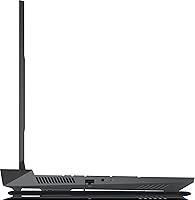
  • This gaming laptop lacks the ultra-slim profile that some buyers now expect even from performance-class machines.
  • Competing options from ASUS ROG and Lenovo Legion offer similar specs with potentially better after-sales support ecosystems in some regions.

Ratings

The scores below reflect AI analysis of verified global user reviews for the Dell G16 7630 Gaming Laptop, with spam, incentivized, and bot-generated submissions actively filtered out before scoring. Each category captures both the genuine strengths buyers rave about and the friction points that caused real frustration — nothing has been smoothed over. The result is an honest picture of where this gaming laptop excels and where it asks you to make compromises.

Gaming Performance
91%
Users consistently report that 1440p gaming feels effortless across most current titles, with frame rates staying comfortably high even in graphically demanding open-world games. DLSS support adds meaningful flexibility for pushing quality settings further without sacrificing smoothness.
A small but vocal segment of buyers feel the RTX 4070 is starting to show limitations in the most demanding titles at ultra settings, and a few noted occasional GPU memory pressure when running ray tracing alongside high-resolution textures.
Display Quality
93%
The 240 Hz QHD+ panel with 100% DCI-P3 coverage is the feature buyers talk about most positively — colors are vivid and accurate enough that video editors and photographers use it for real color-critical work, not just gaming.
A minority of users reported slight backlight bleed in dark scenes, and the high-gloss output under bright room lighting can cause reflections that reduce comfort during long daytime sessions.
CPU Performance
88%
The 24-core Intel Core i9 handles the kind of simultaneous workloads most laptops stumble on — running a game, a streaming encoder, and a browser with dozens of tabs open is genuinely manageable without perceptible lag.
Under maximum sustained CPU load for extended periods, some users reported throttling behavior, particularly when the system was placed on soft surfaces or in warmer environments that restricted airflow from the bottom vents.
Thermal Management
67%
33%
The four-pipe cooling setup does a reasonable job maintaining performance during typical gaming sessions, and users running this on a proper desk surface with good ambient airflow report stable temperatures through hour-long gaming runs.
Thermal management is where the G16 7630 draws the most criticism — in warm rooms or on soft surfaces like beds and couches, users frequently encounter throttling and surface temperatures on the keyboard deck that become uncomfortable. This is the category that most differentiates satisfied buyers from dissatisfied ones.
Fan Noise
54%
46%
During light tasks like web browsing, streaming video, or document work, the fans stay at a near-inaudible level and the machine runs quietly enough to use in a library or office without drawing attention.
Under sustained gaming loads, fan noise is genuinely intrusive — multiple reviewers described it as similar to a small vacuum or a loud desk fan. Using headphones becomes effectively mandatory for immersive gaming, which undercuts the otherwise excellent audio experience.
Battery Life
41%
59%
For very light usage — reading, note-taking, or watching locally stored video at low brightness — users managed to stretch the battery to around 3 to 4 hours, which is adequate for short meetings or brief commutes.
Battery life is the single most-complained-about aspect of this gaming laptop. Most buyers report under 2 hours of real-world battery during any meaningful workload, and gaming unplugged drains it so rapidly it is practically not viable. This machine lives near an outlet.
Build Quality
79%
21%
The chassis feels solid overall — there is minimal flex in the lid and keyboard deck, and the hinge mechanism holds the display firmly at any angle. The Quantum White finish looks premium in person and resists minor bumps and handling wear reasonably well.
A portion of buyers felt the plastics used on the bottom panel and some internal edges felt slightly below expectations given the premium asking price, particularly when compared side-by-side with competitors like the ASUS ROG Strix or Lenovo Legion Pro.
Keyboard & Trackpad
63%
37%
The backlit keyboard is functional and comfortable for extended typing sessions, and the key travel is adequate for most users coming from a standard desktop keyboard setup.
Keyboard feedback drew mixed-to-negative reactions — many buyers expected more tactile response and actuation precision at this price tier. The trackpad, while accurate, was described by several users as undersized relative to the large chassis footprint.
Connectivity & Ports
86%
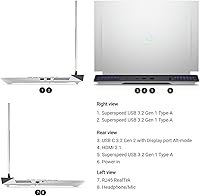
Thunderbolt 5 is a genuine differentiator here — users connecting external NVMe drives or high-bandwidth displays immediately notice the speed advantage, and having four USB 3.0 ports means most desk setups connect without a hub.
The absence of an SD card slot frustrated content creators who regularly transfer files from cameras, and some users wished for an additional USB-C port on the left side rather than having all high-speed connectivity concentrated on one side.
Webcam Quality
82%
18%
The 8MP 4K HDR webcam is a standout spec for a gaming laptop — remote workers and streamers who use the built-in camera report noticeably sharper and better-lit video quality compared to the 720p cameras common in competing models.
In lower-light environments the HDR processing can produce slightly over-sharpened or artificially brightened results, and a few users noted that the infrared facial recognition occasionally struggled in rooms with strong backlighting.
Audio Experience
74%
26%
Dolby Atmos processing gives the built-in speakers a wider soundstage than most gaming laptops manage, and users watching movies or playing narrative-driven games through the speakers found the experience genuinely enjoyable.
Bass response from the internal speakers remains limited by the chassis size, which is expected at this form factor but noticeable if you are accustomed to a proper speaker setup. At high volume levels, some units produced minor distortion.
Storage Performance
84%
The PCIe Gen 4 SSD delivers fast load times across the board — games that used to take 30 to 40 seconds to load on older SATA drives boot in under 10 seconds, and large file transfers between internal folders feel nearly instant.
One terabyte fills up faster than most users anticipate once a game library is installed, and while expansion is supported, the cost and effort of adding a second drive is an extra step that some buyers did not expect.
Value for Money
71%
29%
Buyers who use the machine to its full potential — gaming at 1440p and running creative applications — generally feel the performance-per-dollar ratio is fair relative to the competition at this price tier.
Users who primarily game at standard settings and do not push into creative workloads feel they are partially paying for capabilities they do not use, and the battery and thermal shortcomings reinforce a sense that the premium price comes with notable strings attached.
Portability
48%
52%
The slim profile relative to the internal hardware is genuinely impressive for a machine this powerful, and users who move it between a home office and a second desk find the size manageable enough with a dedicated laptop bag.
At 6.3 pounds, daily commuting with this machine becomes a physical commitment — buyers who expected a portable gaming laptop in the traditional sense were frequently surprised by how much presence it has in a backpack over the course of a full day.
Software & Ecosystem
69%
31%
Windows 11 Pro adds real utility for power users who need BitLocker encryption or remote desktop access, and the pre-installed management software gives quick access to performance mode toggles without digging through system settings.
Several users flagged confusion around the bundled software suite — references to Alienware Command Center in marketing material caused uncertainty about which tools actually ship with the machine, and some bloatware was noted as requiring manual removal after setup.

Suitable for:

The Dell G16 7630 Gaming Laptop is built for a specific kind of buyer: someone who wants genuine desktop-tier performance without being chained to a desk. Enthusiast gamers who play at 1440p and expect a display that actually keeps up with the GPU will find the 240 Hz QHD+ screen to be one of the better panels available on a gaming laptop at this tier. Content creators — video editors, motion designers, or architecture students running renders — will appreciate the 24-core CPU headroom and the color-accurate display, which covers 100% of the DCI-P3 gamut at 500 nits. Heavy multitaskers who routinely have a game running alongside a stream, a browser, and a communication app will rarely feel the system buckle under pressure. If you work from a fixed location most of the day and want a machine that can go from productivity to serious gaming without switching seats, the G16 7630 fits that lifestyle well.

Not suitable for:

The Dell G16 7630 Gaming Laptop is a poor fit for anyone whose priority is lightweight portability or long unplugged runtimes. At 6.3 pounds, it sits firmly in the category of laptops you move between locations rather than carry comfortably for hours — students commuting across campus or frequent flyers will feel the weight quickly. Battery life is a genuine limitation: expect a few hours of real use unplugged under typical workloads, and far less under gaming loads. If you are budget-conscious, the asking price is steep, and buyers who do not regularly push into creative workloads or high-refresh gaming may find they are paying for performance they simply will not use. Those who prefer a quieter machine should also be cautious — the fans get audibly busy during sustained sessions, which can be distracting in shared or quiet environments.

Specifications

  • Processor: Intel Core i9-13900HX with 24 cores (8 performance + 16 efficient) clocking up to 5.4 GHz for demanding single and multi-threaded workloads.
  • Graphics: NVIDIA GeForce RTX 4070 with 8 GB GDDR6 dedicated memory, supporting ray tracing, DLSS, and Advanced Optimus smart GPU switching.
  • Display: 16″ QHD+ IPS panel at 2560×1600 resolution, running at 240 Hz with 100% DCI-P3 color coverage, 500 nits brightness, G-SYNC, and ComfortView Plus.
  • RAM: 32 GB DDR5 RAM installed at 6400 MT/s, with the system supporting upgrades up to 64 GB for heavier multitasking and creative workloads.
  • Storage: 1 TB PCIe Gen 4 SSD included as standard, with expansion support up to 4 TB and RAID 0 configurations up to 12 TB.
  • Operating System: Windows 11 Pro comes pre-installed, offering BitLocker encryption, Remote Desktop, and enterprise-grade security features out of the box.
  • Cooling System: Four copper heat pipes combined with ultra-thin fan blades in an Alienware-derived thermal design to sustain performance during extended high-load sessions.
  • Connectivity: Wi-Fi 6 (802.11ax) with Bluetooth provides fast and stable wireless connections for gaming, streaming, and peripherals.
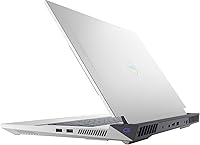
  • Ports: One Thunderbolt 5 port and four USB 3.0 ports offer broad compatibility with external displays, fast storage drives, and accessories.
  • Webcam: An 8MP 4K HDR infrared camera supports high-resolution video calls and Windows Hello facial recognition for passwordless login.
  • Audio: Dolby Atmos audio processing delivers spatial sound through the built-in speakers, enhancing both gaming immersion and media playback.
  • Keyboard: A backlit keyboard with anti-glare coating is included, designed for extended typing and gaming sessions in varied lighting conditions.
  • Weight: The system weighs 6.3 pounds, placing it in the heavier segment of 16-inch gaming laptops and best suited for desk-to-desk transport rather than daily commuting.
  • Dimensions: The chassis measures 14.05 × 11.37 × 1.01 inches, offering a slim profile relative to its internal hardware while accommodating a large display.
  • Color: Available in Quantum White, an uncommon finish in the gaming laptop market that distinguishes it from the typical all-black competition.
  • Optical Drive: No optical drive is included, which is standard for modern thin-profile gaming laptops; an external USB drive is needed for disc media.

Related Reviews
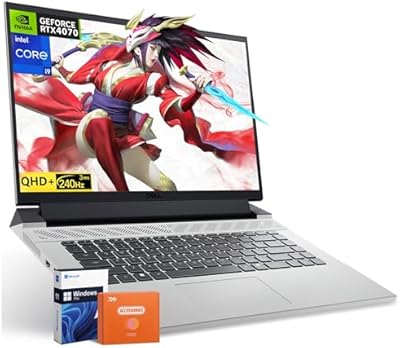
Dell G16 7630 RTX 4070 Gaming Laptop
78%
89%
Gaming Performance
91%
Display Quality
76%
Build Quality
68%
Thermal Management
54%
Portability
More
Dell G16 7630 16-inch Gaming Laptop
76%
91%
Gaming Performance
93%
Display Quality
88%
CPU Multitasking
74%
Thermal Management
62%
Fan Noise
More
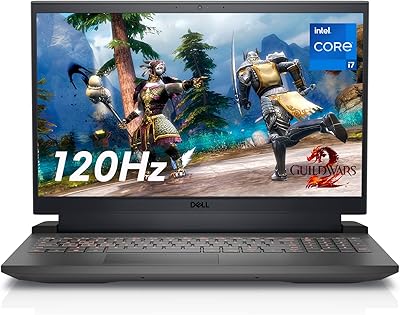
Dell G15 5520 15.6-inch Gaming Laptop
71%
88%
Gaming Performance
74%
Thermal Management
83%
Display Quality
81%
Build Quality
41%
Battery Life
More
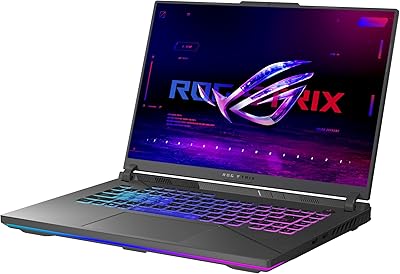
ASUS ROG Strix G16 2023 Gaming Laptop
72%
93%
Gaming Performance
91%
Thermal Management
88%
Display Quality
84%
Build Quality
81%
Keyboard & Trackpad
More
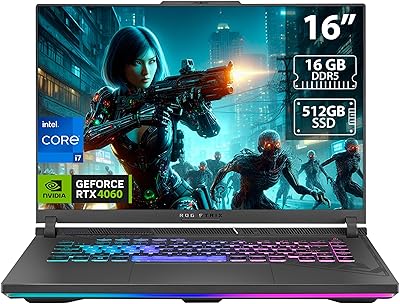
ASUS ROG Strix G16 Gaming Laptop
74%
91%
Gaming Performance
93%
Display Quality
88%
Thermal Management
53%
Fan Noise
47%
Battery Life
More
Dell G5 15.6-inch Gaming Laptop 32GB/1TB
73%
74%
Gaming Performance
82%
Value for Money
89%
RAM and Multitasking
86%
Storage Performance
67%
Display Quality
More
ASUS ROG Strix G16 (2025) RTX 5070 i9 32GB
78%
93%
Gaming Performance
86%
Thermal Management
88%
Display Quality
91%
CPU Performance
84%
Build Quality
More
ASUS ROG Strix G16 (2025) G615JMR-AS74 1TB

80%
92%
Raw Gaming Performance
88%
Thermal Management
91%
Display Quality
54%
Portability
42%
Battery Life
More
MALLRACE LX15PRO 15.6″ Gaming Laptop
67%
83%
CPU Performance
47%
Gaming Capability
61%
Build Quality
63%
Display Quality
81%
RAM & Multitasking
More
Alienware m18 AMD 18-inch Gaming Laptop
76%
93%
Gaming Performance
91%
Display Quality
84%
Thermal Management
88%
Build Quality
41%
Portability
More

FAQ

The RTX 4070 in this machine is genuinely well-matched to the 2560×1600 display. Most current AAA titles run comfortably at high-to-ultra settings well above 60 fps at that resolution, and with DLSS enabled you can push toward the 240 Hz ceiling in less demanding games. It is not a 4K powerhouse, but 1440p is squarely in its comfort zone.

Honestly, it gets noisy. Under sustained gaming loads — especially if you are running a graphically intensive title for more than 20 or 30 minutes — the fans spin up to a level that is audible across a room. Using headphones is pretty much assumed at that point. In lighter tasks like web browsing or document work, it stays quiet. Just go in with realistic expectations if noise is a concern.

Plan on roughly 3 to 4 hours for everyday productivity tasks and significantly less — sometimes under 2 hours — if you are gaming unplugged. This is not a weakness unique to this model; it is a trade-off that comes with high-performance hardware in a laptop chassis. If you spend time away from outlets regularly, this gaming laptop will test your patience.

The system officially supports up to 64 GB of DDR5 RAM, so there is room to grow from the 32 GB base configuration. Whether you can do it yourself depends on your comfort level with laptop disassembly — it typically requires removing the bottom panel and accessing the SO-DIMM slots. If you are not experienced with laptop internals, having a technician handle it is the safer call.

It handles creative workloads genuinely well. The 24-core CPU chews through export queues and rendering tasks faster than most laptops in this class, and the display covers 100% of the DCI-P3 color gamut at 500 nits, which means color grading on this screen is actually reliable. It is a solid dual-purpose machine if you split time between gaming and creative work.

Thunderbolt 5 supports extremely fast external storage (think multi-gigabyte-per-second transfers), external GPU enclosures, high-bandwidth external displays, and docking stations. For most users, the most practical uses will be a Thunderbolt dock to expand connectivity at a desk or a fast NVMe enclosure for extra storage during video projects.

All three machines trade blows depending on what you value. The Dell G16 7630 Gaming Laptop stands out for its display quality and color coverage, which edges out some competitors. The ROG Zephyrus tends to offer better battery efficiency and a lighter chassis. The Legion Pro often wins on raw cooling and keyboard feel. None of them is perfect — the right choice depends on whether display, thermals, portability, or input devices matter most to you.

The built-in 8MP infrared camera supports Windows Hello facial recognition, so you can log in quickly without typing a password or using a separate fingerprint scanner. It also captures at a resolution that makes video calls noticeably cleaner than the low-res webcams common in this category.

A single AAA game can easily consume 80 to 150 GB these days, so if you keep a full library installed, 1 TB fills up faster than most people expect. The good news is that the system supports SSD expansion up to 4 TB, so adding a second drive down the road is a reasonable option. For now, managing installs carefully or using an external drive for older titles is the practical workaround.

White or light-colored laptop finishes do tend to show smudges and minor scuffs more visibly than black chassis. Keeping it clean with a microfiber cloth helps a lot, and using a sleeve when transporting it will prevent most cosmetic wear. Whether the finish holds up to yellowing over several years is less certain — this is a newer model — but the material quality is generally solid for a laptop at this price point.