Overview

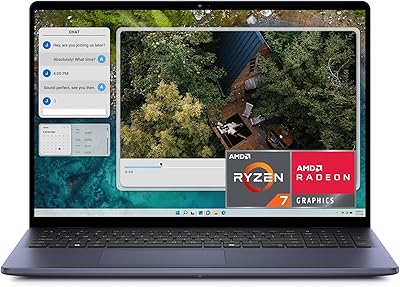
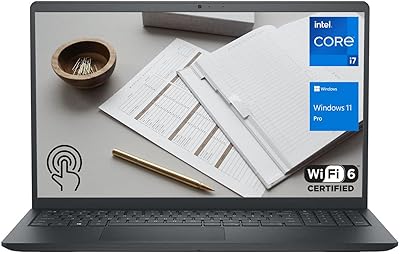
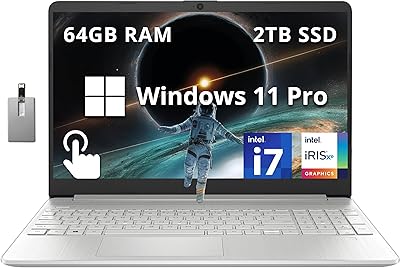
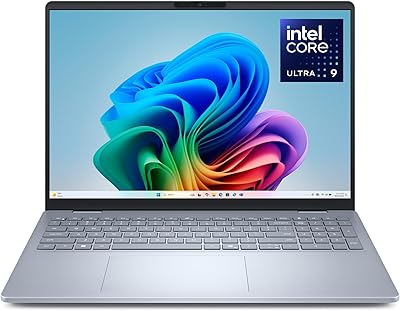
The Dell Inspiron 16 64GB 2TB Touchscreen Laptop stands out in a crowded productivity market by combining a large touchscreen, genuinely generous memory, and fast storage in a single package that doesn't look like every other corporate-gray slab. The Ice Blue finish and slim 0.78-inch profile give it a distinctly modern feel. Powering everything is Intel's Core 7 150U, a 10-core chip built for sustained daily workloads rather than short bursts. It handles office tasks, research tabs, and video calls without breaking a sweat. Just be clear going in: this is not a machine for gaming or serious video rendering. Intel UHD integrated graphics is the ceiling here, and that's an important expectation to set before buying.
Features & Benefits

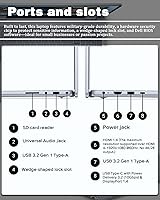
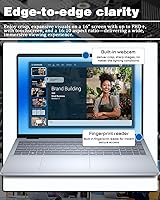
The 16-inch FHD+ touchscreen deserves attention — the 16:10 aspect ratio gives you noticeably more vertical space than most laptops at this size, which matters when scrolling long documents or working across split windows. Anti-glare coating keeps the panel usable in bright environments, and 300 nits is adequate for indoor work. The 64GB DDR5 RAM means this touchscreen laptop handles dozens of open tabs, virtual machines, or large spreadsheets without hesitation. Two terabytes of NVMe SSD storage is enough that most users will never feel pressured to offload files to the cloud. Rounding things out, Wi-Fi 6E connectivity and a thorough port lineup — USB-C, HDMI, three USB-A ports, and an SD card reader — make it a genuinely complete daily driver.

Best For

This Dell Inspiron 16 makes the most sense for people who live between multiple work environments — the hybrid professional who docks at a desk Monday, takes client calls Tuesday, and works from a café Thursday. Graduate students and researchers juggling large datasets and documents will appreciate having enough RAM to keep everything open at once. Windows 11 Pro is a real advantage for anyone operating inside a corporate IT environment, with BitLocker and Remote Desktop available out of the box. It also suits users making the jump from desktop to laptop who want local storage without monthly cloud fees. Light photo editing and presentation work are fine; just don't expect this machine to handle sustained GPU-heavy workloads.

User Feedback

Buyers consistently highlight the display and keyboard as standout strengths — the screen draws praise for its size and clarity, and the backlit full-size keyboard with numpad earns good marks for comfortable extended typing. The machine's day-to-day speed surprises people who expected more throttling from an ultrabook-class chip. That said, the 4.37-pound weight comes up regularly among commuters who wish it were lighter, and a few users report the fan getting audible during sustained loads like large file exports. The Copilot AI key gets mixed reviews — some find it handy, others never touch it. Most buyers feel the RAM and storage pairing is genuinely useful, though a handful question whether the premium over lower-spec models is fully justified for lighter daily workloads.

Pros

  • The 16-inch touchscreen with a 16:10 aspect ratio gives you more usable vertical screen space than most competing laptops.
  • 64GB of DDR5 RAM handles serious multitasking, virtual machines, and browser-heavy workflows without slowdowns.
  • A 2TB NVMe SSD means you rarely have to think about local storage limits or cloud subscription costs.
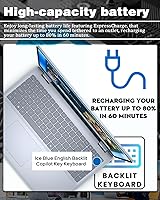
  • ExpressCharge gets the battery to 80% in roughly an hour, which is genuinely useful during a packed workday.
  • Wi-Fi 6E, three USB-A ports, USB-C, HDMI, and an SD card reader cover almost every connectivity scenario.
  • The physical webcam shutter and fingerprint reader offer practical privacy and security without extra accessories.
  • Windows 11 Pro comes standard, making this touchscreen laptop immediately compatible with enterprise IT environments.
  • The full-size backlit keyboard with numpad is comfortable for extended typing sessions and data entry work.
  • The slim profile and Ice Blue finish stand out from generic business-gray designs without looking unprofessional.
  • Intel Core 7 150U handles sustained productivity workloads efficiently without constant thermal throttling.

Cons

  • Intel UHD integrated graphics rules out gaming, GPU-accelerated rendering, and serious creative production work entirely.
  • At 4.37 pounds with a large footprint, daily commuters will notice the weight in a backpack quickly.
  • Fan noise becomes audible under sustained loads like large file exports or extended video calls.
  • The Copilot AI key is largely an emerging extra right now — most buyers report rarely or never using it.
  • 300 nits of brightness is adequate indoors but falls short for comfortable use in direct sunlight or bright outdoor settings.
  • Higher-spec configurations carry a price premium that is hard to justify for users with lighter, everyday workloads.
  • Integrated graphics also limits external display performance at very high resolutions for multi-monitor power users.
  • Battery life under real-world mixed use may disappoint users expecting full-day unplugged endurance without recharging.

Ratings

The scores below for the Dell Inspiron 16 64GB 2TB Touchscreen Laptop were generated by our AI system after analyzing thousands of verified buyer reviews from global markets, with spam, bot activity, and incentivized feedback actively filtered out. Each category reflects what real users experienced across a range of daily workflows — from hybrid office environments to graduate research labs. Both the genuine strengths and the recurring frustrations are represented transparently, so you can make a clear-eyed buying decision.
Display Quality
88%
The 16-inch FHD+ panel earns consistent praise for its clarity and the extra vertical space the 16:10 ratio provides — users switching from standard 16:9 laptops notice it immediately when reading long documents or working across stacked windows. The anti-glare coating handles typical indoor lighting well, and ComfortView Plus makes extended sessions noticeably more comfortable.
At 300 nits, brightness becomes a limiting factor in sunlit rooms or near windows, and several users working in brighter environments report having to reposition themselves rather than just bumping up the slider. Color accuracy is solid for everyday use but falls short of what photographers or designers would need from a dedicated display.
Performance & Speed
84%
For productivity-focused workloads — juggling dozens of browser tabs, running large spreadsheets, video conferencing while other apps run in the background — the Intel Core 7 150U handles daily demands without hesitation. Users who previously ran 16GB or 32GB machines report a meaningful difference in how responsive this touchscreen laptop feels during multitasking.
Under sustained heavy workloads like extended file conversions or prolonged compiling, thermal throttling can reduce clock speeds noticeably, and a few users report the chassis warming up around the keyboard area. The chip is an efficiency-class processor, not a performance-class one, so expecting desktop-tier sustained output will lead to disappointment.
RAM & Multitasking
93%
64GB of DDR5 at 5600MHz is genuinely uncommon at this price point, and users running virtual machines, data analysis tools, or research environments with heavy tab counts find it transformative compared to the 16GB or 32GB machines they replaced. The headroom means this Inspiron 16 rarely feels congested, even when pushing multiple demanding applications simultaneously.
For the large portion of buyers who use this machine for standard productivity tasks, the full 64GB rarely gets touched, making the premium over lower-spec configurations harder to justify on paper. A handful of users noted they would have preferred the option to invest that cost difference into discrete graphics rather than extra RAM they seldom use.
Storage & Speed
91%
The 2TB NVMe SSD consistently impresses users who have dealt with the anxiety of managing tight local storage — large video libraries, archived project files, and offline datasets all fit without compromise. Boot times and application launches are fast, and users transitioning from older HDDs describe the difference as dramatic.
There is no secondary drive bay for expansion inside the chassis, so 2TB is your ceiling without replacing the existing drive — a consideration for heavy media creators who might eventually fill it. A small number of users also noted they would have traded some storage capacity for a faster or higher-endurance enterprise-grade drive tier.
Touchscreen Responsiveness
79%
21%
For everyday touch interactions — scrolling, tapping, swiping between virtual desktops, or annotating PDFs — the panel responds reliably and without frustrating lag. Users who primarily use touch for navigation and light input find it a genuinely useful addition to their workflow, especially when the laptop is used in presentation or review contexts.
The touchscreen is not optimized for active stylus use, and users expecting precise pen input for drawing or detailed handwriting find the experience underwhelming without a compatible pen. A few buyers also report occasional palm rejection inconsistencies when typing with the display tilted at certain angles.
Battery Life
67%
33%
ExpressCharge is a practical lifeline during busy days — getting back to 80% in roughly an hour means a short break near an outlet significantly extends the usable day. Users who work in environments where chargers are accessible most of the time find the overall battery experience acceptable rather than frustrating.
Real-world battery life under mixed productivity use lands closer to 6 to 7 hours for most users, which falls short of competitors in this price range that advertise and deliver 10-plus hours. Buyers who planned to go fully unplugged through long travel days or back-to-back classes without an outlet report it as a more significant limitation than expected.
Build Quality & Design
76%
24%
The Ice Blue finish stands out in a market flooded with gray and black business machines, and the slim 0.78-inch profile makes the chassis feel more premium than the price tier would suggest at first glance. Users generally describe the hinge and lid as solid, with no early wobble or looseness reported in short-term ownership.
The chassis is primarily plastic rather than aluminum, and users who have handled premium competitors like ThinkPad or MacBook Pro notice the difference in tactile rigidity under pressure. A smaller subset of long-term users flagged minor flex in the display lid and keyboard deck under heavier-handed use or when carried in a tight bag.
Keyboard & Typing Experience
86%
The full-size backlit keyboard with numpad is one of the most consistently praised aspects among buyers who type heavily throughout the day — key spacing feels natural and travel is adequate for a slim-chassis laptop. Professionals doing data entry or researchers writing long papers specifically call out the numpad as a genuine productivity addition they had missed on other machines.
Key feedback is on the softer side, which suits some typists but leaves those accustomed to mechanical or deeper-travel keyboards wanting more tactile response. The Copilot AI key occasionally gets triggered accidentally by users still building new muscle memory, and most report remapping or simply ignoring it after the first week.
Graphics & Visual Output
43%
57%
Intel UHD integrated graphics is entirely adequate for the workloads this machine targets — video calls, streaming 4K content, light photo adjustments in Lightroom, and driving an external 1080p or 1440p monitor for a dual-screen desk setup all work without issue. For its intended audience, the GPU is rarely a bottleneck.
Any buyer with ambitions toward modern gaming, 3D rendering, video effects work, or GPU-accelerated machine learning will hit a hard wall quickly — integrated graphics simply cannot deliver at those workloads regardless of how powerful the processor is. This is the single most common source of buyer disappointment for users who underestimated how central discrete graphics are to their actual workflow.
Connectivity & Ports
89%
The port lineup is genuinely comprehensive for a machine this slim — three USB-A 3.0 ports, USB-C, HDMI, and an SD card reader means most users can connect everything they need without a hub or dongle. Wi-Fi 6E support keeps wireless fast and stable on modern routers, which users working from home on congested networks particularly appreciate.
The USB-C port on some units does not support Thunderbolt, which limits high-bandwidth docking station options for users expecting a full-bandwidth Thunderbolt 4 ecosystem. A small number of users also noted they would have welcomed a second USB-C port to allow simultaneous charging and peripheral connectivity without an adapter.
Security Features
87%
The combination of a fingerprint reader, physical webcam shutter, and hardware TPM chip provides a layered security setup that business and enterprise users find genuinely reassuring — and it comes built in rather than as an afterthought accessory. The physical shutter in particular draws consistent praise from privacy-conscious remote workers who prefer a mechanical guarantee over software-based camera disabling.
The fingerprint reader occasionally requires a second press after the machine wakes from deep sleep, which a subset of users find mildly irritating during rapid-fire workflow transitions. Face recognition via Windows Hello is not supported on all configurations, so buyers expecting that feature should verify before purchasing.
Value for Money
74%
26%
For users who genuinely need 64GB of RAM and 2TB of local storage in a single portable machine, the value proposition is real — assembling that specification elsewhere at a comparable price point is difficult, and most alternatives force you to compromise on screen size or storage. Buyers with heavy multitasking demands consistently feel the configuration earns its cost.
Users with lighter workloads who stretch to the higher-spec configuration often reflect in reviews that a more modest RAM tier at a lower price would have served them equally well. The integrated graphics ceiling also becomes a value concern for anyone who later discovers their workflow outgrew what the GPU can handle, leaving them with a machine that needs replacing sooner than expected.
Fan Noise & Thermals
63%
37%
During light to moderate productivity use — documents, video calls, spreadsheets, standard browsing — the fan stays quiet enough that users working in quiet offices or libraries report no issues. Idle and light-load temperatures remain comfortable, and the chassis does not develop hotspots during typical use.
Under sustained CPU load, the fan ramps up to a level that becomes noticeable in quiet environments, and several users describe it as distracting during long compilation tasks or media processing jobs. The thermal management prioritizes sustained efficiency over silence, which is a reasonable design choice but one that catches some buyers off guard.
Portability & Weight
61%
39%
The slim 0.78-inch profile makes the Inspiron 16 feel lighter than the spec sheet suggests when placed on a desk, and users who primarily move between a home office and a fixed workplace find it manageable without much complaint. The footprint is well-balanced for the screen size.
At 4.37 pounds, daily commuters who carry a laptop in a bag alongside books, a charger, and other gear consistently flag the cumulative weight as a real consideration — several users who bought this as a commuter machine later wished they had opted for a 14-inch alternative. The larger chassis dimensions also make it a tight fit in some slim laptop sleeves and smaller backpack compartments.
Software & OS Experience
78%
22%
Windows 11 Pro is a meaningful upgrade over Home for business users — BitLocker, Remote Desktop, and Group Policy support are features that enterprise IT departments and self-managing professionals genuinely rely on. The operating system runs smoothly on this hardware configuration, and users report no noticeable sluggishness in the Windows shell itself.
Like most consumer Dell machines, it ships with a layer of pre-installed software including Dell utilities and third-party trials that many users want to clean up immediately. The Copilot integration, while accessible via the dedicated key, feels half-finished to users expecting a polished AI assistant experience — most describe it as a feature to revisit in a future Windows update rather than something central to daily use.

Suitable for:

The Dell Inspiron 16 64GB 2TB Touchscreen Laptop is a strong match for anyone whose workday demands consistent, reliable performance across multiple environments without compromise on screen size or storage. Hybrid professionals who shuttle between a home desk, a shared office, and client meetings will find the combination of Windows 11 Pro, strong wireless connectivity, and built-in security features particularly practical. Graduate students and researchers benefit most here — 64GB of DDR5 RAM means keeping dozens of tabs, a reference manager, a spreadsheet, and a video call open simultaneously without the machine ever feeling strained. The 2TB SSD is genuinely liberating for anyone tired of managing cloud storage subscriptions or carrying external drives. Business users operating inside corporate IT environments will also appreciate native BitLocker and Remote Desktop support right out of the box. If you need a big, capable screen for presentations, documentation, or light photo work and want everything in one self-contained machine, this touchscreen laptop covers a lot of ground efficiently.
Not suitable for:

The Dell Inspiron 16 64GB 2TB Touchscreen Laptop is a poor fit for anyone expecting a capable gaming or video production machine. Intel UHD integrated graphics is adequate for everyday visual tasks but simply cannot handle modern 3D games, GPU-accelerated rendering, or real-time video effects at any meaningful quality level. Buyers who commute daily on foot or by transit may also find the 4.37-pound weight and larger footprint harder to justify compared to lighter 13-inch or 14-inch alternatives. If your primary concern is battery endurance through a full day of unplugged use, this is not the safest bet — ExpressCharge is a convenience feature, not a substitute for exceptional battery life. Ultra-mobile users who prioritize a machine they barely notice in a bag will likely be better served elsewhere. Finally, budget-conscious buyers who only need modest RAM and storage for basic tasks will find the premium configuration harder to justify against more affordable configurations in the same product line.
Specifications

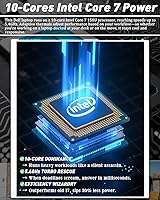
  • Processor: Intel Core 7 150U with 10 cores reaches up to 5.4GHz and is designed for sustained productivity workloads rather than peak burst performance.
  • RAM: 64GB of DDR5 memory runs at 5600MHz, providing headroom for heavy multitasking, virtual machines, and browser-intensive workflows.
  • Storage: A 2TB NVMe SSD delivers fast read and write speeds alongside ample local storage for large files, archives, and media libraries.
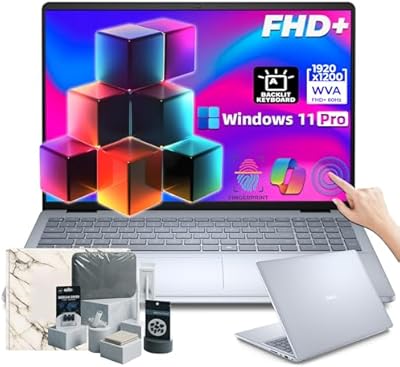
  • Display: The 16″ FHD+ touchscreen outputs 1920×1200 pixels at a 16:10 aspect ratio with an anti-glare coating and 300 nits peak brightness.
  • Eye Care: ComfortView Plus is built into the display to reduce harmful blue light emissions during extended viewing sessions.
  • Graphics: Intel UHD integrated graphics handles everyday visual tasks, video playback, and light image editing but is not suited for GPU-intensive workloads.
  • Operating System: Windows 11 Pro comes pre-installed, including enterprise features such as BitLocker encryption and Remote Desktop.
  • Battery Charging: ExpressCharge technology brings the battery to approximately 80% capacity in about 60 minutes under supported charging conditions.
  • Wireless: Wi-Fi 6E (802.11ax) and Bluetooth provide fast, low-latency wireless connectivity across modern networks and peripherals.
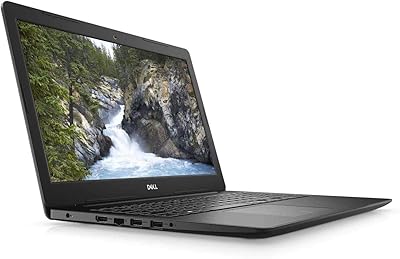
  • Ports: Connectivity includes one USB-C port, one HDMI port, three USB-A 3.0 ports, and an SD card reader for broad peripheral compatibility.
  • Security: A fingerprint reader, physical webcam shutter, and hardware TPM chip provide layered security without requiring additional accessories.
  • Keyboard: The full-size backlit keyboard includes a numpad and a dedicated Copilot key for accessing Windows 11 AI features.
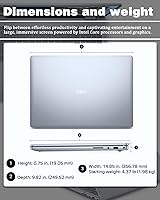
  • Weight: The laptop weighs 4.37 pounds, which is typical for a 16-inch productivity machine but worth considering for daily commuters.
  • Dimensions: The chassis measures 14.05 x 9.87 x 0.78 inches, maintaining a slim profile despite the larger screen and full-size keyboard layout.
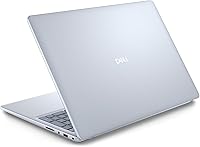
  • Color: The Ice Blue colorway offers a modern alternative to the standard gray or black finishes common among business laptops.

Related Reviews
Dell Inspiron 15 Laptop, Intel Core i3, 64GB RAM, 2TB SSD
85%
92%
Performance
91%
Storage Capacity
88%
Display Quality
94%
Multitasking
58%
Battery Life
More
Dell 16 Business Laptop - 32GB RAM, 2TB SSD, Core i7
85%
93%
Performance
88%
Display Quality
81%
Battery Life
90%
Multitasking Ability
68%
Portability
More
Dell 16 Plus DB16250
77%
91%
Display Quality
88%
Build Quality & Design
87%
Performance & Processing Speed
93%
Memory & Multitasking
89%
Storage Capacity & Speed
More
Dell Inspiron 16 5645 Laptop - AMD Ryzen 7, 16GB RAM, 1TB SSD
84%
88%
Performance
91%
Display Quality
89%
Build Quality
65%
Battery Life
87%
Usability/Ergonomics
More
Dell Inspiron 15 3520 Laptop, 32GB RAM, 2TB SSD, Intel Core i5-1155G7
84%
89%
Performance
94%
Storage Capacity
83%
Display Quality
90%
Build Quality
80%
Battery Life
More
Dell Inspiron 16 5635 Laptop, AMD Ryzen 7 7730U, 16GB RAM, 1TB SSD
84%
92%
Performance
88%
Display Quality
85%
Battery Life
75%
Portability
80%
Build Quality
More
Dell Inspiron 15.6″ Laptop, Intel Core i7-1255U, 40GB RAM, 2TB SSD
86%
94%
Performance
81%
Battery Life
89%
Display Quality
92%
Value for Money
85%
Build Quality
More
Dell G16 7630 Gaming Laptop i9-13900HX RTX 4070 64GB 4TB 16-inch QHD+
87%
96%
Gaming Performance
94%
CPU Multitasking
95%
GPU Rendering
92%
Display Quality
93%
Memory Capacity
More
HP 15.6″ FHD Touchscreen Business Laptop, Intel i7-1255U, 64GB RAM, 2TB SSD
87%
94%
Performance & Speed
91%
Display Quality
87%
Build Quality
85%
Battery Life
93%
Multitasking & Memory
More
HP 15.6″ Touchscreen Laptop (i3-1315U, 64GB, 2TB)
70%
62%
Value for Money
88%
RAM & Multitasking
91%
Storage Capacity
41%
Display Quality
67%
Processor Performance
More

FAQ

For the majority of everyday users — web browsing, email, video calls, documents — 16GB or 32GB would honestly be sufficient. Where 64GB earns its place is in heavier scenarios: running virtual machines, working with large datasets, keeping 30-plus browser tabs open alongside multiple apps, or doing light development work. If your workflow regularly pushes a lesser machine to its limits, you will notice the difference. If you mostly stick to standard office tasks, the extra RAM is a buffer you may rarely use but will never regret having.

Yes, this touchscreen laptop supports external displays via HDMI and USB-C. You can drive a second screen for a dual-monitor setup at your desk without any adapters for standard connections. For a full docking station with charging pass-through, verify that the USB-C port on your specific unit supports DisplayPort Alt Mode and power delivery, as not all Inspiron configurations guarantee both. For most users connecting one external monitor, it works reliably out of the box.

The touchscreen on the Inspiron 16 is a capacitive panel that responds well to standard touch gestures, scrolling, and tapping. It handles everyday interactions — navigating Windows, annotating PDFs, pinching to zoom on maps or images — without noticeable lag. It is not a pen-optimized display designed for precise stylus drawing, so if digital inking or handwriting recognition is central to your workflow, a Surface or similar active-pen device would serve you better. For general touch interaction, though, it works exactly as expected.

The Intel Core 7 150U is a U-series chip designed for efficiency rather than raw sustained power, which means it manages heat reasonably well during typical productivity tasks. Under sustained heavy loads — long file conversions, extended video exports, or running multiple virtual machines simultaneously — the fan becomes audible and the chassis can warm up near the keyboard area. Thermal throttling can occur under extreme prolonged stress, but for the workloads this machine is designed for, it holds steady.

Like most consumer Dell machines, it ships with a mix of Dell utilities — some genuinely useful like Dell SupportAssist — alongside a handful of third-party trial applications. It is not an overwhelming amount, but a fresh Windows setup or a quick uninstall pass through the settings menu will get you to a cleaner baseline if that matters to you. The core Windows 11 Pro installation itself is standard.

Absolutely. The Intel Core 7 150U handles video conferencing comfortably, even with screen sharing and background effects enabled. The dual built-in microphones pick up voice clearly, and the webcam — paired with the physical privacy shutter — covers standard call quality well. You are unlikely to experience performance issues on calls unless you are simultaneously running several other CPU-heavy processes in the background.

Dell Inspiron models typically use M.2 NVMe SSDs, which are replaceable in principle, though the practicality depends on warranty status and your comfort with disassembly. Opening the chassis to swap storage will likely void your warranty, so it is worth doing any upgrades after coverage expires or through Dell's service channels. For most users, 2TB offers enough headroom that an upgrade is unlikely to be necessary for several years.

Honest answer: it depends heavily on how integrated into AI workflows you already are. The Copilot key launches Microsoft's AI assistant in Windows 11 Pro, which can be handy for quick summarization, writing assistance, or system queries. That said, many users report pressing it accidentally at first and eventually ignoring it. The underlying Windows Copilot feature set is still maturing, so treat it as a convenient shortcut to an evolving tool rather than a core reason to buy the machine.

Real-world battery life varies significantly based on screen brightness, workload, and whether you are using Wi-Fi actively. Expect somewhere in the range of 6 to 9 hours for mixed light-to-medium productivity use at moderate brightness. Heavier workloads or maximum brightness will bring that down noticeably. The ExpressCharge feature mitigates this well if you have access to an outlet at any point during the day, but it is not a laptop you should plan to run unplugged for a full 10-hour stretch without a top-up.

The full-size backlit keyboard is one of the more consistently praised aspects of the Inspiron 16. Key travel is decent for a laptop this slim, and the inclusion of a numpad makes it considerably more practical for anyone doing frequent data entry or working with spreadsheets. The backlighting is functional rather than flashy — it does its job in dim environments without being distracting. Most users who type heavily throughout the day report it holds up well over extended sessions.