Dell UltraSharp WB7022 4K Webcam


Overview
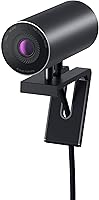
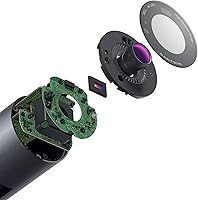
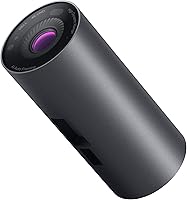
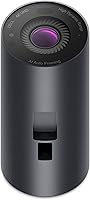
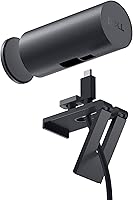
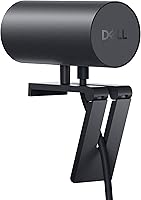
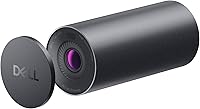
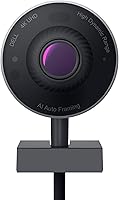
The Dell UltraSharp WB7022 4K Webcam is built for one type of person: the remote professional who has grown tired of looking grainy and underlit on video calls. At the heart of this Dell webcam is a Sony STARVIS CMOS sensor — the same sensor technology found in higher-end imaging equipment — which pulls in significantly more light than the sensors packed into most webcams. The result is a noticeably cleaner, more detailed picture, even when your office lighting isn't ideal. The aluminum housing and clean industrial design aren't accidental; Dell clearly intended this to sit on a monitor and look like it belongs there. This is a considered purchase, not an impulse buy, and it performs accordingly.
Features & Benefits
The WB7022 delivers on resolution in a way you actually notice — faces are sharp, text is crisp, and HDR processing keeps you visible even when sitting in front of a bright window. The three field-of-view presets are a genuinely practical touch: 65° for a tight solo frame, 78° for natural composition, and 90° when you need to include more of the room. AI auto framing works well for keeping you centered as you shift or stand, though it can occasionally over-crop if you move quickly. Setup involves nothing more than a USB connection, and it works out of the box with Teams, Zoom, and most other conferencing platforms.
Best For
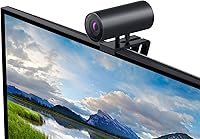
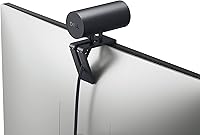
This 4K business webcam is a strong fit for anyone who spends a meaningful chunk of their workday on video — think account managers, consultants, educators, or executives who need to look credible on camera without hiring a studio. It's particularly valuable for challenging lighting situations: home offices facing windows, rooms without dedicated overhead lighting, or desks with mixed warm and cool light sources. Those already using Dell monitors will appreciate how the WB7022 sits flush and looks intentional rather than bolted on. It's also worth considering for anyone who wants granular control — manual adjustments to sharpness, saturation, and contrast are all on the table. If you're a casual occasional user, the cost likely outweighs the benefit.
User Feedback
Buyers rating the WB7022 land around 4.2 stars on average, and the sentiment is fairly consistent: the image quality upgrade — especially compared to built-in laptop cameras — gets mentioned repeatedly as a clear, tangible improvement. Low-light performance stands out as a particular highlight for home office users. On the flip side, the companion software draws complaints; several users find it adds complexity without much payoff, preferring to skip it and let the camera handle things automatically. A smaller number of buyers have noted that auto framing can occasionally be too aggressive, cropping oddly during fast movement. Those pairing it with a Dell monitor setup tend to mention the aesthetic match as an unexpected bonus — a cohesion that matters more than it sounds once you're staring at your desk every day.
Pros
- Sony STARVIS CMOS sensor delivers noticeably cleaner video in low light compared to most webcams.
- HDR processing keeps faces well-exposed even when sitting directly in front of a bright window.
- Three field-of-view presets offer practical flexibility for solo calls and small group setups.
- Plug-and-play USB setup works immediately on modern systems without any driver installation.
- Certified for Microsoft Teams and Zoom, ensuring stable, predictable performance on the most common business platforms.
- AI auto framing keeps you centered on screen during natural movement without needing manual adjustment.
- Aluminum build looks and feels premium, sitting cleanly on a desk alongside Dell monitors.
- Manual controls for sharpness, contrast, saturation, and brightness give power users real customization options.
- Image quality is a substantial, visible step up from built-in laptop cameras.
- Compatible with most major UC platforms beyond just its two official certifications.
Cons
- Companion software is widely reported as clunky and adds unnecessary complexity for users who want simplicity.
- AI auto framing can over-crop or lag noticeably during quick or wide movements.
- The price is difficult to justify for anyone who does not rely heavily on video calls.
- Non-Windows users may encounter compatibility gaps that limit access to the full feature set.
- No built-in privacy shutter, which is a feature some buyers specifically look for.
- Full 4K output can be bottlenecked by older machines with limited USB bandwidth.
- Physically larger than several competing 4K options, which may feel bulky on smaller desks.
- Feature set is narrowly business-focused, making it a poor fit for streaming or content creation workflows.
- Getting the most out of this 4K business webcam requires running the companion app, which not everyone wants active in the background.
Ratings
Our scores for the Dell UltraSharp WB7022 4K Webcam were generated by an AI system trained to analyze verified global buyer reviews, actively filtering out incentivized, duplicated, and bot-generated submissions to surface what real users actually experience. Each category reflects an honest synthesis of both enthusiastic praise and genuine frustration, weighted by how frequently each sentiment appeared across the review pool. The result is a transparent, category-level breakdown that goes well beyond a single aggregate star rating.
Image Quality
Low-Light Performance
HDR Performance
AI Auto Framing
Build Quality
Design & Aesthetics
Setup & Ease of Use
Software & App Experience
Platform Compatibility
Field of View Flexibility
Audio Quality
Value for Money
Connectivity & Reliability
Privacy Features
Suitable for:
The Dell UltraSharp WB7022 4K Webcam is purpose-built for remote and hybrid professionals who are on video calls frequently enough that image quality genuinely affects how they are perceived. If your day involves back-to-back meetings, client presentations, or team standups where looking polished matters, the Sony STARVIS sensor's low-light capability and the camera's exposure processing make a real difference compared to budget alternatives. Home office workers dealing with tricky lighting — a window behind them, a dim room, or inconsistent overhead fixtures — will find the WB7022's ability to handle those conditions without constant manual adjustment particularly valuable. It is also a natural fit for Dell monitor users who want hardware that looks intentional rather than tacked on, and for those who want granular control over their video output without relying on third-party software. Power users who prefer to fine-tune sharpness, contrast, and field of view for different meeting types will find the available options more than adequate.
Not suitable for:
The Dell UltraSharp WB7022 4K Webcam is harder to justify if video quality simply is not a priority in your day-to-day work. Casual users who hop on a call a few times a week, students using free conferencing tools, or anyone whose meetings do not depend on a polished visual presence will likely find that a mid-range webcam delivers most of what they need at a fraction of the cost. The companion software, which some users find unnecessary or cumbersome, adds friction for those who want a truly zero-configuration experience. Users on non-Windows platforms may also encounter compatibility limitations worth researching before committing. And if you are streaming, creating content, or need features like in-camera background replacement, this webcam's feature set is narrowly optimized for business calls rather than creative production use cases.
Specifications
- Resolution: Captures video at 4K UHD, delivering noticeably sharper detail than standard 1080p webcams, particularly evident in well-lit environments.
- Sensor: Equipped with a Sony STARVIS CMOS sensor, engineered to gather more light per pixel and reduce noise in challenging lighting conditions.
- HDR Support: Onboard HDR processing automatically balances exposure across bright and shadowed areas of the frame simultaneously in real time.
- AI Auto Framing: An AI-driven auto-framing feature detects and tracks the subject, keeping them centered in frame as they move within view.
- Field of View: Offers three selectable field-of-view presets at 65°, 78°, and 90° to accommodate solo calls or slightly wider group setups.
- Connectivity: Connects via USB and operates as a plug-and-play device on modern systems without requiring manual driver installation.
- Build Material: Constructed from aluminum with a smooth, textured metallic finish, providing durability and a professional desk presence.
- Certifications: Officially certified for Microsoft Teams and Zoom, with verified compatibility ensuring stable, optimized performance on both platforms.
- Max Aperture: Operates at a maximum aperture of f/2, supporting adequate light capture for clearer video in lower-light office environments.
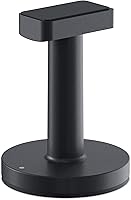
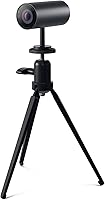
- Dimensions: Measures 3.7 × 16.54 × 16.54 inches, sized to mount on a monitor without obscuring the screen or dominating desk space.
- Weight: Weighs 1.31 pounds, providing enough stability to hold position on a monitor while remaining easy to reposition when needed.
- Color: Available in black (model WB7022-Black), a neutral finish that pairs cleanly with most professional monitor and desk setups.
- Platform Support: Compatible with Windows and most major unified communications platforms beyond its two officially certified applications.
- Model Number: The official model designation is WB7022, produced by Dell Technologies and first made available in mid-2021.
- Image Controls: Supports manual adjustment of brightness, contrast, sharpness, saturation, and digital zoom through Dell's optional companion software.
Related Reviews
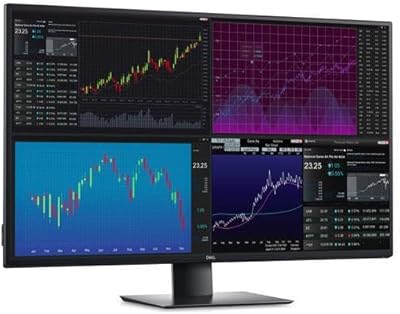
Dell UltraSharp U4320Q 43-inch 4K Monitor
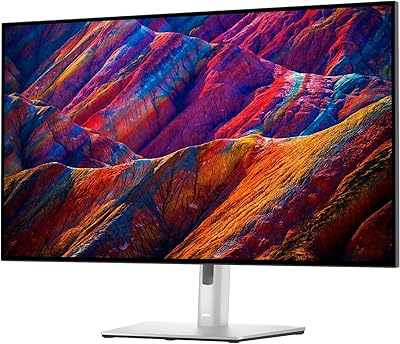
Dell UltraSharp U3223QE 31.5-inch 4K UHD Monitor
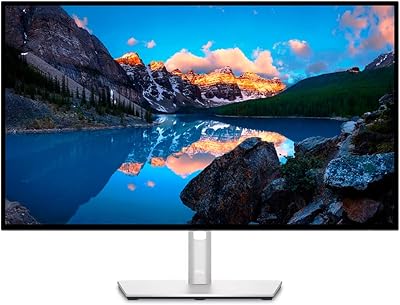
Dell UltraSharp U2723QE 27″ 4K Monitor

Lumina LX011 4K Webcam

Lusinx TW 4K Webcam

MOERTEK MT 4K Webcam

PixelForge 4K Webcam

Combess XIAOJINGLING 4K Webcam

Diccik 4K HD Webcam
