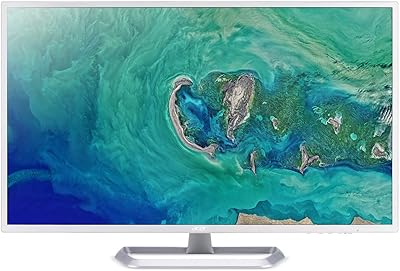
Acer SB322QK 31.5″ 4K UHD Monitor


Overview
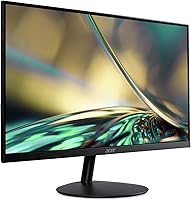
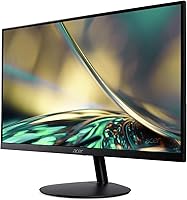
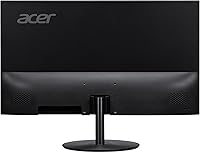
The Acer SB322QK 31.5″ 4K UHD Monitor sits in an interesting spot in the market — a large-screen 4K display priced for everyday buyers, not enthusiasts with deep pockets. The 31.5-inch VA panel is big enough to feel genuinely spacious on a desk without dominating it, and the zero-frame bezel keeps things looking clean, especially if you're pairing it with a second screen. Acer is a mainstream brand with a long track record in monitors — not flashy, but reliable. One important thing to be clear about upfront: with a 60Hz refresh rate, this is a productivity and casual-use display, not something built for competitive gaming.
Features & Benefits
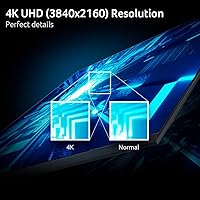
At 3840x2160 resolution spread across 31.5 inches, the pixel density is noticeably sharp — fine text stays crisp and detailed images don't look muddy the way they can on lower-res large panels. The VA panel brings solid contrast to the table, which is a real advantage in darker rooms or for movie watching; colors pop more than you'd typically see from an IPS alternative at this price. Viewing angles, however, aren't its strongest suit, so centered seating helps. Adaptive-Sync support cuts down on screen tearing even at 60Hz, and the 4ms GtG response is fine for casual use. Connectivity covers the basics well, with two HDMI 2.0 ports, a DisplayPort 1.2 input, and VESA 75x75 compatibility for arm mounting.
Best For
This 31.5-inch UHD display makes the most sense for home office workers who spend long hours juggling documents, spreadsheets, or video calls and want more screen without a steep investment. Photography hobbyists and light video editors will also appreciate it — 4K resolution makes a real difference when checking fine image details. Casual gamers who prioritize visual fidelity over hitting high frame rates will find it capable enough. If you're still running a 1080p monitor, the jump to 4K at this size is genuinely noticeable. The slim bezel makes it a natural fit for side-by-side setups, where a thick frame would break the visual flow between screens.
User Feedback
Owners consistently highlight image sharpness and color vibrancy as standout qualities for the price — the 4K clarity on a panel this size draws frequent praise. The included HDMI cable is a small touch, but buyers genuinely appreciate not having to source one separately. That said, ergonomic limitations come up often: there's no height adjustment or pivot, which can be a real inconvenience depending on your desk and seating arrangement. A minority of users also note the stand feels a bit lightweight for a monitor of this size. VA glow in very dark scenes is another honest trade-off worth factoring in before committing, particularly if you watch a lot of content with dark cinematography.
Pros
- Sharp 4K resolution at 31.5 inches makes text and fine detail noticeably crisp for everyday work and media.
- The VA panel produces strong contrast, making colors feel richer and more vivid compared to budget IPS alternatives.
- Zero-frame bezel design integrates cleanly into dual-monitor setups without awkward visual gaps.
- Adaptive-Sync support reduces screen tearing during casual gaming, even within the 60Hz limit.
- Two HDMI 2.0 ports plus a DisplayPort input means connecting a PC and a console simultaneously is straightforward.
- VESA 75x75mm compatibility lets you ditch the stock stand and mount it on a monitor arm for better positioning.
- The matte screen surface handles ambient light well, reducing glare in brighter room conditions.
- An HDMI cable is included in the box — a small but genuinely practical touch that saves an extra purchase.
- At this screen size and resolution, the pixel density is comfortable enough that scaling adjustments are rarely needed.
Cons
- The 60Hz refresh rate is a hard ceiling that makes this unsuitable for fast-paced or competitive gaming.
- No height adjustment or pivot on the stand is a real ergonomic drawback for users who sit at non-standard desk heights.
- VA glow can be visible in dark scenes, which is distracting during movies or games with dark cinematography.
- Viewing angles are noticeably weaker than IPS panels — color and contrast shift when you move off-center.
- The stand feels lightweight and slightly less stable than expected for a monitor this size and weight.
- Backlight uniformity may vary between units, with some users reporting brighter patches near the edges.
- 300 nits peak brightness limits usability in very bright or sunlit room environments.
- Only one DisplayPort input restricts flexibility for users with multiple high-bandwidth source devices.
- No USB hub or built-in speakers means extra desk clutter or accessories for users who need those features.
Ratings
The scores below for the Acer SB322QK 31.5″ 4K UHD Monitor were generated by AI after analyzing thousands of verified buyer reviews from global markets, with spam, bot-generated, and incentivized submissions actively filtered out. The result is an honest, data-driven snapshot of what real owners love and where they've run into friction. Both the strengths and the trade-offs are reflected transparently — nothing is glossed over.
Image Sharpness
Contrast & Color Vibrancy
Value for Money
Ergonomics & Adjustability
Gaming Performance
Build Quality
Connectivity
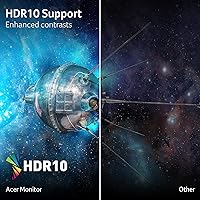
Brightness & HDR
Backlight Uniformity
Setup & Out-of-Box Experience
Screen Surface & Glare Handling
Multi-Monitor Compatibility
Text Rendering
Suitable for:
The Acer SB322QK 31.5″ 4K UHD Monitor is a strong match for home office workers who want meaningful screen real estate without paying a premium — the kind of person who regularly has a spreadsheet, a browser, and a video call open at the same time and finds a smaller display genuinely limiting. The 31.5-inch 4K panel also makes it a practical pick for photography hobbyists or light video editors who want to see fine image detail without investing in a professional-grade display. Casual gamers who care more about visual clarity than chasing high frame rates will find it capable and satisfying for story-driven or slower-paced titles. If you're still on a 1080p monitor, the jump to 4K at this size is one of the more noticeable upgrades you can make at this price point. The slim zero-frame design is also genuinely useful for anyone building a dual-monitor setup, where a thick bezel would create a distracting visual gap between screens.
Not suitable for:
The Acer SB322QK 31.5″ 4K UHD Monitor is not the right call for competitive or fast-paced gamers — 60Hz simply cannot keep up with the frame rates that make titles like first-person shooters or racing games feel responsive, and no amount of Adaptive-Sync support changes that fundamental ceiling. Users who need precise color accuracy for professional print work or client-facing creative projects should also look elsewhere; VA panels can produce vivid, high-contrast images, but they are not known for wide viewing angles or factory-calibrated color fidelity. If your workstation requires height adjustment, monitor pivot, or swivel for ergonomic comfort, this stand will frustrate you — tilt-only stands at this screen size are a real limitation for all-day use. Anyone particularly sensitive to backlight uniformity issues or dark-scene VA glow may also find it distracting. Finally, users who need more than one DisplayPort connection for a multi-source professional setup will hit a wall with the single-port configuration.
Specifications
- Screen Size: The display measures 31.5 inches diagonally, offering generous screen real estate suited for multitasking and immersive viewing.
- Resolution: Native resolution is 3840x2160 (UHD 4K), delivering sharp pixel density across the full panel area.
- Panel Type: This monitor uses a VA (Vertical Alignment) panel, which provides stronger contrast ratios than IPS but has narrower optimal viewing angles.
- Refresh Rate: The panel runs at a maximum of 60Hz, making it appropriate for productivity tasks and casual gaming rather than competitive play.
- Response Time: Rated at 4ms GtG (Gray-to-Gray), the response time is adequate for everyday use and non-competitive gaming scenarios.
- Brightness: Peak brightness is rated at 300 nits, which is sufficient for indoor use but may feel limited in very bright or sunlit environments.
- Aspect Ratio: The display uses a standard 16:9 widescreen aspect ratio, compatible with virtually all modern content and operating systems.
- Screen Surface: The matte anti-glare coating reduces reflections from ambient light sources, making it more comfortable during extended work sessions.
- Pixel Pitch: Pixel pitch is 0.272mm, contributing to the crisp rendering of fine text and detailed imagery at 4K resolution.
- Adaptive-Sync: The monitor supports Adaptive-Sync and is FreeSync compatible, reducing screen tearing and stuttering during gaming even at 60Hz.
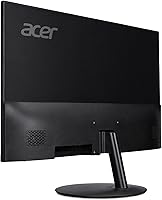
- Ports: Connectivity includes one DisplayPort 1.2, two HDMI 2.0 inputs, and one 3.5mm audio output jack for headphones or external speakers.
- VESA Mounting: The display is VESA compliant at a 75x75mm pattern, allowing compatibility with most standard monitor arms and wall mounts.
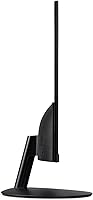
- Tilt Range: The included stand supports tilt adjustment from -5° to +15° only; there is no height, swivel, or pivot adjustment available.
- Bezel Design: The monitor features a zero-frame (borderless) bezel design on three sides, making it well-suited for side-by-side multi-monitor configurations.
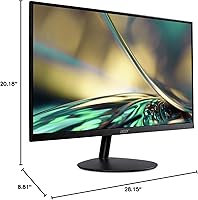
- Dimensions: With the stand attached, the monitor measures approximately 28.15 inches wide, 20.18 inches tall, and 8.81 inches deep.
- Weight: The complete unit with stand weighs 15.61 pounds, which is typical for a 31.5-inch display of this panel type.
- In the Box: The package includes the monitor, the attached stand base, a DisplayPort cable is not included, but one HDMI cable is provided.
Related Reviews
Acer Predator XB323QK 31.5″ 4K Gaming Monitor
Acer Predator X32 31.5-inch 4K UHD OLED Gaming Monitor
Acer Predator CG437K 42.5″ 4K Gaming Monitor
Dell UltraSharp U3223QE 31.5-inch 4K UHD Monitor
Acer SB322QU 31.5″ WQHD IPS Monitor
Acer Nitro VG270K 27-inch 4K Gaming Monitor
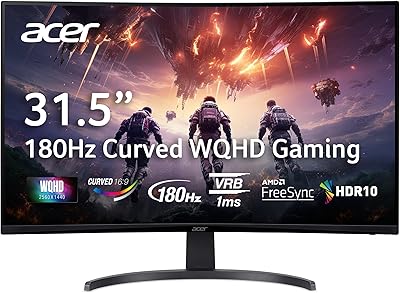
Acer Nitro EDA323QU 31.5-inch Curved Gaming Monitor
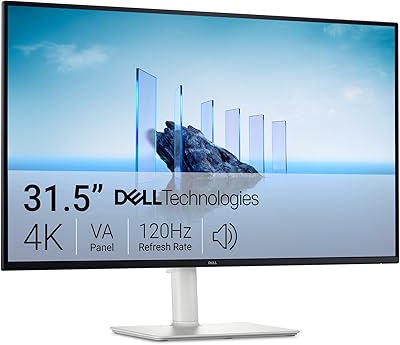
Dell S3225QS 32-inch 4K Monitor
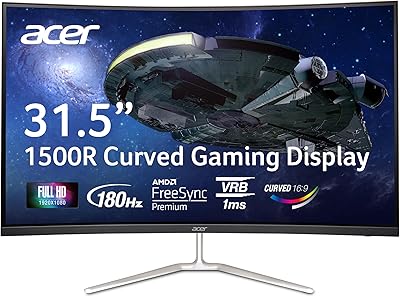
Acer Nitro EDA320Q 31.5″ Curved Gaming Monitor