Overview

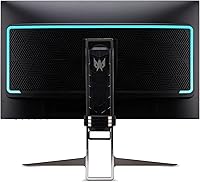
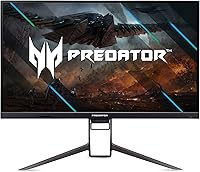
The Acer Predator XB323QK 31.5″ 4K Gaming Monitor sits in a competitive tier where buyers expect serious IPS performance without sacrificing gaming speed. At 31.5 inches, the screen hits a practical middle ground — large enough to feel genuinely immersive, compact enough to fit most desks without dominating them. Acer's Agile-Splendor IPS technology is the key differentiator from older TN or VA panels; colors stay accurate and consistent at wide viewing angles, something TN simply cannot match. Launched in late 2021, it remains relevant, though anyone shopping now should briefly compare it against newer rivals that may offer better uniformity or stronger HDR at a similar price point.
Features & Benefits

Running 4K at 144Hz is genuinely demanding — don't buy this Predator display expecting to max it out without an RTX 4080-class GPU or better. That said, it plays perfectly well at 60–100fps, so a mid-range setup isn't shut out. G-SYNC Compatible handles adaptive sync without a dedicated module, and in practice the difference from full G-SYNC is barely noticeable. The 0.5ms response time is a G-to-G figure, not MPRT, so real pixel response depends on your overdrive setting — worth understanding before you buy. Color coverage at DCI-P3 90% with Delta E under 1 holds up well for photo work. Connectivity is thorough: USB-C with 65W power delivery, two HDMI 2.1 ports, DisplayPort 1.4, and a four-port USB 3.0 hub.

Best For

The XB323QK makes the most sense for PC gamers who already own high-end hardware and want a display that can actually keep pace with it. Console players benefit from a genuine HDMI 2.1 port for PS5 or Xbox Series X, putting 4K at higher framerates within reach without adapters. Creative professionals will find the color accuracy competitive with displays sold specifically for photo and video work. The USB-C single-cable dock setup is a practical bonus for laptop users. And if you need one monitor that handles spreadsheets during the day and open-world games at night, this 31.5-inch 4K monitor transitions between both roles without meaningful compromise.

User Feedback

Across roughly 256 ratings, the XB323QK sits at 3.9 out of 5 stars — a score that suggests broad satisfaction alongside a few recurring frustrations. Buyers consistently praise the image quality and color vibrancy, and the build quality feels appropriate for the price tier. On the critical side, Acer's OSD interface is widely described as clunky and unintuitive, requiring real patience to navigate. The built-in speakers are underwhelming for a monitor at this level. HDR 400 certification draws repeated disappointment — it is the entry-level tier, and dramatic HDR is not what this panel delivers. A smaller number of users also flagged backlight uniformity concerns. None of these are deal-breakers, but they are consistent enough to factor into your decision.

Pros

  • IPS panel delivers accurate, vibrant color that holds up at wide viewing angles without the washout typical of VA panels.
  • 4K at 144Hz is a legitimately capable spec combination for high-end gaming rigs that can push it.
  • G-SYNC Compatible adaptive sync works reliably in practice, reducing tearing without needing a full G-SYNC module.
  • Dual HDMI 2.1 ports make this one of the cleaner options for console gamers who want real 4K at high refresh rates.
  • DCI-P3 90% coverage with Delta E under 1 makes the XB323QK credible for photo editing and color-graded video work.
  • USB-C with 65W power delivery doubles as a laptop dock, reducing cable clutter meaningfully.
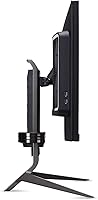
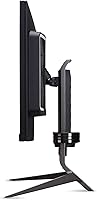
  • Ergonomic stand with height adjustment, tilt, and swivel gives you genuine flexibility for long sessions.
  • Zero-frame bezel design keeps the look clean and works well in multi-monitor arrangements.
  • TUV Eyesafe certification adds a degree of credibility for users concerned about extended screen time.
  • Build quality is consistently praised by buyers as feeling solid and proportionate to the price tier.

Cons

  • Running 4K at 144Hz demands a top-tier GPU — most mid-range setups will never reach the panel's full potential.
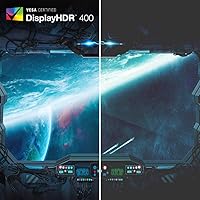
  • VESA DisplayHDR 400 is the lowest HDR certification tier; buyers expecting punchy, high-contrast HDR will be disappointed.
  • The OSD interface is widely described as clunky and frustrating to navigate, especially during initial calibration.
  • Built-in speakers are underwhelming — 4 watts per channel at this price point rarely satisfies anyone above casual use.
  • The 0.5ms figure is G-to-G, not MPRT; actual motion blur behavior depends heavily on overdrive settings and viewing conditions.
  • Some users have reported backlight uniformity issues, with corner or edge inconsistency visible on dark backgrounds.
  • At nearly 32 pounds, repositioning or mounting this panel is a two-person job more often than not.
  • Launched in late 2021, newer competitors now offer comparable specs with improved uniformity or stronger HDR performance at similar prices.

Ratings

The Acer Predator XB323QK 31.5″ 4K Gaming Monitor earns an overall score built from AI analysis of verified global user reviews, with spam, bot-generated, and incentivized submissions actively filtered out before scoring. Each category below reflects both what real buyers genuinely praised and where frustrations consistently surfaced — nothing is softened to protect the product's image.

Image Quality
91%
Buyers repeatedly describe the picture as the standout reason they kept the monitor. The Agile-Splendor IPS panel renders colors with depth and consistency that holds up across gaming, streaming, and photo work — a meaningful step above typical VA or entry-level IPS panels at this screen size.
A small but consistent group noted that panel-to-panel variation exists, with some units showing slightly cooler or warmer white points out of the box. Calibration tools help, but buyers expecting perfect factory accuracy without adjustment may be mildly disappointed.
Color Accuracy
88%
The DCI-P3 90% coverage and sub-Delta E 1 factory calibration make this Predator display credible for creative professionals who also game. Photographers and video editors report that color grading feels reliable without needing expensive third-party calibration hardware.
While the factory calibration is strong, the panel's accuracy can drift slightly at the extreme edges of the screen — an issue more noticeable during color-critical work than gaming. The HDR color performance is also limited by the DisplayHDR 400 ceiling.
Refresh Rate & Smoothness
84%
At 144Hz with G-SYNC Compatible adaptive sync active, fast-paced games run with noticeably reduced tearing and stutter. Users with high-end GPUs who can approach the upper refresh rate ceiling consistently describe the motion experience as smooth and responsive during competitive play.
Reaching 144fps at 4K resolution demands serious GPU horsepower, and many buyers found their existing hardware fell well short. Users with mid-range cards effectively have a 60–100Hz monitor for demanding titles, which undercuts the premium refresh rate argument for a portion of the audience.
Response Time
76%
24%
For an IPS panel, pixel transitions are noticeably fast in daily use — ghosting is minimal in most gaming scenarios when overdrive is set appropriately. Users coming from 60Hz or slower IPS displays found the motion clarity a clear improvement.
The 0.5ms rating is a gray-to-gray figure, not MPRT, and informed buyers flag this distinction. At default overdrive settings, some trailing is visible in very fast motion; pushing overdrive too high introduces overshoot artifacts, requiring manual tuning to find the right balance.
HDR Performance
52%
48%
HDR is technically present and functional — games that support it do render with slightly expanded brightness headroom compared to SDR mode, and some buyers appreciated the option for casual HDR streaming on compatible content.
DisplayHDR 400 is the lowest certification tier, and the real-world HDR impact on this XB323QK is underwhelming by most accounts. Buyers who own or have used higher-tier HDR displays will find the contrast range and peak brightness modest at best — this is not a monitor that transforms HDR content the way OLED or mini-LED panels do.
Connectivity
93%
The port selection is genuinely well thought out for a monitor targeting both PC and console users. Dual HDMI 2.1 ports, DisplayPort 1.4, USB-C with 65W power delivery, and a four-port USB 3.0 hub cover nearly every current use case without requiring external adapters or hubs.
The USB-C port is Gen 1 speed (up to 5 Gbps), which is adequate for display and charging but not the fastest for bulk data transfers. A small number of buyers also noted that the HDMI 2.1 ports occasionally required a firmware-friendly cable to achieve stable 4K 144Hz on consoles.
Build Quality
82%
18%
The chassis and stand feel solid and appropriately premium for the price tier — there is no noticeable flex in the panel housing, and the stand base is stable even on slightly uneven desk surfaces. Buyers consistently describe the physical construction as matching their expectations.
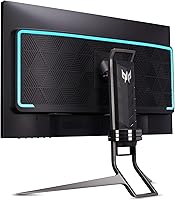
At nearly 32 pounds, the monitor is heavy and somewhat unwieldy to reposition or mount alone. The matte plastic finish on the stand picks up minor scuffs over time, and a few users noted that the rear cable management routing is tighter than it should be for a monitor with this many ports.
Ergonomics
79%
21%
Full height adjustment, tilt, and swivel are all included on the stock stand — a combination that many competitors at this size omit or charge extra for. Users who spend long sessions at their desk appreciated being able to fine-tune the viewing angle without purchasing a separate arm.
The stand adjustment mechanisms, while functional, feel slightly stiff compared to higher-end monitor stands, and the height lock does not always hold its position precisely under repeated adjustment. VESA mounting is available as an alternative, though the monitor's weight demands a robust arm rated accordingly.
OSD & Controls
44%
56%
Once settings are configured and saved, most users find they rarely need to return to the OSD — the display holds calibration well and input switching via the physical joystick is manageable for everyday use between two or three sources.
The on-screen display is one of the most consistently criticized aspects across buyer reviews. Navigation logic is unintuitive, menu depth is excessive for common adjustments, and the physical control placement is awkward to reach from a seated position. Initial setup can take significantly longer than expected.
Audio Quality
38%
62%
The built-in speakers handle basic system audio and casual video calls adequately, and their presence means buyers without external speakers are not completely without sound. For background music or light media consumption, they serve a minimal functional role.
Four watts per channel is simply not enough to produce satisfying audio at this price tier, and buyers expecting anything approaching decent speaker performance will be let down quickly. The sound is thin, lacks low-end entirely, and becomes distorted at higher volume settings — external speakers or headphones are effectively mandatory for any real audio use.
Panel Uniformity
67%
33%
The majority of units show acceptable uniformity for general gaming and productivity use — brightness consistency across the center of the panel is solid, and color uniformity in normal viewing conditions is unremarkable in a positive sense for most buyers.
A consistent minority of user reports flag backlight bleed or brightness drop-off near the corners and edges, most visible against dark backgrounds or in dimly lit rooms. This appears to be a panel lottery situation rather than a universal defect, but it is frequent enough to mention as a real risk.
Value for Money
71%
29%
For buyers who can actually utilize the 4K 144Hz spec with appropriate hardware, the combination of strong color accuracy, dual HDMI 2.1, and USB-C power delivery represents a genuinely capable all-in-one display package that would otherwise require multiple compromises at lower price points.
Buyers who discover post-purchase that their GPU cannot realistically drive 4K at high framerates, or who were hoping for impactful HDR, will feel the price is harder to justify. Newer competitors have also emerged since the 2021 launch offering improved uniformity or stronger HDR at comparable prices, which softens the value argument.
Setup Experience
63%
37%
Physical assembly of the stand and panel is straightforward and tool-free, taking most users under ten minutes. Cable routing options are sufficient for a clean desk setup, and the monitor is immediately usable for basic gaming or productivity without any driver installation required.
Initial display calibration and OSD configuration extend the real setup time considerably for buyers who want to get the most out of the panel. Finding the right overdrive setting, dialing in the color profile, and enabling adaptive sync correctly are steps that require patience and some technical familiarity.
Eye Comfort
81%
19%
The TUV Eyesafe certification carries real weight for users who spend extended hours in front of a screen — blue light levels are measurably reduced, and several buyers noted less eye fatigue during long work or gaming sessions compared to their previous monitors.
The glossy screen surface, while enhancing perceived contrast and color pop, is more reflective than a matte finish and can cause glare in brighter rooms or near windows. Users in well-lit environments may find the reflections distracting enough to warrant repositioning the display or adding window treatments.
Console Compatibility
86%
The XB323QK is one of the more genuinely console-ready monitors in its class — true HDMI 2.1 support on both ports means PS5 and Xbox Series X users get 4K at the highest framerates those consoles support without signal negotiation issues that affect some competing displays.
The monitor lacks an auto-input switching feature, so users moving between a PC and console need to manually select inputs via the OSD each time. There is also no remote control, which makes input management slightly more cumbersome in a living room or multi-device setup.

Suitable for:

The Acer Predator XB323QK 31.5″ 4K Gaming Monitor is built for buyers who refuse to choose between image quality and gaming performance. It makes the strongest case for PC enthusiasts running high-end GPUs — think RTX 4080 territory or above — where the 4K 144Hz spec can actually be utilized rather than aspirationally purchased. Content creators who split time between gaming and color-sensitive work will appreciate the DCI-P3 90% coverage and sub-Delta E 1 accuracy, which holds up well against monitors sold strictly for creative use. Console players with a PS5 or Xbox Series X get real value from the dual HDMI 2.1 ports, no adapter games required. The USB-C port with 65W power delivery also makes this a practical single-cable hub for laptop users who want a clean desk setup without a separate dock.

Not suitable for:

The Acer Predator XB323QK 31.5″ 4K Gaming Monitor is a poor fit for anyone who expects dramatic, cinematic HDR — VESA DisplayHDR 400 is the entry tier and the experience reflects that. Competitive-first gamers who prioritize pixel response and motion clarity above all else may find faster TN or OLED alternatives more compelling, since the G-to-G response spec does not directly translate to the MPRT figures those panels advertise. Buyers running mid-range GPUs who were hoping to hit 144fps at 4K will consistently run into a hardware wall, and that frustration shows up in user reviews. Anyone sensitive to backlight uniformity issues should be aware that a portion of buyers have flagged this concern. Finally, if your workflow depends heavily on navigating monitor settings, Acer's OSD is genuinely cumbersome and unlikely to win you over.

Specifications

  • Screen Size: The panel measures 31.5 inches diagonally, offering a wide viewing area suited to both immersive gaming and productive multitasking.
  • Resolution: Native resolution is 3840×2160 (4K UHD), delivering sharp detail at a pixel pitch of 0.181mm across the 31.5″ panel.
  • Refresh Rate: Maximum refresh rate is 144Hz, achievable at full 4K resolution over DisplayPort 1.4 or HDMI 2.1.
  • Response Time: Rated at 0.5ms gray-to-gray (G to G), which reflects pixel transition speed under optimal overdrive conditions rather than an MPRT figure.
  • Panel Type: Uses Acer's Agile-Splendor IPS technology, providing wide viewing angles and consistent color accuracy compared to TN or VA alternatives.
  • Color Gamut: Covers 90% of the DCI-P3 color space, making it a credible choice for color-sensitive creative workflows alongside gaming.
  • Color Accuracy: Factory color accuracy is rated at Delta E under 1, indicating minimal deviation from reference colors out of the box.
  • HDR Support: Certified VESA DisplayHDR 400, which is the entry-level HDR tier and delivers modest peak brightness rather than dramatic HDR contrast.
  • Adaptive Sync: G-SYNC Compatible certified, supporting adaptive sync over both DisplayPort and HDMI to reduce screen tearing without a dedicated G-SYNC module.
  • Connectivity: Ports include 1× USB-C (Gen 1, 65W power delivery, DisplayPort Alt Mode), 1× DisplayPort 1.4, 2× HDMI 2.1, and 4× USB 3.0.
  • Speakers: Two built-in speakers rated at 4 watts each provide basic audio output, though external speakers or headphones are recommended for serious listening.
  • Ergonomics: The stand supports tilt from -5° to 25°, height adjustment up to 5.12 inches, and swivel of ±30° for flexible positioning.
  • Design: Zero-frame bezel design reduces visual borders around the display, which is practical for side-by-side multi-monitor arrangements.
  • Certifications: Carries TUV Eyesafe certification, indicating reduced blue light emission levels intended to lessen eye strain during extended use.
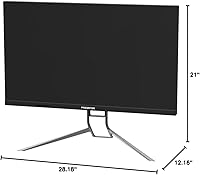
  • Dimensions: Full assembled dimensions with stand are 28.18 × 12.16 × 21 inches (L×W×H), requiring a desk depth of at least 12 inches for stable placement.
  • Weight: Complete unit with stand weighs 31.8 pounds, which is on the heavier side for a 32″ class monitor and warrants a sturdy desk surface.
  • VESA Mounting: Supports standard VESA mounting patterns, allowing the stand to be replaced with a third-party arm if desk space or ergonomics require it.
  • Aspect Ratio: 16:9 widescreen aspect ratio, the standard format for gaming, streaming, and general productivity content.
  • Input Voltage: Rated for 240V operation; confirm regional power compatibility or use an appropriate adapter if operating outside standard voltage zones.
  • Release Date: First made available in October 2021, making it a mature product with a well-established real-world performance and reliability record.

Related Reviews
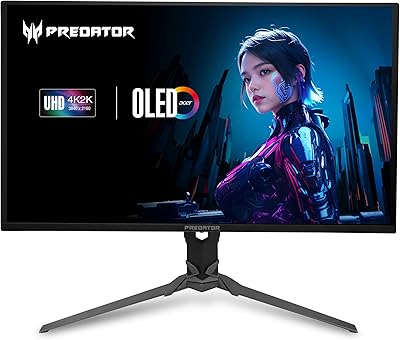
Acer Predator X32 31.5-inch 4K UHD OLED Gaming Monitor
85%
94%
Display Quality
91%
Gaming Performance (Response Time & Refresh Rate)
93%
Color Accuracy & Vibrancy
88%
Ergonomics & Adjustability
89%
Build Quality
More
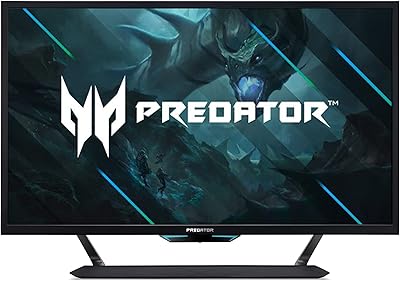
Acer Predator CG437K 42.5″ 4K Gaming Monitor
69%
79%
Image Quality
83%
HDR Performance
81%
Gaming Performance
88%
Console Compatibility
74%
Build Quality
More
Acer SB322QK 31.5″ 4K UHD Monitor
75%
91%
Image Sharpness
83%
Contrast & Color Vibrancy
89%
Value for Money
44%
Ergonomics & Adjustability
62%
Gaming Performance
More
Acer Nitro EDA323QU 31.5-inch Curved Gaming Monitor
74%
89%
Value for Money
87%
Image Sharpness
84%
Refresh Rate Performance
82%
AMD FreeSync
41%
Stand Ergonomics
More
Acer Predator XB273K V5 27″ Gaming Monitor
80%
91%
Image Clarity
88%
Refresh Rate Flexibility
93%
Console Compatibility
86%
Motion Performance
52%
HDR Quality
More
Acer Nitro EDA320Q 31.5″ Curved Gaming Monitor
71%
91%
Value for Money
74%
Image Quality
78%
Gaming Performance
84%
Curvature & Immersion
43%
Ergonomics & Adjustability
More
Acer KB252Q G0bi 24.5″ IPS Monitor
73%
83%
Image Quality
86%
Color Accuracy
78%
Refresh Rate & Gaming
61%
Response Time
54%
Brightness
More
AOPEN 32HC5QR 31.5″ Curved Gaming Monitor
78%
91%
Value for Money
74%
Image Quality
88%
Refresh Rate Performance
86%
Screen Tearing & Sync
69%
Build Quality
More
Acer Predator X27U 27″ OLED Gaming Monitor
84%
94%
Image Quality
91%
Refresh Rate & Motion
89%
Color Accuracy
86%
Connectivity
82%
Ergonomics & Stand
More
Acer SB322QU 31.5″ WQHD IPS Monitor
74%
91%
Image Sharpness
74%
Color Accuracy
67%
Gaming Performance
43%
Ergonomics
86%
Value for Money
More

FAQ

Not necessarily — the XB323QK will work fine at lower framerates on mid-range GPUs. The 144Hz ceiling is there if your hardware can reach it, but gaming at 60–100fps in 4K still looks excellent on this panel. Just go in with realistic expectations about what your specific card can deliver.

Yes, and it is one of the more practical features on this Predator display. The USB-C port supports DisplayPort signal, data transfer up to 5 Gbps, and 65W power delivery simultaneously, so a single cable can drive the display and charge a compatible laptop at the same time. That said, check your laptop's USB-C specs first — not every port supports all three functions together.

Yes. The monitor includes two HDMI 2.1 ports, which is what you need for 4K gaming on current-gen consoles. You can connect both a PS5 and an Xbox Series X at the same time and switch between them using the input selector.

Honest answer: it is entry-level HDR. DisplayHDR 400 requires a peak brightness of just 400 nits, which is not enough to produce the punchy highlights and deep contrast you might associate with OLED or high-end mini-LED displays. It is better than no HDR, but if dramatic HDR is a priority for you, this monitor will underwhelm.

The 0.5ms figure is a gray-to-gray measurement taken under specific overdrive conditions, not an MPRT (moving picture response time) rating. In practice, actual pixel transition times vary with content and overdrive settings. It is a fast IPS panel, but direct comparisons to TN panels using MPRT specs are not apples-to-apples.

The stand is genuinely capable — height adjustment, tilt, and swivel are all included, which is more than many competitors offer. For most users it will be perfectly adequate. If you have a very deep or narrow desk, or plan a multi-monitor setup, a VESA arm is a straightforward upgrade since the monitor supports standard VESA mounting.

Unfortunately, yes. Navigating the on-screen display to adjust settings like brightness, overdrive, or input selection is a common complaint from buyers of the Acer Predator XB323QK 31.5″ 4K Gaming Monitor. The menu logic is not intuitive and the physical controls take some getting used to. It is not a dealbreaker, but budget extra time for initial setup and calibration.

Most units perform acceptably, but a noticeable minority of buyers have flagged uneven brightness or subtle backlight bleed, particularly in dark scenes near the corners or edges. This is not unusual for IPS panels at this size, but it is worth keeping in mind if you frequently watch dark cinematic content or play in very dim environments.

It holds up well for creative work. DCI-P3 90% coverage and a factory Delta E under 1 are meaningful specs for color grading and photo editing, not just marketing figures. It is not a dedicated professional display, but for a monitor that doubles as both a gaming screen and a creative workstation, the color performance is genuinely competitive.

This 31.5-inch 4K monitor supports standard VESA mounting, so compatibility with third-party arms is broad. The main consideration is weight — at nearly 32 pounds with the stand removed, you will want to verify your chosen arm is rated for that load. A heavy-duty single-arm or dual-arm setup designed for large monitors is the safest choice.