Dell D2421H 24-inch Full HD IPS Monitor
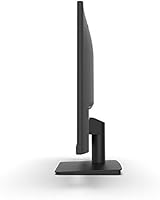

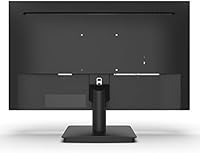
Overview
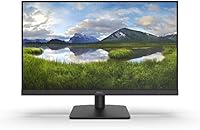
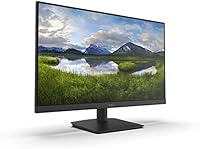
The Dell D2421H 24-inch Full HD IPS Monitor is Dell's straightforward answer to the growing demand for reliable, no-fuss displays in home and office environments. Sitting comfortably in the mid-range segment, this IPS display benefits from a panel technology that genuinely improves on the older TN standard — colors stay consistent whether you're sitting directly in front or viewing from an angle. The three-sided narrow bezel gives it a cleaner, more modern look than its price point might suggest. That said, set expectations accordingly: this Dell monitor is built for productivity and everyday use, not for competitive gaming or professional color work.
Features & Benefits
The IPS panel here does what IPS panels do well: colors hold up across wide viewing angles, which makes a real difference when sharing your screen during video calls or working slightly off-center. At 23.8 inches and 1080p, the pixel density hits a comfortable sweet spot for reading documents, browsing, and watching video. The slim bezel on three sides is a practical perk if you're building a dual-monitor setup — the visual gap between screens stays minimal. Connectivity covers both HDMI and VGA, useful if you're pairing with older hardware. The 5ms response time and 60Hz refresh rate are fine for everyday tasks; just don't expect this IPS display to keep pace in fast-action gaming.
Best For
This Dell monitor suits a fairly wide range of buyers, but it really shines in specific situations. Remote workers and students will appreciate the generous screen size, image quality sharp enough for long reading sessions, and the color stability that eases eye fatigue over time. If you're expanding to a dual-screen setup, the narrow bezel makes it a natural fit alongside another monitor. It also works well as an upgrade for someone moving from a smaller or lower-quality display who doesn't need high refresh rates or USB-C connectivity. For content creators or competitive gamers, though, the D2421H isn't the right tool.
User Feedback
Buyers consistently praise the out-of-box color accuracy and how straightforward the initial setup is — most report having it running within minutes. The slim bezel gets frequent compliments, particularly from those using it in a multi-monitor configuration. Where things get mixed is the stand: many users find it frustrating that there is no height adjustment, leaving them to improvise with monitor arms or riser blocks. The absence of USB-C is another sore point for owners of modern laptops. Long-term reliability feedback is generally positive, though a handful of buyers mention minor backlight inconsistency appearing after extended use. Against similarly priced rivals, the D2421H holds its own on brand trust and image quality.
Pros
- IPS panel provides consistent, accurate colors straight out of the box with no fuss.
- Wide viewing angles mean screen quality holds up even when colleagues lean over to look.
- The three-sided narrow bezel is a genuine advantage for clean dual-monitor configurations.
- Full HD resolution on a 23.8-inch panel hits a comfortable sharpness level for daily office use.
- HDMI and VGA connectivity covers both modern laptops and older desktop systems without adapters.
- Setup is fast and uncomplicated — most users report being up and running within minutes.
- Dell's brand reliability gives buyers reasonable confidence in long-term durability.
- The slim, understated design fits neatly into professional home office environments.
- At its price point, color consistency and build quality outperform many similarly priced rivals.
Cons
- No height adjustment on the stand forces many users to improvise with risers or aftermarket arms.
- The 60Hz refresh rate rules this monitor out for anyone serious about gaming performance.
- USB-C connectivity is completely absent, which is a real inconvenience for modern laptop users.
- The glossy screen surface picks up reflections in bright rooms or near windows.
- VESA mount compatibility is unconfirmed in official specs, complicating monitor arm planning.
- A small number of long-term owners report backlight inconsistency developing over extended use.
- No tilt or swivel adjustment beyond basic angle changes limits ergonomic flexibility.
- Competitors at a similar price occasionally offer higher refresh rates or better stand adjustability.
- The D2421H has no built-in speakers, requiring external audio for video calls or media.
Ratings
Our AI rating engine analyzed thousands of verified global purchases of the Dell D2421H 24-inch Full HD IPS Monitor, actively filtering out incentivized, duplicate, and bot-generated submissions to surface what real buyers genuinely experienced. The scores below reflect an honest synthesis of recurring praise and persistent frustrations, weighted by how frequently each theme appeared across independent feedback. Nothing is glossed over — strong points and genuine weaknesses are represented with equal transparency.
Image Quality
Viewing Angles
Refresh Rate & Gaming
Ergonomics & Stand
Build Quality
Bezel Design
Connectivity
Setup Experience
Color Consistency
Text Clarity
Glare & Reflections
Value for Money
Long-Term Reliability
Suitable for:
The Dell D2421H 24-inch Full HD IPS Monitor is a practical, well-rounded choice for anyone whose daily screen time revolves around productivity rather than performance. Remote workers who spend hours in video calls, reviewing documents, or juggling browser tabs will find the IPS panel's consistent color and wide viewing angles make sustained work noticeably more comfortable than older TN-based displays. Students gain a generous screen size that handles lecture recordings, note-taking, and late-night essay writing without visual strain. The slim three-sided bezel makes it an especially smart pick for anyone building a dual-monitor workstation on a budget, since the reduced border gap creates a much cleaner side-by-side experience. It also works well as a straightforward upgrade for someone stepping up from a small or aging display who simply wants sharper, more accurate visuals without overcomplicating the buying decision.
Not suitable for:
The Dell D2421H 24-inch Full HD IPS Monitor has clear boundaries, and buyers who push past them will likely end up disappointed. Competitive gamers should look elsewhere immediately: the 60Hz refresh rate and 5ms response time are simply not built for fast-paced titles where smoothness and reaction time matter. Graphic designers, photographers, or video editors who depend on precise color accuracy and wide color gamut coverage will also find this display limiting, as IPS panels at this price tier deliver decent but not professional-grade color fidelity. The stand is a recurring frustration — there is no height adjustment whatsoever, which creates ergonomic problems for taller users or those who prefer a specific screen angle without buying a separate arm. Anyone who relies on USB-C for a single-cable laptop connection will need to shop elsewhere, since this IPS display offers only HDMI and VGA outputs.
Specifications
- Screen Size: The active display area measures 23.8 inches diagonally, providing ample workspace for multitasking and media consumption.
- Resolution: Native resolution is 1920x1080 Full HD, delivering a pixel density well-suited to everyday office and home use at this screen size.
- Panel Type: An IPS (In-Plane Switching) panel is used, offering wider viewing angles and more consistent color reproduction than TN alternatives.
- Refresh Rate: The display operates at a standard 60Hz refresh rate, appropriate for productivity tasks and general multimedia but not optimized for gaming.
- Response Time: Rated at 5ms response time, which is adequate for casual video and office work without noticeable ghosting under normal conditions.
- Aspect Ratio: The screen uses a 16:9 widescreen aspect ratio, the standard format for HD video content and modern productivity applications.
- Screen Surface: The panel features a glossy screen surface, which enhances color vibrancy but can reflect ambient light in brightly lit environments.
- Bezel Design: Three sides of the monitor feature a narrow bezel, reducing visual interruption and making the display well-suited to side-by-side multi-monitor configurations.
- Connectivity: The monitor provides one HDMI port and one VGA port, covering both current-generation and legacy device connections without requiring additional adapters.
- Dimensions: With the stand attached, the unit measures 21.24 inches wide, 6.96 inches deep, and 15.5 inches tall.
- Weight: The full unit including stand weighs 7.04 pounds, making it manageable for solo desk setup or repositioning.
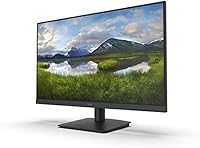
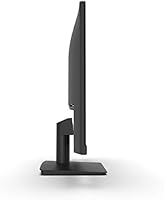
- Stand Adjustments: The included stand supports basic tilt adjustment only; height, swivel, and pivot adjustments are not available on the factory stand.
- VESA Mounting: VESA mount compatibility is not officially confirmed in Dell's published specifications for this model; verify before purchasing a third-party arm.
- Audio Output: The D2421H does not include built-in speakers, so external audio hardware is required for sound output during calls or media playback.
- USB-C Support: This monitor does not feature a USB-C port; users requiring single-cable laptop connectivity will need to use HDMI or VGA instead.
- Brand: Manufactured by Dell, a globally established technology brand with a broad support network and recognized reliability track record in display hardware.
- Model Number: The official Dell model designation for this display is D2421H, which should be used when searching for compatible accessories or warranty support.
- Date Released: This monitor was first made available for purchase in August 2020, placing it in an established product generation with well-documented real-world feedback.
Related Reviews
Dell SE2425HM 24-inch IPS Monitor
Dell S2421HS 24-Inch FHD IPS Monitor
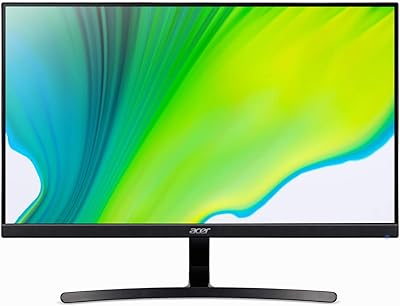
Acer K243Y 24-inch Full HD IPS Monitor
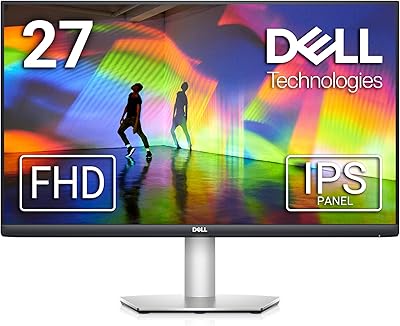
Dell S2721HS 27-inch Full HD IPS Monitor
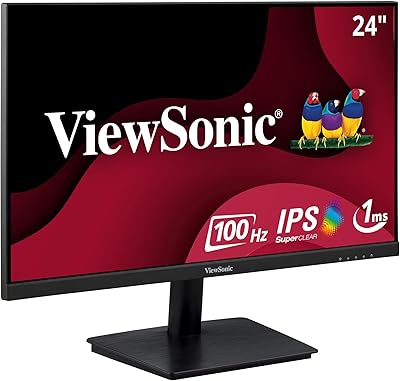
ViewSonic VA2409M 24-inch IPS Monitor
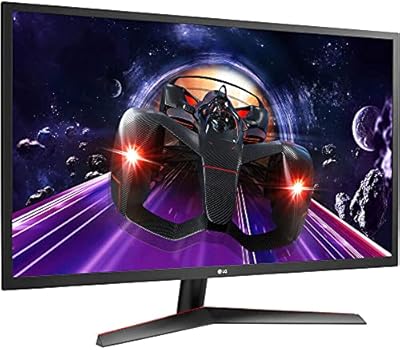
LG 24MP60G-B 24-inch IPS Monitor
Dell P2425H 24-inch FHD IPS Monitor

Dell P2419H 24-Inch IPS Monitor
Philips 241V8LB 24-inch Full HD Monitor
