Dell KM636 Wireless Keyboard and Mouse Combo


Overview
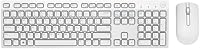
The Dell KM636 Wireless Keyboard and Mouse Combo is the kind of peripheral set that just gets out of your way — no fuss, no complicated setup, just a clean white combo that plugs in and works. It comes from a brand that millions of PC users already trust, and that familiarity carries through to the product itself. RF wireless connectivity means you skip Bluetooth pairing headaches entirely; one small USB receiver handles everything. This is a practical daily driver — built for browsing, writing emails, spreadsheets, and everyday computing. Don't expect luxury build quality or gaming-grade precision. What you get is solid, dependable performance at a price that genuinely makes sense.
Features & Benefits
Setup takes about thirty seconds — plug the nano USB receiver into any open port and you are done. The full-size keyboard layout includes dedicated media keys for volume, mute, and track control, which means you never have to reach for the screen mid-task. The keys have a low-profile design that keeps typing comfortable over long stretches. The optical mouse works reliably on most desk surfaces without a mousepad, and the scroll wheel feels smooth for document navigation. Both devices run on standard AA and AAA batteries included in the box, and most users report the charge lasting well beyond what you would reasonably expect for regular daily use.
Best For
This wireless combo is a natural fit for office workers, students, and home PC users who want a tidy desk without a tangle of cables. If you are switching from a wired setup and want the transition to be as painless as possible, this keyboard-and-mouse set delivers exactly that. The clean white design also suits modern desks or white PC builds where aesthetics actually matter. Keep in mind it is Windows-only — Mac users should look elsewhere. And if you type heavily for hours each day or need precise cursor control for design work, this combo will feel limiting. For everyday productivity tasks, though, it punches well above its price.
User Feedback
People who use the Dell KM636 for daily work tend to highlight two things right away: how quiet the keys are and how little effort the whole setup required. The wireless signal holds up well across a normal-sized room, with very few complaints about dropouts or lag. On the downside, the mouse draws some criticism — it feels light and a bit hollow, which can be off-putting if you are used to something more substantial. Battery life, though, is a genuine strong point; most users go months between replacements. Several buyers note that for basic productivity use, this keyboard-and-mouse set competes credibly with options that cost noticeably more.
Pros
- Plug-and-play setup takes under a minute — no drivers, no pairing, no frustration.
- Exceptionally quiet keystrokes make this wireless combo ideal for shared offices or video calls.
- Battery life is genuinely impressive, with many users going months between keyboard replacements.
- The single nano USB receiver keeps desk setup clean and uses only one port.
- Dedicated media hotkeys for volume, mute, and track control add real everyday convenience.
- The all-white design stands out in a market full of black peripherals and suits modern desk setups.
- Batteries are included in the box, so you are ready to go the moment you open the package.
- Wireless signal stays stable and consistent across typical home and office distances.
- A trusted brand name backs the product, giving buyers more confidence than generic alternatives.
Cons
- The mouse feels noticeably lightweight and hollow, which bothers users coming from heavier peripherals.
- White plastic discolors and yellows over time, especially in sunlit workspaces.
- No battery level indicator on either device — the first warning is usually a sudden loss of response.
- Media keys and full functionality are limited to Windows; Mac and Linux users are left with a basic layout.
- No backlighting makes the keyboard awkward to use in dim rooms or during evening work sessions.
- Keys cannot be remapped or programmed — the layout is entirely fixed with no companion software.
- The mouse sensor struggles on glass or very reflective desk surfaces, limiting placement options.
- Build quality feels budget-grade; the plastic housing creaks under pressure and shows wear over time.
- Mouse batteries drain faster than keyboard batteries, creating an uneven replacement cycle.
Ratings
The scores below for the Dell KM636 Wireless Keyboard and Mouse Combo were generated by our AI engine after processing verified purchase reviews from buyers worldwide, with spam, bot-submitted, and incentivized feedback actively filtered out. Each category reflects the honest distribution of real user sentiment — strengths and recurring frustrations included. Where this wireless combo earns high marks, the data backs it up; where it falls short, we say so plainly.
Ease of Setup
Keyboard Typing Experience
Mouse Performance
Wireless Reliability
Battery Life
Build Quality & Durability
Ergonomics & Comfort
Media & Shortcut Keys
Value for Money
Noise Level
Aesthetic & Design
Compatibility & Plug-and-Play
Packaging & Included Accessories
Suitable for:
The Dell KM636 Wireless Keyboard and Mouse Combo is a strong match for Windows PC users who want a reliable, no-drama peripheral setup without spending a lot of time or money getting there. Office workers who spend their days in spreadsheets, email clients, and video calls will find it covers everything they actually need. Students setting up a home workstation on a budget get a full-size layout, media controls, and a clean white aesthetic that works well on a tidy desk. It is also a practical upgrade for anyone still using a wired combo who wants to clear some cable clutter without committing to a premium wireless brand. If your day-to-day computing is broadly productivity-focused and you value simplicity over customization, this keyboard-and-mouse set will serve you well for months without asking much in return.
Not suitable for:
Buyers who spend long hours typing intensively — writers, coders, or heavy data-entry users — are likely to find that the Dell KM636 Wireless Keyboard and Mouse Combo does not quite meet the tactile and ergonomic bar they need. There is no wrist rest, no tilt customization beyond basic flip-out feet, and the keystroke feedback lacks the satisfying resistance that serious typists tend to prefer. Mac and Linux users should also look elsewhere, as media key functionality does not translate cleanly outside of Windows. Gamers and creative professionals who rely on precise, fast cursor control will find the optical mouse underwhelming — it was simply not designed with those use cases in mind. Anyone who needs programmable keys, custom macros, or backlighting for low-light environments will run into hard limitations with this combo fairly quickly.
Specifications
- Wireless Technology: Both the keyboard and mouse connect via 2.4GHz RF wireless, providing a stable, low-latency connection without Bluetooth pairing.
- USB Receiver: A single nano USB receiver handles both devices simultaneously, occupying just one USB-A port on your computer.
- Keyboard Layout: Full-size layout with a standard key arrangement plus dedicated media hotkeys for mute, play/pause, volume up/down, and track navigation.
- Key Design: Low-profile keycaps with a scissor-style mechanism deliver a quiet, flat typing experience suited to office and home environments.
- Mouse Tracking: The mouse uses optical tracking technology, offering reliable cursor control on most standard desk surfaces without requiring a mousepad.
- Mouse Scrolling: A standard scroll wheel is positioned centrally on the mouse for vertical document and page navigation.
- Keyboard Batteries: The keyboard is powered by 2 AA batteries, which are included in the box at the time of purchase.
- Mouse Batteries: The mouse requires 2 AAA batteries, also included in the box, with no built-in rechargeable option available.
- Color: Both the keyboard and mouse are finished in white, providing a clean, consistent aesthetic for modern desk setups.
- Combo Weight: The combined weight of the keyboard and mouse is approximately 1.6 pounds, making the set light and easy to reposition.
- Dimensions: The keyboard measures 18.2″ x 5.4″ x 2.8″, representing a standard full-size footprint suitable for most desk arrangements.
- OS Compatibility: This combo is designed and optimized for Windows operating systems; full media key functionality is not guaranteed on macOS or Linux.
- Interface: Connection to the host computer is made via a single USB-A nano receiver with no wired fallback option available.
- Wireless Range: The RF connection is rated for use at typical desktop distances and performs reliably at ranges up to approximately 30 feet in open environments.
- Driver Requirement: No additional drivers or software are required for basic operation on Windows; the combo functions as a plug-and-play HID device.
- Package Contents: The box includes the keyboard, mouse, USB nano receiver, 2 AA batteries, 2 AAA batteries, and a printed quick-start guide.
- Manufacturer: This product is manufactured and sold by Dell Consumer, a division of Dell Technologies, under model number 1T0V1.
- Availability Status: As of the most recent product listing data, this combo has not been discontinued by the manufacturer.
Related Reviews

Arteck HW192 Wireless Keyboard and Mouse Combo

FOPETT Retro Wireless Keyboard and Mouse Combo

ULSOU Wireless Ergonomic Keyboard and Mouse Combo

Trueque Wireless Keyboard and Mouse Combo

MOFII Wireless Keyboard and Mouse Combo

KNOWSQT Wireless Keyboard and Mouse Combo

Harburfine Wireless Keyboard and Mouse Combo

Kootop Wireless Keyboard Mouse Combo

TKVPJYYI Wireless Retro Typewriter Keyboard and Mouse Combo
