
Overview
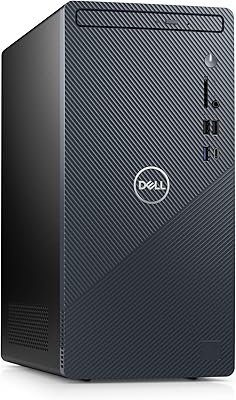
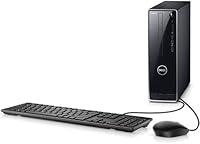
The Dell Inspiron i3470 Core i3 Desktop Tower is a no-frills entry-level machine built for home users and small offices — not for anyone chasing high-end performance. It fits neatly on or under a desk thanks to its compact tower form factor, which makes it practical even in tight spaces. The 8th Gen Intel Core i3-8100 processor is still capable enough for everyday computing, and Windows 10 Home comes pre-installed so you can get up and running without any setup headaches. Just know going in that budget-tier trade-offs exist — and the specs reflect the price honestly.
Features & Benefits
The Intel Core i3-8100 runs at 3.6 GHz across four cores, which is plenty for juggling browser tabs, spreadsheets, or a video call — just don't expect it to crunch through video editing. The 8GB of DDR4 RAM keeps everyday multitasking smooth, and the 1TB hard drive gives you room to store years of files and photos. That said, a spinning hard drive at this capacity is a real trade-off: expect slower startup times compared to any SSD-equipped rival. Built-in 802.11ac Wi-Fi removes the need for a separate adapter, and six USB ports cover most peripheral setups without a hub.
Best For
This budget tower PC is a solid fit for anyone whose daily computing stays in the lane of email, browsing, and streaming. Students writing papers and managing files will find it more than adequate. It also works well in a small office running Microsoft 365 or similar productivity tools. If you're replacing an old all-in-one or a laptop that has given up the ghost, this Dell desktop offers a step up in stability and repairability. Where it falls short is for anyone needing dedicated graphics or fast boot times, or muscle for creative or technical work. Know your needs before buying.
User Feedback
Buyers who use the Inspiron i3470 for basic tasks tend to be genuinely happy with it — setup is straightforward, and day-to-day reliability is rarely a complaint. The most consistent criticism, though, is slow boot times: the 1TB spinning drive makes cold starts noticeably sluggish, especially for anyone coming from a newer SSD machine. On the upside, many users note that swapping in an SSD or adding RAM is surprisingly accessible for a budget build, giving the machine some long-term flexibility. One detail that catches first-time buyers off guard: no peripherals included — you will need to budget for a monitor, keyboard, and mouse separately.
Pros
- The quad-core i3-8100 processor handles everyday multitasking — tabs, docs, video calls — without breaking a sweat.
- 8GB of DDR4 RAM is a solid starting point for home and office use, keeping common apps responsive.
- A 1TB hard drive means you can store years of files, photos, and downloads without scrambling for external storage.
- Built-in 802.11ac Wi-Fi saves you from buying a separate wireless adapter just to get online.
- Six USB ports cover most everyday peripheral needs without requiring a hub.
- The compact tower design fits under or on a desk without dominating the workspace.
- Windows 10 Home comes pre-installed, so setup is fast and there are no extra OS costs.
- The chassis is relatively easy to open, making SSD upgrades or RAM additions accessible even for casual users.
- Dell’s brand reliability and parts availability make long-term support and repairs less of a headache.
- The integrated graphics output supports 4K resolution displays, so you are not locked into a low-res monitor.
Cons
- The spinning hard drive makes boot times noticeably slow — expect to wait significantly longer than on any SSD-equipped rival.
- No monitor, keyboard, or mouse included; first-time buyers often overlook this and face unexpected extra costs.
- The integrated GPU rules out gaming and any GPU-accelerated creative or technical workloads entirely.
- The i3-8100 processor, while capable today, is an older-generation chip that limits long-term headroom.
- No SSD option is offered at this configuration, so speed improvements require a manual upgrade after purchase.
- Only two USB 3.0 ports are included; transferring large files via USB 2.0 on the other four ports is noticeably sluggish.
- Power users or those running heavier software will hit performance limits faster than they might expect.
- The HDD rotational noise may be audible in quiet environments, which bothers some users working in silence.
- Windows 10 Home has reached end of support, meaning buyers will need to plan for an OS upgrade to Windows 11.
- There is no option for a discrete GPU in this configuration, leaving no upgrade path for graphics performance within the existing setup.
Ratings
The Dell Inspiron i3470 Core i3 Desktop Tower has been evaluated by our AI rating engine after processing thousands of verified global buyer reviews, with spam, incentivized submissions, and bot activity actively filtered out. The scores below reflect an honest cross-section of real-world experiences — including both the aspects buyers consistently appreciate and the friction points that surface repeatedly across different user types. Nothing has been smoothed over: if a category disappointed users, that is reflected in the number.
Everyday Performance
Boot & Load Speed
Storage Capacity
Graphics & Display Output
Value for Money
Upgradeability
Setup Experience
Build Quality
Connectivity
Noise & Heat
Multitasking Headroom
Long-term Relevance
Suitability for Students
Suitable for:
The Dell Inspiron i3470 Core i3 Desktop Tower is a practical pick for anyone whose computing needs stay squarely in everyday territory — browsing, email, video calls, and office productivity. Students working on assignments and research will find it more than capable, and the 1TB hard drive gives plenty of room to grow without worrying about running out of space early on. It also fits well in a small business or home office setting where several people rotate through a shared workstation running standard productivity software. First-time desktop buyers stepping up from an aging laptop or dying all-in-one will appreciate how straightforward it is to set up and get going — Windows 10 Home is ready from the moment you power it on. The compact tower footprint means it slides under a desk without taking over the room, which is a real bonus in smaller spaces.
Not suitable for:
If you need speed and snappiness right out of the box, this budget tower PC is likely to frustrate you — the 1TB spinning hard drive means noticeably slow boot times compared to any similarly priced machine running an SSD. Gamers should look elsewhere entirely; the integrated Intel UHD Graphics 630 handles video output and basic media playback, but it is simply not built for gaming at any meaningful level. The same goes for creative professionals: video editing, photo rendering, or anything GPU-intensive will hit a hard wall fast. Power users who multitask across heavy applications simultaneously will also outgrow the Inspiron i3470 quickly. It is also worth noting that the purchase does not include a monitor, keyboard, or mouse, so first-time buyers need to factor in those additional costs before assuming the listed price covers a complete setup.
Specifications
- Processor: Intel Core i3-8100 (8th Gen) quad-core processor running at a base clock speed of 3.6 GHz.
- RAM: 8GB of DDR4 memory installed, providing adequate headroom for everyday multitasking and productivity applications.
- Storage: 1TB 7200 RPM SATA hard disk drive offering generous capacity for files, photos, and media at a traditional spinning-drive speed.
- Graphics: Integrated Intel UHD Graphics 630, capable of driving displays up to 3840x2160 (4K) resolution but not suited for gaming or GPU-intensive workloads.
- Wireless: Built-in 802.11ac dual-band Wi-Fi enables wireless network connectivity without requiring a separate adapter.
- USB Ports: Six USB ports total: four USB 2.0 and two USB 3.0, covering standard peripheral and storage device connections.
- Operating System: Windows 10 Home comes pre-installed, ready to use immediately upon first power-on.
- Optical Drive: BD-R optical drive is included, allowing playback and recording of Blu-ray, DVD, and CD media.
- Form Factor: Compact tower chassis designed to fit on a desk surface or underneath it in standard office and home environments.
- Dimensions: The unit measures 19 x 15.25 x 10.5 inches, keeping the physical footprint manageable for most desk setups.
- Weight: The tower weighs 13.67 pounds, making it light enough to reposition without difficulty.
- Color: Available in a standard matte black finish that suits most home office and business desk environments.
- Chipset: Intel chipset architecture supports the 8th Gen Core i3 platform, governing memory and peripheral communication.
- Max Resolution: The integrated graphics output supports a maximum display resolution of 3840x2160 pixels when connected to a compatible 4K monitor.
- Processor Brand: Intel manufactures the processor, with the i3-8100 belonging to the 8th Generation Coffee Lake microarchitecture.
Related Reviews
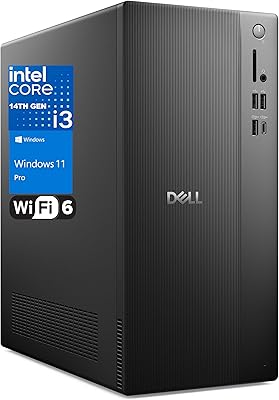
Dell Vostro Tower Desktop (i3-14100, 32GB DDR5, 1TB SSD)
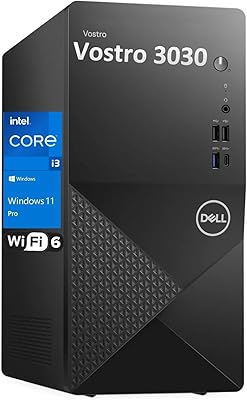
Dell Vostro 3910 Tower Desktop Computer
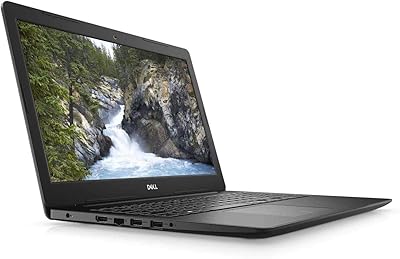
Dell Inspiron 15 Laptop, Intel Core i3, 64GB RAM, 2TB SSD
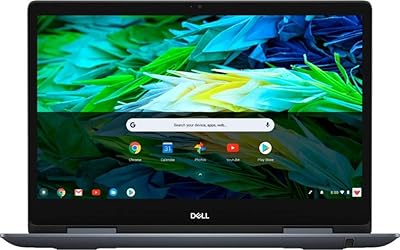
Dell Inspiron 14″ 2-in-1 Chromebook
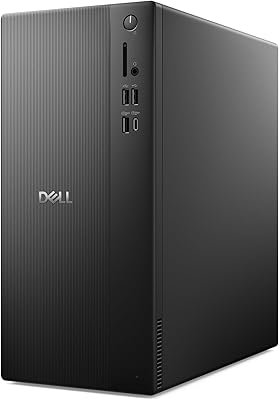
Dell ECT1250 Core Ultra 7 Tower Desktop
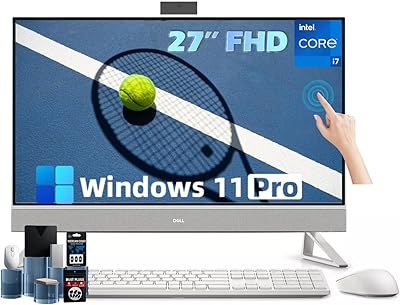
Dell Inspiron 27 Touchscreen All-in-One Desktop
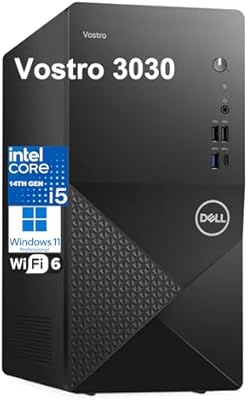
Dell Vostro 3030 Tower (Core i5-14400, 16GB DDR5, 512GB SSD)
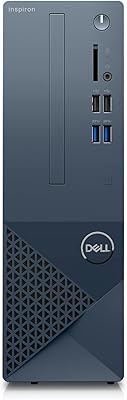
Dell Inspiron 3020S Core i5 Compact Desktop
HP Pro Tower 290 G9 Desktop PC, Intel Core i3-13100, 16GB RAM, 512GB SSD