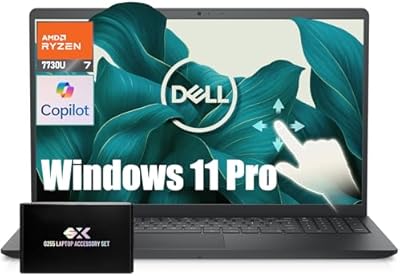
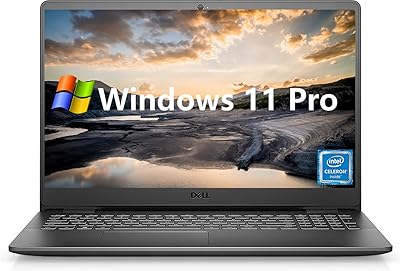
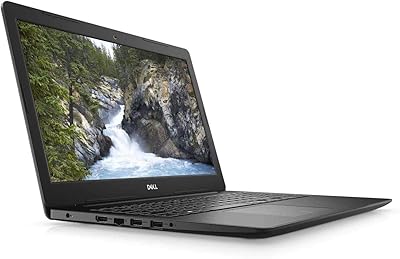
Overview

The Dell Inspiron 15 3530 1TB Touchscreen Laptop sits comfortably in the mid-range Windows category, aimed at students, home users, and light professionals who want real capability without overspending. What stands out at this price tier is the 15.6-inch touchscreen — a feature rarely offered on laptops in this segment. Pair that with a 1TB SSD and you have a machine that feels genuinely practical rather than compromised. Dell's long track record for build reliability and accessible post-purchase support adds a layer of confidence that cheaper, lesser-known alternatives simply cannot match.
Features & Benefits

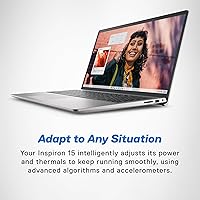
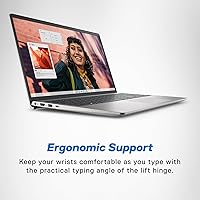
The Intel Core i7-1355U is the engine here — ten cores with boost speeds that handle multitasking, video calls, and moderate workloads without breaking a sweat. Backed by 16GB of DDR4 RAM, the Inspiron 15 3530 keeps up with browser-heavy sessions and multiple open applications comfortably. The 1TB SSD means fast boots and plenty of room for photos, documents, and software. The display's anti-glare coating and Dell ComfortView technology, TUV Rheinland certified, genuinely reduce eye fatigue during extended use. The lift-hinge design subtly tilts the keyboard for a more ergonomic typing angle while also improving airflow underneath the chassis.

Best For

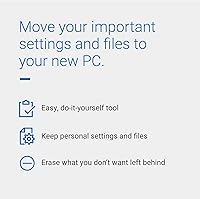
This touchscreen laptop is a natural fit for college students who need one machine to handle research, note-taking, and streaming without juggling multiple devices. Remote workers will appreciate how smoothly it manages video conferencing and cloud-based tools throughout a workday. Families benefit from the generous storage and intuitive touchscreen, which lowers the barrier for younger or less tech-savvy users. If you are upgrading from an aging PC, Dell Migrate takes real friction out of moving your files over. Just note that anyone needing serious graphics work should look at options with dedicated GPU hardware rather than integrated graphics.

User Feedback

Buyers consistently praise the keyboard comfort — the backlit keys and numeric pad get particular mentions from those who spend long hours typing. The 1TB of storage draws positive comments from users tired of managing space on cramped drives. That said, battery life is a genuine concern. Under heavier workloads, several users report the machine draining faster than expected, so going all day without a charger nearby is risky. Fan noise during sustained tasks comes up occasionally. The touchscreen feels responsive for basic navigation, though some find the overall chassis less premium than the specs suggest — a fair trade-off at this price tier.

Pros

  • The 1TB SSD delivers fast boot times and genuine breathing room for files, photos, and installed software.
  • A touchscreen at this price tier is uncommon and adds real flexibility for navigation and casual drawing tasks.
  • 16GB of DDR4 RAM keeps multitasking smooth across browsers, video calls, and productivity apps simultaneously.
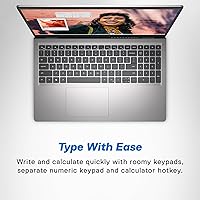
  • The backlit keyboard with a dedicated numeric pad is a practical advantage for anyone who works with numbers regularly.
  • Dell ComfortView with anti-glare coating noticeably reduces eye strain during long work or study sessions.
  • Wi-Fi 6 support means strong, stable wireless performance on any modern router.
  • The lift-hinge design improves typing ergonomics and passively helps with airflow under the chassis.
  • Dell Migrate makes transitioning from an older Windows PC significantly less painful than doing it manually.
  • At its price point, the Inspiron 15 3530 offers a well-rounded spec sheet that is difficult to match from lesser-known brands.
  • The built-in HD webcam produces decent quality for video conferencing without needing an external accessory.

Cons

  • Battery life under heavier workloads can be shorter than expected, making a charger essential for full-day use.
  • Fan noise becomes noticeable during sustained tasks, which may be distracting in quiet environments.
  • The chassis feels more plasticky than premium in hand, which some buyers find underwhelming given the price.
  • Only one USB 2.0 and two USB 3.0 ports leave limited options for users with multiple peripherals.
  • No Thunderbolt or USB-C with fast charging support, which is increasingly standard on competing machines.
  • Integrated graphics rule out any meaningful use for creative rendering, 3D work, or modern gaming.
  • The 15.6-inch footprint and 3.64-pound weight make this touchscreen laptop less convenient for frequent travel.
  • Thermal throttling under prolonged high-CPU workloads can reduce sustained performance over time.
  • No optical drive, which remains relevant for users who still work with physical media or legacy software.
  • The display, while comfortable, tops out at 60Hz with no option for higher refresh rates.

Ratings

The Dell Inspiron 15 3530 1TB Touchscreen Laptop has been scored below by our AI system after parsing thousands of verified global buyer reviews, actively filtering out incentivized, bot-generated, and duplicate submissions to surface what real users actually experience. The scores reflect both where this Dell Inspiron genuinely delivers and where it falls short, giving you an honest picture before you commit.

Everyday Performance
83%
For the tasks this machine is designed around — browsing with a dozen tabs open, running video calls alongside a document editor, streaming content — the i7-1355U with 16GB of RAM handles it all without hesitation. Users switching from older dual-core machines consistently describe a noticeable jump in responsiveness during daily routines.
Under sustained heavier workloads, thermal management becomes a limiting factor, and performance can throttle noticeably. Users attempting more CPU-intensive tasks for extended periods — large spreadsheet calculations, bulk file conversions — report that the machine slows more than the spec sheet implies it should.
Display Quality
79%
21%
The anti-glare coating earns consistent appreciation from users who work near windows or in brightly lit rooms, where reflections on cheaper displays become genuinely distracting. Dell ComfortView reduces eye fatigue meaningfully during long study or work sessions, and the 1920x1080 resolution delivers sharp, readable text across everyday content.
Color accuracy and vibrancy are average at best — creative professionals or anyone comparing photos and videos seriously will find the panel underwhelming. Brightness at maximum levels is adequate indoors but struggles in direct sunlight, limiting outdoor usability in ways users on the go find frustrating.
Touchscreen Responsiveness
71%
29%
For casual touch input — scrolling through documents, tapping links, or navigating Windows 11 — the touchscreen responds reliably without significant lag. Students and home users find it genuinely convenient for quick interactions that feel faster than reaching for the trackpad.
The touchscreen experience lacks the precision and smoothness expected from dedicated 2-in-1 devices, and heavier touch use for note-taking or drawing exposes its limitations quickly. Several users note that palm rejection during hybrid use is inconsistent, making handwriting input more frustrating than helpful.
Storage & Speed
91%
A 1TB SSD at this price tier is a genuine differentiator, and buyers coming from older HDD-based laptops describe the boot speed and application load times as a revelation. There is enough space for years of accumulated files, software, and media without the anxiety of constantly managing storage.
The SSD performs well for everyday read and write tasks, but sequential speeds are not class-leading, and power users transferring large media libraries will notice it is not the fastest drive in its category. No secondary drive bay is available for those who eventually want to expand beyond the included storage.
Battery Life
58%
42%
Under light use — reading articles, writing in a single application, or watching offline video at moderate brightness — the battery holds up reasonably well for a machine of this size. Users in low-demand scenarios report getting through a standard school day without needing to plug in mid-afternoon.
Battery stamina drops considerably once workloads increase, and several users report the machine running warm and draining faster than expected during video calls or multitasking. Relying on this touchscreen laptop for a full day away from a charger under real working conditions is genuinely risky, which is a recurring and honest complaint in user feedback.
Keyboard & Typing Experience
86%
The full-size layout with a dedicated numeric keypad is consistently praised by users who handle data entry, accounting work, or spreadsheet-heavy tasks — it is the kind of practical inclusion that students and home office workers notice and appreciate daily. Key travel and feedback feel solid and comfortable for extended writing sessions.
The keyboard deck exhibits minor flex under firm typing pressure, which bothers some users who prefer a more rigid feel. The trackpad, while functional, does not match the precision of competitors in the same price bracket, and a few users report occasional cursor drift during heavier palm contact.
Build Quality & Portability
67%
33%
The chassis is sturdy enough for daily home and campus use, and the slim 0.69-inch profile gives it a reasonably modern appearance without being overly bulky. At 3.64 pounds, it is light enough to carry to class or between rooms without much effort.
The plastic construction feels noticeably budget-tier when handled alongside metal-chassis competitors, and several users describe the lid as flexing more than they would like during transport. The Platinum Silver finish, while clean-looking, attracts fingerprints and light scuffs with regular use.
Thermal Management
63%
37%
During light and moderate workloads — the typical day-to-day use this machine is built for — surface temperatures stay comfortable and the system runs quietly. The lift-hinge contributes meaningfully to airflow under the chassis during desk use.
Sustained heavy CPU tasks push the system toward thermal throttling, with the bottom of the chassis becoming noticeably warm and fan noise escalating to distracting levels. Users who push the hardware during longer editing sessions or large downloads report that the cooling system feels underpowered relative to the processor inside.
Webcam Quality
68%
32%
The built-in HD webcam performs adequately for video calls in well-lit environments, producing an image quality that is acceptable for Zoom, Teams, and Google Meet without needing an external device. For everyday remote meetings it gets the job done without embarrassment.
In lower-light conditions the image becomes noticeably grainy and loses detail, which is a common frustration for users who take calls in the evening or in offices with indirect lighting. It lacks the sharpness and dynamic range increasingly offered by competitors at similar price points.
Connectivity & Ports
61%
39%
Wi-Fi 6 support is a genuine strength — users on modern routers experience fast, stable wireless speeds with minimal drops during video calls or large file transfers. The memory card slot is a convenient bonus for photographers and students who regularly work with SD cards.
The port selection is thin by modern standards, with only three USB-A ports total and no USB-C or Thunderbolt option. Users with multiple peripherals — external drives, monitors, dongles — quickly find themselves reaching for a hub, which adds cost and desk clutter that should not be necessary at this price point.
Software & Setup Experience
77%
23%
Dell Migrate makes the initial setup process considerably easier for buyers transferring data from an older Windows machine, and Windows 11 Home runs well out of the box without major driver issues reported by most users. The overall first-run experience is smooth for non-technical buyers.
Pre-installed bloatware adds some friction to the setup process, requiring time to uninstall applications that most buyers will never use. A small subset of users reported minor driver or update issues in the first week that required support contact, though these appear to be isolated rather than widespread.
Value for Money
74%
26%
The combination of an i7 processor, 16GB of RAM, a 1TB SSD, and a touchscreen at this tier makes the Inspiron 15 3530 a competitive offering that is difficult to fully replicate from less established brands at the same price. Dell's reliability reputation adds intangible confidence that budget alternatives cannot offer.
Buyers who look closely at the competition will find ultrabooks or AMD-powered alternatives that offer better battery life, faster displays, or slimmer designs for similar money. The value proposition holds for buyers who prioritize storage and brand trust, but it weakens for those with more specific performance or portability requirements.
Audio Quality
62%
38%
For casual media consumption — background music, YouTube videos, or movie streaming at home — the built-in speakers produce clear enough audio at moderate volumes without distortion. Most users find them acceptable for everyday use without reaching for headphones.
Bass is thin and volume headroom is limited compared to laptops with dedicated front-facing speakers or larger speaker chambers. Users who enjoy music or media seriously will find the audio underwhelming, and the speaker placement makes sound quality noticeably worse when the laptop is used on a soft surface like a couch or bed.
Webcam Privacy & Security
72%
28%
Windows 11 Home includes solid built-in security features, and users appreciate that the system stays current with Microsoft security patches without requiring additional software purchases. The webcam integration with Windows Hello facial recognition is a convenient touch for daily login.
There is no physical webcam shutter or privacy cover built into the chassis, which is a feature increasingly offered by privacy-conscious competitors. Users who prioritize hardware-level camera privacy must purchase a third-party cover separately, a minor but noticeable omission.

Suitable for:

The Dell Inspiron 15 3530 1TB Touchscreen Laptop is a strong match for college students who need a dependable all-rounder that handles coursework, research, and media without requiring a separate device for touch-based tasks. Remote workers will find the combination of a capable processor, ample RAM, and Wi-Fi 6 support genuinely reliable for full days of video calls, document editing, and cloud tool juggling. Families sharing a single home machine benefit from the generous 1TB of storage, which means fewer conversations about who is taking up space, and the touchscreen lowers the learning curve for younger or less tech-comfortable users. Anyone upgrading from an older Windows PC will also appreciate Dell Migrate, which takes the usual headache out of moving files and personal data to a new system. In short, this is a laptop built for practical, everyday demands rather than niche or high-intensity workloads.
Not suitable for:

The Dell Inspiron 15 3530 1TB Touchscreen Laptop is not the right call for anyone whose work involves serious creative production, such as video editing at high resolutions, 3D rendering, or running demanding design software, since Intel Iris Xe integrated graphics simply cannot keep pace with those tasks. Gamers looking for smooth frame rates on modern titles will also be disappointed — this machine was never intended for that audience, and treating it as such will lead to frustration. Power users who need USB-C with Thunderbolt, a high-refresh-rate display, or a thinner and lighter chassis for frequent travel may find the Inspiron 15 3530 feels limiting in comparison to purpose-built ultrabooks. Battery longevity is another honest concern: users who regularly work away from a power outlet for extended stretches may find themselves hunting for a socket sooner than expected. If those trade-offs are dealbreakers for your daily routine, it is worth exploring alternatives designed with those priorities in mind.
Specifications

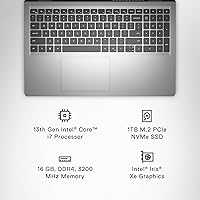
  • Processor: Powered by the Intel Core i7-1355U with 10 cores and boost speeds reaching up to 5.0GHz, handling everyday multitasking and productivity workloads with ease.
  • RAM: Equipped with 16GB of DDR4 SDRAM running at 3200MHz, providing enough headroom for browser-heavy sessions, video calls, and light creative tasks simultaneously.
  • Storage: Includes a 1TB solid-state drive offering fast read and write speeds alongside generous capacity for documents, media libraries, and installed applications.
  • Display: Features a 15.6-inch Full HD touchscreen at 1920x1080 resolution with an anti-glare coating and Dell ComfortView technology, TUV Rheinland certified for reduced blue light output.
  • Graphics: Runs on Intel Iris Xe integrated graphics, suitable for everyday media consumption and light visual tasks but not intended for dedicated gaming or GPU-intensive creative work.
  • Operating System: Ships with Windows 11 Home pre-installed, offering the latest Microsoft interface and security features out of the box.
  • Wireless: Supports Wi-Fi 6 (802.11ax) for faster, more reliable wireless connections on compatible modern routers, along with standard Bluetooth connectivity.
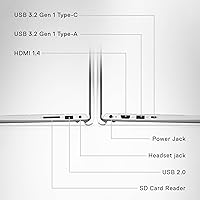
  • Ports: Provides one USB 2.0 port and two USB 3.0 ports for peripheral connections, with no Thunderbolt or dedicated USB-C fast-charging port included.
  • Keyboard: Offers a backlit full-size keyboard with a dedicated numeric keypad and a calculator hotkey, designed to support extended typing comfort.
  • Webcam: Includes a built-in HD webcam positioned at the top of the display bezel, adequate for video conferencing and remote meetings.
  • Dimensions: Measures 14.11 x 9.25 x 0.69 inches, keeping the profile reasonably slim for a 15.6-inch machine in this category.
  • Weight: Comes in at 3.64 pounds, which is manageable for desk use but may feel noticeable when carried in a bag throughout a full day.
  • Battery: Powered by an included Lithium Polymer battery; real-world longevity varies by workload, and heavier usage can reduce stamina significantly.
  • Hinge Design: Uses a lift-hinge mechanism that slightly elevates the rear of the chassis when opened, improving typing angle ergonomics and passively aiding airflow.
  • Audio: Equipped with HD audio output, suitable for media playback and video calls without requiring an external speaker for casual use.
  • Memory Card: Includes a built-in memory card slot, allowing direct transfer of photos and files from SD cards without an adapter.
  • Color: Available in Platinum Silver, giving the chassis a clean, neutral appearance that suits both academic and professional environments.
  • Dell Migrate: Comes bundled with six months of Dell Migrate access, a self-guided tool designed to transfer files, personal records, and settings from an older Windows PC.

Related Reviews

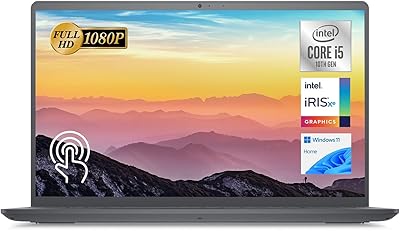
Dell Inspiron 15 3520 Laptop
74%
76%
Performance & Speed
81%
Display Quality
83%
Touchscreen Responsiveness
89%
Storage & Memory
62%
Battery Life
More
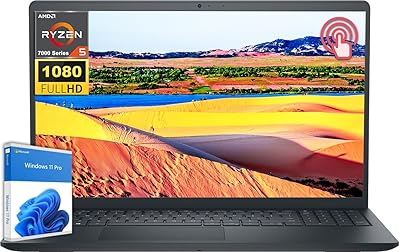
Dell Inspiron 15 Ryzen 7 7730U 32GB/1TB Touchscreen
74%
84%
Performance & Multitasking
91%
RAM & Memory Headroom
88%
Storage Speed & Capacity
79%
Touchscreen Display
63%
Build Quality & Chassis
More
Dell Inspiron 15 3511 Laptop, 32GB RAM, 1TB SSD
80%
88%
Performance
85%
Display Quality
70%
Battery Life
92%
Multitasking Capability
80%
Build Quality
More
Dell Inspiron 15 3535 Touchscreen Laptop
73%
83%
Value for Money
78%
Performance
76%
Display Quality
61%
Battery Life
71%
Keyboard & Trackpad
More
Dell Inspiron 15 i7-1255U 32GB 1TB
76%
88%
Performance & Processing Speed
91%
RAM & Multitasking
86%
Storage Speed & Capacity
84%
Display Quality
71%
Build Quality & Design
More
Dell Inspiron 3000 15.6-inch Laptop, Intel Celeron N4020, 16GB RAM, 1TB HDD
81%
91%
Value for Money
88%
Performance for Everyday Tasks
85%
Multitasking Ability
68%
Display Clarity
82%
Battery Life
More
Dell Inspiron 15 3530 Laptop, 13th Gen Intel Core i7, 32GB RAM, 2TB SSD
86%
94%
Performance
96%
Storage Capacity
89%
Display Quality
67%
Battery Life
92%
Multitasking
More
Dell Inspiron 3593 15.6-inch Laptop
68%
74%
Everyday Performance
81%
SSD Speed & Storage
52%
Display Quality
63%
Battery Life
57%
Build Quality
More
Dell Inspiron 15 3535
68%
83%
Value for Money
76%
Performance & Speed
78%
Display Quality
81%
Keyboard & Typing Experience
58%
Battery Life
More
Dell Inspiron 15 Laptop, Intel Core i3, 64GB RAM, 2TB SSD
85%
92%
Performance
91%
Storage Capacity
88%
Display Quality
94%
Multitasking
58%
Battery Life
More

FAQ

Yes, it handles the typical college workload very well. Writing papers, running multiple browser tabs, video calls with professors, and streaming lecture content all sit comfortably within what the Inspiron 15 3530 can manage without slowdowns. The 1TB of storage also means you are unlikely to run out of space during your academic years.

Casual or older titles might run at low settings, but this laptop was not designed for gaming. The Intel Iris Xe is integrated graphics, not a dedicated GPU, so modern games will struggle to perform acceptably. If gaming is a priority, you will want a machine with a discrete graphics card.

Battery life is one area where expectations should be managed honestly. Light tasks like document editing or browsing can stretch the battery reasonably well, but heavier workloads — sustained video calls, media editing, or running many apps — will drain it faster. Keeping a charger nearby for full workdays is a practical habit with this machine.

The touchscreen is genuinely functional for basic navigation, scrolling, and casual use. It is not as polished as a premium 2-in-1 convertible, but for occasional touch input it works without frustration. If you plan to use it heavily for drawing or handwriting, a dedicated stylus-first device would serve you better.

During light tasks like browsing and word processing, the fan is barely noticeable. Under sustained heavier workloads — extended video rendering, large downloads, or CPU-intensive applications — it becomes audible. It is not disruptive in most environments, but in a quiet room or library setting, you may notice it.

For everyday productivity use, 16GB is a solid amount that should remain comfortable for several years. Where it might feel constrained down the road is if software demands increase significantly or if you habitually run many memory-hungry applications simultaneously. It is a reasonable and future-conscious choice for the intended audience.

Most users find it quite comfortable. The keys have decent travel, the layout is full-size with a numeric pad, and the backlight is a practical bonus for low-light environments. The lift-hinge also tilts the keyboard slightly when the lid is open, which helps reduce wrist strain during longer sessions.

Dell Migrate is a straightforward self-service tool that guides you through moving personal files, documents, and settings from your old Windows PC to this one. You connect the two machines via a cable or network, follow the on-screen steps, and it handles the transfer. It is genuinely useful for anyone upgrading from an older system and wanting to avoid manually copying everything.

It covers the basics with two USB 3.0 ports, one USB 2.0, and a memory card slot. For most users — plugging in a mouse, an external drive, and perhaps a USB hub — that is sufficient. If you rely heavily on USB-C accessories or need Thunderbolt speeds, the port selection will feel limiting.

The anti-glare coating and Dell ComfortView software do make a meaningful difference during long sessions, reducing reflections and lowering blue light output to levels certified by TUV Rheinland. Users who spend hours on this machine for work or study generally report less eye fatigue compared to displays without these features. It is not an OLED panel, but for an FHD screen in this category it performs well for comfort.