

Overview

The Dell Inspiron 14 5441 1TB Laptop arrives as one of the more compelling mid-range entries in the Copilot+ PC wave, powered by Qualcomm's ARM-based Snapdragon X Plus rather than the Intel or AMD chips most Windows buyers are used to. That architectural shift is worth paying attention to — it is not just a spec swap, it changes how the machine handles battery consumption and background AI tasks. At 3.39 lbs and under 0.7 inches thick, the chassis is genuinely easy to carry daily. For the price it sits at within the Copilot+ segment, it competes more confidently than you might expect from a September 2024 Inspiron refresh.

Features & Benefits

The Snapdragon X Plus's 10 Oryon cores do more than hit benchmark numbers — in practice, the chip runs cool and quiet under typical office loads, skipping the fan noise that plagues most thin-and-light x86 machines. The 16GB of fast LPDDR5X RAM means juggling a browser with thirty tabs, a video call, and a Lightroom export does not produce the stutter you would expect from lesser hardware. The 1TB SSD gives you genuine room to breathe. The display uses a 16:10 aspect ratio, adding that extra slice of vertical screen space that makes scrolling documents less exhausting. WiFi 7 keeps calls crisp, and on-device Copilot+ features like live captions work without hammering battery life.

Best For

This Copilot+ laptop suits college students who need a machine that survives a full day of classes without hunting for an outlet. Remote workers running Zoom, Slack, and browser-heavy workflows will find it responsive without being loud or hot. Light creative users — photo culling, Canva work, building slide decks — will get plenty from the Adreno GPU, though 3D rendering or heavy video exports are not its strong suit. Travelers appreciate anything under 3.5 lbs that does not require a brick-sized adapter. If you are coming off a five-year-old Core i5 ultrabook, the jump in battery efficiency and day-to-day responsiveness will feel meaningful.

User Feedback

Owners consistently praise the battery endurance — getting through a full workday on a single charge is a frequent report, and fanless operation gets called out by people who work in quiet environments. A recurring concern worth flagging is ARM app compatibility: some older Windows software runs through emulation or not at all, which matters if you rely on niche legacy tools. The display draws mixed reactions in bright spaces, with some users noting the 300-nit panel struggles outdoors. Keyboard comfort earns generally positive marks. Build quality reads as solid for the tier, though the hinge has drawn occasional scrutiny from frequent travelers.

Pros

  • Outstanding battery life gets most users comfortably through a full workday on a single charge.
  • Fanless operation under typical loads makes this Copilot+ laptop genuinely pleasant in quiet settings.
  • The 16:10 display aspect ratio adds meaningful vertical space that makes documents and spreadsheets easier to read.
  • 16GB of fast LPDDR5X RAM handles multitasking, video calls, and background apps without stutter.
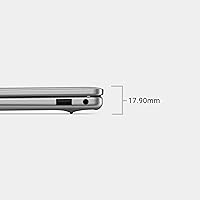
  • At 3.39 lbs and under 0.7 inches thick, it is one of the more portable mainstream laptops in its price range.
  • 1TB of SSD storage removes the constant juggling act that plagues smaller-drive budget machines.
  • WiFi 7 support keeps video calls and streaming noticeably cleaner than older wireless standards.
  • On-device Copilot+ features like live captions work without a cloud dependency or visible battery hit.
  • Onsite service inclusion adds practical peace of mind that budget laptops rarely bundle in.
  • The keyboard earns consistently positive marks for comfort during long typing sessions.

Cons

  • ARM app compatibility is a genuine risk — some legacy Windows software will not run natively and emulation is not always a reliable fix.
  • The 300-nit panel can struggle in bright rooms or near windows, limiting where you can comfortably work.
  • USB port quantity is limited, meaning most users will need a hub or dongle for multi-peripheral setups.
  • Sustained heavy workloads can push thermal limits in the slim chassis, with performance occasionally throttling under pressure.
  • The hinge has drawn enough durability concerns from frequent travelers to warrant careful handling over time.
  • Integrated Adreno graphics cap the machine firmly at light creative tasks — anything GPU-intensive is off the table.
  • No optical drive is expected at this size, but the absence of Thunderbolt connectivity may frustrate power users.
  • Display color accuracy, while acceptable for general use, falls short of what dedicated creative professionals need.
  • The ARM platform means you are somewhat dependent on software developers keeping their apps updated for Snapdragon Windows.
  • Trackpad feedback is serviceable but does not match the precision of premium ultrabooks in a higher price tier.

Ratings

Our AI rating engine analyzed thousands of verified global owner reviews for the Dell Inspiron 14 5441 1TB Laptop, actively filtering out incentivized submissions, bot patterns, and duplicate accounts to surface what real buyers actually experience day to day. The scores below reflect an honest cross-section of both the genuine strengths and the recurring frustrations that emerge after extended use. Nothing has been softened to protect the product — if users hit a wall with something, you will see it in the numbers.

Battery Life
91%
This is the single most praised aspect across owner feedback worldwide. Students report leaving their charger at home without anxiety, and remote workers consistently note getting through full office days — video calls, cloud apps, and all — without hunting for an outlet. The Snapdragon architecture genuinely delivers here in a way x86 thin-and-lights rarely do at this price.
Heavy streaming or prolonged screen-on time at full brightness can shorten runtime more than casual users expect. A handful of owners noted that battery estimates in Windows can be inconsistent, particularly during the first few charge cycles after unboxing.
Portability
88%
At 3.39 lbs and under 0.7 inches thick, this Copilot+ laptop disappears into a bag in a way that heavier productivity machines simply cannot. Frequent flyers and campus commuters repeatedly call out how little they notice it during a full day of carrying, which is the kind of feedback that only comes from genuine daily use.
The slim chassis means thermal headroom is limited, and a few travelers noted the machine can feel warm on their lap during longer sessions. The port selection also means most users end up carrying a small hub, which adds back some of the weight savings.
Performance (Everyday)
84%
For the workflows this machine is built around — browser tabs, Office, Zoom, Lightroom adjustments, and light multitasking — the Snapdragon X Plus handles things without visible hesitation. Owners upgrading from older Intel Core i5 machines frequently express genuine surprise at how responsive the daily experience feels, especially app launch times.
The ARM architecture creates an uneven performance ceiling: some apps run natively and feel snappy, while others running through emulation introduce subtle but noticeable lag. Users who push more demanding workloads report that sustained performance can taper off as the chassis warms up.
App Compatibility
57%
43%
The situation has improved meaningfully since the initial Snapdragon Windows launch — major browsers, Microsoft 365, Adobe Lightroom, and most consumer apps now run natively or through reliable emulation without any user effort required. For buyers sticking to mainstream software, compatibility is largely a non-issue in day-to-day use.
This remains the most consequential risk for buyers switching from x86 systems. Niche professional tools, older enterprise software, certain audio and video production plugins, and some games either refuse to launch or behave unpredictably under emulation. There is no workaround for software that simply has not been updated for ARM — it is a genuine dealbreaker for affected users.
Display Quality
67%
33%
The 16:10 aspect ratio is a real productivity win — the extra vertical space makes a noticeable difference when reading documents, coding, or browsing long pages compared to the standard 16:9 panels found on competing budget machines. Color rendering is accurate enough for casual photo review and presentation work.
At 300 nits, brightness becomes a limiting factor in well-lit rooms and is essentially inadequate outdoors. Several owners specifically called out reflections and washout when working near windows, and color-critical creative professionals noted that the panel does not cover a wide enough color gamut for reliable editing work.
Build Quality
72%
28%
The chassis feels more solid than the price tier typically delivers, with enough rigidity in the lid and base to handle daily bag-to-desk commuting without flexing noticeably. Most owners consider the construction a fair trade for the weight and cost, and the Titan Grey finish resists visible smudging better than glossy alternatives.
The hinge has drawn repeated scrutiny from frequent travelers, with some users reporting loosening over time under regular open-close cycles. A few owners noted that while the chassis feels sturdy initially, the plastic panel materials show wear and minor scuffs faster than premium aluminum-bodied competitors.
Keyboard & Trackpad
78%
22%
The keyboard earns consistent positive marks for key travel and typing comfort during long sessions — students and writers in particular appreciate that it does not feel cramped or mushy after hours of use. The trackpad is responsive and accurate enough for everyday navigation without requiring an external mouse.
The trackpad surface lacks the glass-like feel of premium ultrabooks, and a handful of users noted palm rejection could be more reliable during fast typing. Key feedback is good but not exceptional — users coming from a high-end ThinkPad or MacBook keyboard may find it a step down in tactile satisfaction.
Thermal Management
63%
37%
Under light to moderate workloads, the fanless design keeps operation completely silent and surface temperatures comfortable, which is genuinely appreciated in quiet work environments like libraries, open offices, and late-night study sessions. Most users never push the machine hard enough to notice any thermal constraint at all.
Sustained heavy workloads — large photo exports, prolonged video encoding, or running several demanding apps simultaneously — can cause the chassis to warm noticeably and trigger performance throttling. The thin chassis simply does not have the cooling volume to sustain peak clock speeds for extended periods, and this is a real limitation for anyone who regularly hits those scenarios.
Connectivity
83%
WiFi 7 support is a genuine forward-looking inclusion at this price point, and users with modern routers report noticeably cleaner video calls and faster large-file transfers compared to their previous WiFi 6 machines. Bluetooth pairing with peripherals and headphones has been reliable across the owner base.
The physical port selection is the connectivity weak point — a single USB 3.0 Type-A alongside the other I/O means most users immediately reach for a hub when connecting a mouse, external drive, and display simultaneously. The absence of Thunderbolt limits bandwidth options for users with demanding peripherals.
Value for Money
81%
19%
Within the Copilot+ PC category, this Dell Inspiron 14 positions itself as one of the more accessible entry points for ARM-based Windows, and most owners feel the combination of battery life, RAM, and storage at the asking price is difficult to match from established competitors. The included onsite service adds tangible support value that budget machines rarely offer.
Buyers who later discover the ARM compatibility limitations often feel the value proposition drops significantly for their specific use case — what looks like a strong deal can become a frustration if key software does not run cleanly. Compared to similarly priced x86 machines, the tradeoffs require more research upfront to confirm the fit.
AI Features (Copilot+)
66%
34%
Practical Copilot+ features like live captions, real-time translation, and Windows Studio Effects for webcam work reliably without a cloud dependency, which owners who use them regularly find genuinely useful rather than gimmicky. Running these features on-device means there is no noticeable performance tax during video calls.
For many buyers, the AI features remain largely unused after the novelty wears off, and the Copilot+ branding overpromises relative to the day-to-day impact most users actually experience. Some features like Recall have faced software-level limitations and privacy-driven hesitation among privacy-conscious users.
Audio Quality
61%
39%
For casual use — YouTube videos, video calls, and background music while working — the built-in speakers are adequate and avoid the tinny, hollow output that plagues many ultraslim chassis designs. Volume levels are sufficient for a quiet room without requiring external speakers for everyday tasks.
Bass response is minimal and the stereo separation is not wide enough to make media consumption genuinely enjoyable for users who care about sound quality. Anyone using this machine for music production, film watching, or any audio-sensitive task will want a good pair of headphones or external speakers.
Webcam & Video Calls
74%
26%
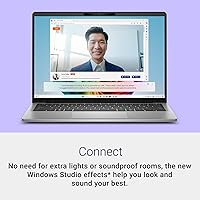
The webcam performs well enough for professional video calls and online classes, with Windows Studio Effects (a Copilot+ feature) noticeably improving background blur and lighting compensation without requiring third-party software. Call participants consistently report clear, usable video quality during daily meetings.
In lower light conditions the image quality drops and graininess becomes apparent, which limits its usefulness for after-hours calls without dedicated desk lighting. It is a competent business webcam but not a content-creation-grade camera by any stretch.
Setup & Out-of-Box Experience
76%
24%
Windows 11 Home setup is straightforward and the machine is ready for productive use quickly after first boot. Dell's pre-installed software footprint is relatively restrained compared to older Inspiron generations, and the onsite service registration process is simple.
A small number of users reported driver-related quirks during initial setup that required a Windows Update run before everything functioned correctly. The ARM platform also means some users encounter unexpected prompts or compatibility warnings during software installation that x86 buyers simply never see.

Suitable for:

The Dell Inspiron 14 5441 1TB Laptop is an excellent fit for anyone whose daily computing life revolves around mobility, battery endurance, and cloud-connected work rather than raw horsepower. College students who spend long days moving between classes, libraries, and coffee shops will appreciate a machine that rarely demands a charger before evening. Remote professionals handling video calls, document editing, and browser-heavy workflows will find the combination of WiFi 7 and fast RAM keeps things running without hiccups or fan noise in the background. Light creative users — photographers culling and basic-editing their shots, or marketers building decks and social assets — get enough GPU headroom from the Adreno graphics without paying for dedicated hardware they would barely use. Frequent travelers who have grown tired of lugging heavy machines will feel the difference that staying under 3.5 lbs makes across a full travel day. If you are coming from an aging x86 ultrabook and mostly live in a browser, Office suite, and streaming apps, this Copilot+ laptop delivers a meaningful step forward in both efficiency and everyday responsiveness.

Not suitable for:

The Dell Inspiron 14 5441 1TB Laptop is not the right call for buyers whose work depends on specific Windows software that has not been updated for ARM architecture — CAD tools, older audio plugins, certain enterprise applications, and niche legacy utilities can run into compatibility walls that emulation does not always solve cleanly. Gamers should look elsewhere entirely; the integrated Adreno GPU handles light graphical tasks but cannot run modern titles at playable settings. Video editors and 3D artists working with demanding timelines or rendering queues will run out of headroom faster than they expect. The 300-nit display, while adequate indoors, is a real limitation for people who regularly work near windows or outdoors. If you need a wide array of USB ports for peripherals and external drives, the port selection here will require dongles and adapters. Power users who expect to push sustained, heavy workloads for hours at a time may also find the thermal envelope tighter than they would like from a thin chassis.

Specifications

  • Processor: Qualcomm Snapdragon X Plus X1P-64-100 with 10 Oryon CPU cores designed for energy-efficient performance on ARM architecture.
  • RAM: 16GB of LPDDR5X memory running at 8448 MHz, soldered to the motherboard.
  • Storage: 1TB solid-state drive with no optical drive included.
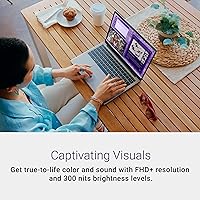
  • Display: 14-inch FHD+ IPS panel at 1920x1200 resolution with a 16:10 aspect ratio and 300 nits peak brightness.
  • GPU: Qualcomm Adreno integrated graphics, sharing system memory with no discrete GPU option.
  • Operating System: Windows 11 Home ships pre-installed, with Copilot+ PC features enabled by the Snapdragon platform.
  • Wireless: WiFi 7 and Bluetooth are both supported for wireless connectivity.
  • Ports: Includes 1x USB 3.0 Type-A port plus additional I/O; no Thunderbolt or optical drive.
  • Weight: 3.39 lbs (approximately 1.54 kg) in Titan Grey.
  • Dimensions: The chassis measures 12.36 x 8.81 x 0.7 inches, keeping the profile under three-quarters of an inch thick.
  • Battery: Built-in Lithium Ion battery is included; exact watt-hour capacity is not officially disclosed in listing data.
  • Power Input: The power adapter supports up to 240V AC input, making it compatible with international travel adapters.
  • CPU Architecture: ARM-based Qualcomm Oryon cores replace the traditional x86 design, which affects compatibility with some legacy Windows applications.
  • Memory Type: DDR5-class LPDDR5X RAM is used, which is not user-upgradeable in this configuration.
  • Service Plan: Onsite service support is included, meaning a technician can be dispatched rather than requiring mail-in repair.
  • Color: Available in Titan Grey as the standard colorway for this SKU.
  • Model Number: Official Dell model number is i5441-SX10041GRY-PUS for retail identification purposes.
  • Launch Date: This configuration became available in September 2024 as part of Dell's refreshed Inspiron lineup.

Related Reviews

Dell Inspiron 14 5440 Laptop, 14-inch, Intel Core i5, 8GB RAM, 512GB SSD
86%
88%
Performance
91%
Build Quality
94%
Portability
81%
Battery Life
75%
Display Quality
More
Dell 14 Plus Laptop DB14250-14-inch 2.5K, Intel Core Ultra 7, 16GB RAM, 1TB SSD
85%
91%
Performance
94%
Display Quality
85%
Battery Life
88%
Build Quality
86%
Keyboard Usability
More
Dell Inspiron 15 Ryzen 7 7730U 32GB/1TB Touchscreen
74%
84%
Performance & Multitasking
91%
RAM & Memory Headroom
88%
Storage Speed & Capacity
79%
Touchscreen Display
63%
Build Quality & Chassis
More
Dell Inspiron 15 3511 Laptop, 32GB RAM, 1TB SSD
80%
88%
Performance
85%
Display Quality
70%
Battery Life
92%
Multitasking Capability
80%
Build Quality
More
Dell Inspiron 15 3530 1TB Touchscreen Laptop
72%
83%
Everyday Performance
79%
Display Quality
71%
Touchscreen Responsiveness
91%
Storage & Speed
58%
Battery Life
More
Dell Inspiron 16 5645 Laptop - AMD Ryzen 7, 16GB RAM, 1TB SSD
84%
88%
Performance
91%
Display Quality
89%
Build Quality
65%
Battery Life
87%
Usability/Ergonomics
More
Dell Inspiron 15 i7-1255U 32GB 1TB
76%
88%
Performance & Processing Speed
91%
RAM & Multitasking
86%
Storage Speed & Capacity
84%
Display Quality
71%
Build Quality & Design
More
Dell Inspiron 16 5635 Laptop, AMD Ryzen 7 7730U, 16GB RAM, 1TB SSD
84%
92%
Performance
88%
Display Quality
85%
Battery Life
75%
Portability
80%
Build Quality
More
Dell Inspiron 15 3535 Touchscreen Laptop
73%
83%
Value for Money
78%
Performance
76%
Display Quality
61%
Battery Life
71%
Keyboard & Trackpad
More
Dell Inspiron 14 5420 Laptop, Intel Core i5-1235U, 8GB RAM, 512GB SSD
85%
88%
Performance
91%
Portability
84%
Display Quality
82%
Battery Life
90%
Build Quality
More

FAQ

Most mainstream apps — browsers, Microsoft 365, streaming clients, and many creative tools — run fine either natively or through Windows 11 built-in ARM emulation. The issue is with older or niche software that has not been updated for ARM, such as certain legacy enterprise tools, some audio plugins, or specialized industry applications. Before buying, it is worth checking whether your must-have programs have ARM-compatible versions available.

Most users report comfortably getting through a full workday — roughly 10 to 13 hours — on mixed tasks like browsing, video calls, and document editing. Streaming video continuously will drain it faster, but the Snapdragon chip is genuinely more power-efficient than comparable x86 thin-and-lights, which is one of its clearest real-world advantages.

No — the 16GB of LPDDR5X memory is soldered directly to the motherboard, so what you buy is what you get permanently. For most everyday users 16GB is plenty, but if your work involves running virtual machines or heavy multitasking, factor that in before purchasing.

Yes, you can connect external displays through the available ports. The Snapdragon X Plus supports external display output, but you should verify cable and adapter compatibility since the port selection here does not include Thunderbolt. For 4K external use, confirm your monitor and cable support the required bandwidth through the available USB-C or HDMI connection.

It is not a gaming machine. The integrated Adreno GPU can handle casual browser-based games and lightweight titles, but modern AAA games are not a realistic use case. ARM compatibility also limits the library of games that will even launch without issues. If gaming matters to you, a dedicated GPU is necessary.

It is adequate for casual photo work — culling, basic adjustments, and social-media-level output — but the 300-nit brightness and unverified color gamut coverage mean it is not a professional color-critical display. If accurate color reproduction for print or commercial work is essential, a factory-calibrated display with wider color coverage would serve you better.

Under typical workloads it runs cool and essentially silent, which is one of the more appreciated qualities owners mention. During sustained heavy tasks — large file exports or prolonged rendering — the chassis can warm up and performance may throttle slightly, which is a normal tradeoff for a thin fanless design. It handles everyday multitasking without breaking a sweat.

Onsite service means Dell can send a technician to your location for covered hardware repairs rather than requiring you to ship the laptop in. The specific duration and terms depend on the service contract included at purchase, so it is worth confirming the exact coverage period directly with Dell when you register the product.

Like most consumer Dell machines, it ships with some pre-installed software beyond Windows 11 Home. The amount is typically modest compared to older Inspiron generations, but expect a handful of Dell utilities and partner apps. Most can be uninstalled without affecting core functionality.

The WiFi 7 adapter is backward compatible with WiFi 6, 6E, and older standards, so it will work fine with your current router. The practical benefit shows up if and when you upgrade your home or office router to WiFi 7 — lower latency and better performance in congested environments become noticeable, especially for video calls and large file transfers.