Overview

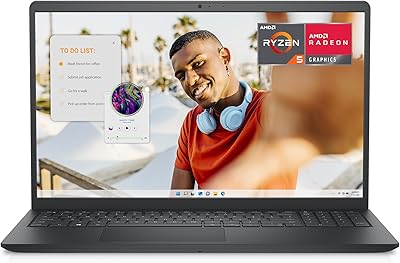
The Dell Inspiron 16 5635 16-inch Laptop sits in a crowded mid-range field, but it earns attention with a few smart choices. That QHD 16-inch display is the most obvious one — at this price, most competitors still ship with 1080p panels, making the sharper screen a genuine differentiator. The AMD Ryzen 7 7730U holds its own against comparable Intel chips, delivering responsive performance for everyday multitasking. At just under three-quarters of an inch thick and weighing around 4.2 pounds, this mid-range 16-inch laptop is reasonably portable for its size. One thing to be clear about upfront: this is not a machine built for gaming or intensive creative work. The integrated AMD Radeon graphics are capable enough for general use, but buyers expecting more should look elsewhere.
Features & Benefits

The QHD 2560x1600 panel deserves more credit than it typically gets at this price tier. The 16:10 aspect ratio gives you noticeably more vertical space compared to widescreen alternatives — genuinely useful when reading long documents or juggling multiple browser tabs. The Ryzen 7 chip handles multitasking well; you can run a dozen tabs, a video call, and a music app without feeling the strain. A full terabyte of SSD storage means running out of space is unlikely in everyday use. On the audio side, Dolby Atmos and AI-enhanced microphones outperform what you find on most budget laptops, though expectations should stay reasonable for built-in speakers. The blue light filtering display and fingerprint reader round out a package that covers daily essentials without cutting corners.

Best For

This mid-range 16-inch laptop makes the most sense for students who spend long hours reading PDFs or writing papers — the sharp, spacious display alone justifies the choice. Remote workers who lean heavily on video calls will appreciate the AI noise-reduction microphones, which filter background sounds without making voices sound hollow. If you are upgrading from a five-year-old machine, the performance jump will feel meaningful. The sub-4.2-pound weight means carrying it to class or a coffee shop is manageable for a 16-inch device. That said, the Inspiron 5635 is not the right pick if you need dedicated GPU power for gaming, 3D rendering, or serious video production — the integrated graphics reach their ceiling quickly under those workloads.

User Feedback

Owners of this Dell Inspiron 16 consistently highlight the display as a standout, with many noting it looks noticeably richer than screens found on similarly priced rivals. The keyboard earns decent marks for comfort during extended typing sessions, though some users find the trackpad feel a bit soft. Battery life is the most common sticking point — real-world use tends to land on the shorter end, especially at higher brightness or during calls. A handful of buyers flagged fan noise during sustained workloads, and the chassis shows some flex under pressure. Pre-installed bloatware also comes up regularly. On balance, buyers who matched their expectations to the machine's intended use came away satisfied; those hoping it would punch above its class were reminded it has clear limits.

Pros

  • The QHD display is a genuine step above what most competitors offer at this price, with noticeably sharper text and images.
  • The 16:10 screen ratio gives more vertical space, making documents, code, and web pages easier to read without constant scrolling.
  • The AMD Ryzen 7 processor handles everyday multitasking — dozens of browser tabs, video calls, music — without breaking a sweat.
  • A full terabyte of SSD storage means most users will never run into space constraints for files, apps, or downloads.
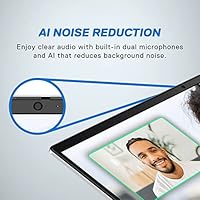
  • AI noise-reduction microphones perform well on calls, filtering out background distractions more effectively than standard laptop mics.
  • At around 4.2 pounds, this mid-range 16-inch laptop is lighter than many rivals with screens this large, making it a practical daily carry.
  • The blue light filtering display reduces eye strain noticeably during long work or study sessions.
  • Fingerprint login is fast and reliable, removing the friction of typing a password every time you open the lid.
  • Dell's one-year premium support adds meaningful peace of mind for students or professionals who depend on their machine daily.
  • Wi-Fi 6 connectivity keeps speeds fast and stable in congested environments like offices, libraries, or apartments with many devices.

Cons

  • Real-world battery life falls short of all-day expectations for many users, especially at higher screen brightness.
  • The chassis shows noticeable flex under pressure, which feels underwhelming for a machine in this price range.
  • Fan noise becomes audible during sustained workloads, which can be distracting in quiet environments like libraries or offices.
  • Pre-installed bloatware requires time to clean up before the system feels fully optimized out of the box.
  • The trackpad feel divides users — some find it imprecise or lacking the firmness they expect from a laptop at this tier.
  • Only three USB-A ports with no Thunderbolt option limits connectivity for users with modern peripherals or docking station needs.
  • Integrated graphics create a hard ceiling — any GPU-dependent task beyond casual use will reveal performance limits quickly.
  • The 240-volt power requirement may be an inconvenience for travelers who frequently work in regions with different voltage standards.
  • Color accuracy on the display, while pleasant for general use, is not calibrated well enough for professional photo or video work.
  • Windows 11 Home setup can frustrate users who prefer a cleaner, more straightforward out-of-box experience.

Ratings

Our AI rating engine analyzed thousands of verified global user reviews for the Dell Inspiron 16 5635 16-inch Laptop, actively filtering out incentivized, duplicate, and bot-generated submissions to surface what real owners genuinely think. The scores below reflect a transparent synthesis of both standout strengths and recurring frustrations — nothing is glossed over. Whether this mid-range 16-inch laptop earns a place on your shortlist depends heavily on how well its particular trade-offs match your day-to-day needs.

Display Quality
88%
The QHD resolution and 16:10 aspect ratio consistently earn high praise from users who work with text-heavy content, spreadsheets, or presentations all day. Buyers upgrading from older 1080p machines frequently note the screen feels like a meaningful, visible improvement rather than a marginal one.
A handful of users report the display lacks the brightness needed for comfortable use near bright windows, and color accuracy falls short for anyone doing serious photo or print work. The panel is tuned for everyday comfort, not professional color fidelity.
Processing Performance
83%
For the kind of multitasking most students and remote workers actually do — browser tabs, video calls, documents, music running in the background — the Ryzen 7 chip handles it without hesitation. Users who came from older Core i5 or base Ryzen 5 machines describe the performance jump as immediately noticeable.
Under sustained CPU-heavy workloads like large file compression or extended code compilation, the processor does throttle somewhat as thermals climb. It is not a dealbreaker for typical users, but power users stress-testing the machine consistently will feel that ceiling.
Battery Life
57%
43%
For short bursts of light work or a morning of meetings, the battery holds up reasonably well. Users who plug in at their desk most of the day and use it unplugged only occasionally report the experience feels adequate for their routine.
Real-world endurance under mixed use regularly lands in the four-to-six-hour range, which is a common complaint among buyers who expected more from a modern laptop. Anyone planning to use this Dell Inspiron 16 through a full school or work day away from an outlet will likely find themselves hunting for a power socket by mid-afternoon.
Build Quality
66%
34%
The slim 0.72-inch chassis looks clean and professional, and the Platinum Silver finish holds up well cosmetically to regular daily handling. For a mid-range machine, most users feel the overall construction is acceptable and appropriate for the price.
Chassis flex is a recurring criticism — the lid and keyboard deck both show flex under moderate hand pressure, which feels inconsistent with the price tag. A number of buyers explicitly mention it feels less solid than competing models they compared it to at similar price points.
Value for Money
79%
21%
Buyers who went in knowing what the Inspiron 5635 is built for — productivity, study, everyday use — broadly agree it delivers strong value. A QHD display, capable 8-core processor, and a full terabyte of storage in one package at this price tier is genuinely competitive.
Users who expected the machine to handle gaming, creative software, or run silently under load felt less satisfied with their purchase, and some felt the battery performance undercut the overall value proposition. The trade-offs are real and do affect perceived worth for buyers who misjudged the use case.
Keyboard & Typing Experience
74%
26%
The backlit keyboard covers a full layout with enough key travel to make extended writing sessions comfortable for most users. Students and writers who spend hours typing report it as a neutral-to-positive experience that does not cause fatigue.
Some users describe the key feel as soft or slightly mushy rather than crisp and tactile, which divides opinion among those who prefer more feedback. A small number of buyers also noted the key spacing took adjustment coming from other laptop layouts.
Trackpad Responsiveness
63%
37%
For basic navigation and casual use, the trackpad covers the fundamentals without forcing users to immediately reach for a mouse. Multi-finger gestures work reliably for scrolling and switching between apps.
Precision and click feedback draw consistent criticism from users who perform detailed work or who are accustomed to higher-end trackpads. Several buyers recommend pairing this mid-range 16-inch laptop with a wireless mouse for anything beyond casual browsing.
Thermal Management
61%
39%
During light and moderate workloads, the machine stays cool to the touch and operates quietly enough for library or office use. Casual users who stick to their intended workloads rarely run into thermal complaints.
When the CPU is pushed hard for sustained periods, fan noise becomes clearly audible and the keyboard area warms noticeably. Users running demanding software for extended stretches describe the thermal management as functional but not refined.
Audio Performance
71%
29%
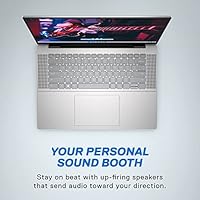
For a built-in laptop speaker system, the Dolby Atmos tuning produces noticeably fuller sound than what most buyers expected at this tier, making it a reasonable choice for casual streaming and video calls. The AI microphone noise reduction performs well enough on calls that several users stopped using external mics.
Bass is thin and volume ceiling is modest — this is still a laptop speaker, and the Dolby Atmos branding should not set expectations of room-filling sound. Users who listen critically to music or podcasts for long sessions tend to reach for headphones regardless.
Portability
77%
23%
At just over four pounds, this is one of the lighter options available in the 16-inch category, which makes a real difference for students commuting between classes or workers moving between meeting rooms. The slim profile also means it fits comfortably in most standard laptop sleeves and bags.
It is still a 16-inch laptop, and the footprint is large regardless of the weight. Users coming from 13-inch or 14-inch machines consistently note the adjustment period in terms of bag space and lap use.
Connectivity & Ports
58%
42%
Three USB 3.0 Type-A ports cover the basics well for most users with standard peripherals like a mouse, USB drive, and wired headset. Wi-Fi 6 support provides a tangible speed advantage in congested apartment buildings or campus networks.
The absence of a Thunderbolt port or a USB-C port with video output is a legitimate limitation that modern peripheral users will feel. Buyers hoping to use a USB-C docking station or drive an external monitor without HDMI will find the options frustratingly narrow.
Software & Out-of-Box Setup
62%
38%
Windows 11 Home itself is a clean and functional operating system, and the fingerprint login setup is quick. Most users have the machine ready for productive use within an hour of unboxing.
Pre-installed bloatware from both Dell and third-party trial software is a recurring irritant that requires time to manually remove. A subset of buyers also flagged that Windows 11 Home setup prompts feel aggressive about account sign-in requirements, which frustrates users who prefer local accounts.
Display Comfort
82%
18%
The Dell ComfortView blue light filtering is subtle but effective for users who log long hours in front of the screen — several buyers noted less eye strain during evening study sessions compared to their previous laptops. The anti-glare coating also handles typical indoor lighting well without creating a hazy look.
Users who prefer vivid, punchy display profiles for media consumption may find the ComfortView tuning makes the screen appear slightly muted or cool. It is a comfort-first calibration, not a media-first one.
Security Features
81%
19%
The fingerprint reader integrated into the power button is fast, accurate, and works consistently across multiple registered fingerprints. For users who log in and out frequently — students in labs, professionals in shared spaces — it removes a genuinely tedious friction point.
Beyond the fingerprint reader, the security feature set is standard and unremarkable. Buyers looking for enterprise-grade security such as a physical camera shutter or TPM-based device management tools will not find anything beyond what Windows 11 Home provides natively.
Support & Warranty
78%
22%
The included one-year Dell Premium Support plan gives buyers access to dedicated phone and chat agents rather than standard tier-one support queues, which most users report as a faster and less frustrating experience. For students or first-time laptop buyers, having that safety net matters.
One year is a relatively short coverage window for a machine expected to last through several years of school or work. Users who do not proactively purchase an extension before the first year ends often find themselves unpleasantly surprised when issues arise in year two.

Suitable for:

The Dell Inspiron 16 5635 16-inch Laptop is a strong match for students who spend most of their day reading, writing, and researching — the QHD display with its taller 16:10 aspect ratio makes long documents and spreadsheets noticeably easier to work with than on a standard widescreen screen. Remote workers who rely heavily on video calls will find the AI-enhanced microphones and decent built-in speakers a practical upgrade over bare-bones alternatives at this price. If you are coming from a several-year-old machine and want a real, tangible improvement in both screen quality and processing speed without spending premium-tier money, this mid-range 16-inch laptop delivers that leap. At just over four pounds for a 16-inch chassis, it is also a workable daily carry for commuters or students moving between locations. Anyone who prioritizes a large, comfortable workspace for productivity tasks — coding, writing, light photo organizing, or casual streaming — will find this Dell Inspiron 16 hard to fault for its intended purpose.
Not suitable for:

The Dell Inspiron 16 5635 16-inch Laptop draws a hard line at graphically intensive work, and buyers who ignore that will end up frustrated. Gamers looking for smooth frame rates in modern titles, video editors working with 4K footage, or 3D designers running rendering software will hit the ceiling of the integrated AMD Radeon graphics quickly — no amount of RAM or CPU speed compensates for the absence of a dedicated GPU in those workflows. Creative professionals who need color-accurate displays for photo or video grading should also look elsewhere, since this panel is optimized for comfort and general clarity rather than professional color fidelity. Users who need to work unplugged for six or more hours on a single charge may find real-world battery performance a persistent inconvenience. Finally, buyers who prefer an ultra-rigid, premium-feel chassis or want a machine that stays completely silent under sustained loads should temper expectations, as the Inspiron 5635 shows some flex and audible fan activity when pushed hard.

Specifications

  • Processor: AMD Ryzen 7 7730U with 8 cores and a boost clock up to 4.5 GHz, built for responsive multitasking and everyday productivity workloads.
  • Display: 16-inch QHD panel with a 2560x1600 pixel resolution and a 16:10 aspect ratio, including Dell ComfortView blue light filtering for extended use comfort.
  • RAM: 16GB LPDDR4X memory running at 4266 MHz, soldered to the board and shared with the integrated graphics subsystem.
  • Storage: 1TB solid-state drive offering fast boot times and ample space for applications, documents, and media libraries.
  • Graphics: AMD Radeon integrated graphics, sharing system memory, suitable for general productivity and casual media playback but not designed for GPU-intensive tasks.
  • Operating System: Windows 11 Home comes pre-installed, with some additional Dell and third-party software included out of the box.
  • Dimensions: The chassis measures 14.05 x 9.92 x 0.72 inches, keeping the profile notably slim given the 16-inch screen size.
  • Weight: At 4.19 pounds, this is a competitive weight for a 16-inch laptop and manageable for daily commutes or campus use.
  • Wireless: Wi-Fi 6 (802.11ax) provides fast, stable wireless connectivity, and Bluetooth support is included for peripherals and audio devices.
  • Ports: Connectivity includes three USB 3.0 Type-A ports; there is no Thunderbolt port or USB-C with video output on this model.
  • Audio: Dolby Atmos-tuned speakers and dual built-in microphones with AI-based noise reduction are included for calls and media playback.
  • Keyboard: Full-size backlit keyboard with a fingerprint reader integrated into the power button for fast, secure login.
  • Battery: A single lithium polymer battery is included and built in; Dell does not publish a specific rated hour count for this configuration.
  • Optical Drive: No optical drive is included; users requiring disc playback or burning will need an external USB drive.
  • Security: A fingerprint reader is built into the power button, enabling Windows Hello biometric login without additional hardware.
  • Warranty: Comes with a one-year Dell Premium Support plan, which includes access to dedicated phone and chat support with on-site service options.
  • Color: Available in Platinum Silver, giving it a clean, professional appearance that suits both academic and office environments.

Related Reviews
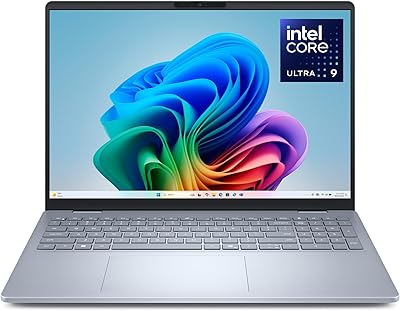
Dell 16 Plus DB16250
77%
91%
Display Quality
88%
Build Quality & Design
87%
Performance & Processing Speed
93%
Memory & Multitasking
89%
Storage Capacity & Speed
More
Dell Inspiron 16 5645 Laptop
76%
83%
Performance
86%
Display Quality
67%
Build Quality
74%
Battery Life
88%
Value for Money
More
Dell Inspiron 16 64GB 2TB Touchscreen Laptop
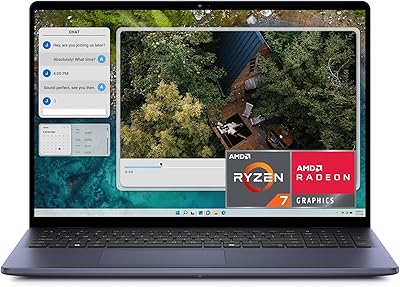
77%
88%
Display Quality
84%
Performance & Speed
93%
RAM & Multitasking
91%
Storage & Speed
79%
Touchscreen Responsiveness
More
Dell Inspiron 14 5440 Laptop
76%
88%
Display Quality
74%
Performance
61%
RAM & Multitasking
82%
Build Quality
67%
Battery Life
More
Dell Inspiron 3000 15.6-inch Laptop, Intel Celeron N4020, 16GB RAM, 1TB HDD

81%
91%
Value for Money
88%
Performance for Everyday Tasks
85%
Multitasking Ability
68%
Display Clarity
82%
Battery Life
More
Dell G16 7630 16-inch Gaming Laptop

76%
91%
Gaming Performance
93%
Display Quality
88%
CPU Multitasking
74%
Thermal Management
62%
Fan Noise
More
Dell Inspiron 3593 15.6-inch Laptop
68%
74%
Everyday Performance
81%
SSD Speed & Storage
52%
Display Quality
63%
Battery Life
57%
Build Quality
More
OIWAS Laptop Backpack 16 Inch
84%
88%
Comfort & Ergonomics
85%
Durability
91%
Water Resistance
89%
Storage Capacity & Organization
87%
Ease of Use
More
Dell Inspiron 15 3535
68%
83%
Value for Money
76%
Performance & Speed
78%
Display Quality
81%
Keyboard & Typing Experience
58%
Battery Life
More
SwissGear Shield 16-inch Laptop Backpack
80%
83%
Build Quality
91%
Organization & Storage
74%
Laptop Protection
86%
Carrying Comfort
69%
Travel Usability
More

FAQ

Light, older, or less demanding titles — think indie games, browser-based games, or games from several years ago — may run acceptably. However, modern AAA titles are largely off the table. The integrated AMD Radeon graphics simply do not have the dedicated memory or raw GPU power those games require, and you will likely see low frame rates or need to drop settings to the floor even then.

Unfortunately, no. The 16GB of LPDDR4X RAM is soldered directly to the motherboard, which means it cannot be swapped or expanded after purchase. If you anticipate needing more memory for heavier workloads, it is worth factoring that into your buying decision now rather than expecting a future upgrade path.

The screen carries an anti-glare coating, which helps reduce harsh reflections under overhead lighting or near windows. It handles typical indoor environments well, though working in direct sunlight outdoors is still a challenge, as it is for most laptop displays at this tier. For most office or classroom settings, glare should not be a persistent problem.

Expect somewhere in the range of four to six hours under typical mixed use — browsing, light document work, and occasional video calls. Pushing the screen brightness up or running heavier applications will pull that number down noticeably. It is not an all-day battery, so keeping the charger accessible during long work days is a practical habit with this machine.

Yes, though the connection options are worth checking carefully. The laptop includes a full-size HDMI port, so connecting to a monitor or projector is straightforward with a standard cable. There is no Thunderbolt or USB-C DisplayPort output on this model, so users hoping to drive high-refresh or 4K monitors through USB-C will need a different machine or a compatible adapter workaround.

Most users report the keyboard is comfortable enough for extended typing, with decent key travel and a layout that does not feel cramped. The backlight is a practical bonus for working in dim environments. A few users note the keys feel slightly soft rather than crisp, but for writing-heavy workflows like students or remote workers, it holds up well day to day.

Under light tasks like browsing or video calls, the fan is barely noticeable. When you push it with longer rendering, large downloads, or heavier applications, the fan does ramp up and becomes audible. It is not unusually loud compared to other laptops in its class, but if you are sensitive to fan noise in quiet environments — a library, for instance — it is something to keep in mind.

For casual personal photo organizing and basic edits in something like Google Photos or Lightroom at a non-professional level, it works fine and the QHD resolution gives you good detail. However, the display is not factory-calibrated for professional color accuracy, so serious photo or print work where precise color reproduction matters would be better served by a display with a rated color gamut coverage spec, which this one lacks.

Like most consumer Windows laptops, the Inspiron 5635 ships with a handful of Dell utilities and some third-party trial software. It is not the worst out-of-box experience, but it does take twenty to thirty minutes of housekeeping to remove what you do not need. Using Windows Settings to uninstall unwanted apps is straightforward, and most users handle it quickly on first setup.

For most college majors, this mid-range 16-inch laptop is a genuinely solid choice. The sharp, spacious display makes reading and writing more comfortable over long sessions, the processor handles the multitasking demands of a typical student workload, and the storage is generous enough to avoid juggling external drives for most programs. Engineering or architecture students who need CAD software or GPU-heavy tools may want to look at machines with a dedicated graphics card, but for the majority of students, this covers the bases without unnecessary expense.

Where to Buy