Overview

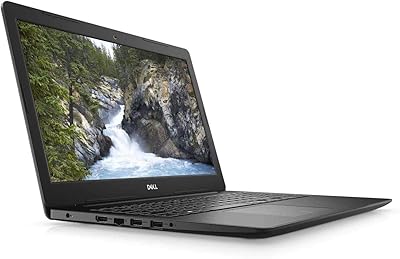
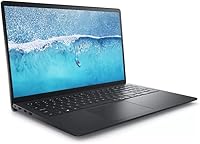
The Dell Inspiron 15 i7 2TB Laptop arrived in late 2024 as a straightforward answer to a common frustration: finding a reliable daily driver that does not force you to choose between storage, memory, and a reasonable price. What makes this mid-range laptop stand out at a glance is the 40GB RAM configuration — genuinely uncommon at this price point, where 16GB is still the norm. It sits firmly in Dell's Inspiron mainstream tier, so do not expect a premium chassis or a discrete GPU. But for professionals and students who need something dependable, plus a Microsoft Office lifetime license included out of the box, the value argument is hard to dismiss.

Features & Benefits

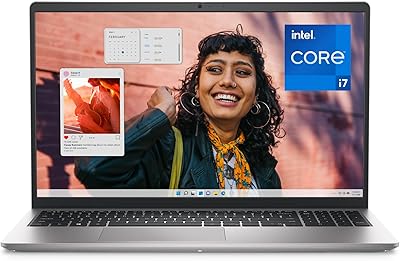
The Intel Core i7-1255U runs up to 4.7GHz across 10 cores, which in practice means juggling a video call, a spreadsheet, and 20 browser tabs without the system grinding to a halt. Paired with 40GB of DDR4 memory, this mid-range laptop handles multitasking that would leave a 16GB machine struggling. The 2TB PCIe SSD keeps boot times brisk and means most users will never need an external drive for everyday files. The 15.6-inch IPS panel runs at 120Hz, making scrolling noticeably smoother than the typical 60Hz screens in this class. Windows 11 Pro adds genuine enterprise utility — BitLocker, remote desktop, and domain-join support — features that matter to small business buyers more than consumer editions ever could.

Best For

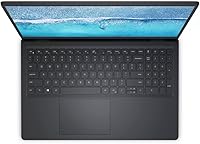
The Inspiron i7 model is a natural fit for remote workers and small business users who live inside productivity apps and need Windows 11 Pro without paying flagship prices. Students in data-heavy disciplines — accounting, research, or light coding — will appreciate the storage headroom and quick read speeds that keep workflows moving. The full-size layout with a numeric keypad makes it a credible desktop replacement for home office setups. That said, if gaming or serious video rendering is the goal, integrated Intel Iris Xe graphics will not satisfy. This is a focused machine built squarely for everyday office productivity, and within that lane, it delivers consistently.

User Feedback

Buyers frequently praise the fast storage and the generous memory headroom, with many noting the bundled Office license feels like a meaningful bonus rather than an afterthought. Criticism tends to cluster around a few consistent points: the 250-nit display is workable indoors but noticeably dim near a bright window, Wi-Fi 5 feels like a step behind for hardware released in late 2024, and the plastic chassis, while light at 3.72 lbs, does not project much rigidity. A recurring question worth raising before purchase is whether the 40GB RAM runs in dual-channel mode, since that configuration meaningfully affects real-world performance. Overall, sentiment skews positive for the intended audience, with power users clearly better served by a different machine.

Pros

  • The 40GB DDR4 RAM is a genuine rarity at this price tier and keeps heavy multitasking smooth.
  • A 2TB PCIe SSD means fast boot times and enough local storage for most users to avoid external drives entirely.
  • Windows 11 Pro adds real business value — BitLocker, remote desktop, and domain support come standard.
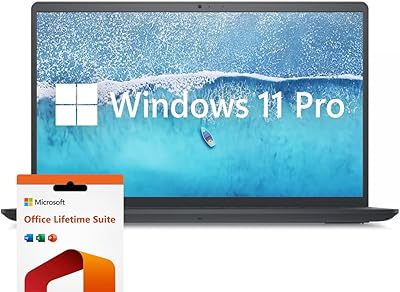
  • The bundled Microsoft Office lifetime license eliminates an ongoing subscription cost from day one.
  • A 120Hz IPS display makes everyday scrolling and document navigation noticeably smoother than typical 60Hz panels.
  • The numeric keypad is a practical inclusion that office workers and accountants will genuinely use.
  • At 3.72 lbs, this mid-range laptop is light enough to carry between a desk and a meeting room without complaint.
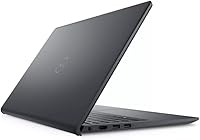
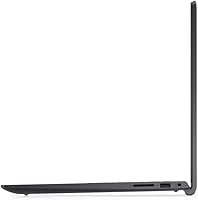
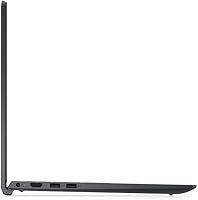
  • Three USB-A ports plus HDMI and an SD card slot cover most real-world connection needs without a hub.
  • The i7-1255U processor handles demanding multitasking comfortably within its mainstream-laptop class.
  • A strong bestseller ranking since its late 2024 launch suggests broad buyer satisfaction in the target market.

Cons

  • At 250 nits, the display struggles in bright rooms or near windows — outdoor use is essentially off the table.
  • Wi-Fi 5 feels dated for hardware released in late 2024; buyers in Wi-Fi 6 environments will notice the gap.
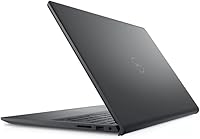
  • The all-plastic chassis lacks rigidity and does not inspire confidence during travel or heavy daily use.
  • Buyers should verify whether the 40GB RAM runs in dual-channel mode, as single-channel would limit real-world performance.
  • Intel Iris Xe integrated graphics rule out any meaningful gaming or GPU-accelerated creative work.
  • No Thunderbolt or USB-C port is a notable omission for users with modern monitors or docking stations.
  • The Inspiron i7 model carries no visible upgrade path for the GPU, which limits its long-term versatility.
  • Battery life details are not clearly disclosed, which makes it hard to judge suitability for full-day untethered use.
  • The 802.11ac wireless chip is a bottleneck for users on fast home or office networks who transfer large files wirelessly.
  • Screen brightness and color gamut are unlikely to satisfy anyone doing photo editing or color-sensitive design work.

Ratings

The scores below were generated by our AI engine after analyzing thousands of verified global user reviews for the Dell Inspiron 15 i7 2TB Laptop, with spam, bot submissions, and incentivized feedback actively filtered out before any scoring took place. Each category reflects the genuine distribution of buyer sentiment — strengths are acknowledged where they are earned, and recurring pain points are weighted honestly rather than smoothed over. The result is a transparent snapshot of how this mid-range laptop actually performs in real-world hands.

Value for Money
88%
Users consistently flag the 40GB RAM and 2TB SSD pairing as difficult to match at this price point, and the bundled Microsoft Office lifetime license adds tangible savings that buyers notice immediately. For remote workers and students who priced out comparable configurations elsewhere, the overall package lands as a genuine win.
A minority of buyers feel the value calculation shifts once they factor in the dated Wi-Fi 5 chip and the absence of USB-C — components that feel below par for hardware released in late 2024. Those who needed to purchase a hub or adapter shortly after unboxing reported the effective value proposition narrowing faster than expected.
Multitasking Performance
84%
The i7-1255U and the generous memory headroom make a noticeable difference during heavy browser sessions, video calls, and concurrent office applications — scenarios where comparable 16GB machines begin to stutter. Users in data-heavy roles praised the lack of slowdown when switching between large spreadsheets and communication tools simultaneously.
Performance drops are occasionally reported during sustained workloads that push the processor for extended periods, with some users noting thermal throttling on warmer days or in poorly ventilated workspaces. The integrated graphics also become a bottleneck for any task that leans on GPU compute, which narrows the machine's effective performance ceiling.
Storage & Speed
91%
Boot times and application launches consistently earn praise — users moving from older SATA-based laptops describe the difference as immediately obvious. The 2TB capacity means most buyers have yet to approach their storage limit even after months of active daily use with large file libraries.
A small number of technically minded users raised questions about the specific PCIe generation and sequential read speeds, noting that the published specs are somewhat vague on peak throughput figures. Real-world performance is strong, but buyers who need verified benchmark data before purchasing may find the available documentation thin.
Display Quality
67%
33%
The 120Hz refresh rate earns specific praise from users who previously used 60Hz panels, with many noting that document scrolling and web browsing feel meaningfully smoother in everyday use. The IPS panel delivers consistent colors across viewing angles, which makes side-by-side document comparison and shared screen review comfortable.
The 250-nit brightness ceiling is the most cited display complaint by a significant margin — users working near windows or in naturally lit rooms frequently describe the screen as washed out and difficult to read. Color professionals and anyone relying on accurate brightness for photo review or design work will find this panel frustrating within days of use.
RAM Configuration
73%
27%
The sheer quantity of available memory impresses buyers who run memory-hungry applications, and most day-to-day users report that the system never feels RAM-constrained regardless of how aggressively they multitask. For the target audience of office professionals and students, the headroom is more than sufficient.
A recurring concern in user discussions involves the memory architecture — specifically whether the 40GB runs in dual-channel mode or as a mismatched single-channel configuration, which has real implications for integrated graphics bandwidth and overall efficiency. Dell has not been transparent enough on this detail for technically cautious buyers, and the ambiguity lowers confidence in the specification.
Build Quality
61%
39%
At 3.72 lbs, the laptop is easy to move between rooms or pack into a bag without fatigue, and users who prioritize portability over premium materials find the weight a practical advantage. The slim 0.78-inch profile also makes it stack neatly on cluttered desks.
The all-plastic chassis draws consistent criticism from buyers who expected a more solid feel given the price point, with several noting visible flex in the lid and around the keyboard deck under normal typing pressure. Users comparing this machine to similarly priced options with aluminum builds frequently describe the Inspiron as feeling one tier below its cost.
Keyboard & Input
79%
21%
The inclusion of a numeric keypad receives strong positive feedback from accountants, analysts, and anyone who works heavily in spreadsheets — it is a feature that sounds minor until you have used a laptop without one for a week. Key travel and spacing are described as comfortable for extended typing sessions by most users.
Feedback on key feel is mixed, with some users finding the key travel shallower than they expected and the overall tactile response less satisfying than business-class keyboards in the same price range. A few buyers also noted that the trackpad, while functional, lacks the precision and gesture responsiveness they experienced on competing machines.
Connectivity & Ports
58%
42%
The three USB-A ports are appreciated by users still relying on legacy peripherals like mice, USB drives, and wired headsets, eliminating the need for a hub in typical office configurations. The SD card slot is a convenient addition for users who regularly transfer files from cameras or other portable media.
The absence of any USB-C or Thunderbolt port is a recurring frustration, particularly for users who wanted to connect a modern monitor or docking station without purchasing an adapter separately. Wi-Fi 5 rather than Wi-Fi 6 compounds the connectivity criticism, with users in faster network environments noting that the wireless ceiling feels artificially low for a machine sold in late 2024.
Software & OS Value
86%
Windows 11 Pro is consistently called out as a genuine differentiator, especially by small business buyers who use BitLocker for data protection or Remote Desktop to access office systems from home. The lifetime Microsoft Office license is treated as a real bonus rather than a token inclusion, with users calculating the savings against annual subscription costs.
Some users reported the initial Windows setup included Dell-bundled software that required manual cleanup before the system felt lean and responsive. A smaller segment of buyers noted that Windows 11 Pro's additional features go largely unused in personal contexts, making the Home edition feel like it would have been sufficient for their needs.
Graphics Capability
44%
56%
For the machine's intended audience — office workers, students, and remote professionals — Intel Iris Xe handles video playback, presentation rendering, and light photo browsing without issue. Users who do not push beyond standard productivity tasks report zero graphics-related complaints.
Any buyer who attempts moderate gaming or GPU-accelerated creative work quickly runs into the hard limits of integrated graphics, and dissatisfied reviews in this category are almost exclusively from users who misjudged the machine's graphical capability. Video editors running timeline previews and casual gamers attempting recent titles both describe the experience as underwhelming.
Thermal Management
69%
31%
Under typical productivity workloads, users report that the chassis stays comfortably cool and fan noise remains low enough to be unnoticeable in quiet office environments. For the machine's core use case, thermal performance is adequate and unobtrusive throughout a standard workday.
Extended sessions involving processor-intensive tasks — long video exports, large data compilations, or prolonged coding builds — draw reports of audible fan spin-up and warm palm rest temperatures. A subset of users noted that the machine throttled performance noticeably during these peaks, which suggests the cooling system is sized for typical rather than sustained heavy loads.
Setup & Out-of-Box Experience
77%
23%
Most buyers describe the initial setup as quick and straightforward, with Windows 11 Pro ready to configure within minutes and the pre-installed Office license reducing the number of post-setup installation steps. Users appreciated not having to source or purchase productivity software separately before getting to work.
Dell's pre-installed software bundle drew frustration from more experienced users who found several trial applications and manufacturer utilities competing for attention during first boot. The process of identifying and removing unwanted software added an extra step that buyers of a productivity-focused machine felt they should not have to deal with at this price.
Portability
81%
19%
At just under four pounds with a sub-inch profile, this mid-range laptop is genuinely comfortable to carry in a backpack or laptop sleeve for daily commutes and campus use. Users who move between a home office and a shared workspace cite the weight as a non-issue over extended carry.
The 15.6-inch footprint, while standard for this class, makes the machine feel oversized in tight spaces like airplane tray tables or small coffee shop tables where a 13-inch or 14-inch machine would be noticeably more practical. The plastic lid also offers minimal protection against bag pressure, leading a few users to invest in a padded sleeve.
Battery Life
63%
37%
For light productivity sessions — email, documents, and moderate browsing — users report getting through a reasonable portion of the workday on a single charge without constant anxiety about finding an outlet. The battery performs predictably in controlled, low-demand conditions.
Real-world battery duration under mixed workloads falls short of what buyers hoped for based on the specs, with multiple users noting they need to stay within reach of a charger for full-day use. The lack of clearly published battery capacity figures makes it difficult for prospective buyers to benchmark this machine against competitors before purchase.

Suitable for:

The Dell Inspiron 15 i7 2TB Laptop makes the most sense for people whose daily computing revolves around productivity rather than performance extremes. Remote workers who spend their days switching between video calls, cloud apps, spreadsheets, and a browser with far too many tabs open will find the generous 40GB RAM genuinely useful — this is not headroom you typically see at this price point. Small business owners who need Windows 11 Pro for BitLocker encryption, remote desktop access, or domain management get real enterprise utility without stepping up to a premium-tier machine. College students in fields like data analysis, economics, or computer science will appreciate the 2TB SSD, which eliminates the constant shuffle of external drives and keeps large project files local and accessible. The included Microsoft Office lifetime license is a quiet but meaningful bonus, removing a recurring subscription cost that adds up fast for budget-conscious buyers.

Not suitable for:

The Dell Inspiron 15 i7 2TB Laptop has clear limitations that make it the wrong tool for certain buyers, and it is worth being direct about those. Anyone serious about gaming or GPU-accelerated video rendering will hit a ceiling quickly with Intel Iris Xe integrated graphics — it handles light creative tasks, but it is simply not built for sustained graphical workloads. Photographers or video editors who rely on color-accurate displays will find the 250-nit panel underwhelming, particularly near windows or in well-lit rooms where screen washout becomes a genuine problem. Buyers who prioritize wireless speed should also take note: Wi-Fi 5 is functional but behind the curve for a machine released in late 2024, especially in environments with Wi-Fi 6 infrastructure already in place. Those who want a premium-feeling build — a metal chassis, a tighter keyboard flex, a more refined hinge — should look elsewhere, as this is a plastic-bodied mainstream machine and feels like one.

Specifications

  • Processor: Equipped with an Intel Core i7-1255U running up to 4.7GHz across 10 cores and 12 threads, providing capable performance for demanding multitasking workloads.
  • RAM: 40GB of DDR4 SDRAM is installed, which is notably above the 16GB to 32GB typically found in mainstream laptops at this price tier.
  • Storage: A 2TB PCIe Solid State Drive delivers fast read and write speeds alongside ample local storage for documents, media, and large project files.
  • Display: The 15.6″ IPS LED panel outputs a 1920x1080 resolution at 120Hz with an anti-glare coating and a peak brightness of 250 nits.
  • Graphics: Intel Iris Xe integrated graphics handle everyday visual tasks and light creative work, with no discrete GPU included.
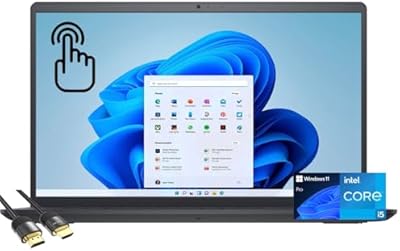
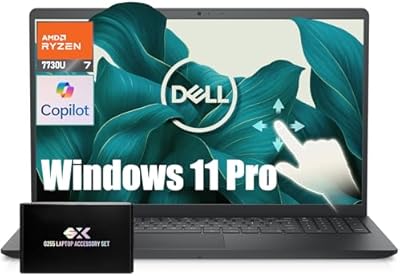
  • Operating System: Windows 11 Pro comes pre-installed, enabling enterprise features such as BitLocker encryption, Remote Desktop, and domain join capability.
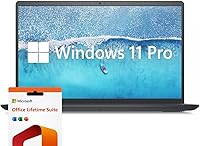
  • Bundled Software: A Microsoft Office lifetime license is included, covering core productivity applications without requiring an ongoing subscription.
  • Wireless: Wi-Fi 5 (802.11ac) and Bluetooth are built in, supporting standard wireless connectivity in home and office environments.
  • Ports: The chassis provides 3x USB-A ports, 1x HDMI output, 1x SD card reader, and 1x combination headphone and microphone jack.
  • Keyboard: A full-size keyboard with a dedicated numeric keypad is included, making the layout particularly practical for data entry and spreadsheet work.
  • Dimensions: The laptop measures 14.14 x 9.31 x 0.78 inches, offering a compact footprint for a 15.6″ class machine.
  • Weight: At 3.72 lbs, this mid-range laptop is light enough for regular transport between a home office and shared workspaces.
  • Chassis Material: The body is constructed primarily from plastic, consistent with Dell's Inspiron mainstream line at this price segment.
  • Color: Available in Black as the standard colorway for this configuration.
  • Battery: One lithium-ion battery is included in the box and pre-installed by the manufacturer.
  • Chipset: The Intel chipset supports DDR4 memory and PCIe storage, forming the foundation of the system's data throughput capabilities.
  • USB Breakdown: Of the three USB-A ports, two operate at USB 3.0 speeds and one at USB 2.0 speeds, based on manufacturer specifications.
  • Launch Date: This configuration became available in November 2024, placing it among the more recently released options in its mainstream laptop segment.

Related Reviews
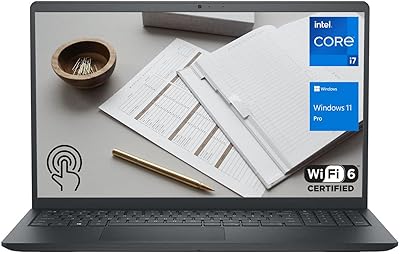
Dell Inspiron 15 3530 Laptop, 13th Gen Intel Core i7, 32GB RAM, 2TB SSD
86%
94%
Performance
96%
Storage Capacity
89%
Display Quality
67%
Battery Life
92%
Multitasking
More
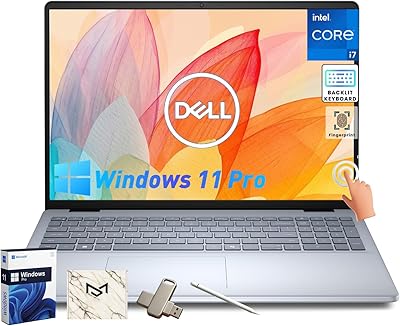
Dell Inspiron 15 Laptop, Intel Core i3, 64GB RAM, 2TB SSD
85%
92%
Performance
91%
Storage Capacity
88%
Display Quality
94%
Multitasking
58%
Battery Life
More
Dell Inspiron 15 3530 1TB Touchscreen Laptop
72%
83%
Everyday Performance
79%
Display Quality
71%
Touchscreen Responsiveness
91%
Storage & Speed
58%
Battery Life
More
Dell Inspiron 16 64GB 2TB Touchscreen Laptop
77%
88%
Display Quality
84%
Performance & Speed
93%
RAM & Multitasking
91%
Storage & Speed
79%
Touchscreen Responsiveness
More
Dell Inspiron 15 3520 15.6″ Laptop
73%
78%
Performance
81%
Display Quality
74%
Value for Money
88%
RAM & Multitasking
63%
Battery Life
More
Dell Inspiron 15 i7-1255U 32GB 1TB
76%
88%
Performance & Processing Speed
91%
RAM & Multitasking
86%
Storage Speed & Capacity
84%
Display Quality
71%
Build Quality & Design
More
Dell Inspiron 15 3520 Laptop
74%
76%
Performance & Speed
81%
Display Quality
83%
Touchscreen Responsiveness
89%
Storage & Memory
62%
Battery Life
More
Dell Inspiron 3593 15.6-inch Laptop
68%
74%
Everyday Performance
81%
SSD Speed & Storage
52%
Display Quality
63%
Battery Life
57%
Build Quality
More
Dell Inspiron 15 3535
68%
83%
Value for Money
76%
Performance & Speed
78%
Display Quality
81%
Keyboard & Typing Experience
58%
Battery Life
More
Dell Inspiron 15 Ryzen 7 7730U 32GB/1TB Touchscreen
74%
84%
Performance & Multitasking
91%
RAM & Memory Headroom
88%
Storage Speed & Capacity
79%
Touchscreen Display
63%
Build Quality & Chassis
More

FAQ

It is genuinely useful for the right kind of user. If you regularly run a video call alongside a browser with many tabs, a spreadsheet, and a few background apps, that extra memory keeps everything running without slowdowns. That said, it is worth confirming whether the configuration is a combination of soldered and slotted RAM — for example, 8GB built-in plus a 32GB module — since that detail affects whether future upgrades are possible and how the memory performs in dual-channel mode.

Casually, yes — older or less demanding titles will run at modest settings. But if gaming is a real priority, this is not the machine for it. The Intel Iris Xe integrated graphics simply do not have the headroom for modern AAA titles at smooth frame rates, and there is no option to add a discrete GPU later. You would be better served by a laptop built specifically around a dedicated graphics card.

For indoor office use, it is perfectly comfortable. The 120Hz refresh rate makes scrolling through documents and web pages noticeably smoother than the 60Hz panels common in this class. The 250-nit brightness is the main limitation — it is adequate in a controlled indoor environment but will wash out if you are sitting near a bright window or trying to use it outdoors.

Yes, a lifetime license for Microsoft Office is included. This is not a trial version or a subscription — it is a one-time license that covers the installed Office suite on this machine, which is a tangible saving compared to purchasing it separately.

For purely personal use, Windows 11 Home would cover most needs. But Pro adds features that matter to business and professional users: BitLocker disk encryption keeps your data safe if the laptop is lost or stolen, Remote Desktop lets you connect to office machines from home, and domain join support is essential in corporate IT environments. If any of those apply to you, the Pro edition is worth having.

The most immediate difference is that you stop worrying about storage. Most users in this category carry external drives or constantly shuffle files to cloud storage because their internal drive filled up. With 2TB, a typical user can store years of documents, a large photo library, and dozens of installed applications without ever hitting a limit. The PCIe interface also means the drive is fast — apps open quickly and large files copy without the delay you get from older SATA-based drives.

No, it does not. The port selection covers three USB-A ports, one HDMI, an SD card reader, and a headphone and microphone combo jack. If you rely on USB-C for a monitor, a docking station, or fast charging, you would need an adapter or a hub. It is a meaningful omission for anyone with a modern peripheral setup.

For a 15.6-inch laptop, 3.72 lbs is on the lighter end. Slipping it into a bag for a commute or moving it between rooms at home is not a burden. The all-plastic build contributes to that weight, though it also means the chassis has a bit more flex than a metal-bodied machine. It is a reasonable trade-off for portability at this price.

In most practical situations, no — Wi-Fi 5 is still fast enough for video calls, cloud syncing, and general browsing on typical home broadband connections. Where you might notice a ceiling is during large wireless file transfers or in a densely connected office with many devices competing for bandwidth. It is a limitation worth knowing about, but for the majority of users it will not affect daily experience.

It depends on the field of study. For students in business, data analysis, social sciences, or computer science doing coursework and light coding, this mid-range laptop is a strong match — the storage capacity removes the external drive headache, and the memory handles research-heavy workflows well. Art, film, or design students who need a capable GPU for rendering or color-accurate work should look at a different machine. The included Office license is also a practical bonus that most students will use immediately.