Overview

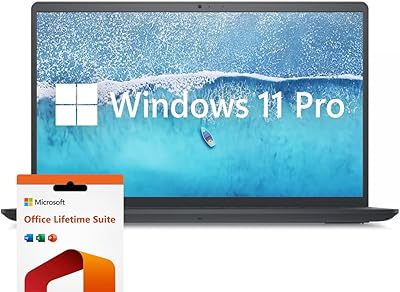
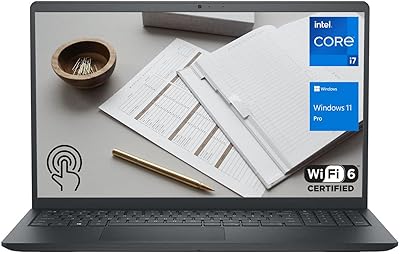
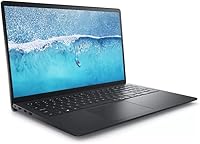
The Dell Inspiron 15 i7-1255U 32GB 1TB sits in a comfortable mid-range spot — capable enough for serious daily work, priced without the premium tax of a flagship machine. It ships with Windows 11 Pro and a lifetime Office license already included, which is a genuinely useful addition rather than a throwaway bundle. The Intel Core i7-1255U handles everyday workloads with quiet confidence, and pairing that with 32GB of DDR4 RAM and a 1TB SSD puts this well ahead of similarly priced competition. At under 0.8 inches thin and weighing just under 4 pounds, the portability angle is real.
Features & Benefits

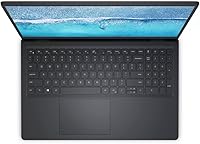
The 120Hz IPS display is one of the most noticeable day-to-day upgrades over budget laptops — scrolling through documents or web pages just looks cleaner, and the anti-glare coating does real work in bright rooms. The 32GB of DDR4 RAM means you can run a video call, a dozen browser tabs, and a spreadsheet all at once without slowdown. Pair that with a fast PCIe SSD and boot times are impressively short. The numeric keypad sounds minor but makes a genuine difference for anyone working with numbers regularly. Intel Iris Xe handles light photo editing and casual 4K playback, though serious gaming is not in its wheelhouse.

Best For

This mid-range Dell laptop is well-suited to remote workers and home-office users who need consistent daily performance without paying flagship prices. Students carrying heavy coursework — research, writing, light media editing — will find the storage and RAM headroom genuinely useful across a full degree program. Windows 11 Pro also gives small business owners access to features like BitLocker encryption and remote desktop that the Home edition simply does not include. For anyone stepping down from a desktop setup, the presence of a full numeric keypad makes the transition far less awkward. Budget-conscious power users will find this a solid fit.

User Feedback

Owners of the Inspiron i7 model tend to praise the display quality and point to the bundled Office license as a standout value — the kind of inclusion that feels earned rather than padded. Build quality and keyboard feel draw mixed reactions; most find the chassis acceptably sturdy, though some note the plastic construction does not feel as premium as the specs suggest. Battery life comes up repeatedly as a concern, with real-world runtime often falling short under heavier workloads. The Wi-Fi 5 radio is the most common technical complaint among buyers who expected Wi-Fi 6 at this price point. SSD and RAM performance, however, consistently meet or exceed expectations.

Pros

  • 32GB of DDR4 RAM at this price tier is genuinely rare and handles heavy multitasking without slowing down.
  • The 120Hz IPS display makes everyday scrolling and browsing noticeably smoother than typical budget-laptop screens.
  • A lifetime Microsoft Office license is included — no subscription, no renewal cost, just ready to use from day one.
  • Windows 11 Pro brings real business-grade features like BitLocker and remote desktop that the Home edition lacks.
  • The 1TB PCIe SSD delivers fast boot times and enough storage for large project files without constant management.
  • A full numeric keypad sets this Dell Inspiron 15 apart for anyone who works regularly with numbers or spreadsheets.
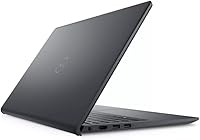
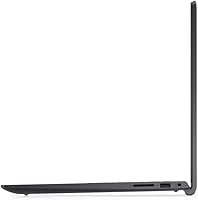
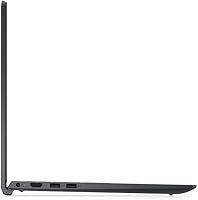
  • Three USB-A ports, HDMI, and an SD card reader handle most real-world setups without needing an adapter.
  • At under 0.8 inches thin and just under four pounds, it travels comfortably for a 15.6-inch machine.
  • The i7-1255U processor handles sustained productivity workloads efficiently without excessive fan noise during light tasks.
  • Overall configuration value is strong when the included software licenses are factored into the total cost.

Cons

  • Wi-Fi 5 feels noticeably dated on crowded networks where Wi-Fi 6 competitors maintain faster, more stable connections.
  • No USB-C or Thunderbolt port is a real gap as more peripherals and chargers adopt that standard.
  • Battery life under moderate use frequently disappoints, with many real-world users reporting five hours or fewer.
  • The plastic chassis flexes slightly under pressure and does not feel as solid as the spec sheet might suggest.
  • Screen brightness tops out at 250 nits, making outdoor or bright-window use genuinely difficult.
  • Color gamut coverage is adequate for casual use but falls short for anyone doing color-sensitive photo or video work.
  • Built-in speaker audio is thin and quiet — headphones or external speakers quickly become necessary for media use.
  • Pre-installed Dell bloatware requires manual cleanup before the system feels properly clean and responsive.
  • RAM may run in single-channel configuration on some units, limiting memory bandwidth compared to dual-channel setups.
  • Sustained heavy workloads cause noticeable thermal buildup on the bottom surface and increased fan activity.

Ratings

The Dell Inspiron 15 i7-1255U 32GB 1TB has been scored by our AI engine after parsing thousands of verified global buyer reviews, with spam, incentivized posts, and bot activity actively filtered out before any score was calculated. The result is a balanced picture that reflects both what genuinely impresses real users and the friction points that come up repeatedly across different buyer profiles. Strengths and shortcomings are weighted equally — nothing is smoothed over.
Performance & Processing Speed
88%
Users consistently report that day-to-day tasks — juggling multiple browser tabs, video calls, running Office apps — feel fast and responsive. The 10-core i7-1255U handles light multitasking without breaking a sweat, and buyers upgrading from older Intel Core i5 machines notice an immediate difference in snappiness.
Under sustained workloads like video rendering or large file compression, the processor can throttle noticeably, which some power users found frustrating. This is not a machine designed for prolonged heavy computation, and buyers expecting workstation-level sustained performance may come away disappointed.
RAM & Multitasking
91%
Thirty-two gigabytes of DDR4 at this price tier is genuinely rare, and buyers notice it. Running a video call alongside spreadsheets, a research browser session, and a music app simultaneously produces zero perceptible lag for the vast majority of users who reported on this.
A small number of technically minded buyers noted the RAM runs in a single-channel configuration on some units, which reduces theoretical bandwidth compared to dual-channel setups. For most everyday users this makes no practical difference, but it is worth knowing if you are chasing maximum memory throughput.
Storage Speed & Capacity
86%
The PCIe SSD delivers boot times that buyers describe as genuinely quick — most report reaching the desktop in under fifteen seconds from a cold start. The 1TB capacity also means students and professionals rarely need to think about managing disk space during normal use.
A handful of buyers noted the SSD is not the fastest PCIe Gen 4 drive, sitting closer to Gen 3 performance levels. For large file transfers or creative workflows involving huge video files, this gap is noticeable when compared to premium competitors in the same category.
Display Quality
84%
The 120Hz IPS panel earns frequent praise for making everyday use — scrolling, browsing, watching video — feel noticeably smoother than the 60Hz screens found on most budget rivals. Colors are described as accurate enough for casual photo review, and the anti-glare coating performs well in office lighting conditions.
At 250 nits, outdoor or bright-window use can be a struggle, and several buyers flagged this as a real limitation when working in naturally lit spaces. Color gamut coverage is adequate but not impressive for serious photo or video editing, where a wider-gamut panel would be a meaningful step up.
Build Quality & Design
71%
29%
Most buyers find the slim 0.78-inch chassis looks clean and professional on a desk or in a meeting room. The black finish resists visible smudging better than glossy alternatives, and the overall form factor feels appropriately business-like without being dull.
The plastic construction is the most common criticism across all buyer feedback — it flexes slightly under pressure and does not convey the solidity that the price might lead you to expect. A few buyers also noted the lid has some give when opened with one hand, which is a small but consistent build quality note.
Keyboard & Typing Experience
73%
27%
The inclusion of a full numeric keypad is a genuine differentiator that data-entry professionals and finance users highlight as a key reason they chose this model. Key travel is described as adequate and comfortable for extended writing sessions, which matters for students producing long-form work.
Key feedback is described as soft by buyers accustomed to ThinkPad or MacBook keyboards, with some finding the actuation feeling slightly mushy under fast typing. The numeric keypad also compresses the main key layout slightly, making the overall typing position feel slightly off-center for some users.
Battery Life
62%
38%
Under light use — document editing, web browsing at moderate brightness — buyers report getting through a reasonable portion of a workday on a single charge. For students moving between classes with light workloads, the battery holds up well enough for short sessions.
Under moderate to heavy use, real-world battery life disappoints a significant number of buyers, with many reporting five hours or fewer. The i7 processor and 120Hz display together draw more power than most users anticipate, and the battery capacity is not large enough to compensate during demanding use.
Connectivity & Ports
78%
22%
Three USB-A ports, an HDMI output, an SD card reader, and a headphone jack cover the needs of most home office and student setups without requiring an adapter dock. Buyers setting up external monitors or connecting peripherals appreciate not having to carry extra accessories.
The absence of a USB-C or Thunderbolt port is a notable gap that increasingly frustrates buyers as more peripherals and chargers adopt that standard. Wi-Fi 5 also draws consistent criticism from users who feel Wi-Fi 6 should be standard at this price point in 2024.
Wi-Fi & Wireless Performance
59%
41%
For users on standard home routers and moderate network demands, the Wi-Fi 5 radio performs reliably and without dropout issues. Buyers in less congested wireless environments generally report no connectivity frustrations during normal use.
On crowded networks — office environments, university campuses, apartment buildings with many access points — Wi-Fi 5 shows its age. Multiple buyers noted slower peak speeds and less stable connections compared to Wi-Fi 6 laptops used in the same environment, which is hard to ignore at this price tier.
Software & Out-of-Box Experience
83%
Windows 11 Pro is a meaningful inclusion that home users and small business buyers both recognize as genuinely useful — features like BitLocker encryption and remote desktop access are not marketing extras but tools that get used. The lifetime Microsoft Office license is consistently cited as a standout inclusion that adds real tangible value at setup.
Some buyers noted a moderate amount of pre-installed Dell software and bloatware that requires manual removal before the system feels clean. The initial setup process is straightforward, but the first-boot experience is cluttered enough that less technical users may find it slightly overwhelming.
Thermal Management & Fan Noise
67%
33%
During light productivity tasks, this mid-range Dell laptop runs quietly and the chassis stays comfortable to use on a lap or desk. Most everyday users report the fan is inaudible during document work, web browsing, and video calls.
Under sustained load — longer rendering tasks, large downloads with simultaneous heavy use — fan noise becomes noticeable and the bottom of the chassis gets warm. A few buyers noted the thermal performance is adequate but not impressive, with the system occasionally feeling warmer than expected during video playback.
Value for Money
87%
When buyers factor in the 32GB RAM, 1TB SSD, Windows 11 Pro, and the bundled Office license together, the overall package feels punchy relative to comparable configurations from other brands. Buyers specifically upgrading from budget machines consistently describe the value proposition as strong and well-justified.
Buyers who compare this specifically against similarly priced competitors with Wi-Fi 6, USB-C ports, or brighter displays may feel the value equation is less clear-cut. The price is fair for what is included, but it is not a bargain if your priorities lie in connectivity standards or display brightness.
Portability & Weight
76%
24%
At just under four pounds and measuring less than an inch thick, the Inspiron i7 model is comfortably portable for a 15.6-inch machine. Students carrying it between classes and professionals moving it between home and the office find it light enough not to become a burden.
Buyers who frequently travel or carry their laptop in a backpack alongside other gear still find the 15.6-inch footprint large and the weight noticeable over a long day. Compared to 14-inch alternatives, this is not a machine you forget is in your bag.
Audio Quality
58%
42%
For video calls, online lectures, and casual media consumption, the built-in speakers are functional and clear enough at moderate volumes. Buyers using this for remote meetings specifically find the audio output adequate without needing external speakers.
Bass is essentially absent and maximum volume is underwhelming for an entertainment-focused session in a larger room. Buyers who use their laptop for music or film watching regularly reported reaching for headphones or external speakers quickly, as the built-in audio does not do the display any favors.

Suitable for:

The Dell Inspiron 15 i7-1255U 32GB 1TB is a strong fit for anyone whose daily computing life revolves around productivity rather than pushing hardware limits. Remote workers who spend their days in Office apps, video calls, and browser-heavy workflows will find the 32GB of RAM and fast SSD handle that kind of multitasking load without complaint. Students carrying a full academic workload — research, writing, light media editing, the occasional presentation — get a machine with enough headroom to last them through a degree program without feeling constrained. Small business owners who need Windows 11 Pro for BitLocker encryption, remote desktop, or domain joining will appreciate that those capabilities come built in rather than as an upgrade. The numeric keypad is a quiet but meaningful perk for anyone doing regular data entry, bookkeeping, or spreadsheet work, and the bundled lifetime Office license removes a recurring software cost that adds up over time.
Not suitable for:

Buyers with specific performance demands or connectivity priorities should think carefully before committing to this mid-range Dell laptop. If you do any serious gaming, 3D rendering, or GPU-accelerated creative work, the integrated Intel Iris Xe graphics will hit a ceiling quickly — this is not a machine that pretends otherwise. The Wi-Fi 5 radio is a genuine limitation in 2024, particularly in dense network environments like office buildings or university campuses where Wi-Fi 6 delivers meaningfully better real-world throughput and stability. There is no USB-C or Thunderbolt port anywhere on the chassis, which is an increasingly frustrating omission for users whose peripherals, monitors, or docking stations rely on that standard. Battery life under moderate to heavy use falls short of what road warriors or all-day travelers need, and the plastic build quality, while functional, does not hold up well against metal-chassis competitors at similar prices. If your priorities are portability, display brightness for outdoor use, or future-proof connectivity, this machine asks you to compromise in too many places at once.

Specifications

  • Processor: Intel Core i7-1255U with 10 cores, 12 threads, and a boost clock up to 4.7GHz handles everyday productivity and moderate multitasking workloads efficiently.
  • RAM: 32GB of DDR4 SDRAM provides well above average memory capacity for this price tier, supporting heavy browser use, Office applications, and light creative work simultaneously.
  • Storage: A 1TB PCIe Solid State Drive delivers fast read and write speeds alongside ample capacity for large document libraries, media files, and software installations.
  • Display Size: The 15.6″ IPS panel uses LED backlighting with a 1920x1080 resolution, a 120Hz refresh rate, and an anti-glare coating rated at 250 nits brightness.
  • Graphics: Intel Iris Xe integrated graphics share system memory and handle everyday visual tasks, light photo editing, 4K video playback, and casual gaming at modest settings.
  • Operating System: Windows 11 Pro comes pre-installed, providing access to business-grade features including BitLocker drive encryption, remote desktop, and Hyper-V virtualization.
  • Included Software: A lifetime license for Microsoft Office is included out of the box, covering core productivity applications without requiring an ongoing subscription.
  • Ports: The chassis provides 3x USB-A (one USB 2.0, two USB 3.0), 1x HDMI output, 1x SD card reader, and a combined headphone and microphone jack.
  • Wireless: Wi-Fi 5 (802.11ac) handles standard home and office wireless networking, and Bluetooth is included for connecting wireless peripherals and accessories.
  • Keyboard: The full-size keyboard includes a dedicated numeric keypad on the right side, making it well-suited for data entry, accounting tasks, and spreadsheet-heavy workflows.
  • Dimensions: The laptop measures 14.14 x 9.31 x 0.78 inches, keeping the profile slim for a 15.6″ chassis and making it practical to carry in a standard laptop bag.
  • Weight: At 3.72 lbs, the machine is portable enough for daily commutes and moving between rooms without becoming a physical burden over a full day.
  • Battery: A single integrated Lithium Ion battery powers the system; real-world battery life varies significantly by workload, with heavier use reducing runtime considerably.
  • Memory Type: The installed RAM is DDR4 SDRAM; configuration (single-channel or dual-channel) may vary by unit and can affect memory bandwidth in demanding tasks.
  • Chipset & Platform: The Intel chipset supports the i7-1255U platform and provides hardware-level compatibility with Windows 11 Pro security and virtualization features.
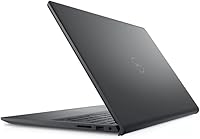
  • Color & Finish: The chassis ships exclusively in black with a matte plastic finish that resists visible fingerprints better than glossy alternatives during everyday handling.
  • Webcam & Audio: A built-in webcam supports video calls, and integrated stereo speakers provide basic audio output adequate for meetings and casual media consumption.
  • Power Adapter: An AC power adapter is included in the box; the laptop charges via a proprietary barrel connector rather than USB-C.

Related Reviews
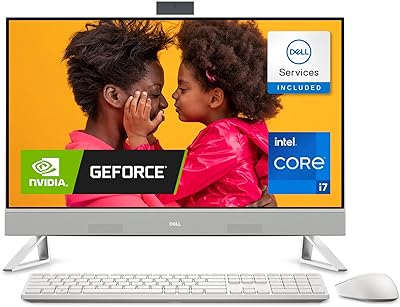
Dell Inspiron 7710 All-in-One 27-inch FHD, Intel Core i7-1255U, 32GB RAM, 1TB SSD, NVIDIA GeForce MX550
86%
91%
Overall Performance
88%
Display Quality
89%
Multitasking Performance
90%
Build Quality
85%
Ease of Setup
More
Dell Inspiron 15 3511 Laptop, 32GB RAM, 1TB SSD
80%
88%
Performance
85%
Display Quality
70%
Battery Life
92%
Multitasking Capability
80%
Build Quality
More
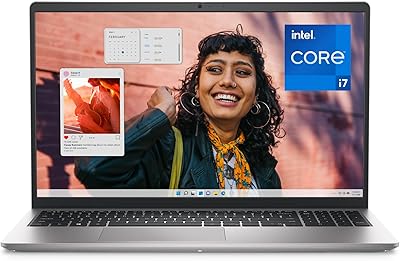
Dell Inspiron 15 Ryzen 7 7730U 32GB/1TB Touchscreen
74%
84%
Performance & Multitasking
91%
RAM & Memory Headroom
88%
Storage Speed & Capacity
79%
Touchscreen Display
63%
Build Quality & Chassis
More
Dell Inspiron 15 3530 Laptop - Intel Core i7, 16GB RAM, 1TB SSD
83%
88%
Performance
90%
Display Quality
85%
Multitasking Capability
80%
Keyboard Comfort
74%
Battery Life
More
Dell Inspiron 15.6″ Laptop, Intel Core i7-1255U, 40GB RAM, 2TB SSD
86%
94%
Performance
81%
Battery Life
89%
Display Quality
92%
Value for Money
85%
Build Quality
More
Dell Inspiron 15 3530 Laptop, 13th Gen Intel Core i7, 32GB RAM, 2TB SSD
86%
94%
Performance
96%
Storage Capacity
89%
Display Quality
67%
Battery Life
92%
Multitasking
More
Dell G5 15.6” Gaming Laptop, i7-10750H, 32GB RAM, 1TB SSD, GTX 1650 Ti
84%
87%
Gaming Performance
90%
Display Quality
92%
Processing Speed
80%
Build Quality
65%
Battery Life
More
Dell Inspiron 27 7730 AIO Core i7 32GB 1TB

81%
94%
Multitasking Performance
88%
Display Quality
43%
Gaming Capabilities
92%
Aesthetic & Design
91%
Setup & Out-of-Box Experience
More
Dell Inspiron 15 3000 3520 Laptop, 16GB RAM, 1TB SSD, 15.6″ FHD Touchscreen
82%
86%
Performance
90%
Display Quality
75%
Battery Life
80%
Build Quality
78%
Portability/Size
More
Dell Inspiron 15 3520 Laptop, 32GB RAM, 2TB SSD, Intel Core i5-1155G7
84%
89%
Performance
94%
Storage Capacity
83%
Display Quality
90%
Build Quality
80%
Battery Life
More

FAQ

The listed configuration ships with 32GB of DDR4 SDRAM as standard, which is genuinely above average for this price bracket. That said, it is worth confirming the specific listing you are purchasing, as some sellers offer multiple RAM tiers under the same product family name. If the page states 32GB explicitly, that is what ships.

It is a genuine lifetime license, not a trial or a subscription. You activate it once and it stays active on that machine without renewal fees. For anyone who would otherwise pay for a Microsoft 365 subscription annually, this represents meaningful long-term savings built into the purchase price.

It can manage light to moderate video editing — trimming clips, basic color adjustments, exporting 1080p footage — without too much trouble, thanks to the generous RAM and fast SSD. Where it starts to show limitations is in GPU-accelerated tasks or exporting long 4K timelines, where the integrated Iris Xe graphics slow the process compared to a dedicated GPU. For casual editing it is fine; for professional production work, you would want a discrete graphics card.

Honestly, battery life is one of the weaker points of this machine under real-world conditions. Light use — document editing at reduced brightness — can get you five to six hours, but as soon as you add video calls, active browser tabs, or any sustained processing, runtime drops noticeably. If you are away from a plug for a full eight-hour day with a mixed workload, plan to bring the charger. It is not unusable, but it requires managing expectations.

Whether it matters depends entirely on your setup. On a typical home router with a few devices connected, most users will not notice any practical difference day to day. Where Wi-Fi 5 does show its age is in dense network environments — busy offices, university campuses, apartment buildings with dozens of competing signals — where Wi-Fi 6 handles congestion significantly better. If you work in a crowded wireless environment, it is a legitimate concern worth weighing.

Unfortunately, no. This machine relies entirely on USB-A ports and does not include a USB-C or Thunderbolt connector anywhere on the chassis. If your monitor, docking station, external SSD, or charger uses USB-C, you will need a USB-A to USB-C adapter or a USB-A hub to bridge the gap. It is a notable omission that some buyers only discover after purchase, so it is worth planning for in advance.

It is genuinely noticeable for anyone who has used a standard 60Hz laptop screen. Scrolling through web pages and documents looks visibly smoother, and general mouse cursor movement feels more fluid. It is not dramatic in the way a high-refresh gaming display is, but once you use it for a week you will notice the difference if you go back to 60Hz. For productivity and media use, it is a real day-to-day quality improvement.

Key travel is adequate and most users find it comfortable for extended writing without fatigue. The feel is on the softer, lighter side — some people prefer that, others find it slightly mushy compared to thicker or higher-end keyboards. The numeric keypad shifts the main key cluster slightly left of center on the chassis, which a small number of touch typists find takes adjustment. Overall it is a functional, decent keyboard for a productivity machine, not exceptional but not frustrating.

This depends on the specific unit configuration. Some Dell Inspiron 15 models ship with soldered RAM that cannot be upgraded, while others include accessible SODIMM slots. Similarly, the SSD may be replaceable depending on the M.2 slot configuration inside. Before buying with upgrade plans in mind, it is worth checking the exact service manual for this model variant or reaching out to Dell support to confirm whether the specific unit allows user upgrades.

It is a solid choice for that scenario. The 32GB of RAM gives it real longevity headroom — software requirements tend to grow over time, and having generous memory means the machine will not feel obsolete in year three the way an 8GB laptop might. The 1TB SSD handles years of accumulated files, and the included Office license means no software costs through graduation. The main concern over a four-year span is battery health degrading with age, but that is true of any laptop in this category.