Overview

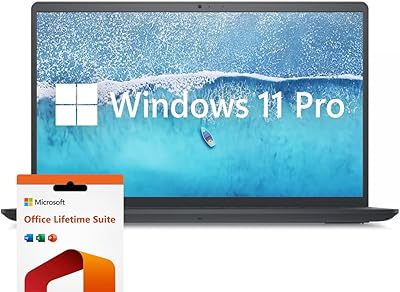
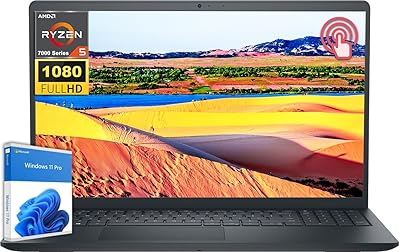
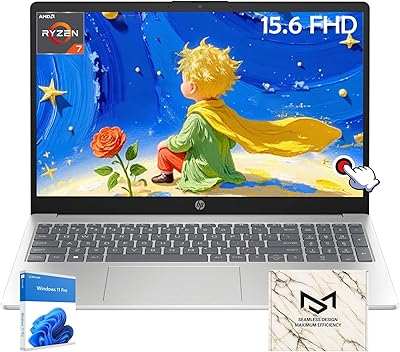
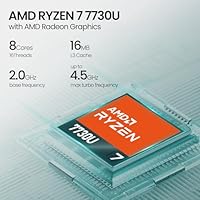
The Dell Inspiron 15 Ryzen 7 7730U 32GB/1TB Touchscreen sits in a crowded mid-range segment, but it brings a notably generous spec sheet for the money — particularly ample RAM and storage that most competitors at this price tier still skimp on. The touchscreen display paired with Windows 11 Pro is a genuinely practical combination for office work, not just a marketing checkbox. AMD's Ryzen 7 7730U is a Zen 3+ generation chip — proven and capable, but not cutting-edge — so set expectations accordingly. A bundled accessories kit rounds things out without being the main event. HP Envy and Lenovo IdeaPad buyers in this range should take a close look at what this Dell Inspiron offers.
Features & Benefits

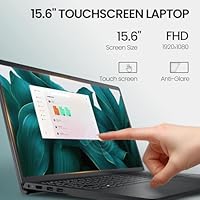
The 15.6-inch FHD touchscreen is genuinely useful day-to-day — the anti-glare coating makes a real difference if you work near windows, and touch navigation feels responsive enough for annotation and presentation control without needing a stylus. The Ryzen 7 7730U handles parallel workloads well: think dozens of browser tabs, video calls, and background syncing running at once without noticeable drag. What really stands out is the 32GB of DDR4 RAM, a spec most machines at this price simply don't offer — it gives real breathing room for virtual machines or heavier development environments. The 1TB NVMe SSD is fast, and the SD card slot adds handy expansion. Integrated Radeon graphics cover everyday media just fine; don't expect anything beyond that.

Best For

This touchscreen laptop makes the most sense for remote workers and freelancers who want a capable daily machine without juggling multiple devices. Students in technical programs — software engineering, data science, graphic design — benefit from the RAM headroom when running heavy IDEs or local servers. At 4.5 pounds, the Inspiron 15 is portable enough for commuters who don't travel daily, though it won't compete with ultrabooks for lightness. If you're upgrading from an older Intel Core i5 machine, the performance difference will feel substantial. Touch-first users who annotate documents or guide presentations without a mouse will also find the touchscreen earns its keep in real daily use.

User Feedback

Buyers consistently praise out-of-box performance — the combination of fast storage and ample RAM means the system feels snappy from day one, and the touchscreen draws positive comments for responsiveness. The Windows 11 Pro activation process appears smooth for most users, though Copilot AI earns mixed reviews: helpful for quick tasks, but not a deciding factor. On the downside, battery life under load is a recurring concern — real-world endurance during demanding work sessions seems to disappoint. A few buyers note the plastic chassis feels less premium than expected at this price, and the bundled accessories kit gets described more as a practical starter pack than anything exciting.

Pros

  • 32GB of RAM is unusually generous at this price tier, providing real headroom for multitasking-heavy workflows.
  • The touchscreen is genuinely responsive for annotation and presentation use without requiring a stylus.
  • Fast NVMe storage means quick boot times and snappy app launches from day one.
  • Windows 11 Pro comes pre-installed with business-grade security features that professionals actually use.
  • The Ryzen 7 7730U handles parallel workloads — multiple apps, tabs, and background tasks — without noticeable drag.
  • A full terabyte of storage is enough for large project files, software libraries, and media without constant management.
  • The anti-glare display coating makes this touchscreen laptop more usable in office environments with ambient light.
  • The SD card slot adds convenient overflow storage without needing a hub or external drive.
  • Buyers upgrading from older hardware will notice a significant performance and storage leap immediately.
  • The bundled accessories kit provides a useful starting point for new users setting up a workspace.

Cons

  • Battery life under sustained workloads is a recurring complaint — do not expect all-day unplugged use.
  • The plastic chassis feels noticeably less premium than metal-bodied competitors at a comparable price.
  • Display brightness struggles in sunlit rooms or outdoor settings, limiting usability beyond controlled environments.
  • Fan noise ramps up during prolonged demanding tasks, which can be distracting in quiet work environments.
  • The Ryzen 7 7730U is a Zen 3+ generation chip — capable, but not current-gen, and that gap will widen over time.
  • Integrated graphics rule out any serious GPU-dependent work, including modern gaming and professional rendering.
  • The port selection lacks Thunderbolt or USB4, limiting compatibility with high-speed docks and external storage.
  • Some users report needing to clear pre-installed software before the system feels fully clean and responsive.
  • Copilot AI integration gets mixed reviews — many buyers stop using it after the initial novelty fades.
  • The 4.5-pound weight and 15-inch footprint make it a secondary choice for users prioritizing daily portability.

Ratings

The Dell Inspiron 15 Ryzen 7 7730U 32GB/1TB Touchscreen scores below are generated by AI after analyzing verified buyer reviews collected worldwide, with spam, bot-submitted, and incentivized feedback actively filtered out. This touchscreen laptop earns strong marks where it genuinely delivers — particularly in raw performance value — while the ratings also reflect the real frustrations that repeat across user accounts, from battery endurance to chassis feel.
Performance & Multitasking
84%
Users consistently report the system handles heavy parallel workloads with ease — multiple browser sessions, video calls, and background file syncing running together without slowdown. The eight-core architecture gives this Dell Inspiron a noticeable edge over quad-core rivals in the same price range.
The Ryzen 7 7730U is a Zen 3+ refresh rather than a current-generation chip, so buyers coming from tech-forward competitors may notice the gap in peak single-core responsiveness. Sustained workloads like prolonged compiling or rendering also push the fan harder than some users expect.
RAM & Memory Headroom
91%
Thirty-two gigabytes of DDR4 at this price tier is genuinely unusual, and buyers who run virtual machines, local development servers, or keep dozens of tabs open simultaneously notice the difference immediately. It removes the ceiling that frustrates users on 16GB machines within a year of purchase.
The RAM runs at DDR4 speeds rather than the faster DDR5 found in newer platforms, which limits peak memory bandwidth for memory-intensive tasks. Users doing heavy data processing or running multiple VMs simultaneously may still hit practical limits under extreme workloads.
Storage Speed & Capacity
88%
The PCIe NVMe SSD delivers noticeably fast boot times and near-instant application launches, which buyers upgrading from older SATA-based drives find striking. The full terabyte of space handles large project folders, software libraries, and media collections without constant housekeeping.
A small number of users report the drive feels slightly slower than premium NVMe options found in higher-end machines, particularly during large sequential writes. The SD card slot helps with overflow storage but is not a substitute for a second internal drive if you need persistent high-speed expansion.
Touchscreen Display
79%
21%
The 15.6-inch FHD panel draws consistent praise for touch responsiveness — users annotating documents, navigating presentations, or sketching rough layouts report it registers input accurately without requiring a stylus. The anti-glare coating makes it usable near windows or in moderately lit offices.
Brightness levels disappoint buyers who frequently work outdoors or in sunlit rooms, with the display washing out more than expected in bright conditions. Color accuracy is adequate for general use but falls short of what creative professionals doing color-critical work would need from a dedicated display.
Build Quality & Chassis
63%
37%
The Inspiron 15 feels solid enough for daily desk-to-meeting use, and the narrow-border design gives it a cleaner look than older budget business laptops. At 4.5 pounds, it sits in a reasonable range for a 15-inch machine.
The all-plastic chassis is a recurring point of criticism, especially among buyers comparing it against aluminum-bodied competitors at similar price points. Flex in the lid and keyboard deck is noticeable under moderate pressure, and the overall feel does not match the professional positioning of the Windows 11 Pro license.
Battery Life
54%
46%
Under light use — document editing, video calls on battery saver mode, casual browsing — the Inspiron 15 gets through a reasonable portion of a workday without reaching for the charger. Users doing mostly web-based tasks report acceptable endurance for shorter work sessions.
Battery performance under any sustained load drops off significantly, and buyers expecting all-day unplugged productivity are frequently disappointed. This is a consistent pain point across user feedback, and the lack of a published official battery rating makes it hard to set expectations before purchase.
Keyboard & Trackpad
74%
26%
The keyboard offers enough key travel for comfortable extended typing sessions, and most users find the layout intuitive for productivity work. The trackpad is responsive and handles multi-finger gestures reliably for everyday navigation.
Some users note the keyboard flex under firm typing pressure, which can feel less confidence-inspiring during long writing sessions. The trackpad, while functional, feels slightly plasticky compared to glass-surfaced alternatives found on competing machines.
Thermal Management & Fan Noise
61%
39%
During routine tasks like web browsing, document work, and video calls, the Inspiron 15 stays quiet and cool. Casual users who stay within everyday workloads report not noticing fan activity at all during normal use.
Under sustained load — long compile jobs, extended video exports, or prolonged gaming — the fan ramps up noticeably and the bottom of the chassis gets warm. Users who multitask heavily in warm environments flag this as a comfort issue during extended sessions on a lap.
Windows 11 Pro Value
82%
18%
Having Windows 11 Pro pre-installed adds meaningful functionality for business users — BitLocker encryption, Remote Desktop access, and domain join capabilities are tools that professionals actually use. The lifetime license framing is appreciated by buyers who factor in long-term software costs.
A handful of users report minor activation hiccups, though these appear to be isolated rather than systematic. Some buyers note that bloatware bundled with the installation takes a cleanup pass before the system feels fully streamlined.
Copilot AI Integration
58%
42%
For quick summarization tasks, generating draft text, or pulling up contextual suggestions during browsing, Windows Copilot adds a genuinely useful shortcut layer. Users new to AI-assisted workflows find it an approachable entry point built directly into the OS.
The majority of user feedback treats Copilot as a nice-to-have rather than a practical daily tool, with several noting they rarely open it after the initial curiosity wears off. Its usefulness is tightly tied to individual workflow habits, and power users often find third-party AI tools more capable.
Display Color & Viewing Angles
71%
29%
For everyday tasks — spreadsheets, presentations, video streaming, and document review — the FHD IPS panel delivers adequate color reproduction and wide enough viewing angles for side-by-side collaboration. Most non-creative users find the picture quality fully satisfying for their needs.
The panel does not cover a wide color gamut, which limits its suitability for photo editing or design work where accurate color representation matters. Viewing angles, while decent, do not match the consistency of premium IPS displays found in higher-end business laptops.
Port Selection & Connectivity
68%
32%
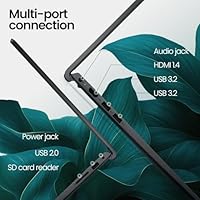
Four USB ports — including three USB 3.0 — cover most peripheral setups for home office users, and the SD card slot adds practical flexibility for photographers or anyone expanding storage on the fly. Day-to-day connectivity needs are met without requiring a hub for most setups.
The absence of Thunderbolt or USB4 limits options for users who rely on high-speed docking stations or fast external storage. Only one USB 2.0 port is a minor annoyance, and buyers who need HDMI 2.0 or more display output options may find the connection set slightly restrictive.
Value for Money
86%
At its price point, the combination of a touchscreen display, professional OS license, and an unusually large RAM allocation is hard to match in the mid-range segment. Buyers who prioritize practical specifications over brand prestige consistently rate this Dell Inspiron as a strong return on investment.
The value equation depends heavily on whether you need the touchscreen and Pro license — buyers who do not use those features may find competing non-touch configurations offer better build quality for similar money. The accessories kit, while appreciated by some, does not meaningfully shift the value calculation for most buyers.
Setup & Out-of-Box Experience
77%
23%
Most buyers report the setup process is quick and uncomplicated, with Windows pre-activated and ready to use within minutes of unboxing. The initial performance impression is positive, with the fast SSD making the first-run experience feel genuinely snappy.
Pre-installed software adds some clutter that requires manual removal before the system feels fully clean. A small number of users encountered driver update prompts immediately after setup, which, while routine, can feel like extra friction for less technical buyers.
Portability & Form Factor
72%
28%
At 4.5 pounds and under an inch thick, the Inspiron 15 is portable enough for professionals who commute a few days a week or move between meeting rooms. The 15.6-inch screen size strikes a balance between workspace and packability that many users prefer over compact 13-inch alternatives.
Ultrabook users or frequent fliers will find this machine heavier and bulkier than what they want for daily carry. The plastic build, while keeping weight reasonable, does not inspire confidence when the laptop is packed tightly into a bag alongside other gear.

Suitable for:

The Dell Inspiron 15 Ryzen 7 7730U 32GB/1TB Touchscreen is a strong fit for remote workers, small business owners, and students who need a dependable daily machine with room to grow. If your workday involves juggling multiple applications — video calls alongside spreadsheets, local development environments, or browser-heavy research — the generous RAM allocation removes the memory ceiling that frustrates users on lighter-specced machines within a year or two of purchase. Technical students running virtual machines or compiling code will find the headroom genuinely useful rather than just a spec on a page. The touchscreen earns its keep for professionals who annotate documents, guide presentations, or simply prefer navigating without a mouse. Windows 11 Pro adds real business utility — BitLocker encryption and Remote Desktop are not marketing extras for this audience, they are tools people actually rely on. Anyone upgrading from an aging Intel-based system will likely notice a meaningful jump in day-to-day responsiveness, particularly in how quickly the machine wakes, launches apps, and handles parallel tasks.
Not suitable for:

The Dell Inspiron 15 Ryzen 7 7730U 32GB/1TB Touchscreen is not the right call for buyers who need extended unplugged productivity — battery life under sustained use is a documented weak point, and frequent travelers who cannot stay near an outlet will likely find it limiting. Gamers should look elsewhere entirely; the integrated Radeon graphics handle video playback and light media tasks, but dedicated GPU workloads are outside its scope. Color-critical creative professionals — photographers, video colorists, or designers working to print standards — will find the display lacks the gamut coverage their work demands. If build quality and premium materials are a priority, the all-plastic chassis will feel like a compromise compared to aluminum-bodied competitors at similar price points. Users who require Thunderbolt connectivity, high-speed docking, or multiple external display outputs will also run into limitations with the available port selection. Finally, buyers who simply want a thin-and-light machine for daily commuting may prefer a more compact form factor over the 15-inch footprint.
Specifications

  • Processor: AMD Ryzen 7 7730U, an 8-core 16-thread Zen 3+ architecture chip with a boost clock reaching approximately 5.19 GHz.
  • RAM: 32GB of DDR4 SDRAM, providing substantial memory headroom for multitasking, virtual machines, and browser-heavy workflows.
  • Storage: 1TB PCIe NVMe SSD offering fast read/write speeds for quick boot times and responsive application launches.
  • Display: 15.6″ Full HD IPS touchscreen with 1920×1080 resolution, anti-glare coating, and a narrow-border design.
  • Graphics: Integrated AMD Radeon graphics sharing system memory, suitable for everyday media playback and general display output.
  • Operating System: Windows 11 Pro pre-installed with a lifetime license, including BitLocker encryption and Remote Desktop functionality.
  • Weight: 4.5 pounds, positioning this as a portable but not ultralight 15-inch business laptop.
  • Dimensions: 14.13 × 9.99 × 0.85 inches, offering a slim profile relative to its screen size class.
  • USB Ports: Four USB ports total: three USB 3.0 and one USB 2.0, covering standard peripheral connectivity needs.
  • Wireless: 802.11a Wi-Fi with standard wireless connectivity for home, office, and public network use.
  • Expansion Slot: Built-in SD card slot allows straightforward storage expansion without requiring an external hub or adapter.
  • Color & Finish: Available in black with a plastic chassis construction and a professional, understated appearance.
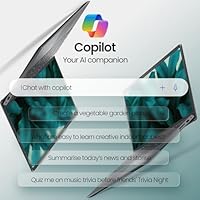
  • AI Integration: Windows Copilot is integrated into the OS for AI-assisted productivity tasks including summarization and contextual suggestions.
  • Accessories Kit: Includes a bundled laptop accessories kit designed as a starter package for new users setting up a workspace.
  • Chipset Brand: AMD platform throughout, with the Ryzen 7 processor and integrated Radeon graphics sharing the same silicon architecture.
  • Screen Technology: IPS panel technology delivers wider viewing angles and more consistent color reproduction than standard TN displays.
  • Touch Input: Full multi-touch touchscreen supporting stylus-free finger input for navigation, annotation, and presentation control.
  • Form Factor: Traditional clamshell laptop design without a 360-degree hinge, meaning it does not convert to a tablet mode.

Related Reviews

Dell Inspiron 16 5635 Laptop, AMD Ryzen 7 7730U, 16GB RAM, 1TB SSD
84%
92%
Performance
88%
Display Quality
85%
Battery Life
75%
Portability
80%
Build Quality
More
Dell Inspiron 15 3000 3520 Laptop, 16GB RAM, 1TB SSD, 15.6″ FHD Touchscreen
82%
86%
Performance
90%
Display Quality
75%
Battery Life
80%
Build Quality
78%
Portability/Size
More
Dell Inspiron 15 3511 Laptop, 32GB RAM, 1TB SSD
80%
88%
Performance
85%
Display Quality
70%
Battery Life
92%
Multitasking Capability
80%
Build Quality
More
Dell Inspiron 15 5505 Laptop, Ryzen 7 4700U, 16GB RAM, 512GB SSD
81%
88%
Performance
75%
Battery Life
85%
Build Quality
81%
Display Quality
90%
Portability
More
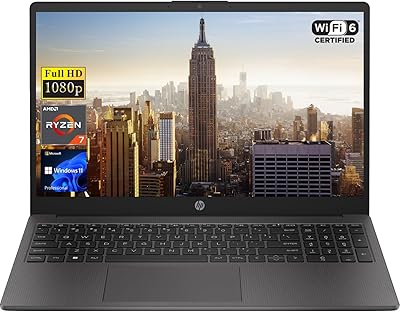
HP 255 G10 15.6″ Ryzen 7 7730U 32GB 1TB
78%
88%
Processing Performance
91%
RAM & Multitasking
87%
Storage Speed & Capacity
62%
Display Quality
93%
Value for Money
More
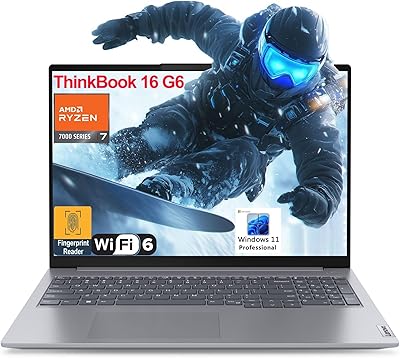
Lenovo ThinkBook 16 G6 AMD Ryzen 7 7730U 32GB RAM 1TB SSD
86%
92%
Performance
88%
Display Quality
90%
Security Features
89%
Build Quality
84%
Battery Life
More
Dell Inspiron 16 5645 Laptop - AMD Ryzen 7, 16GB RAM, 1TB SSD
84%
88%
Performance
91%
Display Quality
89%
Build Quality
65%
Battery Life
87%
Usability/Ergonomics
More
Dell Inspiron 15 3535 Laptop, AMD Ryzen 5 7530U, 16GB RAM, 1TB SSD
83%
88%
Performance
85%
Display Quality
93%
Storage Capacity
61%
Battery Life
87%
Build Quality
More
HP 15.6 Touchscreen Laptop, AMD Ryzen 7 7730U, 64GB RAM, 4TB SSD
88%
94%
Performance
89%
Battery Life
91%
Display Quality
96%
Multitasking Capability
93%
Storage Capacity
More
Dell Inspiron 15 i7-1255U 32GB 1TB
76%
88%
Performance & Processing Speed
91%
RAM & Multitasking
86%
Storage Speed & Capacity
84%
Display Quality
71%
Build Quality & Design
More

FAQ

This depends on the specific motherboard configuration Dell ships — some Inspiron 15 units have one soldered RAM slot and one open slot, while storage is typically accessible via an M.2 slot. It is worth confirming with Dell support before purchasing if upgradeability is important to you, as configurations can vary between production batches.

The Ryzen 7 7730U is a capable chip, but it belongs to AMD's Zen 3+ generation rather than the latest Zen 4 or 5 lineup, so it sits a step behind the very latest silicon from both AMD and Intel. For everyday business use, multitasking, and light creative work it performs well, but if you are comparing against current-generation Intel Core Ultra or Ryzen 8000 series machines, those will edge ahead in efficiency and peak performance.

Light to moderate video editing — trimming clips, basic color correction, assembling timelines in software like DaVinci Resolve or Adobe Premiere — is manageable thanks to the generous RAM. However, the integrated graphics mean render times will be slower than on machines with a dedicated GPU, and 4K multicam or heavy effects work will test its patience noticeably.

Dell has not published an official battery life figure for this configuration, and user feedback suggests endurance under load is one of its weaker points. Light use — document editing, casual browsing — may get you through a good chunk of a workday, but plan to have the charger accessible if you are doing anything demanding for sustained periods.

The display supports standard capacitive touch input, which means most active styluses will not work with it unless they are capacitive-tip compatible. It is designed for finger-based interaction rather than precision stylus use, so if you need pressure-sensitive pen input for drawing or detailed annotation, a dedicated stylus-optimized device would serve you better.

The Dell Inspiron 15 Ryzen 7 7730U 32GB/1TB Touchscreen ships with Windows 11 Pro pre-activated and tied to the hardware, so you should not need to manually enter a license key. Most users report activation is seamless, though a small number have encountered minor prompts that resolved after connecting to the internet and running Windows Update.
During everyday tasks like web browsing, video calls, and document work, the fan is largely inaudible. Push it harder — long compile jobs, sustained rendering, or heavy multitasking — and the fan ramps up noticeably. It is not unusually loud for its class, but quiet-environment users may find it distracting during intensive sessions.

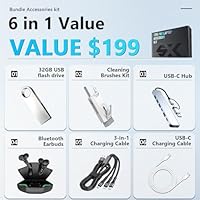
The bundled accessories kit is a starter package rather than a premium add-on — it typically includes items like a carrying sleeve or bag, a mouse, or a basic cleaning kit, though the exact contents can vary by retailer listing. Most buyers treat it as a convenient convenience bonus rather than a meaningful factor in the purchase decision.

Yes, this is actually one of the better use cases for the Inspiron 15 — 32GB of RAM is the reason. Running one or two virtual machines alongside your host OS is comfortable, and developers or IT students using tools like VMware Workstation or VirtualBox will find the memory headroom makes a real practical difference compared to 16GB machines.

The anti-glare coating reduces reflections effectively in standard office lighting and helps when sitting near windows at moderate angles. That said, the display's brightness ceiling becomes a limitation in very bright environments — direct sunlight or brightly lit spaces can wash the screen out enough to affect readability, which is a notable tradeoff for buyers who work outdoors or in high-glare settings.