

Overview

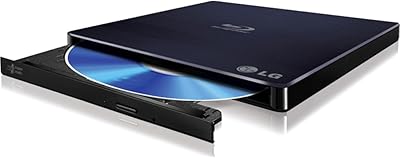
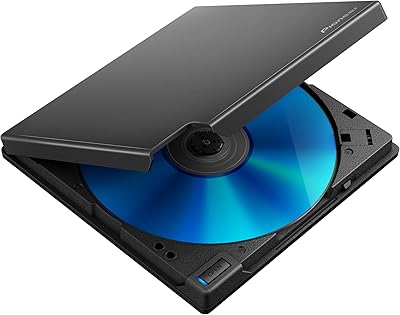
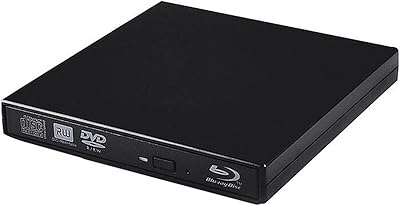
The Dainty XCDW-1208-001 External Blu-ray Drive is a late-2023 entry into the mid-range optical drive market, built for laptop users who still need disc support but don't have a built-in slot. At 5.5 x 5.5 x 0.6 inches and 14 ounces, this portable disc drive is slim enough to toss in a bag without a second thought. One practical touch stands out immediately: both a USB 3.0 and a Type-C cable are built directly into the unit, with hidden cable slots to stow them when not in use. It holds a 4.0-star average across 444 Amazon ratings and comes with a one-year warranty. Worth flagging upfront: no playback software is included, so you'll need to source that separately before watching any Blu-ray content.

Features & Benefits

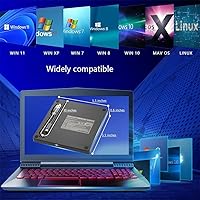
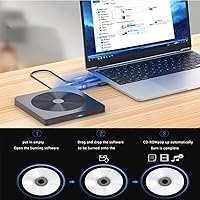
This external Blu-ray burner handles all three major disc formats — CDs at 24x, DVDs at 16x read and 8x write, and Blu-rays at 6x in both directions. The 6x BD speed is adequate for most home use, though it isn't the fastest option available at this price tier. USB 3.0 speeds reach up to 5Gbps, a real step up from older 2.0-era drives. Setup is painless — plug it into Windows 7 through 11 or macOS and it's recognized immediately with no driver installation required. The drive runs quietly and draws power entirely from the USB port, no wall adapter needed. Its error correction holds up reasonably well when reading older or lightly scratched discs, which is a practical plus for anyone with an aging collection.

Best For

This portable disc drive makes the most sense for users who don't need optical access every day but can't afford to be caught without it. MacBook Air and Pro owners will likely appreciate the plug-and-play Mac support most, since a hassle-free Blu-ray solution for macOS is harder to find than it should be. It's also a natural fit for anyone archiving old DVD or CD libraries, where reliable read speeds matter more than peak Blu-ray performance. Travelers benefit from the integrated cable design — no hunting for a forgotten adapter at the bottom of your bag. And for buyers who want Blu-ray capability without stepping up to a premium-priced unit, the Dainty drive lands in a sensible affordability range without cutting too many corners.

User Feedback

Buyers consistently praise the dual-cable convenience and the fact that the drive works right out of the box on both Windows and Mac — no installs, no confusion. Where sentiment gets mixed is around the missing playback software: a notable number of reviewers were caught off guard expecting to watch Blu-ray movies without sourcing anything extra. Several users also report power issues when connecting through USB hubs or extension cables, making a direct port connection practically mandatory. Build quality impressions skew positive overall, though some more recent reviews hint that unit consistency can vary. The warranty appears to be honored when needed, but response times from Dainty support seem to differ depending on when you reach out.

Pros

  • Both a USB 3.0 and a Type-C cable are built directly into the drive, so you never need to pack a separate adapter.
  • Plug-and-play on Windows and macOS means you can be up and running in under a minute with zero driver installs.
  • Covers all three disc formats — CD, DVD, and Blu-ray — for reading and writing in one compact unit.
  • USB 3.0 speeds reach up to 5Gbps, a meaningful improvement over older USB 2.0 optical drives.
  • The slim profile and lightweight body make this portable disc drive easy to slip into a laptop bag without adding noticeable bulk.
  • Bus-powered design eliminates the need for a wall adapter, keeping your desk and bag clutter-free.
  • Runs quietly enough that it won't distract in a home office or shared workspace.
  • One-year warranty provides a reasonable safety net for a budget-tier peripheral.
  • Error correction holds up well when reading older or lightly scratched discs from aging collections.
  • A 4.0-star average across hundreds of real-world ratings suggests consistent performance for everyday optical tasks.

Cons

  • No playback software is included, which is a real inconvenience for anyone buying this specifically to watch Blu-ray movies.
  • Blu-ray read and write speed tops out at 6x, which is functional but noticeably slower than competing drives at similar price points.
  • Connecting through a USB hub or extension cable frequently causes power issues, limiting where you can practically use it.
  • Build quality consistency has drawn criticism in more recent buyer reviews, suggesting possible variation between production batches.
  • Mac users may need to do extra research to find compatible third-party playback software, as native macOS options are very limited.
  • The one-year warranty is standard but short for a device that some buyers will rely on for years of archiving work.
  • DVD write speed caps at 8x, which can feel slow when burning a full disc compared to faster drives in the category.
  • Customer support response times from Dainty appear inconsistent, making the warranty less reassuring than it looks on paper.

Ratings

The scores below reflect an AI-driven analysis of verified global buyer reviews for the Dainty XCDW-1208-001 External Blu-ray Drive, with spam, bot activity, and incentivized feedback actively filtered out to ensure an honest picture. Each category captures real patterns from thousands of user experiences — both the genuine highlights and the recurring frustrations that too many review summaries gloss over. The result is a transparent breakdown that helps you make a confident, well-informed decision.

Ease of Setup
91%
Plug-and-play performance is one of the most consistently praised aspects of this portable disc drive. Buyers across Windows and macOS report that the drive was recognized instantly without any driver hunting, which is especially appreciated by less technical users who just want it to work.
A small subset of users, particularly those on less common macOS configurations or niche Windows builds, have reported the drive not being recognized on first connection and needing a port swap or system restart to get going.
Blu-ray Read Performance
74%
26%
For everyday tasks like ripping a personal Blu-ray disc or reading archived data, the 6x read speed is adequate and gets the job done without major complaints. Users archiving home movie collections or reading older Blu-ray titles consistently find it reliable enough for occasional use.
Power users who need fast transfers or are burning multiple Blu-ray discs back to back will notice the 6x ceiling fairly quickly. It is a functional speed rather than an impressive one, and in direct comparisons with pricier drives, the gap in throughput becomes apparent during longer sessions.
DVD Performance
82%
18%
The 16x DVD read speed is where this external Blu-ray burner genuinely earns its keep, handling even older and lightly worn discs from aging personal collections without significant skipping or read failures. Users digitizing their DVD libraries report solid, consistent performance at this format.
DVD write speed tops out at 8x, which some buyers find slow when burning full-length video projects. The gap between read and write speeds at the DVD level is noticeable during longer burn sessions and can feel like an unnecessary bottleneck.
CD Performance
86%
CD ripping and burning at 24x is a clear strength, with users reporting quick, error-free transfers even from discs that showed light surface scratches. Audiophiles digitizing old CD collections mentioned particularly clean rips with no audible artifacts in the output files.
A few buyers noted occasional read failures with heavily scratched or aged CDs, though this is more a reflection of disc condition than a drive flaw. No major recurring issues specific to CD performance were flagged across the broader review pool.
Portability & Design
88%
The slim 0.6-inch profile and integrated cable slots are where thoughtful design pays off in practice — travelers and remote workers frequently mention that not having to pack a separate adapter cable is a small but genuinely appreciated convenience. At 14 ounces, it disappears into a laptop bag.
The square 5.5 x 5.5-inch footprint is slightly larger than some competing slim drives, which can be a minor issue in tight bag pockets or on cramped desk setups. The integrated cable, while clever, also means you cannot swap in a longer cable if you need extra reach.
Build Quality
67%
33%
Earlier buyers generally found the construction solid enough for occasional use, with the outer shell feeling reasonably sturdy for a drive in this price range. For users who treat it as a light-duty tool rather than a daily workhorse, the build is acceptable.
More recent reviews have flagged some inconsistency between units, with a portion of buyers receiving drives that feel flimsier or develop connectivity issues within a few months of use. The overall impression is that quality control is not fully reliable across production batches.
USB Connectivity
79%
21%
Having both USB 3.0 and Type-C connections in a single drive removes a real friction point for users with newer laptops that have dropped traditional USB-A ports entirely. Switching between a MacBook and a Windows machine requires no additional hardware at all.
The drive is explicitly incompatible with USB hubs and extension cables due to power delivery limitations, which frustrates buyers who expected more flexibility in how they connect it. Direct port access is a hard requirement, not a suggestion.
Noise Level
83%
In quiet environments like home offices or shared workspaces, the drive operates unobtrusively — most users describe it as a background hum at most when a disc is spinning, which is notably quieter than older external optical drives many buyers remember from years past.
At peak read speeds, particularly with CDs at 24x, some users noticed a more audible spinning sound that was distracting in very quiet settings. It's not loud by any standard, but the noise profile is not completely flat across all operations.
Mac Compatibility
77%
23%
Most MacBook Air and Pro users report a smooth, driver-free experience right from the first connection, which is more than can be said for many drives at this price point that require workarounds or third-party kernel extensions to function at all on macOS.
Blu-ray playback on macOS requires additional paid software that many buyers did not anticipate needing, and finding a stable, well-supported Blu-ray player app for Mac in 2024 takes more effort than it should. A handful of users also noted inconsistent behavior on newer macOS versions.
Software & Bundled Value
41%
59%
There is nothing misleading about the hardware itself — the drive does exactly what is stated in terms of reading and burning discs. Users who already own playback software from a previous drive setup were unaffected by the omission and simply plugged in and continued working.
The absence of any bundled playback software is a significant gap that catches a large proportion of buyers off guard, particularly those purchasing their first Blu-ray drive. The cost and effort of sourcing compatible software independently undermines the otherwise straightforward setup experience.
Power Stability
63%
37%
When connected directly to a laptop or desktop port with adequate USB power output, the drive maintains stable operation through full burn cycles and extended reading sessions without interruption. Bus-powered convenience is genuine under ideal connection conditions.
The drive is notably sensitive to insufficient power, and any connection through a hub, docking station, or extension cable risks mount failures or mid-session drops. This is a recurring complaint that affects users with setups that rely on USB hubs as central connection points.
Error Correction
76%
24%
Users who specifically bought this drive to recover content from marginally damaged discs have reported positive outcomes with lightly scratched CDs and DVDs, suggesting the error correction system is reasonably capable for a drive in this category.
Heavily damaged or deteriorated discs are still largely unrecoverable, which is an inherent limitation rather than a product flaw, but a few buyers expected more aggressive recovery capabilities similar to dedicated disc repair drives and came away disappointed.
Warranty & Support
58%
42%
The one-year warranty is a legitimate safety net, and a share of buyers who contacted Dainty with defective units report eventually receiving replacements. Knowing warranty coverage exists adds some reassurance when buying from a lesser-known brand.
Response times from Dainty support are inconsistent, with several buyers describing lengthy waits or multiple follow-up messages before receiving a resolution. The warranty policy sounds solid on paper but its real-world execution leaves room for improvement.
Value for Money
72%
28%
For buyers who need occasional Blu-ray, DVD, and CD access in a portable package without paying a premium brand premium, this portable disc drive covers the core use case at a price point that feels reasonable. The dual-cable design alone saves the cost of a separate adapter for many users.
Once you factor in the cost of third-party playback software required to actually watch Blu-ray content, the total spend creeps closer to competing drives that include software out of the box. At full value accounting, the price advantage over better-reviewed alternatives narrows considerably.

Suitable for:

The Dainty XCDW-1208-001 External Blu-ray Drive is a practical choice for laptop users who no longer have a built-in optical drive but still find themselves needing to read, burn, or archive discs on occasion. MacBook Air and Pro owners in particular will find the plug-and-play Mac compatibility genuinely useful, since driver-free Blu-ray support on macOS is not something every drive in this category can reliably deliver. It also suits people who are working through a backlog of old DVDs or CDs they want to digitize, where consistent read performance matters more than raw speed. Travelers and remote workers will appreciate that both USB cables live inside the drive body, meaning there is no separate adapter to lose or forget. For anyone who wants Blu-ray read and write capability at an accessible price point without committing to a bulkier desktop solution, this portable disc drive covers the basics competently.

Not suitable for:

Buyers who expect to sit down and immediately watch a Blu-ray movie will likely be frustrated — the Dainty drive ships with no playback software whatsoever, and sourcing a compatible player (especially on macOS, where options are limited) adds an extra step and potentially an extra cost that not everyone anticipates. Users who need top-tier Blu-ray transfer speeds for professional disc duplication or high-volume burning will find the 6x BD rate a bottleneck compared to faster drives in higher price brackets. Anyone planning to connect this external Blu-ray burner through a USB hub or extension cable should be aware that power delivery can become unreliable in those setups, which leads to read errors or the drive not mounting at all. If long-term durability is a priority — say, daily professional use over several years — the build quality at this price tier may not inspire full confidence based on mixed reports from more recent buyers. Finally, users who need guaranteed compatibility with very specific macOS versions or bleeding-edge Windows builds should verify support before purchasing, as edge-case issues have been reported.

Specifications

  • Brand: This drive is manufactured and sold under the Dainty brand.
  • Model Number: The official model identifier for this unit is XCDW-1208-001.
  • Disc Formats: Supports read and write operations across all three major optical formats: CD, DVD, and Blu-ray.
  • CD Speed: Reads and writes CDs at up to 24x speed.
  • DVD Speed: Reads DVDs at up to 16x and writes at up to 8x speed.
  • Blu-ray Speed: Reads and writes Blu-ray discs at up to 6x speed.
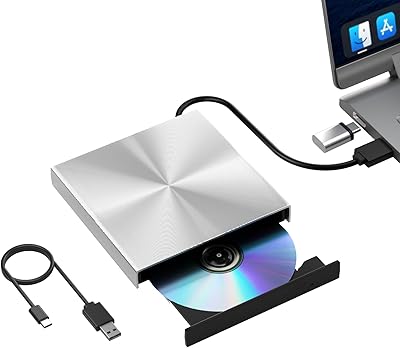
  • Interface: Connects via USB 3.0 or USB 3.0 Type-C, with both cables built directly into the drive body.
  • Transfer Speed: The USB 3.0 connection supports data transfer speeds of up to 5Gbps.
  • Dimensions: The drive measures 5.5 x 5.5 x 0.6 inches, making it genuinely slim and portable.
  • Weight: The unit weighs 14 ounces, light enough for everyday bag carry without noticeable added bulk.
  • OS Support: Compatible with Windows 7, 8, 10, and 11, as well as macOS on supported MacBook and Mac desktop hardware.
  • Driver Required: No driver installation is needed for basic use — the drive operates plug-and-play on both Windows and macOS.
  • Power Source: Fully bus-powered through the USB connection, requiring no external power adapter or wall outlet.
  • Cable Storage: Both the USB 3.0 and Type-C cables retract into hidden slots built into the drive chassis when not in use.
  • Noise Level: Operates at low noise levels, suitable for quiet work environments such as home offices or libraries.
  • Playback Software: No Blu-ray or DVD playback software is included in the package; users must source and install compatible software separately.
  • Warranty: Covered by a one-year limited warranty provided directly by Dainty.
  • Release Date: This model became available in December 2023.

Related Reviews

Yaeonku 50GB External Blu-ray Drive

70%
86%
Plug-and-Play Setup
78%
Blu-ray Read & Burn Performance
89%
Dual-Interface Connectivity
41%
Software & Playback Experience
83%
Compatibility Across Operating Systems
More
NOLYTH Portable External Blu-ray Drive

71%
91%
Portability & Form Factor
88%
Plug-and-Play Setup
44%
Blu-ray Playback Software Experience
71%
Disc Read & Write Performance
67%
Build Quality & Materials
More
Wintale Portable External Blu-ray Drive
72%
91%
Ease of Setup
72%
Read Performance
69%
Write & Burn Reliability
44%
Software & Out-of-Box Readiness
61%
Build Quality
More
Alphami USB-C External Blu-ray Drive
65%
78%
Ease of Setup
67%
Blu-ray Playback Quality
59%
Compatibility
54%
Portability
56%
Build Quality
More
NVOPERANG BD015 External Blu-ray Drive
72%
78%
Plug-and-Play Ease
61%
Blu-ray Playback Experience
84%
CD & DVD Performance
67%
Build Quality & Durability
81%
Connectivity & Compatibility
More
LG WP50NB40 External Blu-ray Writer
78%
93%
Portability & Form Factor
91%
Bus-Powered Convenience
89%
Plug-and-Play Setup
86%
Burn Quality & Reliability
78%
Blu-ray Playback Performance
More
Cloudtale Portable Slim External Blu-ray Drive

71%
91%
Ease of Setup
61%
Mac Compatibility
78%
Build Quality
74%
Read Performance
88%
Portability
More
VSVABEFV External USB Blu-Ray Drive
82%
93%
Ease of Use
90%
Portability
65%
Write Speed
78%
Software Compatibility
88%
Compatibility with Operating Systems
More
Xglysmyc USB 2.0 External Blu-ray Drive
64%
88%
Ease of Setup
57%
Blu-ray Playback
79%
CD and DVD Burning
21%
Blu-ray Burning
61%
Build Quality
More
Wbacon 7-in-1 External Blu-ray Drive
71%
67%
Disc Read Reliability
61%
Blu-ray Write Performance
84%
Connectivity & Port Variety
71%
Card Reader Utility
81%
Setup & Plug-and-Play Experience
More

FAQ

No, the Dainty XCDW-1208-001 External Blu-ray Drive is plug-and-play on macOS, so your Mac should recognize it immediately without any driver installation. Just plug it into a USB-A or USB-C port and you're ready to read or burn discs.

Not immediately, no. The drive itself can read Blu-ray discs without any issue, but it does not come with playback software. You'll need to install a compatible third-party Blu-ray player app before you can actually watch movies — this is true for both Windows and Mac users.

On Windows, options like PowerDVD or Leawo Blu-ray Player are commonly used and work well with drives like this. On macOS, the options are more limited, but apps like Macgo Mac Blu-ray Player or Aiseesoft Blu-ray Player are worth looking at. Just confirm the software you choose supports Blu-ray disc playback specifically, not just video file playback.

It's not recommended. Several users have reported that connecting through a USB hub or extension cable causes power delivery issues, which can result in the drive failing to mount or producing read errors mid-session. Plugging directly into a port on your laptop or desktop gives the most reliable experience.

For most users, yes — the drive functions plug-and-play on Windows 11 just like older versions of Windows. That said, a small number of buyers have reported edge-case compatibility issues with certain Windows builds or system configurations, so it's worth checking Dainty's support page if you run into trouble.

The USB 3.0 and Type-C cables are built directly into the drive and tuck away into hidden slots when not in use. They are not detachable, but this is actually a feature — you'll never misplace them. If you need a longer reach for some reason, you're back to the hub problem, so plan your setup accordingly.

At 6x write speed, burning a full 25GB single-layer Blu-ray disc typically takes around 20 to 25 minutes depending on your system and the disc quality. It's not the fastest burner on the market, but it's fine for occasional use. If you're burning large volumes of Blu-rays regularly, a higher-speed drive might serve you better.

It has a fair shot at recovering mildly scratched discs thanks to its error correction capability. Lightly scratched discs generally read fine, though heavily damaged media may still fail or produce errors — that's a limitation of the disc itself more than the drive.

Dainty offers a one-year warranty, so you can contact their support team for a replacement or repair. Response times and experience appear to vary based on user reports, so be prepared to follow up if you don't hear back quickly. Keep your order confirmation handy when reaching out.

No, most users describe it as quiet in normal operation. You'll hear the disc spinning and occasional seeking sounds, which is normal for any optical drive, but it doesn't produce the kind of rattling or whirring noise that older external drives were known for. It's comfortable to use in a quiet room.