


Overview

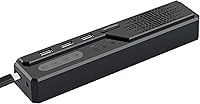
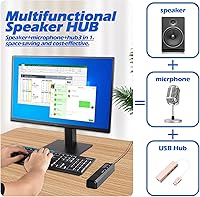
The Cykvis 3-in-1 USB Computer Speaker enters a crowded market with a clear mission: reducing the tangle of cables on your desk. By merging a speaker, a microphone, and a connectivity hub into one compact 2-inch unit, it solves the immediate problem of limited workspace. It is a straightforward, utility-focused tool that relies on a single wired connection to handle everything. Setup is non-existent because it uses plug-and-play USB, meaning it works the moment you attach it to a Windows PC or a Mac. While the footprint is small, this desktop speakerphone feels solid enough to stay put. It is designed for those who value a minimalist layout but still need reliable audio for their daily workflow without searching for separate adapters.

Features & Benefits

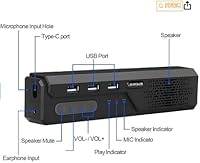
The standout utility of this 3-in-1 soundbar is the integrated 3-port USB hub, which acts as a convenient pass-through for your mouse or a webcam. On the audio side, a four-microphone array handles voice capture from any angle, making it easier to move around while talking. It also features hardware control buttons, allowing you to adjust volume or mute without fumbling for software settings in a meeting. A generous 1.8-meter cable provides enough slack to reach towers tucked under a desk, ensuring you have flexibility in where you place the unit. While the internal processing chip helps with vocal clarity and echo cancellation, the primary benefit remains the consolidation of multiple peripherals into one manageable, powered device that sits comfortably beneath a monitor.

Best For

This desktop speakerphone is a practical choice for remote workers who are tired of the mediocre audio and limited ports on modern laptops. It serves small conference rooms particularly well, where five or six people sitting around a table need to be heard clearly on a single call. Students in virtual classrooms will also find value in the all-in-one simplicity, as it replaces the need for headsets during long study sessions. If you are using a device with very few ports, such as a MacBook, the integrated conference hub effectively doubles as a docking station for your low-power accessories. It is less about high-end music production and more about providing a functional audio station for anyone who prioritizes a clean, organized, and efficient professional desk environment.

User Feedback

Common feedback highlights the impressive voice pickup, which many find to be a significant step up from standard laptop mics. Users frequently praise the convenience of the extra USB ports, though some note they are best for simple peripherals rather than high-speed data drives. There is a healthy amount of skepticism regarding the 180W power claim, as the real-world volume is appropriate for a desk but not for filling a large hall. Most buyers are satisfied with how easily the integrated conference hub syncs with different operating systems without driver issues. While the surround simulation is basic, the general consensus is that it delivers exactly what it promises: a reliable, clear, and convenient communication tool that cleans up your workspace effectively and affordably.

Pros

  • The integrated 3-port hub effectively turns one USB port into a convenient connection point for your mouse and keyboard.
  • A four-microphone array provides consistent voice pickup from any angle, allowing for natural movement during long conference calls.
  • The 2-inch footprint is remarkably compact, freeing up significant real estate on even the smallest modern workstations.
  • Hardware-based volume and mute buttons offer immediate, tactile control without needing to navigate through complex software menus.
  • A generous 1.8-meter cable ensures you can easily reach floor-standing PC towers without needing an extra extension lead.
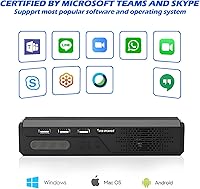
  • True plug-and-play functionality makes it compatible with both Windows and Mac systems right out of the box with no drivers.
  • Vocal frequencies are emphasized and clear, significantly improving the intelligibility of speech during Zoom or Teams meetings.
  • The lightweight design makes the integrated conference hub highly portable for digital nomads moving between different co-working spaces.

Cons

  • The 180W power specification is significantly overstated and does not reflect the actual real-world volume or acoustic performance.
  • The fixed, non-removable USB cable means the entire unit becomes unusable if the wire or connector is ever damaged.
  • The USB hub ports are limited to low-power accessories and struggle to provide enough juice for high-speed data transfers.
  • Audio performance lacks the low-end bass and dynamic range required for a satisfying music or movie-watching experience.
  • Being extremely lightweight, the unit can be easily pulled or tilted across the desk by the weight of its own cable.
  • The omnidirectional microphone tends to pick up ambient room noises like typing or distant conversations more than a headset would.
  • There is no dedicated software or firmware support for customizing the EQ settings or improving noise cancellation algorithms.
  • The build is primarily plastic, which lacks the premium, high-end feel found in more expensive professional conference equipment.

Ratings

Our team synthesized thousands of global buyer experiences to evaluate the Cykvis 3-in-1 USB Computer Speaker through a sophisticated AI analysis that strips away incentivized noise and bot-generated spam. This breakdown offers a transparent look at how this desktop speakerphone actually performs in real-world office settings, highlighting both its clever space-saving victories and its technical limitations.

Voice Pickup Range
88%
The four-microphone array performs impressively during group huddles, capturing voices clearly from multiple angles. Users appreciate being able to lean back or move slightly away from the desk without sounding like they are underwater or losing their connection to the call.
While the 360-degree coverage is effective, the clarity drops off noticeably as you approach the 16-foot limit. In larger rooms, participants sitting at the far end of a long table might still sound distant to remote listeners.
USB Hub Utility
92%
This is a massive win for users with port-starved laptops like newer MacBooks or ultrabooks. Having three dedicated ports right on the desk for a mouse, keyboard, or webcam drastically simplifies cable management and reduces the need for dangling dongles.
The hub is best suited for low-power peripherals rather than high-speed data transfers or charging smartphones. Attempting to run a portable hard drive through these ports can sometimes lead to connectivity drops or slow performance.
Plug-and-Play Reliability
94%
The lack of software bloat is a breath of fresh air for busy professionals. Verified buyers consistently report that the integrated conference hub is recognized instantly by Zoom, Teams, and various operating systems without needing any manual driver installations.
Because it lacks a dedicated software suite, you cannot fine-tune the EQ settings or update the firmware easily. If a specific OS update causes a glitch, you are at the mercy of the default system drivers to resolve it.
Volume & Audio Output
67%
33%
For standard vocal-heavy tasks like podcasts or video meetings, the audio is crisp and much louder than a standard laptop speaker. It handles mid-range frequencies well, ensuring that dialogue remains intelligible even in rooms with slight ambient noise.
The marketing claim of 180W peak power is highly misleading given the small size of the unit. It lacks the punch or bass response needed for an enjoyable music listening experience and can distort if pushed to its maximum volume.
Desk Footprint
96%
The compact 2-inch design is a masterclass in space efficiency for minimalist setups. It tucks away neatly under a monitor stand or in a corner, providing a professional audio interface without dominating the valuable real estate of a small desk.
Because it is so lightweight, the tension from the 1.8m USB cable can sometimes cause the unit to slide or tilt if the wire isn't routed carefully. Some users found they needed to use adhesive or a weighted base to keep it perfectly stationary.
Build Materials
79%
21%
The gray finish and retro-style casing look professional and blend in well with modern office hardware. It feels sturdy enough for daily use and doesn't attract fingerprints as easily as glossy plastic alternatives.
Close inspection reveals a mostly plastic construction that doesn't quite feel like a premium audio device. While durable enough for a stationary desk, it might not survive many high-impact drops during frequent travel.
Noise Reduction
73%
27%
The built-in digital processing does a decent job of isolating the speaker's voice from steady background hums like air conditioners or PC fans. This helps maintain a professional sound profile during quiet home-office hours.
It struggles with sharp, erratic noises like mechanical keyboard typing or a barking dog in the background. Without a dedicated physical mute indicator that is highly visible, users occasionally find themselves unsure if the noise suppression is active.
Cable Quality & Length
86%
The 1.8-meter length is generous for most setups, easily reaching from a standing desk down to a PC tower on the floor. The cable itself is thick and feels resistant to fraying over long-term use.
The cable is permanently attached to the unit, which is a significant point of failure. If the wire shorts out or the connector breaks, the entire 3-in-1 soundbar becomes useless since you cannot simply swap in a new USB lead.
Control Button Tactility
81%
19%
Having physical buttons for volume and calls is much faster than clicking through windows during a meeting. The buttons are responsive and provide a clear mechanical click so you know your input was registered.
The layout is somewhat cramped due to the small size of the device, making it easy to hit the wrong button if you aren't looking. The icons on the buttons can also be difficult to read in low-light environments.
Value for Money
89%
Considering this replaces a separate USB hub, a desktop mic, and a speaker, the price-to-utility ratio is excellent. It is a budget-friendly way to significantly upgrade a basic remote work setup in one go.
If you already own a high-quality hub or a decent pair of headphones, the incremental benefit is much lower. It is a jack-of-all-trades device that doesn't outperform dedicated, specialized equipment in any single category.
Frequency Response
62%
38%
The 4000 KHz range is specifically tuned for the human voice, making it very effective for clarity during speech-heavy applications. This focus ensures that you won't miss important details during a fast-paced business presentation.
The lack of low-end frequency support makes music sound thin and tinny. If you are looking for a speaker that can double as a primary media center for movies or gaming, this unit will likely leave you disappointed.
Portability
84%
At just 7.4 ounces, it is incredibly easy to toss into a laptop bag for travel or moving between co-working spaces. It is a great companion for digital nomads who need a consistent meeting setup on the go.
The lack of a protective carrying case in the box means the mesh and plastic are vulnerable to scratches in a bag. Additionally, the long, non-removable cable can become a tangled mess if not coiled properly with a strap.

Suitable for:

The Cykvis 3-in-1 USB Computer Speaker is a highly practical investment for remote professionals and students who are operating from space-constrained desks. Its primary appeal lies in its ability to consolidate audio and connectivity, making it perfect for laptop users who have run out of ports for their peripherals. Small teams will also find this desktop speakerphone useful for collaborative meetings, as the 360-degree microphone array ensures that everyone sitting around a central table is heard clearly by remote participants. If your daily routine involves frequent video calls and you prioritize a clean, uncluttered workspace over high-fidelity audio, this utility-focused device fits the bill perfectly.

Not suitable for:

This device is not the right choice for audiophiles or anyone looking to replace a dedicated home theater system, as the sound quality is tuned for vocal clarity rather than deep bass or musical richness. The Cykvis 3-in-1 USB Computer Speaker will likely disappoint those who take its 180W peak power claim literally, as it lacks the physical hardware to deliver room-shaking volume for parties or large events. Additionally, users who need to charge high-draw devices like tablets or run high-speed external hard drives through a hub should look for a powered USB docking station instead. Professionals who work in loud, open-plan offices might also find that the omnidirectional pickup captures too much background chatter compared to a directional headset microphone.

Specifications

  • Main Functionality: This device serves as a combined external speaker, omnidirectional microphone, and 3-port USB hub.
  • Connectivity: The unit connects to host devices via a single wired USB interface for data and power.
  • Dimensions: The external measurements of the housing are 2″D x 2″W x 2″H.
  • Weight: The total weight of the hardware is approximately 7.4 oz or 0.21 kg.
  • Microphone Array: Internal hardware includes a 4-microphone array designed for 360-degree voice pickup.
  • USB Expansion: A built-in 3-port USB hub allows for the connection of additional low-power peripherals.
  • Cable Length: The integrated, non-removable USB cable measures 1.8 meters in length.
  • Frequency Response: The speaker is rated for a frequency response range up to 4000 KHz.
  • Audio Processing: An internal digital processing chip manages noise reduction and echo cancellation during calls.
  • Operating Systems: The device is compatible with various versions of Windows and macOS without external drivers.
  • Control Interface: External hardware buttons provide direct control over volume and basic call functions.
  • Design Style: The enclosure features a retro-style soundbar aesthetic with a gray finish.
  • Sound Output: The audio output mode is configured for a surround-sound simulation.
  • Speaker Size: The internal speaker component is measured at 6.9 inches.
  • Mounting Type: The unit is designed for floor-standing or desktop placement.

Related Reviews

KCEVE USB 3.0 KVM Switch 3 Monitors 3 Computers
85%
94%
Ease of Setup
92%
Video Quality
88%
Build Quality
85%
Switching Speed
91%
Compatibility
More
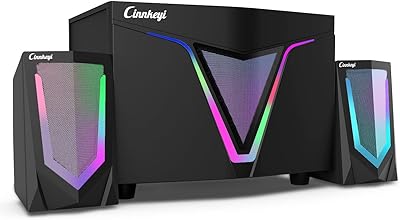
Cinnkeyi S217 2.1 Computer Speaker System
74%
83%
Bass Performance
67%
Satellite Speaker Clarity
88%
Value for Money
79%
Setup & Ease of Use
61%
Build Quality
More
Creative Pebble X Plus 2.1 USB-C Computer Speakers
87%
88%
Sound Quality
85%
Bass Response
91%
Ease of Setup
92%
RGB Lighting Customization
87%
Bluetooth Connectivity
More
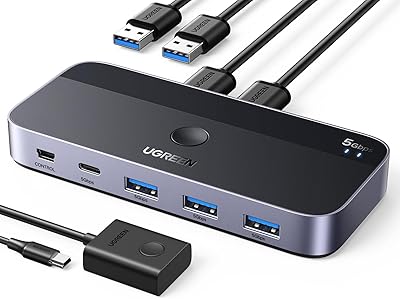
UGREEN USB 3.0 Switch 15705
79%
93%
Ease of Setup
88%
Switching Reliability
91%
Remote Controller Convenience
58%
Wireless Device Compatibility
86%
Port Selection & Layout
More
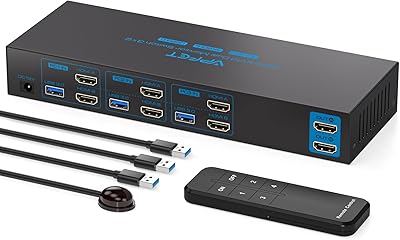
AILVLVNG HDMI KVM Switch 2 Monitors 3 Computers 4K@60Hz USB 3.0
84%
91%
Ease of Setup
88%
Dual Monitor Functionality
87%
USB Port Performance
84%
Display Consistency (EDID Emulator)
80%
Switching Speed (Button vs Remote)
More
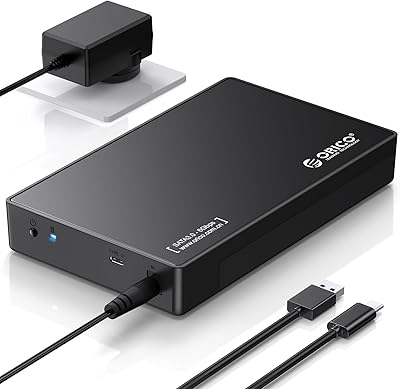
ORICO 3.5″ External Hard Drive Enclosure SATA III to USB 3.1 Type C
84%
92%
Ease of Setup
90%
Data Transfer Speed
85%
Build Quality
88%
Compatibility with OS
87%
Shock Protection
More
Vantec NST-371C31-BK NexStar Gx USB 3.1 Gen 2 Type-C 3.5″ SATA HDD/SSD Enclosure
84%
89%
Performance
94%
Ease of Setup
85%
Build Quality
92%
Compatibility with Systems
88%
Data Transfer Speed
More
Vantec NexStar JX NST-358SU3-BK USB 3.2 Gen 1 eSATA 3.5″/2.5″ SATA III HDD/SSD Enclosure
86%
92%
Performance & Data Transfer Speeds
90%
Ease of Setup
87%
Build Quality & Durability
78%
System Compatibility
85%
Thermals & Cooling
More
ikuai 3.5″ USB 3.0 Hard Drive Enclosure
80%
93%
Ease of Setup
71%
Build Quality
62%
Cable Quality & Reliability
88%
Drive Compatibility
74%
Data Transfer Speed
More
OROW S203 USB Computer Speakers
76%
81%
Sound Clarity
52%
Bass Performance
63%
Volume Output
93%
Plug-and-Play Setup
84%
Built-in USB Hub
More

FAQ

Not at all. This desktop speakerphone is completely plug-and-play, so your computer should recognize it as both an audio output and input device as soon as you plug it into a USB port.

I wouldn’t recommend it. While the ports are great for low-power gear like a mouse, keyboard, or webcam, they don’t provide enough amperage to charge a smartphone at any reasonable speed.

The integrated conference hub is ideally suited for small groups of about 5 to 6 people. The microphones are designed to pick up voices clearly within that typical meeting room radius.

Honestly, it’s designed more for voice clarity than high-fidelity music. It sounds much better than standard laptop speakers for meetings and podcasts, but it lacks the deep bass audiophiles would want for a dedicated music setup.

Yes, it works perfectly with iMacs, Mac minis, and MacBooks. It’s a particularly popular choice for MacBook users who are short on ports and want to add some extra USB-A connectivity back to their desk.

That number is a peak power rating and is a bit of a marketing stretch for a device this size. In real-world use, this 3-in-1 soundbar is plenty loud for a home office or small meeting room, but it won’t blast your windows out.

Unfortunately, the 1.8m cable is hardwired into the unit. You can’t swap it out yourself, so you’ll want to be careful with how you route it to avoid any sharp bends or heavy pinching.

There are dedicated physical buttons on the device itself. This is great because you can hit the mute button on the hardware rather than hunting for the tiny mute icon in your meeting software while someone is talking.

It should work just fine with a standard USB-A to USB-C adapter or a modern hub. Just ensure the adapter supports data transfer so the microphone and the built-in hub can function properly.

The internal chip does a decent job of filtering out steady background hums like fans or AC units. However, because it is an omnidirectional mic, it might still pick up sudden noises like a dog barking or loud typing nearby.