



Overview
The Cyber Acoustics WC-3000 USB Webcam sits squarely in the mid-range of a very crowded market, targeting remote workers, students, and small teams who need reliable video quality without spending a fortune. Cyber Acoustics has built its reputation around workplace audio-visual gear, and this webcam reflects that practical focus. Setup is genuinely painless — plug it into a USB port and it works across Windows, macOS, and Android without any driver installation. Think of it as a dependable daily driver rather than a content creator's tool. It won't replace a dedicated streaming camera, but for everyday calls and virtual meetings, it punches comfortably above entry-level.
Features & Benefits
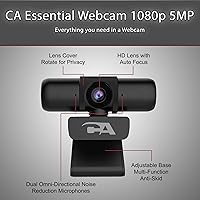
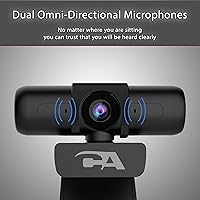
The WC-3000 uses a 5MP CMOS sensor — worth clarifying upfront that the 5MP figure refers to still image capture, while video streams at a widescreen 2592x1080 resolution at 30 frames per second. That distinction matters when comparing specs. The autofocus lens adjusts smoothly whether you're close to the camera or leaning back, which is more practical than a fixed-focus alternative. Built-in automatic low-light correction helps in dim rooms, though it works best as a supplement to decent ambient lighting rather than a replacement for it. The dual omnidirectional mics cover a wide pickup radius — genuinely useful for group calls or anyone not sitting directly in front of their desk.
Best For
This webcam makes the most sense for remote workers and students who want a clear, consistent image on video calls without fiddling with software or settings. The plug-and-play setup makes it particularly good for shared workspaces or anyone switching between machines. Its broad OS compatibility — including older macOS versions and Android devices — gives it an edge for users not on the latest hardware. The far-field microphone range also makes it a reasonable pick for small huddle rooms where multiple people need to be heard. If you already own a solid 1080p webcam the upgrade may feel incremental, but if you're still relying on a built-in laptop camera, this Cyber Acoustics cam is a meaningful step up.
User Feedback
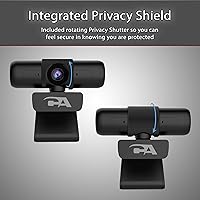
Buyers consistently highlight how quickly this webcam gets up and running, with most noting a real improvement over integrated laptop cameras. The rotating privacy shutter comes up repeatedly as a genuine selling point — people appreciate having a physical block over software toggles they can't always trust. Where feedback gets more mixed is around the plastic build quality, which reads as functional rather than sturdy. A recurring point of confusion involves the 5MP label: some buyers expected 5MP video and felt the widescreen output didn't match expectations. Low-light performance draws split opinions — better than nothing, but users with poorly lit home offices still recommend pairing it with a desk lamp. Overall, verified buyer sentiment skews positive for the price tier.
Pros
- Completely plug-and-play — works immediately on Windows, macOS, and Android with no software to install.
- Autofocus handles varying distances well, so you stay sharp whether you're sitting back or leaning in.
- The physical privacy shutter is a practical, hardware-level solution that many users find more trustworthy than software controls.
- Dual omnidirectional microphones cover a wide area, making group calls noticeably easier without an external mic.
- At its price point, image quality is a clear step above what most built-in laptop cameras deliver.
- The 6.5-foot cable gives enough reach to position the webcam wherever it works best without being tethered to the machine.
- Broad OS compatibility makes it a reliable option for users on older hardware or non-standard setups.
- Automatic low-light correction provides a usable image in moderately dim conditions without manual adjustments.
- Lightweight and compact enough to pack into a laptop bag for travel or hot-desking situations.
Cons
- The 5MP label refers to still image capture only — actual video output is widescreen 1080p, which can feel misleading to buyers expecting 5MP video.
- Plastic construction feels utilitarian; the build quality does not match what some buyers expect at this price tier.
- Low-light performance has a ceiling — in genuinely dark rooms, the automatic correction produces noticeable noise and softness.
- No USB-C connector included, which is an inconvenience for users with modern laptops that lack USB-A ports.
- The microphone pickup, while wide-ranging, can struggle to isolate voice clearly in noisy or reverberant environments.
- Frame rate is capped at 30fps, which may feel less fluid to users accustomed to smoother video on higher-end webcams.
- No companion software means there are limited options for manually adjusting exposure, white balance, or zoom.
- The mounting clip, while functional, offers minimal angle adjustment compared to webcams with a full ball-joint mount.
Ratings
The scores below reflect an AI-powered analysis of thousands of verified buyer reviews for the Cyber Acoustics WC-3000 USB Webcam, sourced globally and filtered to remove incentivized, spam, and bot-generated submissions. Each category is scored independently to give you an honest picture of where this webcam genuinely delivers and where it falls short. Both standout strengths and recurring frustrations are factored in transparently.
Video Quality
Low-Light Performance
Autofocus
Microphone Quality
Privacy Shield
Build Quality
Setup & Ease of Use
Compatibility
Value for Money
Microphone Range
Mounting & Adjustability
Cable Quality & Length
Frame Rate Smoothness
Packaging & Documentation
Suitable for:
The Cyber Acoustics WC-3000 USB Webcam is a strong fit for remote workers and students who spend a significant portion of their day on video calls and want a noticeable improvement over their laptop's built-in camera without overcomplicating their setup. Because it requires no driver installation and works across Windows, macOS, and Android, it's particularly well-suited to people who switch between devices or use older machines that don't always play nicely with newer peripherals. The wide-range omnidirectional microphones make it a practical choice for small shared spaces — think a home office corner where a partner is also working nearby, or a compact huddle room with two or three people. Students recording video submissions or attending live online classes will appreciate the autofocus, which quietly adjusts without requiring any manual tweaking mid-call. Privacy-conscious users will find real value in the physical shutter, which offers the kind of reassurance that a software toggle simply cannot.
Not suitable for:
Buyers looking for a webcam to support content creation, live streaming, or any kind of professional video production should look elsewhere — the Cyber Acoustics WC-3000 USB Webcam is built for functional workplace use, not cinematic output. The video resolution, while solid for calls, won't satisfy users who want true high-definition footage for YouTube, Twitch, or polished recorded presentations where image quality is under close scrutiny. Low-light performance is a genuine limitation: the automatic correction helps, but anyone working regularly in dim or unevenly lit spaces will likely find the results mediocre compared to webcams with larger sensors or adjustable exposure controls. The plastic build also means it won't feel at home on a premium desk setup where tactile quality matters. Users who rely on USB-C ports exclusively will need an adapter, which adds friction to an otherwise simple plug-and-play experience.
Specifications
- Brand: Manufactured by Cyber Acoustics, a US-based company focused on workplace audio-visual peripherals.
- Model Number: This webcam carries the official model designation WC-3000.
- Sensor: Uses a 5MP CMOS image sensor capable of capturing still images at up to 2592x1944 pixels.
- Video Resolution: Streams video in a widescreen format at up to 2592x1080 pixels and 30 frames per second.
- Video Format: Outputs video in MJPEG and YUV formats, which are broadly compatible with major conferencing applications.
- Focus System: Equipped with an autofocus lens with a 42mm focal length that adjusts automatically for subjects at varying distances.
- Low-Light Mode: Includes automatic low-light correction that adjusts exposure in dim conditions without any manual input.
- Microphones: Features dual built-in omnidirectional microphones designed to pick up audio from multiple directions simultaneously.
- Mic Range: The far-field microphone system supports voice pickup from approximately 10 to 16 feet away from the camera.
- Privacy Shield: A rotating physical shutter is built into the unit, providing a hardware-level block over the lens when not in use.
- Connectivity: Connects via a USB 2.0 Type-A connector; no additional hub or adapter is included in the box.
- Cable Length: The attached USB cable measures 6.5 feet, offering enough reach for most standard desk configurations.
- Compatibility: Works with Windows 10 and 11, macOS 10.6 and above, and Android 5.0 and above without requiring driver installation.
- Plug and Play: Fully plug-and-play; the webcam is recognized automatically by supported operating systems with no software setup required.
- Dimensions: The unit measures 5.5 x 4.6 x 3.5 inches, making it compact enough to clip onto most standard monitor bezels.
- Weight: Weighs 4.8 ounces, light enough to be carried in a laptop bag without adding meaningful bulk.
- Color: Available in black, with a matte plastic finish across the main housing.
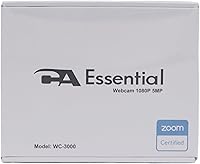
- In the Box: Package includes the webcam unit with attached USB cable and a printed user guide.
- Support: Cyber Acoustics provides US-based customer support accessible directly through the Amazon platform.
Related Reviews
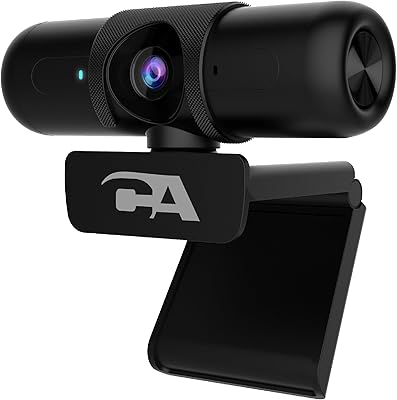
Cyber Acoustics WC-2000 1080p Webcam
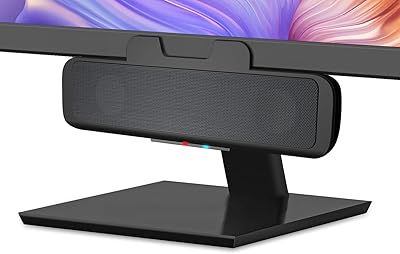
Cyber Acoustics CA-2890BT Bluetooth USB Speaker Bar

HuddleCamHD HC-WEBCAM-94
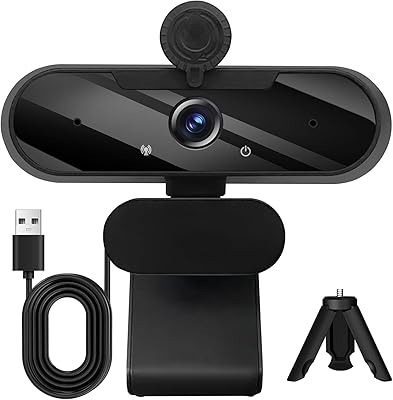
MTORED TWC-25 1080p Webcam
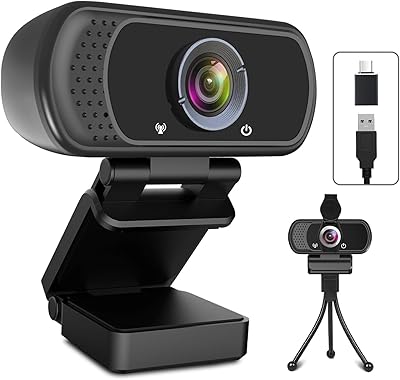
ToLuLu USB C Webcam
MOKOSE 4K USB Webcam
Nulaxy C900 USB Webcam
Logitech C525 USB HD Webcam
ASUS Webcam C3 1080p HD USB Camera