Overview

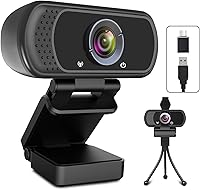
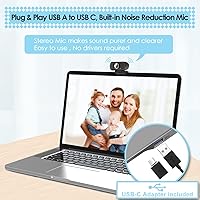
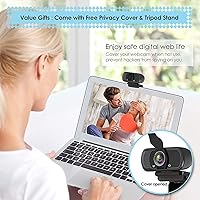
The ToLuLu USB C Webcam offers a convenient and reliable solution for high-quality video communication. Designed for both personal and professional use, this 1080p HD webcam ensures sharp, crisp visuals for video calls, streaming, and conferencing. Featuring a built-in microphone with noise reduction, it captures your voice clearly even in less-than-ideal environments. Setup is simple, thanks to the USB-C connectivity, which allows for easy plug-and-play installation. Additionally, the webcam comes with a privacy cover and tripod stand, making it highly versatile and secure for any use case.

Features & Benefits

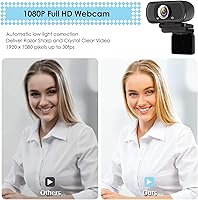
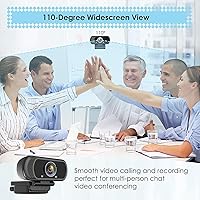
One of the standout features of this USB C webcam is its automatic light correction and HDR technology, which ensures clear, bright video even in low-light environments. The wide 110° field of view makes it ideal for group calls and streaming sessions, offering a more inclusive angle for viewers. Fixed focus ensures consistent video quality without any manual adjustments, making it hassle-free for users. Compatibility with popular platforms like Zoom, Skype, and OBS adds further convenience, making it a solid choice for professional and personal video needs alike.

Best For

This USB C webcam is best suited for remote workers who require reliable, high-quality video for meetings and conferences. Streamers and content creators will appreciate the clear, crisp visuals and the built-in microphone that enhances audio quality during broadcasts. It also caters to users in low-light environments, adjusting the lighting for better video quality. If you're looking for an affordable and easy-to-use webcam that works seamlessly with both PC and Mac, this webcam offers great value without compromising on features.

User Feedback

User reviews highlight the simplicity of the plug-and-play setup, making it a breeze for even tech-averse individuals to get started. Many appreciate the video quality, especially in dimly lit rooms, noting that the automatic lighting adjustments work effectively. However, some users have pointed out that the microphone works well in quieter settings but may pick up background noise during louder calls. The privacy cover is a highly valued feature, providing peace of mind when the camera is not in use. Overall, the webcam’s performance and value for money make it a solid choice for a variety of uses.

Pros

  • This USB C webcam is incredibly easy to set up with its plug-and-play USB-C connectivity.
  • The 1080p HD resolution delivers clear, sharp video for video calls and streaming.
  • Automatic light correction and HDR improve image quality in dimly lit environments.
  • Its 110° wide field of view is perfect for group calls or streaming setups.
  • The built-in microphone with noise reduction works well in quieter spaces.
  • The privacy cover provides an added layer of security when not in use.

Cons

  • Some users report that the microphone picks up background noise in louder environments.
  • The fixed focus may not be ideal for users who need more flexibility for close-ups.
  • While suitable for basic setups, the plastic build feels less durable for long-term or heavy use.
  • The tripod stand is functional but might not be stable enough for frequent adjustments.
  • In wide shots, the camera can show slight distortion at the edges due to the broad field of view.
  • This device may not be suitable for those seeking professional-level microphone performance.

Ratings

After analyzing verified user feedback from various platforms and languages worldwide, we’ve aggregated authentic, high-quality reviews for this webcam. The ratings reflect both strengths and areas for improvement, with spam, bot, and incentivized reviews filtered out. Whether it’s praised for its video quality or criticized for microphone performance in noisy environments, our analysis paints an accurate picture of what users truly experience with this device.

Video Quality
88%
Users frequently praise the sharpness and clarity of the 1080p video quality. Many mention that the automatic light correction and HDR make a noticeable difference, even in lower light settings. It provides a clear, consistent picture that is ideal for professional calls or streaming sessions.
Some users note that the image quality can still struggle in very low or backlit environments. A few have mentioned that the webcam occasionally has trouble adjusting in rapidly changing light conditions, leading to some temporary image blurring.
Ease of Setup
91%
The plug-and-play setup is a standout feature for most users, with many commenting on how quickly and easily they could start using the webcam. The USB-C connectivity ensures fast installation with no need for additional software or drivers, making it perfect for both beginner and experienced users alike.
While the setup is generally hassle-free, a few users reported occasional issues with certain platforms not automatically recognizing the webcam. Some mentioned needing to manually select the device in their video call software, which can be inconvenient.
Microphone Performance
75%
25%
The built-in microphone is appreciated by users who need an all-in-one solution for video calls. Several reviewers found the mic to perform well in quiet environments, providing clear audio without distortion or echo. It’s a convenient feature for those who don't want to use an external microphone.
However, some users complained about the microphone picking up a lot of background noise in louder environments. A few mentioned that while it's suitable for quiet spaces, it struggles to deliver quality sound in busy areas like open offices or cafes.
Field of View
85%
The 110° wide field of view is often highlighted as a great asset for group calls and streaming. It allows for more flexibility in positioning the camera, making it easier to capture multiple people in the frame. Users who stream or participate in larger conference calls find this feature particularly useful.
Some buyers expressed that the wide field of view causes a slight distortion around the edges of the frame. While not a deal-breaker for many, it can be noticeable when the webcam is placed too close or at certain angles.
Light Adjustment
89%
The automatic light correction and HDR are frequently mentioned as standout features, especially by users who work in less-than-ideal lighting. Many report that the webcam adapts well to changing light conditions, ensuring they always look good on video calls, even in dimly lit rooms.
A few users did note that while the light correction is generally effective, it can sometimes overcompensate, making skin tones look unnatural or washed out in certain lighting situations. These complaints were more common among users with extreme lighting setups.
Privacy Features
93%
The inclusion of a privacy cover has earned significant praise from users who value security. It provides peace of mind when the webcam is not in use, ensuring that they are not at risk of unauthorized access. Many also appreciate the physical nature of the cover over digital solutions.
While most users appreciate the privacy cover, some reported that it can be a bit fiddly to attach and remove. A few felt that the design could be smoother or more seamless for quick, frequent use.
Value for Money
90%
Many users feel that this webcam offers excellent value for the price. The combination of 1080p HD resolution, built-in microphone with noise reduction, and easy setup makes it a solid investment for both professional and personal use. Users frequently compare it to higher-end models that cost significantly more.
While most buyers agree it’s a good value, some wish for additional features like adjustable focus or more advanced software control options, which are available in pricier models. A small number felt that the webcam could be improved with a more premium build quality.
Build Quality
80%
20%
The webcam's compact design and solid build are frequently mentioned as key positives. The materials feel durable, and users like the minimalistic look that blends well with different desk setups. It’s lightweight and portable, making it easy to take on the go.
However, a few buyers reported that the webcam’s plastic body feels somewhat cheap, especially when compared to more premium alternatives. The tripod stand, while useful, also received some mixed feedback about its stability under certain conditions.
Platform Compatibility
87%
This webcam is widely praised for its compatibility across multiple platforms. Users mention that it works seamlessly with popular video conferencing and streaming software like Zoom, Skype, OBS, and Teams, which makes it highly versatile for various professional and personal uses.
However, a small number of users encountered issues with compatibility on specific operating systems or software versions. While it works with most major platforms, a few experienced difficulties with older OS versions or certain niche applications.
Design and Aesthetics
82%
18%
The sleek, modern design is a hit among users who want a webcam that looks good on their desk. Many note the small, unobtrusive size, which is perfect for those with limited desk space or those who prefer minimalism in their tech setup.
On the downside, some users feel the design could be more refined, especially in terms of the materials used. A few wished for a more premium appearance or a better-quality finish to match the performance.
Tripod and Accessories
78%
22%
The included tripod stand is a useful accessory for users who need flexibility in camera positioning. It’s especially appreciated by those who stream or attend virtual meetings in different setups and prefer to adjust the angle of the webcam easily.
However, a number of users found the tripod stand a bit flimsy for long-term use. A few mentioned that it doesn't provide the same level of stability as higher-end models, which can be a concern for more demanding setups.
Software Support
80%
20%
Most users appreciate the ease of use with popular software like Zoom, Skype, and OBS. The camera is plug-and-play, which eliminates the need for complex drivers or software installations, making it ideal for those who prioritize simplicity.
A few users have expressed a desire for additional features through proprietary software, such as more granular control over settings like focus or exposure. Some also mentioned that the webcam could benefit from regular software updates to improve performance.

Suitable for:

The ToLuLu USB C Webcam is ideal for remote workers, content creators, and students who need an affordable yet reliable webcam for video calls, streaming, or conferencing. With its 1080p HD resolution and plug-and-play USB-C connectivity, it is easy to set up, even for tech novices. The built-in microphone with noise reduction makes it perfect for quiet home office environments, while the 110° wide field of view ensures clear video for group calls. Its automatic light correction and HDR are especially beneficial for users working in dimly lit spaces, ensuring they look their best without extra equipment.

Not suitable for:

This webcam may not be the best choice for those requiring advanced features like adjustable focus or premium microphone performance. Some users report that the microphone struggles with background noise in louder environments, which could be a concern for those working in busy offices or public spaces. Additionally, while the 110° field of view is great for group calls, it can cause slight distortion at the edges, which might be off-putting for those who prioritize perfect image quality. Users looking for a more durable or high-end design may also find the plastic build and tripod stand lacking in sturdiness.

Specifications

  • Resolution: Offers 1080p HD video quality for clear and sharp image during calls and streaming.
  • Field of View: Has a wide 110° field of view, ideal for group calls and streaming.
  • Microphone: Built-in microphone with noise reduction technology for clear audio in quieter environments.
  • Connectivity: Uses USB-C for easy plug-and-play setup without additional drivers or software.
  • Privacy Cover: Comes with an included privacy cover to protect your privacy when not in use.
  • Tripod Stand: Includes a tripod stand for flexible placement and stable setup.
  • Focus: Features a fixed focus for consistent video quality without the need for adjustments.
  • Lighting Technology: Equipped with automatic light correction and HDR to enhance video quality in low-light environments.
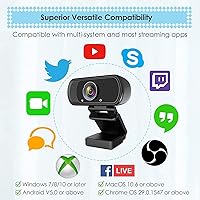
  • Compatibility: Compatible with Windows, macOS, Linux, and Chrome OS systems.
  • Software Support: Works with a variety of software including Zoom, Skype, OBS, Teams, and Webex.
  • Dimensions: Measures 3.8 x 3.1 x 2.5 inches for a compact and portable design.
  • Weight: Weighs 6.3 ounces, making it lightweight and easy to handle.
  • Microphone Performance: Performs well in quiet settings but may pick up background noise in louder environments.
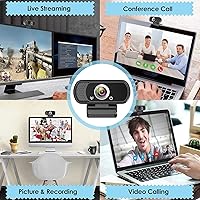
  • Video Call Use: Ideal for remote workers who need clear video for meetings and conferences.
  • Streaming Use: Suitable for streamers and content creators who require high-quality video output.
  • Installation: Easy to install with no software required for basic functionality.
  • Fixed Focus: Provides a consistent, sharp image without manual focus adjustments.
  • Portability: Compact and lightweight, making it a great option for mobile setups and travel.

Related Reviews
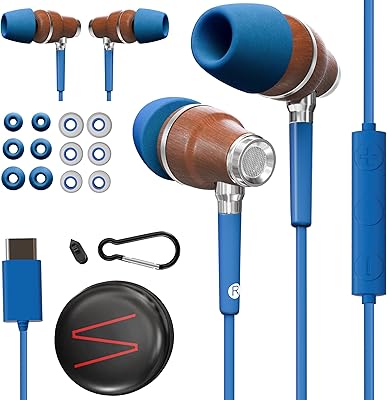
Symphonized NRG C USB-C Earphones

81%
90%
Sound Quality
85%
Build Quality
75%
Comfort & Fit
80%
Noise Isolation
92%
USB-C Connectivity
More
HuddleCamHD HC-WEBCAM-94
77%
83%
Video Quality (Daylight)
51%
Low-Light Performance
91%
Field of View
94%
Ease of Setup
57%
Audio Quality
More
Teslong MS100-C USB-C Digital Microscope
85%
89%
Magnification Quality
91%
Ease of Use
84%
Build Quality
93%
Portability
88%
LED Lighting Performance
More
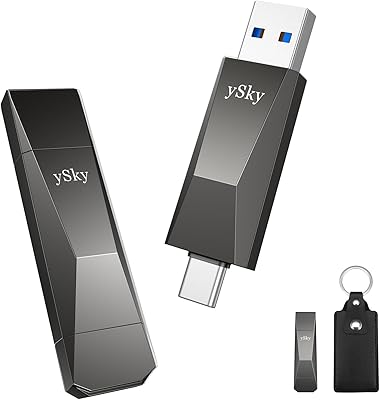
ySky 512GB USB-C/USB 3.2 SSD
88%
91%
Read Speed Performance
88%
Write Speed Performance
92%
Build Quality & Durability
89%
Portability
95%
Ease of Use / Setup
More
CHHI D800 Wireless Mouse with Bluetooth, USB-A, USB-C Receiver
88%
88%
Performance
91%
Battery Life
85%
Ergonomics
90%
Connectivity Options
89%
Ease of Setup
More
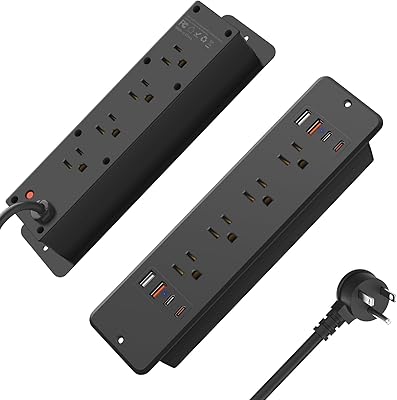
HHSOET 8 Outlet Recessed Power Strip with USB-C and USB-A Ports
88%
94%
Surge Protection
89%
Ease of Installation
88%
Charging Speed
91%
Design & Space-Saving
87%
Build Quality
More
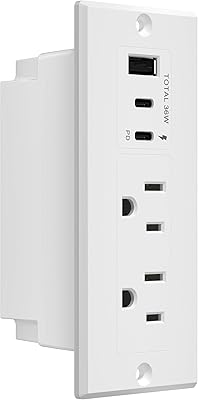
LIDER PD 36W Recessed Outlet Station with USB-A and USB-C Ports
86%
94%
Ease of Installation
89%
Charging Speed (USB-C Power Delivery)
90%
Safety Features (Tamper-Resistant Outlets)
88%
Design and Aesthetics
75%
Cord Length (6.5 ft)
More
KMC 3-Outlet Surge Twist Power Strip with USB-C & USB-A Ports
88%
89%
Surge Protection Performance
91%
Ease of Use
87%
Portability and Storage
88%
Build Quality and Durability
84%
Charging Speed
More
TOPREK Power Strip with USB, 6 Outlets, 20W USB-C Fast Charging
87%
94%
Charging Speed
88%
Build Quality
90%
Ease of Use
85%
Surge Protection Effectiveness
89%
Design Aesthetics
More
Plugable UD-3900Z
Plugable UD-3900Z
74%
88%
Dual Monitor Performance
79%
macOS Compatibility
93%
Wired Ethernet Reliability
82%
USB Port Availability
74%
Setup & Ease of Use
More

FAQ

Setting up this webcam is simple thanks to its plug-and-play USB-C connectivity. Just plug it into a USB-C port on your PC or Mac, and it should automatically be recognized without needing any additional drivers or software.

Yes, this device works with a variety of popular platforms, including Zoom, Skype, OBS, Microsoft Teams, and Webex. It’s perfect for video calls, streaming, and conferences across these systems.

The ToLuLu USB C Webcam offers 1080p HD resolution, providing clear and sharp video. It also features automatic light correction and HDR for better image quality, even in low-light settings.

This webcam has a 110° field of view, making it ideal for group video calls or streaming setups. It captures a wide area, so everyone can be included in the frame during meetings or live sessions.

Yes, the webcam comes equipped with a built-in microphone that features noise reduction technology. It works well in quiet environments but may pick up some background noise in louder settings.

The package includes the ToLuLu USB C Webcam, a privacy cover for enhanced security when the camera is not in use, and a tripod stand for easy and flexible placement.

Absolutely! With its 1080p HD resolution, wide field of view, and noise-reducing microphone, this webcam is a great choice for streamers and content creators who need high-quality video without complicated setups.

Yes, this webcam is compatible with Windows, macOS, Linux, and Chrome OS. It’s a versatile option for users across different operating systems.

The fixed focus ensures that your video remains sharp and consistent without the need for manual adjustments. However, it may not be ideal for users who need to frequently change the focus for close-up shots.

Yes, the automatic light correction and HDR features help improve video quality in dim or challenging lighting conditions, making it an excellent choice for users who often work in poorly lit spaces.