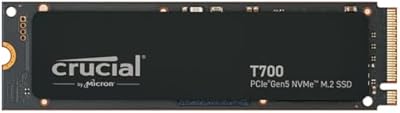
Overview

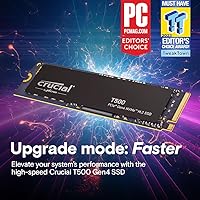
The Crucial T500 1TB Gen4 NVMe M.2 SSD sits at the sharper end of Crucial's storage lineup, targeting gamers and creators who want serious throughput without crossing into boutique pricing territory. It uses the standard M.2 2280 form factor, which means it drops into most modern laptops and desktops without any adapter or fuss. Launched in late 2023, it carved out a competitive Gen4 position in a crowded market. There's also a bundled one-month Adobe Creative Cloud trial included at registration — a small but welcome extra. One thing worth confirming before buying: your system needs a PCIe Gen4 slot to actually unlock these speeds.
Features & Benefits

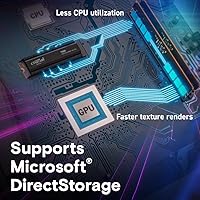
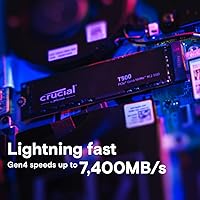
At peak, the Crucial T500 pushes sequential reads of 7,300MB/s and writes up to 6,800MB/s — numbers that translate to faster boot times, snappier application launches, and quicker transfers of large files like 4K footage or game installs. Random I/O is arguably more important for day-to-day responsiveness, and this Gen4 NVMe drive holds up well there too, handling multitasking without hesitation. Microsoft DirectStorage support reduces CPU load during texture streaming, which helps in demanding titles. For photographers and video editors, Crucial claims up to 42% faster workflows in content creation apps — a meaningful gap when you're repeatedly exporting or batch-processing large assets.

Best For

This M.2 SSD makes the most sense for PC gamers upgrading from Gen3 or older SATA drives who want tangible load-time improvements without overspending. Content creators handling large video projects or RAW photo libraries will also find it a solid workhorse. It fits neatly into laptop upgrade scenarios — the compact 2280 size is near-universal, and the drive doesn't draw excessive power. PS5 owners can use it as expansion storage, as it meets Sony's speed requirements comfortably. If you're budget-conscious but still want near-flagship Gen4 performance, the Crucial T500 offers strong value in the 1TB tier without asking you to compromise on throughput.

User Feedback

With over 4,600 ratings averaging 4.8 stars, the reception for this Gen4 NVMe drive is hard to argue with. Buyers consistently praise straightforward installation and real-world speed gains they can actually feel — not just synthetic benchmark numbers. Long-term reliability also scores well, with few reports of early failures. On the critical side, some users note the drive runs warm under sustained heavy workloads, and a heatsink — not included — is worth adding if your build has limited airflow. The Adobe CC trial gets occasional mentions but is broadly treated as a minor perk rather than a purchase driver. The overall sentiment reflects a drive that does what it promises.

Pros

  • Real-world game load times drop noticeably when upgrading from a SATA or Gen3 drive.
  • Microsoft DirectStorage reduces CPU overhead, helping in texture-heavy modern titles.
  • Sequential read speeds hold up well during large file transfers and 4K video exports.
  • The M.2 2280 form factor fits nearly every modern desktop, laptop, and the PS5 without adapters.
  • Installation takes under ten minutes even for first-time builders.
  • The Crucial T500 delivers near-flagship Gen4 throughput without a premium price tag.
  • Random I/O performance makes everyday multitasking and app launches feel genuinely responsive.
  • Crucial's track record for NAND quality gives long-term reliability reasonable confidence.
  • Content creators see tangible time savings in batch exports and heavy creative app workflows.
  • Drive health remains clean across extended use for the large majority of buyers.

Cons

  • No heatsink is included, which matters for PS5 installs and thermally constrained builds.
  • Sustained sequential writes in poorly ventilated laptops can trigger thermal throttling.
  • Buyers with Gen3-only M.2 slots will not unlock the drive's advertised speeds.
  • The bundled Adobe Creative Cloud access is a one-month trial, not a full subscription.
  • Long-term endurance data is still limited given the drive's relatively recent launch date.
  • A small but real portion of buyers report early unit failures requiring warranty claims.
  • Competing drives occasionally undercut it on price during promotional sales events.
  • Slim ultrabook users may find thermal performance under heavy loads disappointing.
  • Warranty and support navigation draws occasional frustration during high-volume periods.
  • Users on older CPUs or low-RAM systems may find the drive is not their actual bottleneck.

Ratings

The Crucial T500 1TB Gen4 NVMe M.2 SSD earned its scores through AI analysis of thousands of verified global user reviews, with spam, bot submissions, and incentivized feedback actively filtered out before any score was calculated. The result is a balanced picture that reflects where this Gen4 NVMe drive genuinely excels and where a handful of real-world limitations still surface. Both the strengths and the friction points are represented here transparently, so you can make an informed call before buying.
Sequential Read & Write Speed
93%
Users upgrading from SATA or older Gen3 drives consistently report dramatic improvements — large game installs that once took several minutes now move in under one. Video editors pulling 4K footage off the drive notice the difference immediately during scrubbing and preview rendering.
Hitting the advertised peak speeds requires a clean Gen4 slot and a well-ventilated environment. In thermally constrained laptops, sustained transfers occasionally fall short of the headline figures, which catches some buyers off guard after seeing the spec sheet.
Random I/O Performance
89%
Day-to-day responsiveness is where most users feel the upgrade most acutely. Booting into Windows, switching between heavy browser tabs, and launching multiple creative apps simultaneously all feel noticeably snappier compared to budget Gen4 alternatives in the same price range.
Under mixed workloads involving simultaneous large file transfers and application use, a small subset of users noted occasional brief slowdowns. It is not a consistent complaint, but it suggests the drive is not immune to queue depth pressure under extreme multitasking.
Gaming Performance
91%
Microsoft DirectStorage support is a genuine advantage for titles that use it — texture pop-in is reduced and level transitions feel tighter. Gamers moving from a SATA SSD report load time reductions across open-world titles that are easy to notice without running a stopwatch.
For users still running games that do not leverage DirectStorage, the real-world gap versus a mid-range Gen3 drive narrows considerably. The gaming benefits are real but depend heavily on the game library and whether the system is running a DirectStorage-compatible OS build.
Thermal Management
67%
33%
In desktop builds with decent airflow or a motherboard heatsink already in place, the drive maintains stable temperatures during extended sessions without throttling. Many desktop users report trouble-free operation even during prolonged game installs or large file migrations.
This is the most consistently raised concern in user feedback. Without an aftermarket heatsink, sustained workloads — particularly long sequential writes like video exports — can push temperatures high enough to trigger thermal throttling. Laptop users in slim chassis report this more frequently than desktop owners.
Installation Ease
96%
The standard M.2 2280 footprint means it fits virtually every modern motherboard and laptop without adapters. Users with no prior hardware experience routinely describe completing the swap in under ten minutes, and the drive is recognized immediately on first boot.
The drive ships without a heatsink, so buyers who want one need to source it separately. A small number of users on older systems discovered post-purchase that their M.2 slot was Gen3 only, which is a compatibility issue caused by insufficient pre-purchase research rather than the drive itself.
PS5 Compatibility
88%
The drive meets Sony's minimum speed threshold comfortably and users report smooth PS5 installation with no rejected drive errors. Game load times on PS5 are tight and consistent, and the compact size works well within the console's expansion bay.
Sony requires a heatsink for PS5 M.2 installation, and since none is included, PS5 buyers need to factor in that additional purchase. A handful of users also noted the PS5 does not fully utilize the drive's maximum bandwidth, meaning some of its potential goes untapped in that context.
Value for Money
88%
At its price point, this M.2 SSD occupies a rare spot where Gen4 performance does not demand a premium tax. Buyers comparing it to pricier competitors with similar benchmark results frequently conclude it is one of the stronger dollar-per-gigabyte options in the 1TB Gen4 tier.
Competing drives occasionally dip to similar or lower prices during sales, which can shift the value equation temporarily. The included Adobe CC trial is a one-month access pass, not an ongoing subscription, so it adds limited long-term value for buyers who already own creative software.
Long-Term Reliability
86%
Crucial's reputation for consistent NAND quality carries weight here, and the volume of users reporting stable, error-free operation across six-plus months of daily use is encouraging. Drive health readings via monitoring tools remain clean for the vast majority of reviewers over time.
The dataset is still relatively young given the drive's late 2023 release, so multi-year endurance data is limited. A small but non-negligible count of users reported early failures, though these appear to fall within normal statistical ranges for the category rather than indicating a systemic issue.
Content Creation Workflow Speed
84%
Photographers batch-processing large RAW files and editors working with multi-track 4K timelines both report meaningful time savings compared to their previous drives. The high sequential write speed in particular helps when exporting finished video projects or saving large Photoshop documents.
The performance gains are most pronounced when the rest of the system keeps up — users on older CPUs or with limited RAM sometimes find the drive is not the bottleneck they expected it to be, making the upgrade feel less impactful than anticipated.
Laptop Compatibility
81%
19%
The drive works reliably in a wide range of modern laptops, and users report clean detection across major brands. The power draw is reasonable for a Gen4 drive, and most users do not report significant battery impact during typical workloads like browsing or document editing.
Thin-and-light ultrabooks with passive cooling are not ideal hosts for this drive under heavy use. Several laptop users noted the drive runs warm enough in tight chassis to throttle during extended tasks, and not all slim laptops even expose a Gen4 M.2 slot.
Software & Bundle Value
58%
42%
For users who genuinely have not tried Adobe Creative Cloud before, the one-month access pass offers a cost-free way to explore the full app suite. The redemption process is described as relatively painless by those who used it.
Experienced buyers largely disregard this bundle entirely, and it requires product registration which some users find unnecessary friction. A one-month trial has minimal resale value and does nothing for buyers already subscribed to Adobe or using alternative creative tools.
Packaging & Out-of-Box Presentation
74%
26%
The drive arrives in secure, minimal packaging that protects it adequately during shipping. Users generally describe the unboxing as clean and professional, consistent with what you would expect from an established storage brand.
There is no heatsink, no thermal pad, and no installation tool included in the box. For a drive positioned at this performance tier, some buyers feel the accessory situation is sparse — particularly PS5 buyers who must source a heatsink separately before they can even install it.
Form Factor Versatility
92%
The M.2 2280 standard is about as universal as storage form factors get right now, and this Gen4 NVMe drive takes full advantage of that. It slots into gaming desktops, mainstream laptops, mini-ITX builds, and the PS5 without any special mounting or adapter requirements.
Users with legacy systems — particularly those with only M.2 SATA slots or no M.2 slot at all — cannot use the drive without a significant platform upgrade. This is not unique to this drive, but it does limit the addressable audience for buyers researching older hardware.
Brand Trust & Support
83%
Crucial is a well-established name in consumer storage, and buyers frequently cite brand familiarity as a confidence factor. Customer support interactions, while not universally praised, are generally described as functional and resolution-oriented when warranty claims arise.
Support response times during high-volume periods draw occasional criticism, and the warranty documentation is not always prominently communicated at the point of purchase. A few users expressed frustration navigating the claims process, though successful resolutions appear to be the norm.

Suitable for:

The Crucial T500 1TB Gen4 NVMe M.2 SSD is a strong match for PC gamers who are still running a SATA or older Gen3 drive and want a meaningful, noticeable upgrade without spending at the top of the market. Content creators — particularly video editors exporting 4K timelines or photographers running batch processes on large RAW files — will appreciate the sustained throughput during heavy workloads. Laptop upgraders with a modern machine that exposes a PCIe Gen4 M.2 slot will find the installation straightforward and the performance gain well worth the effort. PS5 owners looking to expand console storage with a drive that comfortably clears Sony's speed threshold will also find this Gen4 NVMe drive a reliable and cost-effective choice. In general, anyone who wants near-flagship Gen4 storage performance and is working on a platform that can actually take advantage of it will get solid, honest value here.

Not suitable for:

The Crucial T500 1TB Gen4 NVMe M.2 SSD is not the right buy for anyone whose motherboard or laptop only supports PCIe Gen3 or M.2 SATA — the drive will either run at reduced speeds or not be recognized at all, making the purchase a frustrating waste. Users with slim ultrabooks or passively cooled laptops should think carefully before committing, as thermal throttling under sustained workloads is a documented issue in tight chassis without adequate airflow. Buyers who do not already own a heatsink should budget for one separately, especially if they plan a PS5 installation where Sony mandates it, or if their desktop motherboard does not include one natively. If your workload is light — general browsing, office documents, light media consumption — a less expensive Gen3 drive will serve you just as well at a lower cost, and the speed headroom here would go largely unused. Finally, anyone hoping the bundled Adobe Creative Cloud access represents long-term software value should know upfront that it is a single one-month trial pass, not an ongoing subscription.

Specifications

  • Capacity: This drive is available in a 1TB configuration, offering ample space for game libraries, creative project files, and operating system installs.
  • Interface: It uses a PCIe Gen4 NVMe interface, requiring a compatible Gen4 M.2 slot to achieve its rated maximum speeds.
  • Form Factor: The drive follows the M.2 2280 standard, measuring 3.15 x 0.86 x 0.09 inches — the most widely supported M.2 size across modern desktops and laptops.
  • Sequential Read: Peak sequential read speed reaches up to 7,300MB/s under optimal conditions with a Gen4-capable host system.
  • Sequential Write: Peak sequential write speed reaches up to 6,800MB/s, which is particularly relevant during large file saves and video export operations.
  • Random Read: Random read performance tops out at up to 1.15 million IOPS, supporting fast application launches and low-latency multitasking.
  • Random Write: Random write performance reaches up to 1.44 million IOPS, which benefits workloads involving many small simultaneous file operations.
  • Compatible Devices: The drive is officially compatible with desktops, laptops, and the PlayStation 5 expansion bay, provided the host slot meets Gen4 requirements.
  • DirectStorage: Microsoft DirectStorage is supported, enabling games built on that API to stream assets more efficiently and with reduced CPU overhead.
  • Installation Type: This is an internal M.2 drive intended for permanent installation inside a host device; it is not an external or portable storage solution.
  • Weight: The drive weighs just 0.353 ounces, making it light enough to install without any concern about adding mechanical stress to the M.2 slot.
  • Color: The drive has a black PCB finish with no integrated heatsink included in the retail package.
  • Included Bundle: Each purchase includes a redemption code for one month of Adobe Creative Cloud All-Apps access, activated through product registration on Crucial's website.
  • Brand & Model: Manufactured by Crucial under the T500 Internal SSD series, with the model number CT1000T500SSD8 used for cross-reference and warranty purposes.
  • Heatsink: No heatsink is included in the box; buyers installing in thermally constrained environments or a PS5 should source a compatible heatsink separately.
  • Availability Date: The drive first became available on October 31, 2023, placing it in the more recent wave of high-performance consumer Gen4 storage options.

Related Reviews
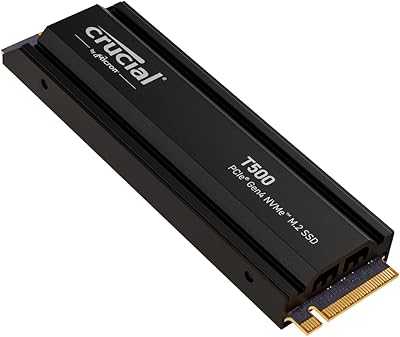
Crucial T500 4TB Gen4 NVMe M.2 SSD
89%
94%
Performance
87%
Cooling Efficiency
90%
Installation Process
92%
Reliability
95%
Compatibility with PS5
More
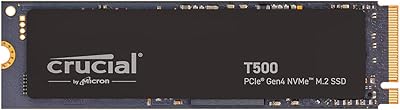
Crucial T500 2TB Gen4 NVMe M.2 SSD with Heatsink
89%
95%
Read Speed
92%
Write Speed
88%
Thermal Management
90%
Compatibility with PS5
83%
Ease of Installation
More
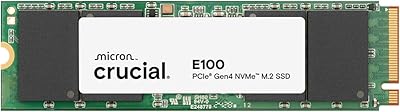
Crucial E100 1TB PCIe Gen4 NVMe M.2 SSD
89%
93%
Performance
95%
Speed (Read/Write)
89%
Ease of Installation
92%
Gaming Performance
88%
Compatibility with Consoles
More
Crucial T500 500GB Gen4 NVMe M.2 Internal SSD
85%
93%
Performance
88%
Ease of Installation
90%
Compatibility with Devices
85%
Value for Money
81%
Software Bundle (Adobe Creative Cloud)
More
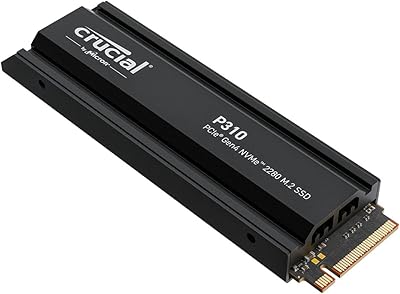
Crucial T700 1TB Gen5 NVMe M.2 SSD
89%
96%
Performance
94%
Speed (Read/Write)
92%
Gaming Performance
90%
Compatibility
80%
Thermal Management
More
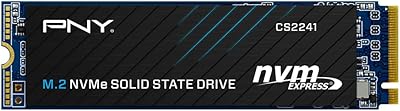
PNY CS2241 1TB M.2 NVMe Gen4 SSD
88%
94%
Performance
92%
Speed & Responsiveness
89%
Compatibility with Modern Systems
88%
Ease of Installation
91%
Reliability & Durability
More
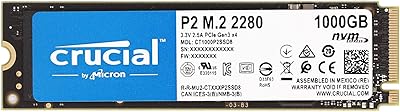
Crucial P2 1TB NVMe PCIe M.2 SSD
84%
89%
Performance
92%
Value for Money
85%
Installation Ease
80%
Compatibility
88%
Durability
More
Crucial E100 480GB M.2 NVMe PCIe Gen4 SSD
86%
94%
Performance
90%
Value for Money
88%
Installation Ease
80%
Storage Capacity
85%
Build Quality
More
Crucial P310 2TB NVMe SSD
80%
86%
Read & Write Speed
93%
PS5 Compatibility
84%
Value for Money
71%
Thermal Management
91%
Installation Experience
More
Fanxiang S690Q 1TB NVMe SSD PCIe Gen4 M.2
86%
88%
Performance for Gaming
91%
Read Speed
83%
Heat Dissipation
92%
Ease of Installation
90%
PS5 Compatibility
More

FAQ

Yes, to get the speeds this drive is rated for, your motherboard needs a PCIe Gen4 M.2 slot. If you install it in a Gen3 slot, it will still work — the drive is backward compatible — but speeds will be capped at Gen3 levels, around 3,500MB/s read, which undercuts the whole reason to buy this particular drive.

Yes, it meets Sony's minimum speed requirement for PS5 M.2 expansion storage. Keep in mind that Sony requires you to install a heatsink over any M.2 drive in the PS5 bay, and one is not included with this drive, so you will need to purchase that separately before installation.

Most users do notice a real difference, especially during game loading, large file transfers, and booting into Windows. The gap between a typical SATA drive and this Gen4 NVMe drive is substantial enough that it is not just a benchmark number — things like open-world level transitions and 4K video scrubbing tend to feel meaningfully faster.

Under light to moderate use, temperatures are manageable. During sustained heavy workloads — like long sequential writes or continuous large file migrations — the drive can get warm enough to throttle if there is no heatsink and limited airflow. If your motherboard includes a built-in M.2 heatsink, use it. If not, picking up an aftermarket one is a worthwhile precaution, especially in compact or warm builds.

You register the drive on Crucial's website after purchase, and the redemption instructions for the one-month Adobe Creative Cloud All-Apps trial are provided during that process. It is worth knowing upfront that this is a single-month trial pass, not an ongoing subscription — so if you already subscribe to Adobe, it adds minimal practical value.

It can be, provided your laptop has a PCIe Gen4 M.2 slot — not all do, so it is worth confirming in your laptop's specifications before buying. In well-ventilated laptops it performs well. In very slim ultrabooks with passive cooling, sustained workloads can cause the drive to throttle, so it is better suited to laptops with active cooling or at least reasonable chassis airflow.

It sits comfortably in the upper tier of value-oriented Gen4 drives. The sequential speeds are competitive with pricier options, and the random I/O performance is strong enough for everyday responsiveness. Where it falls slightly behind some boutique competitors is in included accessories — no heatsink — and in long-term endurance data, which is still accumulating given the drive's 2023 release.

The drive will still function — NVMe Gen4 drives are backward compatible with Gen3 slots. Your system will detect it normally, but the maximum throughput will be limited to what Gen3 can handle, roughly half the advertised read speed. You will not damage anything, but you will not get the performance you paid for either.

Crucial offers a free download of Acronis True Image for Crucial through their website, which supports drive cloning. It is not physically included in the box, but it is available after registration and is a legitimate option for transferring your existing OS and files to the new drive without a clean reinstall.

Crucial covers this Gen4 NVMe drive with a five-year limited warranty, which is standard for drives in this category and reflects reasonable confidence in its long-term reliability. Warranty claims are handled through Crucial's support portal, and while the process is generally functional, response times during busy periods have drawn occasional feedback — so keeping your proof of purchase handy is always a good idea.

Where to Buy