Overview

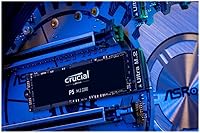
The Crucial P5 1TB NVMe SSD sits firmly in the upper tier of PCIe Gen 3 drives, coming from a brand with deep roots in consumer memory and storage. It uses the standard M.2 2280 form factor, which means it drops into virtually any modern desktop or laptop with an available NVMe slot. Launched in 2020, it has held up well against newer competition, which says something about how confidently it was specced from the start. With nearly 9,000 ratings averaging 4.8 stars, it has earned broad user trust — though that alone should not be the deciding factor in your purchase decision.

Features & Benefits

What makes the P5 1TB stand out is the combination of raw throughput and practical reliability features. Sequential reads hit up to 3,400MB/s, with writes following at 3,000MB/s — numbers that translate to noticeably faster OS boots, snappy app launches, and quicker large file transfers. The 500K random write IOPS figure matters most during multitasking, where storage bottlenecks tend to surface first. Hardware-level full-drive encryption is built in, protecting your data without cutting into performance. Dynamic write acceleration and adaptive thermal protection help maintain consistent speeds during extended use. With a 5-year warranty covering up to 600TBW, most home users will never approach the endurance ceiling.

Best For

This Crucial NVMe drive is a natural fit for gamers who want real improvements in load times without paying the premium PCIe Gen 4 drives currently demand. It also works well for photographers and video editors who regularly move large raw files and need consistent throughput rather than just peak burst speeds. PC builders swapping out an older SATA drive will notice an immediate difference. The built-in encryption makes it worth considering for professionals handling sensitive client data. And if you are upgrading a laptop with an open M.2 slot, the reliable brand backing and broad platform support — Linux, Mac, and PC — remove a lot of guesswork from the decision.

User Feedback

Buyers consistently highlight easy installation and a clear jump in boot and load times as the standout positives — particularly those upgrading from SATA or older NVMe drives. Long-term reliability comes up often, with several reviewers returning to Crucial specifically because of past positive experiences. On the critical side, a handful of users note that under sustained heavy workloads temperatures can climb, and those without adequate case airflow may want to consider a heatsink. A few compatibility reports surface around specific older motherboards, so checking your system specs beforehand is worth the extra minute. Overall, the tone in reviews leans strongly positive, with most buyers treating this M.2 SSD as a dependable daily workhorse.

Pros

  • Sequential read speeds up to 3,400MB/s make boot times and large file transfers noticeably faster in daily use.
  • The 500K random write IOPS keep multitasking smooth even when several apps are running simultaneously.
  • Hardware-level full-drive encryption protects sensitive data without any measurable performance hit.
  • A five-year warranty with 600TBW endurance means most home and office users will never wear this drive out.
  • The M.2 2280 form factor fits the vast majority of modern desktops and laptops without adapters.
  • Compatible out of the box with Linux, Mac, and PC, which is genuinely useful for multi-platform households or builders.
  • Adaptive thermal protection helps the drive manage heat during extended workloads without user intervention.
  • Nearly 9,000 Amazon ratings averaging 4.8 stars reflects a broad, sustained track record of buyer satisfaction.
  • Installation is straightforward enough that even first-time PC builders report no issues getting it up and running.

Cons

  • No DRAM cache means random performance consistency can lag behind similarly priced drives that include one.
  • Sustained heavy workloads can push temperatures up, and users with poor case airflow may want a heatsink.
  • PCIe Gen 3 is the ceiling here, so the drive will bottleneck on any platform built around Gen 4 speeds.
  • A small number of users have reported compatibility hiccups with certain older motherboard NVMe implementations.
  • The P5 1TB has not received significant firmware updates or new features since its 2020 launch, which limits longevity on evolving platforms.
  • At its current price point, newer Gen 4 drives occasionally dip close enough in cost to make the value case less clear-cut.
  • No bundled cloning software is included, which means users migrating from an existing drive need a third-party solution.

Ratings

The scores below were generated by AI after analyzing thousands of verified global user reviews for the Crucial P5 1TB NVMe SSD, with spam, bot-submitted, and incentivized feedback actively filtered out to ensure accuracy. Both the strengths that make this Crucial NVMe drive a popular choice and the real-world pain points that buyers have flagged are reflected transparently in each category score.

Read Performance
91%
Users consistently report that boot times drop dramatically after switching to the P5 1TB, with Windows loading in under ten seconds on compatible systems. Game level loads and large file opens — particularly in Photoshop and Premiere — feel noticeably faster compared to SATA drives users upgraded from.
At the very top end of PCIe Gen 3, this drive starts to show its ceiling when compared side-by-side with Gen 4 alternatives in file-transfer benchmarks. Power users who regularly move multi-gigabyte archives will eventually feel the gap.
Write Performance
88%
Sequential write speeds hold up well for sustained tasks like exporting video timelines or writing large backup archives. The dynamic write acceleration keeps burst writes snappy, which matters for photographers importing batches of raw files.
Without a dedicated DRAM cache, write speeds under mixed workloads can dip more than some competing drives in the same tier. Users running database applications or virtual machines with heavy simultaneous read-write activity occasionally notice this inconsistency.
Random I/O Responsiveness
86%
The 500K random write IOPS figure translates well to everyday multitasking — switching between a browser with many tabs, a design app, and a game launcher simultaneously feels fluid. App launch times are consistently fast, which is where most users spend their attention.
Random read performance at 390K IOPS, while solid, sits slightly behind some DRAM-equipped competitors at similar price points. In workloads that are heavily read-biased with many small files, a few users noted the gap is measurable in benchmarks even if it is subtle in practice.
Thermal Management
71%
29%
For typical gaming sessions and standard desktop workloads, the adaptive thermal protection keeps the drive operating within safe ranges without any user intervention. Casual users in well-ventilated mid-tower cases rarely see any throttling at all.
Under sustained heavy workloads — long video encodes, large drive-to-drive transfers, or extended stress tests — temperatures climb meaningfully, especially in compact cases or laptops with limited airflow. Several users specifically recommend pairing this drive with a heatsink if sustained workloads are part of the daily routine.
Installation Ease
94%
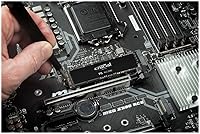
First-time builders and laptop upgraders alike praise how straightforward the installation is — slot it in, secure one screw, and the system detects it immediately. No special configuration, no driver headaches, and it shows up correctly in BIOS on virtually every tested system.
Crucial does not include a heatsink or thermal pad in the box, which means users who need one for their specific case or motherboard must source it separately. There is also no included instruction sheet, though the process itself is simple enough that most users do not miss it.
Long-Term Reliability
89%
With a 600TBW endurance rating and a five-year warranty behind it, this M.2 SSD earns strong marks for longevity among drives in its class. A meaningful number of reviewers are on their second Crucial drive specifically because their first one held up so well over several years.
A handful of users report drive failures outside the typical wear window, though these cases appear to be statistical outliers rather than a systemic pattern. Crucial's warranty process has received mixed feedback — most find it straightforward, but a minority report slow turnaround times on replacements.
Compatibility
83%
Broad platform support across Windows, macOS, and Linux removes the uncertainty that sometimes accompanies third-party drives, and the M.2 2280 form factor fits the overwhelming majority of modern systems. Users across a wide range of motherboard brands report clean detection with no manual configuration needed.
A small but recurring group of users report detection issues or initialization errors with certain older AMD and Intel chipsets, particularly on boards from 2018 and earlier. These edge cases are not common, but they are worth researching against your specific motherboard model before purchasing.
Data Security
84%
Hardware-level full-drive encryption is a meaningful inclusion for professionals or anyone storing sensitive client work, personal documents, or financial data. Unlike software encryption, it runs at the controller level and does not noticeably impact daily performance.
Activating the encryption is not automatic and requires BIOS-level setup or compatible security software, which can trip up less technically experienced users. Documentation on how to properly enable and manage it is sparse from Crucial directly, leaving some buyers unsure whether it is actually active on their system.
Value for Money
74%
26%
For a PCIe Gen 3 system, the P5 1TB hits a reasonable balance of performance and price, especially for users who do not need or cannot use Gen 4 speeds. The combination of high endurance, a long warranty, and strong real-world throughput makes the overall package feel justified for its intended audience.
As Gen 4 drives have come down in price, the value proposition of this drive has narrowed noticeably. Buyers building new systems today often find they can get a Gen 4 drive for a comparable or only marginally higher price, which makes the P5 feel like a harder sell in late 2024 than it was in 2021.
Brand Reputation
92%
Crucial benefits from being part of Micron, one of the world's primary NAND manufacturers, which gives the brand credibility that many third-party SSD labels simply cannot match. Repeat buyers frequently cite brand trust as a key reason for choosing this drive over lesser-known competitors with similar specs.
While the brand reputation is strong, Crucial's customer support infrastructure has received criticism for slow response times and limited live support options when things do go wrong. The brand name carries weight, but the post-purchase experience does not always match the pre-purchase confidence it inspires.
Software & Ecosystem
63%
37%
Crucial offers a free companion utility called Crucial Storage Executive, which lets users monitor drive health, check firmware versions, and run basic diagnostics without needing third-party tools. It covers the essentials for most users who want basic visibility into their drive's status.
The software ecosystem around this drive is notably thin compared to competitors like Samsung, which bundles polished migration tools and a more feature-rich management suite. Users who want a guided cloning experience or more granular performance monitoring will likely need to look beyond what Crucial provides out of the box.
Power Efficiency
79%
21%
In laptop use, the drive performs well within typical NVMe power envelopes, and most mobile users do not report a meaningful hit to battery life compared to SATA SSD configurations. The drive enters low-power states quickly during idle, which helps in lighter use scenarios.
Under active sustained loads, power draw climbs to levels that are consistent with its performance class but not exceptional for battery-sensitive workloads. Ultrabook users running intensive creative apps may notice a slight reduction in runtime compared to more power-optimized NVMe alternatives designed specifically for thin-and-light systems.
Noise & Vibration
96%
As a solid-state drive with no moving parts, the P5 1TB produces zero audible noise and no vibration under any workload, which is exactly what buyers coming from hard drives appreciate most. There is nothing to wear out mechanically, and no sound signature to introduce into an otherwise quiet build.
There is virtually nothing negative to say here by design, though it is worth noting that the drive can still generate heat silently — meaning users who rely on noise as a temperature warning signal will need to monitor thermals through software rather than by ear.

Suitable for:

The Crucial P5 1TB NVMe SSD is a strong match for anyone who wants a meaningful storage upgrade without overcomplicating the decision. Gamers with PCIe Gen 3 systems will notice faster level loads and snappier game launches without needing to chase the latest Gen 4 hardware. Creative professionals — photographers, video editors, and designers — who regularly work with large files will appreciate the consistent read and write throughput that keeps projects moving without long transfer waits. It is also a practical choice for IT-minded users or remote workers who need hardware-level encryption to keep sensitive files protected, since that feature works quietly in the background without affecting everyday performance. PC builders upgrading from SATA drives and laptop owners with an open M.2 NVMe slot will both find the compatibility and brand reliability reassuring, especially given the five-year warranty backing.

Not suitable for:

The Crucial P5 1TB NVMe SSD is not the right pick for every buyer, and it is worth being honest about where it falls short. Users who have already invested in a PCIe Gen 4 platform, or who are building a new high-end system from scratch, would be better served by a Gen 4 drive — the performance ceiling here is a real limitation for the most demanding workloads. Those running sustained sequential transfers for long periods, such as video production professionals encoding large files back-to-back, may encounter thermal throttling without additional cooling in place. Buyers on tight budgets looking purely for the most storage per dollar will find cheaper SATA or entry-level NVMe options that handle everyday tasks just as comfortably. Anyone requiring a drive with a DRAM cache for peak consistent random performance should also look at competing options in this tier, as the P5 relies on alternative caching approaches that may not satisfy the most performance-sensitive workloads.

Specifications

  • Brand: Manufactured by Crucial, a storage-focused brand under Micron Technology, one of the largest memory and storage producers in the world.
  • Model Number: The official model identifier is CT1000P5SSD8, which can be used to confirm compatibility in system configurator tools.
  • Capacity: This drive offers 1TB of usable storage, suitable for an operating system, applications, and a substantial media or game library.
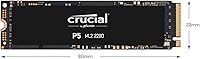
  • Form Factor: It uses the M.2 2280 form factor, meaning it is 22mm wide and 80mm long — the most common M.2 size found in modern desktops and laptops.
  • Interface: Connects via NVMe over PCIe Gen 3, which provides significantly higher bandwidth than older SATA-based M.2 drives.
  • Sequential Read: Peak sequential read speed reaches up to 3,400MB/s, enabling fast OS boots and rapid large file access.
  • Sequential Write: Peak sequential write speed reaches up to 3,000MB/s, which benefits large file saves and data-intensive application workflows.
  • Random Read IOPS: Rated at up to 390,000 random read IOPS, which contributes to snappy application launches and responsive multitasking.
  • Random Write IOPS: Rated at up to 500,000 random write IOPS, helping the drive handle simultaneous write operations without significant slowdowns.
  • Encryption: Supports full-drive hardware encryption, allowing users to secure all stored data without any measurable impact on read or write performance.
  • Endurance Rating: Rated for up to 600TBW (terabytes written), meaning a typical home user writing 50GB per day would take over 30 years to reach the limit.
  • Warranty: Backed by a limited 5-year warranty, which is standard among reputable mid-to-high tier NVMe drives in this category.
  • Platform Support: Compatible with Linux, Mac, and PC systems that include a PCIe Gen 3 NVMe M.2 slot.
  • Dimensions: Physical dimensions are 3.14 x 0.86 x 0.08 inches, keeping the drive compact and unobtrusive inside any compatible system.
  • Weight: The drive weighs just 0.704 ounces, making it practical for both desktop builds and ultraportable laptop upgrades.
  • NAND Type: Built with 3D NAND flash memory, which stacks memory cells vertically to improve density, endurance, and power efficiency compared to planar NAND.
  • Thermal Protection: Includes adaptive thermal protection that monitors drive temperature and adjusts performance to avoid overheating during sustained workloads.
  • Write Acceleration: Dynamic write acceleration technology temporarily uses a portion of the NAND as a faster write buffer to improve burst write performance.
  • Launch Date: First made available on April 29, 2020, and has remained in active production without discontinuation as of the latest available data.
  • OS Compatibility: Works with Windows, macOS, and major Linux distributions, provided the host system has a compatible PCIe Gen 3 NVMe M.2 slot.

Related Reviews
Crucial P5 Plus 1TB NVMe M.2 SSD
84%
91%
Sequential Read Speed
88%
Sequential Write Speed
63%
Thermal Management
86%
Random I/O Performance
93%
Build & Reliability
More
Crucial P3 1TB NVMe SSD
87%
88%
Sequential Read Performance
81%
Sequential Write Performance
79%
Random Read/Write IOPS
93%
Installation Ease
90%
Compatibility
More
Crucial P3 Plus 1TB NVMe SSD
84%
88%
Read & Write Speed
93%
Value for Money
61%
Thermal Management
96%
Installation Ease
89%
Long-Term Reliability
More
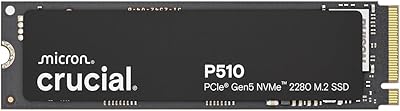
Crucial P510 1TB Gen5 NVMe SSD
84%
93%
Raw Read & Write Performance
91%
Value for Money
61%
Thermal Management
94%
Installation & Compatibility
88%
Reliability & Endurance
More
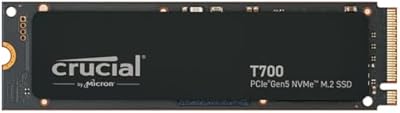
Crucial T700 1TB Gen5 NVMe M.2 SSD
89%
96%
Performance
94%
Speed (Read/Write)
92%
Gaming Performance
90%
Compatibility
80%
Thermal Management
More
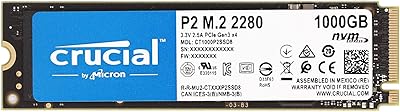
Crucial P2 1TB NVMe PCIe M.2 SSD
84%
89%
Performance
92%
Value for Money
85%
Installation Ease
80%
Compatibility
88%
Durability
More
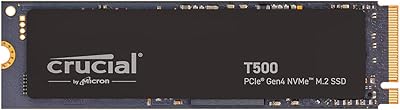
Crucial T500 1TB Gen4 NVMe M.2 SSD
84%
93%
Sequential Read & Write Speed
89%
Random I/O Performance
91%
Gaming Performance
67%
Thermal Management
96%
Installation Ease
More
Crucial E100 1TB PCIe Gen4 NVMe M.2 SSD
89%
93%
Performance
95%
Speed (Read/Write)
89%
Ease of Installation
92%
Gaming Performance
88%
Compatibility with Consoles
More
RONGSHU 1TB NVMe SSD
87%
91%
Performance
94%
Read Speed
89%
Write Speed
88%
Installation Ease
75%
Thermal Management
More
ORICO O7000 1TB NVMe SSD
85%
93%
Performance
89%
Thermal Management
70%
Ease of Installation
90%
Compatibility with PS5
88%
Build Quality
More

FAQ

It depends on whether that M.2 slot supports NVMe or only SATA. Many modern laptops support NVMe, but some older or budget models only accept SATA M.2 drives. Check your laptop manufacturer's spec sheet or support page to confirm before purchasing.

Yes, it will work in a PCIe Gen 4 slot since Gen 4 is backward compatible with Gen 3 drives. The drive will simply operate at Gen 3 speeds rather than Gen 4 speeds, which is perfectly fine for everyday use.

Just a small Phillips-head screwdriver to secure the retention screw that holds the drive in place. No additional brackets or adapters are needed for standard M.2 2280 slots, which is the size this drive uses.

No bundled software is included in the package. Crucial does offer a free download of Acronis True Image for Crucial on their website, which handles drive cloning reasonably well for most users.

The hardware encryption capability is built into the drive's controller, but activating it typically requires enabling it through your system's BIOS or a compatible software tool that supports TCG Opal or ATA security commands. It does not encrypt automatically out of the box on most consumer setups.

Under normal gaming use it should be fine in a well-ventilated case. During very long sessions with sustained heavy file activity, temperatures can climb. If your motherboard includes an M.2 heatsink, using it is a good idea — it takes seconds to install and keeps thermals in check.

The jump is real and noticeable, especially for boot times and loading larger applications or game levels. Sequential speeds are roughly four to five times faster than a typical SATA SSD, though everyday tasks like browsing or document editing will feel similar since those are not storage-bound.

For most users, 1TB covers an operating system, a suite of applications, and a healthy library of games or creative projects. If you shoot a lot of 4K video or maintain a very large game library simultaneously, you may want to either size up or plan for a secondary storage drive.

The 600TBW endurance rating is quite generous for home use. If you write around 30 to 50GB per day, which is already a heavy workload, the drive would take well over a decade to approach that limit. The five-year warranty provides additional peace of mind well before endurance becomes a concern.

Yes, most NVMe M.2 enclosures that support PCIe Gen 3 will work with the P5 1TB. Keep in mind that your transfer speeds will be capped by the USB connection — USB 3.2 Gen 2 enclosures will give you the best throughput, though still well below the drive's native NVMe speeds.