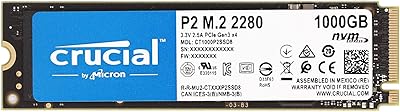
Overview

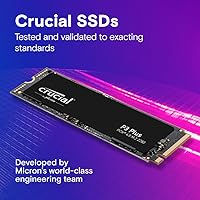
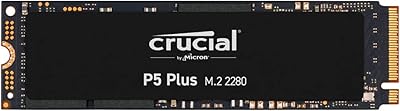
The Crucial P3 Plus 1TB NVMe SSD sits in a sweet spot that most storage buyers rarely talk about — fast enough to feel like a real upgrade, priced well below the flagship Gen4 drives that dominate benchmark charts. Crucial is Micron's consumer brand, which means the engineering pedigree is solid without the premium markup. This NVMe SSD also plays nice with Gen3 slots, so you're not locked out if your board hasn't caught up to Gen4 yet. That said, keep expectations grounded: peak sequential speeds happen under ideal conditions, and real-world transfers — while genuinely quick — won't always match the spec sheet.
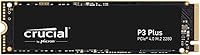
Features & Benefits

The P3 Plus moves data fast enough to make a SATA SSD feel like a different era — boot times shrink noticeably, and copying a large game folder or video project takes seconds rather than minutes. What makes everyday use feel snappy, though, isn't raw sequential speed but the high random IOPS, which keep the system responsive when you're juggling browser tabs, background tasks, and open applications. At 1TB, you get a practical primary drive with enough room for an OS, a handful of games, and a working creative library. The drive also runs at a modest voltage, which matters in laptops where battery draw adds up. Durability specs suggest it's built to last well beyond typical ownership cycles.

Best For

This Crucial Gen4 drive makes the most sense for people upgrading from a spinning hard drive or an older SATA SSD — that jump in speed is immediately felt, not just seen in benchmarks. PS5 owners will find it fits the console's Gen4 requirement at a price that leaves room in the budget. Laptop users replacing a sluggish factory drive in a machine with an M.2 slot will get noticeably faster load times without voiding a warranty or paying for overkill specs. It's also a natural fit for casual gamers and content consumers who move large files often but don't need the extreme write endurance that professional video editors or power users might require.

User Feedback

The sheer volume of reviews for this NVMe SSD tells its own story — tens of thousands of buyers don't accumulate without something going consistently right. The recurring theme isn't excitement over benchmark scores; it's relief. People report that installation is straightforward, the performance jump is obvious coming from older storage, and the drive simply works without fuss over months of use. On the other side, a meaningful number of users flag that it runs warm under sustained loads — without a heatsink, throttling is a real possibility in tight enclosures. A few PS5 buyers also noted that fitting a heatsink before installation is worth the extra step. Long-term reliability reports are largely positive.

Pros

  • Boots Windows noticeably faster than any SATA SSD or mechanical drive it replaces.
  • Meets PS5 Gen4 requirements at a price that leaves room in the budget for other accessories.
  • Works in Gen3 motherboard slots, making it a versatile buy across older and newer platforms.
  • 1TB capacity comfortably fits an OS, productivity apps, and several large modern games simultaneously.
  • Micron's manufacturing backing gives this NVMe SSD credibility that budget no-name drives cannot match.
  • Installation is genuinely straightforward — standard M.2 2280 form factor with near-universal compatibility.
  • Long-term reliability reports from 12-plus month owners are consistently positive with no common failure patterns.
  • Free cloning software makes migrating from an old drive painless for first-time upgraders.
  • Low operating voltage makes it a reasonable choice in laptops where battery efficiency matters.
  • Tens of thousands of verified buyers have made this one of the most proven drives at its price point.

Cons

  • No heatsink included, and thermal throttling under sustained loads is a real risk in tight or poorly ventilated builds.
  • Peak sequential speeds require a true Gen4 slot — users on Gen3 boards will not see the advertised ceiling.
  • Write endurance is adequate for consumers but falls short of what demanding creative workflows need long-term.
  • Companion software feels dated compared to monitoring tools offered by competing brands.
  • No mounting screw or accessories included, which can catch first-time builders off guard.
  • Customer support and warranty processing have drawn mixed feedback, with some users reporting slow turnaround.
  • 1TB fills up quickly for users with large game libraries or raw media collections without secondary storage.
  • The drive runs warmer than some competing Gen4 options at similar prices, particularly in compact laptop chassis.
  • Health monitoring requires third-party tools — there is no native dashboard to track drive condition over time.

Ratings

The Crucial P3 Plus 1TB NVMe SSD has been put through its paces by tens of thousands of verified buyers worldwide, and the scores below reflect what our AI found after systematically analyzing that feedback — filtering out incentivized posts, duplicate accounts, and bot-generated reviews. The result is an honest breakdown that surfaces both what this NVMe SSD genuinely does well and where it falls short, so you can make a confident decision without wading through noise.
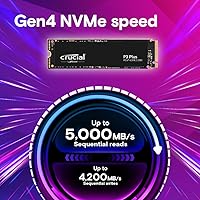
Read & Write Speed
88%
Users coming from SATA SSDs or mechanical drives describe the jump as immediately obvious — Windows boots in seconds, and large game installs or video exports that used to drag finish with little waiting. The Gen4 interface gives it a real edge in sequential throughput for the price tier.
Users on Gen3 motherboards won't hit anywhere near peak figures, and several reviewers noted that advertised speeds reflect best-case lab conditions. Real-world sustained transfers, especially under thermal pressure, land noticeably lower than the headline numbers suggest.
Value for Money
93%
Buyers consistently flag this as one of the most cost-efficient ways to get genuine Gen4 performance without stretching a build budget. For anyone replacing a factory laptop drive or adding PS5 storage, the price-to-performance ratio is hard to argue with at this capacity.
A small segment of reviewers feel that competing drives at a similar price now offer better sustained write endurance or thermal management. If you plan to move very large files constantly, the value calculus shifts slightly.
Thermal Management
61%
39%
For typical daily workloads — browsing, gaming, streaming, light productivity — the drive runs without any noticeable throttling and temperatures stay reasonable. In well-ventilated cases with airflow over the M.2 slot, most users report no issues over extended sessions.
Under sustained heavy workloads, particularly prolonged large-file transfers or use in enclosed laptop chassis, multiple reviewers report the drive running hot enough to throttle performance. Without a heatsink, this is a legitimate concern in tight builds or the PS5's internal bay.
Installation Ease
96%
First-time builders and laptop upgraders repeatedly praise how painless the physical installation is. The standard M.2 2280 form factor means it slots directly into nearly any modern motherboard or compatible laptop without adapters, and the drive is detected immediately on boot in most cases.
A handful of PS5 users noted that adding a heatsink before installation adds a fiddly extra step, and a few laptop upgraders flagged that their OEM BIOS needed a firmware update before the drive was recognized. These are edge cases, but worth knowing.
Long-Term Reliability
89%
Owners reporting 12 to 24 months of continuous use overwhelmingly describe the drive as trouble-free, with no degradation in perceived snappiness or any unexpected failures. The backing of Micron's manufacturing gives buyers reasonable confidence in the endurance specs.
The rated write endurance is adequate for most consumers but sits on the lower end compared to prosumer Gen4 options. Heavy-duty creative workloads involving constant large writes over years may eventually stress the endurance ceiling more than casual use would.
Random I/O Performance
84%
Day-to-day responsiveness — launching applications, switching between open programs, loading game levels — feels genuinely quick. The high random read figures translate directly into a system that feels alive rather than sluggish, which is what most buyers actually notice in normal use.
Enthusiast reviewers running synthetic benchmarks note that random write performance under heavy queue depths lags behind pricier Gen4 competitors. For typical consumer workloads this gap is invisible, but it exists for those who push the drive hard.
Gen3 Backward Compatibility
82%
18%
Buyers with older platforms specifically call out backward compatibility as a key reason they chose this drive. It works reliably in Gen3 slots, delivering a meaningful upgrade over SATA even if the Gen4 ceiling goes unreached, which extends the drive's usefulness across more systems.
Some buyers purchased expecting Gen4 speeds and were surprised to discover their board only supported Gen3. The packaging and listing could do more to set that expectation. It works fine in Gen3, but the experience feels like leaving paid performance on the table.
Build & Form Factor
91%
At just a few grams, the drive is essentially weightless in a build, and the standard 2280 length means compatibility headaches are rare. Reviewers installing it in ultrabooks and mini-ITX systems alike noted a clean, hassle-free fit without needing standoff adjustments.
The drive ships without a heatsink, which is standard at this price but still a gap for users putting it into cases or laptops with poor airflow. A bare PCB in a hot environment is a recipe for throttling, and not everyone thinks to budget for a separate heatsink.
PS5 Compatibility
79%
21%
Meets Sony's Gen4 requirement and sits at a price point that makes expanding PS5 storage feel like a routine purchase rather than a splurge. Reviewers installing it in the console report smooth setup and solid in-game load times comparable to pricier PS5-branded options.
Sony recommends a heatsink for PS5 M.2 drives, and this one does not include one. Users who installed it bare reported adequate but warmer operation during long gaming sessions. Factoring in a third-party heatsink adds cost and a small amount of installation complexity.
Software & Ecosystem
72%
28%
Crucial's Acronis-based cloning software is available as a free download and works reliably for migrating an existing OS installation, which several reviewers cited as saving them the trouble of a clean Windows reinstall when upgrading from an older drive.
The companion software feels dated and lacks the polished monitoring tools offered by Samsung or WD. There is no built-in health dashboard in the drive's ecosystem, so users need third-party tools like CrystalDiskInfo to keep an eye on drive status over time.
Power Efficiency
83%
Laptop users replacing a power-hungry OEM SSD note that this drive runs efficiently for its performance class. The low operating voltage contributes to a drive that does not noticeably dent battery life on thin-and-light systems during normal workloads.
Under peak load the power draw rises, which is expected for any high-performance NVMe. Users primarily running the drive in a laptop and pushing it with sustained transfers will see more battery impact than idle or light-use scenarios would suggest.
Packaging & Unboxing
77%
23%
The drive arrives well-protected in minimal, recyclable packaging that gets the job done. No reports of transit damage in the review pool, and the no-frills presentation suits buyers who care about the hardware rather than the unboxing ritual.
There are no accessories included — no heatsink, no mounting screw, and no installation guide beyond a thin insert. For first-time builders, the absence of a standoff screw in particular has caused brief confusion, though most motherboards include one in the accessory bag.
Capacity Practicality
88%
At 1TB, the drive comfortably handles a Windows installation, a suite of productivity software, and several large modern games simultaneously without constant storage management. Reviewers using it as a primary system drive consistently describe the capacity as genuinely sufficient for day-to-day use.
For users with large media libraries, raw 4K footage archives, or extensive game collections exceeding 20 or more titles, 1TB fills up faster than expected. A 2TB variant exists, but the 1TB sweet spot works best when paired with secondary bulk storage.
Brand Trust & Support
86%
Crucial's connection to Micron, one of the world's largest NAND manufacturers, gives buyers quiet confidence that the components inside are not sourced from discount suppliers. Reviewers who have owned previous Crucial drives frequently cite brand loyalty as a deciding factor.
Customer support experiences in the review pool are mixed. Warranty claims are honored but the process is described as slow by some users, and the support documentation online is not as thorough as what Samsung or Seagate offer for their equivalent drives.

Suitable for:

The Crucial P3 Plus 1TB NVMe SSD is the right call for anyone whose current storage situation genuinely holds them back — whether that means waiting through slow boot cycles, watching game load screens drag on, or running out of space on an aging SATA drive. PC builders working with a mid-range budget will find this NVMe SSD hits the price-to-performance target without forcing compromises elsewhere in the build. Laptop owners stuck with a sluggish factory drive will notice the difference immediately, particularly if their machine has a Gen4 M.2 slot ready to go. PS5 owners looking for affordable storage expansion that actually meets Sony's interface requirement will find this Crucial Gen4 drive one of the most cost-sensible options available. It also works reliably in Gen3 systems, making it a practical buy even if your platform hasn't moved to the latest standard — the improvement over SATA is still substantial regardless.
Not suitable for:

The Crucial P3 Plus 1TB NVMe SSD is not the right fit for users who push storage hard and continuously — think video editors rendering 4K timelines all day, data scientists running large sequential read-write pipelines, or anyone whose workflow involves moving hundreds of gigabytes in a single session regularly. Those users will likely run into thermal throttling without a heatsink, and the write endurance ceiling, while fine for consumers, sits below what prosumer or enterprise-grade Gen4 drives offer. Buyers who need more than 1TB as a single primary drive for sprawling game libraries or raw media archives will also feel constrained sooner than expected. If you are specifically chasing top benchmark numbers or comparing flagship Gen4 drives for pure performance, the P3 Plus will lose that contest — it trades peak specs for affordability, and that is a deliberate trade-off, not a flaw. Finally, anyone installing it into a thermally restricted enclosure without planning for a heatsink should reconsider or budget for one separately.
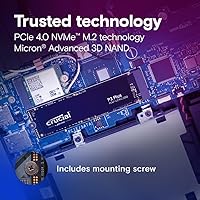
Specifications

  • Interface: Uses a PCIe Gen4 x4 NVMe interface, with full backward compatibility for systems running PCIe Gen3 slots.
  • Form Factor: Standard M.2 2280 form factor, measuring 3.15 x 0.09 x 0.87 inches and fitting the vast majority of modern desktops and laptops.
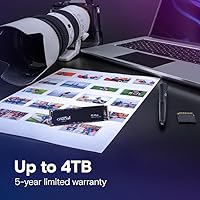
  • Capacity: Offers 1TB of usable flash storage, with additional capacities available in the P3 Plus lineup up to 4TB.
  • Sequential Read: Rated for sequential read speeds up to 5000MB/s under optimal conditions on a native Gen4 platform.
  • Sequential Write: Sequential write performance reaches up to 3600MB/s, suitable for large file transfers and OS-level operations.
  • Random Read IOPS: Delivers up to 650,000 random read IOPS, contributing to fast application launches and low-latency system responsiveness.
  • Random Write IOPS: Achieves up to 800,000 random write IOPS, which supports smooth multitasking and background process handling.
  • NAND Type: Built on Micron 3D NAND flash memory, manufactured in-house and validated for consistent endurance across the drive's rated lifespan.
  • Reliability (MTTF): Mean Time To Failure is rated at over 1.5 million hours, reflecting the drive's projected longevity under normal consumer workloads.
  • Operating Voltage: Runs at 1.1V, keeping power draw modest relative to higher-performance Gen4 drives and helping preserve laptop battery life.
  • Weight: Weighs just 0.204 ounces (approximately 5.8 grams), making it negligible in any build or portable system.
  • Platform Support: Compatible with Windows, macOS, and Linux operating systems, as well as the PlayStation 5 console's M.2 expansion slot.
  • Warranty: Covered by a 5-year limited warranty from Crucial, with support handled through Micron's consumer division.
  • Heatsink Included: No heatsink is included in the box; one must be sourced separately for use in thermally restricted enclosures or PS5 installations.
  • Endurance (TBW): The 1TB model is rated for 220 terabytes written (TBW), which is sufficient for typical consumer workloads over several years.
  • Color: The PCB and label are finished in black, consistent with the standard aesthetic of most M.2 NVMe drives.
  • Manufacturer: Designed and sold by Crucial, the consumer storage brand operated directly by Micron Technology, one of the world's largest NAND manufacturers.
  • Software Included: Crucial offers a free download of Acronis True Image cloning software to help users migrate data from an existing drive during installation.

Related Reviews
Crucial P3 1TB NVMe SSD
87%
88%
Sequential Read Performance
81%
Sequential Write Performance
79%
Random Read/Write IOPS
93%
Installation Ease
90%
Compatibility
More
Crucial P3 Plus 2TB NVMe SSD
85%
92%
Performance in Gaming
88%
Performance in Content Creation
94%
Read Speed (5000MB/s)
85%
Long-Term Reliability
89%
Compatibility (PCIe Gen 3.0 & 4.0)
More
Crucial P3 Plus 500GB NVMe SSD
86%
93%
Performance
91%
Reliability
92%
Value for Money
89%
Ease of Installation
65%
Heat Management
More
Crucial P3 Plus 4TB NVMe SSD
86%
92%
Performance
95%
Speed and Responsiveness
75%
Installation & Setup
90%
Durability and Reliability
88%
Compatibility
More
Crucial P5 Plus 1TB NVMe M.2 SSD
84%
91%
Sequential Read Speed
88%
Sequential Write Speed
63%
Thermal Management
86%
Random I/O Performance
93%
Build & Reliability
More
Crucial P3 500GB NVMe M.2 SSD
82%
88%
Read Speed Performance
71%
Write Speed Performance
93%
Value for Money
94%
Ease of Installation
86%
Reliability & Longevity
More
Crucial P5 1TB NVMe SSD
84%
91%
Read Performance
88%
Write Performance
86%
Random I/O Responsiveness
71%
Thermal Management
94%
Installation Ease
More
Crucial P510 1TB Gen5 NVMe SSD
84%
93%
Raw Read & Write Performance
91%
Value for Money
61%
Thermal Management
94%
Installation & Compatibility
88%
Reliability & Endurance
More
INLAND Performance Plus 1TB Gen4 NVMe SSD
82%
91%
Sequential Read Speed
83%
Sequential Write Speed
93%
PS5 Compatibility
61%
Thermal Performance
78%
Long-Term Reliability
More
Crucial T700 1TB Gen5 NVMe M.2 SSD
89%
96%
Performance
94%
Speed (Read/Write)
92%
Gaming Performance
90%
Compatibility
80%
Thermal Management
More

FAQ

Yes, the P3 Plus is backward compatible with Gen3 M.2 slots. You won't hit the Gen4 speed ceiling, but the performance improvement over a SATA SSD or hard drive is still very real and noticeable in everyday use. Just make sure your motherboard has an M.2 NVMe slot rather than an M.2 SATA-only slot, as those are different things.

For most desktop builds with decent airflow and for standard laptop use, you can get away without one for everyday tasks. However, if you plan to run sustained heavy workloads — large file transfers, extended game sessions, or video rendering — a heatsink is genuinely worth adding. In the PS5 specifically, Sony recommends one, so budget for a third-party heatsink if that is your use case.

Yes, it meets Sony's requirement for a PCIe Gen4 NVMe M.2 drive. The installation process involves removing the PS5 side panel, slotting the drive into the expansion bay, and attaching a heatsink before securing it — Sony provides a step-by-step guide. Just confirm the drive is seated correctly and the PS5 firmware is up to date before installing.

For most people, the difference shows up most clearly in large file operations — copying a big game folder or a video project feels faster. Boot times and application launches also improve, though for casual daily tasks the gap between a good Gen3 and this Gen4 drive is less dramatic than the raw specs imply. If you are coming from a hard drive or SATA SSD, the jump will feel significant regardless.

Absolutely, provided your laptop has an M.2 NVMe slot — check your laptop's manual or manufacturer specs page to confirm. This NVMe SSD runs at a modest voltage, which helps with battery life compared to more aggressive high-performance Gen4 drives. Thermal behavior in slim laptops is worth monitoring during heavy workloads, since there is little room for heat to dissipate in tight chassis without airflow.

Crucial provides a free download code for Acronis True Image, which handles OS and data migration from your existing drive. It is not the most feature-rich software on the market, but it does the job reliably for a straightforward clone. You will need a USB enclosure or second M.2 slot to run both drives simultaneously during the migration.

SSDs are designed to throttle performance when temperatures climb, rather than sustain full speed at the risk of damage. So in practice, if this Crucial Gen4 drive overheats, you will see transfer speeds drop temporarily until it cools down — the drive itself is unlikely to be permanently damaged in normal circumstances. Adding a heatsink or improving case airflow is the practical fix if you notice throttling happening regularly.

For most users — a Windows installation, a handful of applications, and three to five modern games — 1TB works comfortably as a primary drive. If you have a large game library, shoot raw photos or video, or plan to skip adding a secondary drive entirely, the 2TB version is worth the extra cost. The 1TB option makes the most sense when paired with a larger secondary storage drive for media and archiving.

Crucial does not include a dedicated monitoring app for this drive, so you will want a third-party utility. CrystalDiskInfo is free, widely used, and works well for checking drive temperature, read/write totals, and overall health status on Windows. On macOS, the built-in Disk Utility provides basic health info, though third-party tools like DriveDx give more detail.

The drive comes with a 5-year limited warranty from Crucial. The process involves submitting a claim through Crucial's website with proof of purchase and the drive's serial number. User experiences with the warranty process are generally positive in terms of outcome, though some buyers report that response times can be slow during busy periods — keeping your purchase receipt saved somewhere accessible is a good habit.

Where to Buy