Overview

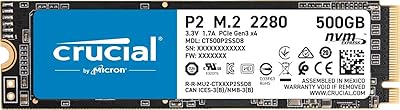
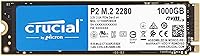
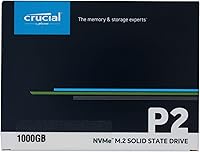
The Crucial P2 1TB NVMe M.2 SSD sits comfortably in the mid-range NVMe market — fast enough to make a real difference, priced well below flagship territory. If you've been running on a spinning hard drive, the jump to this Crucial NVMe drive will feel dramatic: Windows boots in seconds, apps snap open, and large file transfers that once took minutes shrink noticeably. The drive uses a PCIe Gen3 x4 interface, which delivers far greater bandwidth than older SATA connections without demanding a cutting-edge motherboard. Backed by Micron's manufacturing heritage, it carries genuine reliability credentials — though it's worth setting expectations: this is a capable everyday performer, not a cache-heavy flagship chasing benchmark records.
Features & Benefits

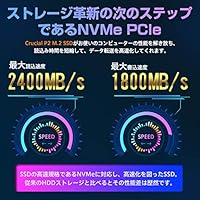
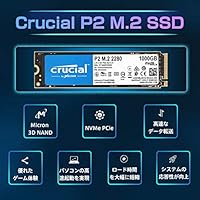
At 2,400 MB/s sequential read and 1,800 MB/s write, the P2 1TB SSD handles the workloads most people actually throw at a drive — booting Windows in under ten seconds, transferring a 4K video folder in a fraction of the time a SATA drive would need, and loading large applications without any perceptible lag. The underlying 3D NAND helps keep endurance solid at 300 TBW, meaning you could write roughly 150GB per day for years before approaching the rated limit. Installation is straightforward: the standard M.2 2280 form factor slots into practically every laptop and desktop made in the last several years, no extra cables or power connectors required. That compact, self-contained design also keeps heat manageable in tighter builds.

Best For

This M.2 drive makes the most sense for a handful of specific buyers. If you're upgrading from an HDD for the first time, the performance gap is so pronounced that you'll wonder how you waited this long — the experience of using your PC simply transforms. Students and home office workers who need dependable, fast everyday storage without stretching a budget will find the value proposition compelling. Laptop owners, in particular, will appreciate how broadly compatible this drive is — it drops into almost any machine with an M.2 slot. It also earns its place as a secondary game library drive, where its read speeds shine. Those who prioritize a five-year warranty and an established brand over chasing top-tier specs will feel right at home.

User Feedback

The reception for this Crucial NVMe drive among verified buyers is largely positive, and the praise tends to cluster around the same themes: installation that takes minutes, a clear and immediate speed improvement over whatever mechanical drive came before, and quiet, unobtrusive operation day to day. That said, a notable subset of users have observed that sustained write performance — think copying a large batch of files at once — can dip once the drive's write cache fills, which is a known characteristic of drives in this class, not a defect. Compatibility issues are virtually absent. One recurring misconception worth flagging: some buyers arrive expecting PCIe Gen4 speeds, so reading the spec sheet before purchasing will save real disappointment.

Pros

  • Enormous real-world speed jump over any spinning hard drive — boot times drop to under ten seconds.
  • Fits the standard M.2 2280 slot in nearly every consumer laptop and desktop without adapters or modifications.
  • PCIe Gen3 x4 interface delivers strong NVMe performance on older motherboards that lack Gen4 support.
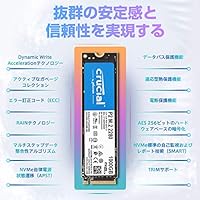
  • 3D NAND construction backs a 300 TBW endurance rating that comfortably covers typical home and office workloads.
  • Installation requires no cables, no external power, and no driver setup — it just works in most systems.
  • A five-year warranty from a manufacturer that produces its own NAND adds meaningful long-term reassurance.
  • At just over an ounce, this M.2 drive is ideal for slim laptops and compact small form factor builds.
  • Performs excellently as a secondary game library drive, where consistent read speeds matter most.
  • Quiet operation with no moving parts and low heat output keeps it unobtrusive in enclosed builds.

Cons

  • Sustained write speeds can drop significantly once the write cache is exhausted during long, continuous transfers.
  • This is a Gen3 drive — owners of Gen4 motherboards won't approach their platform's full storage bandwidth potential.
  • Some production batches have shipped with QLC NAND instead of TLC, which affects long-term write endurance consistency.
  • No hardware encryption support rules it out for enterprise use cases or compliance-sensitive storage environments.
  • Heavy, sustained workloads reveal a meaningful performance gap compared to pricier NVMe drives in the same capacity class.
  • No heatsink is included, which could matter in systems with limited airflow directly around the M.2 slot.
  • Cloning software is not bundled in the box — Crucial's migration tool must be downloaded separately before transferring data.
  • Not well suited for NAS enclosures or 24/7 workstation environments with high daily write cycle demands.

Ratings

The Crucial P2 1TB NVMe M.2 SSD earns strong marks overall, based on AI-driven analysis of thousands of verified global buyer reviews with spam, bot, and incentivized feedback actively filtered out. Scores reflect the honest full picture — where real users found genuine value and where they ran into frustrations. From first-time upgraders blown away by the speed jump to power users who hit the write cache ceiling, both the highs and the real-world trade-offs are transparently captured below.
Sequential Read Speed
83%
Users consistently praised how fast the drive feels during read-heavy everyday tasks — Windows loaded noticeably quicker, large video files opened almost instantly, and application launch times dropped dramatically compared to SATA SSDs. For typical workloads like gaming level loads or media playback, the 2,400 MB/s rating translates into a tangible, satisfying real-world experience.
Against newer PCIe Gen4 drives, the sequential read ceiling shows its limits — users who upgraded from a Gen4 system reported feeling the gap when moving very large folders or working with high-bitrate video files. This is a Gen3 drive, and buyers expecting Gen4 numbers will find the read speed underwhelming by comparison.
Sequential Write Speed
76%
24%
For everyday write operations — saving documents, installing games, or copying moderately sized files — users found the write performance more than adequate, completing tasks in a fraction of the time a hard drive would take. The rated 1,800 MB/s gives this Crucial NVMe drive a confident feel during typical day-to-day use scenarios.
A vocal portion of reviewers noticed that write speeds during transfers of very large files felt slower than the spec sheet implied. Once the SSD cache fills, throughput can drop to levels that feel closer to a SATA drive, which surprised users who expected consistently high speeds throughout large, continuous write operations.
Sustained Write Performance
58%
42%
For users who primarily write small-to-medium files — office documents, photos, and moderate game installs — the drive holds its write cache well and the limitation rarely surfaces. Those using it as a secondary game storage drive reported no noticeable slowdowns during typical game installation processes or standard file copying tasks.
This is the most consistently flagged weakness in real-world user feedback. When the write cache is exhausted during bulk transfers of several hundred gigabytes, speeds drop significantly, frustrating users who expected steady throughput throughout. Video editors and content creators in particular flagged this as a dealbreaker for professional production workflows.
Value for Money
88%
The overwhelming consensus among buyers is that the price-to-performance ratio is genuinely hard to beat in its class. Users replacing aging hard drives described the upgrade as transformative for the cost, and several noted that the Micron manufacturing backing made the brand feel more trustworthy than cheaper no-name alternatives sitting at similar price points.
A handful of buyers felt slightly shortchanged after discovering that comparable Gen4 NVMe drives are now available at only marginally higher prices, making the Gen3 value proposition feel less compelling than it once was at launch. For strictly budget-constrained buyers it still wins, but the pricing landscape has grown noticeably more competitive recently.
Installation Ease
91%
Installation feedback is overwhelmingly positive — buyers routinely describe the process as one of the easiest hardware upgrades they have ever attempted. The M.2 2280 form factor slides into place without adapters, no drivers need to be manually loaded, and the drive is recognized immediately by Windows and most Linux distributions on first boot.
A small number of users ran into confusion when their system had an M.2 slot that only supported SATA, not NVMe, and the drive was not recognized at all. While this is a motherboard limitation rather than a drive defect, clearer guidance in the packaging about verifying slot type before installation would have prevented frustration.
Compatibility
86%
The standard M.2 2280 footprint means this M.2 drive slots into the vast majority of consumer laptops and desktops built in the last several years without any modification. Users across a wide range of systems — from budget ultrabooks to full-tower gaming desktops — reported immediate recognition and stable, trouble-free operation across diverse hardware configurations.
A consistent group of users encountered issues in systems where the M.2 slot was wired only for SATA, not NVMe — a limitation that is not always clearly labeled on older motherboard documentation. A few laptop users also discovered their specific model lacked an M.2 slot entirely, leading to avoidable and inconvenient returns.
Build Quality & Durability
82%
18%
Being a solid-state drive with no moving parts, users report long-term reliability that mechanical hard drives simply cannot match. The 3D NAND construction has held up well across real-world conditions, and users who have owned the drive for a year or more report no meaningful degradation in everyday performance or unexpected failures.
The drive ships without a heatsink or thermal pad, and while it rarely causes problems for most users, a subset noticed temperature spikes during extended write sessions in poorly ventilated enclosures. The bare PCB design also means the drive is more vulnerable to physical handling damage than drives with protective plastic or metal housings.
Endurance & Longevity
79%
21%
At 300 TBW, the rated write endurance comfortably covers years of home, student, or office use without coming close to its ceiling. Users with older units reported no signs of wear or slowdown, and the five-year warranty provides a meaningful safety net that reinforces long-term ownership confidence above what budget alternatives typically offer.
Power users who work with large data volumes daily — video production, database management, or intensive development workflows — may find 300 TBW tighter than ideal over a multi-year horizon. There have also been credible reports of some production batches shipping with QLC NAND rather than TLC, which carries lower per-cell write endurance and longevity.
Thermal Management
72%
28%
For the overwhelming majority of typical workloads — booting, browsing, moderate file transfers, and gaming — the P2 1TB SSD runs at perfectly acceptable temperatures without any added cooling. Users in standard mid-tower desktops and well-ventilated laptops reported stable operation and no thermal throttling during regular daily use patterns.
Under sustained heavy write workloads, a segment of users observed noticeable temperature increases, particularly in compact builds with limited M.2 slot airflow. Without an included heatsink, users in small form factor cases or thermally constrained laptop bays occasionally reported performance dips that correlated directly with thermal throttling during extended transfer sessions.
Software & Ecosystem
64%
36%
Crucial's brand recognition means third-party tools like CrystalDiskInfo and manufacturer utilities such as Crucial Storage Executive work reliably with the drive, giving users basic health monitoring and firmware update pathways without hunting for obscure drivers. Several users appreciated that the drive required zero software intervention to function straight out of the box.
The drive ships with no bundled software in the box — migration and cloning tools must be downloaded separately, which caught a number of first-time builders off guard mid-installation. Crucial's own storage management application, while functional, was described by multiple users as dated and less polished than competing brands' bundled utility offerings.
Warranty Coverage
84%
The five-year warranty is one of the more generous offerings in the mid-range SSD category, and users who interacted with Crucial's support process generally reported a straightforward and fair claims experience. Knowing Micron stands behind the product gives buyers meaningful long-term confidence that extends well beyond what budget-tier alternatives typically provide.
A subset of users found the warranty terms around endurance limits somewhat restrictive — coverage can be voided once the 300 TBW ceiling is reached, regardless of remaining time on the five-year period. A few international buyers also reported that regional warranty support channels were noticeably slower and less responsive than the US-based process.
Real-World Boot & Load Times
86%
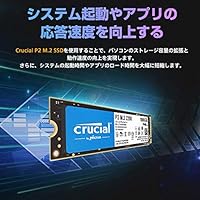
This is where users coming from spinning hard drives feel the most dramatic change. Windows cold boot times that previously stretched past a minute routinely dropped to under ten seconds, and frequently used applications like browsers, creative tools, and game launchers now open nearly instantly, fundamentally transforming how the entire computer feels to use daily.
Users already running a mid-range SATA SSD noticed a smaller — and sometimes imperceptible — improvement in everyday boot and load times, since the bottleneck often shifts to other system components. The perceived advantage over a fast SATA SSD is most visible during large sequential data operations rather than simple everyday application launches.
Gaming Performance
77%
23%
Gamers using this M.2 drive as a dedicated library or secondary game drive report consistently fast level load times and smooth asset streaming across open-world titles. The sequential read speeds handle even texture-heavy modern games without causing stuttering or perceptible loading delays, making it a cost-effective and dependable choice for game storage.
Enthusiasts running demanding titles from a primary Gen4-optimized setup may notice this drive lagging slightly in scenarios where storage bandwidth is genuinely taxed at the hardware level. DirectStorage-enabled games optimized for Gen4 speeds will not extract their full benefit from a Gen3 drive, which is a growing consideration as more titles adopt the technology.
Noise & Vibration
94%
As a solid-state drive with zero moving parts, users universally appreciate the complete absence of mechanical noise — no spinning platter hum, no seek clicks, and no vibration felt through a desk or chassis. Users migrating from loud mechanical drives described the silence as one of the most immediately noticeable quality-of-life improvements of the entire upgrade.
While there are no mechanical noise concerns whatsoever, a small number of users in thermally stressed systems noted faint coil whine from nearby components under sustained load — an indirect consequence of PCIe power draw rather than the drive itself. This is a highly edge-case concern almost entirely dependent on the host system's own hardware characteristics.

Suitable for:

The Crucial P2 1TB NVMe M.2 SSD is a genuinely smart choice for anyone making the leap from a traditional spinning hard drive for the first time. If your current machine takes forever to boot, stutters when switching between applications, or crawls through large file transfers, this drive addresses all three pain points without requiring a premium budget. It slots into the standard M.2 2280 connector found in the vast majority of consumer laptops and desktops made in the last several years, so compatibility is almost never a concern. Students handling coursework, home office workers juggling documents and video calls, and first-time PC builders putting together a capable mid-range rig will all find the performance-to-value balance here genuinely compelling. Gamers looking for a dedicated secondary drive to house their library — rather than a primary OS drive — will also get solid, consistent results. The five-year warranty and Micron's manufacturing background make it a reliable long-term choice for buyers who value dependability over chasing peak benchmark numbers.
Not suitable for:

The Crucial P2 1TB NVMe M.2 SSD is not the right fit for users who depend on sustained, heavy write performance. Video editors copying large raw footage files, content creators who transcode continuously, or anyone routinely moving hundreds of gigabytes in a single session may hit the drive's write cache ceiling and experience a noticeable drop in throughput — this is a structural characteristic of the drive's design, not a defect, but it matters for demanding workflows. This is also a PCIe Gen3 drive, and buyers who already own a Gen4-capable motherboard and want to fully utilize that bandwidth should invest in a Gen4 option; the speed gap at that tier is real and worth paying for. Competitive PC enthusiasts building a high-end rig focused on maximum storage performance will find better-suited alternatives at a modest premium. The drive also lacks hardware encryption, which disqualifies it for enterprise environments or anyone with strict compliance-level data security requirements. Finally, users planning 24/7 workstation or NAS deployments should factor in the 300 TBW endurance ceiling, which can feel modest over a multi-year high-write-cycle horizon.

Specifications

  • Capacity: The drive provides 1TB (1,000GB) of NVMe storage, suitable for operating systems, applications, and large media or game libraries.
  • Interface: It connects via an NVMe PCIe Gen3 x4 interface, delivering substantially greater bandwidth than any SATA-based SSD connection.
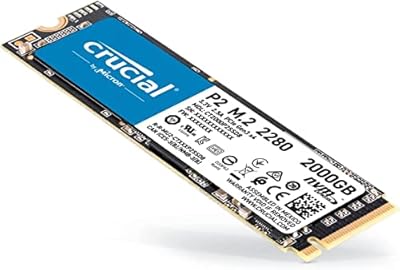
  • Form Factor: The M.2 2280 form factor measures 22mm x 80mm, fitting the standard M.2 slot found in most consumer laptops, desktops, and mini-PCs.
  • Sequential Read: Rated sequential read speed reaches up to 2,400 MB/s under optimal conditions, enabling fast OS boot times and rapid large-file access.
  • Sequential Write: Rated sequential write speed reaches up to 1,800 MB/s under cached conditions, though throughput may drop noticeably during sustained heavy-write operations.
  • NAND Type: The drive uses 3D NAND flash memory, which stacks memory cells vertically to improve storage density and endurance at this price tier.
  • Endurance: The rated endurance is 300 TBW (terabytes written), sufficient for many years of typical home or office workloads at average daily write volumes.
  • Warranty: Crucial provides a five-year limited warranty, validated through serial number and purchase history via Crucial's official support portal.
  • Weight: The drive weighs approximately 1.06 oz, making it one of the lightest internal storage upgrades available for portable and compact systems.
  • Power Source: The drive draws power directly from the M.2 slot with no external connector required, keeping cable management clean in any build type.
  • Installation: Installation is internal and tool-friendly in most systems, requiring only an available M.2 2280 slot and no additional hardware or adapters.
  • Compatibility: Designed for desktop PCs and laptops with a compatible NVMe M.2 slot; it will not function in SATA-only M.2 slots or PS5 expansion bays.
  • Manufacturer: Crucial is the consumer storage brand of Micron Technology, one of the few companies in the world that manufactures its own NAND flash memory.
  • Model Number: The official model identifier is CT1000P2SSD8, used for warranty registration, compatibility verification, and firmware identification.

Related Reviews

Crucial P2 500GB NVMe PCIe M.2 SSD
87%
91%
Value for Money
88%
Performance
94%
Read Speed
78%
Write Speed
85%
Build Quality
More
Crucial P2 2TB NVMe PCIe M.2 SSD
87%
91%
Performance
94%
Value for Money
89%
Reliability
90%
Speed (Read/Write)
88%
Ease of Installation
More
Crucial T700 1TB Gen5 NVMe M.2 SSD
89%
96%
Performance
94%
Speed (Read/Write)
92%
Gaming Performance
90%
Compatibility
80%
Thermal Management
More
Crucial T500 1TB Gen4 NVMe M.2 SSD
84%
93%
Sequential Read & Write Speed
89%
Random I/O Performance
91%
Gaming Performance
67%
Thermal Management
96%
Installation Ease
More
Crucial E100 1TB M.2 NVMe SSD
77%
91%
Value for Money
86%
Read Performance
62%
Sustained Write Speed
89%
Installation Experience
88%
Compatibility
More
GAMERKING 1TB M.2 2280 NVMe SSD
75%
88%
Value for Money
83%
Read Performance
76%
Write Performance
71%
Thermal Management
73%
Build Quality
More
Vansuny X15 1TB NVMe M.2 SSD
77%
82%
Read & Write Performance
89%
Value for Money
91%
Installation Ease
58%
Brand Reliability
86%
Capacity Utility
More
Fikwot FN970 1TB M.2 NVMe SSD
87%
93%
Performance
88%
Ease of Installation
91%
Compatibility with PS5
85%
Thermal Management (Heatsink)
86%
Write Speed
More
fanxiang S770 1TB NVMe M.2 SSD
79%
88%
Read Speed Performance
91%
PS5 Compatibility
86%
Value for Money
83%
Thermal Management
67%
Write Speed Consistency
More
WD_BLACK SN850P 1TB NVMe SSD for PS5
84%
93%
Installation Experience
89%
Load Time Performance
67%
Value for Money
88%
Thermal Management
91%
Build Quality
More

FAQ

The Crucial P2 1TB NVMe M.2 SSD uses the M.2 2280 form factor, which is the standard size found in the vast majority of consumer laptops built over the last several years. As long as your laptop has an M.2 slot that supports NVMe — not just SATA — it should drop right in. A quick check of your laptop's manual or manufacturer spec page will confirm compatibility before you buy.
Not at all — this is a Gen3 drive and runs perfectly on any motherboard with a PCIe Gen3 x4 M.2 slot, which covers most systems built in the last five or six years. If you do have a Gen4 board, the drive will still work fine, just capped at Gen3 speeds. If you specifically want to take advantage of a Gen4 platform's full bandwidth, you'd need a different drive, but for the majority of users, Gen3 performance is more than sufficient.

Crucial offers a free cloning utility called Acronis True Image for Crucial, available as a download from their website — it isn't included in the box, so grab it before you start. You'll install the new drive (a USB-to-M.2 adapter lets you connect both drives simultaneously), run the clone, then swap the drives. Most users get through the whole process in under an hour, and the tool is straightforward enough that you don't need technical experience.

For most players it's a solid starting point — depending on the games, 1TB holds roughly 15 to 25 modern titles. If you keep a large library installed simultaneously, you may find yourself managing space more actively than you'd like. A popular setup is using the P2 1TB SSD as a dedicated game library drive alongside a smaller primary drive for the OS, which works very well and keeps things organized.

TBW stands for terabytes written — the total volume of data the drive is rated to handle over its lifespan before the warranty coverage for write-related wear ends. At 300 TBW, if you wrote 50GB of data every single day without exception, the drive would theoretically run for over 16 years before hitting that ceiling. For typical home or office use, this rating is effectively a non-concern.

Under everyday workloads, this M.2 drive stays at comfortable operating temperatures without any added cooling. No heatsink is included, and for most users in systems with reasonable airflow, that's perfectly fine. If your build has very restricted ventilation around the M.2 slot — like some compact mini-ITX cases — a third-party M.2 heatsink is an inexpensive addition worth considering for sustained transfer scenarios.

Yes, as long as your motherboard or laptop has a second M.2 slot available, which many desktops do. Desktop users with full M.2 slots can also use an inexpensive PCIe M.2 expansion card. Using this Crucial NVMe drive as a secondary storage volume for games, media, or large project files is actually one of its most praised use cases — it handles that role without any compromise.

A typical SATA SSD peaks at around 550 MB/s sequential read. This M.2 drive is rated up to 2,400 MB/s — roughly four times faster in sequential transfers. The difference is most obvious when moving large files or loading data-heavy applications, though for lighter everyday tasks like browsing or word processing, both will feel similarly responsive.

No — the PS5 requires a PCIe Gen4 NVMe drive that meets a specific minimum speed threshold, and this is a Gen3 drive that falls short of that requirement. It won't be recognized as a valid PS5 expansion. It's an excellent choice for PC use, but console storage expansion is simply not a supported use case for this drive.

The five-year warranty is handled directly through Crucial's official support site, where you'll submit your serial number and proof of purchase to initiate a claim. Coverage applies to manufacturing defects under normal operating conditions — it doesn't extend to physical damage or exceeding the 300 TBW endurance rating. Crucial's support process is generally considered straightforward, and having your purchase receipt on hand speeds things up considerably.

Where to Buy

Newegg.com
In stock $189.90
Compu Devices
In stock $171.24