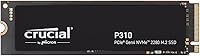
Crucial P310 4TB NVMe M.2 SSD





Overview
The Crucial P310 4TB NVMe M.2 SSD arrived in April 2025 and has already climbed to a top-3 bestseller rank in internal solid state drives — which tells you something about the timing. Four terabytes in the M.2 2280 form factor at this performance tier is still relatively uncommon, and Crucial is leaning into that gap hard. As Micron's consumer brand, they bring genuine NAND manufacturing expertise to the table rather than sourcing flash from a third party. That said, this is a mainstream Gen4 drive built for gamers and home users, not a workstation-class NVMe — so calibrate your expectations around sequential throughput, not peak random I/O.
Features & Benefits
Sequential reads up to 7,100 MB/s mean large game installs and file transfers move fast — think a 50GB game copying in under 10 seconds rather than sitting through a progress bar. Writes top out around 6,000 MB/s, which is strong for sustained transfers like video exports. The drive runs on PCIe Gen4 x4 but stays backward compatible with Gen3 systems, so it works in older builds without a penalty beyond reduced peak speeds. Micron's G8 NAND combined with onboard thermal controls helps maintain consistent performance during longer workloads. At roughly 10 grams, physical weight is a non-issue even in compact laptops or handheld consoles. Bundled Acronis software handles drive cloning during setup — genuinely useful if you're migrating from an existing drive.
Best For
This M.2 upgrade makes the most sense for a few specific buyers. Gamers with sprawling AAA libraries who are tired of managing what stays installed will appreciate finally having room to breathe. Laptop owners replacing a cramped factory drive get both a meaningful speed jump and a capacity leap in one swap. Handheld gaming console users are well-served too — Crucial officially supports the ROG Ally X, Lenovo Legion Go, and AYANEO Kun, though you should verify your specific console revision before purchasing. Home users running productivity software will notice faster boots and snappier application launches. And for anyone tracking cost per terabyte, Gen4 performance at this capacity hits a practical sweet spot.
User Feedback
With over 5,300 ratings averaging 4.8 stars, early reception for the P310 4TB drive is unusually strong — though it's worth noting the product is still relatively new, so long-term reliability data simply isn't there yet. Buyers consistently highlight easy installation and noticeably faster real-world speeds compared to the Gen3 drives they replaced. Value for the capacity comes up repeatedly as a deciding factor. On the critical side, a handful of users flagged console compatibility edge cases that required extra BIOS steps, and the Acronis software — while helpful for cloning — asks for account registration before use, which some found mildly frustrating. Nothing deal-breaking, but worth knowing going in.
Pros
- Four terabytes in the M.2 2280 form factor remains uncommon at this performance tier — real storage headroom for heavy users.
- Sequential reads close to 7,100 MB/s mean large game installs and file transfers finish noticeably faster than on Gen3 drives.
- PCIe Gen3 backward compatibility makes the P310 4TB drive a flexible choice for users upgrading older systems.
- Micron's G8 NAND brings genuine manufacturing credibility — this is not a rebadged third-party flash product.
- Onboard thermal management keeps performance consistent during sustained workloads in well-ventilated systems.
- At roughly 10 grams, the physical weight adds nothing to laptops or handheld consoles.
- Officially confirmed compatibility with ROG Ally X, Lenovo Legion Go, and AYANEO Kun removes guesswork for handheld users.
- Bundled Acronis software makes cloning an existing drive straightforward for users who have never done a storage migration before.
- A 4.8-star average across more than 5,300 ratings reflects unusually strong early consensus for an internal storage product.
- Cost-per-terabyte sits at a compelling level for buyers who want Gen4 performance without paying flagship SSD prices.
Cons
- Acronis True Image requires account registration before core cloning features become accessible — an unwelcome friction point during setup.
- Random I/O performance is average for the class; this M.2 upgrade is not suited to workloads dominated by small, scattered file operations.
- No heatspreader or thermal label is included, which can matter in passively cooled or thermally constrained chassis.
- Long-term endurance data does not yet exist — the drive launched in April 2025, so multi-year reliability is still unproven.
- Some handheld console installations required extra BIOS or firmware steps that were not clearly documented in the box.
- Users on Gen3-only systems will not achieve the advertised peak speeds, making the Gen4 premium harder to justify for older builds.
- The Acronis software bundle has a mixed reputation; power users often prefer third-party cloning tools and find the included version redundant.
- In compact laptops with limited airflow, the drive can run warmer than expected under sustained sequential loads.
- A handful of users reported activation errors or compatibility issues with the bundled Acronis version on older operating system configurations.
Ratings
The Crucial P310 4TB NVMe M.2 SSD earns one of the stronger consensus scores we've seen for an internal storage drive, backed by over 5,300 verified ratings analyzed by our AI system, which actively filters out incentivized, duplicate, and bot-generated feedback to surface what real buyers actually experience. The scores below reflect both the genuine strengths that push this drive to a top-3 bestseller rank and the honest friction points that keep it from being a perfect fit for every use case. Nothing is inflated — if something consistently frustrated users, you'll see it here.
Sequential Read Performance
Sequential Write Performance
Random I/O Performance
Storage Capacity Value
Compatibility & System Fit
Thermal Management & Throttling
Installation Experience
Build Quality & Physical Design
NAND Reliability & Longevity
Software Bundle Usefulness
Handheld Console Suitability
Value for Money
Laptop Upgrade Suitability
Suitable for:
The Crucial P310 4TB NVMe M.2 SSD is the right call for anyone who has outgrown their current storage and wants a meaningful upgrade without stepping into enthusiast-tier pricing. Gamers with large and growing libraries — especially those juggling multiple AAA titles that regularly exceed 100GB each — will immediately appreciate having the breathing room to keep everything installed at once. Laptop owners replacing a sluggish or undersized factory drive will find this M.2 upgrade genuinely transformative: faster boots, quicker application launches, and no more rationing space between games and work files. Handheld console users are also well-served here, particularly those with a ROG Ally X, Lenovo Legion Go, or AYANEO Kun, all of which are officially supported. Home users and content creators who run productivity suites like Adobe Photoshop or Microsoft Office alongside personal media collections will find the combination of Gen4 speed and 4TB capacity hits a practical sweet spot that smaller, slower drives simply cannot match.
Not suitable for:
The Crucial P310 4TB NVMe M.2 SSD is not the right tool for every buyer, and being clear about that saves real money and frustration. If your motherboard or laptop only supports PCIe Gen3, you will still get a working drive, but the headline speeds are cut significantly — at that point, a purpose-built Gen3 4TB drive would likely cost less and perform identically for your system. Professionals running database workloads, virtualization stacks, or high-frequency small-file operations should look at higher-tier NVMe options with stronger random IOPS, since this is a mainstream consumer drive and its random I/O is solidly average rather than outstanding. Buyers who need long-term endurance data before committing should also pause — the drive only launched in April 2025, and multi-year reliability track records simply do not exist yet. Finally, anyone hoping for a completely hands-off, account-free setup experience may be mildly irritated by the Acronis software's registration wall, particularly if cloning an existing drive is central to their upgrade plan.
Specifications
- Storage Capacity: The drive provides 4TB of usable storage, making it one of the higher-capacity options available in the M.2 2280 form factor at this performance tier.
- Interface: It connects via PCIe Gen4 x4 NVMe, delivering the full bandwidth of the Gen4 standard while remaining backward compatible with PCIe Gen3 slots.
- Form Factor: The drive uses the M.2 2280 format, meaning it is 22mm wide and 80mm long — the most common M.2 size found in laptops, desktops, and supported handheld consoles.
- Sequential Read: Peak sequential read speed reaches up to 7,100 MB/s under optimal Gen4 conditions, suitable for fast game loading, large file transfers, and OS boot sequences.
- Sequential Write: Peak sequential write speed reaches up to 6,000 MB/s, which benefits sustained transfer tasks such as large file copies, video renders, and application installations.
- NAND Technology: The drive is built with Micron G8 NAND flash, manufactured in-house by Micron, which underpins Crucial's reliability credentials for this product line.
- Thermal Control: Onboard thermal management dynamically adjusts drive behavior to prevent overheating during sustained workloads, reducing the risk of performance throttling in well-ventilated systems.
- Dimensions: Physical dimensions are 3.15 x 0.92 x 0.38 inches (approximately 80 x 23.4 x 9.7 mm), consistent with the standard M.2 2280 single-sided form factor.
- Weight: The drive weighs approximately 0.353 oz (around 10g), adding negligible mass to laptops, ultrabooks, or handheld gaming consoles.
- Compatible Devices: Officially supported devices include laptops, desktops, and select handheld gaming consoles — specifically the ROG Ally X, Lenovo Legion Go, and AYANEO Kun — as well as any PCIe Gen3 system via backward compatibility.
- Hardware Platform: The drive is compatible with both PC and Mac systems that feature an M.2 NVMe slot, though macOS support depends on the specific Mac model and its expansion capabilities.
- Installation Type: This is an internal drive requiring physical installation into an M.2 slot; it is not a portable or external storage solution.
- Bundled Software: The purchase includes a license for Acronis True Image, which provides drive cloning, data migration, and basic recovery functionality to assist with the upgrade process.
- Color & Finish: The PCB is black with standard M.2 component placement; no heatspreader or decorative cover is included in the retail package.
- Gen3 Compatibility: The drive operates in PCIe Gen3 slots with reduced peak throughput — sequential read speeds will be approximately halved compared to Gen4 performance figures.
- Market Position: As of mid-2025, the drive holds a top-3 bestseller rank in the Internal Solid State Drives category on Amazon, with a 4.8-star average across more than 5,300 ratings.
- Release Date: The drive became commercially available in April 2025, making it a recent addition to Crucial's P-series lineup.
- Manufacturer: Crucial is the consumer-facing brand of Micron Technology, one of the world's largest NAND flash manufacturers, headquartered in Boise, Idaho.
Related Reviews
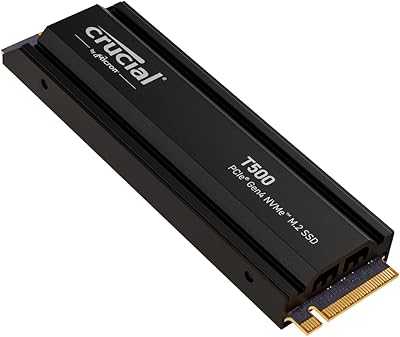
Crucial T500 4TB Gen4 NVMe M.2 SSD
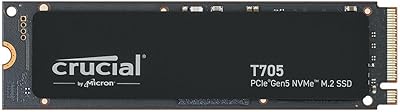
Crucial T705 4TB PCIe Gen5 NVMe SSD
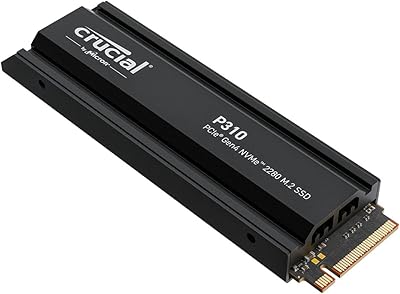
Crucial P310 2TB NVMe SSD
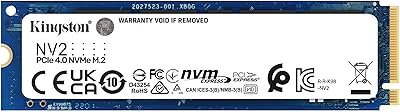
Kingston NV2 4TB M.2 NVMe SSD
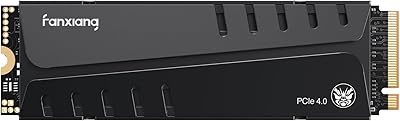
fanxiang S770 4TB NVMe M.2 SSD
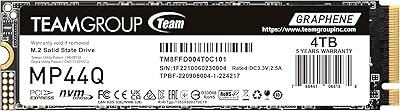
TEAMGROUP MP44Q 4TB NVMe SSD

ORICO TCM2 M.2 NVMe SSD Enclosure
ORICO IG740PRO 4TB M.2 NVMe SSD
fanxiang S660 4TB NVMe M.2 SSD