Overview

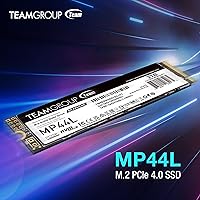
The TEAMGROUP MP44L 500GB Gen4 NVMe SSD sits in a crowded but competitive space where value and real-world performance have to balance carefully. TEAMGROUP has built a quiet reputation for delivering reliable storage at accessible price points, and this drive continues that tradition. The M.2 2280 form factor means it slots into virtually any modern desktop or laptop with Intel and AMD platform support. What genuinely stands out at this price tier is the 5-year warranty — that kind of coverage signals real confidence from the manufacturer. Expect strong sequential speeds suited for everyday workloads, though it is worth keeping realistic expectations: this is an entry-level Gen4 controller, not a flagship.

Features & Benefits

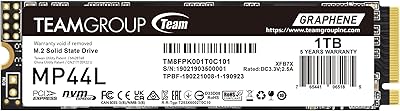
The Gen4x4 interface is where this NVMe SSD makes its clearest argument. Sequential reads pushing toward 5,000 MB/s translate in practice to noticeably snappier boot times, faster game load screens, and quicker large file transfers compared to any SATA or older Gen3 drive. The graphene-coated label is a genuinely interesting thermal solution — it is passive, thin enough to avoid clearance issues in tight laptop bays, and keeps surface temps in check during typical workloads. SLC caching handles burst writes well for everyday use, though sustained heavy writes will eventually hit the native speed floor. NVMe 1.4 support also brings improved latency and better queue depth handling across the board.

Best For

The MP44L lands well for a specific kind of buyer. If you are building a mid-range PC and want to step up from SATA without paying flagship prices, this Gen4 drive is a solid choice. Laptop upgraders will appreciate the slim label design and thermal management — particularly in chassis with limited airflow. Gamers after faster load times on a budget will see real gains over Gen3. Students and everyday users moving large files or launching creative apps will find the performance more than sufficient. It also works well as a secondary OS drive in a build where a high-end primary already exists. One caveat: confirm your board has a Gen4 M.2 slot first.

User Feedback

With a 4.7-star average across more than 1,400 ratings, buyer satisfaction here is hard to argue with. The most consistent praise centers on easy installation — most users report the drive is recognized immediately on first boot with no driver fuss. Thermal performance in slim laptops gets favorable mentions too. The honest caveat worth flagging: a handful of reviewers noticed write speeds backing off during long, sustained transfers once the SLC cache fills — not unusual for this class of drive, but worth knowing if you plan heavy video editing or large backups. A few buyers also remind others to double-check Gen4 slot availability on older platforms. Overall, the value proposition holds up well in real-world use.

Pros

  • Gen4 PCIe speeds deliver noticeably faster boot times and game loads compared to any SATA or Gen3 drive.
  • The 5-year warranty is genuinely rare at this price point and adds real long-term confidence.
  • Installs cleanly with immediate BIOS recognition on both AMD and Intel platforms — no driver hassle.
  • The graphene-coated label keeps temperatures reasonable in slim laptops with limited airflow.
  • SLC caching handles everyday burst writes smoothly for typical home and office workloads.
  • The sub-1mm label thickness prevents clearance issues in tight notebook M.2 bays.
  • Broad M.2 2280 compatibility means this Gen4 drive fits the overwhelming majority of modern desktops and laptops.
  • At 500GB, it comfortably fits a full OS, applications, and a rotating game library for most users.
  • NVMe 1.4 protocol support contributes to lower latency in day-to-day multitasking and app switching.
  • Buyer satisfaction ratings from over 1,400 verified purchasers reflect consistently positive real-world experiences.

Cons

  • Sustained write speeds drop once the SLC cache fills — a real limitation for large file transfers or video work.
  • No onboard DRAM cache means random write performance lags behind pricier DRAM-equipped competitors.
  • Older motherboards without a Gen4-capable M.2 slot will silently throttle the drive to Gen3 speeds.
  • 500GB fills up faster than expected for anyone running multiple modern AAA games simultaneously.
  • Passive thermal management helps at the margins but is not a substitute for a proper heatsink under continuous load.
  • No mounting screw is included in the package, which can catch first-time builders off guard.
  • TEAMGROUP has a smaller support and service network than established brands, which concerns some buyers.
  • The entry-level controller shows its limits in mixed read/write workloads common in content creation pipelines.
  • Pre-sale technical support response times have drawn occasional criticism from users with compatibility questions.

Ratings

The TEAMGROUP MP44L 500GB Gen4 NVMe SSD scores here reflect an AI-driven analysis of verified global buyer reviews, with spam, incentivized, and bot-flagged submissions actively filtered out before scoring. Ratings are calibrated to surface both what this drive genuinely does well and where real-world buyers have run into friction. The result is an honest picture of where this NVMe SSD earns its reputation — and where it asks for a little patience.

Sequential Read Speed
88%
Buyers consistently report a noticeable jump in boot times and app launch speeds compared to their previous SATA or Gen3 drives. Tasks like loading large game levels or opening heavy creative projects feel meaningfully faster in day-to-day use, which is exactly what most buyers in this segment are after.
A small number of users with high-end workflows noted the read performance, while strong on paper, does not quite match what premium Gen4 controllers deliver under mixed workloads. For pure sequential throughput benchmarks, some enthusiasts found the gap to flagship drives more visible than expected.
Sustained Write Performance
61%
39%
For typical everyday tasks — saving documents, installing games, transferring moderate batches of files — write speeds feel responsive and fast. The SLC cache handles these burst scenarios well, and most casual users will never notice any slowdown in normal use patterns.
This is the area where informed buyers need honest expectations. Once the SLC cache fills during large, sustained writes — think copying a full season of video files or running long backup jobs — speeds drop noticeably to the drive's native write floor. It is not a dealbreaker for mainstream use, but it is a real limitation for heavy data movers.
Thermal Management
79%
21%
The graphene-coated aluminum label is a genuinely thoughtful addition for a drive at this price. Several laptop users specifically called out that their chassis temperatures stayed reasonable even during extended read-heavy sessions, which matters a lot in thin-and-light notebooks with limited airflow.
It is important to be clear: this is passive thermal management, not active cooling. Under prolonged heavy workloads in poorly ventilated desktop cases or without a motherboard heatsink, temperatures can still climb. Users expecting it to perform like a dedicated heatsink solution may be disappointed.
Installation & Compatibility
91%
The vast majority of buyers reported a completely painless install — screw it in, boot up, and the drive is recognized immediately by BIOS on both AMD and Intel platforms. The under-1mm label thickness also meant no clearance headaches in tight laptop bays, which laptop upgraders specifically appreciated.
A recurring note in lower-rated reviews involved older systems without a Gen4-capable M.2 slot. The drive will fall back to Gen3 speeds in those cases, which is functional but defeats part of the purchase rationale. A small number of users felt this compatibility caveat was not prominent enough at the point of purchase.
Value for Money
93%
This is arguably where the MP44L makes its strongest case. Buyers repeatedly described it as the most performance they could find per dollar in the 500GB Gen4 category, and the 5-year warranty adds a layer of confidence that is genuinely rare at this price point. For a first Gen4 upgrade, the math works out well.
A handful of buyers who compared it directly against slightly pricier competitors noted that the premium options offer more consistent sustained performance and better DRAM caching. For strictly budget-focused buyers the value holds, but those willing to spend a bit more do have stronger all-round alternatives.
Build Quality & Label Design
74%
26%
The graphene label feels like a considered design decision rather than an afterthought, and the physical dimensions are precise enough for confident handling during installation. Several reviewers noted it looks and feels more polished than they expected given the price.
The drive lacks an onboard DRAM cache, which is a hardware-level cost-cutting decision that shows up in specific workload scenarios. Some buyers also noted the label-only thermal solution feels less robust than drives that ship with a full aluminum heatsink cover.
BIOS & OS Recognition
92%
Out-of-box recognition was nearly universal across Windows 10, Windows 11, and Linux installs. Users upgrading laptops reported the drive showing up correctly without any manual driver installation in the vast majority of cases, which made the transition smooth and confidence-building.
A very small number of edge-case reports involved older BIOS versions on legacy boards needing a firmware update before the drive was recognized correctly. These cases were infrequent, but worth noting for anyone running hardware that has not been updated in several years.
Gaming Load Performance
83%
Gamers moving from SATA SSDs described the difference in game load times as clear and consistent — especially in open-world titles with large asset streaming requirements. The Gen4 bandwidth makes a practical difference in titles optimized for fast storage.
Compared to high-end Gen4 drives with DRAM and stronger controllers, the MP44L does not fully close the gap in games that stress the drive with simultaneous read and write operations during active play. For most titles it is excellent, but shader compilation-heavy games may expose the controller limits.
Laptop Upgrade Suitability
86%
The slim label profile and passive thermal design make this one of the more practical Gen4 options for laptop upgraders who lack a dedicated M.2 heatsink slot. Multiple buyers specifically called it out as a reliable choice for thin notebooks where clearance is tight.
Laptop users on platforms older than 11th-gen Intel or Ryzen 5000 should verify Gen4 support carefully before purchasing. A few buyers discovered their laptop silently downclocked the drive to Gen3 speeds, which still works fine but changes the value calculation significantly.
Warranty & Brand Support
84%
The 5-year or TBW-limited warranty is a genuine differentiator at this price tier, and TEAMGROUP's support channels received positive mentions from buyers who had to follow up on claims. It reduces the risk perception of buying a less mainstream brand considerably.
TEAMGROUP does not have the same brand recognition or widespread service network as Samsung or Western Digital, which makes some buyers uneasy despite the warranty terms. A few users reported longer-than-ideal response times when reaching out to support with pre-sale technical questions.
Random Read & Write (IOPS)
69%
31%
For typical desktop workloads — launching applications, loading browser sessions, handling OS operations — random performance feels fluid and responsive in day-to-day use. The NVMe 1.4 protocol support contributes to lower access latency compared to Gen3 equivalents.
The absence of a dedicated DRAM cache becomes more apparent in random write-heavy scenarios such as database operations, heavy multitasking, or frequent small-file transfers. Benchmarks show this more clearly than casual use does, but power users running demanding I/O workloads may want a DRAM-equipped alternative.
Heat Dissipation Under Load
67%
33%
In systems with decent airflow or a motherboard-integrated heatsink, thermal performance is adequate and temperatures stay within safe operating ranges during typical workloads. Laptop users with good ventilation reported no thermal throttling during regular sessions.
In enclosed desktop builds with poor case airflow and no motherboard heatsink cover, sustained workloads can push temperatures higher than comfortable. The graphene label helps at the margins, but it is not a replacement for a proper heatsink when the drive is under continuous heavy use.
Capacity Practicality
72%
28%
For a primary OS drive paired with secondary storage, 500GB comfortably handles a Windows installation, a suite of applications, and a modest game library simultaneously. It is a practical size for laptop upgrades where a single drive handles everything.
In 2024 and beyond, 500GB fills up faster than many buyers anticipate — especially as modern games routinely exceed 100GB each. A few reviewers expressed mild regret at not stretching to the 1TB variant, particularly those using it as their only storage device.
Package & Accessory Inclusion
58%
42%
The drive arrives well-protected and in compact, no-fuss packaging. For buyers who simply need the drive itself without extras, the unboxing experience is clean and straightforward with no unnecessary padding or waste.
No mounting screw or installation hardware is included, which caught a few first-time builders off guard. While most motherboards and laptops come with the screw pre-installed, its absence from the package is a minor but recurring complaint in buyer reviews.

Suitable for:

The TEAMGROUP MP44L 500GB Gen4 NVMe SSD is a strong fit for anyone making their first jump from a SATA SSD to a Gen4 NVMe drive without wanting to spend flagship money to do it. PC builders putting together a mid-range gaming rig or productivity machine will find the performance-per-dollar ratio hard to beat in this capacity tier. Laptop upgraders in particular get a lot from this drive — the slim label design and passive thermal solution work well inside thin notebooks where clearance and heat are real concerns. Students and everyday users who want faster boot times, quicker app launches, and smoother multitasking will notice a genuine improvement over older storage. It also makes a practical secondary drive for a desktop that already has a high-end primary, adding Gen4 speeds to overflow storage or a secondary OS partition without a significant investment.
Not suitable for:

The TEAMGROUP MP44L 500GB Gen4 NVMe SSD is not the right call for buyers who regularly push large sustained writes — think video editors transferring raw footage, backup-heavy workflows, or anyone routinely moving hundreds of gigabytes in single sessions. Once the SLC cache is exhausted, write speeds step down noticeably, and that limitation will surface regularly under heavy professional workloads. Users on older platforms — pre-Ryzen 5000 AMD systems or pre-11th-gen Intel laptops — should also verify Gen4 M.2 slot support carefully, since the drive falling back to Gen3 speeds changes the value equation. Power users who need consistent random I/O performance for database work, virtualization, or intensive multitasking would be better served by a DRAM-equipped drive from a higher tier. And if 500GB sounds like it might feel tight within a year, it probably will — especially for anyone building a primary gaming machine where modern titles eat through storage quickly.
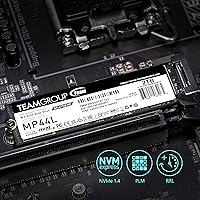
Specifications

  • Capacity: The drive offers 500GB of usable NAND flash storage, suitable for an OS installation, core applications, and a rotating game library.
  • Interface: Connects via PCIe Gen4x4 using the NVMe 1.4 protocol, which enables lower command latency and better queue depth handling than older NVMe generations.
  • Form Factor: Follows the M.2 2280 standard, meaning it is 22mm wide and 80mm long — the most common M.2 size found in modern desktops and laptops.
  • Sequential Read: Rated sequential read speeds reach up to 5,000 MB/s under optimal conditions using the PCIe Gen4 interface.
  • Sequential Write: Rated sequential write speeds reach up to 2,500 MB/s, with burst performance boosted by the onboard SLC caching layer.
  • Cache Type: Uses SLC (Single-Level Cell) caching to accelerate burst write operations, though sustained write speeds will step down once the cache capacity is exhausted.
  • Thermal Design: Features a proprietary graphene-coated aluminum foil label less than 1mm thick that provides passive heat dissipation during typical workloads.
  • Label Thickness: The drive label measures under 1mm in total thickness, preventing mechanical clearance issues when installing in tight laptop M.2 bays.
  • Dimensions: Physical dimensions are 3.15 x 0.87 x 0.16 inches (approximately 80 x 22 x 4mm), consistent with the M.2 2280 specification.
  • Weight: The drive weighs 1.06 ounces (approximately 30g), making it negligible in terms of impact on laptop or desktop build weight.
  • Platform Support: Compatible with Intel and AMD platforms that feature a PCIe Gen4-capable M.2 slot, covering most desktop motherboards and laptops from 2020 onward.
  • OS Compatibility: Officially supported on Windows (PC) and Linux operating systems; no proprietary driver installation is required for standard use.
  • Warranty: Backed by a 5-year or TBW (Terabytes Written) limited warranty, whichever threshold is reached first, with technical support available via TEAMGROUP's official website.
  • DRAM Cache: This drive does not include a dedicated DRAM cache buffer, which is a common cost-reduction design choice at this price tier.
  • NVMe Version: Operates under the NVMe 1.4 specification, which improves upon earlier NVMe versions with better error handling, power management, and queue depth support.
  • Brand & Series: Manufactured by TEAMGROUP under the MP44L series, a value-oriented Gen4 product line positioned for mainstream desktop and laptop upgrades.
  • ASIN: The Amazon Standard Identification Number for this specific product variant is B0B9Y24ZM5.
  • Availability Date: This product was first made available for purchase in August 2022, establishing it as an early-generation budget Gen4 NVMe option.

Related Reviews
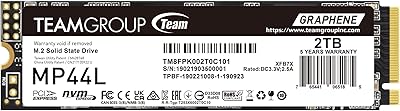
TEAMGROUP MP44L 1TB NVMe SSD
89%
94%
Performance
96%
Speed (Read/Write)
85%
Heat Management
91%
Installation Ease
92%
Compatibility
More
TEAMGROUP MP44L 2TB NVMe SSD
90%
94%
Performance
89%
Thermal Management
91%
Ease of Installation
87%
Value for Money
93%
Build Quality
More
MMOMENT MG43 500GB PCIe Gen4 NVMe SSD
87%
91%
Performance
88%
Build Quality & Durability
93%
Installation Ease
85%
Compatibility
90%
Speed (Read/Write)
More
PNY CS2241 500GB M.2 NVMe Gen4 SSD
86%
91%
Performance
89%
Value for Money
94%
Ease of Installation
93%
Compatibility with Gen4 Systems
85%
Build Quality
More
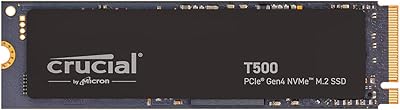
Crucial T500 500GB Gen4 NVMe M.2 Internal SSD
85%
93%
Performance
88%
Ease of Installation
90%
Compatibility with Devices
85%
Value for Money
81%
Software Bundle (Adobe Creative Cloud)
More
LinkMore XE400 500GB M.2 PCIe Gen4 NVMe SSD
86%
94%
Performance
91%
Value for Money
92%
Speed (Read/Write)
87%
Durability
90%
Ease of Installation
More
Crucial P3 500GB NVMe M.2 SSD
82%
88%
Read Speed Performance
71%
Write Speed Performance
93%
Value for Money
94%
Ease of Installation
86%
Reliability & Longevity
More
WD_BLACK SN770M 500GB NVMe SSD
89%
93%
Performance
95%
Compatibility with Gaming Consoles
91%
Speed (Read/Write)
88%
Installation Ease
87%
Durability
More
WD_BLACK SN7100 500GB NVMe SSD
84%
91%
Performance
93%
Read/Write Speed
88%
Ease of Installation
90%
Compatibility
87%
Energy Efficiency
More
FANXIANG S880E 500GB NVMe SSD
87%
92%
Performance
95%
Speed
80%
Thermal Management
89%
Ease of Installation
91%
Compatibility
More

FAQ

Yes, it will work — NVMe drives are backward compatible, so the MP44L will function in a Gen3 slot. The trade-off is that it will operate at Gen3 speeds rather than Gen4, which narrows the performance advantage. It will still outperform a SATA SSD, but you will not get the full benefit of the Gen4 hardware.

It does not require a separate heatsink for typical everyday use. The graphene-coated label handles passive heat dissipation well enough for most workloads. That said, if your desktop case has poor airflow or your motherboard does not include an M.2 heatsink cover, adding one is a smart precaution during sustained heavy loads.

Check your motherboard manual or manufacturer website and look for the M.2 slot specifications — it will explicitly state whether the slot supports PCIe Gen4. Generally, Intel 11th-gen platforms and newer, along with AMD Ryzen 5000 and newer, support Gen4. Older platforms will default to Gen3 speeds with this drive.

Unfortunately, no. The PS5 requires an M.2 NVMe SSD in a specific slot that Sony has enabled for storage expansion, and while Gen4 drives are compatible in principle, the PS5 also requires a heatsink on the drive. This drive uses a label-only thermal solution and has not been officially validated for PS5 use, so it is best to choose a drive explicitly listed as PS5-compatible.

Once the SLC cache is saturated — which can happen during very large continuous write operations like copying hundreds of gigabytes at once — the drive falls back to writing directly to the underlying NAND at a lower native speed. For everyday tasks this never becomes an issue, but if you regularly transfer massive files or run large backup jobs, you will notice the slowdown during those specific operations.

No, a mounting screw is not included in the package. Most modern motherboards and laptops come with the M.2 retention screw already attached to the board or chassis, so this is rarely a problem. If yours does not have one, they are inexpensive and widely available at electronics stores or online.

Absolutely. This NVMe SSD is a perfectly capable Windows 11 boot drive. Install times are fast, and the OS runs smoothly from it. Just make sure your system BIOS is set to boot from NVMe and that Secure Boot and TPM requirements are met on your platform — those are Windows 11 requirements unrelated to the drive itself.

The warranty covers defects in materials and workmanship for 5 years from the date of purchase, or until the drive reaches its rated TBW (Terabytes Written) endurance limit — whichever comes first. To make a claim, you would go through TEAMGROUP's official support portal. Keep your purchase receipt handy, as proof of purchase is typically required for warranty validation.

It depends on your library. If you keep a rotating selection of games and are comfortable uninstalling titles you are not actively playing, 500GB works fine as a primary drive. However, modern AAA games routinely consume 80 to 150GB each, so if you want to keep five or six large titles installed simultaneously alongside your OS and apps, you will likely feel the pressure. A 1TB variant would give more breathing room for a dedicated gaming machine.

Yes, Linux recognizes this NVMe SSD natively without any additional driver installation on modern kernel versions. It has been listed as compatible with Linux in TEAMGROUP's official specifications. Standard partitioning and formatting tools like fdisk, parted, or GParted work with it without issues.