

Overview

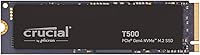
The Crucial T500 500GB NVMe M.2 SSD sits at an interesting spot in Crucial's catalog — it's built for people who want Gen4 performance without paying a premium for the absolute top tier. The M.2 2280 form factor means it drops into virtually any modern laptop, desktop, or workstation without much fuss. New buyers also get a one-month Adobe Creative Cloud All-Apps subscription thrown in, which is a practical bonus if you happen to need it. One honest caveat worth stating upfront: 500GB fills up faster than expected when modern games routinely top 80–100GB each. Treat it as a primary boot drive or dedicated game library rather than your only drive. With a 4.8-star average from nearly 4,700 buyers, the reception here is unusually strong for storage hardware.

Features & Benefits

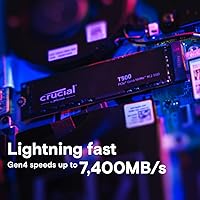
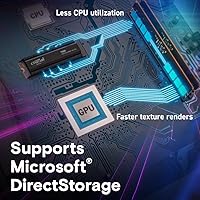
The headline numbers are legitimately impressive — 7,200MB/s sequential reads and 5,700MB/s writes put this Crucial Gen4 SSD firmly in high-end territory. That said, sequential throughput is rarely what you feel in everyday use. What actually makes a system feel snappier is random I/O performance: up to 800K read and 1,390K write IOPs means your OS, apps, and open tabs respond noticeably faster than on most Gen3 or SATA drives. For gamers on platforms supporting Microsoft DirectStorage, asset streaming becomes less CPU-dependent, which can reduce texture pop-in and stutter in compatible titles. Crucial also claims up to 42% faster performance in content creation workflows — a credible figure for anyone rendering video or exporting large photo batches. Installation is a single screw; no cables, no adapters, no drama.

Best For

The T500 500GB drive makes the most sense for buyers on Gen4-capable platforms — Ryzen 5000 or 7000 series builds and Intel 12th gen or newer systems specifically. If your board only has Gen3 slots, the drive will still work, but you will never reach the speeds you paid for. Gamers benefit from faster load screens and DirectStorage support; video editors and photographers will appreciate the scratch disk and media read improvements in tools like Premiere Pro or Lightroom. PS5 owners will find it fits the expansion slot well. The one reservation remains capacity — if you own more than four or five large modern titles, storage fills up quickly. This NVMe upgrade works best alongside secondary storage rather than as a standalone solution for a heavy game library.

User Feedback

The consistent theme across reviews is that buyers moving from SATA or older Gen3 hardware notice an immediate real-world difference — faster boot times, quicker game load screens, and a more responsive system overall. A solid subset of reviewers specifically mention PS5 use, with uniformly positive results. Criticism tends to cluster around two areas. First, heat management: in thin laptops without a dedicated heatsink cutout, some users report throttling under sustained read or write loads, so a chassis with a proper M.2 thermal pad matters. Second, capacity regret is common — many buyers wish they had gone straight to the 1TB model. The Adobe CC bundle lands as a welcome extra rather than a deciding factor, though a handful of reviewers found the registration process more tedious than it needed to be.

Pros

  • Gen4 sequential read speeds translate to noticeably faster boot times and application launches compared to SATA or Gen3 drives.
  • High random IOPs make everyday desktop responsiveness feel snappier, not just synthetic benchmarks.
  • DirectStorage support reduces CPU overhead and can smooth out in-game texture streaming on compatible titles.
  • The standard M.2 2280 footprint fits the vast majority of modern laptops, desktops, and the PS5 expansion slot.
  • Installation is straightforward — a single screw and no cables required, even for first-time upgraders.
  • Content creators report meaningful real-world time savings when rendering, exporting, or working with large media files.
  • Nearly 4,700 buyer ratings averaging 4.8 stars reflects a level of consistency that is rare for internal storage hardware.
  • The bundled one-month Adobe Creative Cloud All-Apps subscription is a useful extra for new subscribers.
  • At its price point, the T500 500GB drive delivers Gen4 performance that previously required spending considerably more.

Cons

  • 500GB fills up alarmingly fast once you factor in an OS, apps, and even a small library of modern games.
  • Requires a PCIe Gen4 slot to reach advertised speeds — older Gen3 systems will see significantly reduced throughput.
  • No heatsink is included, which can be a real issue in compact laptop chassis with poor M.2 thermal access.
  • Some users in thin laptops report noticeable throttling under sustained read or write loads without third-party thermal pads.
  • Crucial's 42% content creation performance claim is based on internal benchmarks and may not reflect every real-world workflow.
  • The Adobe Creative Cloud bundle registration process has drawn complaints for being clunkier than expected.
  • Buyers frequently report wishing they had sized up to 1TB after a few months of use.
  • No included cloning software or migration tool, so transferring an existing OS requires a separate solution.

Ratings

The scores below reflect an AI-driven analysis of verified global buyer reviews for the Crucial T500 500GB NVMe M.2 SSD, with spam, incentivized submissions, and bot activity actively filtered out before scoring. Each category was weighted against thousands of real-world usage reports spanning gaming rigs, creative workstations, laptop upgrades, and PS5 installations. Both the strengths that earned this drive its reputation and the genuine pain points that frustrated buyers are transparently represented.

Read Performance
93%
Buyers consistently report that switching from a SATA or Gen3 drive makes the speed difference immediately obvious — Windows boots faster, large game installations complete quicker, and loading into game worlds feels noticeably snappier. On Gen4-capable platforms, the drive regularly hits close to its rated ceiling in both benchmark tools and everyday transfers.
The headline read speed only materializes on a proper Gen4 platform; users on Gen3 boards or older laptops see roughly half the rated throughput. A small number of reviewers also noted that sustained long reads occasionally trigger thermal throttling in thin laptops without adequate M.2 cooling.
Write Performance
88%
Sequential writes in the 5,000–5,700MB/s range make a real difference for content creators moving large video files or photographers exporting batch edits — tasks that would stall on a mid-range Gen3 drive flow noticeably faster. Random write IOPs are especially strong, keeping the drive responsive under heavy multitasking.
Like most TLC-based SSDs, sustained write performance can dip once the SLC write cache is saturated during very large sequential transfers. Most everyday users will never hit this ceiling, but video editors writing multi-hour raw footage files may see the speed taper off toward the end of a long write session.
Daily Responsiveness
91%
The high random IOPs are where this drive earns its keep for most users — app launches, browser tab switching, and OS operations all feel snappier compared to Gen3 or SATA drives. Users who moved this NVMe upgrade into an aging laptop described the experience as making it feel like a completely different machine.
At this performance tier, diminishing returns start to set in for basic office or web browsing tasks where even a decent Gen3 drive feels fast enough. The responsiveness gains are most pronounced for users pushing the drive with multiple simultaneous workloads rather than light single-task use.
Gaming Performance
89%
Gamers report meaningfully faster load screens across open-world titles and faster respawns in multiplayer games compared to their previous drives. DirectStorage support adds a practical edge in compatible titles by offloading asset decompression from the CPU, reducing stutter during fast traversal in asset-heavy environments.
The 500GB capacity is the single biggest limiting factor for gamers — four or five modern AAA titles can fill the drive with little room to spare. DirectStorage benefits are also currently limited to a handful of titles, so buyers hoping for a widespread in-game boost across their whole library may find the gains inconsistent.
Storage Capacity
61%
39%
For a focused use case — a dedicated OS drive, a PS5 expansion slot, or a secondary cache drive alongside a larger storage pool — 500GB does the job cleanly. Users who manage their installs carefully and keep only their active rotation of games installed report being satisfied with the space.
As a sole system drive for a gaming PC in 2024, 500GB is genuinely tight. Modern titles routinely require 80–150GB each, and buyers frequently mention regretting not sizing up to 1TB after realizing how quickly the drive filled up. The capacity limitation is the most common source of post-purchase frustration in user reviews.
Installation Ease
96%
The standard M.2 2280 footprint fits virtually every modern motherboard and laptop with an M.2 slot, and the physical install genuinely takes under five minutes with nothing more than a small Phillips screwdriver. Even first-time upgraders in user reviews described the process as straightforward and stress-free.
The drive ships without a heatsink or thermal pad, which means laptop users need to source their own if their chassis does not already provide M.2 thermal coverage. PS5 installers in particular should budget for a compatible heatsink separately, as Sony's guidance recommends one.
Thermal Management
67%
33%
In desktop builds with motherboard heatsink covers and adequate airflow, thermal behavior is largely a non-issue — the drive maintains consistent performance across typical gaming and creative sessions without meaningful throttling. Most desktop users in the review pool reported no heat-related complaints.
In thin-and-light laptops without a thermal pad over the M.2 slot, a noticeable subset of users reported throttling under sustained workloads like large file transfers or extended game sessions. The absence of a bundled heatsink is a genuine oversight for a drive positioned partly at laptop upgraders.
Compatibility
87%
The T500 500GB drive covers an impressively wide range of platforms — modern Windows laptops, AMD and Intel desktops, workstations, and the PS5 expansion slot — making it one of the more versatile Gen4 options in its price tier. PS5 users in the review pool specifically confirmed reliable detection and stable operation.
Full-speed operation is strictly dependent on a PCIe Gen4 M.2 slot, which is unavailable on systems older than roughly 2020–2021 for desktops and somewhat later for many laptops. Buyers who overlook this requirement end up with an expensive Gen3 drive, which is a frustration that appears in a recurring pattern of negative reviews.
Value for Money
84%
At its street price, this Crucial Gen4 SSD delivers performance that would have commanded a significant premium just two years ago, making it a compelling option for buyers who want near-flagship speeds without paying for the absolute top of the market. The five-year warranty adds meaningful long-term value to the purchase.
The 1TB variant often represents better cost-per-gigabyte value, and buyers who find themselves upgrading to a larger drive within a year end up undercutting the savings. Competing drives at similar prices occasionally close the performance gap enough to make direct comparisons worthwhile before committing.
Build & Reliability
88%
Crucial's reliability track record in the storage space is well-established, and the T500 series continues that pattern — failure rates in the user review pool are low, and long-term owners report consistent performance months after purchase. The five-year limited warranty reflects the manufacturer's own confidence in the drive's durability.
As with any TLC NAND drive, long-term endurance under extremely write-heavy professional workloads is not the primary design target. Users running server-style or high-cycle enterprise workloads should look at purpose-built endurance-focused drives rather than consumer-tier hardware like this NVMe upgrade.
Software & Extras
58%
42%
The included one-month Adobe Creative Cloud All-Apps bundle is a genuinely useful perk for anyone who does not already subscribe — it covers the full suite including Photoshop, Premiere Pro, and Lightroom for thirty days, which has real value for new creative users.
No cloning or data migration software is included, which means users transferring an existing OS need to source their own solution. Several buyers also flagged the Adobe bundle redemption process as unnecessarily complicated, with some reporting difficulty locating the code or navigating the registration portal.
Content Creation
82%
18%
Users running Premiere Pro, After Effects, and Lightroom report that export times and cache read performance improve noticeably compared to their previous Gen3 or SATA drives. Working with large RAW photo libraries or multi-stream video timelines feels considerably less sluggish when the scratch disk is this fast.
Crucial's 42% performance improvement claim in creative applications is drawn from its own internal benchmarks, and real-world gains vary depending on the application and workload. Buyers whose creative work involves mostly lightweight tasks like photo sorting or basic edits may find the upgrade less transformative than the headline figure suggests.
DirectStorage Support
74%
26%
Having DirectStorage support built in positions this drive well for the near-term evolution of PC gaming, where asset streaming offloaded from the CPU will become increasingly common. Users playing current compatible titles report smoother texture loading and reduced micro-stutter during fast-paced traversal sequences.
As of the time most user reviews were written, DirectStorage-compatible titles remain a relatively small portion of gaming libraries, so the benefit is limited to a narrow set of games. Buyers purchasing specifically for DirectStorage gains may find the real-world impact underwhelming until the technology sees broader adoption across major titles.

Suitable for:

The Crucial T500 500GB NVMe M.2 SSD is a strong match for anyone on a modern Gen4-capable platform who wants a meaningful performance jump without spending top dollar on the absolute fastest drives available. PC gamers running Ryzen 5000, Ryzen 7000, or Intel 12th gen and newer will notice genuinely faster load screens and smoother asset streaming in DirectStorage-compatible titles. Content creators who use Premiere Pro, After Effects, or Lightroom as part of a regular workflow will benefit from the improved scratch disk throughput and faster media reads, especially when handling large project files. Laptop upgraders replacing an aging SATA or Gen3 NVMe drive will likely find the speed difference obvious from day one. PS5 owners looking for a reliable high-speed expansion drive will also find this NVMe upgrade a well-proven fit for that slot.

Not suitable for:

Buyers with older systems that only support PCIe Gen3 slots should think carefully before purchasing — the Crucial T500 500GB NVMe M.2 SSD will technically work in a Gen3 slot, but the drive will be capped well below its rated speeds, making it a poor value proposition compared to a purpose-built Gen3 alternative. Anyone planning to use this as their sole storage drive for a large gaming library will likely run into capacity walls quickly, since a handful of modern titles alone can eat through 500GB with little room left for an operating system and applications. Users with thin-and-light laptops that lack proper M.2 thermal management should be aware that sustained workloads can trigger heat throttling without a heatsink, which may limit real-world performance gains. If your primary concern is maximum raw endurance for heavy server-style or enterprise workloads, a purpose-built enterprise NVMe would be a better fit. Budget buyers hoping the Adobe Creative Cloud bundle adds significant long-term value should treat it as a minor one-month perk rather than a meaningful offset to the purchase price.

Specifications

  • Brand & Model: Manufactured by Crucial under the T500 series, with model number CT500T500SSD8.
  • Capacity: Offers 500GB of usable flash storage, formatted capacity will appear slightly lower after OS formatting.
  • Interface: Uses a PCIe Gen4 x4 NVMe interface, requiring a compatible M.2 Gen4 slot to reach rated speeds.
  • Form Factor: Standard M.2 2280 format, measuring 3.15 x 0.86 x 0.09 inches and weighing 0.353 ounces.
  • Sequential Read: Rated for sequential read speeds up to 7,200MB/s under optimal Gen4 platform conditions.
  • Sequential Write: Rated for sequential write speeds up to 5,700MB/s, placing it among the faster consumer Gen4 drives available.
  • Random Read IOPs: Delivers up to 800,000 random read IOPs, which directly benefits OS responsiveness and application launch times.
  • Random Write IOPs: Delivers up to 1,390,000 random write IOPs, supporting heavy multitasking and fast file operations.
  • DirectStorage: Fully supports Microsoft DirectStorage, enabling faster in-game asset loading with reduced CPU overhead on compatible titles.
  • Compatible Devices: Compatible with laptops, desktops, workstations, and the PS5 console expansion slot.
  • Installation Type: Internal drive installed directly into an M.2 slot; requires no external power cables or adapters.
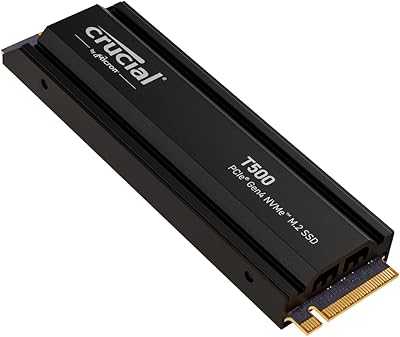
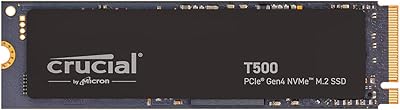
  • Heatsink: No heatsink is included in the package; users in thermally constrained builds may need to source one separately.
  • Included Bundle: Each unit ships with a redemption code for one month of Adobe Creative Cloud All-Apps plan, subject to registration.
  • Flash Type: Built on high-performance TLC NAND flash, a standard choice for consumer NVMe drives balancing speed, density, and cost.
  • Warranty: Crucial covers this drive with a five-year limited warranty, which is standard for premium consumer SSDs in this class.

Related Reviews
Crucial P2 500GB NVMe PCIe M.2 SSD
87%
91%
Value for Money
88%
Performance
94%
Read Speed
78%
Write Speed
85%
Build Quality
More
Crucial T500 1TB Gen4 NVMe M.2 SSD
84%
93%
Sequential Read & Write Speed
89%
Random I/O Performance
91%
Gaming Performance
67%
Thermal Management
96%
Installation Ease
More
Crucial T500 4TB Gen4 NVMe M.2 SSD
89%
94%
Performance
87%
Cooling Efficiency
90%
Installation Process
92%
Reliability
95%
Compatibility with PS5
More
Crucial T500 2TB Gen4 NVMe M.2 SSD with Heatsink
89%
95%
Read Speed
92%
Write Speed
88%
Thermal Management
90%
Compatibility with PS5
83%
Ease of Installation
More
Kingston NV3 500GB NVMe SSD
81%
91%
Read Performance
78%
Write Performance
94%
Value for Money
63%
Thermal Management
93%
Installation Ease
More
SanDisk SSD Plus 500GB M.2 NVMe SSD
81%
83%
Read Performance
64%
Write Performance
96%
Installation Ease
88%
Value for Money
84%
Compatibility
More
PNY CS1030 M.2 NVMe SSD 500GB
86%
89%
Performance
92%
Value for Money
84%
Installation Process
90%
Boot Time Improvement
87%
File Transfer Speed
More
PNY CS2230 500GB M.2 NVMe SSD
82%
93%
Value for Money
84%
Read/Write Performance
91%
Installation Ease
88%
Compatibility
89%
Warranty & Support
More
Ediloca EN760 500GB M.2 NVMe SSD
79%
88%
Value for Money
91%
PS5 Compatibility
84%
Sequential Read Speed
61%
Sustained Write Performance
79%
Heatsink Quality
More
Crucial P2 1TB NVMe M.2 SSD
80%
83%
Sequential Read Speed
76%
Sequential Write Speed
58%
Sustained Write Performance
88%
Value for Money
91%
Installation Ease
More

FAQ

It will physically fit and function in a Gen3 slot, but you will be limited to Gen3 speeds — roughly 3,500MB/s reads at best. If your system only supports Gen3, you are paying for performance you cannot use, so a purpose-built Gen3 drive would likely serve you better at a lower cost.

Honestly, it depends on your library. A handful of modern AAA titles can easily consume 300–400GB on their own, so 500GB works best as a dedicated drive for your most-played games alongside a secondary higher-capacity drive for everything else. If you only game occasionally or keep a small active library, it can work as a solo drive, but most heavy gamers find themselves wishing they had sized up within a few months.

Yes, it is compatible with the PS5 M.2 expansion slot and meets Sony's minimum speed requirements. A number of buyers have confirmed it works well in that application. Just note that a heatsink is not included, and Sony recommends using one — so you may want to pick up a low-profile M.2 heatsink separately before installing.

It depends on your use case and system. In a desktop with a motherboard that has a built-in M.2 heatsink cover, you are likely fine. In a thin laptop without thermal padding over the M.2 slot, sustained heavy workloads can cause the drive to throttle. For PS5 installs, a heatsink is strongly recommended.

It is about as simple as internal storage gets. You slide the drive into the M.2 slot at a slight angle, press it flat, and secure it with a single small screw. No cables, no power connectors, nothing complicated. Most people who have never installed a drive before complete the physical install in under five minutes.

Sequential speed reflects how fast large files transfer in one continuous stream — useful for copying big video files or installing games. Random IOPs measure how quickly the drive handles lots of small, scattered read and write operations, which is what actually happens when your OS boots, apps launch, or you switch between tasks. For most daily computing, random IOPs have a bigger impact on how snappy your system feels.

Both are high-end Gen4 NVMe drives and perform similarly in real-world tasks where most users cannot feel the difference between them. The T500 500GB drive generally matches or slightly edges out the 980 Pro on sequential writes at this capacity tier, while pricing tends to favor the Crucial option. For practical day-to-day use, either drive will feel fast; the difference shows up mainly in sustained workload benchmarks rather than gaming or general computing.

The bundle includes one month of the full Adobe Creative Cloud All-Apps plan, which covers Photoshop, Premiere Pro, After Effects, Lightroom, and the rest of the Adobe suite. Redemption requires registering the drive on Crucial's website within the eligible period. A few buyers have noted the process can be a bit clunky, so set aside a few minutes and have your purchase information ready when you go to claim it.

As long as your laptop has an M.2 slot with NVMe support, yes. The key thing to verify is whether your M.2 slot supports NVMe at all — some older laptops only accept SATA-based M.2 drives and will not recognize an NVMe drive. Check your laptop's spec sheet or manufacturer support page before purchasing to confirm NVMe compatibility and which PCIe generation the slot supports.

Crucial backs the T500 series with a five-year limited warranty, which is the standard for premium consumer SSDs and gives reasonable peace of mind for a drive you are likely to use for several years. In the unlikely event of a failure within that window, Crucial's warranty process is generally straightforward for consumers.

Where to Buy