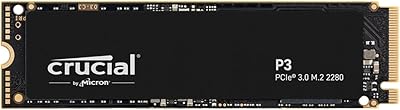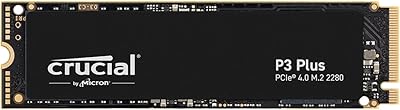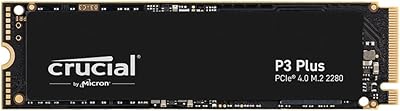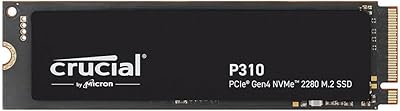

Overview

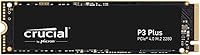
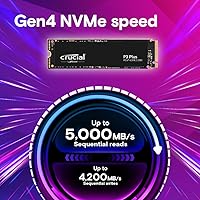
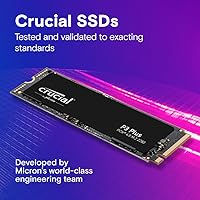
The Crucial P3 Plus 500GB NVMe SSD is a solid-state drive built to deliver high-speed performance. This SSD uses PCIe Gen4 technology, offering read speeds up to 5000MB/s, making it an excellent choice for users seeking a boost in data transfer rates. It’s designed for PCs and laptops that support PCIe Gen4, but also works with Gen3 systems for users upgrading older devices. Whether you’re installing a new game or handling large files, this drive provides an impressive combination of speed and reliability for everyday computing tasks.

Features & Benefits

The Crucial P3 Plus 500GB NVMe SSD brings a significant performance boost with a 43% increase in speed compared to Gen3 drives. With an impressive MTTF of 1.5 million hours, this drive is built for long-term reliability. Its 500GB capacity is ideal for most users, offering enough space for gaming, media editing, and general use. The SSD’s backward compatibility with Gen3 ensures it works seamlessly in older systems. With its fast sequential reads and efficient power consumption, it’s a versatile solution for those looking for solid performance.

Best For

This SSD is perfect for gamers who want to cut down on load times and improve overall system responsiveness. It’s also a great choice for content creators who work with large files, providing fast access and smooth editing. For everyday users seeking an affordable upgrade from traditional hard drives or older SSDs, this drive is a solid option. Whether you’re upgrading an aging desktop or adding storage to a laptop, the Crucial P3 Plus 500GB NVMe SSD delivers speed and reliability without the hefty price tag of high-end models.

User Feedback

The Crucial P3 Plus 500GB NVMe SSD is praised by many users for its fast performance and easy installation. Many have noted the significant speed increase in data transfers and boot times. Users also appreciate its value for money, especially given its Gen4 capabilities at a mid-range price. However, there are a few mentions of heat buildup during long gaming sessions, which could affect performance. Overall, the drive receives positive feedback for balancing performance, reliability, and affordability, making it a solid choice for most users.

Pros

  • This SSD offers impressive read speeds of up to 5000MB/s, providing fast data transfer for demanding tasks.
  • Gamers appreciate the noticeable improvement in load times, enhancing overall system responsiveness.
  • Content creators benefit from fast file access, making video editing and media management smoother.
  • Affordable price point for those looking for a solid PCIe Gen4 upgrade without breaking the bank.
  • The 500GB capacity is ideal for moderate users who want reliable performance without excessive storage.
  • Backward compatibility with PCIe Gen3 systems ensures versatility across different PC configurations.

Cons

  • Some users report thermal throttling under prolonged use, especially when the drive is heavily loaded.
  • The 500GB storage may not be sufficient for users with larger game libraries or extensive media collections.
  • While the price is affordable, the drive lacks additional features like built-in cooling solutions or software.
  • A few users noted that the drive's performance may not fully shine on older PCs lacking PCIe Gen4 support.
  • Thermal management could be improved, as prolonged gaming sessions may cause temperature spikes.
  • The drive's form factor may not be ideal for all setups, with some users requiring more flexibility.

Ratings

The Crucial P3 Plus 500GB NVMe SSD has received positive feedback from verified users worldwide, including multiple platforms and languages. Our ratings reflect the strengths and weaknesses based on genuine reviews, with spam, bot, and incentivized feedback excluded. The product is praised for its speed, reliability, and value for money, though some users have raised concerns about heat management during prolonged use. Overall, this drive offers solid performance with a few caveats to consider.

Performance
93%
Many users are impressed with the impressive read speeds of this drive, especially the 5000MB/s sequential performance. It significantly enhances system responsiveness, making it a top choice for tasks like gaming, video editing, and heavy workloads. Gamers especially appreciate how much faster load times are compared to their older drives.
However, some users note that while the performance is excellent for everyday tasks, it's not always a noticeable jump for casual users. A few have mentioned that under heavy loads, the drive can occasionally slow down slightly or experience thermal throttling, which impacts sustained performance during extended sessions.
Reliability
91%
This SSD has a great track record for reliability, with its MTTF (Mean Time To Failure) of over 1.5 million hours. Many buyers report experiencing long-term stability, which is particularly reassuring for users who need dependable storage for professional tasks or gaming. The solid reliability adds value to its price point.
Despite the impressive reliability metrics, a few users have expressed concerns about its durability under heavy sustained use, especially when operating at higher temperatures. Some reviews indicate that while it performs reliably in the short term, it's essential to monitor temperatures in more demanding scenarios to avoid potential issues.
Value for Money
92%
The price-to-performance ratio is widely praised, especially considering the speed and capacity this SSD offers. At 500GB, it strikes a solid balance between affordability and performance, offering solid Gen4 speeds at a competitive price. Users see it as a great option for upgrading without splurging on premium models.
On the downside, a few buyers feel that for those looking to upgrade beyond 500GB, the cost per gigabyte can get steep, especially if they need to store large game libraries or media files. The 500GB capacity, while sufficient for many, might feel restrictive for power users or those with larger storage demands.
Ease of Installation
89%
Installation is generally a smooth process, with most users highlighting the straightforward M.2 2280 form factor. It fits seamlessly into any system with a PCIe Gen4 or Gen3 slot. Many buyers also note that the setup is quick, even for those who aren't highly technical, making it a great choice for DIY PC builders.
However, a few users report that while installation is easy, ensuring compatibility with older motherboards might require a firmware update. Additionally, some mention that if they were switching from older SATA SSDs, the physical installation was straightforward, but adjusting settings for optimal speeds could be tricky for first-time Gen4 users.
Heat Management
65%
35%
This drive delivers impressive performance when kept cool, with many users noting that under normal operating conditions, it's quite stable. The fast read speeds are a clear benefit for gamers and content creators who need quick access to large files. When running cooler, it performs reliably and efficiently.
A common issue reported is the heat management, especially during prolonged, heavy use. Some users notice the drive heating up significantly during intensive tasks like gaming or video rendering, which can lead to slight performance throttling. A few have recommended adding better cooling solutions to maintain consistent speeds over extended periods.
Build Quality
88%
The solid build quality of this SSD stands out in the market, with many users appreciating its durable construction and sleek, minimal design. The black housing looks professional and fits well within a variety of system builds, adding to the overall aesthetic appeal without being too flashy or bulky.
While most users find the build solid, a few have commented that the drive could benefit from a more robust heatsink to help manage heat better. Additionally, some report that the drive does not feel as premium as some higher-end competitors, particularly when compared to models with advanced thermal solutions or added features like built-in cooling.
Speed vs. Gen3
90%
For users with older Gen3 systems, this SSD offers a substantial performance upgrade with the added bonus of backward compatibility. Those who have upgraded to PCIe Gen4 systems see even better performance, making this drive a future-proof option for a wide range of users. It stands out in terms of read speed, far outpacing most Gen3 SSDs.
That said, the speed increase is less noticeable for users who are still on Gen3 motherboards. While it works fine with older systems, some feel that unless you upgrade to a Gen4 setup, the full potential of the SSD isn’t being fully utilized, making it less of a bang-for-your-buck upgrade in such cases.
Gaming Performance
94%
Gamers love this SSD for its low latency and high read speeds, which reduce game loading times and provide quicker access to game assets. Several users have highlighted how it significantly boosts overall system responsiveness, with smooth load times and better game performance, particularly for more demanding titles.
However, some gamers who play larger titles or run multiple games simultaneously find the 500GB capacity limiting. Although the SSD boosts load times, running multiple AAA games might require frequent data management, which can be a hassle for users who want to store a larger gaming library without external storage.
Compatibility with Older Systems
87%
The backward compatibility with PCIe Gen3 systems is a big plus for users with older desktops or laptops. This feature ensures that those who haven’t upgraded to a Gen4 system can still enjoy improved performance over older SATA or Gen3 drives, offering a balanced upgrade path for various users.
That said, some users have reported occasional compatibility issues with certain older motherboards. While most systems work fine, a few have needed firmware updates to get the SSD working at its optimal speeds, which could be an inconvenience for less tech-savvy users.
Capacity for Gaming
85%
The 500GB capacity offers enough space for a solid number of games, making it a suitable option for gamers who mainly focus on a few titles at a time. The SSD’s speed provides an immediate boost to gaming performance, helping to improve load times and in-game responsiveness.
However, for users who enjoy keeping a large game library, the 500GB size can quickly fill up. Some buyers have mentioned that with modern AAA games taking up more space, the drive may require constant management, limiting its practicality for those who need more storage for games and media files.
Customer Support
78%
22%
While many users report positive experiences with Crucial's customer support, some have mentioned they were able to quickly resolve issues related to installation or compatibility through the support team. The online resources, including FAQs and troubleshooting guides, are also appreciated for being easy to navigate.
On the flip side, a few buyers have expressed frustration with slow response times when dealing with warranty claims or more complex issues. Several users have also pointed out that their queries sometimes remain unanswered for extended periods, leading to a mixed experience with Crucial's customer service.
Firmware Updates
80%
20%
Users appreciate the periodic firmware updates offered by Crucial, which help maintain compatibility and improve overall performance. The SSD is designed to support these updates easily through Crucial's official software, and many have mentioned how updates help keep their drives running smoothly over time.
However, some users have reported that firmware updates can occasionally be cumbersome, requiring manual intervention to ensure everything works properly. A few users have had trouble with updates not applying as expected, leading to minor disruptions in performance or compatibility in certain setups.

Suitable for:

The Crucial P3 Plus 500GB NVMe SSD is ideal for users looking to upgrade their desktops or laptops with a PCIe Gen4 interface. Gamers will benefit from its fast read speeds of up to 5000MB/s, significantly improving game load times and in-game responsiveness. Content creators who work with large media files, such as video editors or graphic designers, will also appreciate its speed and reliability, allowing for smooth data transfers and quick access to high-resolution assets. Additionally, budget-conscious PC users seeking a solid SSD upgrade without the premium price tag of high-end models will find this drive a great choice for enhancing system performance at an affordable price.

Not suitable for:

While the Crucial P3 Plus 500GB NVMe SSD delivers excellent performance, it may not be the best fit for users who need larger storage capacities. The 500GB size can fill up quickly, particularly for gamers with extensive game libraries or media creators who work with large files regularly. Additionally, users with older systems that don't support PCIe Gen4 might not fully benefit from the drive's full potential, and those who need more than just fast speeds may find the lack of advanced features, like built-in cooling or additional software, limiting. Lastly, users working in environments with heavy, sustained workloads might experience thermal throttling, as the SSD has some heat management concerns when under prolonged load.

Specifications

  • Capacity: Offers a 500GB storage capacity, providing ample space for essential applications, games, and media files.
  • Interface: Utilizes PCIe Gen4 x4 for high-speed data transfers, delivering faster performance than PCIe Gen3 SSDs.
  • Sequential Read Speed: Provides read speeds up to 5000MB/s, allowing for quick access to files and applications.
  • MTTF: Has a mean time to failure (MTTF) of over 1.5 million hours, ensuring high reliability over time.
  • Form Factor: Comes in the M.2 2280 form factor, which is compatible with most desktops and laptops that support M.2 NVMe slots.
  • Random Read IOPS: Supports random read IOPS of up to 350,000, enhancing multitasking performance and reducing latency.
  • Random Write IOPS: Achieves random write IOPS of up to 460,000, improving performance in write-heavy workloads.
  • Voltage: Operates at a voltage of 1.1V, offering energy efficiency without compromising on performance.
  • Compatibility: Compatible with both PCIe Gen4 and PCIe Gen3 systems, providing versatility for various setups.
  • Dimensions: Measures 3.15 x 0.09 x 0.87 inches, fitting into standard M.2 slots in desktops and laptops.
  • Read Performance Boost: Offers a 43% improvement in speed compared to PCIe Gen3 SSDs, accelerating file transfers and application loading times.
  • Temperature Management: Designed to operate under normal temperatures, though some users may notice heat buildup during extended use.
  • Reliability: Backed by an excellent track record for durability, with numerous users praising its long-term performance.
  • Backward Compatibility: Fully backward compatible with PCIe Gen3 systems, providing an upgrade path for older devices.
  • Use Case: Ideal for gamers, content creators, and general users seeking a performance boost without paying for a high-end SSD.
  • Weight: Weighs approximately 0.07 ounces, making it lightweight and easy to handle during installation.
  • Durability: Built to last with advanced wear-leveling algorithms, protecting the drive from frequent read/write cycles.
  • Security: Supports AES 256-bit encryption for secure data storage, offering protection for sensitive information.
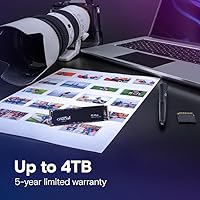
  • Warranty: Comes with a limited 5-year warranty, ensuring peace of mind for buyers.

FAQ

The Crucial P3 Plus 500GB NVMe SSD offers read speeds up to 5000MB/s, which significantly improves data transfer rates compared to older storage solutions. This makes it an excellent choice for gamers, content creators, and general users who want a faster, more responsive system, especially if you're upgrading to a PCIe Gen4-compatible setup.

Yes, this drive is backward compatible with PCIe Gen3 systems. However, while it will work, the performance will be limited to the Gen3 speeds, meaning you won’t get the full benefit of the PCIe Gen4 speeds unless you use it in a compatible Gen4 setup.

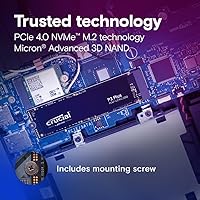
To install the SSD, ensure that your PC or laptop has an available M.2 PCIe slot. Simply insert the SSD into the slot at an angle, and then secure it with the provided screw. No special drivers are required for most systems, as they should automatically recognize the drive upon startup. Be sure to format it before use in your operating system.

PCIe Gen4 offers faster data transfer speeds than PCIe Gen3, with Gen4 supporting speeds up to 5000MB/s, while Gen3 typically maxes out around 3500MB/s. This results in quicker loading times, faster file transfers, and improved overall system responsiveness, particularly noticeable in gaming and content creation tasks.

Yes, this SSD is ideal for gaming, offering fast read speeds that reduce game load times and improve overall system responsiveness. Whether you're loading large game files or transitioning between scenes in open-world games, the increased speed will provide a smoother experience.

The 500GB capacity is great for users who need a balance between performance and storage space. It’s enough for storing your operating system, games, and essential applications, while still being more affordable than higher-capacity drives. However, for users with large media files or extensive game libraries, you may need more storage.

The drive operates well under normal conditions, but during prolonged heavy use (like gaming or large file transfers), some users have reported that it can heat up. It's recommended to ensure proper airflow in your PC case, or use a heatsink if you're planning on running the SSD under sustained high loads for extended periods.

This SSD has a mean time to failure (MTTF) of over 1.5 million hours, making it highly reliable. Under typical use, it should last for many years, though heavy workloads like continuous video editing or large-scale data processing could eventually wear down the drive. Regular use and good heat management should ensure long-term performance.

Yes, the Crucial P3 Plus SSD is easy to set up. It doesn't require any specialized knowledge—just plug it into an available M.2 PCIe slot, secure it, and format the drive. Most systems will automatically detect it, and it will be ready for use, which makes it a great option for users who aren't familiar with technical installations.

Some users have reported heat management issues during prolonged usage, especially under heavy load. While the SSD performs well in most conditions, you may experience thermal throttling during intensive gaming or large file transfers. Ensuring your system has adequate cooling can help mitigate this issue.