Overview

The Crucial P3 500GB NVMe M.2 SSD is Crucial's answer to the growing demand for affordable, fast internal storage that doesn't require a premium budget. Built around the standard M.2 2280 form factor, it slots into a wide range of desktops and laptops without compatibility headaches. At 500GB, it's roomy enough for a clean Windows installation plus a healthy collection of games or work files. Expectations should stay grounded, though — this is a capable everyday drive, not a speed demon chasing flagship numbers. What it offers is dependable, real-world performance at a price point that makes upgrading from a spinning hard drive an obvious call.
Features & Benefits

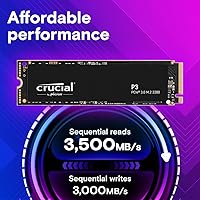
The P3 SSD moves data at up to 3500MB/s on sequential reads — a meaningful jump over what older SATA drives can manage, and noticeably faster than most hard drives in real daily tasks. It uses 3D NAND flash technology, which packs more storage into a smaller footprint while helping the drive hold up over years of use. Crucial rates it above 1.5 million hours MTTF, a credible longevity figure for this tier. It also improves on its predecessor by a significant margin. Just keep in mind that sustained large-file writes can throttle on drives like this, so it's best suited to mixed workloads rather than constant heavy transfers.

Best For

This M.2 upgrade makes the most sense for anyone crawling along on a mechanical hard drive who wants a dramatic improvement without a big outlay. It's a strong pick for budget-conscious gamers — game load times drop considerably compared to HDD, even if it won't match a Gen4 drive in raw throughput. Students, home workers, and light creatives will find 500GB plenty for an OS drive with room to spare. It works equally well as secondary storage in a desktop that already has a primary NVMe installed. Before buying, confirm your motherboard or laptop has an available M.2 PCIe slot — not every system does.

User Feedback

With over 29,000 ratings averaging 4.7 out of 5 stars, the reception has been strong across a wide range of buyers. Most praise how straightforward the installation process is, even for first-timers swapping out a drive for the first time. Boot times and app launches get frequent positive mentions, and plenty of users report running this Crucial NVMe drive for well over a year without issues. That said, a handful of reviewers note that write speeds can dip during sustained transfers of very large files — something worth knowing if you plan to regularly move multi-gigabyte archives. Overall, feedback paints it as a reliable everyday performer with no serious red flags.

Pros

  • Boot times drop dramatically compared to a mechanical hard drive — the difference is immediately obvious on first use.
  • Installation is straightforward enough for first-timers, with no drivers or extra software required to get running.
  • The P3 SSD performs reliably across Windows, macOS, and Linux without any platform-specific setup headaches.
  • 3D NAND technology helps the drive maintain consistent performance and durability over years of daily use.
  • At 500GB, there is enough room for an operating system, core apps, and a solid rotating game library.
  • The included data recovery service adds a meaningful safety net that most budget drives at this tier do not offer.
  • Weighing under 0.2 ounces, this M.2 upgrade adds virtually nothing to the weight of a slim laptop build.
  • Random read and write IOPS are strong enough for everyday multitasking to feel noticeably more responsive.
  • Crucial's longevity track record gives buyers reasonable confidence this drive will hold up well past the two-year mark.

Cons

  • Sustained write speeds can slow significantly during large file transfers once the drive's cache is exhausted.
  • 500GB fills up faster than expected if you regularly install modern AAA games, which often exceed 80GB each.
  • No mounting screw or installation accessory is included, which can catch first-time builders off guard.
  • The companion software feels outdated and offers limited functionality for macOS and Linux users.
  • Gen3 throughput means this drive will be a bottleneck on newer platforms designed to take advantage of Gen4 speeds.
  • There is no heatspreader included, which can be a concern in compact builds with limited airflow around the M.2 slot.
  • The data recovery service has coverage limitations that make it a partial safety net rather than a full backup solution.
  • Buyers already on a SATA SSD may find the real-world performance jump less dramatic than the spec numbers imply.

Ratings

The Crucial P3 500GB NVMe M.2 SSD has been evaluated by our AI system after processing thousands of verified global buyer reviews, with spam, bot activity, and incentivized submissions actively filtered out. The scores below reflect a balanced picture — genuine strengths and real frustrations alike — giving you an honest read on what this drive actually delivers in everyday use. From budget upgraders to first-time SSD buyers, the feedback spans a wide range of use cases and experience levels.
Read Speed Performance
88%
Users upgrading from SATA SSDs or hard drives consistently report a noticeable improvement in how quickly their systems feel during boot and application launches. Opening large software suites or loading game levels feels snappier in real daily use, and that responsiveness is where this drive earns its praise.
Buyers coming from a Gen4 NVMe drive will likely feel underwhelmed, as the ceiling here is firmly Gen3. In back-to-back comparisons with newer platform drives, the gap in raw read throughput becomes hard to ignore for performance-focused users.
Write Speed Performance
71%
29%
For typical mixed workloads — saving documents, installing games, copying moderate-sized folders — write performance holds up well and most users never notice any slowdown in day-to-day tasks. Casual users and students report perfectly smooth experiences without any stutter.
Sustained writes on large file transfers, such as moving a full game library or backing up video footage, can trigger throttling as the drive's cache fills up. A handful of reviewers specifically called out slower-than-expected speeds when transferring files in the tens of gigabytes range.
Value for Money
93%
This is the category where the P3 SSD earns its strongest marks. Buyers repeatedly describe it as one of the most cost-effective NVMe upgrades available, particularly for anyone still running a mechanical hard drive who wants a dramatic improvement without a significant spend.
A few buyers noted that slightly higher-performing drives occasionally dip into a similar price bracket during sales, making the value proposition feel less clear-cut at certain times. At full price, the competition is tight enough that shopping around is always worth a moment.
Ease of Installation
94%
Installation feedback is overwhelmingly positive across the board, from complete beginners to experienced builders. The standard M.2 2280 form factor means it drops into most systems without adapters or extra hardware, and users frequently mention completing the swap in under ten minutes.
A small number of buyers discovered mid-project that their laptop or older motherboard lacked a compatible PCIe NVMe slot, which is a compatibility issue to check before purchasing rather than a fault of the drive itself. The packaging could include clearer guidance on pre-install compatibility checks.
Reliability & Longevity
86%
Long-term owners — many reporting 12 to 24 months of daily use — describe the drive as consistently stable with no unexpected failures or degradation in responsiveness over time. The high MTTF rating appears to translate into genuine real-world durability based on the feedback pattern.
As with most drives in this tier, there is a small percentage of users who reported early failures, though these appear to be outliers rather than a pattern. Some buyers expressed that an extended warranty option would add peace of mind for mission-critical use cases.
Thermal Management
74%
26%
Under normal desktop and laptop workloads, the drive runs cool enough that thermal throttling rarely comes up in user feedback. Everyday computing, web browsing, and moderate gaming sessions generate no meaningful heat concerns for the vast majority of buyers.
In compact laptop builds or systems with poor airflow, a few users noted occasional throttling during back-to-back intensive tasks. Without an included heatsink, high-sustained-workload environments may benefit from aftermarket thermal solutions depending on the chassis.
Compatibility
89%
The M.2 2280 format is one of the most universally supported slot sizes across modern desktops and laptops, and buyers across Windows, macOS, and Linux systems all report clean, driverless recognition out of the box. Multi-platform flexibility is a genuine strong point here.
Compatibility issues do surface, but almost always due to older systems running PCIe Gen2 slots or SATA-only M.2 configurations — both of which require manual verification before purchase. The listing could do more to surface this caveat prominently for first-time buyers.
Capacity Adequacy
78%
22%
For a primary OS drive paired with a secondary storage solution, 500GB hits a practical sweet spot — enough for Windows, core applications, and a rotating selection of games without feeling immediately cramped. Most home and office users report this size lasting well beyond their initial expectations.
Gamers with large libraries or content creators working with video files will likely outgrow 500GB faster than expected. Several reviews note that the jump to 1TB would have been a smarter long-term choice, especially as modern game installs continue to balloon in size.
Boot & Load Times
91%
This is one of the most consistently praised real-world outcomes across buyer feedback. Users switching from HDDs describe the reduction in Windows boot time as dramatic, and application load times for browsers, office software, and games all improve in a way that feels immediately tangible.
Users already on a SATA SSD may find the improvement in boot times less dramatic than expected, as the gap between Gen3 NVMe and a decent SATA drive is smaller than the marketing numbers suggest in everyday use scenarios.
Build & Form Factor
83%
At under 0.2 ounces, the drive is practically weightless, which matters in ultrabooks and thin-and-light laptops where every gram counts. The compact profile raises no fitment concerns in any standard M.2 slot, and the solid construction feels appropriate for the price tier.
There is no heatspreader or protective cover included, which is fairly standard at this price point but still worth noting for buyers installing into systems without built-in M.2 thermal pads. The bare PCB aesthetic may feel less premium compared to drives with aluminum covers.
Software & Ecosystem Support
72%
28%
Crucial's Storage Executive software provides a straightforward way to monitor drive health, update firmware, and check SMART data without needing third-party tools. The interface is clean and accessible for users who want basic visibility into their drive without a steep learning curve.
The software feels dated compared to what some competing brands offer, and a few users on macOS and Linux noted limited functionality outside of Windows. Over-the-air firmware updates are not as streamlined as they could be, requiring manual steps that may trip up less technical users.
Data Recovery Service
68%
32%
The inclusion of a data recovery service is a genuine differentiator at this price level and gives cautious buyers an added layer of confidence, particularly those storing irreplaceable documents or project files. Having that backstop available is a meaningful bonus for non-technical users.
Several buyers noted that the data recovery terms are limited in scope and are not a substitute for regular backups. The service has conditions and caps that are easy to overlook, and a few users expressed frustration when their specific recovery scenario fell outside what was covered.
Noise & Power Efficiency
90%
As a solid-state drive, it operates in complete silence — a meaningful upgrade for anyone who previously dealt with the clicks and hums of a mechanical hard drive. Power draw is low enough that laptop users report no perceptible impact on battery life during standard workloads.
In extended workloads such as long file copy sessions, power draw ticks up slightly, which can marginally affect battery life on laptops running intensive tasks unplugged. This is a minor concern for most users but worth noting for those prioritizing maximum battery endurance on the road.
Packaging & Unboxing
65%
35%
The drive arrives securely packaged with no reports of transit damage in the feedback analyzed. For buyers who simply want to get the drive installed quickly, the no-frills packaging gets the job done without waste or unnecessary bulk.
There are no accessories included — no mounting screw, no screwdriver, and no installation guide — which has caught a few first-time builders off guard. Rival brands at this tier sometimes include a basic setup sheet or screw, which makes Crucial's bare-bones approach feel like a missed opportunity.

Suitable for:

The Crucial P3 500GB NVMe M.2 SSD is an excellent fit for anyone whose primary goal is escaping the sluggishness of an aging hard drive without spending heavily on flagship storage. Students running a laptop for coursework, home office workers who want snappier Windows boot times, and casual gamers looking to cut loading screens down to size will all get genuine, tangible value from this drive. It works just as well as a secondary storage expansion in a desktop tower as it does a primary OS drive in a budget laptop refresh. First-time SSD buyers benefit particularly from Crucial's established reputation and the broad platform compatibility that eliminates most setup guesswork. If your existing system has an open PCIe Gen3 M.2 slot and you're running a mechanical drive or an older SATA SSD, this is one of the more straightforward upgrades you can make at this price tier.

Not suitable for:

The Crucial P3 500GB NVMe M.2 SSD is not the right choice for users who need sustained high-speed write performance for demanding workloads like video editing, large database operations, or regular multi-gigabyte file transfers. If you're building or upgrading a system on a Gen4 PCIe platform, spending a little more on a Gen4 drive makes better long-term sense — this one will work, but you'll be leaving real performance on the table. Power users who already own a modern NVMe drive will notice little to no real-world improvement by switching. Anyone planning to use 500GB as the sole drive for a large game library with today's install sizes may find themselves running low on space sooner than expected. Finally, buyers with older laptops or pre-2015 desktops should double-check that their M.2 slot actually supports PCIe NVMe — some only accept SATA, which makes this drive incompatible regardless of physical fit.
Specifications

  • Interface: The drive connects via PCIe Gen3 x4 using the NVMe protocol, delivering significantly faster throughput than older SATA-based M.2 drives.
  • Form Factor: It uses the M.2 2280 format, measuring 3.15 x 0.87 x 0.09 inches — the most common M.2 size found in modern desktops and laptops.
  • Capacity: Total usable storage is 500GB, suitable for an operating system installation, core applications, and a rotating selection of games or work files.
  • Sequential Read: Peak sequential read speed reaches up to 3500MB/s, enabling fast file access, quick boot times, and snappy application launches.
  • Sequential Write: Sequential write performance is rated at up to 3000MB/s under ideal conditions, though sustained write speeds may decrease during large continuous transfers.
  • Random Read: Random read performance is rated at up to 350,000 IOPS, which directly benefits multitasking responsiveness and operating system snappiness.
  • Random Write: Random write performance reaches up to 460,000 IOPS, supporting smooth handling of simultaneous read and write operations during active use.
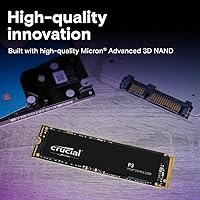
  • NAND Type: The drive uses 3D NAND flash memory, which stacks memory cells vertically to improve storage density, endurance, and overall data retention.
  • Reliability Rating: Crucial rates this drive at an MTTF exceeding 1.5 million hours, reflecting the expected statistical durability under normal operating conditions.
  • Voltage: The drive operates at 1.1 volts, keeping power consumption low and making it well suited for battery-powered laptops and compact systems.
  • Weight: At just 0.198 ounces, the drive adds virtually no meaningful weight to any system, including ultrabooks and thin-and-light laptops.
  • Platform Support: The drive is compatible out of the box with PCs running Windows, Mac systems with an appropriate M.2 NVMe slot, and Linux-based machines.
  • Installation Type: This is an internal drive designed to be mounted directly inside a desktop or laptop via an available M.2 PCIe NVMe slot.
  • Special Feature: Crucial includes access to a data recovery service, providing a limited safety net for users who experience unexpected data loss.
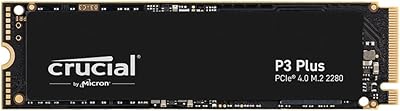
  • Color: The drive has a black PCB finish with no external heatspreader or cover, which is standard for drives in this performance tier.
  • Hardware Platform: Designed for use across Linux, Mac, and PC hardware platforms without requiring proprietary drivers or additional configuration software.
  • Model Number: The official model identifier for this specific 500GB variant is CT500P3SSD8, which can be used to verify compatibility with system configurators.
  • Manufacturer: Produced by Crucial, a storage-focused brand and subsidiary of Micron Technology, one of the largest NAND flash manufacturers in the world.

Related Reviews
Crucial P2 500GB NVMe PCIe M.2 SSD
87%
91%
Value for Money
88%
Performance
94%
Read Speed
78%
Write Speed
85%
Build Quality
More
Crucial T500 500GB Gen4 NVMe M.2 Internal SSD
85%
93%
Performance
88%
Ease of Installation
90%
Compatibility with Devices
85%
Value for Money
81%
Software Bundle (Adobe Creative Cloud)
More
Crucial P3 Plus 500GB NVMe SSD
86%
93%
Performance
91%
Reliability
92%
Value for Money
89%
Ease of Installation
65%
Heat Management
More
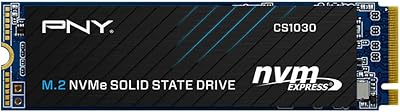
PNY CS2230 500GB M.2 NVMe SSD
89%
90%
Performance
94%
Read Speed
88%
Write Speed
65%
Thermal Management
92%
Ease of Installation
More
SanDisk SSD Plus M.2 NVMe 500GB
90%
94%
Sequential Read Speed
87%
Sequential Write Speed
88%
Random Read/Write Performance
91%
Reliability & Longevity
95%
Ease of Installation
More
PNY CS1030 M.2 NVMe SSD 500GB
86%
89%
Performance
92%
Value for Money
84%
Installation Process
90%
Boot Time Improvement
87%
File Transfer Speed
More
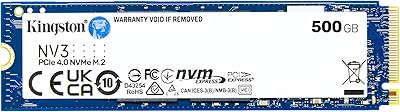
Kingston NV3 500GB NVMe SSD
81%
91%
Read Performance
78%
Write Performance
94%
Value for Money
63%
Thermal Management
93%
Installation Ease
More
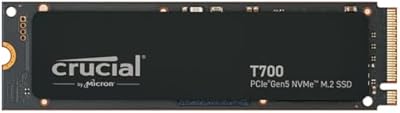
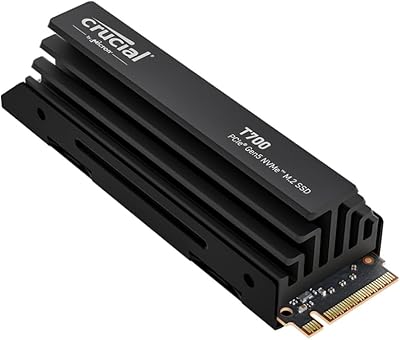
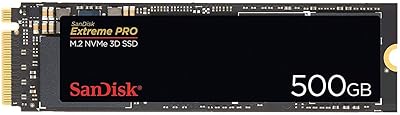
Crucial T700 2TB Gen5 NVMe M.2 SSD
82%
96%
Sequential Read Performance
93%
Sequential Write Performance
71%
Thermal Management
67%
Platform Compatibility
88%
Random I/O Performance
More
fanxiang S630 500GB M.2 2230 NVMe SSD
88%
96%
Sequential Read Speed
91%
Sequential Write Speed
88%
Random Read/Write Performance
90%
Build Quality
85%
Thermal Management
More
PNY CS2241 500GB M.2 NVMe Gen4 SSD
86%
91%
Performance
89%
Value for Money
94%
Ease of Installation
93%
Compatibility with Gen4 Systems
85%
Build Quality
More

FAQ

It works in both, as long as your device has an M.2 slot that supports PCIe NVMe. The key thing to check before buying is whether your M.2 slot is NVMe-compatible — some older laptops only support SATA over M.2, which is a different protocol. A quick check of your laptop's manual or manufacturer spec page will confirm this in under a minute.

Yes, it will work in a Gen4 system, but it will run at Gen3 speeds since the drive itself is a Gen3 device. You won't damage anything, but you won't benefit from your motherboard's Gen4 bandwidth either. If you're building a new Gen4 system and care about maximizing performance, it's worth considering a Gen4 drive instead.

No drivers are required — the drive is recognized automatically by Windows, macOS, and most Linux distributions once it's physically installed. Crucial does offer their Storage Executive software if you want to monitor drive health or update firmware, but it's entirely optional for everyday use.

The difference is genuinely dramatic. Typical mechanical hard drives deliver sequential reads in the range of 100 to 150MB/s, while this drive reaches up to 3500MB/s. In practical terms, that translates to Windows booting in seconds rather than minutes, and applications launching almost instantly.

Absolutely. Installing Windows 11 on this drive is one of the most common use cases, and it works without any issues. Just make sure your system's BIOS is set to boot from the correct M.2 slot after installation, which is a quick one-time adjustment in your firmware settings.

They can, yes — and it's worth being upfront about this. Like many drives at this price tier, the P3 SSD uses a cache to hit its peak write speeds, but that cache has a finite size. If you're regularly moving very large files — think 20GB or more in a single operation — you may notice write speeds drop once the cache fills. For everyday tasks, most users never hit this ceiling.

No, a mounting screw is not included in the packaging. Most motherboards and laptops come with one pre-installed in the M.2 slot standoff, so it usually isn't an issue — but if you're working with a bare board or have misplaced your original hardware, it's a standard M2 x 3mm screw available at any electronics or hardware store.

Crucial backs the P3 series with a limited 5-year warranty, which is competitive for this tier and gives reasonable long-term confidence. The separately mentioned data recovery service is an added benefit but operates under its own terms and conditions, so it is worth reading those before relying on it as a backup strategy.

It depends on your library. If you keep 5 to 8 modern titles installed at once, 500GB as a dedicated game drive is manageable but not roomy. Many current AAA games exceed 80GB per install, so you may find yourself rotating titles more often than you'd like. Pairing this M.2 upgrade with a secondary storage drive is a practical solution if your system has the capacity for it.

The easiest way is to check your motherboard's manual or product page — it will list the number of M.2 slots and which protocols each one supports. For laptops, searching your exact model number alongside the phrase M.2 NVMe compatibility usually turns up a definitive answer quickly. If your system already has one NVMe drive installed, check whether a second M.2 slot is available before ordering.

Where to Buy