Overview

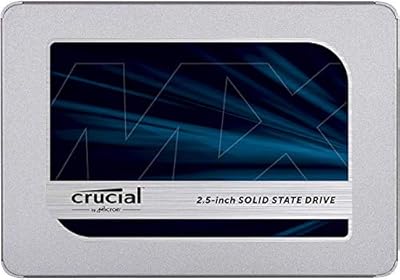
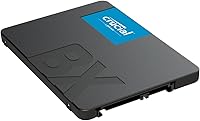
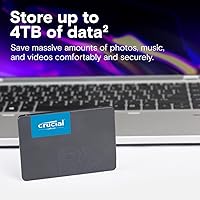
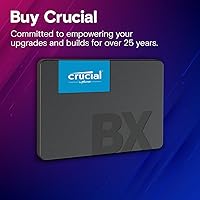
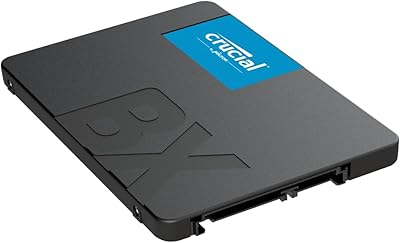
The Crucial BX500 480GB Internal SSD has been a reliable go-to for budget-conscious upgraders since Crucial launched it back in 2018, and its staying power says a lot. Sitting below Crucial's MX500 line, the BX500 trades some performance headroom for a lower price — a fair compromise for anyone looking to retire a creaky spinning hard drive. The 2.5-inch, 7mm-thin design slots into most aging laptops and desktop bays without adapters. One thing worth stating upfront: this is a SATA interface drive, which means it won't approach the speeds of modern NVMe options. That's not a flaw — it's simply the right tool for a different job, and understanding that distinction matters before buying.

Features & Benefits

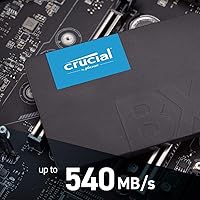
At 540MB/s sequential read, the BX500 480GB feels dramatically quicker than any mechanical hard drive — Windows boots in seconds instead of minutes, and applications open without the familiar lag. The underlying Micron 3D NAND is Crucial's own flash technology, which generally translates to better endurance and consistency over time compared to cheaper third-party alternatives. Because it uses the SATA 6Gb/s interface, it slots into virtually any PC or laptop built within the last 15 years. Laptop users also get a quiet bonus: solid-state storage draws far less power than a spinning platter, which can add meaningful time to a charge. The 3-year limited warranty rounds things out decently for a drive at this price tier.

Best For

This Crucial drive makes the most sense for someone with an older machine — think a five-year-old laptop still grinding away on a mechanical hard drive — who wants a real performance jump without a complicated upgrade path. Students, home office users, and anyone whose daily computing stays within browsing, documents, and media playback will get plenty of mileage here. If your system lacks an M.2 slot entirely, this SATA SSD is often the only solid-state option on the table, and it fills that role well. It also works as a capable secondary storage drive in a desktop build where the primary NVMe slot is already taken.

User Feedback

Buyers consistently call out faster boot times and a noticeably snappier feel as the biggest win after swapping in this drive. Installation earns high marks too — most describe it as a straightforward physical swap with no surprises. The long-term reliability picture looks solid, with many owners reporting two or three years of daily use without a hiccup. That said, some more technical users flag that write speeds can dip during prolonged, heavy file transfers — a known characteristic of its DRAM-less controller. For everyday tasks, the vast majority of people never encounter that ceiling. A smaller group simply outgrew the 480GB capacity faster than expected, or later wished they had chosen an NVMe drive from the start.

Pros

  • Boot times drop from minutes to seconds — the difference is immediately obvious after the first restart.
  • Fits virtually any laptop or desktop with a standard 2.5-inch bay, making compatibility a non-issue for most buyers.
  • Micron 3D NAND flash gives this drive better long-term endurance than cheaper generic alternatives in the same price range.
  • Energy draw is far lower than a spinning hard drive, which translates to real extra battery life on older laptops.
  • Installation is genuinely plug-and-play — most users report swapping the drive and cloning their OS in under an hour.
  • The 7mm-slim profile fits even thinner laptop chassis that older, thicker SSDs would not.
  • A 3-year limited warranty is reasonable assurance for a budget-oriented storage drive.
  • Long track record since 2018 means failure patterns are well-documented and the drive has proven itself in real-world use.
  • Backed by Crucial, a Micron subsidiary with decades of memory manufacturing experience — not a no-name brand.

Cons

  • SATA interface caps maximum throughput well below NVMe drives, so performance-focused buyers will hit a ceiling quickly.
  • The DRAM-less controller causes write speeds to drop during sustained large file transfers, which can feel sluggish.
  • 480GB fills up faster than most buyers expect, especially once a modern OS and a few applications are installed.
  • No included mounting bracket or cloning cable — users with smaller drive bays may need to purchase a caddy separately.
  • Read and write speed specifications put it at the slower end of the SATA SSD market, trailing some competing drives.
  • Not a viable upgrade path for machines with only M.2 or PCIe slots and no 2.5-inch bay.
  • Buyers who later want to upgrade to NVMe will need to purchase a new drive entirely rather than reuse this one.
  • No hardware encryption support, which matters for users handling sensitive data who require AES protection at the drive level.

Ratings

The scores below for the Crucial BX500 480GB Internal SSD were generated by our AI system after analyzing tens of thousands of verified global buyer reviews, with spam, bot submissions, and incentivized feedback actively filtered out before scoring. Each category reflects the honest distribution of real user sentiment — strengths are credited where they are earned, and recurring pain points are never buried. The result is a transparent snapshot of how this drive actually performs in everyday hands, not just on a spec sheet.

Value for Money
91%
Buyers consistently describe this Crucial drive as one of the most cost-effective ways to rescue an aging machine. The transformation — a sluggish laptop suddenly booting in under 15 seconds — feels disproportionately large relative to the outlay, which is exactly why value scores dominate the positive feedback.
A small segment of reviewers notes that higher-capacity NVMe drives have dropped close enough in price to make the comparison less clear-cut than it once was. For buyers who do the math carefully, the gap has narrowed, and a few feel they should have stretched their budget slightly further.
Read Speed Performance
83%
Sequential reads up to 540MB/s translate into genuinely snappy everyday experiences — applications open quickly, files load without hesitation, and boot times feel almost instant compared to a spinning drive. Users upgrading from HDDs frequently describe the jump as the biggest performance improvement they have ever made to a machine.
Buyers coming from NVMe experience or comparing benchmarks find the SATA ceiling immediately apparent. The BX500 480GB cannot approach the 3,000–7,000MB/s territory of modern NVMe drives, and more technically minded reviewers flag this as a limitation worth understanding before purchasing.
Write Speed Consistency
67%
33%
For typical write tasks — saving documents, downloading files, installing apps — the drive performs without any noticeable hesitation. Casual users moving files under a few gigabytes at a time rarely encounter any slowdown, and day-to-day responsiveness remains strong throughout normal usage cycles.
The DRAM-less controller is the most frequently cited frustration among technically aware buyers. During sustained large file transfers, write speeds can drop significantly once the SLC cache is exhausted, which becomes a real pain point for anyone moving large video archives or doing bulk backups regularly.
Long-Term Reliability
88%
Given that this drive has been on the market since 2018, there is a meaningful pool of multi-year ownership data, and the picture is broadly positive. A large share of reviewers report three or more years of daily use without a single failure, which inspires genuine confidence in Micron's 3D NAND manufacturing quality.
Isolated cases of early failure do appear across the review pool, as they do with any drive at scale. A small number of users experienced failures within the first year, and a handful noted that the warranty process, while functional, required persistence to complete smoothly.
Installation Ease
93%
This is one of the most praised aspects across the entire review base. First-time upgraders routinely describe the physical swap as straightforward, and Crucial's free Acronis cloning software makes migrating an existing Windows installation accessible even to non-technical users. Many buyers completed the full upgrade in under 45 minutes.
A recurring minor complaint is that no mounting bracket or SATA cable is included in the box, which catches some desktop builders off guard. Laptop users in machines with unusual screw placements also occasionally mention that disassembly was the hardest part of the process, unrelated to the drive itself.
Compatibility
89%
The 2.5-inch, 7mm-slim form factor covers an enormous range of hardware, and the SATA 6Gb/s interface is genuinely universal for machines built over the last 15 years. Buyers using Windows, macOS, and Linux all report clean recognition without driver installation.
A small but consistent group of buyers purchased this drive without confirming their machine uses a 2.5-inch bay, only to discover their laptop uses a proprietary blade connector or an M.2 slot. This is a buyer research issue rather than a product flaw, but it generates negative reviews that reflect frustration.
Build Quality
74%
26%
The drive feels solid and well-finished for a budget-tier product. The slim enclosure sits flush in most bays, and buyers rarely report any rattling, loose connections, or physical defects out of the box. The compact chassis inspires reasonable confidence during handling.
The enclosure is plastic rather than a full metal shell, which a segment of enthusiast buyers notices and considers a downgrade compared to higher-end alternatives. It functions fine, but it does not carry the same premium feel as drives in the next price tier, which matters to some buyers.
Energy Efficiency
86%
Laptop users upgrading from a spinning hard drive frequently mention improved battery life as a welcome side effect. The lower power draw of flash storage compared to a mechanical platter motor is tangible in everyday use, with some reporting 30–60 additional minutes per charge cycle on older hardware.
The gains are real but difficult for individual users to quantify precisely, which makes this benefit feel somewhat abstract. Buyers with already-degraded batteries see limited benefit, since the battery itself remains the limiting factor regardless of the drive's efficiency.
Thermal Performance
81%
19%
Under typical workloads, the BX500 480GB runs cool and quiet — a natural advantage of flash storage with no moving parts. Users who previously dealt with warm, noisy hard drives appreciate that the drive adds no meaningful heat or acoustic signature to their machines.
During the sustained write workloads where the DRAM-less controller slows down, temperatures do tick up modestly compared to DRAM-equipped drives. This is not a safety concern for the average user, but benchmarkers running stress tests occasionally flag it as a footnote.
Storage Capacity
71%
29%
For light to moderate users — students, home office workers, casual media consumers — 480GB provides enough room for a full OS installation, productivity software, a photo library, and several games without immediately feeling cramped. It covers the needs of the target audience well.
Buyers who store large video files, raw photo libraries, or a growing game collection find 480GB fills up faster than anticipated. A recurring theme in critical reviews is that users wished they had purchased a 1TB model at the outset, rather than managing storage limits a year later.
Warranty & Support
76%
24%
A 3-year limited warranty from a reputable manufacturer is a meaningful assurance at this price point, and Crucial's brand standing gives buyers reasonable confidence that a warranty claim will be honored. The availability of Crucial's Storage Executive software for health monitoring is a useful added resource.
Some buyers found the warranty claim process slower and less intuitive than expected, particularly for cross-border purchases. The warranty also does not cover data recovery, which a small number of users discovered only after a drive failure — a limitation worth knowing in advance.
Noise & Vibration
97%
Complete silence is one of the genuinely unambiguous wins of any solid-state drive, and this one is no exception. Users migrating from loud, clicking hard drives often cite the absence of noise as one of the most immediately satisfying changes after the upgrade.
There is virtually nothing negative to report here — silence is absolute and universal across the review base. The only tangential complaint is from a very small group of users who, after removing their old HDD, realized other noise sources in their machine became more noticeable by comparison.
Software & Ecosystem
72%
28%
Crucial provides free access to Acronis True Image for cloning and the Crucial Storage Executive utility for drive health monitoring and firmware updates. For buyers who take the time to use these tools, the ownership experience feels more complete than many competing budget drives offer.
Neither tool is particularly polished, and some buyers find the cloning software finicky with certain system configurations. Users who skip these tools entirely miss firmware updates they may not even know exist, which is a minor but real gap in the out-of-box experience.

Suitable for:

The Crucial BX500 480GB Internal SSD is built squarely for people who want to breathe new life into an older machine without overcomplicating the upgrade process. If you have a laptop or desktop still running a spinning hard drive and you are tired of waiting two minutes for Windows to boot, this drive solves that problem immediately and at a modest cost. Students doing coursework, home office workers juggling documents and browser tabs, and casual users streaming video or managing photos will find that the performance jump feels transformative compared to what they had before. It fits the 2.5-inch drive bay found in the vast majority of laptops and desktops produced over the past decade and a half, so compatibility headaches are rare. It also makes a practical secondary storage drive in a desktop that already has a faster NVMe primary — useful for storing media libraries, backups, or archived files where peak write speed is irrelevant.

Not suitable for:

The Crucial BX500 480GB Internal SSD is genuinely the wrong choice for buyers who need top-tier storage performance, so it is worth being direct about that. If your workstation involves video editing, large file transfers, game load times on modern titles, or any sustained heavy write workloads, the DRAM-less design will show its limits — write speeds can sag noticeably once the drive's cache fills, and no amount of budget-friendliness makes up for that frustration in a demanding workflow. Gamers building a new system with an M.2 slot available should spend a little more on a SATA or NVMe drive with a dedicated DRAM cache for smoother, more consistent performance. Power users who need 1TB or more of fast primary storage will also find 480GB tight over time. Anyone buying a brand-new machine should skip this category entirely and invest in an NVMe drive from the outset, since the cost difference has narrowed considerably.

Specifications

  • Capacity: This drive offers 480GB of usable flash storage, suitable for an operating system, core applications, and a moderate media library.
  • Form Factor: It uses the standard 2.5-inch form factor, compatible with desktop drive bays and laptop chassis that accept 2.5-inch SATA drives.
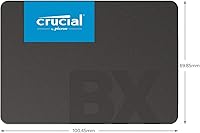
  • Height: At 7mm thin, the drive fits slim laptop bays that cannot accommodate older 9.5mm-height 2.5-inch drives.
  • Dimensions: Physical dimensions measure 3.95 x 2.75 x 0.27 inches, making it compact and easy to fit in standard internal bays.
  • Weight: The drive weighs just 1.23 oz, adding virtually no meaningful load to a laptop or desktop build.
  • Interface: It connects via SATA 6Gb/s, the standard interface found on the vast majority of PCs and laptops manufactured over the past 15 years.
  • Read Speed: Sequential read performance reaches up to 540MB/s, a significant step up from the typical 80–120MB/s of a mechanical hard drive.
  • NAND Type: Storage is built on Micron 3D NAND flash, which stacks memory cells vertically to improve density, endurance, and consistency over time.
  • Controller: The drive uses a DRAM-less controller design, which keeps costs down but can result in reduced write speeds during sustained heavy workloads.
  • Compatible Platforms: The BX500 480GB is compatible with Windows, macOS, and Linux systems that support a standard 2.5-inch SATA interface.
  • Installation Type: This is an internal drive intended to replace or supplement an existing 2.5-inch storage device inside a laptop or desktop.
  • Warranty: Crucial covers this drive with a 3-year limited warranty against manufacturing defects under normal operating conditions.
  • Model Number: The official model number is CT480BX500SSD1, which can be used to verify compatibility and register the warranty directly with Crucial.
  • Manufacturer: The drive is designed and sold by Crucial, a storage brand operated by Micron Technology, one of the world's largest memory chip manufacturers.
  • Launch Date: This model first became available in August 2018, giving it a well-established track record with a large base of long-term user data.

Related Reviews
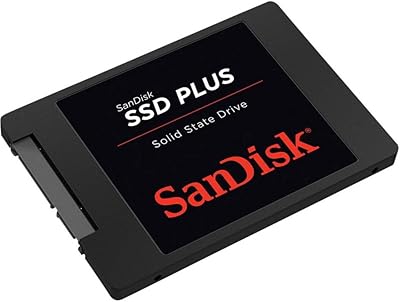
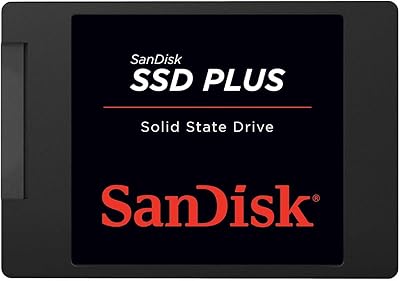
SanDisk SSD Plus 480GB Internal SSD
83%
91%
Value for Money
86%
Read Performance
67%
Write Performance
94%
Installation Ease
71%
Long-term Reliability
More
Crucial BX500 2TB SSD
85%
86%
Performance
91%
Value for Money
89%
Speed (Boot-Up and File Loading)
92%
Energy Efficiency
75%
Durability (Long-Term Use)
More
Crucial BX500 4TB SATA SSD
82%
91%
Value for Money
74%
Read/Write Performance
93%
Installation & Compatibility
67%
Endurance & Longevity
83%
Build Quality & Form Factor
More
Crucial T500 500GB Gen4 NVMe M.2 Internal SSD
85%
93%
Performance
88%
Ease of Installation
90%
Compatibility with Devices
85%
Value for Money
81%
Software Bundle (Adobe Creative Cloud)
More
Crucial MX300 2TB SATA 2.5 Inch Internal SSD
86%
92%
Performance
89%
Value for Money
88%
Durability
91%
Ease of Installation
94%
Read Speed
More
Crucial E100 480GB M.2 NVMe PCIe Gen4 SSD
86%
94%
Performance
90%
Value for Money
88%
Installation Ease
80%
Storage Capacity
85%
Build Quality
More
Crucial MX500 500GB 3D NAND SATA 2.5 Inch Internal SSD
87%
92%
Read Speed
88%
Write Speed
91%
Reliability
78%
Compatibility with Older Systems
84%
Temperature Management
More
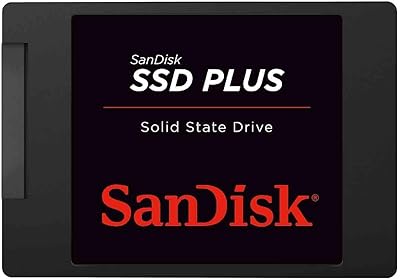
SanDisk SSD Plus 2TB Internal SSD
82%
88%
Read Speed Performance
74%
Write Speed Performance
94%
Installation & Compatibility
91%
Value for Money
86%
Long-Term Durability & Reliability
More
SanDisk SSD PLUS 240GB Internal SSD
87%
88%
Performance
92%
Speed Improvement vs HDD
90%
Durability / Shock Resistance
87%
Value for Money
94%
Ease of Installation
More
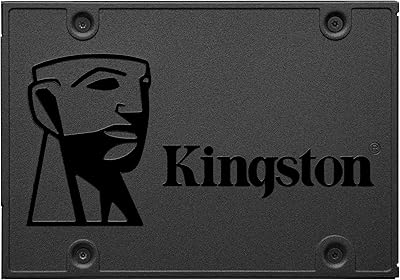
Kingston A400 480GB 2.5″ Internal SSD
84%
93%
Value for Money
78%
Read/Write Performance
91%
Installation Ease
82%
Build Quality
74%
Long-Term Reliability
More

FAQ

In most cases, yes. If your laptop uses a 2.5-inch SATA drive bay — which the majority of laptops manufactured between roughly 2008 and 2020 do — the BX500 480GB will slot right in. Just double-check your laptop's service manual or a site like Crucial's own compatibility tool to confirm the bay accepts 7mm-height drives.

Physically, you just need a small Phillips-head screwdriver to open your laptop's back panel or desktop drive cage. For migrating your existing Windows installation, Crucial offers a free download of Acronis True Image for cloning. Alternatively, a clean OS install from a USB drive works just as well and is often the cleaner route.

Very noticeable for everyday tasks. Windows boot times typically drop from 60–90 seconds to under 15 seconds, applications snap open instead of loading with a spinning cursor, and the overall feel of the machine changes dramatically. For browsing, office work, and media playback, the difference is hard to overstate.

It depends on the games and your expectations. Older titles and less demanding games will load noticeably faster than on a hard drive. However, for modern AAA games with large open worlds, a DRAM-equipped SSD or an NVMe drive will deliver more consistent load times. For casual gaming it is fine; for serious gaming it is a budget compromise.

A DRAM cache acts as a fast buffer that helps the drive manage write operations more efficiently. Without it, write speeds can slow down during prolonged large file transfers — think copying dozens of gigabytes at once. For typical everyday use like booting Windows, opening apps, or saving documents, you will never notice the difference. It only becomes a real limitation under sustained heavy write workloads.

Absolutely — this is actually a great use case for it. If your desktop already has a fast NVMe drive as the primary OS disk, adding this SATA SSD as a secondary drive for storing photos, videos, or backups makes a lot of sense. SATA speeds are more than adequate for that kind of storage role.

It works with macOS as well. Any Mac that uses a 2.5-inch SATA interface — mostly older MacBook Pros and Mac Minis from before Apple switched to proprietary blade SSDs — can use this drive. You would just need to format it as APFS or Mac OS Extended using Disk Utility after installation.

Based on years of user reports and the endurance characteristics of Micron 3D NAND, this drive holds up well under typical consumer workloads. Most buyers use SSDs far below their rated write endurance limits in day-to-day use. The 3-year warranty gives you a formal safety net, but many owners have reported several years of trouble-free operation beyond that window.

It depends on what you plan to store. A fresh Windows installation plus standard applications uses roughly 50–80GB, leaving 400GB or so for documents, photos, and software. If you store large video files, a sizable game library, or raw photo archives locally, 480GB can fill up faster than expected. If you are on the fence, buying a larger capacity now is usually cheaper than replacing the drive later.

No special drivers are needed — modern operating systems detect SATA SSDs automatically. Crucial does periodically release firmware updates for their drives, which can be applied using the free Crucial Storage Executive software. For most users, the drive works correctly straight out of the box without any additional steps.

Where to Buy