
Overview

The Crucial E100 480GB NVMe M.2 SSD entered the market in early 2025 as one of the more interesting budget storage options from Crucial, a brand backed by Micron, one of the world's largest memory manufacturers. That pedigree matters. You're not rolling the dice on a white-label drive with uncertain firmware support. What makes the E100 worth a look is that it brings PCIe Gen4 performance to a price bracket where Gen3 used to dominate. That said, keep expectations grounded: this is an entry-level part, and 480GB feels modest in 2025 — fine for an OS drive with select apps, but tight if you're storing large media libraries or game collections.

Features & Benefits

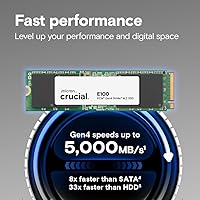
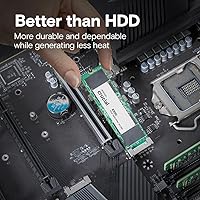
Running on a PCIe Gen4 x4 interface, this Crucial NVMe drive hits sequential read speeds up to 4,700 MB/s — a meaningful step above SATA and older Gen3 drives, particularly when transferring large files or loading data-heavy applications. The M.2 2280 form factor is standard and widely supported, and backward compatibility with Gen3 slots means it won't cause issues in an older laptop or motherboard. Without spinning platters, it handles bumps and heat far better than a mechanical drive ever could. Crucial does not publicize whether cloning software is bundled, so budget for a third-party tool if you're migrating from an existing drive. The 3-year limited warranty is standard for this tier.

Best For

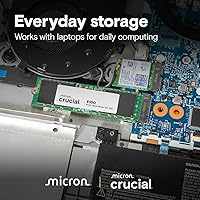
The E100 480GB makes the most sense for someone upgrading out of a hard drive or an aging SATA SSD without wanting to overspend for the privilege. If your laptop has an open M.2 slot — or you're putting together a budget desktop — this Gen4 M.2 SSD covers everyday computing comfortably: fast boot times, snappy app launches, and reliable read performance. It also works well as a secondary storage drive in a system that already has a faster primary NVMe installed. Students, casual users, and gamers who want to offload a game library to a second drive will find this a practical, low-risk choice. It's not the right call for heavy creative or data workloads.

User Feedback

Across 534 ratings, this Crucial NVMe drive holds a 4.5-star average — solid for a product with a still-growing review base since its early 2025 launch. Most buyers point to the straightforward installation and a noticeable jump in responsiveness compared to whatever they replaced. Where feedback gets more mixed is under sustained write pressure: entry-level NVMe drives, regardless of brand, tend to slow down when writing large amounts of data in one go, and some users have flagged this. Thermal throttling in tightly enclosed laptops comes up occasionally as well. On the upside, multiple buyers confirm it performs as expected in Gen3 systems, backing up the compatibility claim. Value relative to speed is the recurring theme in positive reviews.

Pros

  • Gen4 PCIe speeds deliver a real, day-one improvement over any SATA or mechanical drive you're replacing.
  • The M.2 2280 form factor is nearly universal — fits most laptops and desktops without any adapter.
  • Backward compatibility with Gen3 slots means you don't need a new motherboard to use this drive.
  • Crucial's Micron parentage gives it more credibility than budget drives from lesser-known brands.
  • At this capacity and price tier, the E100 480GB punches well above aging SATA options in everyday responsiveness.
  • No moving parts make it far more resistant to vibration and accidental drops than a traditional hard drive.
  • The 3-year limited warranty is a reasonable safety net for a budget-focused storage purchase.
  • Extremely lightweight and compact, it installs cleanly into slim laptops and small-form-factor builds.
  • Installation is straightforward enough that most users won't need professional help or extra hardware.
  • A 4.5-star average across hundreds of real buyers suggests reliable, consistent quality control.

Cons

  • Sustained write speeds drop noticeably under heavy, continuous workloads — a well-known limitation at this price tier.
  • 480GB is a tight fit in 2025 for anyone storing games, video projects, or large media collections as a primary drive.
  • No DRAM cache means random read and write performance lags behind mid-range NVMe alternatives.
  • Thermal throttling has been reported in thin laptops with limited airflow during extended high-load sessions.
  • Crucial does not appear to bundle cloning or migration software, adding a small extra step for users switching drives.
  • Real-world Gen4 gains are modest for typical desktop users — sequential speed specs rarely translate to a perceptible feel.
  • Fewer than 600 ratings at launch means the long-term reliability picture is still developing.
  • No heat spreader is included, which can matter in compact or poorly ventilated builds where temperatures climb.

Ratings

The scores below reflect an AI-driven analysis of verified global buyer reviews for the Crucial E100 480GB NVMe M.2 SSD, with automated filtering applied to remove spam, incentivized submissions, and bot-generated feedback. Each category is evaluated using real-world usage signals gathered from hundreds of buyers across different system configurations and experience levels. Both genuine strengths and recurring frustrations are weighted equally, so the scores here represent an honest, balanced picture of what actual ownership looks like.

Value for Money
88%
Buyers consistently cite this as one of the stronger-priced Gen4 NVMe options available in early 2025, particularly from a brand with Micron's manufacturing backing. Getting genuine fourth-generation PCIe bandwidth without paying flagship prices makes the E100 480GB a compelling entry point for cost-conscious upgraders coming from HDD or SATA storage.
The value equation shifts if you need more than 480GB, since stepping to 1TB pushes the price into territory where better-performing alternatives exist. Users who end up purchasing a secondary drive for overflow storage sometimes feel they could have spent smarter from the start with a single larger drive.
Read Performance
83%
Sequential read speeds approaching 4,700 MB/s make a tangible difference when loading large applications, booting into Windows, or transferring sizable folders in one pass. Users migrating from hard drives or aging SATA SSDs consistently report the system feeling substantially more responsive right after the swap.
Those headline numbers apply under optimal, sustained sequential conditions. Random read performance — which governs actual everyday desktop snappiness — is more modest, and buyers expecting to feel the full Gen4 impact during typical web browsing or document work often find the improvement incremental rather than transformative.
Sustained Write Speed
59%
41%
For light-to-moderate write tasks — saving documents, downloading files, or installing apps — this Gen4 M.2 SSD handles the workload without hesitation. Users doing basic everyday computing find write performance perfectly adequate for their needs, especially measured against the hard drive or SATA baseline most of them are replacing.
Under sustained heavy write loads such as large video exports, multi-gigabyte bulk copies, or lengthy system backups, performance drops noticeably as the drive's write cache saturates. This is a well-documented pattern with entry-level NVMe drives and catches out buyers who assumed Gen4 labeling meant consistent high-end write throughput throughout.
Installation Ease
93%
Most buyers, including first-time NVMe installers, report the physical process taking under ten minutes once the system is open. The standard M.2 2280 form factor eliminates guesswork — it seats correctly oriented or not at all — and the single-screw mounting is familiar to anyone who has ever opened a PC or laptop.
The physical swap is simple, but first-timers can hit unexpected friction opening specific laptop chassis models or locating the correct M.2 slot on a busy motherboard. Crucial does not appear to include dedicated setup documentation in the box, so complete beginners will effectively need to rely on online guides or video tutorials.
Thermal Management
66%
34%
For the majority of users running typical workloads on well-ventilated desktops or mid-range laptops, heat is not a meaningful concern day-to-day. The drive operates at comfortable temperatures during browsing, streaming, productivity apps, and light gaming without triggering any performance-related thermal events.
Thermal throttling becomes a genuine issue in thin-and-light laptops under prolonged heavy use, with multiple buyers flagging performance dips during extended gaming sessions or large file transfers. There is no integrated heat spreader to assist with heat dissipation, placing the entire thermal burden on whatever passive cooling the host chassis can provide.
Compatibility
86%
Real-world buyer reports back up the backward-compatibility claim — this Crucial NVMe drive runs without issues in Gen3 M.2 systems, which is reassuring for anyone upgrading an older laptop or mid-range desktop without a Gen4 motherboard. The standard 2280 length means it drops into virtually every M.2 slot without physical surprises.
A small number of users report needing a BIOS update before the drive is detected correctly on older motherboards. Additionally, systems with only M.2 SATA slots rather than NVMe slots are not compatible at all, which is a potential stumbling block for buyers who have not confirmed their slot type before purchasing.
Storage Capacity
68%
32%
For a focused use case — a clean Windows installation, a handful of games, and standard productivity software — 480GB strikes a workable balance between footprint and cost. Users who store media on a secondary drive or rely on cloud storage find the capacity functions without constant active management.
In 2025, 480GB is an increasingly tight fit for a primary drive. A single modern AAA game can consume 100GB or more, and once the OS, installed apps, and browser cache accumulate, free space shrinks faster than most buyers anticipate, turning storage housekeeping into an ongoing chore rather than a one-time setup.
Brand Reliability
82%
18%
Crucial's Micron lineage gives it a manufacturing credibility that generic or white-label SSD brands simply cannot match. Buyers who already own Crucial RAM or earlier SSD models frequently cite that prior positive experience as a key reason for choosing the E100 480GB over competing budget options at a similar price point.
The E100 series is relatively new to market, with a limited track record and fewer than 600 user ratings as of early 2025. While Crucial's broader history is reassuring, long-term reliability data specific to this model is not yet established, leaving technically cautious buyers waiting for a more settled pattern before fully committing.
Everyday Responsiveness
84%
For the workloads most people actually run — booting up, switching between browser tabs, launching applications, and handling routine file operations — this Crucial NVMe drive delivers a noticeably faster experience than any HDD or SATA SSD it might replace. Users frequently describe the system feeling substantially more alive immediately after the swap.
The responsiveness gains are most pronounced for users upgrading from genuinely old storage; anyone already running a capable Gen3 NVMe may notice less of a subjective difference day-to-day. Random access performance, which is what typical usage primarily exercises, is solid but not exceptional at this tier, trailing DRAM-cached alternatives under mixed workloads.
Warranty & Support
74%
26%
A 3-year limited warranty from a brand with established support infrastructure gives buyers reasonable baseline confidence for a budget-class drive. Crucial's warranty claims process is considered straightforward by industry standards, and the company's scale means replacement units are generally available and processed without significant delays.
Three years is the floor expectation, not a differentiating perk — competing drives in this price bracket offer identical coverage, and some higher-tier alternatives extend to five years. Crucial has not publicly disclosed a TBW (terabytes written) endurance rating for this specific model, making it harder for technically informed buyers to evaluate long-term durability honestly.
Physical Form Factor
91%
The M.2 2280 specification is about as universal as internal storage gets — it physically fits the vast majority of modern laptops and desktop motherboards without adapters, brackets, or secondary hardware. At 0.21 oz, the drive adds essentially no meaningful weight, which is a minor but real perk for ultrabook users tracking every gram.
The 2280 length, while dominant, is not universal — some ultra-slim laptops and compact motherboards use shorter 2242 slots where this drive will not physically fit. Buyers should verify their specific slot size before purchasing to avoid a mismatch that results in either returning the drive or sourcing a separate mounting bracket.
Software & Ecosystem
57%
43%
Crucial's Storage Executive utility is freely downloadable and provides basic drive health monitoring, firmware update access, and some performance tuning options. For buyers who want a simple dashboard to periodically check their drive's condition, it handles that job without requiring a subscription, registration, or account creation.
No cloning or migration software is bundled with the drive itself, which adds friction for users wanting to transfer an existing Windows installation. Several competing drives at a similar price include a cloning license in the box, and the absence here means buyers must independently locate, evaluate, and set up a third-party migration tool before getting started.
Gaming Performance
77%
23%
As a secondary game library drive, the E100 480GB delivers fast enough load times to eliminate the frustrating wait states associated with SATA or mechanical storage. Titles that stream assets during gameplay benefit from the higher sequential throughput, particularly when compared to a spinning hard drive running in the same system.
As a sole gaming drive, 480GB is a recurring friction point — modern titles routinely occupy 80 to 120GB each, quickly limiting the active library size. Hardcore gamers running extended sessions may also encounter occasional slowdowns as thermal or write cache limitations surface during prolonged high-load gameplay.

Suitable for:

The Crucial E100 480GB NVMe M.2 SSD is a strong pick for anyone who wants a meaningful speed upgrade without paying a premium for storage they don't need. If you're still running a mechanical hard drive or an aging SATA SSD in your laptop or desktop, swapping in this Gen4 M.2 drive will make your system feel substantially faster for everyday tasks — boots, app loads, and file transfers all improve noticeably. It fits neatly into budget PC builds where the goal is a snappy, reliable OS drive rather than maximum throughput. Desktop users who already have a high-end primary NVMe can also use the E100 480GB as a secondary drive for a game library or working files without spending much. Students, remote workers, and light users who need dependable everyday storage will find it more than capable for their typical workloads.

Not suitable for:

The Crucial E100 480GB NVMe M.2 SSD is not the right fit for buyers who push their storage hard on a regular basis. Video editors, photographers, and anyone who routinely moves large files — think multi-gigabyte RAW exports or 4K footage — will likely hit sustained write throttling sooner than they'd like, which is a known limitation of entry-level NVMe drives at this price point. The 480GB capacity is a genuine constraint in 2025; if your OS, installed applications, and working files already occupy 300GB or more, you'll find yourself managing space constantly rather than using the drive freely. Users with thin-and-light laptops that lack adequate thermal headroom may also see performance dips during extended high-load tasks. If you're building a high-end workstation or a serious gaming rig where storage throughput actually matters, spending a bit more for a drive with a proper DRAM cache and higher endurance ratings would be the smarter long-term call.

Specifications

  • Capacity: This drive provides 480GB of NVMe storage, adequate for an operating system, core applications, and a moderate set of working files.
  • Interface: It connects via a PCIe Gen4 x4 interface, utilizing four lanes of fourth-generation PCI Express bandwidth for maximum throughput.
  • Protocol: The NVMe protocol is used in place of the older AHCI standard, enabling lower latency and support for deeper I/O queues.
  • Form Factor: The M.2 2280 form factor is 80mm long and 22mm wide, matching the most common M.2 slot size found in modern laptops and desktops.
  • Sequential Read: Crucial rates peak sequential read speed at up to 4,700 MB/s under optimal, controlled conditions.
  • Gen3 Support: The drive is backward compatible with PCIe Gen3 x4 M.2 slots, with performance capped at Gen3 bandwidth limits in those systems.
  • Device Support: Intended for internal installation in laptops and desktop PCs that include a compatible M.2 NVMe slot.
  • Weight: The drive weighs 0.21 oz (approximately 6g), adding virtually no measurable burden to laptop or small-form-factor builds.
  • Dimensions: Physical dimensions measure 3.15 x 0.86 x 0.09 inches, consistent with the standard M.2 2280 specification.
  • Warranty: Crucial provides a 3-year limited warranty covering manufacturing defects from the date of purchase.
  • Manufacturer: Crucial is a storage and memory brand operated by Micron Technology, one of the largest NAND flash and DRAM producers globally.
  • Model Number: The official model identifier is CT480E100SSD8, useful for verifying compatibility and registering a warranty claim.
  • Release Date: This drive was first made commercially available in January 2025.
  • Color: The PCB finish is black, which is standard for M.2 NVMe drives and has no bearing on performance or compatibility.
  • Installation: Installation is internal — the drive inserts into an M.2 slot at a slight angle, lies flat, and is held in place with a single mounting screw.

Related Reviews
Crucial E100 1TB M.2 NVMe SSD
77%
91%
Value for Money
86%
Read Performance
62%
Sustained Write Speed
89%
Installation Experience
88%
Compatibility
More
Crucial T700 2TB Gen5 NVMe M.2 SSD
82%
96%
Sequential Read Performance
93%
Sequential Write Performance
71%
Thermal Management
67%
Platform Compatibility
88%
Random I/O Performance
More
Crucial P2 2TB NVMe PCIe M.2 SSD
87%
91%
Performance
94%
Value for Money
89%
Reliability
90%
Speed (Read/Write)
88%
Ease of Installation
More
Crucial P2 1TB NVMe M.2 SSD
80%
83%
Sequential Read Speed
76%
Sequential Write Speed
58%
Sustained Write Performance
88%
Value for Money
91%
Installation Ease
More
Crucial P2 500GB NVMe PCIe M.2 SSD
87%
91%
Value for Money
88%
Performance
94%
Read Speed
78%
Write Speed
85%
Build Quality
More
Crucial T500 1TB Gen4 NVMe M.2 SSD
84%
93%
Sequential Read & Write Speed
89%
Random I/O Performance
91%
Gaming Performance
67%
Thermal Management
96%
Installation Ease
More
Crucial T700 1TB Gen5 NVMe M.2 SSD
89%
96%
Performance
94%
Speed (Read/Write)
92%
Gaming Performance
90%
Compatibility
80%
Thermal Management
More
Crucial T500 4TB Gen4 NVMe M.2 SSD
89%
94%
Performance
87%
Cooling Efficiency
90%
Installation Process
92%
Reliability
95%
Compatibility with PS5
More
Crucial P310 4TB NVMe M.2 SSD
83%
91%
Sequential Read Performance
88%
Sequential Write Performance
73%
Random I/O Performance
94%
Storage Capacity Value
82%
Compatibility & System Fit
More
Crucial T500 2TB Gen4 NVMe M.2 SSD with Heatsink
89%
95%
Read Speed
92%
Write Speed
88%
Thermal Management
90%
Compatibility with PS5
83%
Ease of Installation
More

FAQ

Yes, this Gen4 M.2 SSD is backward compatible with Gen3 M.2 slots. You won't reach the full Gen4 speed ceiling, but you'll still get a significant improvement over a hard drive or SATA SSD. It's a practical upgrade even on slightly older hardware.

It depends heavily on your habits. Windows 11 with standard updates typically occupies 30 to 40GB, and once you layer in a browser, productivity apps, and a few programs, space starts to shrink. If you keep photos, videos, and large media files on cloud storage or an external drive, 480GB is manageable. Anyone with a growing game library or large creative project files should seriously consider a 1TB option instead.

For typical tasks like web browsing, email, and document work, the perceptible difference between a good SATA SSD and this NVMe drive is smaller than the spec sheet implies. The gap shows up more clearly during large file transfers, system imaging, and loading asset-heavy games or applications. For pure everyday desktop use, both feel snappy — but the E100 480GB gives you more headroom when workloads get demanding.

Crucial has not consistently bundled cloning software with this model. You will likely need to source a third-party tool — Macrium Reflect Free and MiniTool Partition Wizard are both widely used and handle drive-to-drive migrations reliably. Budget a few extra minutes to set that up before you start the physical swap.

No, not under typical conditions. The sustained write limitations that occasionally surface in user reviews only become relevant when you are writing very large amounts of data in one continuous session — think bulk file copies, large backups, or intensive video rendering. For web browsing, productivity apps, video calls, and routine file management, the drive performs without any noticeable hesitation.

It works well for a budget build, especially if your game library is focused rather than sprawling. The Gen4 interface helps with titles that benefit from fast asset streaming and shorter load times. The honest caveat is that 480GB fills up quickly once you install several modern games — a 1TB NVMe at a similar price tier would give you considerably more room. As a secondary game storage drive running alongside a faster primary NVMe, it is an efficient and cost-conscious addition.

It is genuinely straightforward. The drive slides into the M.2 socket at a shallow angle, lies flat against the board, and is secured with one small screw — the whole physical process takes under five minutes once your system is open. The trickier part for first-timers is opening the laptop or locating the M.2 slot, so checking a model-specific guide or video beforehand is always a good idea.

Under light to moderate use, temperatures are typically fine. A subset of users in thin-and-light laptops with limited airflow have noted thermal throttling during sustained heavy workloads. If your machine runs intensive tasks for extended periods in a cramped chassis, it is worth monitoring temperatures after installation using a free utility like HWiNFO. For most users doing everyday computing, heat is not a concern.

Crucial's 3-year limited warranty covers manufacturing defects. If the drive fails, you contact Crucial support directly, provide proof of purchase and the model number, and they will typically arrange a replacement unit. Hold on to your receipt or order confirmation — the process is fairly standard and Crucial's support track record, backed by a large company infrastructure, is generally considered reliable in the storage community.

For pure everyday desktop tasks — launching apps, browsing, watching video, light office work — the difference between a capable Gen3 NVMe and this Gen4 drive is subtle for most people. Gen4 earns its advantage during workloads that actually push sequential transfer rates: moving large project folders, creating full-disk images, or loading highly detailed game environments. If your usage stays light, a good Gen3 drive would serve you nearly as well; the Gen4 edge matters more as workloads grow or if you plan to keep the drive for several years.

Where to Buy