Overview

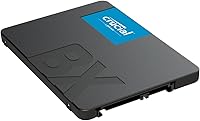
The Crucial BX500 2TB Internal SSD is a no-frills, high-capacity SATA drive aimed squarely at people finally making the switch from a spinning hard disk. That is the right lens for it — don't expect it to compete with NVMe alternatives. What it does offer is a massive 2TB of storage in a tier where most affordable options top out at 500GB or 1TB. Crucial is backed by Micron, one of the oldest names in memory manufacturing, so there is real engineering behind the label. Just go in knowing the SATA III interface puts a hard ceiling on speed, and your expectations will land in the right place from day one.
Features & Benefits

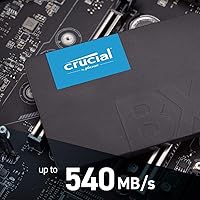
At up to 540MB/s sequential read, this 2TB SATA SSD won't make your jaw drop on a benchmark chart — but it will make your computer feel like a different machine if you're coming from a hard drive. Boot times shrink noticeably, apps snap open, and file transfers that used to drag are done in seconds. The Micron 3D NAND underneath is a genuine plus for day-to-day reliability; it's the same foundational technology Micron uses across its higher-end lineup. The 2.5-inch, 7mm form factor slips into virtually any laptop or desktop bay without hassle. Laptop users also get a quiet side benefit: lower power draw compared to spinning drives, which nudges battery life slightly in the right direction.

Best For

This Crucial drive is practically purpose-built for one scenario: you have an older laptop or desktop running a hard disk, and you want it to feel fast again without spending a lot. Students, home users, and anyone juggling web browsing, Office applications, and media files will find the performance more than sufficient. It also works well as a secondary storage drive in a desktop already running an NVMe boot disk — 2TB of fast, quiet overflow storage at a sensible price point. One honest caveat: if your machine supports M.2 slots, price out NVMe options first. The BX500 earns its place when SATA is your only option or when keeping costs down is the deciding factor.

User Feedback

With over 129,000 ratings and a 4.7-star average, the BX500 carries one of the largest feedback pools in its category — and the picture is positive but not unconditional. Most buyers report a clear, immediate improvement the moment they swap out their old hard drive: the machine feels snappier, quieter, and simply less frustrating. Installation is consistently described as straightforward, even for first-timers. The criticism worth noting centers on sustained write speeds — under prolonged heavy workloads, some users observed dips that would frustrate power users or content creators. A handful also flagged the absence of bundled cloning software, which adds an extra migration step. For light to moderate everyday use, those complaints are relatively minor.

Pros

  • Upgrading from a hard drive to this Crucial drive produces an immediate, noticeable improvement in boot and load times.
  • 2TB of storage at this price tier is genuinely hard to beat — most budget SSDs max out at far less.
  • The 2.5-inch, 7mm form factor fits a huge range of laptops and desktops with no adapter needed.
  • Micron's 3D NAND underpinning gives the BX500 solid day-to-day reliability for light to moderate use.
  • Installation is straightforward enough that first-timers routinely complete it without professional help.
  • The drive runs completely silent — no platters, no vibration, no audible noise whatsoever.
  • Lower power draw compared to spinning drives offers a modest but real battery life benefit for laptop users.
  • Over 129,000 ratings at 4.7 stars reflects a broad, consistent ownership experience across diverse machines.
  • Dust-resistant construction adds a small but welcome layer of resilience for mobile or workshop environments.
  • Compatible with Windows, macOS, and Linux right out of the box with no driver fuss.

Cons

  • No cloning or migration software is included, so transferring your existing OS requires a separate free or paid tool.
  • Sustained write speeds can dip under prolonged heavy workloads, which matters for demanding use cases.
  • SATA III caps sequential reads around 540MB/s — significantly slower than entry-level NVMe drives available at similar prices.
  • The 3-year warranty is shorter than the 5-year coverage offered by several competing SSDs in the same category.
  • Long-term reliability data for heavy workloads is mixed — this drive was not designed for punishing write cycles.
  • No included mounting bracket or spacer, which can be a minor inconvenience for desktop bays designed for 3.5-inch drives.
  • Buyers upgrading machines with M.2 slots may be leaving meaningful performance on the table by choosing SATA.
  • No hardware encryption support, which may matter for business users or anyone storing sensitive data.

Ratings

The scores below were generated by AI after analyzing tens of thousands of verified global buyer reviews for the Crucial BX500 2TB Internal SSD, with spam, bot-submitted, and incentivized feedback actively filtered out. The analysis covers real-world performance across a wide range of use cases — from first-time upgraders to secondary storage builds — and reflects both the strengths that earned this drive its loyal following and the friction points that buyers consistently flagged. Nothing has been smoothed over.

Value for Money
93%
Buyers repeatedly describe this 2TB SATA SSD as one of the few drives where the price-to-capacity ratio genuinely holds up in the real world. For students or home users replacing an aging hard disk, getting 2TB of solid-state speed without a steep price tag is a recurring highlight in long-term ownership reviews.
A small but vocal segment of reviewers noted that when NVMe alternatives go on sale, the value gap narrows enough to make the SATA interface feel like a compromise rather than a bargain. Buyers who later discovered M.2 options at comparable prices felt they had not researched broadly enough before purchasing.
Read/Write Performance
74%
26%
For the specific task of replacing a spinning hard drive, the jump in responsiveness is dramatic and felt immediately — browsers load faster, Windows boots in seconds, and everyday multitasking stops feeling sluggish. Up to 540MB/s sequential reads handle typical file transfers and app launches with no complaints from mainstream users.
Power users who benchmarked the BX500 found that sustained sequential write speeds can drop below rated figures under prolonged heavy loads, a known limitation of DRAM-less SATA designs. Anyone coming from an NVMe background will find the raw throughput underwhelming, particularly during large file moves or game installations.
Reliability & Longevity
71%
29%
The Micron 3D NAND foundation gives buyers genuine confidence for light-to-moderate daily workloads — browsing, document work, and media storage are well within this drive's endurance comfort zone. A large proportion of long-term owners report no issues after one to two years of standard use.
Reviews from users running the drive harder — continuous write-heavy tasks, frequent large file ingestion, or use as a primary drive in a small business — show a more mixed picture, with a subset experiencing early failures. The drive's endurance rating is modest for its capacity class, and heavy workload buyers should weigh that honestly.
Installation Ease
91%
First-time upgraders consistently praise how physically simple the swap is — the standard 2.5-inch form factor fits without adapters in most laptops and desktops, and the drive is recognized immediately by all major operating systems. Many buyers mention completing a full laptop upgrade in under 20 minutes with just a screwdriver.
The one friction point that comes up repeatedly is the absence of any included cloning software, which catches newcomers off guard when they realize they need to research and download a third-party tool before migrating their OS. A handful of users on older systems also reported needing an inexpensive 3.5-inch adapter bracket for desktop mounting.
Storage Capacity
89%
Two terabytes at this price tier is a genuine differentiator — reviewers who had been living with 256GB or 512GB on their laptops describe the BX500 as liberating, finally able to store full photo libraries, game installs, and project files without constantly managing space. It removes a real daily frustration for a lot of buyers.
A small number of buyers who purchased primarily for the capacity reported mild disappointment discovering that formatted usable space comes in around 1.86TB due to standard decimal-to-binary conversion. This is an industry-wide norm, not a flaw, but it catches uninformed buyers off guard and generates occasional one-star reviews that reflect a knowledge gap more than a product issue.
Build Quality & Form Factor
82%
18%
The BX500 feels appropriately solid for its class — a clean, lightweight aluminum-and-plastic shell that slots neatly into most bays. At just over an ounce, it adds practically nothing to a laptop's weight, and the 7mm height clears compatibility hurdles that slightly thicker drives can hit in slim-profile notebooks.
It does not feel premium in hand — the enclosure has no standout design or texture, and compared to higher-end SSDs with metal chassis and more refined finishes, the BX500 is clearly built to a budget. The dust-resistant feature covers basic environmental exposure but should not be mistaken for a ruggedized or sealed design.
Noise & Heat
94%
Being a solid-state drive with no moving parts, the BX500 runs completely silent under all workloads — something that buyers migrating from loud, spinning hard drives mention as an unexpectedly pleasant side effect. Operating temperatures under everyday use stay well within safe ranges and rarely trigger thermal concerns.
Under sustained heavy writes, temperatures can climb more noticeably than on NVMe drives with dedicated heatspreaders, though this rarely causes throttling in real-world consumer workloads. Users who installed the drive in cramped, poorly ventilated laptop chassis occasionally flagged warmth as a minor concern during extended sessions.
Compatibility
87%
The drive works across Windows, macOS, and Linux without any special drivers, and the universal SATA III interface means it fits an enormous range of machines spanning well over a decade of hardware. Cross-platform buyers — particularly those running Linux distros on older ThinkPads or MacBooks — consistently flag compatibility as a non-issue.
The drive is entirely irrelevant for any machine that uses a proprietary SSD slot or only supports M.2 NVMe, which covers most laptops made after 2016. Buyers who did not verify their specific laptop's upgrade path before purchasing account for a notable slice of the negative reviews, which is more a research gap than a product failing.
Boot & Load Times
88%
Reviewers who track boot times report dropping from 60–90 seconds on their old hard drives to under 15 seconds after installing this Crucial drive, which is the most immediately satisfying improvement most buyers experience. Application load times — Office, Chrome, Photoshop — shrink similarly and make day-to-day use feel noticeably sharper.
Compared to NVMe SSDs, which can cut boot times even further and handle OS-heavy operations faster, the SATA ceiling becomes a minor but measurable gap for users who later upgraded to an M.2 drive. For SATA-only machines it is genuinely excellent; in any other context the comparison is less flattering.
Energy Efficiency
81%
19%
Laptop owners report a modest but real improvement in battery endurance after replacing spinning drives, since the BX500 draws a fraction of the power of a mechanical hard disk under both idle and active conditions. It is not a transformative battery upgrade, but it is a meaningful secondary benefit for mobile users.
Buyers who purchased primarily hoping for a significant battery life boost may come away slightly underwhelmed — the gain is real but incremental, typically in the range of 15 to 30 minutes of real-world use depending on the machine. Other system components have far more impact on battery life than the storage drive.
Warranty & Support
66%
34%
Crucial's 3-year limited warranty covers defects in materials and workmanship, and the company's customer support reputation is generally solid — RMA processes are described as straightforward by users who have needed to use them. Having Micron's backing gives a degree of institutional confidence that smaller SSD brands cannot match.
The 3-year coverage feels short when direct competitors at similar price points offer 5-year warranties, and this consistently surfaces in buyer comparisons as a point against the BX500. For a drive being installed in a laptop that might see daily use for five or six years, the warranty expiring at year three is a legitimate planning consideration.
Out-of-Box Experience
62%
38%
The drive arrives ready to use with no setup complexity — physically installing it is as simple as any 2.5-inch drive, and operating systems recognize it immediately without any additional configuration. The packaging is minimal and functional, which most buyers accept as appropriate for a component product.
The package includes only the bare drive — no cloning software, no mounting screws, no spacer, and no installation guide beyond a basic quick-start card. First-time builders who expected a more complete kit frequently express frustration at the lack of migration tools, a gap that more premium competitors have addressed by bundling software licenses.
Sequential Write Speed
68%
32%
For everyday write tasks — saving documents, downloading files, installing apps — the rated 500MB/s write speed handles the load without any noticeable hesitation. Users running the drive as secondary storage for media and document files report that write performance is more than adequate for their workloads.
Sustained write performance under heavy continuous load drops measurably from the rated ceiling, which is a documented characteristic of DRAM-less SATA drives that cache writes in slower NAND once the SLC buffer fills. Content creators or users doing large sequential writes regularly will feel this limitation in ways that casual users simply will not.
Brand Reputation
86%
Crucial's Micron heritage carries real weight among buyers who have done their homework — the brand is associated with decades of memory and storage manufacturing rather than being a generic label on third-party components. This credibility factor visibly influences purchasing confidence, particularly among more technically informed buyers.
Some reviewers who have owned multiple SSD brands noted that Crucial's firmware update cadence and companion software ecosystem lag behind competitors like Samsung, which offers a more polished post-purchase management experience. For buyers who want deeper drive health monitoring and optimization tools, the Crucial software offering feels underdeveloped.

Suitable for:

The Crucial BX500 2TB Internal SSD is the right call for anyone still running a spinning hard drive who wants a meaningful, noticeable upgrade without overcomplicating the decision. It fits particularly well for students, home users, and everyday PC owners whose workloads revolve around web browsing, document editing, media storage, and general multitasking — people who will feel the speed difference immediately without needing to squeeze every last megabyte-per-second out of their hardware. Owners of older laptops or desktops with 2.5-inch SATA bays and no M.2 slot will find this drive slots right in without any adapter or compatibility headache. It also makes a smart secondary drive in a desktop already running a faster NVMe boot disk, giving you 2TB of quiet, responsive overflow storage at a sensible cost. If your priority is maximum storage capacity on a tight budget, this drive covers a lot of ground that smaller, cheaper alternatives simply cannot match.
Not suitable for:

The Crucial BX500 2TB Internal SSD is not the right tool for users who need serious sustained performance — video editors rendering large files, developers compiling heavy codebases, or anyone running workloads that keep the drive under continuous heavy write pressure will likely notice speed inconsistencies that more capable drives handle without flinching. If your machine supports M.2 NVMe, you should seriously compare options there first; for only a modest price difference, NVMe drives can deliver read speeds three to five times faster, which adds up over time. Power users who track endurance ratings closely should also note that the BX500 sits at the entry-level end of the durability spectrum, and its 3-year warranty is shorter than the 5-year coverage some competitors offer in the same space. Gamers loading large open-world titles and professionals working with high-resolution media libraries may find that SATA bandwidth eventually becomes the bottleneck they didn't budget for.
Specifications

  • Storage Capacity: The drive provides 2TB of usable NAND flash storage, suitable for operating systems, applications, and large media libraries.
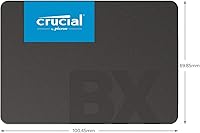
  • Form Factor: It uses the standard 2.5-inch form factor at 7mm height, fitting the vast majority of laptops and desktop bays designed for 2.5-inch drives.
  • Interface: The drive connects via SATA III (6Gb/s), backward compatible with SATA II ports at reduced maximum throughput.
  • Sequential Read: Rated sequential read speed reaches up to 540MB/s under optimal conditions, which is near the practical ceiling for SATA III.
  • Sequential Write: Sequential write speeds are rated up to 500MB/s for this 2TB capacity, though real-world sustained writes may vary under prolonged heavy workloads.
  • NAND Technology: The drive uses Micron 3D NAND flash, a multi-layer cell architecture that improves storage density and longevity compared to older planar NAND.
  • Dimensions: Physical dimensions measure 3.95 x 2.75 x 0.27 inches, consistent with the standard 2.5-inch internal drive footprint.
  • Weight: The drive weighs just 1.24 ounces, making it practical for laptop installations where component weight is a consideration.
  • OS Compatibility: The BX500 is compatible with Windows, macOS, and Linux without requiring additional drivers for standard operation.
  • Device Compatibility: It is designed for desktops and laptops equipped with a 2.5-inch, 7mm SATA drive bay; it does not fit M.2 or PCIe slots.
  • Warranty: Crucial covers this drive with a 3-year limited warranty, which addresses defects in materials and workmanship under normal use conditions.
  • Durability Feature: The drive carries a dust-resistant designation, offering a basic layer of protection against particulate ingress in non-sealed environments.
  • Power Consumption: As a solid-state drive with no moving parts, the BX500 draws significantly less power than a comparable spinning hard disk, which can marginally extend laptop battery life.
  • Operating Shock: Like all NAND-based SSDs, the BX500 tolerates vibration and physical shock far better than mechanical hard drives, as there are no read/write heads or spinning platters.
  • Installation Type: The drive is an internal installation component and requires physical access to the device chassis to mount and connect to a SATA port.
  • Manufacturer: The BX500 is manufactured by Crucial, the consumer storage brand of Micron Technology, one of the longest-established NAND and DRAM producers in the industry.
  • Model Number: The official model identifier for the 2TB variant is CT2000BX500SSD1, which can be used for warranty registration and compatibility verification.
  • Market Ranking: At the time of this review, the BX500 holds a top-10 position in the Internal Solid State Drives category on Amazon, based on sales volume.

Related Reviews
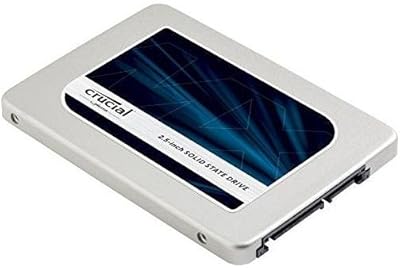
Crucial MX300 2TB Internal SSD
79%
78%
Read & Write Speed
91%
Storage Capacity
88%
Reliability & Longevity
63%
Value for Money
86%
Installation & Setup
More
SanDisk SSD Plus 2TB Internal SSD
82%
88%
Read Speed Performance
74%
Write Speed Performance
94%
Installation & Compatibility
91%
Value for Money
86%
Long-Term Durability & Reliability
More
Crucial BX500 480GB Internal SSD
82%
91%
Value for Money
83%
Read Speed Performance
67%
Write Speed Consistency
88%
Long-Term Reliability
93%
Installation Ease
More
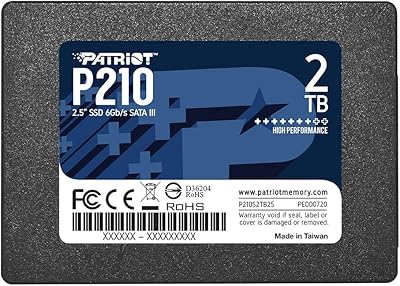
Patriot P210 2TB Internal SATA SSD
80%
93%
Value for Money
76%
Read & Write Speed
91%
Installation Ease
78%
Compatibility
67%
Long-term Reliability
More
Crucial BX500 4TB SATA SSD
82%
91%
Value for Money
74%
Read/Write Performance
93%
Installation & Compatibility
67%
Endurance & Longevity
83%
Build Quality & Form Factor
More
Crucial P5 Plus 2TB NVMe SSD
82%
93%
Sequential Read Performance
88%
Sequential Write Performance
61%
Thermal Management
96%
PS5 Compatibility
91%
Installation Experience
More
Crucial P510 2TB Gen5 NVMe SSD
85%
94%
Sequential Read Performance
91%
Sequential Write Performance
62%
Thermal Management
93%
Installation & Setup
74%
Data Migration Software
More
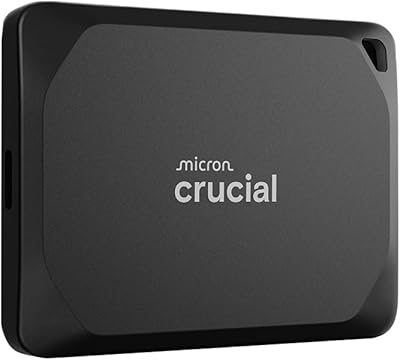
Crucial X10 Pro 2TB Portable SSD
78%
88%
Transfer Speed
83%
Build Quality
79%
Durability & Protection
92%
Compatibility
94%
Portability
More
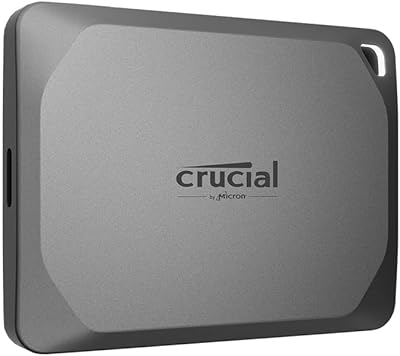
Crucial X9 Pro 2TB Portable SSD
80%
91%
Transfer Speed
93%
Build Quality & Durability
88%
Water & Dust Resistance
96%
Portability & Form Factor
92%
Device Compatibility
More
Crucial P3 Plus 2TB NVMe SSD
80%
88%
Sequential Read Speed
61%
Sustained Write Performance
69%
Random Access Performance
91%
Value for Money
87%
Gaming Load Times
More

FAQ

Yes, that is exactly the scenario this drive was built for. As long as your laptop has a 2.5-inch drive bay and a SATA connector — which most laptops made in the last 15 years do — the BX500 will fit and work without any adapter. Just double-check your bay depth supports 7mm drives, which the vast majority do.

If you are installing it as a fresh drive and plan to do a clean OS install, it truly is plug-and-play. If you want to clone your existing hard drive to avoid reinstalling everything, you will need a third-party cloning tool — Crucial does not include one in the box. Macrium Reflect Free is a popular option for Windows users.

The difference is substantial and immediately obvious. Boot times that used to take 60–90 seconds typically drop to under 15 seconds. Apps open almost the moment you click them. The drive reads data at up to 540MB/s, which is roughly six to eight times faster than a typical 7200RPM hard disk. For everyday tasks, it is one of the most impactful hardware upgrades you can make.

It can work well as a secondary storage drive — think bulk file storage, game installs, or a media library. For that role, SATA speeds are more than adequate. Just know you would not want to use the BX500 as your primary OS drive in a machine that already supports NVMe, since you would be leaving performance on the table.

NVMe drives at comparable prices can deliver read speeds of 2,000–3,500MB/s, which is three to six times faster than this SATA drive. For most everyday tasks, you won't notice that gap in real use, but for large file transfers, game loading, or video editing, the difference becomes meaningful. If your machine has an M.2 slot, it's worth pricing out NVMe options before committing to SATA.

Like all storage drives, the formatted capacity will be slightly less than the advertised 2TB due to how operating systems calculate storage versus manufacturers' decimal-based ratings. You can expect around 1.86TB of usable space in Windows. That is standard across the industry and not unique to this drive.

For typical home and office workloads, it holds up well — the Micron 3D NAND is a proven technology, and most users report no issues over years of normal use. Where reliability feedback gets more mixed is under sustained heavy write workloads, like continuous large file transfers or video production pipelines. For those use cases, a higher-endurance drive rated for more terabytes written would be a smarter long-term investment.

Possibly. Many modern desktop cases include a 2.5-inch bay, but older cases were built around 3.5-inch drive bays. If your case only has 3.5-inch slots, you will need an inexpensive adapter bracket to mount the drive securely. These typically cost just a few dollars and are widely available. The drive itself does not include one.

It is compatible with Macs — any MacBook Pro or Mac mini that uses a standard 2.5-inch SATA interface will accept this drive. The main caveat is that Macs from 2013 onward typically use proprietary SSD connectors rather than standard SATA, so this drive is most relevant for older Mac models. Always verify your specific model's upgrade compatibility before purchasing.

Yes, this is a popular use case. A 2.5-inch SATA USB enclosure — widely available for under twenty dollars — will turn this drive into a large, fast external storage device. It works well for backups, portable media, or moving large files between machines. Just note it will be capped by the USB connection speed rather than the drive's native SATA performance.

Where to Buy