Overview

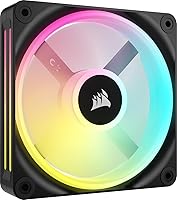
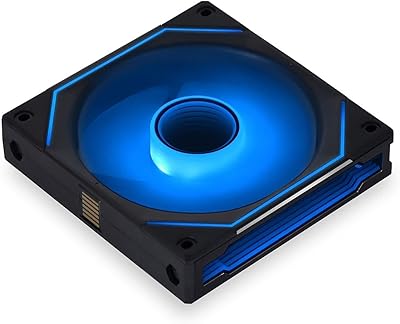
The Corsair iCUE Link QX120 RGB 120mm Case Fan is Corsair's answer to builders who are tired of hunting cable management solutions after the fans are already mounted. Built around the iCUE LINK ecosystem, it uses a Magnetic Dome Bearing that genuinely reduces friction at lower speeds — something you notice in idle noise levels compared to standard ball-bearing designs. One important caveat up front: you need the iCUE LINK System Hub, sold separately, to unlock lighting control and full software integration. Without it, you have a capable PWM fan and nothing more. It's sold individually, though most builders end up purchasing three or more for a complete build.
Features & Benefits

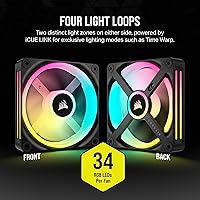
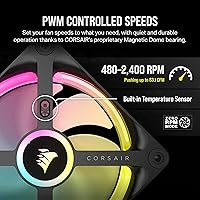
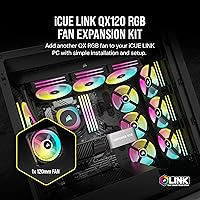
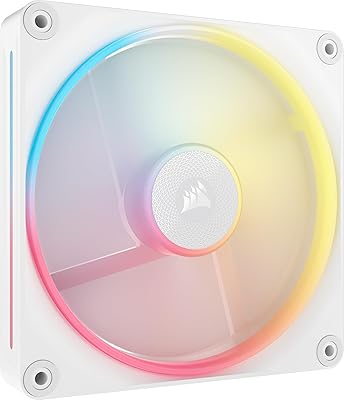
The QX120 RGB packs 34 individual LEDs arranged across two separate light zones on each fan, which produces noticeably more depth in lighting compared to single-zone designs — especially visible through tempered glass panels. Speed-wise, the fan can spin down to near-silent levels during light tasks and ramp up to serious airflow when your CPU or GPU demands it, all handled automatically via PWM control. The Zero RPM mode is a genuine perk for quiet-build enthusiasts; the fan stops entirely under low thermal load. Bridge connectors ship in the box, letting you daisy-chain multiple fans without additional cables — cleaner wiring than virtually any competing RGB fan system at this size.

Best For

This iCUE LINK fan makes the most sense if you're already running other iCUE LINK hardware, or building a system from scratch and committing to the Corsair ecosystem. It's a natural fit for AIO radiator builds — particularly 240mm or 360mm configurations where chaining three fans off a single cable keeps the interior tidy. Quiet PC builders will also appreciate the low idle behavior. That said, if you're looking for a budget-friendly RGB fan or prefer a different software platform, this Corsair fan isn't the right call — the per-fan cost and hub requirement add up quickly unless you're going all-in on the platform.

User Feedback

With a 4.3-star average across close to 2,000 ratings, the QX120 RGB lands in comfortable territory — well-regarded but not without gripes. Most positive feedback centers on lighting quality, which buyers consistently describe as richer and more vibrant than expected, and on how straightforward the daisy-chain setup is once the hub is in place. Bridge connectors get mentioned favorably for durability too. On the critical side, the most repeated concern is the software complexity of iCUE itself — some users find it heavy and occasionally unstable. A handful also flag that the hub cost on top of the per-fan price makes the total investment higher than it first appears.

Pros

  • Dual-zone LED layout produces deeper, more layered RGB lighting than most competing 120mm fans.
  • Bridge connectors allow multiple fans to daisy-chain off a single cable, dramatically reducing interior clutter.
  • Magnetic Dome Bearing keeps noise impressively low at everyday workloads compared to ball-bearing alternatives.
  • Zero RPM mode completely stops the fan during idle tasks, delivering true silence when thermals allow.
  • Wide PWM speed range means the fan scales intelligently between near-silence and serious airflow as needed.
  • Solid static pressure makes this Corsair fan a competent performer on AIO radiators, not just case panels.
  • Fan frame and finish quality are consistent with what you would expect at a premium price point.
  • The Time Warp lighting mode is a genuinely distinctive visual effect unavailable on other fan platforms.
  • Setup within the iCUE LINK ecosystem is straightforward once the hub is in place, with one cable handling everything.

Cons

  • The iCUE LINK System Hub is required for full functionality but sold separately, adding significant cost on top of the per-fan price.
  • iCUE software has a reputation for high resource usage and occasional instability after Windows updates.
  • Buying a single fan rarely makes financial sense — most builds require three or more, pushing total costs high quickly.
  • Bridge connectors must be firmly and precisely seated; a partial connection can cause intermittent lighting or control issues.
  • Full lighting feature access is locked to the Corsair ecosystem, leaving mixed-brand builders with limited options.
  • At maximum speed under heavy load, a faint high-frequency tone is audible in open-frame or acoustically bare cases.
  • Long-term bearing durability data for this specific generation is still limited compared to older Corsair ML fan lines.
  • Users outside the iCUE LINK ecosystem pay a premium for hardware whose core differentiators they cannot actually use.

Ratings

The Corsair iCUE Link QX120 RGB 120mm Case Fan scores below are generated by AI after analyzing thousands of verified global user reviews, with spam, bot-submitted, and incentivized feedback actively filtered out. The result is an honest snapshot of where this iCUE LINK fan genuinely excels and where real buyers have run into friction — both sides of the picture are reflected without sugarcoating.
Lighting Quality
93%
The dual-zone LED layout delivers noticeably richer, more layered lighting than single-ring competitors. Builders running tempered glass cases consistently report the visual output is among the best they have seen from a 120mm fan, with smooth gradients and vibrant saturation that holds up even in well-lit rooms.
The most dramatic lighting modes, including the Time Warp strobe effect, are locked behind the iCUE LINK ecosystem. Buyers without the hub experience a noticeably limited lighting feature set, which feels restrictive given the premium price point.
Noise Level
88%
At low-to-moderate workloads, this Corsair fan is remarkably quiet — almost inaudible in a carpeted room. The Magnetic Dome Bearing reduces the subtle grinding hum that sleeve or older ball-bearing fans develop over time, and Zero RPM mode eliminates fan noise entirely during idle tasks like web browsing or document editing.
At full speed approaching 2,400 RPM, the fan becomes audible and some users describe a faint high-frequency whine under sustained load. It is not unusually loud for the category, but those expecting near-silence at maximum airflow will be disappointed.
Airflow & Cooling Performance
82%
18%
In real-world radiator configurations — particularly triple 120mm AIO setups — the QX120 RGB holds its own against dedicated high-static-pressure fans. Builders report stable temperatures during extended gaming sessions, and the wide RPM range means the fan can balance silence and performance across varying thermal loads automatically.
It is not a specialized static pressure or high-airflow fan, and in head-to-head comparisons with purpose-built alternatives at the same price, the thermal margins are sometimes narrower. Users mounting these purely for case intake or exhaust without radiators may not fully justify the cost premium based on airflow alone.
Cable Management & Daisy-Chain System
91%
The bridge connector system is one of the most practical design choices on any RGB fan currently available. Builders chaining three fans on a 360mm radiator report a dramatic reduction in interior cable clutter, with a single run back to the hub replacing what would otherwise be a tangle of individual cables.
The connectors require deliberate, firm seating to click properly, and a small number of users report intermittent disconnections if the bridge is not fully engaged. In tight radiator bays where there is little room to maneuver, seating them correctly on the first attempt can be fiddly.
Build Quality & Materials
84%
The fan frame feels solid and consistent, without the flex or wobble sometimes found in budget RGB fans. The blade and housing finish is clean, and the black colorway does not show fingerprints aggressively during installation, which builders working in confined cases will appreciate.
A few longer-term owners note that the plastic housing can develop minor stress marks around the mounting holes after repeated removal and reinstallation. It is not a structural concern, but it suggests the material choice prioritizes aesthetics over heavy-duty serviceability.
Software Integration (iCUE)
63%
37%
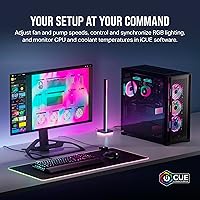
For users fully committed to the Corsair ecosystem, iCUE offers genuinely deep customization — per-fan lighting profiles, temperature-linked RPM curves, and synchronization across multiple devices all from one dashboard. When it runs smoothly, it is a capable and visually polished control suite.
iCUE's reputation for resource usage and occasional instability is the single most common pain point in critical reviews of this fan. Some users report the software conflicting with other background applications or requiring reinstallation after Windows updates, which is a real frustration for a premium product that depends on it so heavily.
Value for Money
67%
33%
Buyers who purchase this iCUE LINK fan as part of a larger Corsair build — already owning the hub and compatible components — tend to rate value favorably, because the per-unit cost buys into a genuinely cleaner and more integrated system than piecing together individual fan controllers and RGB headers.
As a standalone purchase, the cost per fan plus the mandatory hub investment makes the total entry price steep relative to competing RGB fans that offer comparable airflow and lighting without ecosystem lock-in. Single-fan or two-fan builds rarely justify the math.
Bearing Longevity
79%
21%
The Magnetic Dome Bearing design has a credible track record in Corsair's ML fan line, which preceded this generation. Users who have run earlier magnetic bearing fans for multiple years report no degradation in noise or wobble, giving reasonable confidence in long-term durability for the QX120 RGB.
The bearing type is newer in this specific form factor, so long-term data beyond two to three years is limited in user reviews. A small number of buyers report early bearing noise within the first year, though it is unclear if these are isolated defects or an emerging pattern.
Installation Experience
81%
19%
Standard 120mm mounting dimensions mean the fan drops into any compatible case or radiator without adapter concerns. The included bridge connectors and a clearly labeled single-cable hub connection make the initial setup less intimidating than traditional multi-header RGB fan installs, especially for builders doing this for the first time.
The hub dependency means setup is not truly plug-and-play without additional hardware. Builders who expected a complete out-of-box experience are sometimes caught off guard by the extra purchase requirement, and hub availability or shipping delays can stall an otherwise complete build.
Zero RPM Mode Reliability
86%
Builders who specifically sought out a fan for silent-running workstations report the Zero RPM feature works consistently and responds to thermal triggers without hesitation. The transition from stopped to spinning is smooth rather than abrupt, avoiding the jarring startup behavior some older PWM fans exhibit.
A minority of users note that Zero RPM behavior can vary depending on how the PWM signal is configured through iCUE, and without the hub, the feature may not activate at all depending on the motherboard's PWM implementation. It is reliable within the ecosystem but less predictable outside it.
RGB Synchronization Across Fans
88%
When three or more of these fans are chained together on a radiator or case panel, the lighting synchronization is noticeably tight — patterns and color transitions flow across the array without the slight timing offsets that plague fans using traditional RGB headers and separate controllers.
Synchronization with non-Corsair RGB devices requires iCUE's third-party integration layer, which works with some platforms but not all. Builders mixing brands in a single build sometimes report sync conflicts or color drift that require manual profile adjustments to resolve.
Fan Acoustics at Ramp-Up
74%
26%
The PWM curve behavior under gaming or rendering loads is gradual rather than sudden, which means the audible transition from quiet to active happens slowly enough that most users adapt without noticing an abrupt change. In closed-panel cases, the acoustic impact is further softened.
Between roughly 1,500 and 2,000 RPM, some users pick up a slight resonance that is more noticeable in open-frame cases or systems without acoustic dampening. It does not rise to the level of a rattle or defect, but it is audible in a quiet room during moderate workloads.
Compatibility with Non-Corsair Systems
51%
49%
The fan itself spins and moves air on any standard 3-pin or 4-pin PWM header, making it physically compatible with virtually any desktop motherboard. Builders who need basic airflow without lighting can use it in non-Corsair systems without issue.
Outside the iCUE LINK hub, almost every differentiating feature of the QX120 RGB — the lighting modes, the daisy-chain system, the Zero RPM integration, and the per-fan software control — becomes inaccessible. Paying a premium for a fan you will run in generic PWM mode is difficult to justify.
Packaging & Accessory Inclusion
77%
23%
The bridge connectors and mounting screws are included in the box, and the packaging is well-organized enough that components are easy to inventory before installation begins. Corsair's documentation is clear enough for most builders to get started without searching for a YouTube walkthrough.
Some buyers note that only one set of bridge connectors is included per fan, with no spares, which is a minor annoyance if one is lost or damaged during installation. A backup connector or two in the box would have been a practical addition at this price level.

Suitable for:

The Corsair iCUE Link QX120 RGB 120mm Case Fan is purpose-built for enthusiast PC builders who are either already running iCUE LINK hardware or planning a full Corsair ecosystem build from scratch. If you are mounting fans on a 240mm or 360mm AIO radiator and want to eliminate the usual tangle of individual RGB cables, the bridge connector daisy-chain system is genuinely one of the cleanest solutions available at this fan size. Quiet computing matters to this fan's best buyers too — those building silent workstations or home theater PCs will appreciate how thoroughly the fan disappears at idle workloads. Aesthetics-focused builders running tempered glass cases get a meaningful return on the dual-zone lighting, which produces noticeably richer visual effects than single-ring RGB designs. Essentially, the more invested you are in a cohesive, high-end Corsair build, the more sense this fan makes.
Not suitable for:

The Corsair iCUE Link QX120 RGB 120mm Case Fan is a poor fit for anyone who is not ready to commit to the iCUE LINK ecosystem, and that caveat is worth taking seriously before purchasing. Without the iCUE LINK System Hub — which is sold separately and adds meaningful cost — the fan's signature features, including lighting modes, daisy-chain functionality, and Zero RPM control, are either inaccessible or severely limited. Budget-conscious builders or those replacing a single failed fan in an existing non-Corsair setup will find the price-per-unit difficult to justify when capable alternatives exist at lower cost. Platform-agnostic builders who prefer software like ASUS Aura Sync or MSI Mystic Light for unified RGB control will also hit compatibility walls. If you only need one or two fans and do not already own the hub, the total investment required makes this iCUE LINK fan the wrong tool for the job.

Specifications

  • Fan Size: This is a standard 120mm fan, compatible with any case, radiator, or mounting bracket designed for the 120mm form factor.
  • Speed Range: Fan speed is PWM-controlled between 480 RPM at near-idle and 2,400 RPM at full load, scaling automatically to thermal demand.
  • Airflow: Maximum airflow is rated at 63.1 CFM, competitive for a 120mm fan used in both open case and radiator-mounted configurations.
  • Static Pressure: Static pressure is rated at 3.8mm-H2O, sufficient for pushing air through radiator fins or dense mesh front panels.
  • Bearing Type: The fan uses Corsair's Magnetic Dome Bearing, which reduces friction at low speeds compared to traditional ball or sleeve bearing designs.
  • RGB LEDs: Each fan contains 34 individually addressable RGB LEDs arranged across two distinct light zones on opposite sides of the fan frame.
  • Zero RPM Mode: The fan supports Zero RPM PWM signaling, allowing it to stop completely during low-load scenarios when routed through the iCUE LINK System Hub.
  • Connector Type: The fan uses a 3-pin or 4-pin PWM connector and connects to other fans and the hub via the proprietary iCUE LINK bridge connector system.
  • Voltage: The fan operates at 12V DC, standard for desktop PC case fans and compatible with ATX power delivery through the iCUE LINK hub.
  • Wattage: Maximum power draw is 12W per fan, which should be factored into hub and PSU load calculations when running multiple units simultaneously.
  • Noise Level: At full speed, noise is rated up to 37 dB(A); at lower RPMs, real-world noise levels drop well below this ceiling.
  • Dimensions: The fan measures 4.72″ x 4.72″ x 0.1″ (L x W x H), matching the standard 120mm mounting footprint used across most ATX and mATX cases.
  • Item Weight: Each fan weighs 6.6 oz, which is typical for a 120mm RGB fan with a reinforced frame and dual-zone LED housing.
  • Hub Requirement: Full lighting control, daisy-chain functionality, and Zero RPM mode all require the iCUE LINK System Hub, which is sold separately.
  • Bridge Connectors: Bridge connectors are included in the box, allowing fans to be chained together without individual cables running back to the hub.
  • Ecosystem: This fan is designed exclusively for the Corsair iCUE LINK platform and is controlled via Corsair's iCUE software on Windows or macOS.
  • Color: The fan frame and housing are finished in black, suited for dark-themed builds and visible through tempered glass side panels.
  • Model Number: The official Corsair model number for this fan is CO-9051001-WW, which can be used to verify compatibility with Corsair's support documentation.

Related Reviews
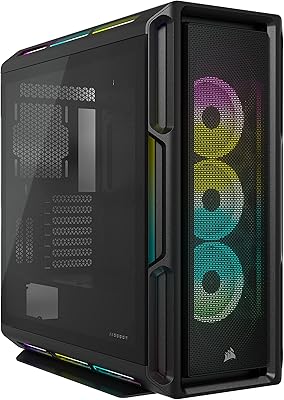
Corsair iCUE LINK 6500X RGB PC Case
79%
91%
Build Quality
93%
Aesthetic Design
88%
RGB Lighting
79%
Cable Management
87%
Cooling Performance
More
Corsair iCUE Link LX140-R RGB 140mm PWM Fan
81%
93%
RGB Lighting Quality
91%
Reversed Rotor Design
78%
Noise Level
83%
Airflow & Cooling Performance
81%
iCUE LINK Ecosystem Integration
More
Corsair iCUE 5000T RGB Mid-Tower Case
87%
91%
Build Quality
89%
Cooling Performance
87%
Ease of Setup
92%
Design & Aesthetics
85%
Cable Management
More
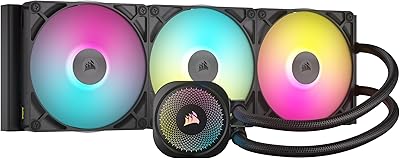
Corsair iCUE Link Titan 360 RX RGB AIO
83%
88%
Thermal Performance
84%
Noise Level
91%
Installation Experience
93%
Cable Management
67%
Software & Ecosystem Integration
More
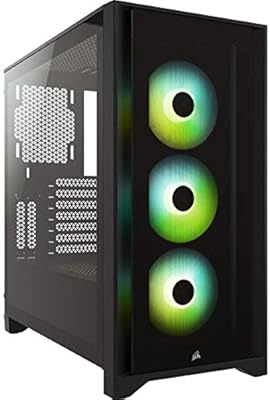
Corsair iCUE 4000X RGB Mid-Tower Case
81%
88%
Build Quality
71%
Airflow Performance
93%
RGB Lighting Quality
86%
Cable Management
74%
iCUE Software Integration
More
Corsair iCUE Link Titan 420 AIO Cooler
81%
88%
Thermal Performance
84%
Noise Level
93%
Cable Management
81%
Installation Experience
62%
Case Compatibility
More
Lian Li UNI Fan SL-INF 120 RGB Infinity Mirror ARGB 120mm Fan
86%
93%
Aesthetics and RGB Lighting
88%
Noise Level/Quiet Operation
91%
Build Quality and Durability
85%
Ease of Installation
87%
Cooling Efficiency
More
AsiaHorse COSMIQ 120mm RGB PC Fans
85%
87%
Cooling Performance
90%
Noise Level
85%
RGB Customization
88%
Ease of Installation
92%
Cable Management
More
Asiahorse Nyota 120mm ARGB Case Fan
85%
88%
Cooling Performance
90%
Noise Level
85%
RGB Lighting Quality
84%
Build Quality
80%
Ease of Installation
More
Asiahorse Dawn 120mm ARGB Case Fan
88%
88%
Cooling Performance
92%
Noise Level
84%
RGB Customization
89%
Build Quality
91%
Ease of Installation
More

FAQ

Yes, and this is the most important thing to know before purchasing. The iCUE LINK System Hub is required and sold separately. Without it, the fan spins and moves air, but the RGB lighting and daisy-chain features will not function as intended. Budget for the hub if you do not already own one.

No. The bridge connector system is exclusive to the iCUE LINK product family. Older Corsair fans using the previous LL, HD, or QL series connectors are not compatible with the iCUE LINK daisy-chain system and cannot be mixed in the same chain.

They will spin and respond to basic PWM speed control from any standard 4-pin header, so airflow is functional. However, all lighting modes, Zero RPM mode, and the daisy-chain cable management system require the hub. You are essentially paying a premium for features you cannot use without it.

Corsair's iCUE LINK System Hub supports up to six devices per port across its available channels. For a 360mm radiator build using three fans, a single port handles all three comfortably with one cable running back to the hub.

It performs well in both roles. The static pressure rating is competitive enough for pushing air through radiator fins, and the CFM is solid for open case intake or exhaust positions. Most builders use them on AIO radiators, where the daisy-chain benefit is most impactful.

At moderate speeds during typical gaming, it is quiet enough that most users will not notice it above other system noise. At or near maximum RPM during heavy rendering or stress testing, it becomes audible — around 37 dB at peak — but it is not unusually loud for a high-performance 120mm fan.

Yes, when configured through iCUE and connected via the LINK hub, the fan will stop spinning entirely when system temperatures fall below a defined threshold. The transition back to spinning is smooth rather than abrupt, and it works reliably in low-demand scenarios like desktop use or light browsing.

iCUE is known to use a modest amount of CPU and RAM in the background, which is negligible on most modern systems. That said, some users on older hardware or those running memory-sensitive workloads have reported it adding background overhead. It is worth checking community forums if you are running a system with limited resources.

Partial sync is possible through iCUE's integration with third-party platforms, but the experience is inconsistent. Some lighting effects and color accuracy can drift when bridging across ecosystems. If your build relies heavily on Aura Sync or another platform as the primary RGB controller, these fans are not the most compatible choice.

They release with a firm pull, but the connectors are snug by design to prevent accidental disconnection. In tight radiator bays there is not always much room to grip them cleanly, so removal during a build teardown can be a little awkward. No tools are required, and they are not fragile, but patience helps in confined spaces.

Where to Buy