Overview

The Corsair iCUE 4000X RGB Mid-Tower Case arrived in late 2020 and has held its ground in the mid-range gaming PC market ever since — which says something real about its staying power. It targets builders who refuse to choose between looks and cooling performance. Tempered glass on both the front and side panels gives the interior a full showcase effect, making component selection feel like part of the design. What pushes the value further is the included bundle, so you are not left scrambling for extras right out of the box. Solid thermals, strong aesthetics. That balance is the whole pitch.
Features & Benefits

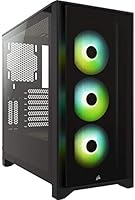
The three pre-installed SP120 RGB Elite fans are a genuine highlight. Each one uses anti-vortex vanes to channel airflow more directly rather than letting it scatter, and with eight individually addressable LEDs per fan, the lighting output is genuinely sharp. The cable routing channel runs cables through a single dedicated path behind the motherboard tray — 25mm of clearance back there makes a real difference when you are trying to keep things tidy without fighting the case. The iCUE Lighting Node CORE handles synchronization for up to six fans, though getting the most out of the software takes some patience. A bottom-mounted PSU shroud keeps the power supply neatly out of sight.

Best For

This Corsair mid-tower is an excellent pick for anyone building their first ATX system. The interior layout is forgiving — panels come off without drama, and the routing channel does most of the organizational heavy lifting. If you are going all-in on RGB and want iCUE to tie everything together, this case fits that iCUE ecosystem naturally. It also suits builders stepping into enthusiast territory who want a polished result without spending hours on custom cable work. Where it shines less is with hardcore thermal purists; if maximum airflow is the absolute priority, the glass front panel is a tradeoff worth thinking through before committing.

User Feedback

Across a very large pool of verified buyers, the build experience comes up again and again as a standout strength — people describe the interior as intuitive and well-organized even on a first build. The RGB setup draws consistent praise too, particularly how quickly iCUE pulls the lighting together once it is configured. That said, not everyone finds the software immediately intuitive; it has a learning curve that catches some newcomers off guard. The more technical complaints center on the front glass panel limiting intake airflow, a real concern for builders running hot components. A small number of users also hit clearance issues with larger radiators. Still, the overall sentiment across thousands of ratings is strongly positive.

Pros

  • Comes with three RGB fans and a lighting controller included, saving real money versus buying them separately.
  • The tempered glass side and front panels give finished builds a genuinely impressive, showcase-ready appearance.
  • Interior layout is forgiving and well-organized, making it one of the better options for first-time ATX builders.
  • The cable routing channel behind the motherboard tray is wide and deep enough to keep even busy builds looking clean.
  • iCUE ecosystem integration works well if you are already using compatible Corsair hardware.
  • Bottom-mounted PSU shroud keeps the lower half of the build tidy without any extra effort from the builder.
  • Solid steel chassis provides a stable, rattle-free foundation that holds up over repeated panel removals and upgrades.
  • Standard 240mm and 280mm radiator installations go in cleanly without clearance drama in most ATX configurations.
  • The 4000X RGB has maintained strong community reception for years, indicating reliable long-term satisfaction among owners.

Cons

  • The tempered glass front panel measurably restricts intake airflow compared to mesh alternatives — a real tradeoff for hot builds.
  • No USB-C port on the front I/O panel, which feels like an oversight on a case targeting current-generation builders.
  • iCUE software can be resource-heavy and occasionally unstable after system updates, frustrating users who just want set-and-forget lighting.
  • Plastic trim around the front panel feels lighter and cheaper than the rest of the chassis on close inspection.
  • Larger 360mm radiator configurations in the front can run into clearance issues depending on fan thickness and AIO brand.
  • The front panel requires a firmer, more deliberate pull to remove compared to the easier side panel detachment.
  • E-ATX motherboard support is absent, limiting the case to standard ATX and smaller form factors only.
  • Without active fan curve management, the included fans run louder than expected under sustained heavy loads.

Ratings

The Corsair iCUE 4000X RGB Mid-Tower Case earns its reputation as one of the more consistently well-received mid-tower options in its price bracket, and these scores reflect exactly that — generated by AI after parsing thousands of verified global purchases, with spam, bot activity, and incentivized reviews actively filtered out. The result is an honest picture: strong across most categories, but with a few real tradeoffs that matter depending on your build priorities. Both the genuine strengths and the recurring frustrations are represented here without softening either.
Build Quality
88%
The steel chassis feels reassuringly solid when you are moving panels around or installing heavy components. Tempered glass on both the front and side holds up well over time without developing the flex or creaking some competing cases show after repeated handling.
A handful of users noted that the plastic trim pieces around the front panel feel noticeably lighter than the rest of the chassis, which creates a slight quality mismatch. Nothing that affects function, but it stands out on close inspection.
Airflow Performance
71%
29%
With three fans pre-installed and the anti-vortex vane design doing real directional work, thermals are genuinely respectable for a case in this segment. Builders running mid-range GPUs and CPUs report comfortable temperatures under sustained gaming loads.
The tempered glass front panel is the central complaint here — it measurably restricts intake compared to mesh-front alternatives, and builders running hotter components often find themselves adding fans or replacing the front entirely. This is a known and widely discussed tradeoff in the PC building community.
RGB Lighting Quality
93%
The per-fan LED output is vibrant and even across all three included fans, and the individual addressability means lighting patterns look intentional rather than muddy. When the system is running in a dark room, the visual impact is hard to argue with.
Getting the most out of the lighting requires time inside the iCUE software, which is not the most beginner-friendly environment. Users who just want basic static colors without learning the full software suite may find the initial setup more involved than expected.
Cable Management
86%
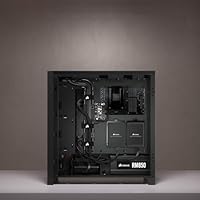
The single routing channel behind the motherboard tray is wide enough to handle a realistic bundle of power cables without forcing them, and 25mm of rear clearance means the side panel closes cleanly even on a busy build. First-time builders specifically call this out as making their results look far more polished than they expected.
The routing system is largely optimized for standard ATX layouts, and builders adding multiple PCIe power runs for high-end GPUs sometimes find the channel gets tight. It works, but it requires more planning than the otherwise straightforward interior suggests.
iCUE Software Integration
74%
26%
For builders already embedded in the Corsair ecosystem, having the Lighting Node CORE included and pre-wired is genuinely convenient — everything talks to the software without additional hardware purchases. Synchronizing lighting across compatible peripherals is a relatively smooth process once the initial configuration is done.
The software itself carries a reputation for being resource-heavy and occasionally temperamental after system updates. New users frequently report a steeper learning curve than anticipated, and the interface design has not kept pace with how intuitive competing ecosystems have become.
Ease of Build
91%
The interior layout is genuinely forgiving — panels detach without tools in most areas, standoffs are pre-installed for common motherboard sizes, and there is enough room to work comfortably even with larger hands. Multiple reviewers describe their first-ever build in this case as going smoother than expected.
The front panel connection cluster can be a tight reach depending on motherboard layout, and a small number of users found the fan header positioning required awkward cable runs. Minor issues in the broader context, but worth knowing before you start.
Value for Money
82%
18%
Getting three RGB fans, a lighting controller, and a tempered glass front and side panel in the box at this price point is a legitimate deal compared to buying a bare case and sourcing those components separately. The included hardware alone justifies a meaningful portion of the price.
As the mid-tower market has grown more competitive, some newer alternatives now offer mesh fronts and comparable fan bundles at similar or lower price points. The 4000X RGB remains solid value, but it is no longer the only strong option in its bracket.
Radiator & Cooling Compatibility
67%
33%
Standard 240mm and 280mm radiator installations in the roof are well-supported and present no real clearance drama with typical ATX builds. Builders running mainstream all-in-one coolers report a clean installation without modifications.
Larger 360mm radiator setups, particularly in the front, can run into clearance conflicts depending on the specific AIO brand and fan thickness. This is not universal, but it comes up often enough in community feedback that it warrants checking your specific components before purchasing.
Noise Levels
78%
22%
At moderate fan speeds the included fans produce a low, consistent hum that does not intrude during normal gaming or productivity use. The tempered glass panels, while debated for airflow, do contribute to a somewhat dampened acoustic environment compared to open-mesh designs.
At higher RPMs under sustained load, the fans become noticeably more present acoustically. Users without fan curve control set up in their BIOS or software report the default behavior running louder than they would like during intensive sessions.
I/O Port Accessibility
76%
24%
Having two USB 3.0 ports on the front panel is the right call for a gaming-focused build where fast peripheral access matters. The port placement sits at a convenient height on the top panel, which works well for most desk setups.
The absence of a USB-C front port is a recurring point of frustration, particularly for builders using newer peripherals or wanting to future-proof their setup. For a case aimed at the current market, this omission feels increasingly dated.
Interior Space & Layout
87%
The roomy interior handles full-size ATX boards and longer graphics cards without requiring any creative workarounds. GPU clearance is generous enough that most current consumer cards install without drama, and the PSU shroud keeps the lower half of the case clean.
E-ATX motherboard support is limited, so builders planning to use extended ATX layouts will need to look elsewhere. The case is well-sized for its target audience, but the ceiling on supported hardware is real.
Panel Removal & Access
84%
Both the side and front tempered glass panels come off with minimal effort, which makes accessing internals for upgrades or cleaning feel like a natural part of owning the case rather than a chore. The hinge-and-latch design on the side panel is particularly appreciated.
The front panel removal, while not difficult, is firmer than the side and requires a more deliberate pull. A few users have noted concern about long-term wear on the attachment points, though structural failures have not been widely reported.
Dust Filtration
69%
31%
Magnetic dust filters on the top and a removable filter under the PSU intake cover the most common accumulation points and pull off easily for cleaning. For casual builders who do maintenance every few months, the coverage is adequate.
The front panel design, by virtue of using tempered glass rather than a filtered mesh, means any air that does push through the front does so without meaningful filtration. Over time, components can accumulate dust faster than in well-filtered mesh alternatives.
Aesthetic Design
92%
The overall look holds up well — clean lines, no excessive external branding, and the combination of tempered glass panels with RGB-lit internals gives the finished build a genuinely impressive appearance that photographs well and looks sharp on a desk.
The aesthetic is firmly aimed at the RGB gaming crowd, which means builders going for a minimalist or all-black understated look may find the design language working against them. The tempered glass front in particular commits the build to a specific visual style.

Suitable for:

The Corsair iCUE 4000X RGB Mid-Tower Case is a natural fit for anyone stepping into PC building for the first time and wanting a result they can actually be proud of without the usual frustration. The interior layout is forgiving enough that even builders who have never seated a CPU or routed a cable before will find themselves working in a logical, well-organized space. It also makes strong sense for gamers who want their rig to look the part — the dual tempered glass panels turn the inside of the build into a display, and having RGB fans and a lighting controller already in the box removes a layer of planning most cases leave to the buyer. If you are already using Corsair peripherals or plan to build around the iCUE ecosystem, the integration here is genuinely convenient rather than just a marketing angle. Mid-range to enthusiast ATX builders who want a polished-looking system without spending hours on custom cable work will also find the single-channel routing approach behind the motherboard tray makes a real difference in the final result.

Not suitable for:

Builders whose top priority is maximum thermal performance should think carefully before committing to the Corsair iCUE 4000X RGB Mid-Tower Case, because the tempered glass front panel is a real and well-documented airflow limitation compared to mesh-front competitors. If you are running a high-TDP GPU and a demanding CPU simultaneously, that restriction may push you toward adding extra fans or swapping the front panel entirely, which undermines part of the value proposition. The case also lacks a USB-C front port, which is increasingly hard to overlook for builders investing in current-generation peripherals or SSDs that benefit from faster transfer speeds. Those planning an E-ATX motherboard build will need to look elsewhere, as the interior does not support extended form factors. And if iCUE software is not something you want in your workflow — it has a meaningful learning curve and a reputation for being resource-intensive — much of what makes this case distinctive becomes harder to justify at its price point.

Specifications

  • Case Type: Mid-tower ATX form factor designed to accommodate standard ATX, Micro-ATX, and Mini-ITX motherboards.
  • Dimensions: The case measures 9.1″ wide, 17.8″ tall, and 18.3″ deep, providing a substantial but desk-friendly footprint.
  • Weight: Fully assembled unit weighs 17.64 pounds, reflecting the solid steel chassis and dual tempered glass panel construction.
  • Materials: Built from a combination of alloy steel for the main chassis, tempered glass for the front and side panels, and plastic for trim components.
  • Included Fans: Ships with three 120mm SP120 RGB Elite fans, each equipped with anti-vortex vanes to direct and concentrate airflow.
  • Fan Lighting: Each included fan features eight individually addressable RGB LEDs, allowing per-LED color and effect control through iCUE software.
  • Lighting Controller: The iCUE Lighting Node CORE is included and supports centralized RGB control for up to six fans simultaneously.
  • Cable Management: Features a dedicated single-channel routing system behind the motherboard tray with 25mm of rear clearance for clean cable organization.
  • PSU Mount: Power supply mounts at the bottom of the case behind a full-length shroud, keeping cables and the unit hidden from view.
  • Front I/O: Front panel connectivity includes two USB 2.0 ports, two USB 3.0 ports, and a combined 3.5mm audio and microphone jack.
  • Cooling Method: Relies entirely on air cooling; no liquid cooling loop is included, though the case supports AIO radiator installations.
  • Radiator Support: Supports up to 360mm radiators in the top and front positions, though front clearance with thick fans may vary by AIO brand.
  • Drive Bays: Accommodates multiple 2.5″ SSDs and 3.5″ hard drives through dedicated mounting points distributed across the interior.
  • Panel Style: Both the side and front panels are tempered glass, providing full visibility into the build from two angles.
  • Software: Fully compatible with Corsair iCUE software for lighting synchronization, fan speed control, and ecosystem-wide peripheral coordination.
  • GPU Clearance: Supports graphics cards up to approximately 360mm in length, covering the vast majority of current consumer-grade GPUs.
  • CPU Cooler Height: Accommodates CPU air coolers up to approximately 170mm tall, which covers most mainstream tower coolers on the market.
  • Expansion Slots: Provides seven expansion slots for add-in cards, supporting standard multi-card and high-profile GPU configurations.
  • Model Number: Official Corsair model number is CC-9011204-WW, which corresponds to the black variant of this case.
  • Manufacturer: Designed and produced by Corsair, a US-based company with an established reputation in PC components and peripherals.

Related Reviews
Corsair iCUE 5000T RGB Mid-Tower Case
87%
91%
Build Quality
89%
Cooling Performance
87%
Ease of Setup
92%
Design & Aesthetics
85%
Cable Management
More
Corsair iCUE LINK 6500X RGB PC Case
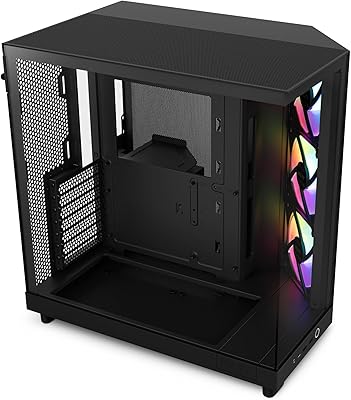
79%
91%
Build Quality
93%
Aesthetic Design
88%
RGB Lighting
79%
Cable Management
87%
Cooling Performance
More
Corsair 6500D Airflow Mid-Tower ATX Case
85%
88%
Cooling Performance
93%
Build Quality
91%
Airflow Efficiency
85%
Ease of Setup
90%
Cable Management
More
NZXT H6 Flow RGB Mid-Tower Case
80%
88%
Build Quality & Materials
84%
Airflow Performance
91%
Cable Management
79%
Glass Panel Quality
82%
Included RGB Fans
More
Corsair FRAME 4000D RS Mid-Tower Case
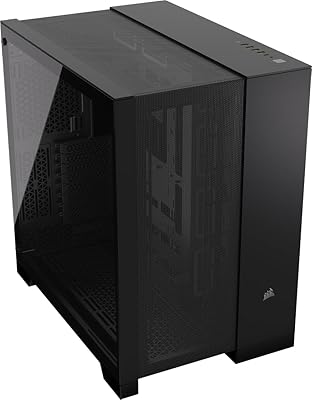
82%
91%
Airflow Performance
88%
Build Quality
86%
Modularity & Upgradability
83%
Fan Mounting System
78%
GPU Compatibility
More
Corsair 3000D Airflow Mid-Tower PC Case
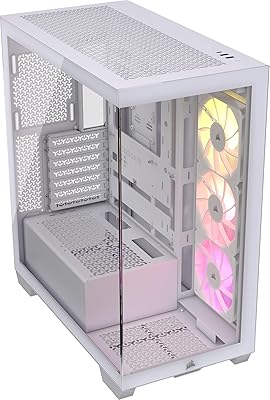
81%
93%
Airflow Performance
88%
Build Quality & Materials
91%
Thermal Management Design
84%
Cable Management
61%
Included Fans Quality
More
Corsair 3500X ARGB Mid-Tower ATX PC Case
84%
92%
Cooling Performance
87%
Build Quality
90%
Design & Aesthetics
85%
Ease of Installation
89%
Airflow Support
More
Lian Li Lancool III RGB White Mid-Tower Case
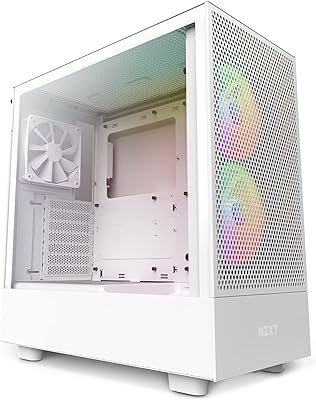
88%
94%
Cooling Performance
88%
Build Quality
92%
Design and Aesthetics
85%
Ease of Installation
91%
Airflow Optimization
More
NZXT H5 Flow RGB Compact ATX Mid-Tower PC Gaming Case
87%
92%
Cooling Performance
89%
Airflow Efficiency
87%
Build Quality
85%
Ease of Cable Management
90%
Design & Aesthetics
More
Thermaltake Tower 600 Mid-Tower ATX Case
79%
91%
Build Quality
93%
Aesthetic Design
88%
Cable Management
94%
Cooling Capacity
71%
Installation Experience
More

FAQ

It comes with three 120mm RGB fans already included, along with the iCUE Lighting Node CORE controller to run them. For most standard gaming builds, that is enough to get started without any additional purchases.

Yes, the Corsair iCUE 4000X RGB Mid-Tower Case is built around standard ATX compatibility, and the interior gives you plenty of room to work. Micro-ATX and Mini-ITX boards fit as well. Just note that E-ATX is not supported, so extended form factor boards are off the table.

It is a real tradeoff, not just community noise. The tempered glass front does limit how much air can push into the case compared to mesh-front alternatives. For mid-range builds the thermal impact is manageable, but if you are running a high-end GPU and a power-hungry CPU simultaneously, you may want to factor that in or plan to swap the front panel later.

You can, though it depends on the specific AIO and fan combination you choose. The top and front both support 360mm radiators on paper, but thicker fans can create clearance conflicts with certain motherboard layouts and component heights. It is worth checking your specific AIO brand against community build logs before committing.

The fans will run without iCUE, but you lose individual LED control and synchronization with other devices. If you just want them lit without customization, they will default to a basic lighting mode. For anything more specific, iCUE is required — and fair warning, it has a bit of a learning curve if you are new to it.

Honestly, this is one of the stronger points of the 4000X RGB. The routing channel behind the motherboard tray is wide, there is a generous 25mm of clearance to push cables through, and the PSU shroud hides the lower cable mass cleanly. Most first-timers report better results here than they expected.

No, and that is a commonly noted limitation. The front I/O gives you two USB 3.0 and two USB 2.0 ports, but no USB-C. If front USB-C connectivity matters to you for fast storage access or newer peripherals, this case does not provide it.

At moderate speeds they are relatively unobtrusive, producing a low hum that most people tune out quickly. Under heavy sustained load at higher RPMs they become more noticeable. Setting up a fan curve in your BIOS or through iCUE makes a meaningful difference in keeping noise levels under control.

The Lighting Node CORE relies on iCUE running on your system to hold custom profiles. If you close iCUE or boot into a different OS, the fans will typically fall back to a default lighting mode rather than your custom settings. It is not a hardware-stored profile system.

The filters on the top panel and under the PSU intake are magnetic and pull off without tools, which makes routine cleaning straightforward. The front glass panel does not have a traditional mesh filter behind it, so dust entering from the front goes straight to your components — something to keep in mind if you are in a dusty environment.

Where to Buy