

Overview

The Asiahorse Nyota 120mm ARGB Case Fan enters a crowded market with a clear proposition: look distinctive, move air effectively, and not cost a fortune. AsiaHorse isn't a household name the way Corsair or Noctua are, but the brand has been quietly building a reputation among enthusiast builders who want something visually different without premium pricing. The 120mm form factor fits virtually any mid-tower or full-tower case, making it an easy drop-in for most builds. This Nyota fan isn't trying to dethrone high-end competition — it targets builders who want a capable, good-looking fan that honestly earns its place in the build.

Features & Benefits

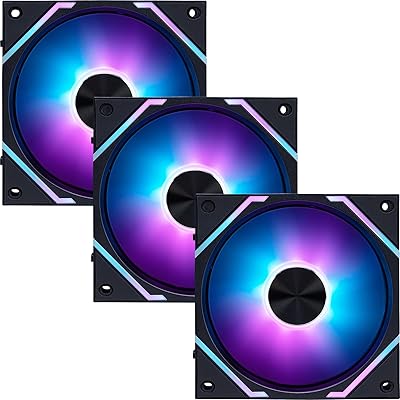
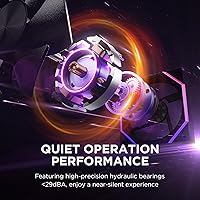
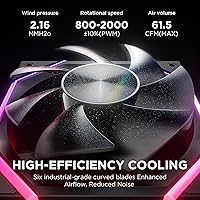
PWM speed control is where this ARGB case fan shows real practicality. In everyday use it sits comfortably between 800 and 1800 RPM — quiet enough at idle that you won't notice it, and responsive under load without becoming obnoxious. The hydraulic bearing contributes to low noise out of the box, though it is worth knowing that hydraulic bearings tend to wear faster than ball bearings over a multi-year horizon, so long-term reliability is a fair question. Airflow hits a rated 61.5 CFM, which is competitive for this size class. The ARGB lighting uses AsiaHorse's OSKAR light beads — colors are rich and transitions smooth, syncing reliably with ASUS Aura and MSI Mystic Light. The silicon corner pads are a small but appreciated touch for reducing vibration transfer to the case frame.

Best For

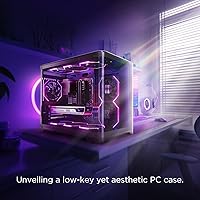
The AsiaHorse 120mm fan makes the most sense for mid-tower builds where front intake or top exhaust positions need a fan that balances aesthetics with real airflow. First-time builders who feel overwhelmed by premium fan pricing will find it approachable without feeling like a compromise. It is also a strong pick for home office or light workstation setups — at near-silent idle speeds, it won't intrude on a focused work session. Lighting sync is genuinely straightforward on ASUS, MSI, and Gigabyte boards. Where it is less ideal is in high-performance builds demanding sustained max throughput; in those cases, a ball-bearing fan from a more established brand may be the smarter long-term call.

User Feedback

Buyers who have picked up this Nyota fan consistently praise the lighting — colors land rich and vivid, and transitions between effects don't stutter the way cheaper ARGB fans sometimes do. Installation is straightforward, with cable lengths that reach comfortably in most standard cases. On the concerns side, a few users have flagged that real-world noise feels slightly higher than the sub-29 dBA spec suggests, particularly in open-air benches or cases with thin side panels. The hydraulic bearing draws some skepticism from long-term thinkers who prefer ball bearings past the two-year mark. ARGB sync has been mostly positive across ASUS and MSI boards, though a handful of users reported minor compatibility hiccups with older Gigabyte software versions.

Pros

  • ARGB lighting delivers rich, vivid colors with smooth transitions that hold up against pricier competitors.
  • The 120mm form factor fits virtually any standard mid-tower or full-tower case without modification.
  • PWM speed range keeps the fan near-silent during light tasks and responsive when the system heats up.
  • ARGB sync works reliably with ASUS Aura and MSI Mystic Light out of the box for most users.
  • Silicon corner pads reduce vibration transfer to the case, keeping the overall system noticeably quieter.
  • Cable lengths are generous enough to reach headers in most standard case layouts without extensions.
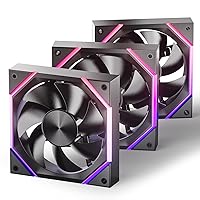
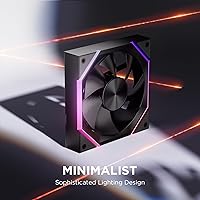
  • The Nyota blade geometry stands out visually — a genuine design identity rather than another generic-looking fan.
  • At its price point, the airflow-to-noise ratio is competitive with significantly better-known brands.
  • Available in both 120mm and 140mm variants, making it practical to match across different case positions.

Cons

  • Hydraulic bearings may develop noise or wobble faster than ball-bearing fans over a two-to-three year lifespan.
  • The sub-29 dBA noise claim is manufacturer-stated and may not hold in open-bench setups or thin-panel cases.
  • ARGB sync reliability drops on older Gigabyte RGB Fusion versions without a manual firmware update.
  • AsiaHorse carries less brand accountability and community support than established names like Noctua or Corsair.
  • Airflow at 61.5 CFM is adequate but not exceptional — high-heat builds may need a more pressure-optimized option.
  • The plastic frame construction feels functional rather than premium when handled directly during installation.
  • No dedicated controller or hub is included, so lighting and speed management depend entirely on your motherboard headers.
  • Limited long-term user data exists given the product launched in late 2024, making durability harder to verify independently.

Ratings

The scores below reflect an AI-driven analysis of verified global user reviews for the Asiahorse Nyota 120mm ARGB Case Fan, with spam, incentivized, and bot-generated feedback actively filtered out before scoring. Each category captures what real builders experienced — both the genuine highlights and the recurring frustrations — so you get an honest picture before committing to a purchase.

ARGB Lighting Quality
88%
Users consistently single out the lighting as the fan's strongest asset, praising the color richness and the smoothness of effect transitions. Builders who have the fan mounted behind a tempered glass panel report that the OSKAR light beads produce a noticeably more uniform glow than similarly priced alternatives, with no visible hot spots.
A small but consistent segment of users note that at certain color temperature settings — particularly cooler whites and pale yellows — the output looks slightly washed out compared to the vivid performance at reds, blues, and purples. This is a niche concern but worth flagging for builders with very specific aesthetic targets.
Cooling Performance
76%
24%
At 61.5 CFM for a 120mm fan, the airflow is genuinely competitive in its class, and builders using it as a front intake or top exhaust report stable temperatures during gaming sessions and general workloads. The PWM responsiveness means the fan ramps up quickly when needed without lagging behind thermal demands.
Users running thermally demanding setups — high-core-count CPUs, aggressive overclocks — flag that the fan's airflow ceiling is adequate but not impressive. In these scenarios, it tends to trail behind higher-static-pressure options, and a few builders noted marginally higher case temps compared to their previous fans under full sustained load.
Noise Level
71%
29%
At lower RPMs, this Nyota fan earns genuine praise from home office and workstation users who keep their systems under moderate load most of the day. The hydraulic bearing is quiet when new, and several users specifically noted they could no longer hear the fan while watching video or working in quiet rooms.
The sub-29 dBA spec is a manufacturer figure, and real-world impressions diverge from it noticeably in open-bench setups or cases with mesh-heavy panels. Users report that at higher RPMs — above roughly 1500 — the fan becomes audible in quieter environments, with a few describing a faint but detectable air rush sound.
Motherboard Sync Compatibility
74%
26%
Sync with ASUS Aura and MSI Mystic Light works reliably for the majority of users, typically requiring nothing beyond plugging into the 5V ARGB header and opening the software. Builders on newer boards report a genuinely plug-and-play experience for both lighting control and effect synchronization.
Gigabyte RGB Fusion compatibility is notably spottier, with multiple users reporting that the fan either fails to appear in the software or displays incorrect colors until a Fusion update is applied. A smaller number of users on older ASUS boards also flagged occasional drop-outs that required a system restart to resolve.
Bearing & Long-Term Durability
61%
39%
For builders who upgrade or refresh their systems every two to three years, the hydraulic bearing performs well within that window — quiet, stable, and consistent. Users in the six-to-twelve month range report no degradation in either noise or rotational smoothness, which aligns with expectations for this bearing type.
The hydraulic bearing is the most frequently cited long-term concern among experienced builders, who note that this design tends to develop wobble or audible friction faster than ball-bearing fans under sustained high-RPM use. AsiaHorse is also a newer brand with a limited track record, so multi-year durability data from real users is still sparse.
Build & Frame Quality
69%
31%
The frame feels solid enough for standard installation, and the silicon corner pads are a thoughtful addition that reduces the micro-vibrations that can turn a quiet fan into an irritating case buzz. Builders who have handled a range of fans in this price tier generally consider the physical construction above average.
The plastic frame does not project a premium feel when handled directly — more experienced builders accustomed to fans from Noctua or Lian Li will notice the difference immediately. Some users also reported that the blade material feels slightly thin, raising questions about how it holds up if the fan is ever stopped by an obstruction.
Installation Ease
84%
The mounting process is described as hassle-free by the majority of users, including first-time builders who had never installed a case fan before. Standard 120mm screw positions, clearly labeled headers, and a reasonable cable length make it a low-stress addition to most builds.
A handful of users in larger full-tower cases noted that the ARGB cable just barely reaches distant motherboard headers, requiring careful cable routing. The fan also ships without any cable management accessories like velcro ties, which is a minor but recurring complaint among tidier builders.
Value for Money
82%
18%
For builders who want genuine ARGB quality and functional cooling without moving into premium fan pricing, this AsiaHorse 120mm fan lands in a sweet spot that is hard to argue with. The lighting quality in particular punches above what the price tag typically delivers in this category.
When stacked against budget competition from brands with longer track records, the value equation depends heavily on how long the fan lasts. If the hydraulic bearing requires replacement within two years, the effective cost-per-year calculation becomes less flattering compared to pricier but more durable alternatives.
Aesthetic Design
86%
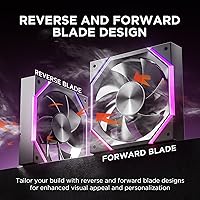
The Nyota blade geometry genuinely stands out in a market flooded with near-identical fan designs, and builders who care about the visual identity of their build consistently praise it as one of the more distinctive-looking fans in its class. The light line and blade line integration looks intentional and cohesive rather than decorative-as-an-afterthought.
Design preference is subjective, and a segment of users who favor cleaner or more minimal aesthetics find the Nyota's styling slightly busy. The unique blade profile also makes it harder to blend into a mixed-fan setup if you are combining it with fans from other brands.
Cable Management
63%
37%
The cable lengths are adequate for most standard mid-tower cases, and the separate PWM and ARGB cables give builders flexibility in how they route and connect each function independently. Users in compact or straightforward builds report no issues.
Two separate cables — one for PWM, one for ARGB — add clutter compared to fans that consolidate connections or include braided sleeving. In tight cases where clean routing matters, the unsleeved cables and their modest length can create visible wire management challenges behind the motherboard tray.
Vibration & Resonance
79%
21%
The silicon corner pads do meaningful work here — users who previously dealt with case buzz from other fans specifically noted that the Nyota mounts quietly against both steel and tempered glass panels. At moderate RPMs, vibration transmission to the case is negligible for most build types.
At peak RPM under heavy airflow demand, a small number of users reported low-frequency resonance in cases with thinner steel side panels. This is largely a case-dependent issue rather than a fan defect, but it is worth noting for builders with budget-tier enclosures.
Packaging & Unboxing
72%
28%
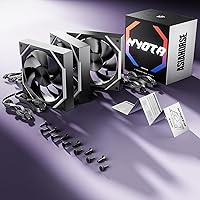
The fan arrives well-protected, and included mounting screws are present and correctly sized for standard case mounts. First-time builders appreciated that nothing felt missing or confusing when opening the box.
The packaging is functional but sparse — no installation guide, no cable management accessories, and no warranty card or documentation beyond the bare minimum. For a fan at this price point, some buyers expected a slightly more considered unboxing experience.

Suitable for:

The Asiahorse Nyota 120mm ARGB Case Fan is a natural fit for builders who want their rig to look as good as it performs, without stretching into premium fan territory. First-time PC builders will appreciate how straightforward it is to install and configure — the PWM and ARGB headers are standard, and syncing the lighting with ASUS Aura or MSI Mystic Light requires no special software beyond what most motherboard owners already use. It works particularly well in mid-tower cases where front intake or top exhaust slots benefit from a fan that balances 61.5 CFM airflow with low operational noise at everyday speeds. Home office and light workstation builders will also find it a comfortable pick — at lower RPMs it fades into the background acoustically, making it easy to share a room with during focused work. Anyone drawn to the visual side of PC building who wants a blade design that stands apart from the sea of identical-looking fans will find the Nyota line genuinely refreshing.

Not suitable for:

The Asiahorse Nyota 120mm ARGB Case Fan is not the right call for builders running thermally demanding systems where sustained maximum airflow is non-negotiable. At peak load, a rated 61.5 CFM is respectable but not class-leading, and buyers putting together a high-core-count workstation or an overclocked gaming rig may want fans with higher static pressure ratings or proven ball-bearing longevity. The hydraulic bearing is a legitimate concern for anyone planning to run this fan continuously for three or more years — hydraulic designs tend to wear and introduce noise more quickly than ball-bearing alternatives, which matters if you build and forget rather than build and upgrade. Users on older Gigabyte motherboards should also be aware that ARGB sync compatibility is not guaranteed without a software update. Finally, noise-sensitive users expecting total silence should treat the sub-29 dBA rating as a best-case figure; real-world results vary depending on case construction, mounting surface, and airflow load.

Specifications

  • Fan Size: The fan measures 120×120×25mm, a standard form factor compatible with the vast majority of mid-tower and full-tower PC cases.
  • Speed Range: Fan speed is PWM-controlled from a low of 800 RPM up to a rated maximum of 2000 RPM, with typical real-world operation sitting between 800 and 1800 RPM.
  • Airflow: The 120mm model delivers a rated maximum airflow of 61.5 CFM, suitable for intake and exhaust positions in most mainstream desktop builds.
  • Noise Level: AsiaHorse rates operational noise at under 29 dBA, measured under controlled conditions; real-world acoustic results will vary based on case design and mounting surface.
  • Bearing Type: The fan uses a hydraulic bearing, which provides quiet initial operation but may exhibit increased noise or wobble relative to ball-bearing designs after extended continuous use.
  • Fan Connector: A 4-pin PWM connector handles motor speed control, while a separate 3-pin 5V ARGB header connects to compatible motherboard ARGB headers for lighting control.
  • ARGB Voltage: The ARGB lighting circuit operates at 5V, conforming to the standard 3-pin ARGB header specification found on most modern motherboards.
  • Fan Voltage: The motor operates at 12V DC, supplied through the standard 4-pin PWM fan header.
  • Power Draw: Maximum power consumption is rated at 6W, which is typical and unremarkable for a 120mm PWM fan in this performance class.
  • Lighting Tech: ARGB illumination is produced by AsiaHorse's proprietary OSKAR light beads, designed to deliver consistent color across the full blade and frame area.
  • Vibration Dampening: Four silicone corner pads are integrated into the fan frame to reduce vibration transmission between the fan body and the case mounting surface.
  • Frame Material: Both the outer frame and fan blades are constructed from plastic, which is standard for this product category and price tier.
  • Dimensions: Packaged dimensions are approximately 5.94×5.28×3.90 inches, and the unit weighs approximately 1.39 pounds including packaging.
  • Compatible Devices: This fan is designed exclusively for use in desktop PC cases and is not intended for server chassis, laptops, or any non-desktop application.
  • Software Sync: ARGB lighting effects and colors can be controlled and synchronized through major motherboard software platforms including ASUS Aura Sync, MSI Mystic Light, and Gigabyte RGB Fusion.
  • Available Sizes: The Nyota line is offered in both 120mm and 140mm variants, allowing builders to maintain a consistent aesthetic across different fan mounting positions.
  • Model Line: This fan belongs to the Nyota product family from AsiaHorse, first made available in November 2024.
  • Brand: Manufactured by AsiaHorse, a PC cooling and aesthetics brand that has been expanding its presence in the enthusiast market.

Related Reviews
Asiahorse Dawn 120mm ARGB Case Fan
77%
91%
Cable Management
78%
Airflow Performance
84%
Noise Level
87%
RGB Lighting Quality
76%
Value for Money
More
Lian Li UNI Fan SL Wireless 120mm ARGB Fan
85%
91%
Cooling Performance
88%
Ease of Installation
84%
Noise Level
95%
RGB Customization
89%
Build Quality
More
Lian Li UNI Fan SL-INF 120 RGB Infinity Mirror ARGB 120mm Fan
86%
93%
Aesthetics and RGB Lighting
88%
Noise Level/Quiet Operation
91%
Build Quality and Durability
85%
Ease of Installation
87%
Cooling Efficiency
More
AsiaHorse COSMIQ 120mm RGB Case Fans 3-Pack
77%
93%
Cable Management
88%
Lighting Quality
86%
Ease of Installation
79%
Cooling Performance
67%
Noise Level
More
WDERAIR P1238 120mm PWM Computer Case Fan
70%
94%
Airflow Performance
31%
Noise Level
81%
Build Quality
83%
Durability & Longevity
76%
PWM Speed Control
More
Cooler Master SF240R ARGB 240mm Case Fan
77%
78%
Cooling Performance
74%
Noise Level
88%
Installation Ease
76%
ARGB Lighting Quality
71%
ARGB Compatibility
More
Lian Li UNI Fan SL-Infinity 140 ARGB Fan
86%
92%
Cooling Performance
95%
Visual Appeal & Lighting
87%
Noise Level
80%
Installation Ease
91%
Build Quality
More
AsiaHorse Perseus Mid-Tower ATX PC Case
75%
94%
Aesthetic Design
91%
Component Visibility
83%
Build Quality
86%
GPU Compatibility
82%
Interior Spaciousness
More
PCCOOLER C3T500 ARGB Mid Tower PC Case
78%
88%
Value for Money
71%
Build Quality
79%
Cooling Performance
91%
Ease of Assembly
93%
Aesthetics & Lighting
More
AsiaHorse AMICI-5GT ARGB PC Fans
79%
91%
Lighting & Visual Impact
83%
Airflow Performance
78%
Noise Level
89%
RGB Ecosystem Compatibility
76%
Build Quality & Materials
More

FAQ

In most cases, yes. Plugging the 3-pin ARGB header into your motherboard's 5V ARGB header and opening ASUS Aura Sync should detect it automatically. Just make sure your Aura Sync software is up to date, as older versions occasionally have detection issues with newer fans.

The manufacturer rates it under 29 dBA, but that figure is measured in ideal lab conditions. In a real build inside a mid-tower with decent sound dampening, most users find it very quiet at lower RPMs. If you have a case with thin or mesh side panels, you may notice it slightly more at higher speeds.

Hydraulic bearings are generally quieter than ball bearings when new, but they do have a shorter reliable lifespan under heavy continuous use. If you plan to run your PC nearly 24 hours a day or keep the same fans for four or more years without swapping them, a ball-bearing fan might be a safer long-term bet. For normal gaming or workstation use with occasional downtime, hydraulic bearings are perfectly adequate.

You can use it for cooling, yes — the 4-pin PWM connector handles fan speed independently of the lighting. However, without an ARGB header, you won't be able to control the lighting effects. Some users connect it to an ARGB controller hub or a case-integrated controller as a workaround.

Yes, it is compatible with MSI Mystic Light through the standard 5V 3-pin ARGB header. Most users report it syncs without any special setup beyond installing or updating Mystic Light. If effects appear out of sync initially, a software restart or header re-plug usually resolves it.

The fan ships with standard case fan mounting screws that fit the typical 120mm screw pattern. Cable lengths are sufficient for most standard mid-tower layouts without needing extensions, though unusually deep full-tower cases with distant header positions might require a short extension.

At 61.5 CFM, this Nyota fan holds its own against many fans in the same general price class, but premium options from Corsair or Lian Li often pair similar or higher CFM with better-documented static pressure curves and longer warranty support. For general intake and exhaust in a gaming or office build, the difference in real-world temperatures will likely be minimal.

Honestly, the lighting is one of the stronger points of this fan. The OSKAR light beads produce color that is notably richer and more even than what you typically see from generic budget ARGB fans. Color transitions are smooth rather than steppy, and the blade design helps diffuse light in a way that looks intentional rather than afterthought.

It depends on your motherboard's header current rating, but daisy-chaining two or three fans on a single 5V ARGB header is possible if the total current draw stays within spec — typically 3A for most headers. Using a dedicated ARGB splitter cable is the safer and more reliable approach if you are running three or more fans.

Yes, the 120×120×25mm dimensions match the universal standard for 120mm case fans, so it will fit any case that officially supports 120mm fan mounts, including radiator positions on 240mm and 360mm AIO cooler spots.