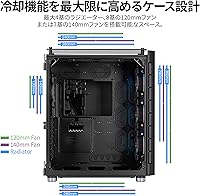
Overview

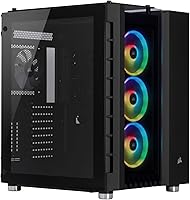
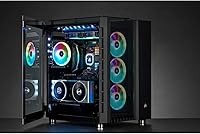
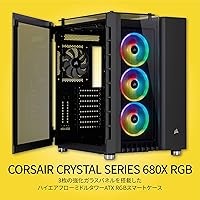
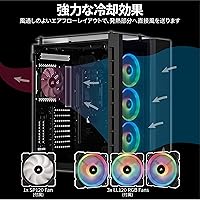
The Corsair 680X RGB ATX Mid-Tower Case is built for enthusiast builders who refuse to choose between serious cooling and a clean, visually impressive rig. What separates it from most mid-towers is its Direct Airflow Path layout — a structural approach that routes air directly over the hottest components rather than letting it wander. Three tempered glass panels make the internals the centerpiece, not an afterthought. It is a large, heavy case, and the price reflects that. If you are building for the long haul and already live in the Corsair ecosystem, the iCUE integration alone adds real value. But go in clear-eyed: this is not a budget pick.

Features & Benefits

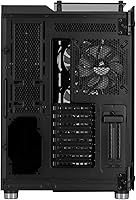
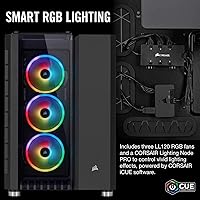
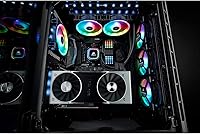
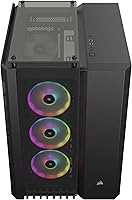
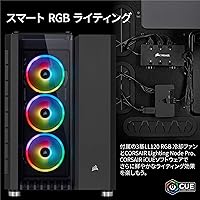
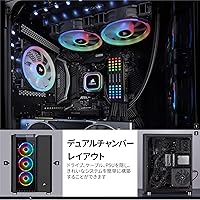
The dual-chamber design is the internal feature that makes building in the 680X feel genuinely different. Your power supply and cables live behind the motherboard tray, completely out of sight, so the main chamber stays uncluttered no matter how messy your wiring actually is. Three LL120 RGB fans come pre-installed and connect to an included Lighting Node PRO, giving you 48 LEDs to customize right out of the box via iCUE software. The hinged side panel makes accessing your build refreshingly easy. Radiator support goes up to 360mm, which means you will not outgrow this case if you eventually upgrade to a custom liquid loop.

Best For

This mid-tower build is an ideal match for builders who want their PC to look as good as it performs — the kind of person who actually cares about cable routing and RGB synchronization across their entire setup. Gamers running power-hungry CPUs and GPUs will appreciate the airflow-focused layout that keeps temps in check during extended sessions. It is also a natural fit for anyone already using iCUE-compatible hardware like Corsair memory or peripherals. One honest note: if you are working with limited desk space, measure first. This Corsair case is not compact, and at over 25 pounds, it is not something you will be moving around casually.

User Feedback

Owners consistently praise the build quality — the panels are thick, the glass is clear, the fit and finish feel premium, and assembly is straightforward enough that first-time builders rarely complain about the process. Long-term users report that the case holds up well over time, both structurally and aesthetically. That said, a few recurring frustrations surface. Fan noise becomes noticeable when the system is under heavy load, which matters if you are sensitive to acoustics. Some builders find certain cable routing channels tighter than expected despite the spacious rear compartment. The physical size is a real consideration — more than a few reviewers note that it dominates a desk corner.

Pros

  • The dual-chamber design keeps cables completely hidden, making clean builds achievable even for less experienced builders.
  • Three LL120 RGB fans are included out of the box, so you are not buying fans separately on top of an already premium price.
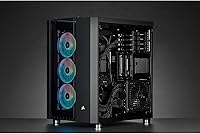
  • Tempered glass panels on three sides give the interior a genuinely impressive, unobstructed view.
  • The hinged side panel makes accessing components quick and does not require tools or fumbling with screws.
  • Radiator support up to 360mm means the 680X grows with your build if you move to liquid cooling later.
  • iCUE integration lets you synchronize lighting across fans, memory, and peripherals from a single software interface.
  • Build quality is consistently praised by long-term owners, with panels and materials that still feel solid years in.
  • Assembly is straightforward enough that first-time builders rarely encounter serious frustrations during the process.

Cons

  • Fan noise becomes noticeable under sustained heavy loads, which may bother users in quiet environments.
  • Some cable routing channels in the rear compartment are tighter than the spacious design suggests they should be.
  • The case is very large and heavy, making it impractical for small desks or anyone who moves their PC regularly.
  • Only two USB 2.0 ports are included on the front panel, which feels limited for a premium build.
  • The premium price is hard to justify if you have no interest in RGB lighting or iCUE ecosystem features.
  • Buyers outside the Corsair ecosystem lose much of the software integration value that the Lighting Node PRO is designed for.
  • The large footprint can make positioning the case on a desk awkward, pushing many users to floor placement by necessity.

Ratings

Our AI rating system analyzed thousands of verified global user reviews for the Corsair 680X RGB ATX Mid-Tower Case, actively filtering out incentivized, bot-generated, and spam submissions to surface only authentic buyer sentiment. The scores below reflect both the genuine strengths that keep this case highly rated after years on the market and the real frustrations that prevent it from being a universal recommendation. Every category score is weighted against what actual builders reported in long-term use, not just first impressions.

Build Quality
93%
Owners consistently describe the chassis as feeling genuinely premium — panels sit flush, the steel frame has no flex, and the tempered glass does not rattle or creak during normal use. Long-term users who have had the 680X for two or three years report that the structural integrity holds up just as well as when it was new.
A small number of buyers noted minor imperfections in the powder coating on internal surfaces, and a few received units where the hinged side panel needed adjustment out of the box. These appear to be isolated quality control issues rather than a systematic flaw.
Airflow & Cooling
89%
The Direct Airflow Path layout delivers measurable results for builders running high-TDP processors and graphics cards — many users report notably lower GPU temps compared to their previous cases under identical workloads. The three front intake fans create strong positive pressure that keeps dust accumulation manageable over time.
The stock 120mm fans, while capable, begin to show their limits in extreme thermal scenarios without additional exhaust fans at the rear and roof. Builders running the most demanding configurations often find themselves buying one or two extra fans to complete the airflow loop properly.
RGB Lighting
88%
The 48 LEDs across the three LL120 fans produce vivid, even illumination that genuinely looks impressive through the glass panels, especially in low-light environments. For builders already in the Corsair iCUE ecosystem, the synchronization with RAM, keyboards, and peripherals works reliably and produces cohesive lighting effects.
Users outside the Corsair ecosystem find the Lighting Node PRO only partially useful, since its full potential is locked behind iCUE software compatibility. A handful of reviewers also reported that iCUE software updates occasionally disrupted lighting profiles and required re-configuration.
Cable Management
79%
21%
The dual-chamber design is the standout feature here — the rear compartment genuinely hides a substantial amount of cabling, and builders consistently say their finished systems look far cleaner than they expected given the volume of cables involved in a full ATX build.
Several builders noted that the routing channels, while generous in number, become tight when working with thick or non-modular power supply cables, making the rear panel difficult to close flat. Modular PSU cables help significantly, but this adds cost on top of an already premium case price.
Ease of Assembly
84%
The hinged tempered glass side panel is frequently called out as a highlight of the assembly process — no screws, no lifting, just open and get to work. First-time builders report fewer frustrations than expected given the case's size and the number of components involved.
The case's large internal volume, while ultimately helpful, can make reaching certain mounting points awkward for builders with smaller hands or shorter arms. A few users also mentioned that the front glass panel, while beautiful, obscures access to the front fan screws during installation.
Fan Noise
67%
33%
At low to moderate loads, the included LL120 fans are acceptably quiet for a gaming environment, and casual users who never push their systems hard rarely mention noise as a concern. iCUE fan curve customization lets attentive users tune RPMs down during lighter workloads.
Under sustained heavy gaming or rendering loads, the fans ramp up noticeably and become the dominant sound source in a quiet room. This is a recurring criticism from users who expected near-silent operation at all times — the 680X is not a quiet case by design when the thermals demand it.
Value for Money
71%
29%
For builders fully embedded in the Corsair iCUE ecosystem, the included Lighting Node PRO and three LL120 fans represent genuine bundled value that partially offsets the premium price. The long-term durability also shifts the calculus — many owners feel the cost per year of use is quite reasonable after three or four years.
For builders who have no interest in RGB lighting or iCUE integration, the price is harder to defend against competitors that offer comparable airflow and build quality at a lower cost. Budget-conscious builders specifically flag feeling like they are paying for aesthetics they did not need.
Tempered Glass Panels
86%
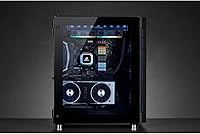
The clarity of the three glass panels is consistently praised — the front, roof, and side panels provide an unobstructed view of the internals that genuinely shows off a well-built system. Owners who take pride in their cable management particularly appreciate how much of the build is visible simultaneously.
Three glass panels also mean three surfaces to clean regularly, and fingerprints are visible almost immediately after touching any panel. A small number of users reported edge chips on the glass panels during shipping, suggesting the panels are susceptible to damage if the packaging is handled roughly.
Front I/O Ports
58%
42%
The front panel layout is clean and unobtrusive, and the port placement is accessible from both desk and floor positions. The USB ports are solidly built and show no signs of loosening even after frequent daily use reported by long-term owners.
Only two USB 2.0 ports on the front panel is a meaningful limitation for a case in this price range — the absence of a USB 3.1 Type-C front port is a commonly cited disappointment given when this case was released. Builders who rely on front-panel USB connectivity for regular peripheral use will likely find this insufficient.
Physical Footprint
62%
38%
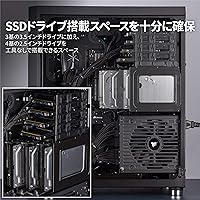
The large internal volume that the footprint enables is genuinely useful for complex builds with large coolers, multi-drive configurations, or ambitious liquid cooling setups. Builders with dedicated PC desks or floor space rarely mention the size as a problem once the build is in place.
At nearly 20 inches tall and over 25 pounds empty, this case simply does not work for small rooms, compact desks, or anyone who moves their system with any regularity. It is one of the most frequently mentioned purchase regrets among buyers who did not measure their available space in advance.
Dust Filtration
74%
26%
Dust filters on the front and bottom intakes do a reasonable job of keeping the interior cleaner between maintenance sessions, and the positive pressure created by the front fans further reduces dust ingestion through unfiltered gaps. Builders in dustier environments report the filters catch a meaningful amount of particulate over several months.
The filters require regular cleaning to maintain effective airflow, and some owners find them fiddly to remove and reinstall properly. The roof panel lacks a fine mesh filter, which allows some dust ingestion when exhaust fans create negative pressure in that zone.
Radiator Compatibility
91%
Support for radiators up to 360mm in the front is a genuine long-term advantage — builders who started with air cooling have successfully upgraded to full custom loops years later without needing a new case. The flexibility across 120mm, 140mm, and 280mm configurations also makes it compatible with a wide range of all-in-one liquid coolers.
Installing a large radiator in the front does require removing the pre-installed fans and carefully planning the layout to avoid clearance conflicts with RAM height and motherboard components. It is manageable, but less experienced builders should expect to spend time researching their specific hardware combination before committing to a radiator upgrade.
Long-Term Durability
92%
Multi-year owners are among the most vocal supporters of the 680X — the case holds up structurally, the glass stays clear, and the hinges remain functional without developing slop or creaking over time. This long-term reliability is a consistent theme in reviews from buyers who have used the case through multiple component upgrades.
The soft-touch coating on some exterior surfaces has shown wear marks on older units used in high-traffic environments, particularly around the front I/O area. This is a cosmetic issue rather than a functional one, but it is worth noting for buyers who care about the exterior appearance holding up over years of daily interaction.

Suitable for:

The Corsair 680X RGB ATX Mid-Tower Case is purpose-built for enthusiast PC builders who want their system to perform as impressively as it looks. If you are running a high-end CPU and GPU combination that generates serious heat, the Direct Airflow Path layout and triple-fan configuration give you a genuine thermal advantage over cases that treat airflow as an afterthought. Builders who are already invested in the Corsair iCUE ecosystem — whether through RGB memory, keyboards, or mice — will find the synchronized lighting integration genuinely useful rather than just cosmetic. Anyone planning a 240mm, 280mm, or 360mm liquid cooling upgrade will appreciate that the case supports it without requiring modifications or compromises. This is fundamentally a long-term build platform: the kind of case you buy once, build into carefully, and keep running for years.

Not suitable for:

The Corsair 680X RGB ATX Mid-Tower Case is a poor fit for anyone working within tight physical or financial constraints. At nearly 20 inches tall and over 25 pounds, it demands real desk or floor space, and buyers in small rooms or with compact setups should measure carefully before committing. If RGB lighting and glass panels are not priorities for you, you are paying a premium for features you will never use, and there are more cost-effective cases that deliver comparable airflow in a simpler package. Budget-conscious builders, or those who simply want a functional enclosure without the showpiece aesthetics, will find the value proposition harder to justify. It is also not the right choice for anyone who needs a compact or portable system, or who prefers a quieter build with low-noise fans from the start.

Specifications

  • Form Factor: This is a full-sized ATX mid-tower chassis compatible with ATX and SSI EEB motherboards.
  • Dimensions: The case measures 16.65″ long by 13.54″ wide by 19.88″ tall, requiring meaningful desk or floor space.
  • Weight: The fully assembled empty case weighs 25.6 pounds due to its alloy steel and tempered glass construction.
  • Materials: The chassis is constructed from alloy steel, with three distinct tempered glass panels on the front, roof, and side.
  • Included Fans: Three 120mm LL120 RGB fans come pre-installed, providing intake airflow through the front of the case.
  • RGB LEDs: The three included LL120 fans collectively feature 48 individually addressable RGB LEDs.
  • Lighting Controller: A Corsair Lighting Node PRO is included in the box, enabling iCUE software control over all connected RGB components.
  • Radiator Support: The case supports radiators in 120mm, 140mm, 240mm, 280mm, and 360mm configurations across multiple mounting positions.
  • Glass Panels: Tempered glass panels are fitted at the front, roof, and on the hinged side door for full interior visibility.
  • Side Panel: The left side panel is hinged and opens like a door, requiring no screws for routine access.
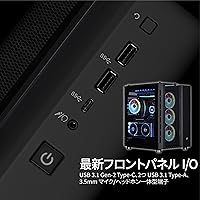
  • USB Ports: The front I/O panel includes two USB 2.0 ports for peripheral connectivity.
  • PSU Mount: The power supply mounts at the rear bottom of the case, isolated from the main component chamber.
  • Cooling Method: The case uses a Direct Airflow Path layout designed to channel air over critical components; it is also fully liquid cooling ready.
  • Cable Management: A dedicated rear chamber behind the motherboard tray isolates power supply cables and routing channels from the main build area.
  • Software: The case is compatible with Corsair iCUE software, which enables synchronized RGB lighting across all connected iCUE devices.
  • Color: The case is available in black, with a black-tinted interior finish and darkened steel accents throughout.
  • Model Number: The official model identifier is CC-9011168-WW, as designated by Corsair for this specific configuration.
  • Release Date: The 680X first became available in March 2019 and has remained in active production since.

Related Reviews
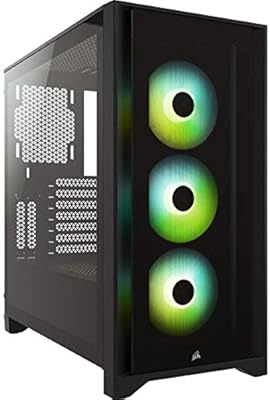
Corsair iCUE 4000X RGB Mid-Tower Case
81%
88%
Build Quality
71%
Airflow Performance
93%
RGB Lighting Quality
86%
Cable Management
74%
iCUE Software Integration
More
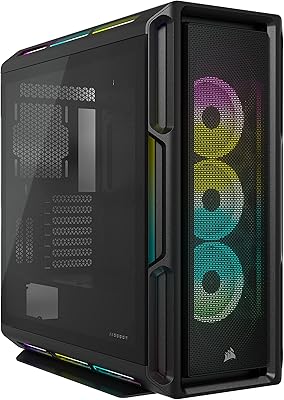
Corsair iCUE LINK 6500X RGB PC Case
79%
91%
Build Quality
93%
Aesthetic Design
88%
RGB Lighting
79%
Cable Management
87%
Cooling Performance
More
Corsair 6500D Airflow Mid-Tower PC Case
81%
93%
Build Quality
91%
Interior Layout
88%
Airflow Performance
84%
Reverse Connector Support
79%
Cable Management
More
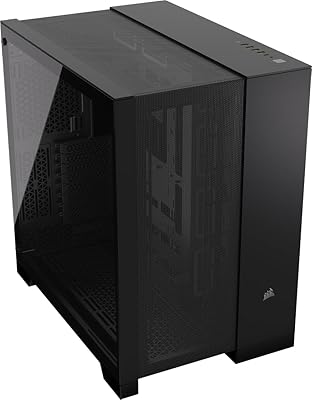
Corsair 5000T RGB Mid-Tower PC Case
79%
89%
Build Quality
93%
RGB Lighting
67%
Airflow Performance
74%
Cable Management
86%
Cooling Flexibility
More
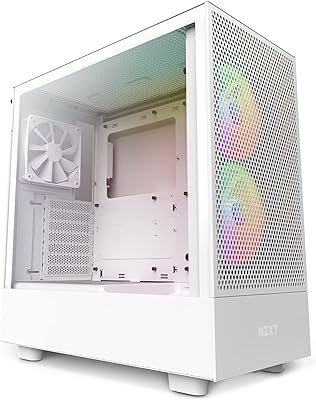
Corsair 3500X ARGB Mid-Tower PC Case
78%
93%
Aesthetic Design
91%
ARGB Lighting
88%
Build Quality
87%
Interior Space
86%
Fan Inclusion
More
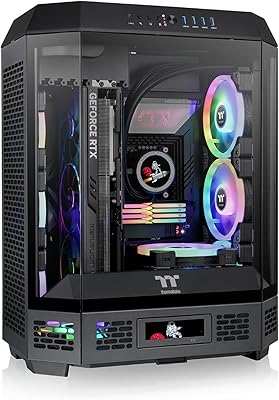
NZXT H5 Flow RGB Mid-Tower PC Case
83%
93%
Airflow Performance
54%
Noise Level
82%
Build Quality
91%
Ease of Building
84%
Cable Management
More
Thermaltake Tower 600 Mid-Tower ATX Case
79%
91%
Build Quality
93%
Aesthetic Design
88%
Cable Management
94%
Cooling Capacity
71%
Installation Experience
More
Corsair Crystal 280X RGB Micro-ATX Case
77%
94%
Aesthetics & Visual Design
91%
RGB Lighting Quality
88%
Build Quality & Materials
74%
Cable Management
87%
Cooling Potential
More
HYTE Y40 Mid-Tower ATX Gaming Case
76%
94%
Aesthetics & Design
88%
Build Quality
62%
Cooling Performance
83%
Value for Money
81%
Cable Management
More
KEDIERS P6 Mid Tower ATX PC Case
75%
88%
Aesthetic Design
71%
Build Quality
84%
Included Fans & Lighting
78%
Airflow & Thermal Performance
81%
Radiator & Cooling Support
More

FAQ

Yes, the 680X is designed primarily around standard ATX boards and also supports the larger SSI EEB form factor. Most common ATX builds drop right in without any fitment concerns.

A 360mm radiator fits in the front of the case, which is the primary intake location. You will need to plan your fan and radiator layout carefully since the front is also where the three included 120mm fans are pre-installed, so you would swap those out when mounting a 360mm rad.

The three included LL120 fans provide solid front intake airflow right away. Most builders add at least one or two exhaust fans at the rear and roof to complete the airflow loop, so budget for a couple of additional fans depending on how hard your components run.

The fans will spin and function normally without iCUE, but you will lose the ability to customize or synchronize the RGB lighting. The Lighting Node PRO that controls the LEDs relies on iCUE software to unlock its full feature set, so if RGB customization matters to you, the software install is worth doing.

At moderate speeds they are reasonably quiet and unobtrusive. Under sustained heavy load, when the system ramps up fan RPMs, the noise becomes more noticeable — not obnoxious, but audible in a quiet room. If low noise is a priority, aftermarket low-noise fans are worth considering.

The side panel is hinged and swings open like a door, which is one of the more convenient access designs in this class of case. No screws, no lifting the panel off — just pull the handle and it opens. Closing it again is equally simple.

The 680X accommodates most high-end graphics cards without issue, but you should always verify your specific GPU length against Corsair's published clearance specs for this model. Particularly long triple-fan cards can sometimes get close to front-mounted radiators, so checking measurements before ordering is a smart habit.

Yes, and this is genuinely one of the stronger arguments for buying the Corsair 680X RGB ATX Mid-Tower Case if you are in that position. iCUE acts as a central hub for all compatible Corsair hardware, so your memory, keyboard, fans, and any RGB strips can all run synchronized effects from a single interface.

The rear chamber is spacious enough to hide a significant amount of cabling, and most standard ATX power supply cables route cleanly. Some builders find that particularly thick or stiff cable sets can make the rear panel slightly hard to close flush, so modular or individually sleeved cables tend to give the best results in this build.

Realistically, the 680X is better suited to a permanent home setup than to regular transport. At over 25 pounds empty, and with three large glass panels that are vulnerable to impact, this is a case you want to move as infrequently as possible. For LAN events or frequent travel, a lighter and more compact case would serve you considerably better.

Where to Buy