Overview

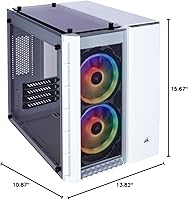
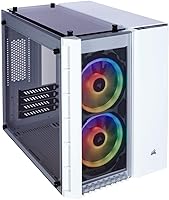
The Corsair Crystal 280X RGB Micro-ATX Case makes an immediate impression — it's the kind of compact chassis that actually looks good sitting on a desk rather than hiding under it. Three tempered glass panels, two pre-installed RGB fans, and an included lighting controller set it apart from similarly sized competitors. The dual-chamber interior keeps the build tidy without demanding a full-tower footprint. For builders already in the Corsair ecosystem, the iCUE software integration is a genuine convenience — one dashboard to sync lighting across your entire rig. It occupies a premium spot in the small-form-factor market, and the price reflects that positioning clearly.
Features & Benefits

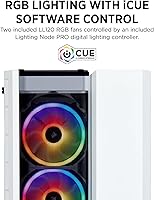
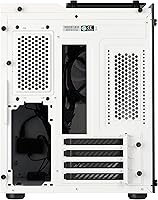
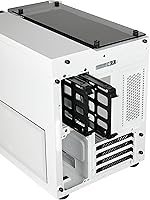
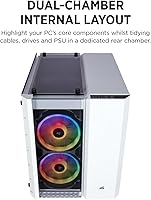
The standout here is the layout. The 280X splits the case into two distinct zones — the main chamber showcases your motherboard, GPU, and cooling, while the rear section absorbs the PSU, cabling, and drives. It's a practical design that makes a real difference in the final result. Up front, the two LL120 RGB fans arrive ready to go with 32 addressable LEDs each, and the included Lighting Node PRO means you're not hunting for a separate controller. Cooling headroom is generous — three 240mm radiator positions give custom loop builders real flexibility. Storage fits two 3.5-inch and three 2.5-inch drives without compromising the visual side of the build.

Best For

This compact RGB case is a natural fit for builders who want their PC to look as good as it performs. If your setup lives on a desk where it stays visible, the glass-and-RGB combination pays off every time you sit down. It's also a strong pick for anyone already running Corsair peripherals or memory — iCUE ecosystem users will appreciate having one app control the whole rig. Cooling enthusiasts building with a 240mm AIO or planning a custom loop will find the radiator options more than adequate for a Micro-ATX footprint. And if clean cable management matters to you without sacrificing storage, the rear chamber design solves that problem well.

User Feedback

Owners of the 280X are largely enthusiastic, with build quality and aesthetics drawing the most consistent praise — particularly the sturdiness of the tempered glass and the RGB impact at night. Custom loop builders frequently mention it as one of the better-looking small cases for showcasing their work. The trade-offs are real, though. The rear chamber, while clever in concept, can feel cramped when routing cables for bulkier modular PSUs — patience and planning help here. The white interior is worth factoring in too; dust shows visibly faster than it would in a darker case, making regular cleaning part of the routine. Overall reception remains strongly positive.

Pros

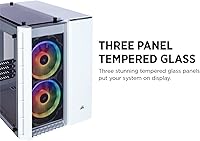
  • Triple tempered glass panels on the front, side, and top create an impressive, panoramic view of your components.
  • Two LL120 RGB fans and a Lighting Node PRO are included out of the box — no extra purchases needed to get started.
  • The dual-chamber layout keeps cables, drives, and the PSU hidden without eliminating storage capacity.
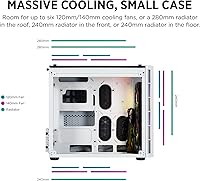
  • Three 240mm radiator positions give cooling-focused builders serious flexibility rarely found in Micro-ATX cases.
  • Build quality is consistently praised by owners, with sturdy glass panels and solid overall construction.
  • iCUE software integration makes RGB synchronization across a full Corsair setup straightforward and centralized.
  • Supports up to six 120mm fans, giving strong airflow headroom even for demanding configurations.
  • The compact footprint fits comfortably on a desk without dominating the workspace.
  • Custom water-cooling loops look particularly striking through the glass, making it a favorite among loop builders.

Cons

  • The rear cable management chamber is tight, and fitting a large modular PSU can require frustrating trial and error.
  • The white interior shows dust accumulation faster than darker cases, making routine cleaning a necessity rather than an option.
  • USB connectivity on the front panel is limited to two USB 2.0 ports, which feels dated for a premium-priced chassis.
  • iCUE software has a learning curve and can feel bloated to users unfamiliar with the Corsair ecosystem.
  • At nearly 16 pounds, the case is heavier than many Micro-ATX competitors, which matters if you move your rig often.
  • Glass panels, while attractive, are fragile during transport and require careful handling when swapping components.
  • Limited to Micro-ATX and smaller motherboards, so builders planning a future ATX upgrade will need a different case.
  • Premium pricing leaves little room for compromise — buyers who do not actively use RGB or show off their build may not feel it is justified.

Ratings

The Corsair Crystal 280X RGB Micro-ATX Case earns consistently high marks across verified buyer reviews worldwide — our AI-driven scoring system analyzed thousands of real purchase reviews, actively filtering out incentivized, bot-generated, and spam submissions to surface what genuine builders actually experience. The scores below reflect both the standout strengths that make this compact chassis a favorite on enthusiast desks and the friction points that real users encountered during builds and long-term ownership. Nothing is glossed over.
Aesthetics & Visual Design
94%
The triple tempered glass configuration is the single most praised aspect across all verified feedback — owners frequently describe the case as the focal point of their desk setup. The white interior amplifies RGB output beautifully, and the panoramic glass coverage gives custom loop builds a showcase-quality presentation that few Micro-ATX cases can rival.
The white finish, while visually striking, polarizes buyers who prefer a more understated or stealthy look. A small subset of users also noted that the exterior white paint is prone to minor scuffs during handling, which stands out more on a light-colored surface than it would on a black chassis.
RGB Lighting Quality
91%
The two included LL120 fans produce genuinely impressive lighting output — 32 individually addressable LEDs per pair create smooth color gradients that look polished even on a modest iCUE configuration. Buyers who added more Corsair RGB components consistently praised how well the whole system synced without visible lag or color mismatch.
The lighting experience depends heavily on iCUE software, which some users find bloated or occasionally unstable after Windows updates. Buyers outside the Corsair ecosystem who hoped to integrate third-party RGB hardware report that unified control is not possible without workarounds, which feels limiting at this price point.
Build Quality & Materials
88%
The steel frame feels solid during the build process, and the tempered glass panels draw repeated praise for their thickness and resistance to flexing. Multiple buyers noted that after months of use, nothing rattles, panels stay firmly seated, and the overall construction holds up well compared to similarly priced competitors.
A handful of users reported minor sharp edges along internal steel cutouts during the build process, which is an occasional frustration when routing cables. The glass panels, while sturdy in daily use, are vulnerable during transport — a few buyers mentioned chips or cracks from shipping damage, which is less a design flaw and more a packaging concern.
Cable Management
74%
26%
The dual-chamber concept genuinely works when paired with a compact, well-organized PSU — the rear compartment keeps cables, drives, and the power supply completely hidden from the main chamber, which makes the finished build look far cleaner than a single-chamber case of the same size. Builders using slim modular cables consistently reported very satisfying results.
The rear chamber is tight by most accounts, and fitting a large modular PSU with thick stock cables can turn cable routing into a multi-hour ordeal. Users with longer or bulkier PSUs frequently cited this as their biggest frustration, and the clearance between the back panel and cable routing area leaves little margin for error.
Cooling Potential
87%
Three independent 240mm radiator positions is a genuinely rare feature in a Micro-ATX chassis, and custom loop enthusiasts consistently highlight this as a key reason they chose the 280X over competitors. Air cooling is equally well served, with six 120mm fan slots providing strong airflow headroom for even thermally demanding configurations.
Fitting a top-mounted 240mm radiator alongside tall RAM sticks or certain CPU coolers can require careful clearance checks — a few builders ran into compatibility issues with high-profile memory modules. The bottom radiator position, while available, is the least convenient to access during the build, particularly when the PSU is already installed.
Ease of Building
71%
29%
The main chamber is reasonably spacious for a Micro-ATX form factor, and the dual-chamber separation means the primary build area stays uncluttered throughout the assembly process. Most standard component installations proceed without unexpected obstacles, and the included fans arrive pre-mounted, saving meaningful setup time.
The rear chamber cable routing difficulty is the primary complaint that pulls this score down — it consistently surfaces in negative feedback from builders using full-size modular PSUs. The front glass panel can also feel fiddly to reinstall correctly, and a few users reported minor misalignment issues when reseating it after cleaning.
Fan & Airflow Performance
82%
18%
The two LL120 fans strike a reasonable balance between noise and airflow at default speeds, and most users report acceptable thermals for mid-range gaming builds in a normally ventilated room. The six-fan maximum capacity means there is real room to optimize airflow for more demanding workloads without replacing the chassis.
The included fans, while visually impressive, are not the highest performers for pure airflow compared to dedicated static pressure or high-CFM alternatives at equivalent noise levels. Builders running high-TDP components reported needing to add fans or upgrade to more aggressive cooling configurations to keep temperatures fully in check.
Dust Management
58%
42%
The case includes dust filters for the key intake areas, which is a practical inclusion given the large number of fan positions. Builders who clean their systems regularly noted that the filters are easy to remove and rinse, making maintenance reasonably straightforward.
The white interior is unforgiving — dust accumulation becomes visible faster than in dark-interior cases, and the tempered glass panels highlight any buildup from outside the chassis. Users in dustier environments noted they needed to clean the case significantly more often than they would expect from a premium purchase, which is a recurring minor grievance.
Storage Capacity
79%
21%
Two 3.5-inch and three 2.5-inch drive bays cover the storage needs of most desktop builds without forcing compromises in the main chamber. Builders converting older HDDs to a compact build appreciated that they could keep multiple drives without sacrificing the clean aesthetic that the case is designed around.
Five total drive bays is adequate but not generous for users managing large media libraries or running NAS-style storage alongside a gaming setup. The drive mounting area sits in the rear chamber where space is already at a premium, so installing or swapping multiple drives after the PSU is in place can be awkward.
Software Integration
76%
24%
For Corsair ecosystem users, iCUE delivers a genuinely unified lighting and fan control experience that rewards the investment in compatible hardware. The included Lighting Node PRO means there is no additional cost to get started with addressable RGB control, which buyers consistently flag as good value for the package.
iCUE has a well-documented reputation for being resource-heavy and occasionally buggy after major software or OS updates, and non-Corsair users will find the software ecosystem largely irrelevant. Newcomers to the platform often report a steeper learning curve than expected for what should be a plug-and-play lighting experience.
Value for Money
72%
28%
The inclusion of two LL120 RGB fans and a Lighting Node PRO meaningfully offsets the cost when compared to buying those components separately — buyers who priced out equivalent Corsair fan and controller bundles recognized genuine savings built into the package price. At face value, the hardware bundle justifies a significant portion of the premium.
The overall price still positions this firmly in the premium tier, and buyers who do not actively use RGB lighting or display their builds prominently may struggle to feel the value is fully justified. A few long-term owners noted that competing cases at lower price points now offer comparable build quality without the added cost of RGB integration they rarely used.
Front I/O Connectivity
53%
47%
The front panel provides convenient access to the two USB ports for everyday peripheral connections, and the port placement at the top of the case works well for most desk configurations where the chassis is displayed upright and accessible.
Two USB 2.0 ports is a genuine disappointment for a case in this price category — no USB 3.0 or USB-C front panel support is a notable omission that multiple buyers flagged as feeling dated. Users who regularly connect fast storage devices or charge accessories from the front panel found this limitation frustrating enough to mention in otherwise positive reviews.
Noise Levels
81%
19%
At default fan curves, the 280X runs quietly enough for most home office and gaming environments — the LL120 fans are not particularly loud, and the steel-and-glass construction dampens resonance well compared to all-plastic budget cases. Buyers working in quiet rooms noted the system was unobtrusive during everyday use.
At higher RPMs under sustained load, the included fans become noticeable, and the case offers no built-in noise dampening material on the panels. Builders who prioritize near-silent operation in a home theater or bedroom environment may want to budget for quieter aftermarket fans to get the most out of the chassis.

Suitable for:

The Corsair Crystal 280X RGB Micro-ATX Case is purpose-built for builders who want a compact PC that genuinely looks good — not just functional, but worth showing off. If your rig sits on a desk where it stays visible during work or gaming sessions, the triple tempered glass and RGB lighting deliver a payoff that mid-range cases simply cannot match. Corsair ecosystem users will find the iCUE integration particularly rewarding, since syncing fans, memory, and peripherals through a single app is a real quality-of-life advantage. Cooling enthusiasts who want AIO liquid cooling in a small footprint will appreciate having 240mm radiator slots in three separate positions — that kind of flexibility is rare at this form factor. It also suits anyone who has struggled with messy cable runs in compact builds, since the dual-chamber layout keeps the visible side of the case clean without eliminating drive storage.
Not suitable for:

The Corsair Crystal 280X RGB Micro-ATX Case is not the right choice for every builder, and it is worth being honest about where it falls short. If you are building a budget-focused system, the premium pricing demands justification — and if RGB lighting and aesthetics are not priorities for you, that justification gets harder to make. Builders who favor ATX full-size motherboards are simply out of scope, as the chassis only supports Micro-ATX and smaller. The rear chamber, while clever, is genuinely tight — if you are pairing this with a large modular PSU, expect to spend extra time on cable routing, and results can still look cluttered. The white interior, while striking, is a practical liability in dusty environments, requiring more frequent cleaning than an equivalent dark-interior case. Users who prefer a quieter, understated aesthetic rather than a light-forward build will likely find better fits elsewhere.
Specifications

  • Form Factor: The case is designed for Micro-ATX motherboards and also supports Mini-ITX builds.
  • Dimensions: The chassis measures 15.67 x 10.87 x 13.82 inches (L x W x H), making it compact without sacrificing internal flexibility.
  • Weight: The case weighs 15.93 pounds unloaded, reflecting the use of steel and multiple tempered glass panels.
  • Glass Panels: Three tempered glass panels are fitted on the front, left side, and top, providing visibility into the main build chamber from multiple angles.
  • Included Fans: Two Corsair LL120 RGB 120mm fans come pre-installed, each featuring 16 individually addressable LEDs for a total of 32 per pair.
  • RGB Controller: A Lighting Node PRO digital RGB controller is included in the box, enabling full addressable RGB control without purchasing additional hardware.
  • Fan Support: The case supports a maximum of six 120mm fans across the top, front, and bottom mounting positions.
  • Radiator Support: Three separate 240mm radiator positions are available — one each at the top, front, and bottom of the chassis.
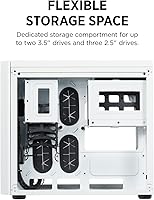
  • Drive Storage: The dedicated rear storage compartment accommodates up to two 3.5-inch hard drives and three 2.5-inch SSDs simultaneously.
  • PSU Mount: The power supply mounts at the bottom of the rear chamber, keeping it isolated from the main component area.
  • USB Ports: The front I/O panel includes two USB 2.0 ports for peripheral connectivity.
  • Chassis Material: The main structure is constructed from steel with tempered glass used for the three display panels.
  • Software: Lighting and fan control is managed through Corsair iCUE software, which is available as a free download for Windows.
  • Color: This variant ships in white, with a white-painted interior and exterior finish throughout.
  • Motherboard Support: The case officially supports Micro-ATX and Mini-ITX form factor motherboards only; ATX boards are not compatible.

Related Reviews
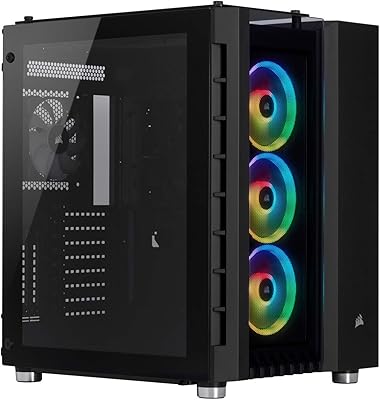
Corsair Crystal Series 680X RGB ATX Case
85%
91%
Airflow & Cooling Performance
88%
Ease of Assembly
94%
Cable Management
87%
RGB Lighting Customization
90%
Build Quality & Materials
More
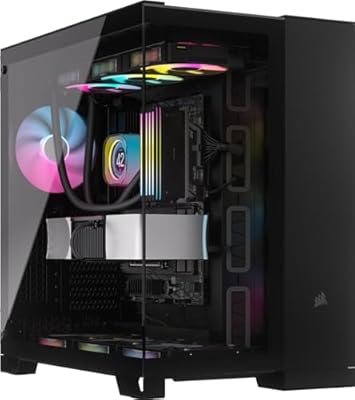
Corsair iCUE 4000X RGB Mid-Tower Case
81%
88%
Build Quality
71%
Airflow Performance
93%
RGB Lighting Quality
86%
Cable Management
74%
iCUE Software Integration
More
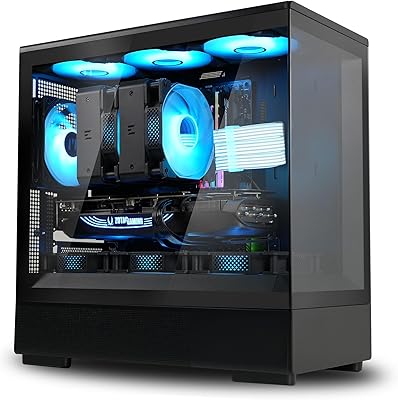
Corsair iCUE LINK 6500X RGB PC Case
79%
91%
Build Quality
93%
Aesthetic Design
88%
RGB Lighting
79%
Cable Management
87%
Cooling Performance
More
Zalman P10 Micro ATX Case
84%
86%
Build Quality
90%
Cooling Performance
87%
Ease of Cable Management
91%
Aesthetic Design
83%
Compatibility with Components
More
Antec VSK10 Micro-ATX Case
82%
88%
Cooling Performance
85%
Build Quality
70%
Cable Management
90%
Airflow Support
78%
Ease of Installation
More
ASUS Prime AP201 Micro ATX Case
86%
91%
Cooling Performance
89%
Ease of Assembly
88%
Cable Management
86%
Build Quality
87%
Thermal Management
More
NZXT H3 Flow Micro-ATX Case
86%
94%
Cooling Performance
88%
Build Quality
85%
Space Efficiency
90%
GPU Compatibility
82%
Ease of Setup
More
AsiaHorse Pegasus Micro ATX PC Case
85%
91%
Build Quality
88%
Cooling Performance
89%
Interior Space & Cable Management
85%
Aesthetics & Design
83%
USB Type-C Port
More
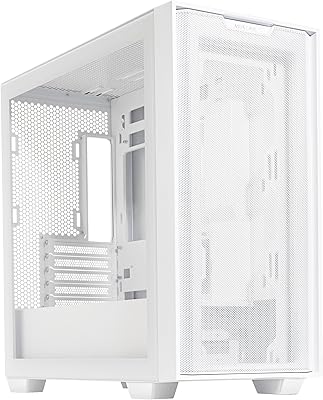
darkFlash DB330M Micro-ATX PC Case
86%
88%
Cooling Performance
91%
Design and Aesthetics
90%
Ease of Setup
85%
Build Quality
89%
Value for Money
More
ASUS A21 Micro ATX PC Case
84%
92%
Cable Management
89%
Airflow Efficiency
85%
Build Quality
90%
Interior Space & Compatibility
87%
Design Aesthetics
More

FAQ

No, the 280X is designed strictly for Micro-ATX and Mini-ITX motherboards. The internal tray simply does not have the mounting holes or clearance for a standard ATX board, so if you are planning an ATX build, you will need to look at a different chassis.

Yes, and it handles them well. There are 240mm radiator mounting positions at the top, front, and bottom of the case, so you have real flexibility in how you route your cooling setup. Most popular 240mm AIOs compatible with the socket you are using will fit without major issues.

It depends a lot on your PSU. The rear chamber is a clever design concept, but the space is genuinely tight, especially if you are using a larger modular PSU with thick cables. Budget extra time for routing, and if possible, choose a semi-modular or fully modular PSU with slimmer cables to make the process less frustrating.

Not entirely. The included fans and Lighting Node PRO will still power on and cycle through a default lighting mode without iCUE installed. However, if you want to customize individual LED zones, sync lighting with other components, or set static colors, you will need to install iCUE. It is a free download, but it is worth knowing there is a learning curve if you are new to the Corsair ecosystem.

Honestly, yes, more so than a dark interior case. Dust and fingerprints are more visible on white surfaces, so if you are in a dusty environment or do not plan to clean your PC regularly, that is worth factoring in. A quick wipe-down every few weeks with a microfiber cloth and a can of compressed air for the fans goes a long way.

Most modern dual-fan GPUs will fit comfortably. The case accommodates graphics cards up to around 300mm in length in the standard configuration, which covers the majority of mid-range and high-end cards. If you are planning to install a particularly long triple-fan card, it is worth verifying exact clearance figures against your specific GPU model before committing.

Yes, the case supports up to six 120mm fans in total across the top, front, and bottom positions. The included Lighting Node PRO also has enough headers to connect additional Corsair RGB fans if you want to expand the lighting and airflow at the same time.

The panels are held in place with thumbscrews and lift away cleanly once removed — no tools needed for the side panel. The front glass panel requires a bit more care since it can feel snug, but it is not complicated once you know the mechanism. Just handle all three panels carefully during the build process as tempered glass, while durable in use, can crack if dropped or knocked hard against a surface.

The case itself will fit any compatible motherboard and GPU regardless of brand. However, the included Lighting Node PRO and iCUE software are designed to control Corsair RGB components specifically. Third-party RGB hardware connected to a non-Corsair controller will still work inside the case, but it will be managed through its own software separately rather than unified inside iCUE.

The rear chamber supports standard ATX power supplies, and most units up to around 180mm in length will fit without issue. Very large PSUs, particularly those exceeding 180–200mm, may be harder to seat while still managing cables tidily in the limited rear space. Checking your PSU dimensions against Corsair's official compatibility notes before purchasing is a good habit for any compact case build.

Where to Buy