Overview

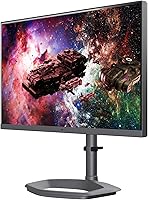
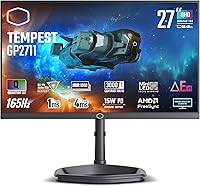
The Cooler Master Tempest GP2711 27″ Gaming Monitor is one of the few mid-range displays to combine a VA panel, Mini LED backlighting, and Quantum Dot film in a single package — a trio you'd normally expect at a significantly higher price. The 27-inch QHD resolution hits a practical sweet spot for gamers and desk workers who want sharper detail than 1080p without the GPU demands of 4K. Contrast and color depth are genuine strengths here. What also stands out is the 4-year warranty, which is rare at this tier and signals real confidence in build longevity. That said, real-world HDR performance deserves honest scrutiny rather than blind trust in spec sheet numbers.
Features & Benefits

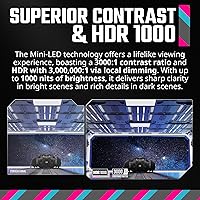
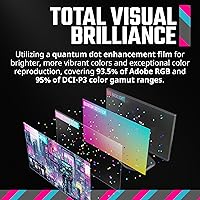
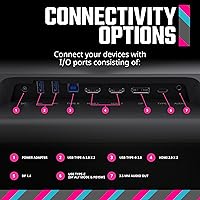
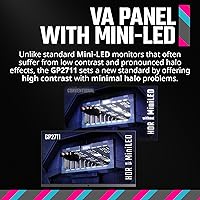
The GP2711's Mini LED backlight enables local dimming that pushes contrast to extraordinary levels in HDR — think crisp star fields against true black skies rather than the gray mush typical panels produce. VA already holds a contrast edge over IPS at this price, and Cooler Master has worked to minimize the halo blooming that plagues many mini LED displays, though it isn't entirely gone. The 165Hz refresh rate with sub-4ms GtG keeps motion sharp in fast games; just note that the 1ms MPRT figure refers to pixel strobing, not native transition speed — a meaningful distinction when comparing specs. The Quantum Dot film delivers 95% DCI-P3 coverage, and ports spanning DisplayPort 1.4, dual HDMI 2.0, USB-C, and a KVM switch make it a capable hub for multi-device workflows.

Best For

This mini LED monitor makes the most sense for gamers who care more about deep blacks and punchy contrast than the color accuracy precision that IPS panels offer. If you're coming from a 1080p 60Hz screen, the jump to QHD at 165Hz feels significant across both everyday use and gaming. Light creative work — photo editing, color-grading casual video — is also within reach given the broad DCI-P3 coverage, though professional color work demands a more rigorously calibrated display. The KVM and USB-C inputs are a practical bonus for anyone juggling a laptop and desktop at the same desk. Budget-conscious buyers chasing a real HDR experience without spending flagship money will find this Cooler Master display worth serious consideration.

User Feedback

The GP2711 carries a 3.6 out of 5 rating from over 100 reviewers — and that's a number worth sitting with, because it falls below the 4-plus average you'd expect from a well-received monitor. Recurring praise centers on color vibrancy and contrast depth, with many buyers noting how rich the image looks compared to similarly priced IPS alternatives. The complaints, however, are consistent: HDR blooming around bright objects on dark backgrounds is a real issue in demanding scenes, and the on-screen menu draws frequent criticism for being unintuitive. Out-of-box calibration also varies by unit. Negative reviews cluster notably around HDR gaming scenarios rather than SDR desktop use — worth factoring in depending on how you plan to use this display.

Pros

  • Mini LED backlighting produces contrast depth that standard IPS monitors at this price simply cannot match.
  • The VA panel delivers genuinely deep blacks that make dark scenes in games look dramatically better.
  • 95% DCI-P3 color coverage is impressive for a mid-range display and benefits both gaming and casual creative work.
  • 165Hz refresh rate keeps fast-paced gameplay smooth and responsive without requiring a top-tier GPU.
  • USB-C input combined with a KVM switch makes this Cooler Master display unusually practical for dual-device desk setups.
  • HDR1000 certification means highlights in supported content punch noticeably brighter than entry-level HDR panels.
  • The 4-year warranty is longer than most competitors offer and adds meaningful long-term purchase confidence.
  • Matte screen coating reduces reflections and makes the GP2711 comfortable to use in brighter rooms.
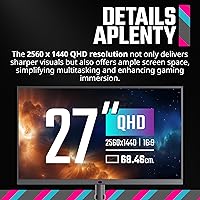
  • QHD resolution at 27 inches hits a sweet spot for pixel density — noticeably sharper than 1080p without demanding a high-end GPU.
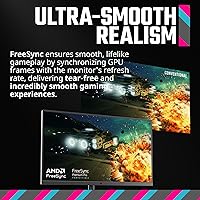
  • AMD FreeSync Premium support helps eliminate screen tearing across a wide range of mid-range graphics cards.

Cons

  • HDR blooming around bright objects on dark backgrounds is a recurring real-world complaint, not just a theoretical trade-off.
  • Out-of-box color calibration is inconsistent across units, meaning some buyers may need to dial in settings manually.
  • The on-screen display menu is widely criticized for being unintuitive and slow to navigate during setup.
  • MPRT and GtG response figures are frequently misunderstood — native pixel transitions are not as fast as the 1ms marketing figure implies.
  • At nearly 18 pounds, the GP2711 is on the heavier side and may feel cumbersome to reposition or mount on lighter arms.
  • The 3.6 out of 5 average rating on Amazon is below par for a monitor and reflects a genuinely polarized buyer response.
  • Dual HDMI ports are version 2.0 only, which limits bandwidth for users connecting newer consoles at high refresh rates.
  • No factory calibration report is included, which is a missed opportunity given the display targets color-aware users.

Ratings

The scores below for the Cooler Master Tempest GP2711 27″ Gaming Monitor were generated by our AI engine after analyzing verified global buyer reviews, with spam, bot-submitted, and incentivized feedback actively filtered out. The result is an honest picture of where this mini LED display genuinely excels and where real buyers have run into friction. Both the highlights and the pain points are reflected without softening.

Contrast & Black Levels
91%
This is the GP2711's single strongest suit, and buyers consistently notice it immediately. Dark gaming environments — underground dungeons, space combat, horror interiors — look dramatically more immersive than on comparably priced IPS panels, where blacks render as murky gray rather than true dark.
The VA panel's contrast advantage is somewhat undermined in HDR mode, where Mini LED zone boundaries create visible blooming around bright UI elements or subtitles against dark scenes. It is not constant, but it is noticeable enough that HDR-heavy users mention it repeatedly.
Color Vibrancy
86%
The Quantum Dot film makes a real difference here — colors look saturated and rich out of the box, and the 95% DCI-P3 coverage means games and media with wide color grading actually render as intended. Buyers upgrading from older or budget displays frequently describe the color difference as striking.
Factory calibration is not always accurate, with some units shipping with a cooler or oversaturated color profile depending on the preset mode active by default. Getting the best results requires manual adjustment or a basic calibration pass, which some buyers do not expect to do at this price tier.
HDR Performance
67%
33%
Compared to the HDR400 and HDR600 panels that dominate this price segment, the GP2711 delivers noticeably better HDR with genuine peak brightness and local dimming that produces real light-and-dark separation. For buyers coming from a non-HDR or entry-level HDR monitor, the step up feels meaningful.
HDR blooming is the most consistent complaint across reviews and it is legitimate — bright objects on dark backgrounds produce a visible glow around their edges when local dimming is active. Buyers who expected a halo-free experience comparable to OLED or high-zone-count premium panels were frequently disappointed.
Motion Clarity
78%
22%
At 165Hz with FreeSync Premium active, fast gameplay feels smooth and responsive across a wide range of genres. The high refresh rate largely eliminates the judder and tearing that plague 60Hz displays, and most buyers gaming at 1440p report a clean, fluid experience during normal play.
The native GtG pixel response sits under 4ms, which is competitive but not class-leading — buyers coming from high-end IPS gaming monitors tuned for 1ms GtG may notice slightly more trailing in extremely fast motion. The 1ms MPRT figure involves backlight strobing, which introduces flicker some users are sensitive to.
Build Quality
81%
19%
The physical construction feels solid and premium for the price category — the chassis has minimal flex, the stand base does not wobble during typing or desk activity, and the matte plastic finish avoids the cheap look common in budget monitors. Several buyers noted it looks and feels more expensive than it costs.
The stand, while stable, is on the bulkier side and the overall weight of nearly 18 pounds makes repositioning less convenient than lighter competitors. A small number of buyers reported minor quality control inconsistencies in panel backlight uniformity, though this was not a dominant complaint.
Ergonomics & Adjustability
74%
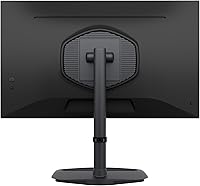
26%
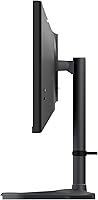
Height, tilt, and swivel adjustments are all available, which covers the essential ergonomic needs for most desk setups. Buyers who needed to share the display between standing and seated work found the adjustment range adequate without requiring an aftermarket arm.
The stand does not support portrait pivot rotation, which some multi-use buyers would have valued. VESA mounting is supported for those who prefer an arm, but the heavier-than-average weight means you need to verify your arm's capacity before committing.
OSD & Controls
44%
56%
The physical button layout is accessible from the rear-right edge of the panel, and once you memorize the button positions for your preferred settings, basic adjustments become habitual. A small number of buyers found the menu logical after spending time with it.
The OSD is among the most consistently criticized aspects of the GP2711 across reviews. Physical multi-button navigation without a joystick makes changing settings slow and frustrating, and the menu hierarchy is not intuitive. Buyers who frequently switch picture modes or tune HDR settings found this a recurring annoyance rather than a one-time setup hurdle.
Connectivity
83%
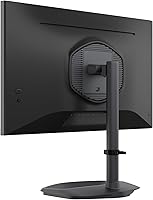
The port selection is genuinely practical — DisplayPort 1.4, two HDMI inputs, USB-C, three USB 3.0 downstream ports, and a KVM switch cover nearly every desktop connectivity scenario. Multi-device users connecting a laptop and desktop to a single display found this setup notably convenient in daily use.
Both HDMI ports are version 2.0, which caps bandwidth for users connecting newer gaming consoles at high refresh rates. Buyers hoping to run a PS5 or Xbox Series X at 4K 120Hz via HDMI will find this display does not support that configuration.
Value for Money
76%
24%
The combination of Mini LED backlighting, Quantum Dot film, HDR1000, and a four-year warranty at a mid-range price point is genuinely difficult to replicate elsewhere in the same budget. Buyers who understood the trade-offs going in — and prioritized contrast over halo-free HDR — generally felt the purchase was justified.
The 3.6 out of 5 average rating signals that a meaningful portion of buyers felt the monitor did not live up to its spec sheet promise, particularly around HDR quality and calibration consistency. For buyers who pay full price expecting a polished out-of-box experience, the value calculation is less clear.
Calibration Accuracy
57%
43%
When manually calibrated, the panel is capable of producing accurate, visually pleasing results — the hardware potential is there, and buyers who invested time in calibration reported satisfaction with the final output. The wide color gamut gives it a solid foundation to work from.
Out-of-box accuracy varies between units, which is a real quality control issue rather than a minor caveat. No calibration report ships with the monitor, and some buyers received units with noticeable color temperature drift or gamma inconsistency that required correction before the display looked its best.
Gaming Experience
82%
18%
For single-player and atmospheric gaming, this Cooler Master display is a genuine step forward — the contrast and color combination makes visually rich games look noticeably better than on a typical mid-range IPS panel. FreeSync Premium keeps the experience smooth across a wide GPU range.
Competitive esports players who prioritize the absolute minimum input lag and fastest possible pixel transitions may find better-tuned alternatives at a similar price. The motion performance is good but not optimized specifically for high-framerate competitive play the way some esports-focused IPS monitors are.
Brightness
79%
21%
In SDR use, the brightness is comfortable across a range of room lighting conditions, and the matte coating further reduces the need for excessive backlight output. In supported HDR content, peak brightness hits are genuinely impactful, especially in small specular highlights.
Sustained full-screen HDR brightness is lower than peak numbers suggest, as is standard with local dimming displays — the 1000 nit figure applies to small bright zones rather than the full panel simultaneously. Buyers who work in very bright office environments may find SDR brightness just adequate rather than generous.
Durability & Longevity
77%
23%
The four-year warranty is the clearest signal of expected durability, and Cooler Master's thermal heatsink design is a credible effort to address the heat management concerns that affect Mini LED panel longevity in extended use. Most buyers have not reported early hardware failures.
Mini LED backlighting in general carries more long-term unknowns than traditional edge-lit panels, and there is limited multi-year ownership data available for this specific model. The warranty provides a safety net, but buyers keeping monitors for five or more years will be relying partly on faith in the thermal engineering claims.

Suitable for:

The Cooler Master Tempest GP2711 27″ Gaming Monitor is a strong fit for gamers who want noticeably better contrast and black depth than a standard IPS panel can offer, without paying flagship prices for the privilege. If you primarily play atmospheric games — dark RPGs, horror titles, space shooters — the Mini LED local dimming will deliver a visibly richer image than most monitors in this price range. The 27-inch QHD resolution is also ideal for buyers stepping up from 1080p who want sharper detail and more screen real estate without the GPU overhead of 4K. Multi-device users get real utility from the USB-C input and built-in KVM switch, which simplifies desk setups with a laptop and desktop sharing one display. Light creative work is feasible too, given the broad DCI-P3 color coverage and matte surface finish that reduces glare during longer sessions.

Not suitable for:

The Cooler Master Tempest GP2711 27″ Gaming Monitor is not the right call for buyers who plan to run HDR content aggressively and expect a halo-free experience — blooming around bright objects on dark backgrounds is a documented pattern in real-world use, and no amount of local dimming tuning fully eliminates it on VA-based Mini LED panels at this price. Professional colorists or photographers who need precisely calibrated, consistent output should look toward purpose-built IPS or OLED monitors instead, as out-of-box calibration on this display can vary between units. Competitive gamers who prioritize the absolute fastest pixel response above all else may also find that the native GtG speed, while adequate, does not match the best IPS panels tuned for esports. Those who find on-screen menus frustrating should be aware that the OSD has drawn repeated criticism for being cumbersome to navigate. Finally, anyone who needs a fully color-accurate Adobe RGB workflow will find the coverage figure here useful but not sufficient for demanding professional standards.
Specifications

  • Screen Size: The display measures 27 inches diagonally, offering a practical balance between screen real estate and pixel density at QHD resolution.
  • Resolution: Native resolution is 2560x1440 (QHD), delivering noticeably sharper detail than 1080p without the demanding GPU requirements of 4K.
  • Panel Type: Uses a VA panel with a Quantum Dot enhancement film, combining the contrast advantages of VA technology with expanded color reproduction.
  • Backlight: Mini LED backlighting enables precise local dimming zones, supporting deep blacks and bright highlights simultaneously in HDR content.
  • Refresh Rate: Supports a maximum refresh rate of 165Hz, suitable for fast-paced gaming with compatible graphics cards.
  • Response Time: Rated at sub-4ms GtG for native pixel transitions and 1ms MPRT with motion blur reduction strobing enabled — these are two distinct measurements.
  • HDR Rating: Certified to the HDR1000 standard, meaning peak brightness reaches 1000 nits in supported HDR content with local dimming active.
  • Color Gamut: Covers 95% of the DCI-P3 color space and 93.5% of Adobe RGB, making it capable for casual creative work alongside gaming use.
  • Contrast Ratio: Achieves a dynamic contrast ratio exceeding 3,000,000:1 under HDR local dimming conditions, far beyond the static contrast of standard IPS panels.
  • Sync Technology: Supports AMD FreeSync Premium for adaptive sync, and is also compatible with NVIDIA G-Sync in a limited capacity on supported hardware.
  • Connectivity: Ports include one DisplayPort 1.4, two HDMI 2.0 inputs, and one USB-C port for single-cable laptop connectivity.
  • KVM Switch: Built-in KVM switch allows one keyboard and mouse to control two connected devices, useful for dual-computer desk setups.
  • USB Ports: Includes three USB 3.0 downstream ports for connecting peripherals directly to the monitor.
  • Aspect Ratio: Standard 16:9 widescreen aspect ratio, compatible with all mainstream gaming and productivity content.
  • Screen Finish: Matte anti-glare coating reduces reflections from ambient light sources, improving comfort during extended sessions in bright rooms.
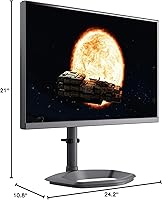
  • Dimensions: Physical dimensions are 24.2 x 10.8 x 21 inches (W x D x H) with stand attached, occupying a moderate footprint on a standard desk.
  • Weight: The monitor weighs 18.36 pounds including the stand, which is on the heavier end for a 27-inch display and may affect VESA arm compatibility.
  • Warranty: Cooler Master provides a 4-year manufacturer warranty, which is longer than the 1–3 year coverage standard among most monitor competitors.
  • Thermal Design: Incorporates a custom heatsink and thermal back cover intended to reduce the main chip temperature and support long-term panel durability.
  • VESA Mounting: The monitor supports standard VESA mounting, allowing removal of the included stand in favor of a third-party wall mount or monitor arm.

Related Reviews
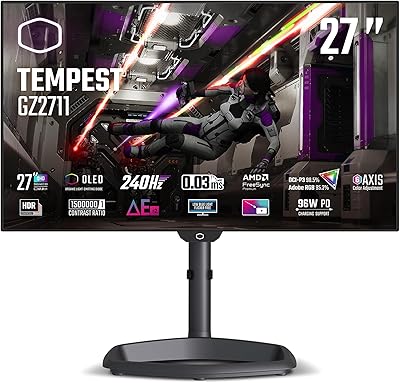
Cooler Master Tempest GZ2711 27” OLED 240Hz Monitor

83%
92%
Display Quality
89%
Gaming Performance
90%
Color Accuracy
85%
Build Quality
80%
Price/Value for Money
More
Skytech Gaming Moonshadow 27-inch Curved Gaming Monitor
83%
88%
Image Quality
91%
Refresh Rate Performance
86%
Adaptive-Sync
83%
VA Panel Contrast
84%
Stand & Ergonomics
More
GIGABYTE GS27FC 27″ Gaming Monitor
86%
91%
Display Quality
96%
Refresh Rate Performance
95%
Response Time
88%
Color Accuracy
85%
HDR Performance
More
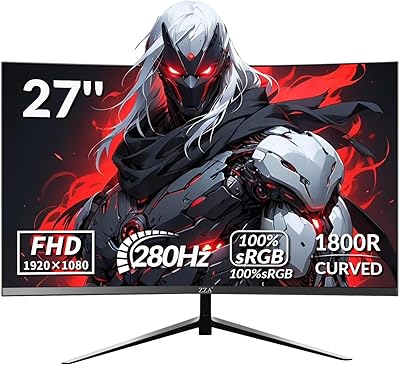
ZZA Z27H1K280HZ 27″ Curved Gaming Monitor
70%
88%
Refresh Rate Performance
84%
Value for Money
76%
Image Quality & Color Accuracy
67%
Motion Clarity & Response
89%
Contrast & Black Levels
More
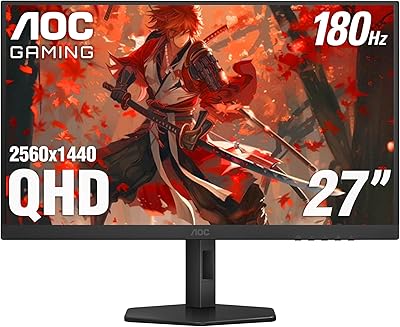
AOC Q27G4XN 27″ Gaming Monitor
79%
91%
Image Sharpness
88%
Motion Performance
83%
Refresh Rate Value
79%
Color Accuracy
52%
Glare & Reflections
More
Raywego Z270B13 27-inch Gaming Monitor
70%
88%
Value for Money
83%
Picture Quality
84%
Refresh Rate Performance
62%
Build Quality
81%
Eye Comfort
More
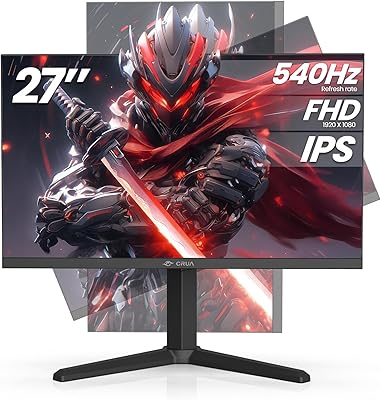
CRUA 27” 540Hz Gaming Monitor
86%
94%
Gaming Performance
89%
Color Accuracy
86%
Ergonomics & Comfort
91%
Connectivity Options
67%
Setup & Installation
More
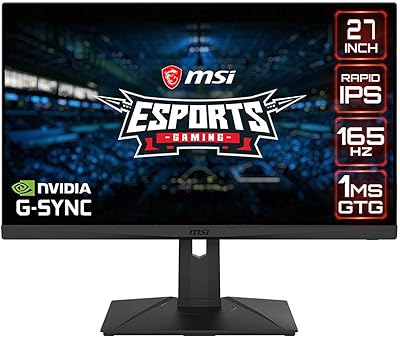
MSI G273QPF 27-inch QHD Gaming Monitor
78%
88%
Image Clarity
91%
Refresh Rate Performance
86%
Response Time
79%
Panel Quality
84%
Ergonomics & Stand
More
Amazon Basics 27-inch 1080p Gaming Monitor
76%
88%
Value for Money
79%
Display Quality
91%
Refresh Rate Performance
86%
Response Time
67%
Build Quality
More
AOC C27G4H 27″ Curved Gaming Monitor
89%
93%
Performance
95%
Display Quality
87%
Ergonomics/Adjustability
91%
Value for Money
89%
Compatibility (Console)
More

FAQ

It is genuinely noticeable compared to basic HDR400 monitors, but expectations should be calibrated. The Mini LED local dimming produces real contrast improvements in dark scenes — black levels stay deep while bright highlights pop. The trade-off is some blooming around bright objects on dark backgrounds, which is a known characteristic of VA-based Mini LED panels at this price point, not a defect specific to this model.

These measure two completely different things. The 4ms GtG (gray-to-gray) figure reflects how quickly a pixel actually transitions between shades — this is the number that affects real-world motion clarity. The 1ms MPRT (Moving Picture Response Time) is achieved by strobing the backlight to reduce perceived blur, which is a separate feature you toggle in the settings. Most competitive monitors advertise MPRT to look faster on paper, so focus on the GtG spec when comparing.

It connects fine via HDMI, but both HDMI ports are version 2.0, not 2.1. This means you can run 1440p at up to 144Hz or 4K at 60Hz, but you cannot do 4K at 120Hz as HDMI 2.0 lacks the bandwidth for that. For console gaming at 1440p, it works well since both major current-gen consoles support that resolution natively.

For most SDR gaming and desktop use, it is essentially invisible. The issue surfaces most noticeably in HDR content with high-contrast scenes — a bright UI element against a very dark background, or credits rolling on a black screen. Gamers who play a lot of atmospheric dark games with HDR enabled will likely notice it occasionally. Buyers who primarily game in SDR or at a desk in a well-lit room are unlikely to find it a daily frustration.

Yes, and the built-in KVM switch makes this genuinely practical. You can connect your laptop via USB-C and your desktop via DisplayPort, then switch input and peripheral control between them without unplugging anything. It is a feature that sounds minor but saves real time if you regularly bounce between two machines on the same desk.

Some users report the default color settings look good immediately, while others find the out-of-box calibration too cool or oversaturated depending on the mode selected. There is no factory calibration certificate included. Running a basic calibration using free tools or adjusting the gamma and color temperature in the OSD will get you to a noticeably better result, and the panel itself is capable of looking excellent once dialed in.

The stand supports height adjustment, tilt, and swivel, which covers the adjustments most users need day-to-day. It feels solid and does not wobble noticeably during typing. If you prefer a monitor arm, standard VESA mounting is supported, though at nearly 18 pounds the display is on the heavier side — check your arm's weight rating before purchasing.

IPS panels typically look a bit brighter and have better off-angle viewing, which some people prefer for productivity work. The GP2711 has deeper blacks and stronger contrast, but VA panels can sometimes exhibit slightly less crisp text rendering compared to IPS at the same resolution — though at QHD the difference is fairly subtle. If you sit directly in front of the screen and prioritize contrast, this Cooler Master display holds up well for productivity alongside gaming.

A mid-to-upper-range GPU is recommended to hit 165Hz consistently in modern titles at QHD. Cards like an RTX 3070, RTX 4060 Ti, or RX 6800 XT are reasonable targets. Less demanding games and older titles will hit high frame rates easily, while graphically intensive modern games may require lowering settings to reach 165Hz. The monitor is also useful at lower frame rates — FreeSync Premium helps keep the experience smooth even below the maximum refresh.

It is a fair criticism. The OSD navigation requires physical buttons rather than a joystick, which makes adjusting multiple settings in sequence more tedious than on monitors with a single-click dial. For initial setup it is manageable, but if you find yourself frequently switching picture modes or adjusting HDR settings, the interface can slow you down. Once you have your preferred settings saved, most users find they rarely need to go back into the menu.