


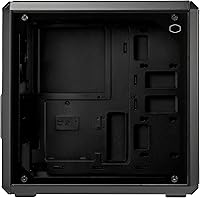
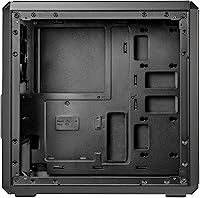
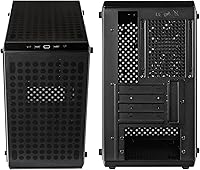
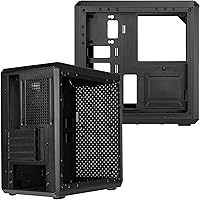
Overview

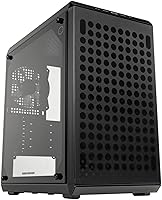
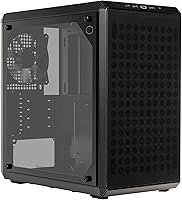
The Cooler Master Q300L V2 Micro-ATX Tower Case is Cooler Master's answer to a persistent question in the PC building community: can you get a decent, good-looking chassis without spending a lot? This Micro-ATX case punches above its weight with a tempered glass panel — a feature you'd typically expect from cases costing twice as much. The V2 iteration brings real refinements over the original Q300L, including better front I/O and improved interior organization. It won't compete with high-end enclosures, and it's not meant to. For value-focused builders, it covers the essentials without unnecessary corners cut.

Features & Benefits

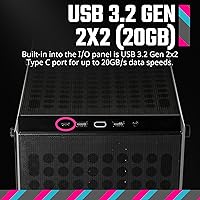
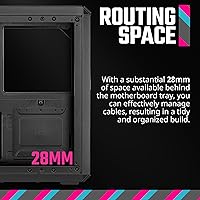
What makes the Q300L V2 stand out isn't just what it includes — it's how considered some of those inclusions are. The fully perforated panels on the front, top, and bottom keep air moving without forcing you to immediately buy more fans, though eventually you'll want them. Behind the motherboard tray, 28mm of cable routing space makes a real difference for anyone who has wrestled cables in a cramped mid-tower. The magnetic dust filters snap off without tools — a small detail that pays off at cleaning time. And the front-panel USB 3.2 Gen 2x2 port delivering 20Gbps is genuinely rare at this price.

Best For

This compact tower is particularly well-suited for builders tackling their first gaming rig or escaping a decade-old generic case with no airflow. Working with a Micro-ATX board and a mid-range GPU? The Q300L V2 handles most modern hardware without modification. It's also a practical pick for home office machines that pull double duty as light gaming systems — compact enough for a tight desk setup, but roomy enough to breathe. LAN party regulars will appreciate the manageable size and weight. And if you're on a strict budget but still want a build you can actually see through the side, this is the right starting point.

User Feedback

Buyers broadly agree that this Micro-ATX case overdelivers for its price, with recurring praise for build quality, tempered glass clarity, and overall fit and finish. The cable management space earns positive marks from people who expected far worse at this tier. That said, a consistent complaint is the lack of included fans — the case ships without any pre-installed, which catches some first-time buyers off guard. A handful of users have noted the side panel removal feels slightly loose over time. Occasional shipping damage reports exist, though they appear isolated. Overall, most buyers land squarely positive, calling it a strong value for a first or budget build.

Pros

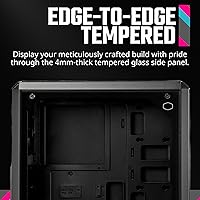
  • Tempered glass side panel at this price tier is a genuine rarity and looks far more expensive than it is.
  • The open perforation across the front, top, and bottom delivers noticeably better passive airflow than closed-panel competitors.
  • USB 3.2 Gen 2x2 on the front I/O panel offers 20Gbps transfer speeds, which most cases in this price range simply do not include.
  • Magnetic dust filters on the top and bottom pull off without tools, making routine cleaning quick and painless.
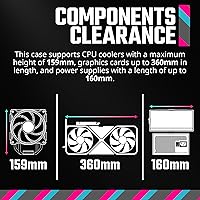
  • GPU clearance up to 360mm means virtually any modern graphics card will fit without compatibility headaches.
  • The 28mm cable management channel behind the motherboard tray keeps builds looking tidy even for less experienced builders.
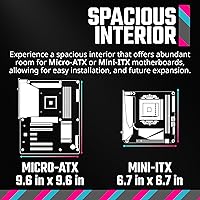
  • Supports Micro-ATX and Mini-ITX boards, giving builders some flexibility if their plans change mid-build.
  • The Q300L V2 footprint is compact enough for tight desks and easy to carry to LAN events.
  • Build quality feels solid relative to what you are paying — panels align well and the chassis feels sturdy.
  • Bottom-mounted PSU placement keeps heat sources separated and contributes to a cleaner interior layout.

Cons

  • No fans are included in the box, which is an easy budget trap for first-time builders who do not account for this.
  • The five-fan maximum is workable, but the lack of any pre-installed fan makes out-of-the-box airflow effectively zero.
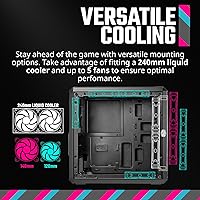
  • Radiator support caps at 240mm, ruling out larger AIO coolers for builders who want serious liquid cooling headroom.
  • The side panel removal mechanism feels loose or imprecise to some users after repeated use over time.
  • There is no noise dampening material anywhere in the build, so fan noise travels freely through the perforated panels.
  • Drive storage options are limited, making this a poor choice for anyone planning a multi-drive media or NAS-style setup.
  • Plastic components around the front I/O and panel edges feel noticeably less premium than the tempered glass suggests.
  • Some buyers have reported inconsistent packaging that led to cosmetic damage on arrival, though this appears to be isolated.
  • Cable management, while functional, lacks the guided channels and velcro anchors found in pricier cases.
  • The CPU cooler height cap of 159mm excludes some of the taller, popular tower air coolers on the market.

Ratings

The Cooler Master Q300L V2 Micro-ATX Tower Case scores below are generated by our AI rating engine after analyzing verified global buyer reviews, actively filtering out incentivized, duplicate, and bot-driven feedback to surface what real builders actually experience. Across every category, both consistent strengths and recurring frustrations are weighted equally so the scores reflect honest purchase outcomes — not marketing promises.

Value for Money
91%
Buyers consistently flag this as one of the strongest arguments for the Q300L V2 — you get tempered glass, solid airflow potential, and a reputable brand name without paying mid-range prices. For first builds or secondary rigs where budget is the primary constraint, reviewers widely agree the case punches well above its cost.
The value perception takes a small hit once buyers realize no fans are included, meaning the true out-of-pocket cost climbs once you factor in purchasing even two 120mm fans separately. A few users feel the plastic front panel elements slightly undercut the overall value impression.
Airflow Performance
83%
The fully perforated front, top, and bottom panels draw genuine praise from builders who previously owned closed-panel cases and saw noticeable temperature differences after switching. Even with minimal fan configurations, reviewers report that passive airflow keeps components at reasonable temperatures under moderate workloads.
Without included fans, out-of-the-box thermal performance is essentially zero — the case relies entirely on whatever fans the buyer installs. Builders running demanding GPUs report needing at least three fans to see the airflow design deliver on its potential.
Build Quality
77%
23%
The steel chassis feels sturdy for the price tier, and panel alignment is generally reported as accurate with no major flex or rattling during transport. Most buyers express genuine surprise at how solid the case feels given its position in the market.
The plastic components around the front I/O area and panel edges are a recurring criticism — they feel noticeably thinner than the steel body suggests. A subset of users also report the side panel retention loosening after repeated removal, which is a minor but real durability concern over time.
Tempered Glass Panel
81%
19%
The tempered glass side panel is one of the most praised aspects of this case, with buyers noting the clarity is genuinely good and the panel feels weighty rather than cheap. For a build at this price point, having a proper glass window rather than acrylic is a meaningful upgrade that reviewers consistently call out positively.
The thumbscrew retention system works, but several users describe the panel fit as slightly imprecise — not dangerous, but not the satisfying snap you get from premium cases either. A small number of reviewers received units where the glass arrived with minor cosmetic scratches from shipping.
Cable Management
72%
28%
The 28mm routing channel behind the motherboard tray is genuinely useful and gives builders enough clearance to run cables neatly without forcing everything flat. First-time builders in particular find it forgiving compared to cases with shallower channels.
There are no integrated velcro straps, cable anchors, or guided routing channels included, so achieving a clean build still requires the buyer to supply their own ties and plan cable paths carefully. Experienced builders expecting more structured management support from a named brand tend to be the most vocal critics here.
Compatibility & Clearances
88%
GPU clearance of up to 360mm covers virtually every consumer graphics card on the market, and the 159mm CPU cooler ceiling handles most popular tower air coolers without issue. Buyers building around mainstream Micro-ATX platforms report near-universal compatibility with their chosen components.
The 159mm cooler limit does exclude some of the larger dual-tower air coolers, which catches a small number of enthusiast buyers off guard. Radiator support capping at 240mm is the other frequent frustration, particularly for builders who later want to upgrade to a larger AIO.
Dust Filtration
84%
The magnetic dust filters on the top and bottom are consistently praised as practical and well-executed — buyers appreciate that they pull free without tools and reattach firmly after cleaning. For a case in regular use on a carpeted floor or dusty desk environment, this feature genuinely reduces maintenance friction.
The front of the case lacks a dedicated dust filter despite being a primary intake area, which means dust accumulation on front-mounted fans requires more hands-on cleaning than the magnetic filters alone suggest. Some users wish the filter material were finer to catch smaller particles.
Front I/O & Connectivity
86%
The USB 3.2 Gen 2x2 port delivering 20Gbps is a standout inclusion that buyers with fast external SSDs and modern peripherals actively appreciate — this kind of front-panel connectivity is uncommon at this price. The combined audio jack and USB 2.0 ports round out a practical daily-use I/O setup.
Having only a single high-speed USB-A port means users with multiple simultaneous high-speed transfers still need to reach around to the rear I/O. The two USB 2.0 ports feel dated alongside the Gen 2x2 port, and some buyers wish one had been upgraded to a standard USB 3.0 instead.
Ease of Assembly
79%
21%
The logical interior layout and generous routing space make the Q300L V2 one of the more approachable cases for first-time builders, with enough room to maneuver components without feeling cramped. Standoff placement and panel removal are both straightforward, and buyers report the build process as genuinely low-stress.
The lack of included fans means builders have to plan mounting configurations from scratch rather than working around pre-installed hardware. A few users note that the motherboard tray has limited lighting for working in dim conditions, and the manual could be clearer on fan header routing options.
Noise Isolation
44%
56%
The open airflow design at least means that whatever fans you install can run at lower RPMs to move equivalent air compared to closed-panel cases, which indirectly reduces noise for builders who choose the right fans.
There is no acoustic dampening material anywhere in the case — the perforated panels that enable airflow do nothing to contain fan and component noise. Builders in quiet office or bedroom environments consistently flag this as a meaningful limitation, and several reviewers note the case amplifies coil whine from GPUs more than expected.
Portability & Footprint
82%
18%
At under 12 pounds unloaded and with a compact tower profile, this Micro-ATX case is one of the more LAN-party-friendly options in its class — easy to carry, fits on most car seats, and does not dominate a small desk. Buyers who move their rig between locations regularly rate this aspect highly.
The compact size, while a strength for portability, does mean the case offers less interior workspace than a mid-tower during assembly — larger hands can find the build process occasionally cramped. The case also lacks a dedicated carry handle, which is a small but noticeable omission for frequent transporters.
Aesthetics
76%
24%
The combination of a tempered glass side panel, clean black exterior, and understated perforated design gives the Q300L V2 a look that is well above average for its price tier. Buyers consistently describe it as looking more expensive than it is, which matters for builds in visible desk setups.
There are no RGB elements included, which suits minimalist builders but leaves buyers wanting a more visually dynamic case needing to invest in ARGB fans and lighting strips separately. The front panel aesthetic is functional but plain, and some users find the all-black plastic face less interesting than competitors with mesh or textured fronts.
Shipping & Packaging
63%
37%
The majority of buyers receive their unit without issue, and the case itself is typically protected by foam inserts adequate for standard courier handling. Most positive feedback on this front is simply the absence of problems, which is the baseline expectation.
A notable minority of reviewers report cosmetic damage — scratched glass, dented panels, or bent filter mesh — suggesting the packaging is not consistently robust enough for rougher transit conditions. Missing screws or incomplete hardware bags are also mentioned with enough frequency to warrant a pre-build inventory check.

Suitable for:

The Cooler Master Q300L V2 Micro-ATX Tower Case is the kind of chassis that makes the most sense for builders who want a clean, functional build without a bloated budget. First-time PC builders will find it forgiving — the interior is organized logically, and the 28mm of cable routing space means you won't be fighting your own build the entire time. Budget-conscious gamers who want a windowed side panel to show off their components but refuse to overpay for it will feel right at home here. It's also a natural pick for compact home office rigs that occasionally see gaming use, especially where desk space is limited and portability matters. Anyone stuck in an aging, airflow-starved case looking for a straightforward upgrade will find this compact tower a genuine step forward without the sticker shock.

Not suitable for:

The Cooler Master Q300L V2 Micro-ATX Tower Case is not the right fit for builders who are assembling a high-performance workstation or enthusiast gaming rig with thermal demands that require aggressive cooling. The case tops out at a 240mm radiator, so if you're planning a 360mm AIO, you'll need to look elsewhere. Power users who want multiple hard drives, extensive RGB lighting ecosystems, or premium cable management channels with velcro straps and routing guides included out of the box will likely feel underserved. This compact tower also ships without any pre-installed fans, which means the real cost of ownership is higher than the sticker price once you factor in purchasing fans separately. Builders who prioritize acoustics and panel dampening materials should also skip this one — the open-airflow design prioritizes thermal performance over noise reduction.

Specifications

  • Form Factor: Micro-ATX Tower designed to house Micro-ATX and Mini-ITX motherboards in a compact but workable footprint.
  • Dimensions: The case measures 387 x 230 x 383mm (L x W x H), keeping the overall chassis footprint tight for a desktop tower.
  • Weight: Fully assembled chassis weighs approximately 11.68 pounds before components are installed.
  • Materials: Constructed from a combination of steel, plastic, and tempered glass, with the glass used exclusively for the side panel.
  • GPU Clearance: Supports graphics cards up to 360mm in length, accommodating the vast majority of current-generation consumer GPUs.
  • CPU Cooler Height: Maximum CPU cooler height clearance is 159mm, which covers most tower air coolers but excludes some of the tallest aftermarket options.
  • Radiator Support: Front panel accommodates radiators up to 240mm, suitable for compact AIO liquid coolers but not 280mm or 360mm configurations.
  • Fan Support: The case can house up to five 120mm fans across the front, top, and bottom mounting positions; no fans are included.
  • Front I/O Ports: Front panel includes one USB 3.2 Gen 2x2 port (20Gbps), two USB 2.0 ports, and a combined audio jack.
  • Dust Filters: Magnetic dust filters are fitted at the top and bottom of the chassis and can be removed without tools for cleaning.
  • Cable Management: A dedicated routing channel of 28mm sits behind the motherboard tray to help keep cables organized and out of the main chamber.
  • PSU Mounting: Power supply unit mounts at the bottom of the case, helping to lower the system center of gravity and separate heat sources.
  • Side Panel: The left side panel is tempered glass, secured by a thumbscrew mechanism for tool-free removal and component viewing.
  • Motherboard Support: Compatible with Micro-ATX and Mini-ITX form factor motherboards; ATX and larger boards are not supported.
  • Airflow Design: Front, top, and bottom panels are fully perforated to encourage passive airflow and heat dissipation throughout the build.
  • Color: Available in Black as the standard colorway for this SKU.
  • Drive Bays: Includes support for 2.5-inch and 3.5-inch storage drives, though bay count is limited given the compact tower form factor.
  • Model Number: Official model identifier is Q300LV2-KGNN-S00, which distinguishes this V2 revision from the original Q300L lineup.

Related Reviews
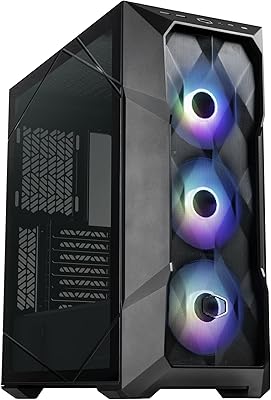
Cooler Master TD500 Mesh V2 ATX Mid-Tower Case
84%
91%
Cooling Performance
88%
Ease of Installation
84%
Build Quality
67%
Cable Management
92%
ARGB Lighting Customizability
More
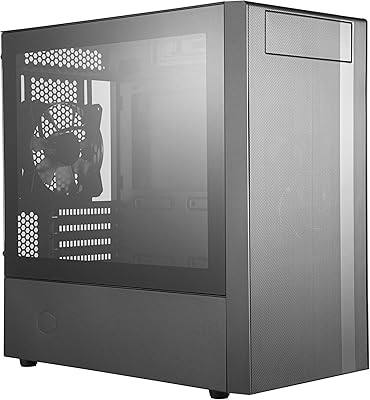
Cooler Master MasterBox NR400 Micro-ATX Tower
86%
91%
Thermal Performance
88%
Build Quality
85%
Design and Aesthetics
89%
Ease of Assembly
75%
Cable Management
More
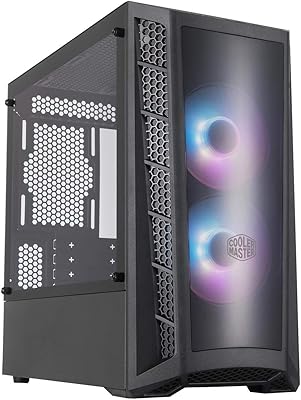
Cooler Master MasterBox MB320L ARGB Micro-ATX Case
82%
89%
Cooling Performance
87%
Build Quality
91%
Ease of Installation
85%
ARGB Lighting Customization
65%
Space for Larger GPUs
More
Cooler Master Elite 301 Lite Micro-ATX Case
77%
91%
Value for Money
84%
Airflow Performance
93%
GPU Clearance
78%
Build Quality
82%
Tempered Glass Panel
More
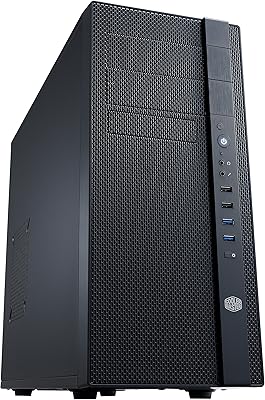
Cooler Master N200 Mini Tower Case
84%
87%
Build Quality
82%
Cooling Performance
89%
Ease of Maintenance
72%
Cable Management
85%
Airflow
More
Cooler Master N400 Mid Tower PC Case
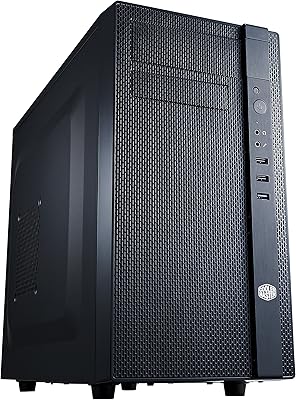
76%
88%
Airflow Performance
74%
Build Quality
86%
Value for Money
91%
Ease of Assembly
79%
Cooling Compatibility
More
Cooler Master Cosmos C700M Full-Tower Case
81%
93%
Build Quality
88%
Cooling Performance
91%
Design & Aesthetics
89%
Interior Layout & Flexibility
71%
Value for Money
More
Thermaltake Tower 300 Black Micro-ATX Case
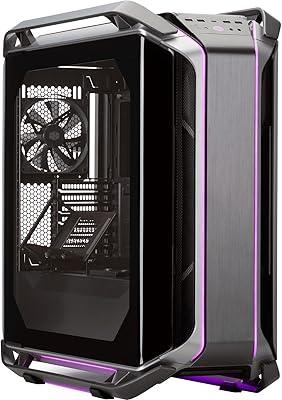
84%
88%
Cooling Performance
90%
Build Quality
85%
Design and Aesthetics
82%
Size and Compatibility
80%
Ease of Setup
More
Antec VSK3000E Micro ATX Mini Tower Case
82%
89%
Build Quality
91%
Value for Money
68%
Cooling Performance
85%
Ease of Installation
80%
Port Availability
More
Cooler Master Force 500 ATX Mid Tower Case
70%
83%
Build Quality
51%
Airflow Performance
57%
Cable Management
88%
Ease of Assembly
84%
PSU Compatibility
More

FAQ

No, it does not. The Q300L V2 ships without any pre-installed fans, which surprises some first-time buyers. You will need to budget for at least two or three 120mm fans separately to get decent airflow going through the build.

Unfortunately, no. This compact tower is built specifically for Micro-ATX and Mini-ITX boards. A standard ATX motherboard is physically too large to mount inside this chassis, so double-check your board size before ordering.

No, the largest radiator this case supports is 240mm, which fits in the front panel. If you are planning a 360mm AIO, you will need a larger chassis with more radiator clearance.

Yes, that should be fine. The case clears GPUs up to 360mm in length, so a 320mm card has comfortable clearance. Just make sure to check your specific card's width and connector positions as well, since those can occasionally cause fitment friction near the front panel fans.

It is fairly straightforward — the panel is held in place by a thumbscrew at the rear, so you can pull it off without hunting for tools. A small number of users have noted the fit feels slightly looser after repeated removal, but for most people it holds securely during day-to-day use.

That depends entirely on which fans you add, since none are included. The open perforated panels do very little to muffle fan noise, so if acoustics matter to you, invest in quieter fans with lower RPM curves. This case prioritizes airflow over silence.

The maximum CPU cooler height is 159mm. Popular options like the Cooler Master Hyper 212 series fit comfortably, but some of the taller dual-tower coolers exceed that limit, so verify your cooler's specs before purchasing.

It is actually one of the more beginner-friendly options in its price range. The interior layout is logical, cable routing space is generous for the size, and the magnetic dust filters mean basic maintenance is not intimidating. Just remember to account for the cost of fans in your total budget.

Yes, that is one of the more practical touches on this case. The top and bottom filters pull off without any tools — you just lift them away, tap or rinse off the dust, and snap them back on. It makes regular cleaning something you will actually do rather than put off indefinitely.

Yes, one of the carryover features from the original Q300L is the flexible I/O placement. The front panel and magnetic dust filters can be repositioned, which is handy if you want the ports facing upward rather than forward depending on how your desk is arranged.

Where to Buy