Overview

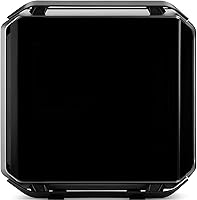
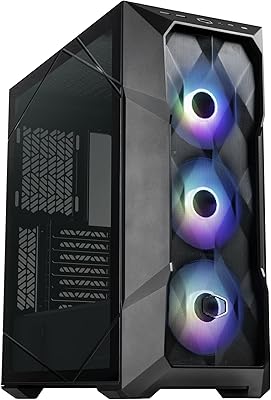
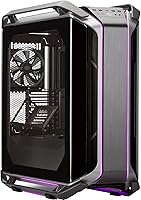
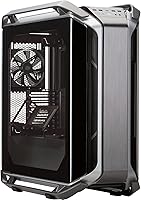
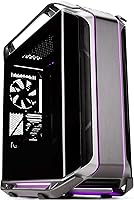
The Cooler Master Cosmos C700M Full-Tower Case is a flagship chassis built for enthusiasts who refuse to compromise on space, thermals, or looks. That curved tempered glass panel is the first thing anyone notices — it gives the case a sculptural quality that flat-panel competitors simply can't match. But this isn't a casual purchase. At 52.5 lbs and over 25 inches in every direction, it physically dominates whatever surface it occupies. Launched in 2018, it's been on the market long enough to face serious competition, yet it still holds its ground for builders who want maximum interior flexibility and a chassis that genuinely turns heads.
Features & Benefits

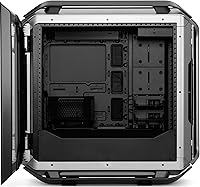
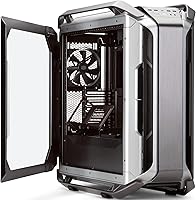
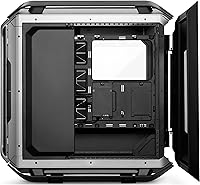
The C700M's interior is where things get interesting. It supports E-ATX motherboards natively while leaving room to reconfigure the layout for smaller builds or bespoke water-cooling setups. A riser cable comes included for vertical GPU mounting — which looks incredible through that glass — though vertical mounting can restrict airflow compared to a traditional horizontal setup, so factor that into your cooling plan. Radiator support extends to 420mm, making this one of the more capable air-and-liquid hybrid platforms available. The front I/O covers USB Type-C and legacy USB ports, and the cable management cover system keeps the interior looking clean without much effort.

Best For

This enthusiast case is tailor-made for builders running custom liquid cooling loops who need the space to fit multiple large radiators without creative compromises. It's also a natural fit for streamers and content creators who want their build to serve as a visual centerpiece — the curved glass and ARGB lighting do a lot of the work on camera. The included riser cable is a genuine bonus for anyone planning a vertical GPU showcase. If you're building a compact, air-cooled system, this probably isn't your chassis. But if long-term expandability and upgrade headroom matter more than a small footprint, the C700M is hard to argue against.

User Feedback

Owners of the full-tower chassis consistently highlight the steel build quality and how solid it feels compared to lighter competitors — it's the kind of rigidity that inspires confidence during a build. The curved glass panel earns plenty of praise for aesthetics, though fingerprints accumulate quickly and it requires regular cleaning to look its best. A few buyers have reported shipping damage on arrival given the size and weight, so inspecting the package carefully before accepting delivery is wise. The ARGB lighting is well-regarded, but full customization requires Cooler Master's software, which some find less intuitive than expected. For purely air-cooled builds, some reviewers feel the price-to-value ratio is harder to justify.

Pros

  • Exceptional build rigidity — the steel chassis feels genuinely premium and holds up to repeated component swaps.
  • Curved tempered glass side panel is a standout design feature that most competitors still haven't matched.
  • Radiator support up to 420mm gives custom loop builders serious flexibility without aftermarket modifications.
  • Native E-ATX support means you won't outgrow this chassis if you upgrade your motherboard platform.
  • Vertical GPU mounting with a riser cable included out of the box saves money and setup hassle.
  • The cable management cover system keeps the interior looking clean even during mid-build stages.
  • Eight expansion slots offer ample room for multi-GPU setups or high-card-count configurations.
  • Front USB Type-C port future-proofs connectivity without sacrificing the legacy USB ports builders still rely on.
  • Thermal performance in custom water-cooling configurations consistently earns high marks from real-world users.
  • The C700M has remained competitive since its 2018 launch, which speaks to how well-thought-out the core design is.

Cons

  • At 52.5 lbs, moving or repositioning this full-tower chassis requires two people and careful planning.
  • The curved glass panel shows fingerprints almost immediately and needs frequent wiping to stay presentable.
  • Vertical GPU mounting looks great but can reduce airflow compared to a standard horizontal orientation.
  • Full ARGB customization requires Cooler Master's proprietary software, which adds a software dependency some builders dislike.
  • Shipping damage reports are more frequent than average given the size and weight of the package.
  • The price point is genuinely difficult to justify for straightforward air-cooled builds with modest components.
  • Its 2018 design means newer competitors have caught up in some areas, particularly airflow optimization and tool-free panel access.
  • The large footprint makes this a floor-placement case for most users — desk mounting is not realistic.

Ratings

Our AI-generated scores for the Cooler Master Cosmos C700M Full-Tower Case were produced by analyzing thousands of verified global buyer reviews, with spam, incentivized feedback, and bot activity actively filtered out before scoring. The results reflect an honest cross-section of real builder experiences — from first-time enthusiasts to seasoned water-cooling veterans — and both the standout strengths and the genuine frustrations are transparently baked into every number you see below.
Build Quality
93%
The steel chassis earns consistent praise for its rigidity and heft — builders report that panels align cleanly, screws seat properly, and nothing flexes during a build. For a case that may be opened and reconfigured multiple times over years, that kind of structural confidence matters.
A small number of buyers noted minor sharp edges along internal mounting brackets, which can be an issue during long build sessions. At this weight class, any manufacturing inconsistency also becomes more noticeable than it would in a lighter chassis.
Cooling Performance
88%
In custom water-cooling configurations, thermal results are genuinely impressive — multiple large radiator positions mean builders can design aggressive loop layouts without compromising. Buyers running dual 360mm or a 420mm front-mounted radiator consistently report stable thermals even under sustained workloads.
Air-cooled builds tell a different story. The interior volume works against passive airflow efficiency, and some users found that achieving good temperatures with air cooling alone required more fans than expected. Vertical GPU mounting also introduces a few extra degrees compared to horizontal orientation.
Design & Aesthetics
91%
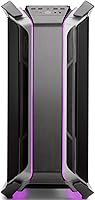
The curved tempered glass panel is the defining visual feature, and it consistently draws strong reactions — both in person and on camera during streams. The black and grey colorway is versatile enough to complement aggressive ARGB builds or more restrained monochrome setups equally well.
The fingerprint issue is real and frequent. The curved glass surface shows smudges almost immediately after handling, which means regular wiping is essentially part of ownership. A few buyers also felt the external design has aged slightly compared to more angular competitors released after 2020.
Interior Layout & Flexibility
89%
The reconfigurable interior is one of this full-tower chassis's genuine strengths — supporting E-ATX down to Micro-ATX with reclaimable space that can be redirected toward additional radiator or storage mounting. Builders who upgrade components frequently appreciate not having to swap cases every generation.
The sheer number of configuration options can feel overwhelming for less experienced builders. Without a clear build plan going in, the interior can become cluttered quickly, and some of the panel removal steps require more effort than tool-free alternatives on competing cases.
Value for Money
71%
29%
For custom water-cooling enthusiasts who use every cubic inch of the interior, the C700M delivers a feature set that genuinely justifies its premium positioning. The included riser cable alone saves a meaningful accessory cost, and the build quality supports years of heavy use without degradation.
For air-cooled or mid-range builds, the math is harder to defend. Several reviewers explicitly noted that they were essentially paying for liquid-cooling infrastructure they never used, and newer competitors have since closed the feature gap at lower price points.
Cable Management
84%
The integrated cable cover system is a practical feature that experienced builders will appreciate immediately — it hides routing channels behind removable panels and makes the interior look polished even mid-build. The generous cable routing clearance behind the motherboard tray adds to the clean result.
The cover system requires planning ahead; if you run cables before attaching covers, retroactively fitting them is awkward. A handful of buyers also felt the covers feel slightly less premium than the rest of the chassis materials.
Liquid Cooling Support
92%
Few cases at any price point offer the radiator flexibility that the C700M does. Support for 420mm radiators in multiple positions is a genuine differentiator, and real-world custom loop builders consistently cite this as the primary reason they chose this chassis over competitors.
Taking full advantage of the liquid cooling support requires a significant hardware investment beyond the case itself. Builders who later decide to simplify their cooling setup may find the interior feels underutilized, with mounting positions sitting empty.
GPU Vertical Mount
81%
19%
The riser cable being included out of the box is a meaningful convenience — vertical GPU mounting looks spectacular through the curved glass and saves buyers from sourcing a compatible cable separately. The PCIe riser implementation is stable and does not introduce any noticeable signal or performance degradation.
Thermal trade-offs are real. The GPU sits close to the glass panel in vertical mode, restricting hot air escape and nudging temperatures upward by a few degrees Celsius. Builders running power-hungry GPUs in warm environments should factor that into their fan curve planning.
Front I/O & Connectivity
76%
24%
The inclusion of a USB Type-C port on a case launched in 2018 was forward-thinking and remains useful for connecting modern peripherals and storage devices. The combination of Type-C, USB 3.0, and dual USB 2.0 means builders are not forced to compromise on legacy device support.
The overall port count feels modest by current standards — only one USB 3.0 port limits simultaneous high-speed device connections. Builders who use a lot of front-panel USB regularly may find themselves routing directly to the back of the system more often than expected.
ARGB Lighting
77%
23%
The addressable RGB implementation covers multiple zones and produces genuinely attractive lighting effects that photograph and stream well. For builders who have committed to the Cooler Master ecosystem with other ARGB-compatible components, the synchronization results are cohesive and visually consistent.
Full control requires installing Cooler Master's MasterPlus+ software, which not everyone wants running in the background. Builders using competing RGB ecosystems like ASUS Aura or MSI Mystic Light may find cross-platform synchronization inconsistent or simply unsupported.
Ease of Build
79%
21%
The generous interior dimensions make component installation physically comfortable compared to mid-tower cases, and experienced builders generally find the layout logical once they have mapped out their configuration. The cable management provisions mean the interior stays workable even during complex multi-stage builds.
First-time builders may find the wide range of configurability options intimidating rather than helpful. Some panel removal steps involve more than one tool or screwdriver type, which slows down the process compared to fully tool-free designs common in newer cases.
Shipping & Packaging
62%
38%
The product is typically packaged with foam inserts and protective wrapping appropriate for a case of this size and complexity. For most buyers, the case arrives without issue, and the packaging does its job adequately under normal freight handling conditions.
Shipping damage is a recurring complaint — the combination of significant weight and large dimensions puts stress on packaging during transit, and cracked glass or dented panels are not rare occurrences. Buyers are consistently advised to inspect the delivery before signing off and document any damage immediately.
Noise Dampening
68%
32%
The heavy steel construction provides a baseline level of vibration dampening that thinner aluminum or plastic competitors cannot match. Builders running lower-RPM fans inside the full-tower chassis report a reasonably quiet operation at idle and moderate loads.
There is no dedicated acoustic foam or noise-dampening material integrated into the panels, which is a notable omission at this tier. Under full load with multiple fans running at high RPM, the case does not meaningfully reduce operational noise compared to more acoustically engineered alternatives.
Long-Term Durability
87%
Buyers who have owned this enthusiast case for multiple years consistently report that the structural integrity holds up well through repeated component swaps and reconfiguration. The steel chassis resists warping and the tempered glass panel, handled with reasonable care, has proven resilient over long ownership periods.
Some wear on plastic accent pieces and minor surface oxidation on internal brackets have been reported after extended use, particularly in humid environments. Replacement parts for a 2018 chassis can also be harder to source as the product ages and supply chains shift.

Suitable for:

The Cooler Master Cosmos C700M Full-Tower Case is purpose-built for enthusiast PC builders who treat their rig as a long-term platform rather than a one-and-done purchase. If you're planning a custom water-cooling loop with one or more large radiators — 360mm, 420mm, or both — this full-tower chassis gives you the internal real estate to pull it off without constant compromise. Streamers and content creators who position their build as part of their on-camera setup will appreciate how commanding the curved glass and ARGB lighting look under studio conditions. Builders running E-ATX motherboards, or those who anticipate upgrading to one, will find the native compatibility genuinely useful rather than a marketing afterthought. The included riser cable also makes this an easy choice for anyone who wants to showcase a high-end GPU vertically without sourcing accessories separately.
Not suitable for:

The Cooler Master Cosmos C700M Full-Tower Case is a hard sell for anyone working with a tight desk setup or a small room — at over 25 inches in both depth and height and weighing in at 52.5 lbs, it physically demands dedicated floor space and careful placement. Builders who prefer a streamlined, air-cooled system with a modest component budget will likely find this enthusiast case difficult to justify, since many of its best features only shine in high-end, thermally intensive builds. Those who prefer a software-free RGB setup should also be aware that getting the most out of the ARGB lighting requires Cooler Master's own software, which not everyone finds intuitive. Buyers sensitive to shipping risks should note that the sheer size and weight of the package makes damage in transit a more common complaint than it is for smaller cases. If you're building for pure performance efficiency rather than visual presentation, there are newer and more tightly optimized alternatives on the market worth comparing first.
Specifications

  • Form Factor: Full tower design accommodating E-ATX, ATX, and Micro-ATX motherboards within the same chassis.
  • Dimensions: The case measures 25.6″ deep, 12″ wide, and 25.6″ tall, requiring dedicated floor or large desk space.
  • Weight: At 52.5 lbs empty, this is one of the heavier consumer full-tower chassis on the market and typically requires two people to move.
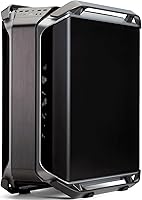
  • Side Panel: A curved tempered glass panel runs along the primary viewing side, offering an unobstructed view of internal components.
  • Material: The main structure is constructed from steel, with the side panel made from curved tempered glass for both rigidity and visibility.
  • GPU Mounting: A PCIe riser cable is included in the box, enabling vertical GPU mounting without any additional purchase.
  • Radiator Support: The chassis supports radiators up to 420mm, with multiple mounting positions suitable for complex custom loop configurations.
  • Expansion Slots: Eight expansion slots provide ample room for multi-card or high-accessory builds beyond a standard single-GPU setup.
  • Front I/O: The front panel includes one USB Type-C port, one USB 3.0 port, and two USB 2.0 ports for broad device compatibility.
  • Cooling Support: The case is compatible with both air cooling and liquid cooling setups, including large custom loop hardware.
  • PSU Mount: The power supply mounts at the bottom of the chassis, helping lower the center of gravity and simplify cable routing.
  • Lighting: Addressable RGB lighting is integrated throughout and can be customized via Cooler Master's software ecosystem.
  • Cable Management: A full cable cover system is included, allowing builders to conceal routing channels and maintain a clean interior presentation.
  • Color: The chassis ships in a black and grey colorway that suits both understated and bold interior aesthetic choices.
  • Model Number: The official model identifier is MCC-C700M-MG5N-S00, useful for sourcing compatible spare parts or replacement panels.

Related Reviews

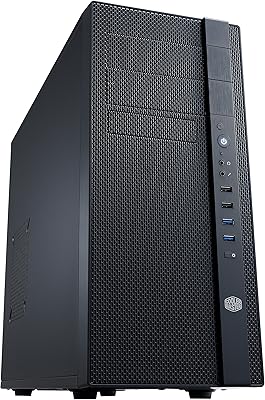
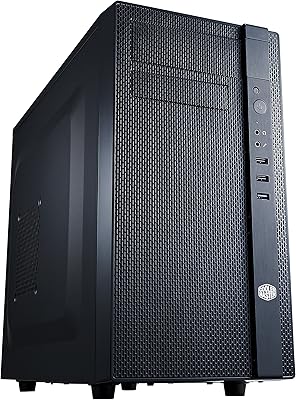
Cooler Master N200 Mini Tower Case
84%
87%
Build Quality
82%
Cooling Performance
89%
Ease of Maintenance
72%
Cable Management
85%
Airflow
More
Cooler Master N400 Mid Tower PC Case
76%
88%
Airflow Performance
74%
Build Quality
86%
Value for Money
91%
Ease of Assembly
79%
Cooling Compatibility
More
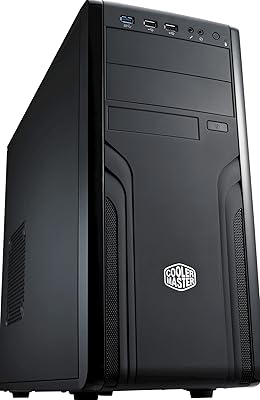
Cooler Master Force 500 ATX Mid Tower Case
70%
83%
Build Quality
51%
Airflow Performance
57%
Cable Management
88%
Ease of Assembly
84%
PSU Compatibility
More
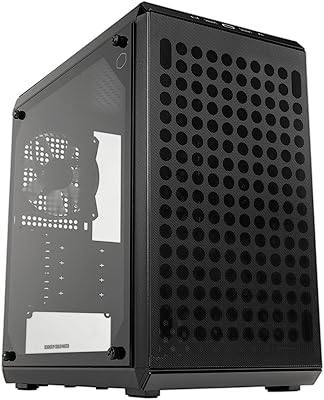
Cooler Master Q300L V2 Micro-ATX Tower Case
77%
91%
Value for Money
83%
Airflow Performance
77%
Build Quality
81%
Tempered Glass Panel
72%
Cable Management
More
Cooler Master TD500 Mesh V2 ATX Mid-Tower Case
84%
91%
Cooling Performance
88%
Ease of Installation
84%
Build Quality
67%
Cable Management
92%
ARGB Lighting Customizability
More
Cooler Master MasterAir MA824 Stealth CPU Cooler
81%
88%
Thermal Performance
91%
Noise Level
93%
RAM Clearance
72%
Installation Experience
89%
Build Quality & Materials
More
Cooler Master Hyper 622 Halo Dual Tower CPU Cooler
82%
83%
Thermal Performance
88%
Noise Level
89%
Ease of Installation
67%
RAM Clearance
86%
Build Quality
More
Cooler Master CMP510 Case
87%
91%
Cooling Performance
88%
Build Quality
85%
Cable Management
89%
Modularity & Customization
93%
Airflow & Ventilation
More
Cooler Master NR200 Mini-ITX Case
85%
91%
Build Quality
88%
Cooling Performance
94%
GPU Compatibility
84%
Ease of Assembly
86%
Airflow Efficiency
More
Cooler Master MasterBox NR400 Micro-ATX Tower
86%
91%
Thermal Performance
88%
Build Quality
85%
Design and Aesthetics
89%
Ease of Assembly
75%
Cable Management
More

FAQ

Realistically, this is a floor-standing case for most people. At over 25 inches tall and deep, it overwhelms the average desk surface. If you have a very large workstation table, it can technically sit on it, but most builders position the C700M on the floor beside their desk.

It can, depending on your specific GPU and case fan setup. Vertical mounting positions the GPU closer to the glass panel, which reduces the gap for hot air to escape. In well-ventilated builds with adequate intake and exhaust fans, the difference is usually only a few degrees Celsius — manageable but worth monitoring with a temperature utility after your build is complete.

Yes, and that is honestly one of the strongest arguments for choosing this full-tower chassis over smaller alternatives. The generous interior dimensions and multiple radiator mounting positions make it one of the more capable options for ambitious custom water-cooling loops with large radiators at both the top and front.

Basic lighting modes will function without any software installed, but if you want to synchronize zones, create custom effects, or match lighting with other ARGB components, you will need Cooler Master's MasterPlus+ software. It is free to download, but it does add a layer of software dependency that not every builder wants.

The glass picks up fingerprints quickly during and after a build, so keeping a microfiber cloth nearby is genuinely useful. It is tempered, which means it is significantly tougher than standard glass, but it can still crack if dropped or struck sharply along an edge. Handle it with both hands and remove it before any heavy-handed component work inside the case.

It is worth taking seriously. Several buyers have reported receiving the Cooler Master Cosmos C700M Full-Tower Case with dented panels or cracked glass due to the sheer weight and size of the package stressing the packaging during transit. When your order arrives, inspect the outer box carefully before fully accepting the delivery, and document any visible damage immediately.
It does support Micro-ATX motherboards, and some builders deliberately use smaller boards inside large cases to leave more room for custom cooling. That said, a Micro-ATX board will look visually sparse in this chassis, and you will be paying for interior space you are not using. It is possible, but not the most efficient use of the case.

The spacious interior actually works in a beginner's favor — there is plenty of room to route cables and maneuver components without feeling cramped. The cable management cover system also makes it easier to keep things tidy without advanced planning. The main challenge for a newcomer would be the sheer number of configuration options, which can feel overwhelming compared to a more opinionated mid-tower case.

Yes, the case supports standard fan configurations and will perform adequately with a solid air-cooling setup. However, a few experienced builders have noted that the case's design and price point are really optimized around liquid cooling. If your build is entirely air-cooled, you are not unlocking the full potential of the chassis, and there are more efficient air-cooled full-tower options at a lower cost.

It remains competitive in raw feature terms, particularly for custom water-cooling capacity and the included riser cable. Where newer cases have occasionally pulled ahead is in refined airflow channel design and tool-free panel access. That said, the C700M's build quality and distinctive curved glass still differentiate it from many newer entries, and it remains a legitimate choice for a high-end build in 2024 if the feature set matches your needs.

Where to Buy