Overview

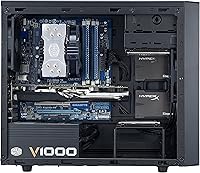
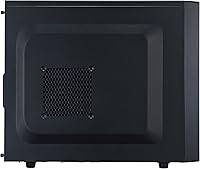
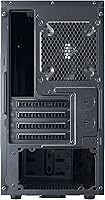
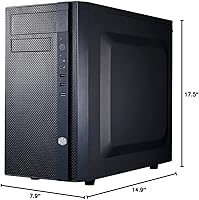
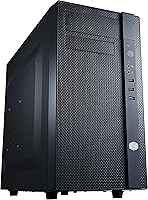
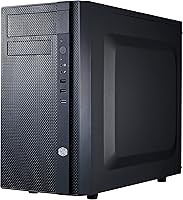
The Cooler Master N200 Mini Tower Computer Case has been around since 2013, and the fact that it still ranks among the top sellers in its category says something real about its staying power. This isn't a flashy build meant to sit on a desk as a centerpiece — it's a no-nonsense mini tower designed for builders who want genuine expandability without paying for space they don't need. At 17.5 by 14.9 by 7.9 inches and just under 10 pounds, the footprint is easy to tuck beside a monitor or under a desk. The asymmetrical mesh front gives it a bit of personality, but make no mistake — the design is functional first. Expect a workhorse, not a showpiece.
Features & Benefits

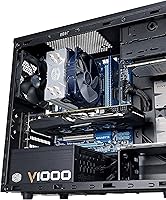
The full mesh front panel is the standout feature here — it pulls noticeably more air through the chassis than competing solid-panel options at this price, which matters when a mid-range GPU is running under sustained load. Storage capacity is genuinely impressive for the size: three 3.5-inch HDD bays alongside four 2.5-inch SSD slots means you won't hit a wall the moment you add a second drive. What surprises most builders is the 240mm radiator support up front — fitting an AIO cooler in a mini tower at this price tier is unusual. GPU clearance extends to 355mm, covering nearly all current discrete cards, and the 160mm CPU cooler height limit accommodates most popular tower air coolers without measuring twice.

Best For

This mini tower is a natural fit for budget-focused mATX builds where you'd rather put money into CPU and GPU than the enclosure itself. Home office machines and HTPC setups benefit from the compact footprint, and the front USB 3.0 port covers everyday connectivity without fuss. First-time builders will appreciate the straightforward layout — cable routing channels are clearly positioned and panel removal doesn't require a manual. If you've been holding off on a 240mm AIO cooler because you assumed it meant moving to a mid-tower, this mATX chassis changes that calculation. It's less suited for windowed showcase builds or heavy workstation configurations pushing more than three hard drives.

User Feedback

With a 4.5-star average across nearly 900 ratings and a consistent spot near the top of its category rankings, the N200 case has built a quiet, durable reputation over many years. Buyers regularly highlight the cable management channels as a genuine strength, along with how easily the panels come off for access and reinstallation. On the downside, some owners find the side panel noticeably thin — it flexes more than expected when pressing near the power button. The open mesh design breathes well, but a handful of long-term users warn that dust accumulation can be significant without a consistent cleaning routine. It also ships with minimal fans, so plan your airflow budget accordingly.

Pros

  • Full mesh front panel delivers better airflow than most solid-panel competitors in the same price range.
  • Fitting a 240mm AIO cooler in a mini tower at this price is genuinely rare and useful.
  • Three 3.5-inch HDD bays plus four 2.5-inch SSD slots offer storage flexibility well above average for the size.
  • GPU clearance up to 355mm means most modern discrete graphics cards drop right in without measuring.
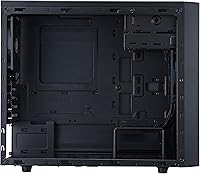
  • Cable management channels are well-placed and make clean builds achievable even for beginners.
  • The N200 case has maintained a top-30 ranking in its category for years, reflecting sustained real-world confidence.
  • Bottom-mounted PSU with a removable dust filter makes long-term maintenance noticeably easier.
  • 160mm CPU cooler height clearance covers virtually every popular air cooler on the market.
  • Compact footprint fits comfortably under a desk or beside a monitor without dominating the space.
  • Straightforward panel removal makes future upgrades and cleaning quick and frustration-free.

Cons

  • Ships with minimal stock fan coverage, so additional fan purchases are almost always necessary.
  • The side panel feels noticeably thin and flexes when pressed, which undercuts the otherwise solid build quality.
  • Open mesh design invites dust accumulation quickly — skipping regular cleaning leads to real thermal consequences.
  • No tempered glass or windowed panel option means there is no way to show off internal components.
  • Interior lighting support is absent, making this mATX chassis a poor fit for RGB-focused builds.
  • Only one front USB 3.0 port may feel limiting for users who rely heavily on front-panel connectivity.
  • The design has aged, and cable routing, while functional, lacks some of the refinements found in newer cases.
  • Builders in particularly dusty environments may find the mesh front requires cleaning more often than expected.

Ratings

Our scores for the Cooler Master N200 Mini Tower Computer Case were generated by AI after analyzing hundreds of verified global buyer reviews, with spam, incentivized, and bot-flagged submissions actively filtered out before scoring. The ratings reflect a balanced picture — genuine strengths are recognized, but recurring pain points from long-term owners are weighted just as seriously. Builders at every experience level will find the breakdown useful for deciding whether this mATX chassis matches their specific build goals.
Value for Money
91%
Buyers consistently describe this mini tower as one of the best uses of a tight case budget, noting that the money saved goes directly toward better components. The combination of 240mm radiator support, generous drive bays, and solid airflow at this price tier is hard to match.
A small number of users felt the plastic elements and minimal included fans made the asking price feel slightly optimistic compared to newer competitors that have since entered the same bracket.
Airflow Performance
84%
The full mesh front panel makes a real difference under sustained GPU load — builders running mid-range discrete cards reported noticeably lower idle and load temps compared to similarly priced solid-panel alternatives they had used previously.
The stock fan count is too low to take full advantage of the mesh design out of the box. Without adding at least one front intake fan, the airflow advantage is largely theoretical for most builds.
Build Quality
73%
27%
The steel frame feels sturdy and holds its shape well during and after assembly. Most owners report no rattling or creaking after months of use, and the overall construction holds up well relative to what the price implies.
The side panel is the most commonly cited weak point — it flexes more than expected when pressed near the center, and a handful of owners found that it does not sit as flush as they would like after repeated removal and reinstallation.
Storage Expandability
88%
Three 3.5-inch HDD bays alongside four 2.5-inch SSD slots is a genuinely generous configuration for a mini tower. Home office builders and media storage setups particularly appreciated not having to choose between spinning rust and solid-state drives.
Installing a front 240mm radiator may require removing or repositioning a drive cage, which creates a real trade-off for builders who need both maximum storage and liquid cooling in the same build.
Cooling Compatibility
86%
Support for a front-mounted 240mm radiator at this size and price is genuinely uncommon, and builders who wanted an AIO without stepping up to a full mid-tower found this mATX chassis to be a practical solution. The 160mm CPU cooler clearance also covers the vast majority of popular tower air coolers.
Fitting a 240mm radiator at the front does limit fan and drive configuration options simultaneously, and some builders had to carefully plan component order during assembly to avoid clearance conflicts.
Cable Management
79%
21%
Cable routing channels are clearly positioned and practical enough that even first-time builders described clean-looking finished builds without excessive effort. The routing paths for the 24-pin and CPU power cables in particular drew consistent praise.
The cable management space behind the motherboard tray is tighter than in newer mid-range cases, and builders with thicker modular cable sets occasionally struggled to close the side panel cleanly.
GPU Compatibility
87%
A 355mm maximum GPU length means most modern discrete cards — including longer triple-fan models — fit without any modification. Builders upgrading to newer generations of GPUs several years after their initial build reported continued compatibility.
There is no dedicated GPU brace or anti-sag support included, which can become relevant when heavier triple-slot cards are installed in a system that gets moved or transported periodically.
Ease of Assembly
82%
18%
Panels come off cleanly and reinstall without fuss, which first-time builders specifically highlighted as reducing assembly anxiety. The interior layout is predictable and well-documented, making it easier to follow build guides without adapting steps to a confusing case layout.
Working space becomes tighter once a radiator and multiple drives are installed simultaneously, and a few builders noted that accessing rear motherboard standoffs required more patience than expected.
Dust Management
58%
42%
The removable PSU dust filter is genuinely convenient — it slides out from the bottom without tools and cleans in seconds, which is a small but appreciated detail for long-term maintenance routines.
The open mesh front has no fine filtration layer, meaning dust enters the chassis freely and settles on components faster than in cases with filtered front panels. Long-term owners in dustier environments flagged this as an ongoing maintenance burden.
Front I/O
67%
33%
The front USB 3.0 port delivers fast transfer speeds for external drives and USB peripherals, and its placement on the front panel is accessible without repositioning the case.
Having only one USB 3.0 port on the front panel feels limiting by current standards, especially for users who regularly connect multiple peripherals. The absence of a USB-C port is also notable given how common those connections have become.
Aesthetics
61%
39%
The asymmetrical mesh front gives the N200 case a slightly distinctive look that stands apart from completely generic budget enclosures. Builders who prefer understated, functional styling tend to find it perfectly acceptable.
There is no windowed side panel, no RGB support, and no way to display internal components — builders who want their system to look as good as it performs will find the exterior styling falls well short of modern showcase cases.
Noise Levels
74%
26%
With additional fans installed and a reasonably optimized airflow configuration, several owners noted that the N200 case ran quietly during light workloads and general desktop use, partly because the mesh allows fans to spin at lower RPMs for equivalent cooling.
The stock configuration is too sparse to draw meaningful conclusions about noise performance, and the metal-and-plastic construction does less to dampen fan or hard drive vibration than cases with rubberized mounting points or sound-dampening foam.
Longevity
83%
The steel frame has proven durable across many years of ownership, with a significant number of reviews coming from buyers who have used the N200 case through multiple component upgrades without needing to replace the chassis itself.
The plastic front panel and side panel show cosmetic wear — minor scratches and dulling — over time, which is typical for plastic at this tier but worth noting for buyers who care about long-term appearance.
Footprint & Portability
81%
19%
At under 10 pounds empty and with a compact profile, this mini tower is easy to reposition, move between rooms, or take to a LAN event. Desk-constrained setups benefited noticeably from the reduced width compared to mid-tower alternatives.
The height and depth dimensions mean it is not as svelte as some competing mini towers, and users who expected something closer to a true SFF case were occasionally surprised by how much space it still occupies vertically.

Suitable for:

The Cooler Master N200 Mini Tower Computer Case is a strong pick for anyone building a practical, space-conscious PC without wanting to give up meaningful hardware flexibility. Budget-minded builders especially benefit here — keeping costs low on the enclosure frees up real money for the components that actually drive performance. First-time builders will find the interior layout approachable, with clear cable routing channels and panels that come off without a fight. Home office users and HTPC builders who need a tidy footprint on or under a desk will appreciate how much capability is packed into roughly 18 by 15 by 8 inches. Anyone eyeing a 240mm AIO cooler but dreading the jump to a larger chassis will find that this mini tower handles that configuration without compromise.
Not suitable for:

Builders who prioritize visual impact — think tempered glass panels, RGB lighting, or a clean windowed side — will find the Cooler Master N200 Mini Tower Computer Case falls flat in that regard; it simply isn't designed with aesthetics as a priority. The open mesh front, while great for airflow, means dust enters freely, so anyone in a dusty environment who dislikes regular cleaning will run into problems over time. The side panel has a noticeable flex to it that bothers some builders, particularly those used to more rigid all-metal construction. Enthusiast-grade workstation builds with multiple large storage drives pushing past three HDDs will hit the bay limit quickly. And if you're planning a high-end showcase system with top-tier components that deserve a premium enclosure, the plastic elements and no-frills interior won't match the ambition of the build.
Specifications

  • Form Factor: Mini Tower design supports Micro ATX and Mini-ITX motherboards.
  • Dimensions: The chassis measures 17.5 x 7.9 x 14.9 inches (L x W x H).
  • Weight: Unit weighs approximately 9.5 pounds without components installed.
  • Materials: Construction combines a steel frame with plastic front and top panel elements.
  • Front Panel: Full mesh front panel design promotes passive and active airflow into the chassis.
  • HDD Bays: Supports up to three 3.5-inch hard drives in dedicated internal bays.
  • SSD Bays: Accommodates up to four 2.5-inch solid-state drives in dedicated mounting positions.
  • GPU Clearance: Maximum graphics card length supported is 355mm (approximately 14 inches).
  • CPU Cooler Height: Accepts CPU air coolers with a maximum height of 160mm.
  • Radiator Support: Front panel supports a 240mm liquid cooling radiator for AIO or custom loop setups.
  • Fan Size: Compatible with 120mm fans in supported mounting positions.
  • PSU Mount: Power supply is mounted at the bottom of the chassis.
  • Dust Filter: A removable dust filter is located beneath the PSU mounting area for easy cleaning.
  • Front I/O: Front panel includes a SuperSpeed USB 3.0 port for high-speed peripheral connectivity.
  • Audio I/O: One combined audio jack is provided on the front panel for headset or speaker use.
  • Cooling Method: Primary cooling is air-based, with optional front-mounted liquid cooling support.
  • Availability: Originally launched in May 2013 and has not been discontinued by the manufacturer.

Related Reviews
Cooler Master NR200 Mini-ITX Case
85%
91%
Build Quality
88%
Cooling Performance
94%
GPU Compatibility
84%
Ease of Assembly
86%
Airflow Efficiency
More
Cooler Master N400 Mid Tower PC Case
76%
88%
Airflow Performance
74%
Build Quality
86%
Value for Money
91%
Ease of Assembly
79%
Cooling Compatibility
More
Cooler Master Cosmos C700M Full-Tower Case
81%
93%
Build Quality
88%
Cooling Performance
91%
Design & Aesthetics
89%
Interior Layout & Flexibility
71%
Value for Money
More
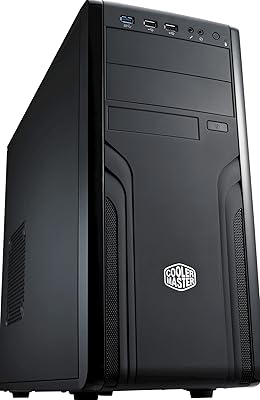
Cooler Master Force 500 ATX Mid Tower Case
70%
83%
Build Quality
51%
Airflow Performance
57%
Cable Management
88%
Ease of Assembly
84%
PSU Compatibility
More
Cooler Master NR200P V3 Mini-ITX Case
79%
88%
Build Quality
93%
GPU Compatibility
79%
Cooling Performance
74%
Ease of Building
82%
PCIe 5.0 Riser Cable
More
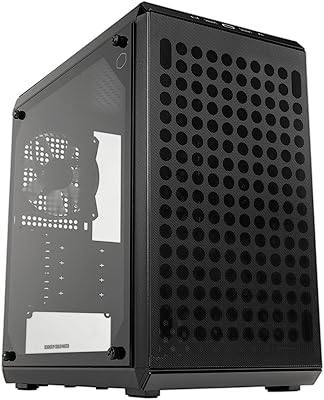
Cooler Master NCORE 100 MAX Mini-ITX Case
73%
88%
Build Quality
71%
Included AIO Performance
86%
PSU Quality & Reliability
79%
GPU Compatibility
58%
Cable Management
More
Cooler Master Q300L V2 Micro-ATX Tower Case
77%
91%
Value for Money
83%
Airflow Performance
77%
Build Quality
81%
Tempered Glass Panel
72%
Cable Management
More
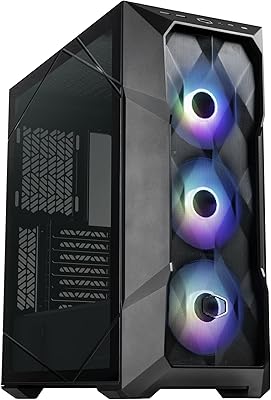
Cooler Master TD500 Mesh V2 ATX Mid-Tower Case
81%
91%
Airflow Performance
87%
Build Quality
93%
Cooling Flexibility
84%
Value for Money
79%
ARGB Lighting
More
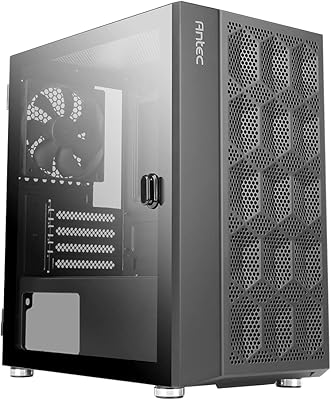
Antec NX200 M Micro-ATX Mini-Tower Computer Case
84%
87%
Cooling Performance
83%
Build Quality
88%
Ease of Setup
80%
Size and Space Efficiency
84%
Storage Options
More
Cooler Master MasterAir MA824 Stealth CPU Cooler
81%
88%
Thermal Performance
91%
Noise Level
93%
RAM Clearance
72%
Installation Experience
89%
Build Quality & Materials
More

FAQ

No, the N200 case only supports Micro ATX and Mini-ITX form factors. A standard full-size ATX board will not physically fit inside the chassis.

Yes, and that is one of the more useful features of this mATX chassis. The front panel has dedicated mounting points for a 240mm radiator, which is uncommon at this size and price tier. Just keep in mind that installing a front radiator may affect how many front case fans you can run simultaneously.

The case ships with minimal fan coverage from the factory, so you should budget for at least one or two additional 120mm fans depending on your build's thermal needs. The chassis supports 120mm fan mounting positions at the front and rear.

Most likely yes. This mini tower supports graphics cards up to 355mm (roughly 14 inches) in length, which covers the vast majority of current discrete GPUs including longer triple-fan models. It is always worth double-checking your specific card's listed length before ordering.

Yes, it supports both Micro ATX and Mini-ITX motherboards. A Mini-ITX board will sit comfortably inside, though you will have extra space around it given the case dimensions.

It is a real consideration. The open mesh design pulls in air effectively, but it also lets in dust more readily than a solid or filtered front panel. Long-term owners recommend a light cleaning of the interior every one to two months, and wiping down the mesh itself regularly. The removable PSU dust filter helps at the bottom, but the front mesh itself has no fine filter layer.

No, the side panel is solid with no window or glass option. If showing off your build matters to you, this mATX chassis is not the right fit.

It is a reasonable first-build choice. The panels come off without much effort, and the cable routing channels are clearly laid out so you are not guessing where things go. The interior is not cramped for a mini tower, which gives you enough room to work without feeling like you are assembling inside a shoebox.

Potentially, but it depends on your specific radiator and drive cage configuration. Installing a 240mm radiator in the front may require removing or repositioning one of the drive cages. Check the front bay layout carefully before committing to that configuration.

Unfortunately, yes. A number of owners have noted that the side panel feels thinner than expected and has some flex to it, particularly near the center. It is not a structural issue and the panel stays seated properly during normal use, but if you are used to heavier steel side panels from premium cases, the difference is noticeable.

Where to Buy