Overview

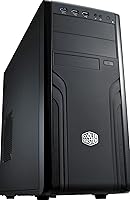
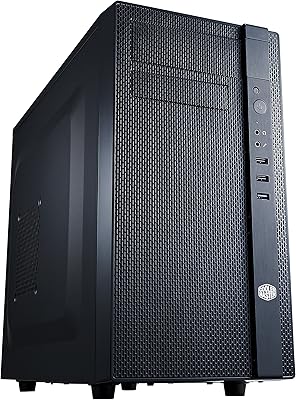
The Cooler Master Force 500 ATX Mid Tower Case is a straightforward, well-built enclosure from a brand that knows its way around PC hardware — designed for builders who want something functional and clean without paying for features they don't need. Released in 2013, it's showing its age in some respects, but the steel-and-plastic construction holds up better than you'd expect for a chassis in this price tier. One thing that sets it apart from many competitors is the top-mounted PSU placement, a deliberate layout choice that shapes how you plan your entire build. Don't expect RGB strips or a tempered glass panel — this is a no-frills workhorse, full stop.

Features & Benefits

The top-mounted PSU slot is genuinely practical — longer power supplies fit without the spatial gymnastics that bottom-mount designs sometimes demand, keeping the lower half of the case open for cable routing. The motherboard tray includes a large CPU cooler cutout, which means swapping to a beefier cooler doesn't require pulling the entire board. Front panel connectivity covers two USB 3.0 and two USB 2.0 ports, handling most motherboard headers without adapters. The chassis also accommodates full-length graphics cards, so high-end dual-slot GPU configurations fit without forcing compromises. The minimalist front panel is a quiet bonus — fewer openings means fewer dust entry points compared to open mesh alternatives.

Best For

This mid-tower chassis makes the most sense for builders on a tight budget who need a dependable shell for a primary or secondary system. If you're repurposing older hardware — giving an aging workstation a new home — the internal layout is accommodating without demanding excessive patience. Offices or home setups that value a clean, understated look will appreciate the absence of plastic windows or flashy trim. Builders working with longer PSU units will find the top-mount positioning genuinely useful rather than just a quirk. And if GPU length clearance matters for your configuration, this Cooler Master enclosure handles large dual-slot cards without issue.

User Feedback

Across its ratings, the Force 500 earns its 4.3-star average largely on straightforward assembly and solid structural integrity — buyers consistently note the steel body doesn't flex or creak during a build. The CPU cutout draws specific praise for making cooler swaps far less frustrating than expected. That said, the criticisms are pointed: airflow is a real limitation, with few fan mounting positions and no mesh paneling to encourage passive circulation. Cable management space behind the tray is tight by modern standards, and builders with thick modular cables may find it genuinely awkward. Most dissatisfied buyers aren't complaining about build quality — it's the dated thermal design and aging aesthetics that draw the most frustration.

Pros

  • Steel body construction feels durable and doesn't flex during assembly or over time.
  • Top-mounted PSU slot accommodates longer power supplies without layout compromises.
  • The CPU cooler cutout is generously sized, making aftermarket cooler swaps straightforward.
  • Front panel includes both USB 3.0 and USB 2.0 ports, covering a broad range of motherboard setups.
  • Supports full-length, high-end dual-slot graphics cards without requiring hardware sacrifices.
  • Minimalist front panel means fewer openings and less dust accumulation compared to open-mesh designs.
  • ATX compatibility ensures broad motherboard support across a wide range of standard builds.
  • Assembly process is consistently praised by buyers as intuitive, even for first-time builders.
  • Clean, neutral black finish suits office and home environments where understated looks matter.
  • Holds a 4.3-star average across hundreds of real buyer ratings, reflecting genuine long-term satisfaction.

Cons

  • Fan mounting positions are limited, restricting how much airflow you can push through the system.
  • No mesh paneling means passive airflow is noticeably weak compared to modern chassis designs.
  • Cable management space behind the motherboard tray is tight and can frustrate builders using thick cables.
  • The visual design is firmly rooted in 2013 — no glass panel, no modern styling touches.
  • No included fan controller or dust filters on key intake areas, adding friction for thermal management.
  • Expansion slot count is limited to two, which can feel restrictive for multi-card or heavily expanded builds.
  • Plastic accents feel noticeably cheaper than the steel body and show wear more quickly.
  • Builders upgrading from this enclosure to a modern case will immediately notice how far airflow standards have advanced.
  • No dedicated water-cooling mount points, ruling it out for any liquid cooling setup beyond basic AIO units.

Ratings

The scores below for the Cooler Master Force 500 ATX Mid Tower Case were generated by our AI system after analyzing verified global buyer reviews, with spam, bot submissions, and incentivized feedback actively filtered out before any scoring was applied. The result is an honest snapshot of where this mid-tower chassis genuinely delivers and where it falls short — no category has been softened to protect the overall picture.

Build Quality
83%
The steel body is one of the most consistently praised aspects across buyer feedback — it resists flex during assembly and holds its shape well even after years of use. Builders handling the case for the first time often note that it feels more solid than its price tier would suggest.
The plastic accent panels tell a different story; they feel noticeably cheaper than the steel frame and are prone to minor scuffing over time. A handful of buyers flagged that the plastic trim pieces can feel slightly misaligned out of the box, which is a minor but recurring quality control note.
Airflow Performance
51%
49%
The minimalist front panel does reduce dust ingress compared to fully open mesh designs, which some buyers in dusty environments actually appreciate as a practical trade-off. For very light workloads or legacy hardware running cool, the existing fan positions are technically sufficient.
This is the Force 500's most significant weakness by a clear margin. The absence of mesh paneling and the limited number of fan mounting positions means heat has few efficient paths out of the chassis, and builders running modern GPUs or overclocked CPUs reported noticeably higher component temps than they expected.
Cable Management
57%
43%
The internal layout is logical enough that experienced builders can work around the constraints with some patience, and the overall routing path for standard non-modular builds is reasonably predictable. Buyers assembling simple single-GPU systems reported fewer frustrations than those with complex configurations.
The space behind the motherboard tray is genuinely tight by current standards, and builders using thick modular cables from high-wattage PSUs consistently flagged it as a pain point. Getting the side panel back on cleanly after routing cables requires effort that most modern cases in this category no longer ask of you.
Ease of Assembly
88%
First-time builders repeatedly called out how intuitive the interior layout feels, and the large CPU cooler cutout on the motherboard tray was specifically praised for removing one of the more stressful moments in a first build — swapping or seating a tower cooler without pulling the whole board. The panel removal system is straightforward and requires no tools.
A few buyers with larger hands found working in the lower section of the case a bit cramped, particularly when routing front panel connectors. Nothing that stops a build, but it adds friction compared to more spacious mid-towers at a similar price point.
PSU Compatibility
84%
The top-mounted PSU slot is a genuine differentiator for builders who have struggled to fit longer power supplies into bottom-mount designs. Buyers using full-size modular units from premium PSU brands reported clean fitment without the clearance anxiety that bottom-mount cases sometimes create.
The top-mount position does impose a practical ceiling height limit on CPU tower coolers, and taller aftermarket coolers need to be measured against the available clearance before committing. This is not a dealbreaker, but it is a real constraint that bottom-mount cases simply do not have.
GPU Clearance
81%
19%
Support for full-length dual-slot graphics cards was a consistent positive in buyer feedback, particularly from users building or refreshing legacy gaming rigs with older high-end cards. For its size category, the internal GPU clearance is genuinely accommodating.
With only two expansion slots at the rear, configurations requiring more than a GPU and a single add-in card will hit a wall quickly. Buyers looking to run a multi-card or heavily expanded workstation setup will find this limitation frustrating.
Front Panel Connectivity
76%
24%
Having both USB 3.0 and USB 2.0 on the front panel covers the practical needs of most builders, and the internal USB 3.0 header was compatible with the vast majority of ATX motherboards buyers paired with this chassis. Day-to-day peripheral access at the front of the case works without issue.
By 2024 standards, the absence of a USB-C front panel port is a noticeable gap, especially for builders who regularly plug in newer devices. This is a product of the case's 2013 origins and cannot be retrofitted without significant modification.
Motherboard Compatibility
86%
Standard ATX support means the case works with the full range of mainstream motherboards without any standoff adjustments or layout compromises. Micro-ATX boards also fit cleanly, giving budget builders some flexibility in their component selection.
There is no support for E-ATX or extended boards, which rules the Force 500 out for workstation builders working with larger server-grade or high-end desktop motherboards. The constraint is not unusual for a mid-tower but worth noting if your board choice is not yet finalized.
Noise Dampening
44%
56%
The solid steel panels do provide some incidental noise reduction compared to fully windowed cases, and buyers running quiet low-RPM fans reported acceptable ambient sound levels at idle. For office use with light workloads, the noise profile is unremarkable in the best way.
There is no dedicated sound dampening material lining the interior panels, which is a clear omission that becomes apparent under load. Users running high-RPM fans to compensate for the limited airflow reported that the case does little to contain the resulting noise.
Cooling Expandability
48%
52%
The existing fan mount positions do allow builders to add standard 120mm or 140mm fans in the available locations, which provides some baseline flexibility for those willing to invest in additional cooling hardware. Budget-focused builds with modest thermal output can be made to work with careful fan selection.
There is no radiator mounting support for AIO liquid coolers, and the total number of fan positions is low enough that reaching adequate airflow for a performance build is difficult regardless of how good the fans themselves are. This chassis was simply not engineered for modern thermal demands.
Aesthetic Design
53%
47%
The plain black exterior and clean front panel have a timeless office neutrality that some buyers actively prefer over aggressively styled cases — it blends into a workspace without demanding attention, which is exactly what certain environments call for.
By contemporary standards, the visual design is undeniably dated. There is no tempered glass window, no RGB integration, and the plastic trim gives the front a utilitarian look that many modern buyers find bland rather than refreshingly minimal.
Value for Money
74%
26%
For builders with modest requirements and a tight budget, the Force 500 delivers a structurally sound, reliable enclosure at a price that reflects its feature set honestly. The 4.3-star average across 259 ratings suggests that buyers who understood what they were buying came away largely satisfied.
Compared to newer budget-tier cases from competing brands that offer mesh panels, more fan mounts, and USB-C front ports at similar or lower prices, the value proposition has weakened considerably since the case launched. Buyers today are paying for a trusted brand name and solid steel rather than a competitive feature set.
Long-Term Durability
82%
18%
The steel frame has proven genuinely resilient over the years, with buyers who have owned the case for multiple build cycles reporting no significant structural degradation. The core chassis continues to function as intended well beyond the average replacement cycle for budget PC cases.
The plastic components age less gracefully — panels can yellow slightly over time and the trim pieces are susceptible to minor cracking if the case is handled roughly during moves. These are cosmetic issues rather than structural ones, but they do affect the long-term impression the case makes.

Suitable for:

The Cooler Master Force 500 ATX Mid Tower Case is a solid pick for builders who prioritize function over form and don't need their chassis to double as a showpiece. If you're putting together a budget workstation, a secondary home PC, or repurposing older hardware into a fresh build, this enclosure gives you a stable, well-structured foundation without demanding a premium. Office environments benefit from its understated black exterior — it blends into a workspace rather than demanding attention. Builders working with longer or heavier PSUs will find the top-mount design genuinely accommodating, removing one common compatibility headache before it starts. The large CPU cooler cutout also makes it easier for intermediate builders who want to upgrade cooling after the initial build without tearing everything apart.

Not suitable for:

Enthusiasts building a modern, high-performance rig should look elsewhere — the Cooler Master Force 500 ATX Mid Tower Case carries real limitations that compound on demanding hardware. Airflow is the biggest concern: the case lacks dedicated mesh panels and offers only modest fan mounting options, which means a hot-running GPU or CPU will have fewer paths to exhaust heat efficiently. Anyone planning to run a tight, tidy build with thick modular cabling will find the rear cable management area frustrating by current standards. Builders who care about visual presentation — tempered glass, RGB integration, or a modern industrial aesthetic — will be disappointed by its plainly functional exterior. And if you're investing in current-generation components where thermals directly impact performance, a chassis with better ventilation architecture is worth the extra spend.

Specifications

  • Form Factor: The chassis is a standard ATX Mid Tower, compatible with full ATX motherboards and smaller form factors including Micro-ATX.
  • Dimensions: The case measures 19.35 x 7.48 x 16.77 inches (LxWxH), providing a mid-sized footprint suitable for most desktop workspaces.
  • Weight: The unit weighs 11.44 pounds (5.2 kg) unloaded, reflecting a sturdy steel construction without being unwieldy to move or position.
  • Body Material: The main structure is steel with plastic accent panels, offering a reasonable balance of rigidity and cost efficiency for its market tier.
  • PSU Mounting: The power supply mounts at the top of the chassis, a layout that suits longer PSU units and keeps the lower interior unobstructed.
  • CPU Cutout: A large cutout is built into the motherboard tray, allowing easy access to the CPU socket backplate without removing the motherboard.
  • GPU Clearance: The interior supports high-end dual-slot graphics cards including multi-GPU configurations, with clearance for long full-length cards.
  • Expansion Slots: Two expansion slots are available at the rear of the chassis for add-in cards such as graphics cards or capture cards.
  • USB 3.0 Ports: The front panel includes two USB 3.0 ports connected via an internal header on the motherboard, delivering fast peripheral transfer speeds.
  • USB 2.0 Ports: Two USB 2.0 ports are also present on the front panel, providing additional connectivity for standard peripherals and legacy devices.
  • Cooling Method: The Force 500 relies entirely on air cooling, with fan mounting positions for standard case fans; no liquid cooling mounting is built in.
  • Color and Finish: The exterior finish is solid black across both the steel body and plastic trim, giving the case a clean and office-appropriate appearance.
  • Model Number: The official model identifier is FOR-500-KKN1, which should be used when sourcing compatible accessories or replacement parts.
  • PSU Included: No power supply unit is included with this chassis; buyers must source and install a compatible PSU separately.
  • First Available: This chassis was first made available in September 2013, placing it in an earlier generation of ATX mid-tower case design.

Related Reviews
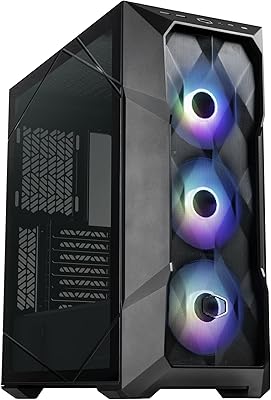
Cooler Master TD500 Mesh V2 ATX Mid-Tower Case
84%
91%
Cooling Performance
88%
Ease of Installation
84%
Build Quality
67%
Cable Management
92%
ARGB Lighting Customizability
More
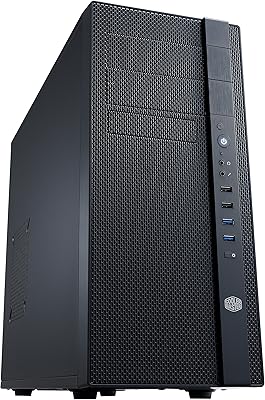
Cooler Master N400 Mid Tower PC Case
76%
88%
Airflow Performance
74%
Build Quality
86%
Value for Money
91%
Ease of Assembly
79%
Cooling Compatibility
More
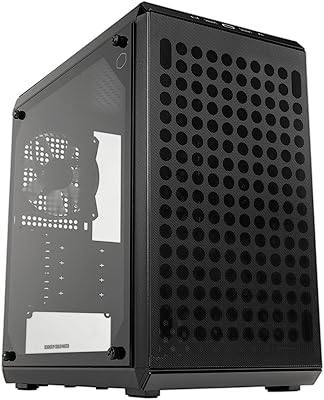
Cooler Master Q300L V2 Micro-ATX Tower Case
77%
91%
Value for Money
83%
Airflow Performance
77%
Build Quality
81%
Tempered Glass Panel
72%
Cable Management
More
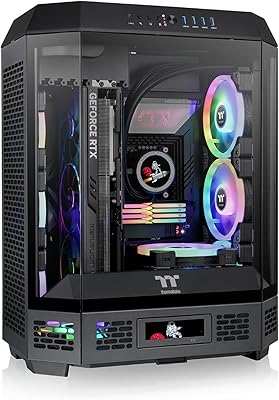
Thermaltake Tower 600 Mid-Tower ATX Case
79%
91%
Build Quality
93%
Aesthetic Design
88%
Cable Management
94%
Cooling Capacity
71%
Installation Experience
More
HYTE Y40 Mid-Tower ATX Case
85%
89%
Design & Aesthetics
86%
Cooling Performance
91%
Cable Management
93%
Build Quality
72%
GPU Compatibility
More
Cooler Master N200 Mini Tower Case
84%
87%
Build Quality
82%
Cooling Performance
89%
Ease of Maintenance
72%
Cable Management
85%
Airflow
More
KEDIERS P6 Mid Tower ATX PC Case
75%
88%
Aesthetic Design
71%
Build Quality
84%
Included Fans & Lighting
78%
Airflow & Thermal Performance
81%
Radiator & Cooling Support
More
SAMA 3509 ATX Mid Tower PC Case
74%
88%
Value for Money
74%
Build Quality
81%
Airflow & Cooling Performance
67%
Pre-installed Fan Quality
86%
Tempered Glass Panel
More
KEDIERS K4 ATX Mid Tower PC Case
80%
91%
Value for Money
93%
Aesthetic Design
74%
Build Quality
72%
Cooling Performance
84%
Ease of Assembly
More
Thermaltake Versa H21 ATX Mid Tower Case
69%
91%
Ease of Assembly
86%
Interior Space
73%
Airflow & Ventilation
58%
Build Quality & Materials
67%
Cable Management
More

FAQ

Yes, the case is built around the standard ATX form factor, so current full-size ATX boards will fit correctly. Micro-ATX boards also work fine with the existing standoff layout. Just confirm your board's rear I/O shield aligns with the case cutout before finalizing your build.

The interior supports full-length dual-slot graphics cards, including high-end models. Most current consumer GPUs will fit without modification, but it is always worth checking your specific card's length against the case interior dimensions to be certain.

For most builders it works well, especially if you have a longer PSU that might be harder to route in a bottom-mount design. The trade-off is that top-mount placement can slightly restrict CPU tower cooler height in some configurations, so check your cooler's clearance specs before committing.

The Force 500 was not designed with dedicated AIO radiator mounting in mind, and liquid cooling support is limited. If you are planning an AIO setup, this chassis is likely not the right choice — a more modern case with front or top radiator mounts would serve you better.

The case does not include pre-installed fans in all configurations, so you may need to purchase case fans separately to get adequate airflow moving through the build. Given the limited fan mounting positions, plan your cooling strategy carefully before buying.

Honestly, it is tight. The space behind the motherboard tray is not generous by modern standards, and builders with thick modular cables often find it a bit of a squeeze to get the panel back on cleanly. It is manageable with patience, but do not expect the tidy routing channels you would find in a newer chassis.

It depends entirely on what you need it for. If you are building a budget workstation, repurposing older hardware, or just need a clean and sturdy enclosure without caring about airflow performance or aesthetics, it still holds up structurally. For a performance-focused gaming build or anything thermally demanding, a newer case with better ventilation is worth the extra spend.

Tall tower coolers can be a close fit depending on exact dimensions, so you should verify clearance against the case interior width before purchasing. The top-mount PSU placement can also limit how much vertical clearance you have in practice, so measure carefully.

The front panel audio header uses the standard HD Audio connector, which is compatible with virtually all modern motherboards. AC97 compatibility varies by board, but HD Audio is the widely supported standard today.

Most buyers report that assembly is straightforward and well laid out, which is one of the more consistent positives in user feedback. The panel removal is intuitive, and the large CPU cutout in the tray takes some of the stress out of cooler installation. For a first build, this is actually one of the more forgiving cases in terms of how accessible the interior feels.