Overview

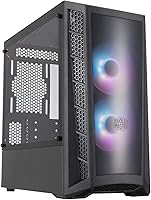
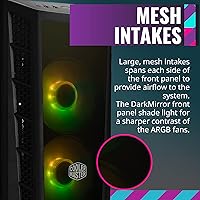
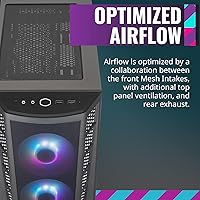
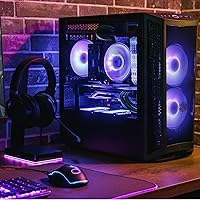
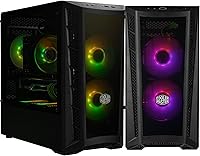
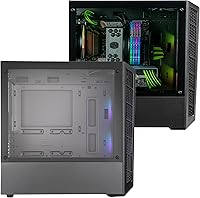
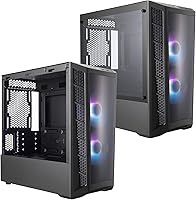
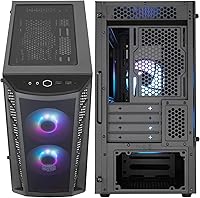
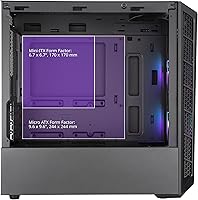
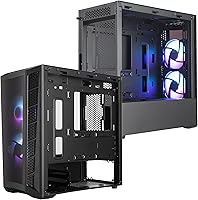
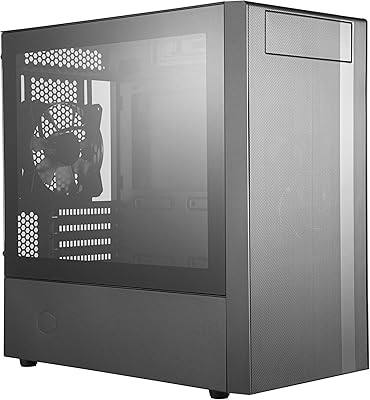
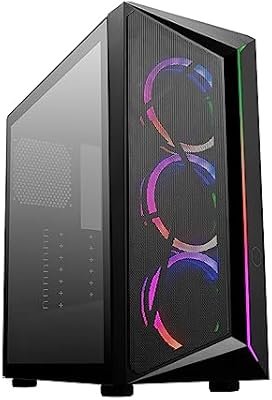
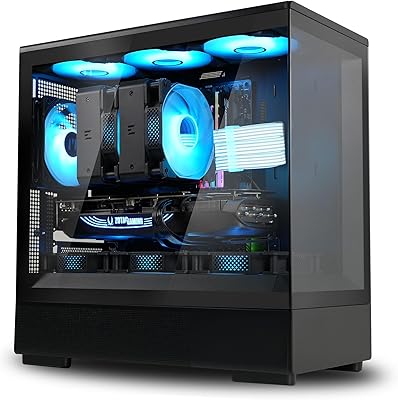
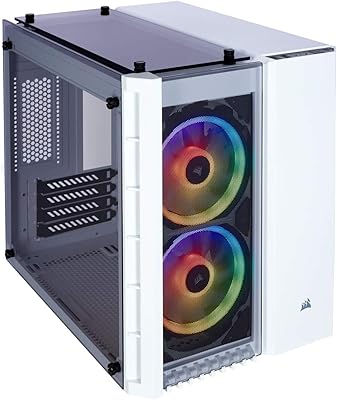
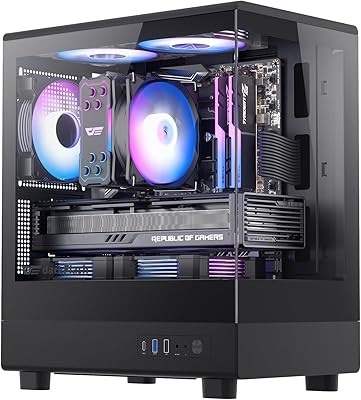
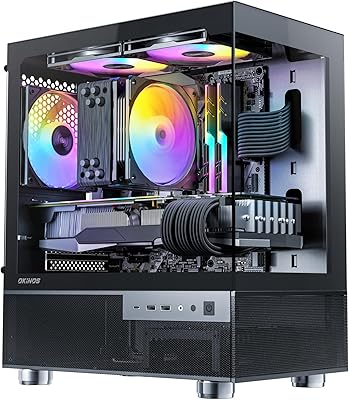
The Cooler Master MasterBox MB320L ARGB Micro-ATX Case is a stylish mid-tower case that accommodates Micro-ATX and Mini-ITX motherboards. With two pre-installed ARGB fans, this case offers customizable lighting effects to match your build’s aesthetic. The tempered glass side panel allows users to showcase their components, while the large mesh intakes on the front panel ensure optimal airflow. This case’s design prioritizes both style and performance, making it an excellent choice for those looking to build a sleek yet functional system.

Features & Benefits

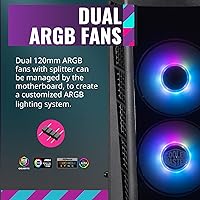
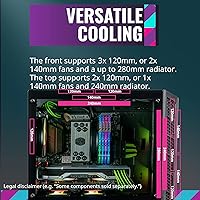
This Cooler Master case stands out with its dual ARGB fans, providing integrated lighting effects that can be controlled via the motherboard. Its removable drive cage offers flexibility, allowing for better space management or additional cooling options. The case supports up to six 120mm fans and offers versatile radiator placements (front, top, and rear) for enhanced cooling performance. Additionally, the edge-to-edge tempered glass panel allows users to show off their PC builds in style, making it a great option for those who value aesthetics and functionality.

Best For

The MasterBox MB320L is ideal for gamers and PC enthusiasts who want a customizable, visually appealing case. It’s perfect for users prioritizing airflow and cooling, with its versatile fan and radiator support. Those with Micro-ATX or Mini-ITX motherboards will find this case especially fitting due to its compact design. Additionally, anyone who enjoys a clean, open look and wants their PC build to be a visual centerpiece will appreciate the panoramic view the tempered glass side panel provides.

User Feedback

User reviews for this ARGB Micro-ATX case are generally positive, with many highlighting its easy installation and excellent airflow. The pre-installed ARGB fans are also a favorite, with users enjoying the customizable lighting options. However, some note that the space inside can be a bit tight for larger GPUs or advanced cooling setups. Overall, this case is praised for its quiet fans and clean design, though those with extensive hardware setups may need to plan carefully to ensure everything fits comfortably.

Pros

  • The two pre-installed ARGB fans allow for easy customization of lighting effects.
  • The tempered glass side panel provides an excellent view of internal components, making builds look sleek and stylish.
  • This case offers ample airflow with its mesh front panel and support for up to six 120mm fans.
  • Its compact mid-tower design is perfect for Micro-ATX and Mini-ITX builds, saving space without compromising functionality.
  • Installation is straightforward, with many users praising how easy it is to assemble components.
  • The removable drive cage allows for flexible storage options and better cooling configurations.

Cons

  • The interior space is tight, which can make installing larger GPUs and complex cooling systems difficult.
  • While the case supports up to six fans, users with large radiators or custom loops may face space limitations.
  • Some users report that cable management can be tricky, especially when trying to hide wires in the compact space.
  • The case is not ideal for users looking to build with very high-end components that require extra room.
  • A few buyers mention that the build quality feels a bit flimsy in certain areas, particularly around the panels.
  • The lack of pre-installed dust filters on the top and bottom can lead to dust buildup inside the case.

Ratings

The ratings for the Cooler Master MasterBox MB320L ARGB Micro-ATX Case are based on verified user reviews collected from multiple platforms and countries. After filtering out spam, incentivized feedback, and duplicates, we've synthesized authentic insights on its performance, features, and usability. While the case receives praise for its aesthetics, cooling capabilities, and ease of installation, there are occasional concerns regarding space for larger components. Both positive and critical feedback have shaped these scores to give you an honest, well-rounded overview of this product’s strengths and weaknesses across various sources and languages.

Cooling Performance
89%
Users consistently praise the effective cooling performance of this ARGB Micro-ATX case. The combination of two pre-installed ARGB fans and support for additional fans or a radiator provides excellent airflow, even during intense gaming or long PC sessions. The large mesh front panel ensures optimal ventilation, helping maintain system stability.
While the cooling options are robust, some users find the case to be less efficient with very high-end components. The tight internal space can make it difficult to install additional cooling solutions or larger radiators, limiting the full potential of the airflow system in more demanding setups.
Build Quality
87%
The build quality of this Cooler Master case is generally well-regarded by users, with many commenting on the solid construction and durability of the materials. The steel frame and tempered glass side panel are both sturdy and give the case a premium feel. Most users feel it provides great value for its price.
Some reviewers note that while the build quality is generally good, the tempered glass panel may feel a bit flimsy during installation. A few users have also mentioned slight issues with the steel frame's finish, though these seem to be isolated incidents.
Ease of Installation
91%
Many buyers report a smooth and straightforward installation process, especially when assembling with Micro-ATX or Mini-ITX motherboards. The pre-installed fans save time, and the removable drive cage allows for easy adjustments. Additionally, cable management is simple, making it easier to build a clean and organized PC setup.
While most users find the installation easy, a few have pointed out that the tight internal space may make it tricky for larger components, such as bulky GPUs or oversized CPU coolers. Some also feel that the manual could provide more detailed guidance, especially for beginners.
ARGB Lighting Customization
85%
The customizable ARGB lighting is a standout feature for many buyers, allowing users to personalize their system's appearance. The integration with the motherboard control lets users easily sync lighting effects with other components. It's a great option for those who want their setup to look visually stunning without extra effort.
However, a few users have noted that the ARGB lighting can sometimes be difficult to configure, especially when using non-supported motherboards. Some also mention that the color options may not be as vibrant or varied as expected, which can be a downside for those who are very particular about lighting effects.
Space for Larger GPUs
65%
35%
This case fits most standard GPUs up to 360mm, which works well for many users with mid-range builds. The layout allows for some flexibility in terms of component arrangement, and the overall design provides sufficient clearance for most mainstream graphics cards.
For users with high-end, larger GPUs, this case may feel cramped. Several buyers have reported difficulty fitting oversized graphics cards, and the tight space can limit airflow around these components, potentially leading to higher temperatures during heavy use. This is a significant drawback for those looking to build top-tier gaming systems.
Design and Aesthetics
88%
The design of this Cooler Master case is sleek and modern, with the tempered glass side panel offering an excellent view of the internal components. The mesh front panel ensures good airflow while maintaining a clean and minimalistic look. Overall, the case is visually appealing and can easily complement any gaming or PC setup.
A few users have mentioned that while the design is clean, the glass panel might be prone to fingerprints and smudges, which can detract from the overall look. Additionally, some feel the overall aesthetic may not be as unique or bold compared to other options in the same price range.
Airflow Flexibility
86%
The case offers great flexibility in terms of airflow. It supports up to six 120mm fans and has mounting options for a front, top, and rear radiator. This makes it an excellent choice for users who prioritize cooling and want to configure their airflow to suit specific needs, whether for gaming or heavy workloads.
While the airflow options are versatile, a few users have noted that the case could benefit from more direct airflow channels for better efficiency. In some builds, users have reported needing to adjust fan configurations to achieve optimal cooling, which may require extra time and effort.
Component Compatibility
78%
22%
This case is designed to support Micro-ATX and Mini-ITX motherboards, making it ideal for compact builds. The removable drive cage and multiple fan mounting options make it versatile for different component configurations. It's a good choice for users who want a smaller, more manageable build without compromising too much on features.
Some users have found that while the case is compatible with smaller motherboards, it can be limiting when attempting to fit larger or more demanding components. The GPU clearance and CPU cooler height may not accommodate all high-end parts, making it less suitable for users planning an advanced or future-proof build.
Noise Level
80%
20%
Most users find the noise levels to be fairly quiet during normal use, with the fans running at a low speed during non-intensive tasks. The case's design and fan configuration contribute to a generally silent operation, which is a bonus for users who value a quiet PC setup.
Some users report that when the system is under load, such as during gaming or heavy rendering tasks, the fans can get noisy. While the noise level is not overwhelming, it may be more noticeable for those who prefer absolute silence or are sensitive to fan noise.
Value for Money
92%
Many users feel that the Cooler Master case offers excellent value for its price. The combination of solid build quality, customizable ARGB lighting, and versatile cooling options makes it a highly competitive option for those looking to build a stylish and functional PC without breaking the bank.
A few users feel that the price could be a bit lower, especially considering the limitations on space for larger components and GPUs. While it offers great value for most mid-range builds, those looking for a case that can handle top-tier hardware might find it less cost-effective in the long run.
Customer Support Experience
70%
30%
When users have reached out for assistance, Cooler Master's customer support has generally been responsive and helpful, providing solutions for minor issues. Some buyers appreciate the clear and quick responses they received when they had questions about the case.
However, a few customers report delays in receiving responses from customer service or dissatisfaction with the resolution of certain issues. This has been a point of frustration for some, especially those needing urgent assistance or replacement parts.
Long-Term Durability
75%
25%
The materials used in this Cooler Master case are generally durable and should last for a long time with proper care. Many users feel that the steel frame and tempered glass panel provide a sturdy foundation for long-term use, especially when handling typical wear and tear in a PC setup.
However, a few users have reported minor issues with the durability of the tempered glass, such as cracking or scratching over time. Some buyers also noted that the case’s structural integrity might degrade with heavy handling or over multiple moves, which could affect the overall long-term experience.

Suitable for:

The Cooler Master MasterBox MB320L ARGB Micro-ATX Case is ideal for gamers and PC enthusiasts who value both style and functionality in their builds. Those using Micro-ATX or Mini-ITX motherboards will particularly benefit from its compact design and versatility. This case offers great customization with its dual ARGB fans, which are easily controlled via motherboard integration, making it perfect for users who enjoy personalized lighting effects. Additionally, users who prioritize good airflow will appreciate the flexible fan support and mesh front panel. It's also a great choice for individuals looking to build a system with visible internal components thanks to the edge-to-edge tempered glass panel, giving a clean, stylish look to their rig without compromising on cooling performance.

Not suitable for:

This case is less ideal for users with high-end, larger components or those planning to build with larger GPUs. Despite the ample GPU clearance of 360mm, users with larger graphics cards may struggle to fit them comfortably, especially in terms of airflow and cooling capacity. The space inside is quite tight, and those planning to use multiple advanced cooling solutions like larger radiators or custom water loops may face difficulties. Additionally, first-time builders might find the assembly challenging, particularly when dealing with the cramped space. If you are looking for a more spacious case that offers more flexibility with large, high-performance hardware, this might not be the best fit for you.

Specifications

  • Case Type: Mid-tower design suitable for Micro-ATX and Mini-ITX motherboards.
  • Motherboard Compatibility: Supports both Micro-ATX and Mini-ITX form factor motherboards.
  • ARGB Fans: Includes two pre-installed ARGB fans for customizable lighting effects.
  • Side Panel: Tempered glass side panel provides a panoramic view of internal components.
  • Front Panel: Mesh front panel for improved airflow and cooling performance.
  • Cooling Support: Supports up to six 120mm fans for enhanced airflow.
  • Radiator Support: Can accommodate front, top, or rear-mounted radiators for liquid cooling.
  • Drive Cage: Removable drive cage offers flexible space for additional components or cooling setups.
  • USB Ports: Equipped with 2 x USB 2.0 and 2 x USB 3.0 ports for connectivity.
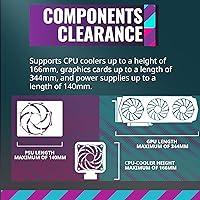
  • GPU Clearance: Can fit graphics cards up to 360mm in length.
  • CPU Cooler Clearance: Supports CPU coolers with a height up to 159mm.
  • PSU Mounting: PSU is mounted at the bottom of the case for better airflow.
  • Airflow Options: Multiple airflow options with support for front, top, and rear fan installation.
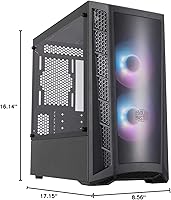
  • Dimensions: Case dimensions are approximately 18.6 x 8.2 x 16.4 inches (L x W x H).
  • Weight: The case weighs around 5.4 kg (11.9 lbs), offering a stable build.
  • Expansion Slots: Includes seven expansion slots for additional PCIe devices.
  • Drive Bays: Supports up to two 3.5-inch drives and two 2.5-inch drives for storage.
  • Fan Control: ARGB fans can be controlled via motherboard headers for synchronized lighting effects.
  • Cable Management: Offers cable management options to keep the interior tidy and organized.

FAQ

The Cooler Master MasterBox MB320L ARGB Micro-ATX Case offers a compact mid-tower design with support for Micro-ATX and Mini-ITX motherboards. It includes two pre-installed ARGB fans for customizable lighting, a tempered glass side panel for a clear view of your components, and excellent airflow with mesh intakes on the front panel.

Installation is generally straightforward in this case. Users have praised its spacious layout and tool-less drive bays, making it easy to install your motherboard, GPU, and storage drives. The tempered glass side panel can be removed for easy access, and cable management options are decent for most setups.

This case supports a versatile cooling configuration. It can accommodate up to six 120mm fans, or you can install radiators on the front, top, or rear of the case for additional cooling. The two pre-installed ARGB fans help with airflow, but additional fans or liquid cooling setups can be added for more intensive builds.

The Cooler Master MasterBox MB320L can fit GPUs up to 360mm in length, which is suitable for most mid-range graphics cards. However, users with very large GPUs or complex cooling setups might find the space a bit tight, especially in the area near the drive cage.

Yes, this case supports custom water cooling setups. You can install a front, top, or rear radiator, and there’s room for up to six 120mm fans. While the space is adequate for most custom loops, those with very large components or additional radiators might need to be cautious about space constraints.

Yes, the Cooler Master MasterBox MB320L is well-suited for high-performance gaming builds. It offers excellent airflow with mesh front panel intakes, and the customizable ARGB lighting can enhance the aesthetic appeal of your gaming rig. However, larger GPUs and more intensive cooling setups could face some space limitations.

The case does not come with dust filters on the top and bottom panels, which can lead to dust buildup over time. Some users have recommended purchasing aftermarket filters for these areas to keep your build cleaner and ensure better airflow.

The tempered glass panel on this case is durable and offers a clear view of your internal components. However, it is prone to smudges and fingerprints, so regular cleaning is recommended to maintain its appearance. Some users have also noted that the glass can be a bit tricky to remove and reinstall during setup.

This case can accommodate a CPU cooler up to 159mm in height. This should be sufficient for most air cooling solutions, but users with larger aftermarket coolers may need to check the specific dimensions to ensure compatibility.

Yes, the Cooler Master MasterBox MB320L is an excellent choice for compact builds. Its mid-tower design is specifically made to fit Micro-ATX and Mini-ITX motherboards, providing a balance of space and performance. It’s ideal for users who want a sleek, functional case without taking up too much room.